Compare commits
72 Commits
| Author | SHA1 | Date | |
|---|---|---|---|
 Dhruv Nair Dhruv Nair
|
ca6d41de0d | ||
|
Dhruv Nair
|
61e962d7d0 | ||
|
Dhruv Nair
|
7492690505 | ||
|
Dhruv Nair
|
decd6758f3 | ||
|
Steven Liu
|
0d23645bd1 | ||
|
Guillaume LEGENDRE
|
7fa3e5b0f6 | ||
|
Steven Liu
|
49b959b540 | ||
|
HelloWorldBeginner
|
58237364b1 | ||
|
Dhruv Nair
|
3e35628873 | ||
|
Lucain
|
6a479588db | ||
|
Aritra Roy Gosthipaty
|
fa489eaed6 | ||
|
Dhruv Nair
|
0d7c479023 | ||
|
Guillaume LEGENDRE
|
ce97d7e19b | ||
|
Guillaume LEGENDRE
|
44ba90caff | ||
|
Dhruv Nair
|
3c85a57297 | ||
|
Dhruv Nair
|
03ca11318e | ||
|
Dhruv Nair
|
3ffa7b46e5 | ||
|
yunseong Cho
|
c1b2a89e34 | ||
|
Aritra Roy Gosthipaty
|
435d37ce5a | ||
|
YiYi Xu
|
5915c2985d | ||
|
YiYi Xu
|
21a7ff12a7 | ||
|
Sayak Paul
|
8909ab4b19 | ||
|
Dhruv Nair
|
c1edb03c37 | ||
|
Steven Liu
|
0d08370263 | ||
|
Tolga Cangöz
|
b8ccb46259 | ||
|
Dhruv Nair
|
725ead2f5e | ||
|
Linoy Tsaban
|
26a7851e1e | ||
|
Sayak Paul
|
3fd31eef51 | ||
|
Aritra Roy Gosthipaty
|
b02e2113ff | ||
|
Aritra Roy Gosthipaty
|
21f023ec1a | ||
|
Aritra Roy Gosthipaty
|
31d9f9ea77 | ||
|
Clint Adams
|
f53352f750 | ||
|
RuiningLi
|
83ae24ce2d | ||
|
jschoormans
|
8af793b2d4 | ||
|
Dhruv Nair
|
eb96ff0d59 | ||
|
Yushu
|
a38dd79512 | ||
|
Dhruv Nair
|
b1c5817a89 | ||
|
Nilesh
|
235d34cf56 | ||
|
Jenyuan-Huang
|
5029673987 | ||
|
Sayak Paul
|
56bd7e67c2 | ||
|
39th president of the United States, probably
|
9d16daaf64 | ||
|
Fabio Rigano
|
8e4ca1b6b2 | ||
|
Beinsezii
|
0d2d424fbe | ||
|
Steven Liu
|
e24e54fdfa | ||
|
btlorch
|
ebc99a77aa | ||
|
Steven Liu
|
fa750a15bd | ||
|
Steven Liu
|
181688012a | ||
|
Sayak Paul
|
142f353e1c | ||
|
Sayak Paul
|
b833d0fc80 | ||
|
Sayak Paul
|
e963621649 | ||
|
Junsong Chen
|
39215aa30e | ||
|
Dhruv Nair
|
9ef43f38d4 | ||
|
Dhruv Nair
|
88018fcf20 | ||
|
Steven Liu
|
7404f1e9dc | ||
|
Sayak Paul
|
5a69227863 | ||
|
Sai-Suraj-27
|
fc9fecc217 | ||
|
Fabio Rigano
|
065f251766 | ||
|
Jenyuan-Huang
|
21c747fa0f | ||
|
Phil Butler
|
09129842e7 | ||
|
Steven Liu
|
33b363edfa | ||
|
Dhruv Nair
|
a9dd86029e | ||
|
Dhruv Nair
|
9100652494 | ||
|
Abhinav Gopal
|
d1e3f489e9 | ||
|
Guillaume LEGENDRE
|
ae05050db9 | ||
|
Sai-Suraj-27
|
db969cc16d | ||
|
Dhruv Nair
|
3cfe187dc7 | ||
|
Dhruv Nair
|
90250d9e48 | ||
|
YiYi Xu
|
e5674015f3 | ||
|
Fabio Rigano
|
b5c8b555d7 | ||
|
Guillaume LEGENDRE
|
e23c27e905 | ||
|
Steven Liu
|
7635d3d37f | ||
|
Wentian
|
9132ce7c58 |
@@ -19,7 +19,7 @@ env:
|
||||
jobs:
|
||||
setup_torch_cuda_pipeline_matrix:
|
||||
name: Setup Torch Pipelines Matrix
|
||||
runs-on: ubuntu-latest
|
||||
runs-on: diffusers/diffusers-pytorch-cpu
|
||||
outputs:
|
||||
pipeline_test_matrix: ${{ steps.fetch_pipeline_matrix.outputs.pipeline_test_matrix }}
|
||||
steps:
|
||||
@@ -67,19 +67,19 @@ jobs:
|
||||
fetch-depth: 2
|
||||
- name: NVIDIA-SMI
|
||||
run: nvidia-smi
|
||||
|
||||
|
||||
- name: Install dependencies
|
||||
run: |
|
||||
python -m venv /opt/venv && export PATH="/opt/venv/bin:$PATH"
|
||||
python -m uv pip install -e [quality,test]
|
||||
python -m uv pip install accelerate@git+https://github.com/huggingface/accelerate.git
|
||||
python -m uv pip install pytest-reportlog
|
||||
|
||||
|
||||
- name: Environment
|
||||
run: |
|
||||
python utils/print_env.py
|
||||
|
||||
- name: Nightly PyTorch CUDA checkpoint (pipelines) tests
|
||||
|
||||
- name: Nightly PyTorch CUDA checkpoint (pipelines) tests
|
||||
env:
|
||||
HUGGING_FACE_HUB_TOKEN: ${{ secrets.HUGGING_FACE_HUB_TOKEN }}
|
||||
# https://pytorch.org/docs/stable/notes/randomness.html#avoiding-nondeterministic-algorithms
|
||||
@@ -88,9 +88,9 @@ jobs:
|
||||
python -m pytest -n 1 --max-worker-restart=0 --dist=loadfile \
|
||||
-s -v -k "not Flax and not Onnx" \
|
||||
--make-reports=tests_pipeline_${{ matrix.module }}_cuda \
|
||||
--report-log=tests_pipeline_${{ matrix.module }}_cuda.log \
|
||||
--report-log=tests_pipeline_${{ matrix.module }}_cuda.log \
|
||||
tests/pipelines/${{ matrix.module }}
|
||||
|
||||
|
||||
- name: Failure short reports
|
||||
if: ${{ failure() }}
|
||||
run: |
|
||||
@@ -103,7 +103,7 @@ jobs:
|
||||
with:
|
||||
name: pipeline_${{ matrix.module }}_test_reports
|
||||
path: reports
|
||||
|
||||
|
||||
- name: Generate Report and Notify Channel
|
||||
if: always()
|
||||
run: |
|
||||
@@ -112,7 +112,7 @@ jobs:
|
||||
|
||||
run_nightly_tests_for_other_torch_modules:
|
||||
name: Torch Non-Pipelines CUDA Nightly Tests
|
||||
runs-on: docker-gpu
|
||||
runs-on: [single-gpu, nvidia-gpu, t4, ci]
|
||||
container:
|
||||
image: diffusers/diffusers-pytorch-cuda
|
||||
options: --shm-size "16gb" --ipc host -v /mnt/hf_cache:/mnt/cache/ --gpus 0
|
||||
@@ -139,7 +139,7 @@ jobs:
|
||||
run: python utils/print_env.py
|
||||
|
||||
- name: Run nightly PyTorch CUDA tests for non-pipeline modules
|
||||
if: ${{ matrix.module != 'examples'}}
|
||||
if: ${{ matrix.module != 'examples'}}
|
||||
env:
|
||||
HUGGING_FACE_HUB_TOKEN: ${{ secrets.HUGGING_FACE_HUB_TOKEN }}
|
||||
# https://pytorch.org/docs/stable/notes/randomness.html#avoiding-nondeterministic-algorithms
|
||||
@@ -148,7 +148,7 @@ jobs:
|
||||
python -m pytest -n 1 --max-worker-restart=0 --dist=loadfile \
|
||||
-s -v -k "not Flax and not Onnx" \
|
||||
--make-reports=tests_torch_${{ matrix.module }}_cuda \
|
||||
--report-log=tests_torch_${{ matrix.module }}_cuda.log \
|
||||
--report-log=tests_torch_${{ matrix.module }}_cuda.log \
|
||||
tests/${{ matrix.module }}
|
||||
|
||||
- name: Run nightly example tests with Torch
|
||||
@@ -161,13 +161,13 @@ jobs:
|
||||
python -m uv pip install peft@git+https://github.com/huggingface/peft.git
|
||||
python -m pytest -n 1 --max-worker-restart=0 --dist=loadfile \
|
||||
-s -v --make-reports=examples_torch_cuda \
|
||||
--report-log=examples_torch_cuda.log \
|
||||
--report-log=examples_torch_cuda.log \
|
||||
examples/
|
||||
|
||||
- name: Failure short reports
|
||||
if: ${{ failure() }}
|
||||
run: |
|
||||
cat reports/tests_torch_${{ matrix.module }}_cuda_stats.txt
|
||||
cat reports/tests_torch_${{ matrix.module }}_cuda_stats.txt
|
||||
cat reports/tests_torch_${{ matrix.module }}_cuda_failures_short.txt
|
||||
|
||||
- name: Test suite reports artifacts
|
||||
@@ -185,7 +185,7 @@ jobs:
|
||||
|
||||
run_lora_nightly_tests:
|
||||
name: Nightly LoRA Tests with PEFT and TORCH
|
||||
runs-on: docker-gpu
|
||||
runs-on: [single-gpu, nvidia-gpu, t4, ci]
|
||||
container:
|
||||
image: diffusers/diffusers-pytorch-cuda
|
||||
options: --shm-size "16gb" --ipc host -v /mnt/hf_cache:/mnt/cache/ --gpus 0
|
||||
@@ -218,13 +218,13 @@ jobs:
|
||||
python -m pytest -n 1 --max-worker-restart=0 --dist=loadfile \
|
||||
-s -v -k "not Flax and not Onnx" \
|
||||
--make-reports=tests_torch_lora_cuda \
|
||||
--report-log=tests_torch_lora_cuda.log \
|
||||
--report-log=tests_torch_lora_cuda.log \
|
||||
tests/lora
|
||||
|
||||
|
||||
- name: Failure short reports
|
||||
if: ${{ failure() }}
|
||||
run: |
|
||||
cat reports/tests_torch_lora_cuda_stats.txt
|
||||
cat reports/tests_torch_lora_cuda_stats.txt
|
||||
cat reports/tests_torch_lora_cuda_failures_short.txt
|
||||
|
||||
- name: Test suite reports artifacts
|
||||
@@ -239,12 +239,12 @@ jobs:
|
||||
run: |
|
||||
pip install slack_sdk tabulate
|
||||
python scripts/log_reports.py >> $GITHUB_STEP_SUMMARY
|
||||
|
||||
|
||||
run_flax_tpu_tests:
|
||||
name: Nightly Flax TPU Tests
|
||||
runs-on: docker-tpu
|
||||
if: github.event_name == 'schedule'
|
||||
|
||||
|
||||
container:
|
||||
image: diffusers/diffusers-flax-tpu
|
||||
options: --shm-size "16gb" --ipc host -v /mnt/hf_cache:/mnt/cache/ --privileged
|
||||
@@ -274,7 +274,7 @@ jobs:
|
||||
python -m pytest -n 0 \
|
||||
-s -v -k "Flax" \
|
||||
--make-reports=tests_flax_tpu \
|
||||
--report-log=tests_flax_tpu.log \
|
||||
--report-log=tests_flax_tpu.log \
|
||||
tests/
|
||||
|
||||
- name: Failure short reports
|
||||
@@ -298,11 +298,11 @@ jobs:
|
||||
|
||||
run_nightly_onnx_tests:
|
||||
name: Nightly ONNXRuntime CUDA tests on Ubuntu
|
||||
runs-on: docker-gpu
|
||||
runs-on: [single-gpu, nvidia-gpu, t4, ci]
|
||||
container:
|
||||
image: diffusers/diffusers-onnxruntime-cuda
|
||||
options: --gpus 0 --shm-size "16gb" --ipc host -v /mnt/hf_cache:/mnt/cache/
|
||||
|
||||
|
||||
steps:
|
||||
- name: Checkout diffusers
|
||||
uses: actions/checkout@v3
|
||||
@@ -321,7 +321,7 @@ jobs:
|
||||
|
||||
- name: Environment
|
||||
run: python utils/print_env.py
|
||||
|
||||
|
||||
- name: Run nightly ONNXRuntime CUDA tests
|
||||
env:
|
||||
HUGGING_FACE_HUB_TOKEN: ${{ secrets.HUGGING_FACE_HUB_TOKEN }}
|
||||
@@ -329,7 +329,7 @@ jobs:
|
||||
python -m pytest -n 1 --max-worker-restart=0 --dist=loadfile \
|
||||
-s -v -k "Onnx" \
|
||||
--make-reports=tests_onnx_cuda \
|
||||
--report-log=tests_onnx_cuda.log \
|
||||
--report-log=tests_onnx_cuda.log \
|
||||
tests/
|
||||
|
||||
- name: Failure short reports
|
||||
@@ -344,7 +344,7 @@ jobs:
|
||||
with:
|
||||
name: ${{ matrix.config.report }}_test_reports
|
||||
path: reports
|
||||
|
||||
|
||||
- name: Generate Report and Notify Channel
|
||||
if: always()
|
||||
run: |
|
||||
|
||||
@@ -15,7 +15,7 @@ concurrency:
|
||||
jobs:
|
||||
setup_pr_tests:
|
||||
name: Setup PR Tests
|
||||
runs-on: docker-cpu
|
||||
runs-on: [ self-hosted, intel-cpu, 8-cpu, ci ]
|
||||
container:
|
||||
image: diffusers/diffusers-pytorch-cpu
|
||||
options: --shm-size "16gb" --ipc host -v /mnt/hf_cache:/mnt/cache/
|
||||
@@ -73,7 +73,7 @@ jobs:
|
||||
max-parallel: 2
|
||||
matrix:
|
||||
modules: ${{ fromJson(needs.setup_pr_tests.outputs.matrix) }}
|
||||
runs-on: docker-cpu
|
||||
runs-on: [ self-hosted, intel-cpu, 8-cpu, ci ]
|
||||
container:
|
||||
image: diffusers/diffusers-pytorch-cpu
|
||||
options: --shm-size "16gb" --ipc host -v /mnt/hf_cache:/mnt/cache/
|
||||
@@ -123,7 +123,7 @@ jobs:
|
||||
config:
|
||||
- name: Hub tests for models, schedulers, and pipelines
|
||||
framework: hub_tests_pytorch
|
||||
runner: docker-cpu
|
||||
runner: [ self-hosted, intel-cpu, 8-cpu, ci ]
|
||||
image: diffusers/diffusers-pytorch-cpu
|
||||
report: torch_hub
|
||||
|
||||
|
||||
@@ -21,7 +21,9 @@ env:
|
||||
jobs:
|
||||
setup_torch_cuda_pipeline_matrix:
|
||||
name: Setup Torch Pipelines CUDA Slow Tests Matrix
|
||||
runs-on: ubuntu-latest
|
||||
runs-on: [ self-hosted, intel-cpu, 8-cpu, ci ]
|
||||
container:
|
||||
image: diffusers/diffusers-pytorch-cpu
|
||||
outputs:
|
||||
pipeline_test_matrix: ${{ steps.fetch_pipeline_matrix.outputs.pipeline_test_matrix }}
|
||||
steps:
|
||||
@@ -29,14 +31,13 @@ jobs:
|
||||
uses: actions/checkout@v3
|
||||
with:
|
||||
fetch-depth: 2
|
||||
- name: Set up Python
|
||||
uses: actions/setup-python@v4
|
||||
with:
|
||||
python-version: "3.8"
|
||||
- name: Install dependencies
|
||||
run: |
|
||||
pip install -e .
|
||||
pip install huggingface_hub
|
||||
python -m venv /opt/venv && export PATH="/opt/venv/bin:$PATH"
|
||||
python -m uv pip install -e [quality,test]
|
||||
- name: Environment
|
||||
run: |
|
||||
python utils/print_env.py
|
||||
- name: Fetch Pipeline Matrix
|
||||
id: fetch_pipeline_matrix
|
||||
run: |
|
||||
@@ -55,12 +56,13 @@ jobs:
|
||||
needs: setup_torch_cuda_pipeline_matrix
|
||||
strategy:
|
||||
fail-fast: false
|
||||
max-parallel: 8
|
||||
matrix:
|
||||
module: ${{ fromJson(needs.setup_torch_cuda_pipeline_matrix.outputs.pipeline_test_matrix) }}
|
||||
runs-on: [single-gpu, nvidia-gpu, t4, ci]
|
||||
container:
|
||||
image: diffusers/diffusers-pytorch-cuda
|
||||
options: --shm-size "16gb" --ipc host -v /mnt/hf_cache:/mnt/cache/ --gpus 0
|
||||
options: --shm-size "16gb" --ipc host -v /mnt/cache/.cache/huggingface/diffusers:/mnt/cache/ --gpus 0 --privileged
|
||||
steps:
|
||||
- name: Checkout diffusers
|
||||
uses: actions/checkout@v3
|
||||
@@ -69,6 +71,12 @@ jobs:
|
||||
- name: NVIDIA-SMI
|
||||
run: |
|
||||
nvidia-smi
|
||||
- name: Tailscale
|
||||
uses: huggingface/tailscale-action@v1
|
||||
with:
|
||||
authkey: ${{ secrets.TAILSCALE_SSH_AUTHKEY }}
|
||||
slackChannel: ${{ secrets.SLACK_CIFEEDBACK_CHANNEL }}
|
||||
slackToken: ${{ secrets.SLACK_CIFEEDBACK_BOT_TOKEN }}
|
||||
- name: Install dependencies
|
||||
run: |
|
||||
python -m venv /opt/venv && export PATH="/opt/venv/bin:$PATH"
|
||||
@@ -87,6 +95,12 @@ jobs:
|
||||
-s -v -k "not Flax and not Onnx" \
|
||||
--make-reports=tests_pipeline_${{ matrix.module }}_cuda \
|
||||
tests/pipelines/${{ matrix.module }}
|
||||
- name: Tailscale Wait
|
||||
if: ${{ failure() || runner.debug == '1' }}
|
||||
uses: huggingface/tailscale-action@v1
|
||||
with:
|
||||
waitForSSH: true
|
||||
authkey: ${{ secrets.TAILSCALE_SSH_AUTHKEY }}
|
||||
- name: Failure short reports
|
||||
if: ${{ failure() }}
|
||||
run: |
|
||||
@@ -102,10 +116,10 @@ jobs:
|
||||
|
||||
torch_cuda_tests:
|
||||
name: Torch CUDA Tests
|
||||
runs-on: docker-gpu
|
||||
runs-on: [single-gpu, nvidia-gpu, t4, ci]
|
||||
container:
|
||||
image: diffusers/diffusers-pytorch-cuda
|
||||
options: --shm-size "16gb" --ipc host -v /mnt/hf_cache:/mnt/cache/ --gpus 0
|
||||
options: --shm-size "16gb" --ipc host -v /mnt/cache/.cache/huggingface/diffusers:/mnt/cache/ --gpus 0
|
||||
defaults:
|
||||
run:
|
||||
shell: bash
|
||||
@@ -154,10 +168,10 @@ jobs:
|
||||
|
||||
peft_cuda_tests:
|
||||
name: PEFT CUDA Tests
|
||||
runs-on: docker-gpu
|
||||
runs-on: [single-gpu, nvidia-gpu, t4, ci]
|
||||
container:
|
||||
image: diffusers/diffusers-pytorch-cuda
|
||||
options: --shm-size "16gb" --ipc host -v /mnt/hf_cache:/mnt/cache/ --gpus 0
|
||||
options: --shm-size "16gb" --ipc host -v /mnt/cache/.cache/huggingface/diffusers:/mnt/cache/ --gpus 0
|
||||
defaults:
|
||||
run:
|
||||
shell: bash
|
||||
@@ -207,7 +221,7 @@ jobs:
|
||||
runs-on: docker-tpu
|
||||
container:
|
||||
image: diffusers/diffusers-flax-tpu
|
||||
options: --shm-size "16gb" --ipc host -v /mnt/hf_cache:/mnt/cache/ --privileged
|
||||
options: --shm-size "16gb" --ipc host -v /mnt/cache/.cache/huggingface:/mnt/cache/ --privileged
|
||||
defaults:
|
||||
run:
|
||||
shell: bash
|
||||
@@ -251,10 +265,10 @@ jobs:
|
||||
|
||||
onnx_cuda_tests:
|
||||
name: ONNX CUDA Tests
|
||||
runs-on: docker-gpu
|
||||
runs-on: [single-gpu, nvidia-gpu, t4, ci]
|
||||
container:
|
||||
image: diffusers/diffusers-onnxruntime-cuda
|
||||
options: --shm-size "16gb" --ipc host -v /mnt/hf_cache:/mnt/cache/ --gpus 0
|
||||
options: --shm-size "16gb" --ipc host -v /mnt/cache/.cache/huggingface:/mnt/cache/ --gpus 0
|
||||
defaults:
|
||||
run:
|
||||
shell: bash
|
||||
@@ -299,11 +313,11 @@ jobs:
|
||||
run_torch_compile_tests:
|
||||
name: PyTorch Compile CUDA tests
|
||||
|
||||
runs-on: docker-gpu
|
||||
runs-on: [single-gpu, nvidia-gpu, t4, ci]
|
||||
|
||||
container:
|
||||
image: diffusers/diffusers-pytorch-compile-cuda
|
||||
options: --gpus 0 --shm-size "16gb" --ipc host -v /mnt/hf_cache:/mnt/cache/
|
||||
options: --gpus 0 --shm-size "16gb" --ipc host -v /mnt/cache/.cache/huggingface:/mnt/cache/
|
||||
|
||||
steps:
|
||||
- name: Checkout diffusers
|
||||
@@ -340,11 +354,11 @@ jobs:
|
||||
run_xformers_tests:
|
||||
name: PyTorch xformers CUDA tests
|
||||
|
||||
runs-on: docker-gpu
|
||||
runs-on: [single-gpu, nvidia-gpu, t4, ci]
|
||||
|
||||
container:
|
||||
image: diffusers/diffusers-pytorch-xformers-cuda
|
||||
options: --gpus 0 --shm-size "16gb" --ipc host -v /mnt/hf_cache:/mnt/cache/
|
||||
options: --gpus 0 --shm-size "16gb" --ipc host -v /mnt/cache/.cache/huggingface:/mnt/cache/
|
||||
|
||||
steps:
|
||||
- name: Checkout diffusers
|
||||
@@ -381,11 +395,11 @@ jobs:
|
||||
run_examples_tests:
|
||||
name: Examples PyTorch CUDA tests on Ubuntu
|
||||
|
||||
runs-on: docker-gpu
|
||||
runs-on: [single-gpu, nvidia-gpu, t4, ci]
|
||||
|
||||
container:
|
||||
image: diffusers/diffusers-pytorch-cuda
|
||||
options: --gpus 0 --shm-size "16gb" --ipc host -v /mnt/hf_cache:/mnt/cache/
|
||||
options: --gpus 0 --shm-size "16gb" --ipc host -v /mnt/cache/.cache/huggingface:/mnt/cache/
|
||||
|
||||
steps:
|
||||
- name: Checkout diffusers
|
||||
@@ -425,4 +439,4 @@ jobs:
|
||||
uses: actions/upload-artifact@v2
|
||||
with:
|
||||
name: examples_test_reports
|
||||
path: reports
|
||||
path: reports
|
||||
|
||||
@@ -0,0 +1,46 @@
|
||||
name: SSH into runners
|
||||
|
||||
on:
|
||||
workflow_dispatch:
|
||||
inputs:
|
||||
runner_type:
|
||||
description: 'Type of runner to test (a10 or t4)'
|
||||
required: true
|
||||
docker_image:
|
||||
description: 'Name of the Docker image'
|
||||
required: true
|
||||
|
||||
env:
|
||||
IS_GITHUB_CI: "1"
|
||||
HF_HUB_READ_TOKEN: ${{ secrets.HF_HUB_READ_TOKEN }}
|
||||
HF_HOME: /mnt/cache
|
||||
DIFFUSERS_IS_CI: yes
|
||||
OMP_NUM_THREADS: 8
|
||||
MKL_NUM_THREADS: 8
|
||||
RUN_SLOW: yes
|
||||
|
||||
jobs:
|
||||
ssh_runner:
|
||||
name: "SSH"
|
||||
runs-on: [single-gpu, nvidia-gpu, "${{ github.event.inputs.runner_type }}", ci]
|
||||
container:
|
||||
image: ${{ github.event.inputs.docker_image }}
|
||||
options: --gpus all --privileged --ipc host -v /mnt/cache/.cache/huggingface:/mnt/cache/
|
||||
|
||||
steps:
|
||||
- name: Checkout diffusers
|
||||
uses: actions/checkout@v3
|
||||
with:
|
||||
fetch-depth: 2
|
||||
|
||||
- name: NVIDIA-SMI
|
||||
run: |
|
||||
nvidia-smi
|
||||
|
||||
- name: Tailscale # In order to be able to SSH when a test fails
|
||||
uses: huggingface/tailscale-action@v1
|
||||
with:
|
||||
authkey: ${{ secrets.TAILSCALE_SSH_AUTHKEY }}
|
||||
slackChannel: ${{ secrets.SLACK_CIFEEDBACK_CHANNEL }}
|
||||
slackToken: ${{ secrets.SLACK_CIFEEDBACK_BOT_TOKEN }}
|
||||
waitForSSH: true
|
||||
+133
-151
@@ -23,158 +23,134 @@
|
||||
title: Accelerate inference of text-to-image diffusion models
|
||||
title: Tutorials
|
||||
- sections:
|
||||
- sections:
|
||||
- local: using-diffusers/loading_overview
|
||||
title: Overview
|
||||
- local: using-diffusers/loading
|
||||
title: Load pipelines, models, and schedulers
|
||||
- local: using-diffusers/schedulers
|
||||
title: Load and compare different schedulers
|
||||
- local: using-diffusers/custom_pipeline_overview
|
||||
title: Load community pipelines and components
|
||||
- local: using-diffusers/using_safetensors
|
||||
title: Load safetensors
|
||||
- local: using-diffusers/other-formats
|
||||
title: Load different Stable Diffusion formats
|
||||
- local: using-diffusers/loading_adapters
|
||||
title: Load adapters
|
||||
- local: using-diffusers/push_to_hub
|
||||
title: Push files to the Hub
|
||||
title: Loading & Hub
|
||||
- sections:
|
||||
- local: using-diffusers/pipeline_overview
|
||||
title: Overview
|
||||
- local: using-diffusers/unconditional_image_generation
|
||||
title: Unconditional image generation
|
||||
- local: using-diffusers/conditional_image_generation
|
||||
title: Text-to-image
|
||||
- local: using-diffusers/img2img
|
||||
title: Image-to-image
|
||||
- local: using-diffusers/inpaint
|
||||
title: Inpainting
|
||||
- local: using-diffusers/text-img2vid
|
||||
title: Text or image-to-video
|
||||
- local: using-diffusers/depth2img
|
||||
title: Depth-to-image
|
||||
title: Tasks
|
||||
- sections:
|
||||
- local: using-diffusers/textual_inversion_inference
|
||||
title: Textual inversion
|
||||
- local: using-diffusers/ip_adapter
|
||||
title: IP-Adapter
|
||||
- local: using-diffusers/merge_loras
|
||||
title: Merge LoRAs
|
||||
- local: training/distributed_inference
|
||||
title: Distributed inference with multiple GPUs
|
||||
- local: using-diffusers/reusing_seeds
|
||||
title: Improve image quality with deterministic generation
|
||||
- local: using-diffusers/control_brightness
|
||||
title: Control image brightness
|
||||
- local: using-diffusers/weighted_prompts
|
||||
title: Prompt techniques
|
||||
- local: using-diffusers/freeu
|
||||
title: Improve generation quality with FreeU
|
||||
title: Techniques
|
||||
- sections:
|
||||
- local: using-diffusers/pipeline_overview
|
||||
title: Overview
|
||||
- local: using-diffusers/sdxl
|
||||
title: Stable Diffusion XL
|
||||
- local: using-diffusers/sdxl_turbo
|
||||
title: SDXL Turbo
|
||||
- local: using-diffusers/kandinsky
|
||||
title: Kandinsky
|
||||
- local: using-diffusers/controlnet
|
||||
title: ControlNet
|
||||
- local: using-diffusers/t2i_adapter
|
||||
title: T2I-Adapter
|
||||
- local: using-diffusers/shap-e
|
||||
title: Shap-E
|
||||
- local: using-diffusers/diffedit
|
||||
title: DiffEdit
|
||||
- local: using-diffusers/distilled_sd
|
||||
title: Distilled Stable Diffusion inference
|
||||
- local: using-diffusers/callback
|
||||
title: Pipeline callbacks
|
||||
- local: using-diffusers/reproducibility
|
||||
title: Create reproducible pipelines
|
||||
- local: using-diffusers/custom_pipeline_examples
|
||||
title: Community pipelines
|
||||
- local: using-diffusers/contribute_pipeline
|
||||
title: Contribute a community pipeline
|
||||
- local: using-diffusers/inference_with_lcm_lora
|
||||
title: Latent Consistency Model-LoRA
|
||||
- local: using-diffusers/inference_with_lcm
|
||||
title: Latent Consistency Model
|
||||
- local: using-diffusers/inference_with_tcd_lora
|
||||
title: Trajectory Consistency Distillation-LoRA
|
||||
- local: using-diffusers/svd
|
||||
title: Stable Video Diffusion
|
||||
title: Specific pipeline examples
|
||||
- sections:
|
||||
- local: training/overview
|
||||
title: Overview
|
||||
- local: training/create_dataset
|
||||
title: Create a dataset for training
|
||||
- local: training/adapt_a_model
|
||||
title: Adapt a model to a new task
|
||||
- sections:
|
||||
- local: training/unconditional_training
|
||||
title: Unconditional image generation
|
||||
- local: training/text2image
|
||||
title: Text-to-image
|
||||
- local: training/sdxl
|
||||
title: Stable Diffusion XL
|
||||
- local: training/kandinsky
|
||||
title: Kandinsky 2.2
|
||||
- local: training/wuerstchen
|
||||
title: Wuerstchen
|
||||
- local: training/controlnet
|
||||
title: ControlNet
|
||||
- local: training/t2i_adapters
|
||||
title: T2I-Adapters
|
||||
- local: training/instructpix2pix
|
||||
title: InstructPix2Pix
|
||||
title: Models
|
||||
- sections:
|
||||
- local: training/text_inversion
|
||||
title: Textual Inversion
|
||||
- local: training/dreambooth
|
||||
title: DreamBooth
|
||||
- local: training/lora
|
||||
title: LoRA
|
||||
- local: training/custom_diffusion
|
||||
title: Custom Diffusion
|
||||
- local: training/lcm_distill
|
||||
title: Latent Consistency Distillation
|
||||
- local: training/ddpo
|
||||
title: Reinforcement learning training with DDPO
|
||||
title: Methods
|
||||
title: Training
|
||||
- sections:
|
||||
- local: using-diffusers/other-modalities
|
||||
title: Other Modalities
|
||||
title: Taking Diffusers Beyond Images
|
||||
title: Using Diffusers
|
||||
- local: using-diffusers/loading
|
||||
title: Load pipelines
|
||||
- local: using-diffusers/custom_pipeline_overview
|
||||
title: Load community pipelines and components
|
||||
- local: using-diffusers/schedulers
|
||||
title: Load schedulers and models
|
||||
- local: using-diffusers/using_safetensors
|
||||
title: Load safetensors
|
||||
- local: using-diffusers/other-formats
|
||||
title: Load different Stable Diffusion formats
|
||||
- local: using-diffusers/loading_adapters
|
||||
title: Load adapters
|
||||
- local: using-diffusers/push_to_hub
|
||||
title: Push files to the Hub
|
||||
title: Load pipelines and adapters
|
||||
- sections:
|
||||
- local: optimization/opt_overview
|
||||
- local: using-diffusers/unconditional_image_generation
|
||||
title: Unconditional image generation
|
||||
- local: using-diffusers/conditional_image_generation
|
||||
title: Text-to-image
|
||||
- local: using-diffusers/img2img
|
||||
title: Image-to-image
|
||||
- local: using-diffusers/inpaint
|
||||
title: Inpainting
|
||||
- local: using-diffusers/text-img2vid
|
||||
title: Text or image-to-video
|
||||
- local: using-diffusers/depth2img
|
||||
title: Depth-to-image
|
||||
title: Generative tasks
|
||||
- sections:
|
||||
- local: using-diffusers/overview_techniques
|
||||
title: Overview
|
||||
- local: training/distributed_inference
|
||||
title: Distributed inference with multiple GPUs
|
||||
- local: using-diffusers/merge_loras
|
||||
title: Merge LoRAs
|
||||
- local: using-diffusers/callback
|
||||
title: Pipeline callbacks
|
||||
- local: using-diffusers/reusing_seeds
|
||||
title: Reproducible pipelines
|
||||
- local: using-diffusers/image_quality
|
||||
title: Controlling image quality
|
||||
- local: using-diffusers/weighted_prompts
|
||||
title: Prompt techniques
|
||||
title: Inference techniques
|
||||
- sections:
|
||||
- local: using-diffusers/sdxl
|
||||
title: Stable Diffusion XL
|
||||
- local: using-diffusers/sdxl_turbo
|
||||
title: SDXL Turbo
|
||||
- local: using-diffusers/kandinsky
|
||||
title: Kandinsky
|
||||
- local: using-diffusers/ip_adapter
|
||||
title: IP-Adapter
|
||||
- local: using-diffusers/controlnet
|
||||
title: ControlNet
|
||||
- local: using-diffusers/t2i_adapter
|
||||
title: T2I-Adapter
|
||||
- local: using-diffusers/inference_with_lcm
|
||||
title: Latent Consistency Model
|
||||
- local: using-diffusers/textual_inversion_inference
|
||||
title: Textual inversion
|
||||
- local: using-diffusers/shap-e
|
||||
title: Shap-E
|
||||
- local: using-diffusers/diffedit
|
||||
title: DiffEdit
|
||||
- local: using-diffusers/inference_with_tcd_lora
|
||||
title: Trajectory Consistency Distillation-LoRA
|
||||
- local: using-diffusers/svd
|
||||
title: Stable Video Diffusion
|
||||
title: Specific pipeline examples
|
||||
- sections:
|
||||
- local: training/overview
|
||||
title: Overview
|
||||
- local: training/create_dataset
|
||||
title: Create a dataset for training
|
||||
- local: training/adapt_a_model
|
||||
title: Adapt a model to a new task
|
||||
- sections:
|
||||
- local: optimization/fp16
|
||||
title: Speed up inference
|
||||
- local: optimization/memory
|
||||
title: Reduce memory usage
|
||||
- local: optimization/torch2.0
|
||||
title: PyTorch 2.0
|
||||
- local: optimization/xformers
|
||||
title: xFormers
|
||||
- local: optimization/tome
|
||||
title: Token merging
|
||||
- local: optimization/deepcache
|
||||
title: DeepCache
|
||||
- local: optimization/tgate
|
||||
title: TGATE
|
||||
title: General optimizations
|
||||
- local: training/unconditional_training
|
||||
title: Unconditional image generation
|
||||
- local: training/text2image
|
||||
title: Text-to-image
|
||||
- local: training/sdxl
|
||||
title: Stable Diffusion XL
|
||||
- local: training/kandinsky
|
||||
title: Kandinsky 2.2
|
||||
- local: training/wuerstchen
|
||||
title: Wuerstchen
|
||||
- local: training/controlnet
|
||||
title: ControlNet
|
||||
- local: training/t2i_adapters
|
||||
title: T2I-Adapters
|
||||
- local: training/instructpix2pix
|
||||
title: InstructPix2Pix
|
||||
title: Models
|
||||
isExpanded: false
|
||||
- sections:
|
||||
- local: training/text_inversion
|
||||
title: Textual Inversion
|
||||
- local: training/dreambooth
|
||||
title: DreamBooth
|
||||
- local: training/lora
|
||||
title: LoRA
|
||||
- local: training/custom_diffusion
|
||||
title: Custom Diffusion
|
||||
- local: training/lcm_distill
|
||||
title: Latent Consistency Distillation
|
||||
- local: training/ddpo
|
||||
title: Reinforcement learning training with DDPO
|
||||
title: Methods
|
||||
isExpanded: false
|
||||
title: Training
|
||||
- sections:
|
||||
- local: optimization/fp16
|
||||
title: Speed up inference
|
||||
- local: optimization/memory
|
||||
title: Reduce memory usage
|
||||
- local: optimization/torch2.0
|
||||
title: PyTorch 2.0
|
||||
- local: optimization/xformers
|
||||
title: xFormers
|
||||
- local: optimization/tome
|
||||
title: Token merging
|
||||
- local: optimization/deepcache
|
||||
title: DeepCache
|
||||
- local: optimization/tgate
|
||||
title: TGATE
|
||||
- sections:
|
||||
- local: using-diffusers/stable_diffusion_jax_how_to
|
||||
title: JAX/Flax
|
||||
@@ -184,14 +160,14 @@
|
||||
title: OpenVINO
|
||||
- local: optimization/coreml
|
||||
title: Core ML
|
||||
title: Optimized model types
|
||||
title: Optimized model formats
|
||||
- sections:
|
||||
- local: optimization/mps
|
||||
title: Metal Performance Shaders (MPS)
|
||||
- local: optimization/habana
|
||||
title: Habana Gaudi
|
||||
title: Optimized hardware
|
||||
title: Optimization
|
||||
title: Accelerate inference and reduce memory
|
||||
- sections:
|
||||
- local: conceptual/philosophy
|
||||
title: Philosophy
|
||||
@@ -213,6 +189,7 @@
|
||||
- local: api/outputs
|
||||
title: Outputs
|
||||
title: Main Classes
|
||||
isExpanded: false
|
||||
- sections:
|
||||
- local: api/loaders/ip_adapter
|
||||
title: IP-Adapter
|
||||
@@ -227,6 +204,7 @@
|
||||
- local: api/loaders/peft
|
||||
title: PEFT
|
||||
title: Loaders
|
||||
isExpanded: false
|
||||
- sections:
|
||||
- local: api/models/overview
|
||||
title: Overview
|
||||
@@ -261,6 +239,7 @@
|
||||
- local: api/models/controlnet
|
||||
title: ControlNet
|
||||
title: Models
|
||||
isExpanded: false
|
||||
- sections:
|
||||
- local: api/pipelines/overview
|
||||
title: Overview
|
||||
@@ -385,6 +364,7 @@
|
||||
- local: api/pipelines/wuerstchen
|
||||
title: Wuerstchen
|
||||
title: Pipelines
|
||||
isExpanded: false
|
||||
- sections:
|
||||
- local: api/schedulers/overview
|
||||
title: Overview
|
||||
@@ -445,6 +425,7 @@
|
||||
- local: api/schedulers/vq_diffusion
|
||||
title: VQDiffusionScheduler
|
||||
title: Schedulers
|
||||
isExpanded: false
|
||||
- sections:
|
||||
- local: api/internal_classes_overview
|
||||
title: Overview
|
||||
@@ -459,4 +440,5 @@
|
||||
- local: api/image_processor
|
||||
title: VAE Image Processor
|
||||
title: Internal classes
|
||||
isExpanded: false
|
||||
title: API
|
||||
|
||||
@@ -55,3 +55,6 @@ An attention processor is a class for applying different types of attention mech
|
||||
|
||||
## XFormersAttnProcessor
|
||||
[[autodoc]] models.attention_processor.XFormersAttnProcessor
|
||||
|
||||
## AttnProcessorNPU
|
||||
[[autodoc]] models.attention_processor.AttnProcessorNPU
|
||||
|
||||
@@ -12,42 +12,10 @@ specific language governing permissions and limitations under the License.
|
||||
|
||||
# AutoPipeline
|
||||
|
||||
`AutoPipeline` is designed to:
|
||||
|
||||
1. make it easy for you to load a checkpoint for a task without knowing the specific pipeline class to use
|
||||
2. use multiple pipelines in your workflow
|
||||
|
||||
Based on the task, the `AutoPipeline` class automatically retrieves the relevant pipeline given the name or path to the pretrained weights with the `from_pretrained()` method.
|
||||
|
||||
To seamlessly switch between tasks with the same checkpoint without reallocating additional memory, use the `from_pipe()` method to transfer the components from the original pipeline to the new one.
|
||||
|
||||
```py
|
||||
from diffusers import AutoPipelineForText2Image
|
||||
import torch
|
||||
|
||||
pipeline = AutoPipelineForText2Image.from_pretrained(
|
||||
"runwayml/stable-diffusion-v1-5", torch_dtype=torch.float16, use_safetensors=True
|
||||
).to("cuda")
|
||||
prompt = "Astronaut in a jungle, cold color palette, muted colors, detailed, 8k"
|
||||
|
||||
image = pipeline(prompt, num_inference_steps=25).images[0]
|
||||
```
|
||||
|
||||
<Tip>
|
||||
|
||||
Check out the [AutoPipeline](../../tutorials/autopipeline) tutorial to learn how to use this API!
|
||||
|
||||
</Tip>
|
||||
|
||||
`AutoPipeline` supports text-to-image, image-to-image, and inpainting for the following diffusion models:
|
||||
|
||||
- [Stable Diffusion](./stable_diffusion/overview)
|
||||
- [ControlNet](./controlnet)
|
||||
- [Stable Diffusion XL (SDXL)](./stable_diffusion/stable_diffusion_xl)
|
||||
- [DeepFloyd IF](./deepfloyd_if)
|
||||
- [Kandinsky 2.1](./kandinsky)
|
||||
- [Kandinsky 2.2](./kandinsky_v22)
|
||||
The `AutoPipeline` is designed to make it easy to load a checkpoint for a task without needing to know the specific pipeline class. Based on the task, the `AutoPipeline` automatically retrieves the correct pipeline class from the checkpoint `model_index.json` file.
|
||||
|
||||
> [!TIP]
|
||||
> Check out the [AutoPipeline](../../tutorials/autopipeline) tutorial to learn how to use this API!
|
||||
|
||||
## AutoPipelineForText2Image
|
||||
|
||||
|
||||
@@ -97,6 +97,11 @@ The table below lists all the pipelines currently available in 🤗 Diffusers an
|
||||
- to
|
||||
- components
|
||||
|
||||
|
||||
[[autodoc]] pipelines.StableDiffusionMixin.enable_freeu
|
||||
|
||||
[[autodoc]] pipelines.StableDiffusionMixin.disable_freeu
|
||||
|
||||
## FlaxDiffusionPipeline
|
||||
|
||||
[[autodoc]] pipelines.pipeline_flax_utils.FlaxDiffusionPipeline
|
||||
|
||||
@@ -37,3 +37,7 @@ Utility and helper functions for working with 🤗 Diffusers.
|
||||
## make_image_grid
|
||||
|
||||
[[autodoc]] utils.make_image_grid
|
||||
|
||||
## randn_tensor
|
||||
|
||||
[[autodoc]] utils.torch_utils.randn_tensor
|
||||
|
||||
@@ -198,38 +198,81 @@ Anything displayed on [the official Diffusers doc page](https://huggingface.co/d
|
||||
|
||||
Please have a look at [this page](https://github.com/huggingface/diffusers/tree/main/docs) on how to verify changes made to the documentation locally.
|
||||
|
||||
|
||||
### 6. Contribute a community pipeline
|
||||
|
||||
[Pipelines](https://huggingface.co/docs/diffusers/api/pipelines/overview) are usually the first point of contact between the Diffusers library and the user.
|
||||
Pipelines are examples of how to use Diffusers [models](https://huggingface.co/docs/diffusers/api/models/overview) and [schedulers](https://huggingface.co/docs/diffusers/api/schedulers/overview).
|
||||
We support two types of pipelines:
|
||||
> [!TIP]
|
||||
> Read the [Community pipelines](../using-diffusers/custom_pipeline_overview#community-pipelines) guide to learn more about the difference between a GitHub and Hugging Face Hub community pipeline. If you're interested in why we have community pipelines, take a look at GitHub Issue [#841](https://github.com/huggingface/diffusers/issues/841) (basically, we can't maintain all the possible ways diffusion models can be used for inference but we also don't want to prevent the community from building them).
|
||||
|
||||
- Official Pipelines
|
||||
- Community Pipelines
|
||||
Contributing a community pipeline is a great way to share your creativity and work with the community. It lets you build on top of the [`DiffusionPipeline`] so that anyone can load and use it by setting the `custom_pipeline` parameter. This section will walk you through how to create a simple pipeline where the UNet only does a single forward pass and calls the scheduler once (a "one-step" pipeline).
|
||||
|
||||
Both official and community pipelines follow the same design and consist of the same type of components.
|
||||
1. Create a one_step_unet.py file for your community pipeline. This file can contain whatever package you want to use as long as it's installed by the user. Make sure you only have one pipeline class that inherits from [`DiffusionPipeline`] to load model weights and the scheduler configuration from the Hub. Add a UNet and scheduler to the `__init__` function.
|
||||
|
||||
Official pipelines are tested and maintained by the core maintainers of Diffusers. Their code
|
||||
resides in [src/diffusers/pipelines](https://github.com/huggingface/diffusers/tree/main/src/diffusers/pipelines).
|
||||
In contrast, community pipelines are contributed and maintained purely by the **community** and are **not** tested.
|
||||
They reside in [examples/community](https://github.com/huggingface/diffusers/tree/main/examples/community) and while they can be accessed via the [PyPI diffusers package](https://pypi.org/project/diffusers/), their code is not part of the PyPI distribution.
|
||||
You should also add the `register_modules` function to ensure your pipeline and its components can be saved with [`~DiffusionPipeline.save_pretrained`].
|
||||
|
||||
The reason for the distinction is that the core maintainers of the Diffusers library cannot maintain and test all
|
||||
possible ways diffusion models can be used for inference, but some of them may be of interest to the community.
|
||||
Officially released diffusion pipelines,
|
||||
such as Stable Diffusion are added to the core src/diffusers/pipelines package which ensures
|
||||
high quality of maintenance, no backward-breaking code changes, and testing.
|
||||
More bleeding edge pipelines should be added as community pipelines. If usage for a community pipeline is high, the pipeline can be moved to the official pipelines upon request from the community. This is one of the ways we strive to be a community-driven library.
|
||||
```py
|
||||
from diffusers import DiffusionPipeline
|
||||
import torch
|
||||
|
||||
To add a community pipeline, one should add a <name-of-the-community>.py file to [examples/community](https://github.com/huggingface/diffusers/tree/main/examples/community) and adapt the [examples/community/README.md](https://github.com/huggingface/diffusers/tree/main/examples/community/README.md) to include an example of the new pipeline.
|
||||
class UnetSchedulerOneForwardPipeline(DiffusionPipeline):
|
||||
def __init__(self, unet, scheduler):
|
||||
super().__init__()
|
||||
|
||||
An example can be seen [here](https://github.com/huggingface/diffusers/pull/2400).
|
||||
self.register_modules(unet=unet, scheduler=scheduler)
|
||||
```
|
||||
|
||||
Community pipeline PRs are only checked at a superficial level and ideally they should be maintained by their original authors.
|
||||
1. In the forward pass (which we recommend defining as `__call__`), you can add any feature you'd like. For the "one-step" pipeline, create a random image and call the UNet and scheduler once by setting `timestep=1`.
|
||||
|
||||
Contributing a community pipeline is a great way to understand how Diffusers models and schedulers work. Having contributed a community pipeline is usually the first stepping stone to contributing an official pipeline to the
|
||||
core package.
|
||||
```py
|
||||
from diffusers import DiffusionPipeline
|
||||
import torch
|
||||
|
||||
class UnetSchedulerOneForwardPipeline(DiffusionPipeline):
|
||||
def __init__(self, unet, scheduler):
|
||||
super().__init__()
|
||||
|
||||
self.register_modules(unet=unet, scheduler=scheduler)
|
||||
|
||||
def __call__(self):
|
||||
image = torch.randn(
|
||||
(1, self.unet.config.in_channels, self.unet.config.sample_size, self.unet.config.sample_size),
|
||||
)
|
||||
timestep = 1
|
||||
|
||||
model_output = self.unet(image, timestep).sample
|
||||
scheduler_output = self.scheduler.step(model_output, timestep, image).prev_sample
|
||||
|
||||
return scheduler_output
|
||||
```
|
||||
|
||||
Now you can run the pipeline by passing a UNet and scheduler to it or load pretrained weights if the pipeline structure is identical.
|
||||
|
||||
```py
|
||||
from diffusers import DDPMScheduler, UNet2DModel
|
||||
|
||||
scheduler = DDPMScheduler()
|
||||
unet = UNet2DModel()
|
||||
|
||||
pipeline = UnetSchedulerOneForwardPipeline(unet=unet, scheduler=scheduler)
|
||||
output = pipeline()
|
||||
# load pretrained weights
|
||||
pipeline = UnetSchedulerOneForwardPipeline.from_pretrained("google/ddpm-cifar10-32", use_safetensors=True)
|
||||
output = pipeline()
|
||||
```
|
||||
|
||||
You can either share your pipeline as a GitHub community pipeline or Hub community pipeline.
|
||||
|
||||
<hfoptions id="pipeline type">
|
||||
<hfoption id="GitHub pipeline">
|
||||
|
||||
Share your GitHub pipeline by opening a pull request on the Diffusers [repository](https://github.com/huggingface/diffusers) and add the one_step_unet.py file to the [examples/community](https://github.com/huggingface/diffusers/tree/main/examples/community) subfolder.
|
||||
|
||||
</hfoption>
|
||||
<hfoption id="Hub pipeline">
|
||||
|
||||
Share your Hub pipeline by creating a model repository on the Hub and uploading the one_step_unet.py file to it.
|
||||
|
||||
</hfoption>
|
||||
</hfoptions>
|
||||
|
||||
### 7. Contribute to training examples
|
||||
|
||||
|
||||
@@ -12,27 +12,23 @@ specific language governing permissions and limitations under the License.
|
||||
|
||||
# Speed up inference
|
||||
|
||||
There are several ways to optimize 🤗 Diffusers for inference speed. As a general rule of thumb, we recommend using either [xFormers](xformers) or `torch.nn.functional.scaled_dot_product_attention` in PyTorch 2.0 for their memory-efficient attention.
|
||||
There are several ways to optimize Diffusers for inference speed, such as reducing the computational burden by lowering the data precision or using a lightweight distilled model. There are also memory-efficient attention implementations, [xFormers](xformers) and [scaled dot product attetntion](https://pytorch.org/docs/stable/generated/torch.nn.functional.scaled_dot_product_attention.html) in PyTorch 2.0, that reduce memory usage which also indirectly speeds up inference. Different speed optimizations can be stacked together to get the fastest inference times.
|
||||
|
||||
<Tip>
|
||||
> [!TIP]
|
||||
> Optimizing for inference speed or reduced memory usage can lead to improved performance in the other category, so you should try to optimize for both whenever you can. This guide focuses on inference speed, but you can learn more about lowering memory usage in the [Reduce memory usage](memory) guide.
|
||||
|
||||
In many cases, optimizing for speed or memory leads to improved performance in the other, so you should try to optimize for both whenever you can. This guide focuses on inference speed, but you can learn more about preserving memory in the [Reduce memory usage](memory) guide.
|
||||
The inference times below are obtained from generating a single 512x512 image from the prompt "a photo of an astronaut riding a horse on mars" with 50 DDIM steps on a NVIDIA A100.
|
||||
|
||||
</Tip>
|
||||
| setup | latency | speed-up |
|
||||
|----------|---------|----------|
|
||||
| baseline | 5.27s | x1 |
|
||||
| tf32 | 4.14s | x1.27 |
|
||||
| fp16 | 3.51s | x1.50 |
|
||||
| combined | 3.41s | x1.54 |
|
||||
|
||||
The results below are obtained from generating a single 512x512 image from the prompt `a photo of an astronaut riding a horse on mars` with 50 DDIM steps on a Nvidia Titan RTX, demonstrating the speed-up you can expect.
|
||||
## TensorFloat-32
|
||||
|
||||
| | latency | speed-up |
|
||||
| ---------------- | ------- | ------- |
|
||||
| original | 9.50s | x1 |
|
||||
| fp16 | 3.61s | x2.63 |
|
||||
| channels last | 3.30s | x2.88 |
|
||||
| traced UNet | 3.21s | x2.96 |
|
||||
| memory efficient attention | 2.63s | x3.61 |
|
||||
|
||||
## Use TensorFloat-32
|
||||
|
||||
On Ampere and later CUDA devices, matrix multiplications and convolutions can use the [TensorFloat-32 (TF32)](https://blogs.nvidia.com/blog/2020/05/14/tensorfloat-32-precision-format/) mode for faster, but slightly less accurate computations. By default, PyTorch enables TF32 mode for convolutions but not matrix multiplications. Unless your network requires full float32 precision, we recommend enabling TF32 for matrix multiplications. It can significantly speeds up computations with typically negligible loss in numerical accuracy.
|
||||
On Ampere and later CUDA devices, matrix multiplications and convolutions can use the [TensorFloat-32 (tf32)](https://blogs.nvidia.com/blog/2020/05/14/tensorfloat-32-precision-format/) mode for faster, but slightly less accurate computations. By default, PyTorch enables tf32 mode for convolutions but not matrix multiplications. Unless your network requires full float32 precision, we recommend enabling tf32 for matrix multiplications. It can significantly speed up computations with typically negligible loss in numerical accuracy.
|
||||
|
||||
```python
|
||||
import torch
|
||||
@@ -40,11 +36,11 @@ import torch
|
||||
torch.backends.cuda.matmul.allow_tf32 = True
|
||||
```
|
||||
|
||||
You can learn more about TF32 in the [Mixed precision training](https://huggingface.co/docs/transformers/en/perf_train_gpu_one#tf32) guide.
|
||||
Learn more about tf32 in the [Mixed precision training](https://huggingface.co/docs/transformers/en/perf_train_gpu_one#tf32) guide.
|
||||
|
||||
## Half-precision weights
|
||||
|
||||
To save GPU memory and get more speed, try loading and running the model weights directly in half-precision or float16:
|
||||
To save GPU memory and get more speed, set `torch_dtype=torch.float16` to load and run the model weights directly with half-precision weights.
|
||||
|
||||
```Python
|
||||
import torch
|
||||
@@ -56,19 +52,76 @@ pipe = DiffusionPipeline.from_pretrained(
|
||||
use_safetensors=True,
|
||||
)
|
||||
pipe = pipe.to("cuda")
|
||||
|
||||
prompt = "a photo of an astronaut riding a horse on mars"
|
||||
image = pipe(prompt).images[0]
|
||||
```
|
||||
|
||||
<Tip warning={true}>
|
||||
|
||||
Don't use [`torch.autocast`](https://pytorch.org/docs/stable/amp.html#torch.autocast) in any of the pipelines as it can lead to black images and is always slower than pure float16 precision.
|
||||
|
||||
</Tip>
|
||||
> [!WARNING]
|
||||
> Don't use [torch.autocast](https://pytorch.org/docs/stable/amp.html#torch.autocast) in any of the pipelines as it can lead to black images and is always slower than pure float16 precision.
|
||||
|
||||
## Distilled model
|
||||
|
||||
You could also use a distilled Stable Diffusion model and autoencoder to speed up inference. During distillation, many of the UNet's residual and attention blocks are shed to reduce the model size. The distilled model is faster and uses less memory while generating images of comparable quality to the full Stable Diffusion model.
|
||||
You could also use a distilled Stable Diffusion model and autoencoder to speed up inference. During distillation, many of the UNet's residual and attention blocks are shed to reduce the model size by 51% and improve latency on CPU/GPU by 43%. The distilled model is faster and uses less memory while generating images of comparable quality to the full Stable Diffusion model.
|
||||
|
||||
Learn more about in the [Distilled Stable Diffusion inference](../using-diffusers/distilled_sd) guide!
|
||||
> [!TIP]
|
||||
> Read the [Open-sourcing Knowledge Distillation Code and Weights of SD-Small and SD-Tiny](https://huggingface.co/blog/sd_distillation) blog post to learn more about how knowledge distillation training works to produce a faster, smaller, and cheaper generative model.
|
||||
|
||||
The inference times below are obtained from generating 4 images from the prompt "a photo of an astronaut riding a horse on mars" with 25 PNDM steps on a NVIDIA A100. Each generation is repeated 3 times with the distilled Stable Diffusion v1.4 model by [Nota AI](https://hf.co/nota-ai).
|
||||
|
||||
| setup | latency | speed-up |
|
||||
|------------------------------|---------|----------|
|
||||
| baseline | 6.37s | x1 |
|
||||
| distilled | 4.18s | x1.52 |
|
||||
| distilled + tiny autoencoder | 3.83s | x1.66 |
|
||||
|
||||
Let's load the distilled Stable Diffusion model and compare it against the original Stable Diffusion model.
|
||||
|
||||
```py
|
||||
from diffusers import StableDiffusionPipeline
|
||||
import torch
|
||||
|
||||
distilled = StableDiffusionPipeline.from_pretrained(
|
||||
"nota-ai/bk-sdm-small", torch_dtype=torch.float16, use_safetensors=True,
|
||||
).to("cuda")
|
||||
prompt = "a golden vase with different flowers"
|
||||
generator = torch.manual_seed(2023)
|
||||
image = distilled("a golden vase with different flowers", num_inference_steps=25, generator=generator).images[0]
|
||||
image
|
||||
```
|
||||
|
||||
<div class="flex gap-4">
|
||||
<div>
|
||||
<img class="rounded-xl" src="https://huggingface.co/datasets/huggingface/documentation-images/resolve/main/diffusers/original_sd.png"/>
|
||||
<figcaption class="mt-2 text-center text-sm text-gray-500">original Stable Diffusion</figcaption>
|
||||
</div>
|
||||
<div>
|
||||
<img class="rounded-xl" src="https://huggingface.co/datasets/huggingface/documentation-images/resolve/main/diffusers/distilled_sd.png"/>
|
||||
<figcaption class="mt-2 text-center text-sm text-gray-500">distilled Stable Diffusion</figcaption>
|
||||
</div>
|
||||
</div>
|
||||
|
||||
### Tiny AutoEncoder
|
||||
|
||||
To speed inference up even more, replace the autoencoder with a [distilled version](https://huggingface.co/sayakpaul/taesdxl-diffusers) of it.
|
||||
|
||||
```py
|
||||
import torch
|
||||
from diffusers import AutoencoderTiny, StableDiffusionPipeline
|
||||
|
||||
distilled = StableDiffusionPipeline.from_pretrained(
|
||||
"nota-ai/bk-sdm-small", torch_dtype=torch.float16, use_safetensors=True,
|
||||
).to("cuda")
|
||||
distilled.vae = AutoencoderTiny.from_pretrained(
|
||||
"sayakpaul/taesd-diffusers", torch_dtype=torch.float16, use_safetensors=True,
|
||||
).to("cuda")
|
||||
|
||||
prompt = "a golden vase with different flowers"
|
||||
generator = torch.manual_seed(2023)
|
||||
image = distilled("a golden vase with different flowers", num_inference_steps=25, generator=generator).images[0]
|
||||
image
|
||||
```
|
||||
|
||||
<div class="flex justify-center">
|
||||
<div>
|
||||
<img class="rounded-xl" src="https://huggingface.co/datasets/huggingface/documentation-images/resolve/main/diffusers/distilled_sd_vae.png" />
|
||||
<figcaption class="mt-2 text-center text-sm text-gray-500">distilled Stable Diffusion + Tiny AutoEncoder</figcaption>
|
||||
</div>
|
||||
</div>
|
||||
|
||||
@@ -1,17 +0,0 @@
|
||||
<!--Copyright 2024 The HuggingFace Team. All rights reserved.
|
||||
|
||||
Licensed under the Apache License, Version 2.0 (the "License"); you may not use this file except in compliance with
|
||||
the License. You may obtain a copy of the License at
|
||||
|
||||
http://www.apache.org/licenses/LICENSE-2.0
|
||||
|
||||
Unless required by applicable law or agreed to in writing, software distributed under the License is distributed on
|
||||
an "AS IS" BASIS, WITHOUT WARRANTIES OR CONDITIONS OF ANY KIND, either express or implied. See the License for the
|
||||
specific language governing permissions and limitations under the License.
|
||||
-->
|
||||
|
||||
# Overview
|
||||
|
||||
Generating high-quality outputs is computationally intensive, especially during each iterative step where you go from a noisy output to a less noisy output. One of 🤗 Diffuser's goals is to make this technology widely accessible to everyone, which includes enabling fast inference on consumer and specialized hardware.
|
||||
|
||||
This section will cover tips and tricks - like half-precision weights and sliced attention - for optimizing inference speed and reducing memory-consumption. You'll also learn how to speed up your PyTorch code with [`torch.compile`](https://pytorch.org/tutorials/intermediate/torch_compile_tutorial.html) or [ONNX Runtime](https://onnxruntime.ai/docs/), and enable memory-efficient attention with [xFormers](https://facebookresearch.github.io/xformers/). There are also guides for running inference on specific hardware like Apple Silicon, and Intel or Habana processors.
|
||||
@@ -35,10 +35,13 @@ from diffusers import PixArtAlphaPipeline
|
||||
from tgate import TgatePixArtLoader
|
||||
|
||||
pipe = PixArtAlphaPipeline.from_pretrained("PixArt-alpha/PixArt-XL-2-1024-MS", torch_dtype=torch.float16)
|
||||
|
||||
gate_step = 8
|
||||
inference_step = 25
|
||||
pipe = TgatePixArtLoader(
|
||||
pipe,
|
||||
gate_step=8,
|
||||
num_inference_steps=25,
|
||||
gate_step=gate_step,
|
||||
num_inference_steps=inference_step,
|
||||
).to("cuda")
|
||||
|
||||
image = pipe.tgate(
|
||||
@@ -56,6 +59,7 @@ Accelerate `StableDiffusionXLPipeline` with T-GATE:
|
||||
import torch
|
||||
from diffusers import StableDiffusionXLPipeline
|
||||
from diffusers import DPMSolverMultistepScheduler
|
||||
from tgate import TgateSDXLLoader
|
||||
|
||||
pipe = StableDiffusionXLPipeline.from_pretrained(
|
||||
"stabilityai/stable-diffusion-xl-base-1.0",
|
||||
@@ -65,7 +69,6 @@ pipe = StableDiffusionXLPipeline.from_pretrained(
|
||||
)
|
||||
pipe.scheduler = DPMSolverMultistepScheduler.from_config(pipe.scheduler.config)
|
||||
|
||||
from tgate import TgateSDXLLoader
|
||||
gate_step = 10
|
||||
inference_step = 25
|
||||
pipe = TgateSDXLLoader(
|
||||
@@ -89,6 +92,7 @@ Accelerate `StableDiffusionXLPipeline` with [DeepCache](https://github.com/horse
|
||||
import torch
|
||||
from diffusers import StableDiffusionXLPipeline
|
||||
from diffusers import DPMSolverMultistepScheduler
|
||||
from tgate import TgateSDXLDeepCacheLoader
|
||||
|
||||
pipe = StableDiffusionXLPipeline.from_pretrained(
|
||||
"stabilityai/stable-diffusion-xl-base-1.0",
|
||||
@@ -98,7 +102,6 @@ pipe = StableDiffusionXLPipeline.from_pretrained(
|
||||
)
|
||||
pipe.scheduler = DPMSolverMultistepScheduler.from_config(pipe.scheduler.config)
|
||||
|
||||
from tgate import TgateSDXLDeepCacheLoader
|
||||
gate_step = 10
|
||||
inference_step = 25
|
||||
pipe = TgateSDXLDeepCacheLoader(
|
||||
@@ -123,6 +126,7 @@ import torch
|
||||
from diffusers import StableDiffusionXLPipeline
|
||||
from diffusers import UNet2DConditionModel, LCMScheduler
|
||||
from diffusers import DPMSolverMultistepScheduler
|
||||
from tgate import TgateSDXLLoader
|
||||
|
||||
unet = UNet2DConditionModel.from_pretrained(
|
||||
"latent-consistency/lcm-sdxl",
|
||||
@@ -137,7 +141,6 @@ pipe = StableDiffusionXLPipeline.from_pretrained(
|
||||
)
|
||||
pipe.scheduler = LCMScheduler.from_config(pipe.scheduler.config)
|
||||
|
||||
from tgate import TgateSDXLLoader
|
||||
gate_step = 1
|
||||
inference_step = 4
|
||||
pipe = TgateSDXLLoader(
|
||||
|
||||
@@ -49,7 +49,7 @@ One of the simplest ways to speed up inference is to place the pipeline on a GPU
|
||||
pipeline = pipeline.to("cuda")
|
||||
```
|
||||
|
||||
To make sure you can use the same image and improve on it, use a [`Generator`](https://pytorch.org/docs/stable/generated/torch.Generator.html) and set a seed for [reproducibility](./using-diffusers/reproducibility):
|
||||
To make sure you can use the same image and improve on it, use a [`Generator`](https://pytorch.org/docs/stable/generated/torch.Generator.html) and set a seed for [reproducibility](./using-diffusers/reusing_seeds):
|
||||
|
||||
```python
|
||||
import torch
|
||||
|
||||
@@ -12,75 +12,74 @@ specific language governing permissions and limitations under the License.
|
||||
|
||||
# AutoPipeline
|
||||
|
||||
🤗 Diffusers is able to complete many different tasks, and you can often reuse the same pretrained weights for multiple tasks such as text-to-image, image-to-image, and inpainting. If you're new to the library and diffusion models though, it may be difficult to know which pipeline to use for a task. For example, if you're using the [runwayml/stable-diffusion-v1-5](https://huggingface.co/runwayml/stable-diffusion-v1-5) checkpoint for text-to-image, you might not know that you could also use it for image-to-image and inpainting by loading the checkpoint with the [`StableDiffusionImg2ImgPipeline`] and [`StableDiffusionInpaintPipeline`] classes respectively.
|
||||
Diffusers provides many pipelines for basic tasks like generating images, videos, audio, and inpainting. On top of these, there are specialized pipelines for adapters and features like upscaling, super-resolution, and more. Different pipeline classes can even use the same checkpoint because they share the same pretrained model! With so many different pipelines, it can be overwhelming to know which pipeline class to use.
|
||||
|
||||
The `AutoPipeline` class is designed to simplify the variety of pipelines in 🤗 Diffusers. It is a generic, *task-first* pipeline that lets you focus on the task. The `AutoPipeline` automatically detects the correct pipeline class to use, which makes it easier to load a checkpoint for a task without knowing the specific pipeline class name.
|
||||
The [AutoPipeline](../api/pipelines/auto_pipeline) class is designed to simplify the variety of pipelines in Diffusers. It is a generic *task-first* pipeline that lets you focus on a task ([`AutoPipelineForText2Image`], [`AutoPipelineForImage2Image`], and [`AutoPipelineForInpainting`]) without needing to know the specific pipeline class. The [AutoPipeline](../api/pipelines/auto_pipeline) automatically detects the correct pipeline class to use.
|
||||
|
||||
<Tip>
|
||||
For example, let's use the [dreamlike-art/dreamlike-photoreal-2.0](https://hf.co/dreamlike-art/dreamlike-photoreal-2.0) checkpoint.
|
||||
|
||||
Take a look at the [AutoPipeline](../api/pipelines/auto_pipeline) reference to see which tasks are supported. Currently, it supports text-to-image, image-to-image, and inpainting.
|
||||
Under the hood, [AutoPipeline](../api/pipelines/auto_pipeline):
|
||||
|
||||
</Tip>
|
||||
1. Detects a `"stable-diffusion"` class from the [model_index.json](https://hf.co/dreamlike-art/dreamlike-photoreal-2.0/blob/main/model_index.json) file.
|
||||
2. Depending on the task you're interested in, it loads the [`StableDiffusionPipeline`], [`StableDiffusionImg2ImgPipeline`], or [`StableDiffusionInpaintPipeline`]. Any parameter (`strength`, `num_inference_steps`, etc.) you would pass to these specific pipelines can also be passed to the [AutoPipeline](../api/pipelines/auto_pipeline).
|
||||
|
||||
This tutorial shows you how to use an `AutoPipeline` to automatically infer the pipeline class to load for a specific task, given the pretrained weights.
|
||||
|
||||
## Choose an AutoPipeline for your task
|
||||
|
||||
Start by picking a checkpoint. For example, if you're interested in text-to-image with the [runwayml/stable-diffusion-v1-5](https://huggingface.co/runwayml/stable-diffusion-v1-5) checkpoint, use [`AutoPipelineForText2Image`]:
|
||||
<hfoptions id="autopipeline">
|
||||
<hfoption id="text-to-image">
|
||||
|
||||
```py
|
||||
from diffusers import AutoPipelineForText2Image
|
||||
import torch
|
||||
|
||||
pipeline = AutoPipelineForText2Image.from_pretrained(
|
||||
"runwayml/stable-diffusion-v1-5", torch_dtype=torch.float16, use_safetensors=True
|
||||
pipe_txt2img = AutoPipelineForText2Image.from_pretrained(
|
||||
"dreamlike-art/dreamlike-photoreal-2.0", torch_dtype=torch.float16, use_safetensors=True
|
||||
).to("cuda")
|
||||
prompt = "peasant and dragon combat, wood cutting style, viking era, bevel with rune"
|
||||
|
||||
image = pipeline(prompt, num_inference_steps=25).images[0]
|
||||
prompt = "cinematic photo of Godzilla eating sushi with a cat in a izakaya, 35mm photograph, film, professional, 4k, highly detailed"
|
||||
generator = torch.Generator(device="cpu").manual_seed(37)
|
||||
image = pipe_txt2img(prompt, generator=generator).images[0]
|
||||
image
|
||||
```
|
||||
|
||||
<div class="flex justify-center">
|
||||
<img src="https://huggingface.co/datasets/huggingface/documentation-images/resolve/main/diffusers/autopipeline-text2img.png" alt="generated image of peasant fighting dragon in wood cutting style"/>
|
||||
<img src="https://huggingface.co/datasets/huggingface/documentation-images/resolve/main/diffusers/autopipeline-text2img.png"/>
|
||||
</div>
|
||||
|
||||
Under the hood, [`AutoPipelineForText2Image`]:
|
||||
|
||||
1. automatically detects a `"stable-diffusion"` class from the [`model_index.json`](https://huggingface.co/runwayml/stable-diffusion-v1-5/blob/main/model_index.json) file
|
||||
2. loads the corresponding text-to-image [`StableDiffusionPipeline`] based on the `"stable-diffusion"` class name
|
||||
|
||||
Likewise, for image-to-image, [`AutoPipelineForImage2Image`] detects a `"stable-diffusion"` checkpoint from the `model_index.json` file and it'll load the corresponding [`StableDiffusionImg2ImgPipeline`] behind the scenes. You can also pass any additional arguments specific to the pipeline class such as `strength`, which determines the amount of noise or variation added to an input image:
|
||||
</hfoption>
|
||||
<hfoption id="image-to-image">
|
||||
|
||||
```py
|
||||
from diffusers import AutoPipelineForImage2Image
|
||||
from diffusers.utils import load_image
|
||||
import torch
|
||||
import requests
|
||||
from PIL import Image
|
||||
from io import BytesIO
|
||||
|
||||
pipeline = AutoPipelineForImage2Image.from_pretrained(
|
||||
"runwayml/stable-diffusion-v1-5",
|
||||
torch_dtype=torch.float16,
|
||||
use_safetensors=True,
|
||||
pipe_img2img = AutoPipelineForImage2Image.from_pretrained(
|
||||
"dreamlike-art/dreamlike-photoreal-2.0", torch_dtype=torch.float16, use_safetensors=True
|
||||
).to("cuda")
|
||||
prompt = "a portrait of a dog wearing a pearl earring"
|
||||
|
||||
url = "https://upload.wikimedia.org/wikipedia/commons/thumb/0/0f/1665_Girl_with_a_Pearl_Earring.jpg/800px-1665_Girl_with_a_Pearl_Earring.jpg"
|
||||
init_image = load_image("https://huggingface.co/datasets/huggingface/documentation-images/resolve/main/diffusers/autopipeline-text2img.png")
|
||||
|
||||
response = requests.get(url)
|
||||
image = Image.open(BytesIO(response.content)).convert("RGB")
|
||||
image.thumbnail((768, 768))
|
||||
|
||||
image = pipeline(prompt, image, num_inference_steps=200, strength=0.75, guidance_scale=10.5).images[0]
|
||||
prompt = "cinematic photo of Godzilla eating burgers with a cat in a fast food restaurant, 35mm photograph, film, professional, 4k, highly detailed"
|
||||
generator = torch.Generator(device="cpu").manual_seed(53)
|
||||
image = pipe_img2img(prompt, image=init_image, generator=generator).images[0]
|
||||
image
|
||||
```
|
||||
|
||||
Notice how the [dreamlike-art/dreamlike-photoreal-2.0](https://hf.co/dreamlike-art/dreamlike-photoreal-2.0) checkpoint is used for both text-to-image and image-to-image tasks? To save memory and avoid loading the checkpoint twice, use the [`~DiffusionPipeline.from_pipe`] method.
|
||||
|
||||
```py
|
||||
pipe_img2img = AutoPipelineForImage2Image.from_pipe(pipe_txt2img).to("cuda")
|
||||
image = pipeline(prompt, image=init_image, generator=generator).images[0]
|
||||
image
|
||||
```
|
||||
|
||||
You can learn more about the [`~DiffusionPipeline.from_pipe`] method in the [Reuse a pipeline](../using-diffusers/loading#reuse-a-pipeline) guide.
|
||||
|
||||
<div class="flex justify-center">
|
||||
<img src="https://huggingface.co/datasets/huggingface/documentation-images/resolve/main/diffusers/autopipeline-img2img.png" alt="generated image of a vermeer portrait of a dog wearing a pearl earring"/>
|
||||
<img src="https://huggingface.co/datasets/huggingface/documentation-images/resolve/main/diffusers/autopipeline-img2img.png"/>
|
||||
</div>
|
||||
|
||||
And if you want to do inpainting, then [`AutoPipelineForInpainting`] loads the underlying [`StableDiffusionInpaintPipeline`] class in the same way:
|
||||
</hfoption>
|
||||
<hfoption id="inpainting">
|
||||
|
||||
```py
|
||||
from diffusers import AutoPipelineForInpainting
|
||||
@@ -91,22 +90,27 @@ pipeline = AutoPipelineForInpainting.from_pretrained(
|
||||
"stabilityai/stable-diffusion-xl-base-1.0", torch_dtype=torch.float16, use_safetensors=True
|
||||
).to("cuda")
|
||||
|
||||
img_url = "https://raw.githubusercontent.com/CompVis/latent-diffusion/main/data/inpainting_examples/overture-creations-5sI6fQgYIuo.png"
|
||||
mask_url = "https://raw.githubusercontent.com/CompVis/latent-diffusion/main/data/inpainting_examples/overture-creations-5sI6fQgYIuo_mask.png"
|
||||
init_image = load_image("https://huggingface.co/datasets/huggingface/documentation-images/resolve/main/diffusers/autopipeline-img2img.png")
|
||||
mask_image = load_image("https://huggingface.co/datasets/huggingface/documentation-images/resolve/main/diffusers/autopipeline-mask.png")
|
||||
|
||||
init_image = load_image(img_url).convert("RGB")
|
||||
mask_image = load_image(mask_url).convert("RGB")
|
||||
|
||||
prompt = "A majestic tiger sitting on a bench"
|
||||
image = pipeline(prompt, image=init_image, mask_image=mask_image, num_inference_steps=50, strength=0.80).images[0]
|
||||
prompt = "cinematic photo of a owl, 35mm photograph, film, professional, 4k, highly detailed"
|
||||
generator = torch.Generator(device="cpu").manual_seed(38)
|
||||
image = pipeline(prompt, image=init_image, mask_image=mask_image, generator=generator, strength=0.4).images[0]
|
||||
image
|
||||
```
|
||||
|
||||
<div class="flex justify-center">
|
||||
<img src="https://huggingface.co/datasets/huggingface/documentation-images/resolve/main/diffusers/autopipeline-inpaint.png" alt="generated image of a tiger sitting on a bench"/>
|
||||
<img src="https://huggingface.co/datasets/huggingface/documentation-images/resolve/main/diffusers/autopipeline-inpaint.png"/>
|
||||
</div>
|
||||
|
||||
If you try to load an unsupported checkpoint, it'll throw an error:
|
||||
</hfoption>
|
||||
</hfoptions>
|
||||
|
||||
## Unsupported checkpoints
|
||||
|
||||
The [AutoPipeline](../api/pipelines/auto_pipeline) supports [Stable Diffusion](../api/pipelines/stable_diffusion/overview), [Stable Diffusion XL](../api/pipelines/stable_diffusion/stable_diffusion_xl), [ControlNet](../api/pipelines/controlnet), [Kandinsky 2.1](../api/pipelines/kandinsky.md), [Kandinsky 2.2](../api/pipelines/kandinsky_v22), and [DeepFloyd IF](../api/pipelines/deepfloyd_if) checkpoints.
|
||||
|
||||
If you try to load an unsupported checkpoint, you'll get an error.
|
||||
|
||||
```py
|
||||
from diffusers import AutoPipelineForImage2Image
|
||||
@@ -117,54 +121,3 @@ pipeline = AutoPipelineForImage2Image.from_pretrained(
|
||||
)
|
||||
"ValueError: AutoPipeline can't find a pipeline linked to ShapEImg2ImgPipeline for None"
|
||||
```
|
||||
|
||||
## Use multiple pipelines
|
||||
|
||||
For some workflows or if you're loading many pipelines, it is more memory-efficient to reuse the same components from a checkpoint instead of reloading them which would unnecessarily consume additional memory. For example, if you're using a checkpoint for text-to-image and you want to use it again for image-to-image, use the [`~AutoPipelineForImage2Image.from_pipe`] method. This method creates a new pipeline from the components of a previously loaded pipeline at no additional memory cost.
|
||||
|
||||
The [`~AutoPipelineForImage2Image.from_pipe`] method detects the original pipeline class and maps it to the new pipeline class corresponding to the task you want to do. For example, if you load a `"stable-diffusion"` class pipeline for text-to-image:
|
||||
|
||||
```py
|
||||
from diffusers import AutoPipelineForText2Image, AutoPipelineForImage2Image
|
||||
import torch
|
||||
|
||||
pipeline_text2img = AutoPipelineForText2Image.from_pretrained(
|
||||
"runwayml/stable-diffusion-v1-5", torch_dtype=torch.float16, use_safetensors=True
|
||||
)
|
||||
print(type(pipeline_text2img))
|
||||
"<class 'diffusers.pipelines.stable_diffusion.pipeline_stable_diffusion.StableDiffusionPipeline'>"
|
||||
```
|
||||
|
||||
Then [`~AutoPipelineForImage2Image.from_pipe`] maps the original `"stable-diffusion"` pipeline class to [`StableDiffusionImg2ImgPipeline`]:
|
||||
|
||||
```py
|
||||
pipeline_img2img = AutoPipelineForImage2Image.from_pipe(pipeline_text2img)
|
||||
print(type(pipeline_img2img))
|
||||
"<class 'diffusers.pipelines.stable_diffusion.pipeline_stable_diffusion_img2img.StableDiffusionImg2ImgPipeline'>"
|
||||
```
|
||||
|
||||
If you passed an optional argument - like disabling the safety checker - to the original pipeline, this argument is also passed on to the new pipeline:
|
||||
|
||||
```py
|
||||
from diffusers import AutoPipelineForText2Image, AutoPipelineForImage2Image
|
||||
import torch
|
||||
|
||||
pipeline_text2img = AutoPipelineForText2Image.from_pretrained(
|
||||
"runwayml/stable-diffusion-v1-5",
|
||||
torch_dtype=torch.float16,
|
||||
use_safetensors=True,
|
||||
requires_safety_checker=False,
|
||||
).to("cuda")
|
||||
|
||||
pipeline_img2img = AutoPipelineForImage2Image.from_pipe(pipeline_text2img)
|
||||
print(pipeline_img2img.config.requires_safety_checker)
|
||||
"False"
|
||||
```
|
||||
|
||||
You can overwrite any of the arguments and even configuration from the original pipeline if you want to change the behavior of the new pipeline. For example, to turn the safety checker back on and add the `strength` argument:
|
||||
|
||||
```py
|
||||
pipeline_img2img = AutoPipelineForImage2Image.from_pipe(pipeline_text2img, requires_safety_checker=True, strength=0.3)
|
||||
print(pipeline_img2img.config.requires_safety_checker)
|
||||
"True"
|
||||
```
|
||||
|
||||
@@ -1,184 +0,0 @@
|
||||
<!--Copyright 2024 The HuggingFace Team. All rights reserved.
|
||||
|
||||
Licensed under the Apache License, Version 2.0 (the "License"); you may not use this file except in compliance with
|
||||
the License. You may obtain a copy of the License at
|
||||
|
||||
http://www.apache.org/licenses/LICENSE-2.0
|
||||
|
||||
Unless required by applicable law or agreed to in writing, software distributed under the License is distributed on
|
||||
an "AS IS" BASIS, WITHOUT WARRANTIES OR CONDITIONS OF ANY KIND, either express or implied. See the License for the
|
||||
specific language governing permissions and limitations under the License.
|
||||
-->
|
||||
|
||||
# Contribute a community pipeline
|
||||
|
||||
<Tip>
|
||||
|
||||
💡 Take a look at GitHub Issue [#841](https://github.com/huggingface/diffusers/issues/841) for more context about why we're adding community pipelines to help everyone easily share their work without being slowed down.
|
||||
|
||||
</Tip>
|
||||
|
||||
Community pipelines allow you to add any additional features you'd like on top of the [`DiffusionPipeline`]. The main benefit of building on top of the `DiffusionPipeline` is anyone can load and use your pipeline by only adding one more argument, making it super easy for the community to access.
|
||||
|
||||
This guide will show you how to create a community pipeline and explain how they work. To keep things simple, you'll create a "one-step" pipeline where the `UNet` does a single forward pass and calls the scheduler once.
|
||||
|
||||
## Initialize the pipeline
|
||||
|
||||
You should start by creating a `one_step_unet.py` file for your community pipeline. In this file, create a pipeline class that inherits from the [`DiffusionPipeline`] to be able to load model weights and the scheduler configuration from the Hub. The one-step pipeline needs a `UNet` and a scheduler, so you'll need to add these as arguments to the `__init__` function:
|
||||
|
||||
```python
|
||||
from diffusers import DiffusionPipeline
|
||||
import torch
|
||||
|
||||
class UnetSchedulerOneForwardPipeline(DiffusionPipeline):
|
||||
def __init__(self, unet, scheduler):
|
||||
super().__init__()
|
||||
```
|
||||
|
||||
To ensure your pipeline and its components (`unet` and `scheduler`) can be saved with [`~DiffusionPipeline.save_pretrained`], add them to the `register_modules` function:
|
||||
|
||||
```diff
|
||||
from diffusers import DiffusionPipeline
|
||||
import torch
|
||||
|
||||
class UnetSchedulerOneForwardPipeline(DiffusionPipeline):
|
||||
def __init__(self, unet, scheduler):
|
||||
super().__init__()
|
||||
|
||||
+ self.register_modules(unet=unet, scheduler=scheduler)
|
||||
```
|
||||
|
||||
Cool, the `__init__` step is done and you can move to the forward pass now! 🔥
|
||||
|
||||
## Define the forward pass
|
||||
|
||||
In the forward pass, which we recommend defining as `__call__`, you have complete creative freedom to add whatever feature you'd like. For our amazing one-step pipeline, create a random image and only call the `unet` and `scheduler` once by setting `timestep=1`:
|
||||
|
||||
```diff
|
||||
from diffusers import DiffusionPipeline
|
||||
import torch
|
||||
|
||||
class UnetSchedulerOneForwardPipeline(DiffusionPipeline):
|
||||
def __init__(self, unet, scheduler):
|
||||
super().__init__()
|
||||
|
||||
self.register_modules(unet=unet, scheduler=scheduler)
|
||||
|
||||
+ def __call__(self):
|
||||
+ image = torch.randn(
|
||||
+ (1, self.unet.config.in_channels, self.unet.config.sample_size, self.unet.config.sample_size),
|
||||
+ )
|
||||
+ timestep = 1
|
||||
|
||||
+ model_output = self.unet(image, timestep).sample
|
||||
+ scheduler_output = self.scheduler.step(model_output, timestep, image).prev_sample
|
||||
|
||||
+ return scheduler_output
|
||||
```
|
||||
|
||||
That's it! 🚀 You can now run this pipeline by passing a `unet` and `scheduler` to it:
|
||||
|
||||
```python
|
||||
from diffusers import DDPMScheduler, UNet2DModel
|
||||
|
||||
scheduler = DDPMScheduler()
|
||||
unet = UNet2DModel()
|
||||
|
||||
pipeline = UnetSchedulerOneForwardPipeline(unet=unet, scheduler=scheduler)
|
||||
|
||||
output = pipeline()
|
||||
```
|
||||
|
||||
But what's even better is you can load pre-existing weights into the pipeline if the pipeline structure is identical. For example, you can load the [`google/ddpm-cifar10-32`](https://huggingface.co/google/ddpm-cifar10-32) weights into the one-step pipeline:
|
||||
|
||||
```python
|
||||
pipeline = UnetSchedulerOneForwardPipeline.from_pretrained("google/ddpm-cifar10-32", use_safetensors=True)
|
||||
|
||||
output = pipeline()
|
||||
```
|
||||
|
||||
## Share your pipeline
|
||||
|
||||
Open a Pull Request on the 🧨 Diffusers [repository](https://github.com/huggingface/diffusers) to add your awesome pipeline in `one_step_unet.py` to the [examples/community](https://github.com/huggingface/diffusers/tree/main/examples/community) subfolder.
|
||||
|
||||
Once it is merged, anyone with `diffusers >= 0.4.0` installed can use this pipeline magically 🪄 by specifying it in the `custom_pipeline` argument:
|
||||
|
||||
```python
|
||||
from diffusers import DiffusionPipeline
|
||||
|
||||
pipe = DiffusionPipeline.from_pretrained(
|
||||
"google/ddpm-cifar10-32", custom_pipeline="one_step_unet", use_safetensors=True
|
||||
)
|
||||
pipe()
|
||||
```
|
||||
|
||||
Another way to share your community pipeline is to upload the `one_step_unet.py` file directly to your preferred [model repository](https://huggingface.co/docs/hub/models-uploading) on the Hub. Instead of specifying the `one_step_unet.py` file, pass the model repository id to the `custom_pipeline` argument:
|
||||
|
||||
```python
|
||||
from diffusers import DiffusionPipeline
|
||||
|
||||
pipeline = DiffusionPipeline.from_pretrained(
|
||||
"google/ddpm-cifar10-32", custom_pipeline="stevhliu/one_step_unet", use_safetensors=True
|
||||
)
|
||||
```
|
||||
|
||||
Take a look at the following table to compare the two sharing workflows to help you decide the best option for you:
|
||||
|
||||
| | GitHub community pipeline | HF Hub community pipeline |
|
||||
|----------------|------------------------------------------------------------------------------------------------------------------|-------------------------------------------------------------------------------------------|
|
||||
| usage | same | same |
|
||||
| review process | open a Pull Request on GitHub and undergo a review process from the Diffusers team before merging; may be slower | upload directly to a Hub repository without any review; this is the fastest workflow |
|
||||
| visibility | included in the official Diffusers repository and documentation | included on your HF Hub profile and relies on your own usage/promotion to gain visibility |
|
||||
|
||||
<Tip>
|
||||
|
||||
💡 You can use whatever package you want in your community pipeline file - as long as the user has it installed, everything will work fine. Make sure you have one and only one pipeline class that inherits from `DiffusionPipeline` because this is automatically detected.
|
||||
|
||||
</Tip>
|
||||
|
||||
## How do community pipelines work?
|
||||
|
||||
A community pipeline is a class that inherits from [`DiffusionPipeline`] which means:
|
||||
|
||||
- It can be loaded with the [`custom_pipeline`] argument.
|
||||
- The model weights and scheduler configuration are loaded from [`pretrained_model_name_or_path`].
|
||||
- The code that implements a feature in the community pipeline is defined in a `pipeline.py` file.
|
||||
|
||||
Sometimes you can't load all the pipeline components weights from an official repository. In this case, the other components should be passed directly to the pipeline:
|
||||
|
||||
```python
|
||||
from diffusers import DiffusionPipeline
|
||||
from transformers import CLIPImageProcessor, CLIPModel
|
||||
|
||||
model_id = "CompVis/stable-diffusion-v1-4"
|
||||
clip_model_id = "laion/CLIP-ViT-B-32-laion2B-s34B-b79K"
|
||||
|
||||
feature_extractor = CLIPImageProcessor.from_pretrained(clip_model_id)
|
||||
clip_model = CLIPModel.from_pretrained(clip_model_id, torch_dtype=torch.float16)
|
||||
|
||||
pipeline = DiffusionPipeline.from_pretrained(
|
||||
model_id,
|
||||
custom_pipeline="clip_guided_stable_diffusion",
|
||||
clip_model=clip_model,
|
||||
feature_extractor=feature_extractor,
|
||||
scheduler=scheduler,
|
||||
torch_dtype=torch.float16,
|
||||
use_safetensors=True,
|
||||
)
|
||||
```
|
||||
|
||||
The magic behind community pipelines is contained in the following code. It allows the community pipeline to be loaded from GitHub or the Hub, and it'll be available to all 🧨 Diffusers packages.
|
||||
|
||||
```python
|
||||
# 2. Load the pipeline class, if using custom module then load it from the Hub
|
||||
# if we load from explicit class, let's use it
|
||||
if custom_pipeline is not None:
|
||||
pipeline_class = get_class_from_dynamic_module(
|
||||
custom_pipeline, module_file=CUSTOM_PIPELINE_FILE_NAME, cache_dir=custom_pipeline
|
||||
)
|
||||
elif cls != DiffusionPipeline:
|
||||
pipeline_class = cls
|
||||
else:
|
||||
diffusers_module = importlib.import_module(cls.__module__.split(".")[0])
|
||||
pipeline_class = getattr(diffusers_module, config_dict["_class_name"])
|
||||
```
|
||||
@@ -1,58 +0,0 @@
|
||||
<!--Copyright 2024 The HuggingFace Team. All rights reserved.
|
||||
|
||||
Licensed under the Apache License, Version 2.0 (the "License"); you may not use this file except in compliance with
|
||||
the License. You may obtain a copy of the License at
|
||||
|
||||
http://www.apache.org/licenses/LICENSE-2.0
|
||||
|
||||
Unless required by applicable law or agreed to in writing, software distributed under the License is distributed on
|
||||
an "AS IS" BASIS, WITHOUT WARRANTIES OR CONDITIONS OF ANY KIND, either express or implied. See the License for the
|
||||
specific language governing permissions and limitations under the License.
|
||||
-->
|
||||
|
||||
# Control image brightness
|
||||
|
||||
The Stable Diffusion pipeline is mediocre at generating images that are either very bright or dark as explained in the [Common Diffusion Noise Schedules and Sample Steps are Flawed](https://huggingface.co/papers/2305.08891) paper. The solutions proposed in the paper are currently implemented in the [`DDIMScheduler`] which you can use to improve the lighting in your images.
|
||||
|
||||
<Tip>
|
||||
|
||||
💡 Take a look at the paper linked above for more details about the proposed solutions!
|
||||
|
||||
</Tip>
|
||||
|
||||
One of the solutions is to train a model with *v prediction* and *v loss*. Add the following flag to the [`train_text_to_image.py`](https://github.com/huggingface/diffusers/blob/main/examples/text_to_image/train_text_to_image.py) or [`train_text_to_image_lora.py`](https://github.com/huggingface/diffusers/blob/main/examples/text_to_image/train_text_to_image_lora.py) scripts to enable `v_prediction`:
|
||||
|
||||
```bash
|
||||
--prediction_type="v_prediction"
|
||||
```
|
||||
|
||||
For example, let's use the [`ptx0/pseudo-journey-v2`](https://huggingface.co/ptx0/pseudo-journey-v2) checkpoint which has been finetuned with `v_prediction`.
|
||||
|
||||
Next, configure the following parameters in the [`DDIMScheduler`]:
|
||||
|
||||
1. `rescale_betas_zero_snr=True`, rescales the noise schedule to zero terminal signal-to-noise ratio (SNR)
|
||||
2. `timestep_spacing="trailing"`, starts sampling from the last timestep
|
||||
|
||||
```py
|
||||
from diffusers import DiffusionPipeline, DDIMScheduler
|
||||
|
||||
pipeline = DiffusionPipeline.from_pretrained("ptx0/pseudo-journey-v2", use_safetensors=True)
|
||||
|
||||
# switch the scheduler in the pipeline to use the DDIMScheduler
|
||||
pipeline.scheduler = DDIMScheduler.from_config(
|
||||
pipeline.scheduler.config, rescale_betas_zero_snr=True, timestep_spacing="trailing"
|
||||
)
|
||||
pipeline.to("cuda")
|
||||
```
|
||||
|
||||
Finally, in your call to the pipeline, set `guidance_rescale` to prevent overexposure:
|
||||
|
||||
```py
|
||||
prompt = "A lion in galaxies, spirals, nebulae, stars, smoke, iridescent, intricate detail, octane render, 8k"
|
||||
image = pipeline(prompt, guidance_rescale=0.7).images[0]
|
||||
image
|
||||
```
|
||||
|
||||
<div class="flex justify-center">
|
||||
<img src="https://huggingface.co/datasets/huggingface/documentation-images/resolve/main/diffusers/zero_snr.png"/>
|
||||
</div>
|
||||
@@ -1,119 +0,0 @@
|
||||
<!--Copyright 2024 The HuggingFace Team. All rights reserved.
|
||||
|
||||
Licensed under the Apache License, Version 2.0 (the "License"); you may not use this file except in compliance with
|
||||
the License. You may obtain a copy of the License at
|
||||
|
||||
http://www.apache.org/licenses/LICENSE-2.0
|
||||
|
||||
Unless required by applicable law or agreed to in writing, software distributed under the License is distributed on
|
||||
an "AS IS" BASIS, WITHOUT WARRANTIES OR CONDITIONS OF ANY KIND, either express or implied. See the License for the
|
||||
specific language governing permissions and limitations under the License.
|
||||
-->
|
||||
|
||||
# Community pipelines
|
||||
|
||||
[[open-in-colab]]
|
||||
|
||||
<Tip>
|
||||
|
||||
For more context about the design choices behind community pipelines, please have a look at [this issue](https://github.com/huggingface/diffusers/issues/841).
|
||||
|
||||
</Tip>
|
||||
|
||||
Community pipelines allow you to get creative and build your own unique pipelines to share with the community. You can find all community pipelines in the [diffusers/examples/community](https://github.com/huggingface/diffusers/tree/main/examples/community) folder along with inference and training examples for how to use them. This guide showcases some of the community pipelines and hopefully it'll inspire you to create your own (feel free to open a PR with your own pipeline and we will merge it!).
|
||||
|
||||
To load a community pipeline, use the `custom_pipeline` argument in [`DiffusionPipeline`] to specify one of the files in [diffusers/examples/community](https://github.com/huggingface/diffusers/tree/main/examples/community):
|
||||
|
||||
```py
|
||||
from diffusers import DiffusionPipeline
|
||||
|
||||
pipe = DiffusionPipeline.from_pretrained(
|
||||
"CompVis/stable-diffusion-v1-4", custom_pipeline="filename_in_the_community_folder", use_safetensors=True
|
||||
)
|
||||
```
|
||||
|
||||
If a community pipeline doesn't work as expected, please open a GitHub issue and mention the author.
|
||||
|
||||
You can learn more about community pipelines in the how to [load community pipelines](custom_pipeline_overview) and how to [contribute a community pipeline](contribute_pipeline) guides.
|
||||
|
||||
## Multilingual Stable Diffusion
|
||||
|
||||
The multilingual Stable Diffusion pipeline uses a pretrained [XLM-RoBERTa](https://huggingface.co/papluca/xlm-roberta-base-language-detection) to identify a language and the [mBART-large-50](https://huggingface.co/facebook/mbart-large-50-many-to-one-mmt) model to handle the translation. This allows you to generate images from text in 20 languages.
|
||||
|
||||
```py
|
||||
import torch
|
||||
from diffusers import DiffusionPipeline
|
||||
from diffusers.utils import make_image_grid
|
||||
from transformers import (
|
||||
pipeline,
|
||||
MBart50TokenizerFast,
|
||||
MBartForConditionalGeneration,
|
||||
)
|
||||
|
||||
device = "cuda" if torch.cuda.is_available() else "cpu"
|
||||
device_dict = {"cuda": 0, "cpu": -1}
|
||||
|
||||
# add language detection pipeline
|
||||
language_detection_model_ckpt = "papluca/xlm-roberta-base-language-detection"
|
||||
language_detection_pipeline = pipeline("text-classification",
|
||||
model=language_detection_model_ckpt,
|
||||
device=device_dict[device])
|
||||
|
||||
# add model for language translation
|
||||
translation_tokenizer = MBart50TokenizerFast.from_pretrained("facebook/mbart-large-50-many-to-one-mmt")
|
||||
translation_model = MBartForConditionalGeneration.from_pretrained("facebook/mbart-large-50-many-to-one-mmt").to(device)
|
||||
|
||||
diffuser_pipeline = DiffusionPipeline.from_pretrained(
|
||||
"CompVis/stable-diffusion-v1-4",
|
||||
custom_pipeline="multilingual_stable_diffusion",
|
||||
detection_pipeline=language_detection_pipeline,
|
||||
translation_model=translation_model,
|
||||
translation_tokenizer=translation_tokenizer,
|
||||
torch_dtype=torch.float16,
|
||||
)
|
||||
|
||||
diffuser_pipeline.enable_attention_slicing()
|
||||
diffuser_pipeline = diffuser_pipeline.to(device)
|
||||
|
||||
prompt = ["a photograph of an astronaut riding a horse",
|
||||
"Una casa en la playa",
|
||||
"Ein Hund, der Orange isst",
|
||||
"Un restaurant parisien"]
|
||||
|
||||
images = diffuser_pipeline(prompt).images
|
||||
make_image_grid(images, rows=2, cols=2)
|
||||
```
|
||||
|
||||
<div class="flex justify-center">
|
||||
<img src="https://user-images.githubusercontent.com/4313860/198328706-295824a4-9856-4ce5-8e66-278ceb42fd29.png"/>
|
||||
</div>
|
||||
|
||||
## MagicMix
|
||||
|
||||
[MagicMix](https://huggingface.co/papers/2210.16056) is a pipeline that can mix an image and text prompt to generate a new image that preserves the image structure. The `mix_factor` determines how much influence the prompt has on the layout generation, `kmin` controls the number of steps during the content generation process, and `kmax` determines how much information is kept in the layout of the original image.
|
||||
|
||||
```py
|
||||
from diffusers import DiffusionPipeline, DDIMScheduler
|
||||
from diffusers.utils import load_image, make_image_grid
|
||||
|
||||
pipeline = DiffusionPipeline.from_pretrained(
|
||||
"CompVis/stable-diffusion-v1-4",
|
||||
custom_pipeline="magic_mix",
|
||||
scheduler=DDIMScheduler.from_pretrained("CompVis/stable-diffusion-v1-4", subfolder="scheduler"),
|
||||
).to('cuda')
|
||||
|
||||
img = load_image("https://user-images.githubusercontent.com/59410571/209578593-141467c7-d831-4792-8b9a-b17dc5e47816.jpg")
|
||||
mix_img = pipeline(img, prompt="bed", kmin=0.3, kmax=0.5, mix_factor=0.5)
|
||||
make_image_grid([img, mix_img], rows=1, cols=2)
|
||||
```
|
||||
|
||||
<div class="flex gap-4">
|
||||
<div>
|
||||
<img class="rounded-xl" src="https://user-images.githubusercontent.com/59410571/209578593-141467c7-d831-4792-8b9a-b17dc5e47816.jpg" />
|
||||
<figcaption class="mt-2 text-center text-sm text-gray-500">original image</figcaption>
|
||||
</div>
|
||||
<div>
|
||||
<img class="rounded-xl" src="https://user-images.githubusercontent.com/59410571/209578602-70f323fa-05b7-4dd6-b055-e40683e37914.jpg" />
|
||||
<figcaption class="mt-2 text-center text-sm text-gray-500">image and text prompt mix</figcaption>
|
||||
</div>
|
||||
</div>
|
||||
@@ -16,17 +16,27 @@ specific language governing permissions and limitations under the License.
|
||||
|
||||
## Community pipelines
|
||||
|
||||
Community pipelines are any [`DiffusionPipeline`] class that are different from the original implementation as specified in their paper (for example, the [`StableDiffusionControlNetPipeline`] corresponds to the [Text-to-Image Generation with ControlNet Conditioning](https://arxiv.org/abs/2302.05543) paper). They provide additional functionality or extend the original implementation of a pipeline.
|
||||
> [!TIP] Take a look at GitHub Issue [#841](https://github.com/huggingface/diffusers/issues/841) for more context about why we're adding community pipelines to help everyone easily share their work without being slowed down.
|
||||
|
||||
There are many cool community pipelines like [Speech to Image](https://github.com/huggingface/diffusers/tree/main/examples/community#speech-to-image) or [Composable Stable Diffusion](https://github.com/huggingface/diffusers/tree/main/examples/community#composable-stable-diffusion), and you can find all the official community pipelines [here](https://github.com/huggingface/diffusers/tree/main/examples/community).
|
||||
Community pipelines are any [`DiffusionPipeline`] class that are different from the original paper implementation (for example, the [`StableDiffusionControlNetPipeline`] corresponds to the [Text-to-Image Generation with ControlNet Conditioning](https://arxiv.org/abs/2302.05543) paper). They provide additional functionality or extend the original implementation of a pipeline.
|
||||
|
||||
To load any community pipeline on the Hub, pass the repository id of the community pipeline to the `custom_pipeline` argument and the model repository where you'd like to load the pipeline weights and components from. For example, the example below loads a dummy pipeline from [`hf-internal-testing/diffusers-dummy-pipeline`](https://huggingface.co/hf-internal-testing/diffusers-dummy-pipeline/blob/main/pipeline.py) and the pipeline weights and components from [`google/ddpm-cifar10-32`](https://huggingface.co/google/ddpm-cifar10-32):
|
||||
There are many cool community pipelines like [Marigold Depth Estimation](https://github.com/huggingface/diffusers/tree/main/examples/community#marigold-depth-estimation) or [InstantID](https://github.com/huggingface/diffusers/tree/main/examples/community#instantid-pipeline), and you can find all the official community pipelines [here](https://github.com/huggingface/diffusers/tree/main/examples/community).
|
||||
|
||||
<Tip warning={true}>
|
||||
There are two types of community pipelines, those stored on the Hugging Face Hub and those stored on Diffusers GitHub repository. Hub pipelines are completely customizable (scheduler, models, pipeline code, etc.) while Diffusers GitHub pipelines are only limited to custom pipeline code.
|
||||
|
||||
🔒 By loading a community pipeline from the Hugging Face Hub, you are trusting that the code you are loading is safe. Make sure to inspect the code online before loading and running it automatically!
|
||||
| | GitHub community pipeline | HF Hub community pipeline |
|
||||
|----------------|------------------------------------------------------------------------------------------------------------------|-------------------------------------------------------------------------------------------|
|
||||
| usage | same | same |
|
||||
| review process | open a Pull Request on GitHub and undergo a review process from the Diffusers team before merging; may be slower | upload directly to a Hub repository without any review; this is the fastest workflow |
|
||||
| visibility | included in the official Diffusers repository and documentation | included on your HF Hub profile and relies on your own usage/promotion to gain visibility |
|
||||
|
||||
</Tip>
|
||||
<hfoptions id="community">
|
||||
<hfoption id="Hub pipelines">
|
||||
|
||||
To load a Hugging Face Hub community pipeline, pass the repository id of the community pipeline to the `custom_pipeline` argument and the model repository where you'd like to load the pipeline weights and components from. For example, the example below loads a dummy pipeline from [hf-internal-testing/diffusers-dummy-pipeline](https://huggingface.co/hf-internal-testing/diffusers-dummy-pipeline/blob/main/pipeline.py) and the pipeline weights and components from [google/ddpm-cifar10-32](https://huggingface.co/google/ddpm-cifar10-32):
|
||||
|
||||
> [!WARNING]
|
||||
> By loading a community pipeline from the Hugging Face Hub, you are trusting that the code you are loading is safe. Make sure to inspect the code online before loading and running it automatically!
|
||||
|
||||
```py
|
||||
from diffusers import DiffusionPipeline
|
||||
@@ -36,7 +46,10 @@ pipeline = DiffusionPipeline.from_pretrained(
|
||||
)
|
||||
```
|
||||
|
||||
Loading an official community pipeline is similar, but you can mix loading weights from an official repository id and pass pipeline components directly. The example below loads the community [CLIP Guided Stable Diffusion](https://github.com/huggingface/diffusers/tree/main/examples/community#clip-guided-stable-diffusion) pipeline, and you can pass the CLIP model components directly to it:
|
||||
</hfoption>
|
||||
<hfoption id="GitHub pipelines">
|
||||
|
||||
To load a GitHub community pipeline, pass the repository id of the community pipeline to the `custom_pipeline` argument and the model repository where you you'd like to load the pipeline weights and components from. You can also load model components directly. The example below loads the community [CLIP Guided Stable Diffusion](https://github.com/huggingface/diffusers/tree/main/examples/community#clip-guided-stable-diffusion) pipeline and the CLIP model components.
|
||||
|
||||
```py
|
||||
from diffusers import DiffusionPipeline
|
||||
@@ -56,9 +69,12 @@ pipeline = DiffusionPipeline.from_pretrained(
|
||||
)
|
||||
```
|
||||
|
||||
</hfoption>
|
||||
</hfoptions>
|
||||
|
||||
### Load from a local file
|
||||
|
||||
Community pipelines can also be loaded from a local file if you pass a file path instead. The path to the passed directory must contain a `pipeline.py` file that contains the pipeline class in order to successfully load it.
|
||||
Community pipelines can also be loaded from a local file if you pass a file path instead. The path to the passed directory must contain a pipeline.py file that contains the pipeline class.
|
||||
|
||||
```py
|
||||
pipeline = DiffusionPipeline.from_pretrained(
|
||||
@@ -77,7 +93,7 @@ By default, community pipelines are loaded from the latest stable version of Dif
|
||||
<hfoptions id="version">
|
||||
<hfoption id="main">
|
||||
|
||||
For example, to load from the `main` branch:
|
||||
For example, to load from the main branch:
|
||||
|
||||
```py
|
||||
pipeline = DiffusionPipeline.from_pretrained(
|
||||
@@ -93,7 +109,7 @@ pipeline = DiffusionPipeline.from_pretrained(
|
||||
</hfoption>
|
||||
<hfoption id="older version">
|
||||
|
||||
For example, to load from a previous version of Diffusers like `v0.25.0`:
|
||||
For example, to load from a previous version of Diffusers like v0.25.0:
|
||||
|
||||
```py
|
||||
pipeline = DiffusionPipeline.from_pretrained(
|
||||
@@ -109,8 +125,140 @@ pipeline = DiffusionPipeline.from_pretrained(
|
||||
</hfoption>
|
||||
</hfoptions>
|
||||
|
||||
### Load with from_pipe
|
||||
|
||||
For more information about community pipelines, take a look at the [Community pipelines](custom_pipeline_examples) guide for how to use them and if you're interested in adding a community pipeline check out the [How to contribute a community pipeline](contribute_pipeline) guide!
|
||||
Community pipelines can also be loaded with the [`~DiffusionPipeline.from_pipe`] method which allows you to load and reuse multiple pipelines without any additional memory overhead (learn more in the [Reuse a pipeline](./loading#reuse-a-pipeline) guide). The memory requirement is determined by the largest single pipeline loaded.
|
||||
|
||||
For example, let's load a community pipeline that supports [long prompts with weighting](https://github.com/huggingface/diffusers/tree/main/examples/community#long-prompt-weighting-stable-diffusion) from a Stable Diffusion pipeline.
|
||||
|
||||
```py
|
||||
import torch
|
||||
from diffusers import DiffusionPipeline
|
||||
|
||||
pipe_sd = DiffusionPipeline.from_pretrained("emilianJR/CyberRealistic_V3", torch_dtype=torch.float16)
|
||||
pipe_sd.to("cuda")
|
||||
# load long prompt weighting pipeline
|
||||
pipe_lpw = DiffusionPipeline.from_pipe(
|
||||
pipe_sd,
|
||||
custom_pipeline="lpw_stable_diffusion",
|
||||
).to("cuda")
|
||||
|
||||
prompt = "cat, hiding in the leaves, ((rain)), zazie rainyday, beautiful eyes, macro shot, colorful details, natural lighting, amazing composition, subsurface scattering, amazing textures, filmic, soft light, ultra-detailed eyes, intricate details, detailed texture, light source contrast, dramatic shadows, cinematic light, depth of field, film grain, noise, dark background, hyperrealistic dslr film still, dim volumetric cinematic lighting"
|
||||
neg_prompt = "(deformed iris, deformed pupils, semi-realistic, cgi, 3d, render, sketch, cartoon, drawing, anime, mutated hands and fingers:1.4), (deformed, distorted, disfigured:1.3), poorly drawn, bad anatomy, wrong anatomy, extra limb, missing limb, floating limbs, disconnected limbs, mutation, mutated, ugly, disgusting, amputation"
|
||||
generator = torch.Generator(device="cpu").manual_seed(20)
|
||||
out_lpw = pipe_lpw(
|
||||
prompt,
|
||||
negative_prompt=neg_prompt,
|
||||
width=512,
|
||||
height=512,
|
||||
max_embeddings_multiples=3,
|
||||
num_inference_steps=50,
|
||||
generator=generator,
|
||||
).images[0]
|
||||
out_lpw
|
||||
```
|
||||
|
||||
<div class="flex gap-4">
|
||||
<div>
|
||||
<img class="rounded-xl" src="https://huggingface.co/datasets/huggingface/documentation-images/resolve/main/diffusers/from_pipe_lpw.png" />
|
||||
<figcaption class="mt-2 text-center text-sm text-gray-500">Stable Diffusion with long prompt weighting</figcaption>
|
||||
</div>
|
||||
<div>
|
||||
<img class="rounded-xl" src="https://huggingface.co/datasets/huggingface/documentation-images/resolve/main/diffusers/from_pipe_non_lpw.png" />
|
||||
<figcaption class="mt-2 text-center text-sm text-gray-500">Stable Diffusion</figcaption>
|
||||
</div>
|
||||
</div>
|
||||
|
||||
## Example community pipelines
|
||||
|
||||
Community pipelines are a really fun and creative way to extend the capabilities of the original pipeline with new and unique features. You can find all community pipelines in the [diffusers/examples/community](https://github.com/huggingface/diffusers/tree/main/examples/community) folder with inference and training examples for how to use them.
|
||||
|
||||
This section showcases a couple of the community pipelines and hopefully it'll inspire you to create your own (feel free to open a PR for your community pipeline and ping us for a review)!
|
||||
|
||||
> [!TIP]
|
||||
> The [`~DiffusionPipeline.from_pipe`] method is particularly useful for loading community pipelines because many of them don't have pretrained weights and add a feature on top of an existing pipeline like Stable Diffusion or Stable Diffusion XL. You can learn more about the [`~DiffusionPipeline.from_pipe`] method in the [Load with from_pipe](custom_pipeline_overview#load-with-from_pipe) section.
|
||||
|
||||
<hfoptions id="community">
|
||||
<hfoption id="Marigold">
|
||||
|
||||
[Marigold](https://marigoldmonodepth.github.io/) is a depth estimation diffusion pipeline that uses the rich existing and inherent visual knowledge in diffusion models. It takes an input image and denoises and decodes it into a depth map. Marigold performs well even on images it hasn't seen before.
|
||||
|
||||
```py
|
||||
import torch
|
||||
from PIL import Image
|
||||
from diffusers import DiffusionPipeline
|
||||
from diffusers.utils import load_image
|
||||
|
||||
pipeline = DiffusionPipeline.from_pretrained(
|
||||
"prs-eth/marigold-lcm-v1-0",
|
||||
custom_pipeline="marigold_depth_estimation",
|
||||
torch_dtype=torch.float16,
|
||||
variant="fp16",
|
||||
)
|
||||
|
||||
pipeline.to("cuda")
|
||||
image = load_image("https://huggingface.co/datasets/huggingface/documentation-images/resolve/main/diffusers/community-marigold.png")
|
||||
output = pipeline(
|
||||
image,
|
||||
denoising_steps=4,
|
||||
ensemble_size=5,
|
||||
processing_res=768,
|
||||
match_input_res=True,
|
||||
batch_size=0,
|
||||
seed=33,
|
||||
color_map="Spectral",
|
||||
show_progress_bar=True,
|
||||
)
|
||||
depth_colored: Image.Image = output.depth_colored
|
||||
depth_colored.save("./depth_colored.png")
|
||||
```
|
||||
|
||||
<div class="flex flex-row gap-4">
|
||||
<div class="flex-1">
|
||||
<img class="rounded-xl" src="https://huggingface.co/datasets/huggingface/documentation-images/resolve/main/diffusers/community-marigold.png"/>
|
||||
<figcaption class="mt-2 text-center text-sm text-gray-500">original image</figcaption>
|
||||
</div>
|
||||
<div class="flex-1">
|
||||
<img class="rounded-xl" src="https://huggingface.co/datasets/huggingface/documentation-images/resolve/main/diffusers/marigold-depth.png"/>
|
||||
<figcaption class="mt-2 text-center text-sm text-gray-500">colorized depth image</figcaption>
|
||||
</div>
|
||||
</div>
|
||||
|
||||
</hfoption>
|
||||
<hfoption id="HD-Painter">
|
||||
|
||||
[HD-Painter](https://hf.co/papers/2312.14091) is a high-resolution inpainting pipeline. It introduces a *Prompt-Aware Introverted Attention (PAIntA)* layer to better align a prompt with the area to be inpainted, and *Reweighting Attention Score Guidance (RASG)* to keep the latents more prompt-aligned and within their trained domain to generate realistc images.
|
||||
|
||||
```py
|
||||
import torch
|
||||
from diffusers import DiffusionPipeline, DDIMScheduler
|
||||
from diffusers.utils import load_image
|
||||
|
||||
pipeline = DiffusionPipeline.from_pretrained(
|
||||
"Lykon/dreamshaper-8-inpainting",
|
||||
custom_pipeline="hd_painter"
|
||||
)
|
||||
pipeline.scheduler = DDIMScheduler.from_config(pipeline.scheduler.config)
|
||||
init_image = load_image("https://huggingface.co/datasets/huggingface/documentation-images/resolve/main/diffusers/hd-painter.jpg")
|
||||
mask_image = load_image("https://huggingface.co/datasets/huggingface/documentation-images/resolve/main/diffusers/hd-painter-mask.png")
|
||||
prompt = "football"
|
||||
image = pipeline(prompt, init_image, mask_image, use_rasg=True, use_painta=True, generator=torch.manual_seed(0)).images[0]
|
||||
image
|
||||
```
|
||||
|
||||
<div class="flex flex-row gap-4">
|
||||
<div class="flex-1">
|
||||
<img class="rounded-xl" src="https://huggingface.co/datasets/huggingface/documentation-images/resolve/main/diffusers/hd-painter.jpg"/>
|
||||
<figcaption class="mt-2 text-center text-sm text-gray-500">original image</figcaption>
|
||||
</div>
|
||||
<div class="flex-1">
|
||||
<img class="rounded-xl" src="https://huggingface.co/datasets/huggingface/documentation-images/resolve/main/diffusers/hd-painter-output.png"/>
|
||||
<figcaption class="mt-2 text-center text-sm text-gray-500">generated image</figcaption>
|
||||
</div>
|
||||
</div>
|
||||
|
||||
</hfoption>
|
||||
</hfoptions>
|
||||
|
||||
## Community components
|
||||
|
||||
@@ -118,7 +266,7 @@ Community components allow users to build pipelines that may have customized com
|
||||
|
||||
This section shows how users should use community components to build a community pipeline.
|
||||
|
||||
You'll use the [showlab/show-1-base](https://huggingface.co/showlab/show-1-base) pipeline checkpoint as an example. So, let's start loading the components:
|
||||
You'll use the [showlab/show-1-base](https://huggingface.co/showlab/show-1-base) pipeline checkpoint as an example.
|
||||
|
||||
1. Import and load the text encoder from Transformers:
|
||||
|
||||
@@ -152,17 +300,17 @@ In steps 4 and 5, the custom [UNet](https://github.com/showlab/Show-1/blob/main/
|
||||
|
||||
</Tip>
|
||||
|
||||
4. Now you'll load a [custom UNet](https://github.com/showlab/Show-1/blob/main/showone/models/unet_3d_condition.py), which in this example, has already been implemented in the `showone_unet_3d_condition.py` [script](https://huggingface.co/sayakpaul/show-1-base-with-code/blob/main/unet/showone_unet_3d_condition.py) for your convenience. You'll notice the `UNet3DConditionModel` class name is changed to `ShowOneUNet3DConditionModel` because [`UNet3DConditionModel`] already exists in Diffusers. Any components needed for the `ShowOneUNet3DConditionModel` class should be placed in the `showone_unet_3d_condition.py` script.
|
||||
4. Now you'll load a [custom UNet](https://github.com/showlab/Show-1/blob/main/showone/models/unet_3d_condition.py), which in this example, has already been implemented in [showone_unet_3d_condition.py](https://huggingface.co/sayakpaul/show-1-base-with-code/blob/main/unet/showone_unet_3d_condition.py) for your convenience. You'll notice the [`UNet3DConditionModel`] class name is changed to `ShowOneUNet3DConditionModel` because [`UNet3DConditionModel`] already exists in Diffusers. Any components needed for the `ShowOneUNet3DConditionModel` class should be placed in showone_unet_3d_condition.py.
|
||||
|
||||
Once this is done, you can initialize the UNet:
|
||||
Once this is done, you can initialize the UNet:
|
||||
|
||||
```python
|
||||
from showone_unet_3d_condition import ShowOneUNet3DConditionModel
|
||||
```python
|
||||
from showone_unet_3d_condition import ShowOneUNet3DConditionModel
|
||||
|
||||
unet = ShowOneUNet3DConditionModel.from_pretrained(pipe_id, subfolder="unet")
|
||||
```
|
||||
unet = ShowOneUNet3DConditionModel.from_pretrained(pipe_id, subfolder="unet")
|
||||
```
|
||||
|
||||
5. Finally, you'll load the custom pipeline code. For this example, it has already been created for you in the `pipeline_t2v_base_pixel.py` [script](https://huggingface.co/sayakpaul/show-1-base-with-code/blob/main/pipeline_t2v_base_pixel.py). This script contains a custom `TextToVideoIFPipeline` class for generating videos from text. Just like the custom UNet, any code needed for the custom pipeline to work should go in the `pipeline_t2v_base_pixel.py` script.
|
||||
5. Finally, you'll load the custom pipeline code. For this example, it has already been created for you in [pipeline_t2v_base_pixel.py](https://huggingface.co/sayakpaul/show-1-base-with-code/blob/main/pipeline_t2v_base_pixel.py). This script contains a custom `TextToVideoIFPipeline` class for generating videos from text. Just like the custom UNet, any code needed for the custom pipeline to work should go in pipeline_t2v_base_pixel.py.
|
||||
|
||||
Once everything is in place, you can initialize the `TextToVideoIFPipeline` with the `ShowOneUNet3DConditionModel`:
|
||||
|
||||
@@ -187,13 +335,16 @@ Push the pipeline to the Hub to share with the community!
|
||||
pipeline.push_to_hub("custom-t2v-pipeline")
|
||||
```
|
||||
|
||||
After the pipeline is successfully pushed, you need a couple of changes:
|
||||
After the pipeline is successfully pushed, you need to make a few changes:
|
||||
|
||||
1. Change the `_class_name` attribute in [`model_index.json`](https://huggingface.co/sayakpaul/show-1-base-with-code/blob/main/model_index.json#L2) to `"pipeline_t2v_base_pixel"` and `"TextToVideoIFPipeline"`.
|
||||
2. Upload `showone_unet_3d_condition.py` to the `unet` [directory](https://huggingface.co/sayakpaul/show-1-base-with-code/blob/main/unet/showone_unet_3d_condition.py).
|
||||
3. Upload `pipeline_t2v_base_pixel.py` to the pipeline base [directory](https://huggingface.co/sayakpaul/show-1-base-with-code/blob/main/unet/showone_unet_3d_condition.py).
|
||||
1. Change the `_class_name` attribute in [model_index.json](https://huggingface.co/sayakpaul/show-1-base-with-code/blob/main/model_index.json#L2) to `"pipeline_t2v_base_pixel"` and `"TextToVideoIFPipeline"`.
|
||||
2. Upload `showone_unet_3d_condition.py` to the [unet](https://huggingface.co/sayakpaul/show-1-base-with-code/blob/main/unet/showone_unet_3d_condition.py) subfolder.
|
||||
3. Upload `pipeline_t2v_base_pixel.py` to the pipeline [repository](https://huggingface.co/sayakpaul/show-1-base-with-code/tree/main).
|
||||
|
||||
To run inference, simply add the `trust_remote_code` argument while initializing the pipeline to handle all the "magic" behind the scenes.
|
||||
To run inference, add the `trust_remote_code` argument while initializing the pipeline to handle all the "magic" behind the scenes.
|
||||
|
||||
> [!WARNING]
|
||||
> As an additional precaution with `trust_remote_code=True`, we strongly encourage you to pass a commit hash to the `revision` parameter in [`~DiffusionPipeline.from_pretrained`] to make sure the code hasn't been updated with some malicious new lines of code (unless you fully trust the model owners).
|
||||
|
||||
```python
|
||||
from diffusers import DiffusionPipeline
|
||||
@@ -221,10 +372,9 @@ video_frames = pipeline(
|
||||
).frames
|
||||
```
|
||||
|
||||
As an additional reference example, you can refer to the repository structure of [stabilityai/japanese-stable-diffusion-xl](https://huggingface.co/stabilityai/japanese-stable-diffusion-xl/), that makes use of the `trust_remote_code` feature:
|
||||
As an additional reference, take a look at the repository structure of [stabilityai/japanese-stable-diffusion-xl](https://huggingface.co/stabilityai/japanese-stable-diffusion-xl/) which also uses the `trust_remote_code` feature.
|
||||
|
||||
```python
|
||||
|
||||
from diffusers import DiffusionPipeline
|
||||
import torch
|
||||
|
||||
@@ -232,14 +382,4 @@ pipeline = DiffusionPipeline.from_pretrained(
|
||||
"stabilityai/japanese-stable-diffusion-xl", trust_remote_code=True
|
||||
)
|
||||
pipeline.to("cuda")
|
||||
|
||||
# if using torch < 2.0
|
||||
# pipeline.enable_xformers_memory_efficient_attention()
|
||||
|
||||
prompt = "柴犬、カラフルアート"
|
||||
|
||||
image = pipeline(prompt=prompt).images[0]
|
||||
```
|
||||
|
||||
> [!TIP]
|
||||
> When using `trust_remote_code=True`, it is also strongly encouraged to pass a commit hash as a `revision` to make sure the author of the models did not update the code with some malicious new lines (unless you fully trust the authors of the models).
|
||||
@@ -1,133 +0,0 @@
|
||||
<!--Copyright 2024 The HuggingFace Team. All rights reserved.
|
||||
|
||||
Licensed under the Apache License, Version 2.0 (the "License"); you may not use this file except in compliance with
|
||||
the License. You may obtain a copy of the License at
|
||||
|
||||
http://www.apache.org/licenses/LICENSE-2.0
|
||||
|
||||
Unless required by applicable law or agreed to in writing, software distributed under the License is distributed on
|
||||
an "AS IS" BASIS, WITHOUT WARRANTIES OR CONDITIONS OF ANY KIND, either express or implied. See the License for the
|
||||
specific language governing permissions and limitations under the License.
|
||||
-->
|
||||
|
||||
# Distilled Stable Diffusion inference
|
||||
|
||||
[[open-in-colab]]
|
||||
|
||||
Stable Diffusion inference can be a computationally intensive process because it must iteratively denoise the latents to generate an image. To reduce the computational burden, you can use a *distilled* version of the Stable Diffusion model from [Nota AI](https://huggingface.co/nota-ai). The distilled version of their Stable Diffusion model eliminates some of the residual and attention blocks from the UNet, reducing the model size by 51% and improving latency on CPU/GPU by 43%.
|
||||
|
||||
<Tip>
|
||||
|
||||
Read this [blog post](https://huggingface.co/blog/sd_distillation) to learn more about how knowledge distillation training works to produce a faster, smaller, and cheaper generative model.
|
||||
|
||||
</Tip>
|
||||
|
||||
Let's load the distilled Stable Diffusion model and compare it against the original Stable Diffusion model:
|
||||
|
||||
```py
|
||||
from diffusers import StableDiffusionPipeline
|
||||
import torch
|
||||
|
||||
distilled = StableDiffusionPipeline.from_pretrained(
|
||||
"nota-ai/bk-sdm-small", torch_dtype=torch.float16, use_safetensors=True,
|
||||
).to("cuda")
|
||||
|
||||
original = StableDiffusionPipeline.from_pretrained(
|
||||
"CompVis/stable-diffusion-v1-4", torch_dtype=torch.float16, use_safetensors=True,
|
||||
).to("cuda")
|
||||
```
|
||||
|
||||
Given a prompt, get the inference time for the original model:
|
||||
|
||||
```py
|
||||
import time
|
||||
|
||||
seed = 2023
|
||||
generator = torch.manual_seed(seed)
|
||||
|
||||
NUM_ITERS_TO_RUN = 3
|
||||
NUM_INFERENCE_STEPS = 25
|
||||
NUM_IMAGES_PER_PROMPT = 4
|
||||
|
||||
prompt = "a golden vase with different flowers"
|
||||
|
||||
start = time.time_ns()
|
||||
for _ in range(NUM_ITERS_TO_RUN):
|
||||
images = original(
|
||||
prompt,
|
||||
num_inference_steps=NUM_INFERENCE_STEPS,
|
||||
generator=generator,
|
||||
num_images_per_prompt=NUM_IMAGES_PER_PROMPT
|
||||
).images
|
||||
end = time.time_ns()
|
||||
original_sd = f"{(end - start) / 1e6:.1f}"
|
||||
|
||||
print(f"Execution time -- {original_sd} ms\n")
|
||||
"Execution time -- 45781.5 ms"
|
||||
```
|
||||
|
||||
Time the distilled model inference:
|
||||
|
||||
```py
|
||||
start = time.time_ns()
|
||||
for _ in range(NUM_ITERS_TO_RUN):
|
||||
images = distilled(
|
||||
prompt,
|
||||
num_inference_steps=NUM_INFERENCE_STEPS,
|
||||
generator=generator,
|
||||
num_images_per_prompt=NUM_IMAGES_PER_PROMPT
|
||||
).images
|
||||
end = time.time_ns()
|
||||
|
||||
distilled_sd = f"{(end - start) / 1e6:.1f}"
|
||||
print(f"Execution time -- {distilled_sd} ms\n")
|
||||
"Execution time -- 29884.2 ms"
|
||||
```
|
||||
|
||||
<div class="flex gap-4">
|
||||
<div>
|
||||
<img class="rounded-xl" src="https://huggingface.co/datasets/huggingface/documentation-images/resolve/main/diffusers/original_sd.png"/>
|
||||
<figcaption class="mt-2 text-center text-sm text-gray-500">original Stable Diffusion (45781.5 ms)</figcaption>
|
||||
</div>
|
||||
<div>
|
||||
<img class="rounded-xl" src="https://huggingface.co/datasets/huggingface/documentation-images/resolve/main/diffusers/distilled_sd.png"/>
|
||||
<figcaption class="mt-2 text-center text-sm text-gray-500">distilled Stable Diffusion (29884.2 ms)</figcaption>
|
||||
</div>
|
||||
</div>
|
||||
|
||||
## Tiny AutoEncoder
|
||||
|
||||
To speed inference up even more, use a tiny distilled version of the [Stable Diffusion VAE](https://huggingface.co/sayakpaul/taesdxl-diffusers) to denoise the latents into images. Replace the VAE in the distilled Stable Diffusion model with the tiny VAE:
|
||||
|
||||
```py
|
||||
from diffusers import AutoencoderTiny
|
||||
|
||||
distilled.vae = AutoencoderTiny.from_pretrained(
|
||||
"sayakpaul/taesd-diffusers", torch_dtype=torch.float16, use_safetensors=True,
|
||||
).to("cuda")
|
||||
```
|
||||
|
||||
Time the distilled model and distilled VAE inference:
|
||||
|
||||
```py
|
||||
start = time.time_ns()
|
||||
for _ in range(NUM_ITERS_TO_RUN):
|
||||
images = distilled(
|
||||
prompt,
|
||||
num_inference_steps=NUM_INFERENCE_STEPS,
|
||||
generator=generator,
|
||||
num_images_per_prompt=NUM_IMAGES_PER_PROMPT
|
||||
).images
|
||||
end = time.time_ns()
|
||||
|
||||
distilled_tiny_sd = f"{(end - start) / 1e6:.1f}"
|
||||
print(f"Execution time -- {distilled_tiny_sd} ms\n")
|
||||
"Execution time -- 27165.7 ms"
|
||||
```
|
||||
|
||||
<div class="flex justify-center">
|
||||
<div>
|
||||
<img class="rounded-xl" src="https://huggingface.co/datasets/huggingface/documentation-images/resolve/main/diffusers/distilled_sd_vae.png" />
|
||||
<figcaption class="mt-2 text-center text-sm text-gray-500">distilled Stable Diffusion + Tiny AutoEncoder (27165.7 ms)</figcaption>
|
||||
</div>
|
||||
</div>
|
||||
@@ -1,135 +0,0 @@
|
||||
<!--Copyright 2024 The HuggingFace Team. All rights reserved.
|
||||
|
||||
Licensed under the Apache License, Version 2.0 (the "License"); you may not use this file except in compliance with
|
||||
the License. You may obtain a copy of the License at
|
||||
|
||||
http://www.apache.org/licenses/LICENSE-2.0
|
||||
|
||||
Unless required by applicable law or agreed to in writing, software distributed under the License is distributed on
|
||||
an "AS IS" BASIS, WITHOUT WARRANTIES OR CONDITIONS OF ANY KIND, either express or implied. See the License for the
|
||||
specific language governing permissions and limitations under the License.
|
||||
-->
|
||||
|
||||
# Improve generation quality with FreeU
|
||||
|
||||
[[open-in-colab]]
|
||||
|
||||
The UNet is responsible for denoising during the reverse diffusion process, and there are two distinct features in its architecture:
|
||||
|
||||
1. Backbone features primarily contribute to the denoising process
|
||||
2. Skip features mainly introduce high-frequency features into the decoder module and can make the network overlook the semantics in the backbone features
|
||||
|
||||
However, the skip connection can sometimes introduce unnatural image details. [FreeU](https://hf.co/papers/2309.11497) is a technique for improving image quality by rebalancing the contributions from the UNet’s skip connections and backbone feature maps.
|
||||
|
||||
FreeU is applied during inference and it does not require any additional training. The technique works for different tasks such as text-to-image, image-to-image, and text-to-video.
|
||||
|
||||
In this guide, you will apply FreeU to the [`StableDiffusionPipeline`], [`StableDiffusionXLPipeline`], and [`TextToVideoSDPipeline`]. You need to install Diffusers from source to run the examples below.
|
||||
|
||||
## StableDiffusionPipeline
|
||||
|
||||
Load the pipeline:
|
||||
|
||||
```py
|
||||
from diffusers import DiffusionPipeline
|
||||
import torch
|
||||
|
||||
pipeline = DiffusionPipeline.from_pretrained(
|
||||
"runwayml/stable-diffusion-v1-5", torch_dtype=torch.float16, safety_checker=None
|
||||
).to("cuda")
|
||||
```
|
||||
|
||||
Then enable the FreeU mechanism with the FreeU-specific hyperparameters. These values are scaling factors for the backbone and skip features.
|
||||
|
||||
```py
|
||||
pipeline.enable_freeu(s1=0.9, s2=0.2, b1=1.2, b2=1.4)
|
||||
```
|
||||
|
||||
The values above are from the official FreeU [code repository](https://github.com/ChenyangSi/FreeU) where you can also find [reference hyperparameters](https://github.com/ChenyangSi/FreeU#range-for-more-parameters) for different models.
|
||||
|
||||
<Tip>
|
||||
|
||||
Disable the FreeU mechanism by calling `disable_freeu()` on a pipeline.
|
||||
|
||||
</Tip>
|
||||
|
||||
And then run inference:
|
||||
|
||||
```py
|
||||
prompt = "A squirrel eating a burger"
|
||||
seed = 2023
|
||||
image = pipeline(prompt, generator=torch.manual_seed(seed)).images[0]
|
||||
image
|
||||
```
|
||||
|
||||
The figure below compares non-FreeU and FreeU results respectively for the same hyperparameters used above (`prompt` and `seed`):
|
||||
|
||||
|
||||
|
||||
|
||||
Let's see how Stable Diffusion 2 results are impacted:
|
||||
|
||||
```py
|
||||
from diffusers import DiffusionPipeline
|
||||
import torch
|
||||
|
||||
pipeline = DiffusionPipeline.from_pretrained(
|
||||
"stabilityai/stable-diffusion-2-1", torch_dtype=torch.float16, safety_checker=None
|
||||
).to("cuda")
|
||||
|
||||
prompt = "A squirrel eating a burger"
|
||||
seed = 2023
|
||||
|
||||
pipeline.enable_freeu(s1=0.9, s2=0.2, b1=1.1, b2=1.2)
|
||||
image = pipeline(prompt, generator=torch.manual_seed(seed)).images[0]
|
||||
image
|
||||
```
|
||||
|
||||
|
||||
|
||||
## Stable Diffusion XL
|
||||
|
||||
Finally, let's take a look at how FreeU affects Stable Diffusion XL results:
|
||||
|
||||
```py
|
||||
from diffusers import DiffusionPipeline
|
||||
import torch
|
||||
|
||||
pipeline = DiffusionPipeline.from_pretrained(
|
||||
"stabilityai/stable-diffusion-xl-base-1.0", torch_dtype=torch.float16,
|
||||
).to("cuda")
|
||||
|
||||
prompt = "A squirrel eating a burger"
|
||||
seed = 2023
|
||||
|
||||
# Comes from
|
||||
# https://wandb.ai/nasirk24/UNET-FreeU-SDXL/reports/FreeU-SDXL-Optimal-Parameters--Vmlldzo1NDg4NTUw
|
||||
pipeline.enable_freeu(s1=0.6, s2=0.4, b1=1.1, b2=1.2)
|
||||
image = pipeline(prompt, generator=torch.manual_seed(seed)).images[0]
|
||||
image
|
||||
```
|
||||
|
||||
|
||||
|
||||
## Text-to-video generation
|
||||
|
||||
FreeU can also be used to improve video quality:
|
||||
|
||||
```python
|
||||
from diffusers import DiffusionPipeline
|
||||
from diffusers.utils import export_to_video
|
||||
import torch
|
||||
|
||||
model_id = "cerspense/zeroscope_v2_576w"
|
||||
pipe = DiffusionPipeline.from_pretrained(model_id, torch_dtype=torch.float16).to("cuda")
|
||||
|
||||
prompt = "an astronaut riding a horse on mars"
|
||||
seed = 2023
|
||||
|
||||
# The values come from
|
||||
# https://github.com/lyn-rgb/FreeU_Diffusers#video-pipelines
|
||||
pipe.enable_freeu(b1=1.2, b2=1.4, s1=0.9, s2=0.2)
|
||||
video_frames = pipe(prompt, height=320, width=576, num_frames=30, generator=torch.manual_seed(seed)).frames[0]
|
||||
export_to_video(video_frames, "astronaut_rides_horse.mp4")
|
||||
```
|
||||
|
||||
Thanks to [kadirnar](https://github.com/kadirnar/) for helping to integrate the feature, and to [justindujardin](https://github.com/justindujardin) for the helpful discussions.
|
||||
@@ -0,0 +1,190 @@
|
||||
<!--Copyright 2024 The HuggingFace Team. All rights reserved.
|
||||
|
||||
Licensed under the Apache License, Version 2.0 (the "License"); you may not use this file except in compliance with
|
||||
the License. You may obtain a copy of the License at
|
||||
|
||||
http://www.apache.org/licenses/LICENSE-2.0
|
||||
|
||||
Unless required by applicable law or agreed to in writing, software distributed under the License is distributed on
|
||||
an "AS IS" BASIS, WITHOUT WARRANTIES OR CONDITIONS OF ANY KIND, either express or implied. See the License for the
|
||||
specific language governing permissions and limitations under the License.
|
||||
-->
|
||||
|
||||
# Controlling image quality
|
||||
|
||||
The components of a diffusion model, like the UNet and scheduler, can be optimized to improve the quality of generated images leading to better image lighting and details. These techniques are especially useful if you don't have the resources to simply use a larger model for inference. You can enable these techniques during inference without any additional training.
|
||||
|
||||
This guide will show you how to turn these techniques on in your pipeline and how to configure them to improve the quality of your generated images.
|
||||
|
||||
## Lighting
|
||||
|
||||
The Stable Diffusion models aren't very good at generating images that are very bright or dark because the scheduler doesn't start sampling from the last timestep and it doesn't enforce a zero signal-to-noise ratio (SNR). The [Common Diffusion Noise Schedules and Sample Steps are Flawed](https://hf.co/papers/2305.08891) paper fixes these issues which are now available in some Diffusers schedulers.
|
||||
|
||||
> [!TIP]
|
||||
> For inference, you need a model that has been trained with *v_prediction*. To train your own model with *v_prediction*, add the following flag to the [train_text_to_image.py](https://github.com/huggingface/diffusers/blob/main/examples/text_to_image/train_text_to_image.py) or [train_text_to_image_lora.py](https://github.com/huggingface/diffusers/blob/main/examples/text_to_image/train_text_to_image_lora.py) scripts.
|
||||
>
|
||||
> ```bash
|
||||
> --prediction_type="v_prediction"
|
||||
> ```
|
||||
|
||||
For example, load the [ptx0/pseudo-journey-v2](https://hf.co/ptx0/pseudo-journey-v2) checkpoint which was trained with `v_prediction` and the [`DDIMScheduler`]. Now you should configure the following parameters in the [`DDIMScheduler`].
|
||||
|
||||
* `rescale_betas_zero_snr=True` to rescale the noise schedule to zero SNR
|
||||
* `timestep_spacing="trailing"` to start sampling from the last timestep
|
||||
|
||||
Set `guidance_rescale` in the pipeline to prevent over-exposure. A lower value increases brightness but some of the details may appear washed out.
|
||||
|
||||
```py
|
||||
from diffusers import DiffusionPipeline, DDIMScheduler
|
||||
|
||||
pipeline = DiffusionPipeline.from_pretrained("ptx0/pseudo-journey-v2", use_safetensors=True)
|
||||
|
||||
pipeline.scheduler = DDIMScheduler.from_config(
|
||||
pipeline.scheduler.config, rescale_betas_zero_snr=True, timestep_spacing="trailing"
|
||||
)
|
||||
pipeline.to("cuda")
|
||||
prompt = "cinematic photo of a snowy mountain at night with the northern lights aurora borealis overhead, 35mm photograph, film, professional, 4k, highly detailed"
|
||||
generator = torch.Generator(device="cpu").manual_seed(23)
|
||||
image = pipeline(prompt, guidance_rescale=0.7, generator=generator).images[0]
|
||||
image
|
||||
```
|
||||
|
||||
<div class="flex gap-4">
|
||||
<div>
|
||||
<img class="rounded-xl" src="https://huggingface.co/datasets/huggingface/documentation-images/resolve/main/diffusers/no-zero-snr.png"/>
|
||||
<figcaption class="mt-2 text-center text-sm text-gray-500">default Stable Diffusion v2-1 image</figcaption>
|
||||
</div>
|
||||
<div>
|
||||
<img class="rounded-xl" src="https://huggingface.co/datasets/huggingface/documentation-images/resolve/main/diffusers/zero-snr.png"/>
|
||||
<figcaption class="mt-2 text-center text-sm text-gray-500">image with zero SNR and trailing timestep spacing enabled</figcaption>
|
||||
</div>
|
||||
</div>
|
||||
|
||||
## Details
|
||||
|
||||
[FreeU](https://hf.co/papers/2309.11497) improves image details by rebalancing the UNet's backbone and skip connection weights. The skip connections can cause the model to overlook some of the backbone semantics which may lead to unnatural image details in the generated image. This technique does not require any additional training and can be applied on the fly during inference for tasks like image-to-image and text-to-video.
|
||||
|
||||
Use the [`~pipelines.StableDiffusionMixin.enable_freeu`] method on your pipeline and configure the scaling factors for the backbone (`b1` and `b2`) and skip connections (`s1` and `s2`). The number after each scaling factor corresponds to the stage in the UNet where the factor is applied. Take a look at the [FreeU](https://github.com/ChenyangSi/FreeU#parameters) repository for reference hyperparameters for different models.
|
||||
|
||||
<hfoptions id="freeu">
|
||||
<hfoption id="Stable Diffusion v1-5">
|
||||
|
||||
```py
|
||||
import torch
|
||||
from diffusers import DiffusionPipeline
|
||||
|
||||
pipeline = DiffusionPipeline.from_pretrained(
|
||||
"runwayml/stable-diffusion-v1-5", torch_dtype=torch.float16, safety_checker=None
|
||||
).to("cuda")
|
||||
pipeline.enable_freeu(s1=0.9, s2=0.2, b1=1.5, b2=1.6)
|
||||
generator = torch.Generator(device="cpu").manual_seed(33)
|
||||
prompt = ""
|
||||
image = pipeline(prompt, generator=generator).images[0]
|
||||
image
|
||||
```
|
||||
|
||||
<div class="flex gap-4">
|
||||
<div>
|
||||
<img class="rounded-xl" src="https://huggingface.co/datasets/huggingface/documentation-images/resolve/main/diffusers/sdv15-no-freeu.png"/>
|
||||
<figcaption class="mt-2 text-center text-sm text-gray-500">FreeU disabled</figcaption>
|
||||
</div>
|
||||
<div>
|
||||
<img class="rounded-xl" src="https://huggingface.co/datasets/huggingface/documentation-images/resolve/main/diffusers/sdv15-freeu.png"/>
|
||||
<figcaption class="mt-2 text-center text-sm text-gray-500">FreeU enabled</figcaption>
|
||||
</div>
|
||||
</div>
|
||||
|
||||
</hfoption>
|
||||
<hfoption id="Stable Diffusion v2-1">
|
||||
|
||||
```py
|
||||
import torch
|
||||
from diffusers import DiffusionPipeline
|
||||
|
||||
pipeline = DiffusionPipeline.from_pretrained(
|
||||
"stabilityai/stable-diffusion-2-1", torch_dtype=torch.float16, safety_checker=None
|
||||
).to("cuda")
|
||||
pipeline.enable_freeu(s1=0.9, s2=0.2, b1=1.4, b2=1.6)
|
||||
generator = torch.Generator(device="cpu").manual_seed(80)
|
||||
prompt = "A squirrel eating a burger"
|
||||
image = pipeline(prompt, generator=generator).images[0]
|
||||
image
|
||||
```
|
||||
|
||||
<div class="flex gap-4">
|
||||
<div>
|
||||
<img class="rounded-xl" src="https://huggingface.co/datasets/huggingface/documentation-images/resolve/main/diffusers/sdv21-no-freeu.png"/>
|
||||
<figcaption class="mt-2 text-center text-sm text-gray-500">FreeU disabled</figcaption>
|
||||
</div>
|
||||
<div>
|
||||
<img class="rounded-xl" src="https://huggingface.co/datasets/huggingface/documentation-images/resolve/main/diffusers/sdv21-freeu.png"/>
|
||||
<figcaption class="mt-2 text-center text-sm text-gray-500">FreeU enabled</figcaption>
|
||||
</div>
|
||||
</div>
|
||||
|
||||
</hfoption>
|
||||
<hfoption id="Stable Diffusion XL">
|
||||
|
||||
```py
|
||||
import torch
|
||||
from diffusers import DiffusionPipeline
|
||||
|
||||
pipeline = DiffusionPipeline.from_pretrained(
|
||||
"stabilityai/stable-diffusion-xl-base-1.0", torch_dtype=torch.float16,
|
||||
).to("cuda")
|
||||
pipeline.enable_freeu(s1=0.9, s2=0.2, b1=1.3, b2=1.4)
|
||||
generator = torch.Generator(device="cpu").manual_seed(13)
|
||||
prompt = "A squirrel eating a burger"
|
||||
image = pipeline(prompt, generator=generator).images[0]
|
||||
image
|
||||
```
|
||||
|
||||
<div class="flex gap-4">
|
||||
<div>
|
||||
<img class="rounded-xl" src="https://huggingface.co/datasets/huggingface/documentation-images/resolve/main/diffusers/sdxl-no-freeu.png"/>
|
||||
<figcaption class="mt-2 text-center text-sm text-gray-500">FreeU disabled</figcaption>
|
||||
</div>
|
||||
<div>
|
||||
<img class="rounded-xl" src="https://huggingface.co/datasets/huggingface/documentation-images/resolve/main/diffusers/sdxl-freeu.png"/>
|
||||
<figcaption class="mt-2 text-center text-sm text-gray-500">FreeU enabled</figcaption>
|
||||
</div>
|
||||
</div>
|
||||
|
||||
</hfoption>
|
||||
<hfoption id="Zeroscope">
|
||||
|
||||
```py
|
||||
import torch
|
||||
from diffusers import DiffusionPipeline
|
||||
from diffusers.utils import export_to_video
|
||||
|
||||
pipeline = DiffusionPipeline.from_pretrained(
|
||||
"damo-vilab/text-to-video-ms-1.7b", torch_dtype=torch.float16
|
||||
).to("cuda")
|
||||
# values come from https://github.com/lyn-rgb/FreeU_Diffusers#video-pipelines
|
||||
pipeline.enable_freeu(b1=1.2, b2=1.4, s1=0.9, s2=0.2)
|
||||
prompt = "Confident teddy bear surfer rides the wave in the tropics"
|
||||
generator = torch.Generator(device="cpu").manual_seed(47)
|
||||
video_frames = pipeline(prompt, generator=generator).frames[0]
|
||||
export_to_video(video_frames, "teddy_bear.mp4", fps=10)
|
||||
```
|
||||
|
||||
<div class="flex gap-4">
|
||||
<div>
|
||||
<img class="rounded-xl" src="https://huggingface.co/datasets/huggingface/documentation-images/resolve/main/diffusers/video-no-freeu.gif"/>
|
||||
<figcaption class="mt-2 text-center text-sm text-gray-500">FreeU disabled</figcaption>
|
||||
</div>
|
||||
<div>
|
||||
<img class="rounded-xl" src="https://huggingface.co/datasets/huggingface/documentation-images/resolve/main/diffusers/video-freeu.gif"/>
|
||||
<figcaption class="mt-2 text-center text-sm text-gray-500">FreeU enabled</figcaption>
|
||||
</div>
|
||||
</div>
|
||||
|
||||
</hfoption>
|
||||
</hfoptions>
|
||||
|
||||
Call the [`pipelines.StableDiffusionMixin.disable_freeu`] method to disable FreeU.
|
||||
|
||||
```py
|
||||
pipeline.disable_freeu()
|
||||
```
|
||||
@@ -10,29 +10,30 @@ an "AS IS" BASIS, WITHOUT WARRANTIES OR CONDITIONS OF ANY KIND, either express o
|
||||
specific language governing permissions and limitations under the License.
|
||||
-->
|
||||
|
||||
[[open-in-colab]]
|
||||
|
||||
# Latent Consistency Model
|
||||
|
||||
Latent Consistency Models (LCM) enable quality image generation in typically 2-4 steps making it possible to use diffusion models in almost real-time settings.
|
||||
[[open-in-colab]]
|
||||
|
||||
From the [official website](https://latent-consistency-models.github.io/):
|
||||
[Latent Consistency Models (LCMs)](https://hf.co/papers/2310.04378) enable fast high-quality image generation by directly predicting the reverse diffusion process in the latent rather than pixel space. In other words, LCMs try to predict the noiseless image from the noisy image in contrast to typical diffusion models that iteratively remove noise from the noisy image. By avoiding the iterative sampling process, LCMs are able to generate high-quality images in 2-4 steps instead of 20-30 steps.
|
||||
|
||||
> LCMs can be distilled from any pre-trained Stable Diffusion (SD) in only 4,000 training steps (~32 A100 GPU Hours) for generating high quality 768 x 768 resolution images in 2~4 steps or even one step, significantly accelerating text-to-image generation. We employ LCM to distill the Dreamshaper-V7 version of SD in just 4,000 training iterations.
|
||||
LCMs are distilled from pretrained models which requires ~32 hours of A100 compute. To speed this up, [LCM-LoRAs](https://hf.co/papers/2311.05556) train a [LoRA adapter](https://huggingface.co/docs/peft/conceptual_guides/adapter#low-rank-adaptation-lora) which have much fewer parameters to train compared to the full model. The LCM-LoRA can be plugged into a diffusion model once it has been trained.
|
||||
|
||||
For a more technical overview of LCMs, refer to [the paper](https://huggingface.co/papers/2310.04378).
|
||||
This guide will show you how to use LCMs and LCM-LoRAs for fast inference on tasks and how to use them with other adapters like ControlNet or T2I-Adapter.
|
||||
|
||||
LCM distilled models are available for [stable-diffusion-v1-5](https://huggingface.co/runwayml/stable-diffusion-v1-5), [stable-diffusion-xl-base-1.0](https://huggingface.co/stabilityai/stable-diffusion-xl-base-1.0), and the [SSD-1B](https://huggingface.co/segmind/SSD-1B) model. All the checkpoints can be found in this [collection](https://huggingface.co/collections/latent-consistency/latent-consistency-models-weights-654ce61a95edd6dffccef6a8).
|
||||
|
||||
This guide shows how to perform inference with LCMs for
|
||||
- text-to-image
|
||||
- image-to-image
|
||||
- combined with style LoRAs
|
||||
- ControlNet/T2I-Adapter
|
||||
> [!TIP]
|
||||
> LCMs and LCM-LoRAs are available for Stable Diffusion v1.5, Stable Diffusion XL, and the SSD-1B model. You can find their checkpoints on the [Latent Consistency](https://hf.co/collections/latent-consistency/latent-consistency-models-weights-654ce61a95edd6dffccef6a8) Collections.
|
||||
|
||||
## Text-to-image
|
||||
|
||||
You'll use the [`StableDiffusionXLPipeline`] pipeline with the [`LCMScheduler`] and then load the LCM-LoRA. Together with the LCM-LoRA and the scheduler, the pipeline enables a fast inference workflow, overcoming the slow iterative nature of diffusion models.
|
||||
<hfoptions id="lcm-text2img">
|
||||
<hfoption id="LCM">
|
||||
|
||||
To use LCMs, you need to load the LCM checkpoint for your supported model into [`UNet2DConditionModel`] and replace the scheduler with the [`LCMScheduler`]. Then you can use the pipeline as usual, and pass a text prompt to generate an image in just 4 steps.
|
||||
|
||||
A couple of notes to keep in mind when using LCMs are:
|
||||
|
||||
* Typically, batch size is doubled inside the pipeline for classifier-free guidance. But LCM applies guidance with guidance embeddings and doesn't need to double the batch size, which leads to faster inference. The downside is that negative prompts don't work with LCM because they don't have any effect on the denoising process.
|
||||
* The ideal range for `guidance_scale` is [3., 13.] because that is what the UNet was trained with. However, disabling `guidance_scale` with a value of 1.0 is also effective in most cases.
|
||||
|
||||
```python
|
||||
from diffusers import StableDiffusionXLPipeline, UNet2DConditionModel, LCMScheduler
|
||||
@@ -49,31 +50,69 @@ pipe = StableDiffusionXLPipeline.from_pretrained(
|
||||
pipe.scheduler = LCMScheduler.from_config(pipe.scheduler.config)
|
||||
|
||||
prompt = "Self-portrait oil painting, a beautiful cyborg with golden hair, 8k"
|
||||
|
||||
generator = torch.manual_seed(0)
|
||||
image = pipe(
|
||||
prompt=prompt, num_inference_steps=4, generator=generator, guidance_scale=8.0
|
||||
).images[0]
|
||||
image
|
||||
```
|
||||
|
||||
|
||||
<div class="flex justify-center">
|
||||
<img src="https://huggingface.co/datasets/huggingface/documentation-images/resolve/main/diffusers/lcm/lcm_full_sdxl_t2i.png"/>
|
||||
</div>
|
||||
|
||||
Notice that we use only 4 steps for generation which is way less than what's typically used for standard SDXL.
|
||||
</hfoption>
|
||||
<hfoption id="LCM-LoRA">
|
||||
|
||||
Some details to keep in mind:
|
||||
To use LCM-LoRAs, you need to replace the scheduler with the [`LCMScheduler`] and load the LCM-LoRA weights with the [`~loaders.LoraLoaderMixin.load_lora_weights`] method. Then you can use the pipeline as usual, and pass a text prompt to generate an image in just 4 steps.
|
||||
|
||||
* To perform classifier-free guidance, batch size is usually doubled inside the pipeline. LCM, however, applies guidance using guidance embeddings, so the batch size does not have to be doubled in this case. This leads to a faster inference time, with the drawback that negative prompts don't have any effect on the denoising process.
|
||||
* The UNet was trained using the [3., 13.] guidance scale range. So, that is the ideal range for `guidance_scale`. However, disabling `guidance_scale` using a value of 1.0 is also effective in most cases.
|
||||
A couple of notes to keep in mind when using LCM-LoRAs are:
|
||||
|
||||
* Typically, batch size is doubled inside the pipeline for classifier-free guidance. But LCM applies guidance with guidance embeddings and doesn't need to double the batch size, which leads to faster inference. The downside is that negative prompts don't work with LCM because they don't have any effect on the denoising process.
|
||||
* You could use guidance with LCM-LoRAs, but it is very sensitive to high `guidance_scale` values and can lead to artifacts in the generated image. The best values we've found are between [1.0, 2.0].
|
||||
* Replace [stabilityai/stable-diffusion-xl-base-1.0](https://hf.co/stabilityai/stable-diffusion-xl-base-1.0) with any finetuned model. For example, try using the [animagine-xl](https://huggingface.co/Linaqruf/animagine-xl) checkpoint to generate anime images with SDXL.
|
||||
|
||||
```py
|
||||
import torch
|
||||
from diffusers import DiffusionPipeline, LCMScheduler
|
||||
|
||||
pipe = DiffusionPipeline.from_pretrained(
|
||||
"stabilityai/stable-diffusion-xl-base-1.0",
|
||||
variant="fp16",
|
||||
torch_dtype=torch.float16
|
||||
).to("cuda")
|
||||
pipe.scheduler = LCMScheduler.from_config(pipe.scheduler.config)
|
||||
pipe.load_lora_weights("latent-consistency/lcm-lora-sdxl")
|
||||
|
||||
prompt = "Self-portrait oil painting, a beautiful cyborg with golden hair, 8k"
|
||||
generator = torch.manual_seed(42)
|
||||
image = pipe(
|
||||
prompt=prompt, num_inference_steps=4, generator=generator, guidance_scale=1.0
|
||||
).images[0]
|
||||
image
|
||||
```
|
||||
|
||||
<div class="flex justify-center">
|
||||
<img src="https://huggingface.co/datasets/huggingface/documentation-images/resolve/main/diffusers/lcm/lcm_sdxl_t2i.png"/>
|
||||
</div>
|
||||
|
||||
</hfoption>
|
||||
</hfoptions>
|
||||
|
||||
## Image-to-image
|
||||
|
||||
LCMs can be applied to image-to-image tasks too. For this example, we'll use the [LCM_Dreamshaper_v7](https://huggingface.co/SimianLuo/LCM_Dreamshaper_v7) model, but the same steps can be applied to other LCM models as well.
|
||||
<hfoptions id="lcm-img2img">
|
||||
<hfoption id="LCM">
|
||||
|
||||
To use LCMs for image-to-image, you need to load the LCM checkpoint for your supported model into [`UNet2DConditionModel`] and replace the scheduler with the [`LCMScheduler`]. Then you can use the pipeline as usual, and pass a text prompt and initial image to generate an image in just 4 steps.
|
||||
|
||||
> [!TIP]
|
||||
> Experiment with different values for `num_inference_steps`, `strength`, and `guidance_scale` to get the best results.
|
||||
|
||||
```python
|
||||
import torch
|
||||
from diffusers import AutoPipelineForImage2Image, UNet2DConditionModel, LCMScheduler
|
||||
from diffusers.utils import make_image_grid, load_image
|
||||
from diffusers.utils import load_image
|
||||
|
||||
unet = UNet2DConditionModel.from_pretrained(
|
||||
"SimianLuo/LCM_Dreamshaper_v7",
|
||||
@@ -89,12 +128,8 @@ pipe = AutoPipelineForImage2Image.from_pretrained(
|
||||
).to("cuda")
|
||||
pipe.scheduler = LCMScheduler.from_config(pipe.scheduler.config)
|
||||
|
||||
# prepare image
|
||||
url = "https://huggingface.co/datasets/huggingface/documentation-images/resolve/main/diffusers/img2img-init.png"
|
||||
init_image = load_image(url)
|
||||
init_image = load_image("https://huggingface.co/datasets/huggingface/documentation-images/resolve/main/diffusers/img2img-init.png")
|
||||
prompt = "Astronauts in a jungle, cold color palette, muted colors, detailed, 8k"
|
||||
|
||||
# pass prompt and image to pipeline
|
||||
generator = torch.manual_seed(0)
|
||||
image = pipe(
|
||||
prompt,
|
||||
@@ -104,22 +139,130 @@ image = pipe(
|
||||
strength=0.5,
|
||||
generator=generator
|
||||
).images[0]
|
||||
make_image_grid([init_image, image], rows=1, cols=2)
|
||||
image
|
||||
```
|
||||
|
||||
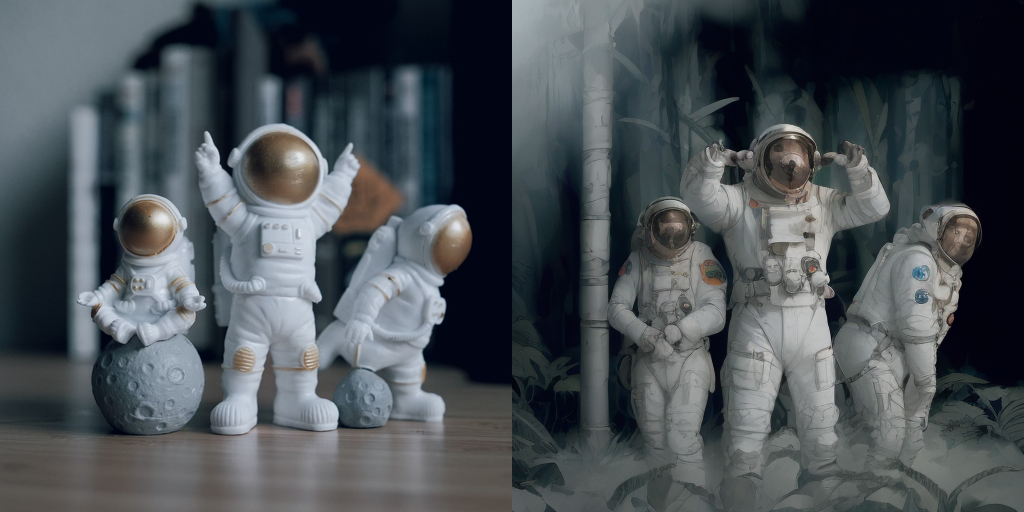
|
||||
<div class="flex gap-4">
|
||||
<div>
|
||||
<img class="rounded-xl" src="https://huggingface.co/datasets/huggingface/documentation-images/resolve/main/diffusers/img2img-init.png"/>
|
||||
<figcaption class="mt-2 text-center text-sm text-gray-500">initial image</figcaption>
|
||||
</div>
|
||||
<div>
|
||||
<img class="rounded-xl" src="https://huggingface.co/datasets/huggingface/documentation-images/resolve/main/diffusers/lcm-img2img.png"/>
|
||||
<figcaption class="mt-2 text-center text-sm text-gray-500">generated image</figcaption>
|
||||
</div>
|
||||
</div>
|
||||
|
||||
</hfoption>
|
||||
<hfoption id="LCM-LoRA">
|
||||
|
||||
<Tip>
|
||||
To use LCM-LoRAs for image-to-image, you need to replace the scheduler with the [`LCMScheduler`] and load the LCM-LoRA weights with the [`~loaders.LoraLoaderMixin.load_lora_weights`] method. Then you can use the pipeline as usual, and pass a text prompt and initial image to generate an image in just 4 steps.
|
||||
|
||||
You can get different results based on your prompt and the image you provide. To get the best results, we recommend trying different values for `num_inference_steps`, `strength`, and `guidance_scale` parameters and choose the best one.
|
||||
> [!TIP]
|
||||
> Experiment with different values for `num_inference_steps`, `strength`, and `guidance_scale` to get the best results.
|
||||
|
||||
</Tip>
|
||||
```py
|
||||
import torch
|
||||
from diffusers import AutoPipelineForImage2Image, LCMScheduler
|
||||
from diffusers.utils import make_image_grid, load_image
|
||||
|
||||
pipe = AutoPipelineForImage2Image.from_pretrained(
|
||||
"Lykon/dreamshaper-7",
|
||||
torch_dtype=torch.float16,
|
||||
variant="fp16",
|
||||
).to("cuda")
|
||||
|
||||
## Combine with style LoRAs
|
||||
pipe.scheduler = LCMScheduler.from_config(pipe.scheduler.config)
|
||||
|
||||
LCMs can be used with other styled LoRAs to generate styled-images in very few steps (4-8). In the following example, we'll use the [papercut LoRA](TheLastBen/Papercut_SDXL).
|
||||
pipe.load_lora_weights("latent-consistency/lcm-lora-sdv1-5")
|
||||
|
||||
init_image = load_image("https://huggingface.co/datasets/huggingface/documentation-images/resolve/main/diffusers/img2img-init.png")
|
||||
prompt = "Astronauts in a jungle, cold color palette, muted colors, detailed, 8k"
|
||||
|
||||
generator = torch.manual_seed(0)
|
||||
image = pipe(
|
||||
prompt,
|
||||
image=init_image,
|
||||
num_inference_steps=4,
|
||||
guidance_scale=1,
|
||||
strength=0.6,
|
||||
generator=generator
|
||||
).images[0]
|
||||
image
|
||||
```
|
||||
|
||||
<div class="flex gap-4">
|
||||
<div>
|
||||
<img class="rounded-xl" src="https://huggingface.co/datasets/huggingface/documentation-images/resolve/main/diffusers/img2img-init.png"/>
|
||||
<figcaption class="mt-2 text-center text-sm text-gray-500">initial image</figcaption>
|
||||
</div>
|
||||
<div>
|
||||
<img class="rounded-xl" src="https://huggingface.co/datasets/huggingface/documentation-images/resolve/main/diffusers/lcm-lora-img2img.png"/>
|
||||
<figcaption class="mt-2 text-center text-sm text-gray-500">generated image</figcaption>
|
||||
</div>
|
||||
</div>
|
||||
|
||||
</hfoption>
|
||||
</hfoptions>
|
||||
|
||||
## Inpainting
|
||||
|
||||
To use LCM-LoRAs for inpainting, you need to replace the scheduler with the [`LCMScheduler`] and load the LCM-LoRA weights with the [`~loaders.LoraLoaderMixin.load_lora_weights`] method. Then you can use the pipeline as usual, and pass a text prompt, initial image, and mask image to generate an image in just 4 steps.
|
||||
|
||||
```py
|
||||
import torch
|
||||
from diffusers import AutoPipelineForInpainting, LCMScheduler
|
||||
from diffusers.utils import load_image, make_image_grid
|
||||
|
||||
pipe = AutoPipelineForInpainting.from_pretrained(
|
||||
"runwayml/stable-diffusion-inpainting",
|
||||
torch_dtype=torch.float16,
|
||||
variant="fp16",
|
||||
).to("cuda")
|
||||
|
||||
pipe.scheduler = LCMScheduler.from_config(pipe.scheduler.config)
|
||||
|
||||
pipe.load_lora_weights("latent-consistency/lcm-lora-sdv1-5")
|
||||
|
||||
init_image = load_image("https://huggingface.co/datasets/huggingface/documentation-images/resolve/main/diffusers/inpaint.png")
|
||||
mask_image = load_image("https://huggingface.co/datasets/huggingface/documentation-images/resolve/main/diffusers/inpaint_mask.png")
|
||||
|
||||
prompt = "concept art digital painting of an elven castle, inspired by lord of the rings, highly detailed, 8k"
|
||||
generator = torch.manual_seed(0)
|
||||
image = pipe(
|
||||
prompt=prompt,
|
||||
image=init_image,
|
||||
mask_image=mask_image,
|
||||
generator=generator,
|
||||
num_inference_steps=4,
|
||||
guidance_scale=4,
|
||||
).images[0]
|
||||
image
|
||||
```
|
||||
|
||||
<div class="flex gap-4">
|
||||
<div>
|
||||
<img class="rounded-xl" src="https://huggingface.co/datasets/huggingface/documentation-images/resolve/main/diffusers/inpaint.png"/>
|
||||
<figcaption class="mt-2 text-center text-sm text-gray-500">initial image</figcaption>
|
||||
</div>
|
||||
<div>
|
||||
<img class="rounded-xl" src="https://huggingface.co/datasets/huggingface/documentation-images/resolve/main/diffusers/lcm-lora-inpaint.png"/>
|
||||
<figcaption class="mt-2 text-center text-sm text-gray-500">generated image</figcaption>
|
||||
</div>
|
||||
</div>
|
||||
|
||||
## Adapters
|
||||
|
||||
LCMs are compatible with adapters like LoRA, ControlNet, T2I-Adapter, and AnimateDiff. You can bring the speed of LCMs to these adapters to generate images in a certain style or condition the model on another input like a canny image.
|
||||
|
||||
### LoRA
|
||||
|
||||
[LoRA](../using-diffusers/loading_adapters#lora) adapters can be rapidly finetuned to learn a new style from just a few images and plugged into a pretrained model to generate images in that style.
|
||||
|
||||
<hfoptions id="lcm-lora">
|
||||
<hfoption id="LCM">
|
||||
|
||||
Load the LCM checkpoint for your supported model into [`UNet2DConditionModel`] and replace the scheduler with the [`LCMScheduler`]. Then you can use the [`~loaders.LoraLoaderMixin.load_lora_weights`] method to load the LoRA weights into the LCM and generate a styled image in a few steps.
|
||||
|
||||
```python
|
||||
from diffusers import StableDiffusionXLPipeline, UNet2DConditionModel, LCMScheduler
|
||||
@@ -134,11 +277,9 @@ pipe = StableDiffusionXLPipeline.from_pretrained(
|
||||
"stabilityai/stable-diffusion-xl-base-1.0", unet=unet, torch_dtype=torch.float16, variant="fp16",
|
||||
).to("cuda")
|
||||
pipe.scheduler = LCMScheduler.from_config(pipe.scheduler.config)
|
||||
|
||||
pipe.load_lora_weights("TheLastBen/Papercut_SDXL", weight_name="papercut.safetensors", adapter_name="papercut")
|
||||
|
||||
prompt = "papercut, a cute fox"
|
||||
|
||||
generator = torch.manual_seed(0)
|
||||
image = pipe(
|
||||
prompt=prompt, num_inference_steps=4, generator=generator, guidance_scale=8.0
|
||||
@@ -146,15 +287,58 @@ image = pipe(
|
||||
image
|
||||
```
|
||||
|
||||

|
||||
<div class="flex justify-center">
|
||||
<img src="https://huggingface.co/datasets/huggingface/documentation-images/resolve/main/diffusers/lcm/lcm_full_sdx_lora_mix.png"/>
|
||||
</div>
|
||||
|
||||
</hfoption>
|
||||
<hfoption id="LCM-LoRA">
|
||||
|
||||
## ControlNet/T2I-Adapter
|
||||
Replace the scheduler with the [`LCMScheduler`]. Then you can use the [`~loaders.LoraLoaderMixin.load_lora_weights`] method to load the LCM-LoRA weights and the style LoRA you want to use. Combine both LoRA adapters with the [`~loaders.UNet2DConditionLoadersMixin.set_adapters`] method and generate a styled image in a few steps.
|
||||
|
||||
Let's look at how we can perform inference with ControlNet/T2I-Adapter and a LCM.
|
||||
```py
|
||||
import torch
|
||||
from diffusers import DiffusionPipeline, LCMScheduler
|
||||
|
||||
pipe = DiffusionPipeline.from_pretrained(
|
||||
"stabilityai/stable-diffusion-xl-base-1.0",
|
||||
variant="fp16",
|
||||
torch_dtype=torch.float16
|
||||
).to("cuda")
|
||||
|
||||
pipe.scheduler = LCMScheduler.from_config(pipe.scheduler.config)
|
||||
|
||||
pipe.load_lora_weights("latent-consistency/lcm-lora-sdxl", adapter_name="lcm")
|
||||
pipe.load_lora_weights("TheLastBen/Papercut_SDXL", weight_name="papercut.safetensors", adapter_name="papercut")
|
||||
|
||||
pipe.set_adapters(["lcm", "papercut"], adapter_weights=[1.0, 0.8])
|
||||
|
||||
prompt = "papercut, a cute fox"
|
||||
generator = torch.manual_seed(0)
|
||||
image = pipe(prompt, num_inference_steps=4, guidance_scale=1, generator=generator).images[0]
|
||||
image
|
||||
```
|
||||
|
||||
<div class="flex justify-center">
|
||||
<img src="https://huggingface.co/datasets/huggingface/documentation-images/resolve/main/diffusers/lcm/lcm_sdx_lora_mix.png"/>
|
||||
</div>
|
||||
|
||||
</hfoption>
|
||||
</hfoptions>
|
||||
|
||||
### ControlNet
|
||||
For this example, we'll use the [LCM_Dreamshaper_v7](https://huggingface.co/SimianLuo/LCM_Dreamshaper_v7) model with canny ControlNet, but the same steps can be applied to other LCM models as well.
|
||||
|
||||
[ControlNet](./controlnet) are adapters that can be trained on a variety of inputs like canny edge, pose estimation, or depth. The ControlNet can be inserted into the pipeline to provide additional conditioning and control to the model for more accurate generation.
|
||||
|
||||
You can find additional ControlNet models trained on other inputs in [lllyasviel's](https://hf.co/lllyasviel) repository.
|
||||
|
||||
<hfoptions id="lcm-controlnet">
|
||||
<hfoption id="LCM">
|
||||
|
||||
Load a ControlNet model trained on canny images and pass it to the [`ControlNetModel`]. Then you can load a LCM model into [`StableDiffusionControlNetPipeline`] and replace the scheduler with the [`LCMScheduler`]. Now pass the canny image to the pipeline and generate an image.
|
||||
|
||||
> [!TIP]
|
||||
> Experiment with different values for `num_inference_steps`, `controlnet_conditioning_scale`, `cross_attention_kwargs`, and `guidance_scale` to get the best results.
|
||||
|
||||
```python
|
||||
import torch
|
||||
@@ -186,8 +370,6 @@ pipe = StableDiffusionControlNetPipeline.from_pretrained(
|
||||
torch_dtype=torch.float16,
|
||||
safety_checker=None,
|
||||
).to("cuda")
|
||||
|
||||
# set scheduler
|
||||
pipe.scheduler = LCMScheduler.from_config(pipe.scheduler.config)
|
||||
|
||||
generator = torch.manual_seed(0)
|
||||
@@ -200,16 +382,84 @@ image = pipe(
|
||||
make_image_grid([canny_image, image], rows=1, cols=2)
|
||||
```
|
||||
|
||||
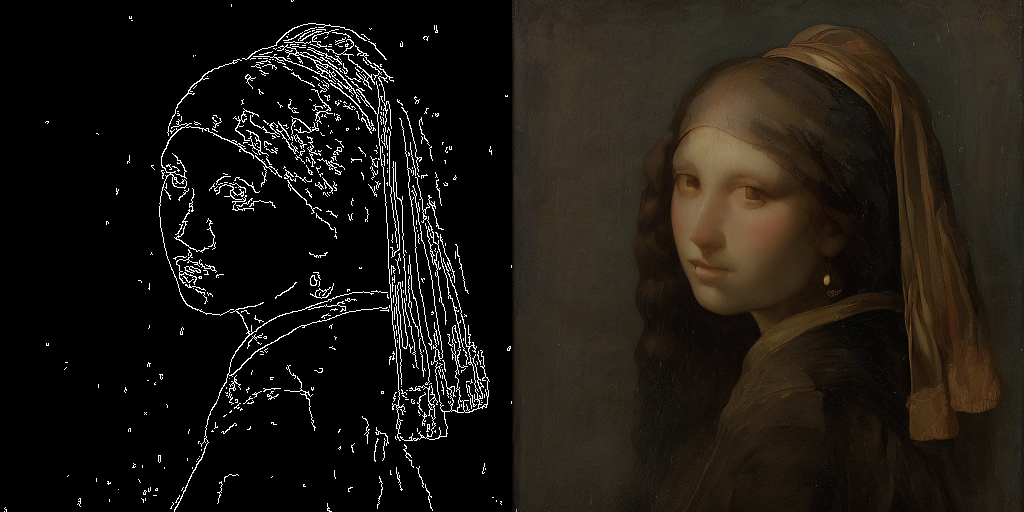
|
||||
<div class="flex justify-center">
|
||||
<img src="https://huggingface.co/datasets/huggingface/documentation-images/resolve/main/diffusers/lcm/lcm_full_sdv1-5_controlnet.png"/>
|
||||
</div>
|
||||
|
||||
</hfoption>
|
||||
<hfoption id="LCM-LoRA">
|
||||
|
||||
<Tip>
|
||||
The inference parameters in this example might not work for all examples, so we recommend trying different values for the `num_inference_steps`, `guidance_scale`, `controlnet_conditioning_scale`, and `cross_attention_kwargs` parameters and choosing the best one.
|
||||
</Tip>
|
||||
Load a ControlNet model trained on canny images and pass it to the [`ControlNetModel`]. Then you can load a Stable Diffusion v1.5 model into [`StableDiffusionControlNetPipeline`] and replace the scheduler with the [`LCMScheduler`]. Use the [`~loaders.LoraLoaderMixin.load_lora_weights`] method to load the LCM-LoRA weights, and pass the canny image to the pipeline and generate an image.
|
||||
|
||||
> [!TIP]
|
||||
> Experiment with different values for `num_inference_steps`, `controlnet_conditioning_scale`, `cross_attention_kwargs`, and `guidance_scale` to get the best results.
|
||||
|
||||
```py
|
||||
import torch
|
||||
import cv2
|
||||
import numpy as np
|
||||
from PIL import Image
|
||||
|
||||
from diffusers import StableDiffusionControlNetPipeline, ControlNetModel, LCMScheduler
|
||||
from diffusers.utils import load_image
|
||||
|
||||
image = load_image(
|
||||
"https://hf.co/datasets/huggingface/documentation-images/resolve/main/diffusers/input_image_vermeer.png"
|
||||
).resize((512, 512))
|
||||
|
||||
image = np.array(image)
|
||||
|
||||
low_threshold = 100
|
||||
high_threshold = 200
|
||||
|
||||
image = cv2.Canny(image, low_threshold, high_threshold)
|
||||
image = image[:, :, None]
|
||||
image = np.concatenate([image, image, image], axis=2)
|
||||
canny_image = Image.fromarray(image)
|
||||
|
||||
controlnet = ControlNetModel.from_pretrained("lllyasviel/sd-controlnet-canny", torch_dtype=torch.float16)
|
||||
pipe = StableDiffusionControlNetPipeline.from_pretrained(
|
||||
"runwayml/stable-diffusion-v1-5",
|
||||
controlnet=controlnet,
|
||||
torch_dtype=torch.float16,
|
||||
safety_checker=None,
|
||||
variant="fp16"
|
||||
).to("cuda")
|
||||
|
||||
pipe.scheduler = LCMScheduler.from_config(pipe.scheduler.config)
|
||||
|
||||
pipe.load_lora_weights("latent-consistency/lcm-lora-sdv1-5")
|
||||
|
||||
generator = torch.manual_seed(0)
|
||||
image = pipe(
|
||||
"the mona lisa",
|
||||
image=canny_image,
|
||||
num_inference_steps=4,
|
||||
guidance_scale=1.5,
|
||||
controlnet_conditioning_scale=0.8,
|
||||
cross_attention_kwargs={"scale": 1},
|
||||
generator=generator,
|
||||
).images[0]
|
||||
image
|
||||
```
|
||||
|
||||
<div class="flex justify-center">
|
||||
<img src="https://huggingface.co/datasets/huggingface/documentation-images/resolve/main/diffusers/lcm/lcm_sdv1-5_controlnet.png"/>
|
||||
</div>
|
||||
|
||||
</hfoption>
|
||||
</hfoptions>
|
||||
|
||||
### T2I-Adapter
|
||||
|
||||
This example shows how to use the `lcm-sdxl` with the [Canny T2I-Adapter](TencentARC/t2i-adapter-canny-sdxl-1.0).
|
||||
[T2I-Adapter](./t2i_adapter) is an even more lightweight adapter than ControlNet, that provides an additional input to condition a pretrained model with. It is faster than ControlNet but the results may be slightly worse.
|
||||
|
||||
You can find additional T2I-Adapter checkpoints trained on other inputs in [TencentArc's](https://hf.co/TencentARC) repository.
|
||||
|
||||
<hfoptions id="lcm-t2i">
|
||||
<hfoption id="LCM">
|
||||
|
||||
Load a T2IAdapter trained on canny images and pass it to the [`StableDiffusionXLAdapterPipeline`]. Then load a LCM checkpoint into [`UNet2DConditionModel`] and replace the scheduler with the [`LCMScheduler`]. Now pass the canny image to the pipeline and generate an image.
|
||||
|
||||
```python
|
||||
import torch
|
||||
@@ -220,10 +470,9 @@ from PIL import Image
|
||||
from diffusers import StableDiffusionXLAdapterPipeline, UNet2DConditionModel, T2IAdapter, LCMScheduler
|
||||
from diffusers.utils import load_image, make_image_grid
|
||||
|
||||
# Prepare image
|
||||
# Detect the canny map in low resolution to avoid high-frequency details
|
||||
# detect the canny map in low resolution to avoid high-frequency details
|
||||
image = load_image(
|
||||
"https://huggingface.co/Adapter/t2iadapter/resolve/main/figs_SDXLV1.0/org_canny.jpg"
|
||||
"https://hf.co/datasets/huggingface/documentation-images/resolve/main/diffusers/input_image_vermeer.png"
|
||||
).resize((384, 384))
|
||||
|
||||
image = np.array(image)
|
||||
@@ -236,7 +485,6 @@ image = image[:, :, None]
|
||||
image = np.concatenate([image, image, image], axis=2)
|
||||
canny_image = Image.fromarray(image).resize((1024, 1216))
|
||||
|
||||
# load adapter
|
||||
adapter = T2IAdapter.from_pretrained("TencentARC/t2i-adapter-canny-sdxl-1.0", torch_dtype=torch.float16, varient="fp16").to("cuda")
|
||||
|
||||
unet = UNet2DConditionModel.from_pretrained(
|
||||
@@ -254,7 +502,7 @@ pipe = StableDiffusionXLAdapterPipeline.from_pretrained(
|
||||
|
||||
pipe.scheduler = LCMScheduler.from_config(pipe.scheduler.config)
|
||||
|
||||
prompt = "Mystical fairy in real, magic, 4k picture, high quality"
|
||||
prompt = "the mona lisa, 4k picture, high quality"
|
||||
negative_prompt = "extra digit, fewer digits, cropped, worst quality, low quality, glitch, deformed, mutated, ugly, disfigured"
|
||||
|
||||
generator = torch.manual_seed(0)
|
||||
@@ -268,7 +516,116 @@ image = pipe(
|
||||
adapter_conditioning_factor=1,
|
||||
generator=generator,
|
||||
).images[0]
|
||||
grid = make_image_grid([canny_image, image], rows=1, cols=2)
|
||||
```
|
||||
|
||||
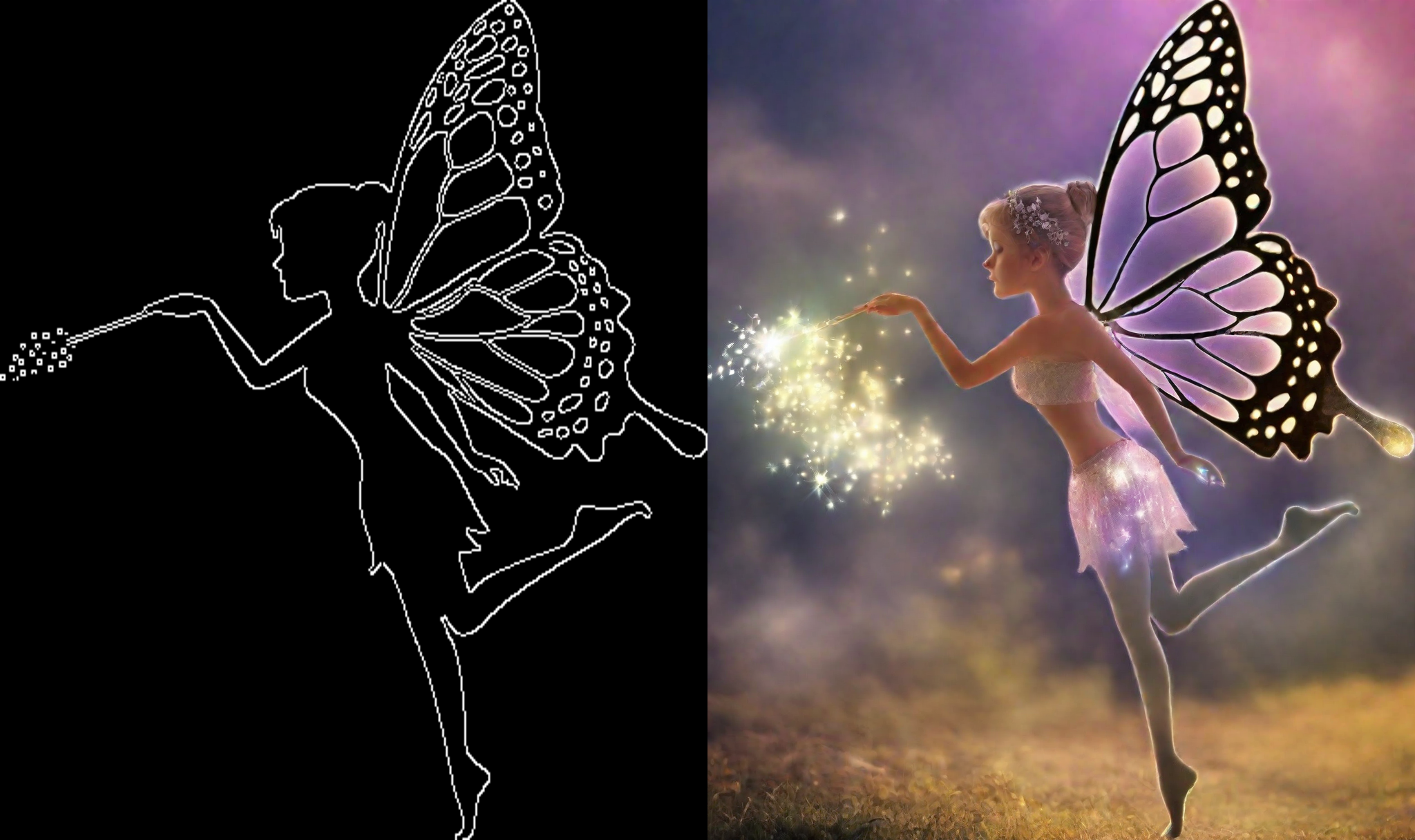
|
||||
<div class="flex justify-center">
|
||||
<img src="https://huggingface.co/datasets/huggingface/documentation-images/resolve/main/diffusers/lcm-t2i.png"/>
|
||||
</div>
|
||||
|
||||
</hfoption>
|
||||
<hfoption id="LCM-LoRA">
|
||||
|
||||
Load a T2IAdapter trained on canny images and pass it to the [`StableDiffusionXLAdapterPipeline`]. Replace the scheduler with the [`LCMScheduler`], and use the [`~loaders.LoraLoaderMixin.load_lora_weights`] method to load the LCM-LoRA weights. Pass the canny image to the pipeline and generate an image.
|
||||
|
||||
```py
|
||||
import torch
|
||||
import cv2
|
||||
import numpy as np
|
||||
from PIL import Image
|
||||
|
||||
from diffusers import StableDiffusionXLAdapterPipeline, UNet2DConditionModel, T2IAdapter, LCMScheduler
|
||||
from diffusers.utils import load_image, make_image_grid
|
||||
|
||||
# detect the canny map in low resolution to avoid high-frequency details
|
||||
image = load_image(
|
||||
"https://hf.co/datasets/huggingface/documentation-images/resolve/main/diffusers/input_image_vermeer.png"
|
||||
).resize((384, 384))
|
||||
|
||||
image = np.array(image)
|
||||
|
||||
low_threshold = 100
|
||||
high_threshold = 200
|
||||
|
||||
image = cv2.Canny(image, low_threshold, high_threshold)
|
||||
image = image[:, :, None]
|
||||
image = np.concatenate([image, image, image], axis=2)
|
||||
canny_image = Image.fromarray(image).resize((1024, 1024))
|
||||
|
||||
adapter = T2IAdapter.from_pretrained("TencentARC/t2i-adapter-canny-sdxl-1.0", torch_dtype=torch.float16, varient="fp16").to("cuda")
|
||||
|
||||
pipe = StableDiffusionXLAdapterPipeline.from_pretrained(
|
||||
"stabilityai/stable-diffusion-xl-base-1.0",
|
||||
adapter=adapter,
|
||||
torch_dtype=torch.float16,
|
||||
variant="fp16",
|
||||
).to("cuda")
|
||||
|
||||
pipe.scheduler = LCMScheduler.from_config(pipe.scheduler.config)
|
||||
|
||||
pipe.load_lora_weights("latent-consistency/lcm-lora-sdxl")
|
||||
|
||||
prompt = "the mona lisa, 4k picture, high quality"
|
||||
negative_prompt = "extra digit, fewer digits, cropped, worst quality, low quality, glitch, deformed, mutated, ugly, disfigured"
|
||||
|
||||
generator = torch.manual_seed(0)
|
||||
image = pipe(
|
||||
prompt=prompt,
|
||||
negative_prompt=negative_prompt,
|
||||
image=canny_image,
|
||||
num_inference_steps=4,
|
||||
guidance_scale=1.5,
|
||||
adapter_conditioning_scale=0.8,
|
||||
adapter_conditioning_factor=1,
|
||||
generator=generator,
|
||||
).images[0]
|
||||
```
|
||||
|
||||
<div class="flex justify-center">
|
||||
<img src="https://huggingface.co/datasets/huggingface/documentation-images/resolve/main/diffusers/lcm-lora-t2i.png"/>
|
||||
</div>
|
||||
|
||||
</hfoption>
|
||||
</hfoptions>
|
||||
|
||||
### AnimateDiff
|
||||
|
||||
[AnimateDiff](../api/pipelines/animatediff) is an adapter that adds motion to an image. It can be used with most Stable Diffusion models, effectively turning them into "video generation" models. Generating good results with a video model usually requires generating multiple frames (16-24), which can be very slow with a regular Stable Diffusion model. LCM-LoRA can speed up this process by only taking 4-8 steps for each frame.
|
||||
|
||||
Load a [`AnimateDiffPipeline`] and pass a [`MotionAdapter`] to it. Then replace the scheduler with the [`LCMScheduler`], and combine both LoRA adapters with the [`~loaders.UNet2DConditionLoadersMixin.set_adapters`] method. Now you can pass a prompt to the pipeline and generate an animated image.
|
||||
|
||||
```py
|
||||
import torch
|
||||
from diffusers import MotionAdapter, AnimateDiffPipeline, DDIMScheduler, LCMScheduler
|
||||
from diffusers.utils import export_to_gif
|
||||
|
||||
adapter = MotionAdapter.from_pretrained("guoyww/animatediff-motion-adapter-v1-5")
|
||||
pipe = AnimateDiffPipeline.from_pretrained(
|
||||
"frankjoshua/toonyou_beta6",
|
||||
motion_adapter=adapter,
|
||||
).to("cuda")
|
||||
|
||||
# set scheduler
|
||||
pipe.scheduler = LCMScheduler.from_config(pipe.scheduler.config)
|
||||
|
||||
# load LCM-LoRA
|
||||
pipe.load_lora_weights("latent-consistency/lcm-lora-sdv1-5", adapter_name="lcm")
|
||||
pipe.load_lora_weights("guoyww/animatediff-motion-lora-zoom-in", weight_name="diffusion_pytorch_model.safetensors", adapter_name="motion-lora")
|
||||
|
||||
pipe.set_adapters(["lcm", "motion-lora"], adapter_weights=[0.55, 1.2])
|
||||
|
||||
prompt = "best quality, masterpiece, 1girl, looking at viewer, blurry background, upper body, contemporary, dress"
|
||||
generator = torch.manual_seed(0)
|
||||
frames = pipe(
|
||||
prompt=prompt,
|
||||
num_inference_steps=5,
|
||||
guidance_scale=1.25,
|
||||
cross_attention_kwargs={"scale": 1},
|
||||
num_frames=24,
|
||||
generator=generator
|
||||
).frames[0]
|
||||
export_to_gif(frames, "animation.gif")
|
||||
```
|
||||
|
||||
<div class="flex justify-center">
|
||||
<img src="https://huggingface.co/datasets/huggingface/documentation-images/resolve/main/diffusers/lcm-lora-animatediff.gif"/>
|
||||
</div>
|
||||
|
||||
@@ -1,422 +0,0 @@
|
||||
<!--Copyright 2024 The HuggingFace Team. All rights reserved.
|
||||
|
||||
Licensed under the Apache License, Version 2.0 (the "License"); you may not use this file except in compliance with
|
||||
the License. You may obtain a copy of the License at
|
||||
|
||||
http://www.apache.org/licenses/LICENSE-2.0
|
||||
|
||||
Unless required by applicable law or agreed to in writing, software distributed under the License is distributed on
|
||||
an "AS IS" BASIS, WITHOUT WARRANTIES OR CONDITIONS OF ANY KIND, either express or implied. See the License for the
|
||||
specific language governing permissions and limitations under the License.
|
||||
-->
|
||||
|
||||
[[open-in-colab]]
|
||||
|
||||
# Performing inference with LCM-LoRA
|
||||
|
||||
Latent Consistency Models (LCM) enable quality image generation in typically 2-4 steps making it possible to use diffusion models in almost real-time settings.
|
||||
|
||||
From the [official website](https://latent-consistency-models.github.io/):
|
||||
|
||||
> LCMs can be distilled from any pre-trained Stable Diffusion (SD) in only 4,000 training steps (~32 A100 GPU Hours) for generating high quality 768 x 768 resolution images in 2~4 steps or even one step, significantly accelerating text-to-image generation. We employ LCM to distill the Dreamshaper-V7 version of SD in just 4,000 training iterations.
|
||||
|
||||
For a more technical overview of LCMs, refer to [the paper](https://huggingface.co/papers/2310.04378).
|
||||
|
||||
However, each model needs to be distilled separately for latent consistency distillation. The core idea with LCM-LoRA is to train just a few adapter layers, the adapter being LoRA in this case.
|
||||
This way, we don't have to train the full model and keep the number of trainable parameters manageable. The resulting LoRAs can then be applied to any fine-tuned version of the model without distilling them separately.
|
||||
Additionally, the LoRAs can be applied to image-to-image, ControlNet/T2I-Adapter, inpainting, AnimateDiff etc.
|
||||
The LCM-LoRA can also be combined with other LoRAs to generate styled images in very few steps (4-8).
|
||||
|
||||
LCM-LoRAs are available for [stable-diffusion-v1-5](https://huggingface.co/runwayml/stable-diffusion-v1-5), [stable-diffusion-xl-base-1.0](https://huggingface.co/stabilityai/stable-diffusion-xl-base-1.0), and the [SSD-1B](https://huggingface.co/segmind/SSD-1B) model. All the checkpoints can be found in this [collection](https://huggingface.co/collections/latent-consistency/latent-consistency-models-loras-654cdd24e111e16f0865fba6).
|
||||
|
||||
For more details about LCM-LoRA, refer to [the technical report](https://huggingface.co/papers/2311.05556).
|
||||
|
||||
This guide shows how to perform inference with LCM-LoRAs for
|
||||
- text-to-image
|
||||
- image-to-image
|
||||
- combined with styled LoRAs
|
||||
- ControlNet/T2I-Adapter
|
||||
- inpainting
|
||||
- AnimateDiff
|
||||
|
||||
Before going through this guide, we'll take a look at the general workflow for performing inference with LCM-LoRAs.
|
||||
LCM-LoRAs are similar to other Stable Diffusion LoRAs so they can be used with any [`DiffusionPipeline`] that supports LoRAs.
|
||||
|
||||
- Load the task specific pipeline and model.
|
||||
- Set the scheduler to [`LCMScheduler`].
|
||||
- Load the LCM-LoRA weights for the model.
|
||||
- Reduce the `guidance_scale` between `[1.0, 2.0]` and set the `num_inference_steps` between [4, 8].
|
||||
- Perform inference with the pipeline with the usual parameters.
|
||||
|
||||
Let's look at how we can perform inference with LCM-LoRAs for different tasks.
|
||||
|
||||
First, make sure you have [peft](https://github.com/huggingface/peft) installed, for better LoRA support.
|
||||
|
||||
```bash
|
||||
pip install -U peft
|
||||
```
|
||||
|
||||
## Text-to-image
|
||||
|
||||
You'll use the [`StableDiffusionXLPipeline`] with the scheduler: [`LCMScheduler`] and then load the LCM-LoRA. Together with the LCM-LoRA and the scheduler, the pipeline enables a fast inference workflow overcoming the slow iterative nature of diffusion models.
|
||||
|
||||
```python
|
||||
import torch
|
||||
from diffusers import DiffusionPipeline, LCMScheduler
|
||||
|
||||
pipe = DiffusionPipeline.from_pretrained(
|
||||
"stabilityai/stable-diffusion-xl-base-1.0",
|
||||
variant="fp16",
|
||||
torch_dtype=torch.float16
|
||||
).to("cuda")
|
||||
|
||||
# set scheduler
|
||||
pipe.scheduler = LCMScheduler.from_config(pipe.scheduler.config)
|
||||
|
||||
# load LCM-LoRA
|
||||
pipe.load_lora_weights("latent-consistency/lcm-lora-sdxl")
|
||||
|
||||
prompt = "Self-portrait oil painting, a beautiful cyborg with golden hair, 8k"
|
||||
|
||||
generator = torch.manual_seed(42)
|
||||
image = pipe(
|
||||
prompt=prompt, num_inference_steps=4, generator=generator, guidance_scale=1.0
|
||||
).images[0]
|
||||
```
|
||||
|
||||
|
||||
|
||||
Notice that we use only 4 steps for generation which is way less than what's typically used for standard SDXL.
|
||||
|
||||
<Tip>
|
||||
|
||||
You may have noticed that we set `guidance_scale=1.0`, which disables classifer-free-guidance. This is because the LCM-LoRA is trained with guidance, so the batch size does not have to be doubled in this case. This leads to a faster inference time, with the drawback that negative prompts don't have any effect on the denoising process.
|
||||
|
||||
You can also use guidance with LCM-LoRA, but due to the nature of training the model is very sensitve to the `guidance_scale` values, high values can lead to artifacts in the generated images. In our experiments, we found that the best values are in the range of [1.0, 2.0].
|
||||
|
||||
</Tip>
|
||||
|
||||
### Inference with a fine-tuned model
|
||||
|
||||
As mentioned above, the LCM-LoRA can be applied to any fine-tuned version of the model without having to distill them separately. Let's look at how we can perform inference with a fine-tuned model. In this example, we'll use the [animagine-xl](https://huggingface.co/Linaqruf/animagine-xl) model, which is a fine-tuned version of the SDXL model for generating anime.
|
||||
|
||||
```python
|
||||
from diffusers import DiffusionPipeline, LCMScheduler
|
||||
|
||||
pipe = DiffusionPipeline.from_pretrained(
|
||||
"Linaqruf/animagine-xl",
|
||||
variant="fp16",
|
||||
torch_dtype=torch.float16
|
||||
).to("cuda")
|
||||
|
||||
# set scheduler
|
||||
pipe.scheduler = LCMScheduler.from_config(pipe.scheduler.config)
|
||||
|
||||
# load LCM-LoRA
|
||||
pipe.load_lora_weights("latent-consistency/lcm-lora-sdxl")
|
||||
|
||||
prompt = "face focus, cute, masterpiece, best quality, 1girl, green hair, sweater, looking at viewer, upper body, beanie, outdoors, night, turtleneck"
|
||||
|
||||
generator = torch.manual_seed(0)
|
||||
image = pipe(
|
||||
prompt=prompt, num_inference_steps=4, generator=generator, guidance_scale=1.0
|
||||
).images[0]
|
||||
```
|
||||
|
||||

|
||||
|
||||
|
||||
## Image-to-image
|
||||
|
||||
LCM-LoRA can be applied to image-to-image tasks too. Let's look at how we can perform image-to-image generation with LCMs. For this example we'll use the [dreamshaper-7](https://huggingface.co/Lykon/dreamshaper-7) model and the LCM-LoRA for `stable-diffusion-v1-5 `.
|
||||
|
||||
```python
|
||||
import torch
|
||||
from diffusers import AutoPipelineForImage2Image, LCMScheduler
|
||||
from diffusers.utils import make_image_grid, load_image
|
||||
|
||||
pipe = AutoPipelineForImage2Image.from_pretrained(
|
||||
"Lykon/dreamshaper-7",
|
||||
torch_dtype=torch.float16,
|
||||
variant="fp16",
|
||||
).to("cuda")
|
||||
|
||||
# set scheduler
|
||||
pipe.scheduler = LCMScheduler.from_config(pipe.scheduler.config)
|
||||
|
||||
# load LCM-LoRA
|
||||
pipe.load_lora_weights("latent-consistency/lcm-lora-sdv1-5")
|
||||
|
||||
# prepare image
|
||||
url = "https://huggingface.co/datasets/huggingface/documentation-images/resolve/main/diffusers/img2img-init.png"
|
||||
init_image = load_image(url)
|
||||
prompt = "Astronauts in a jungle, cold color palette, muted colors, detailed, 8k"
|
||||
|
||||
# pass prompt and image to pipeline
|
||||
generator = torch.manual_seed(0)
|
||||
image = pipe(
|
||||
prompt,
|
||||
image=init_image,
|
||||
num_inference_steps=4,
|
||||
guidance_scale=1,
|
||||
strength=0.6,
|
||||
generator=generator
|
||||
).images[0]
|
||||
make_image_grid([init_image, image], rows=1, cols=2)
|
||||
```
|
||||
|
||||
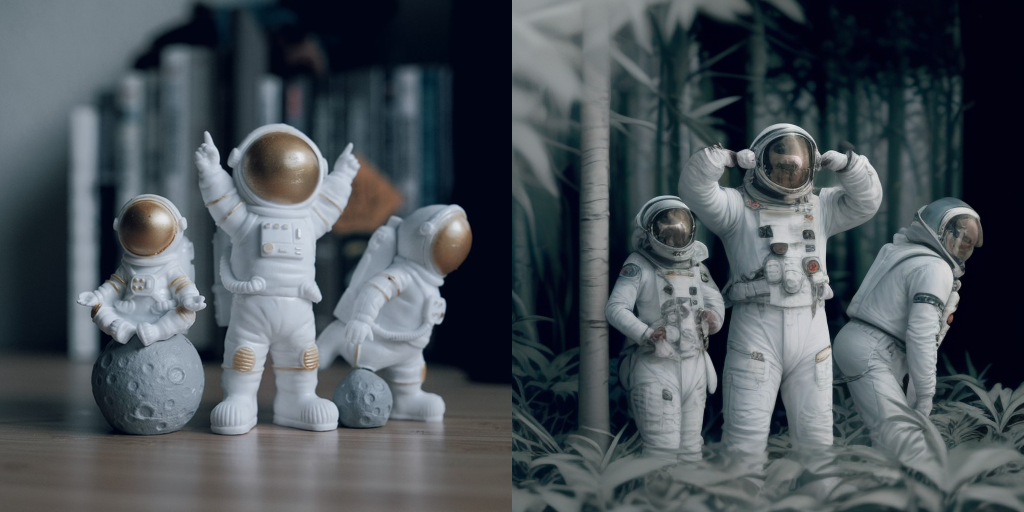
|
||||
|
||||
|
||||
<Tip>
|
||||
|
||||
You can get different results based on your prompt and the image you provide. To get the best results, we recommend trying different values for `num_inference_steps`, `strength`, and `guidance_scale` parameters and choose the best one.
|
||||
|
||||
</Tip>
|
||||
|
||||
|
||||
## Combine with styled LoRAs
|
||||
|
||||
LCM-LoRA can be combined with other LoRAs to generate styled-images in very few steps (4-8). In the following example, we'll use the LCM-LoRA with the [papercut LoRA](TheLastBen/Papercut_SDXL).
|
||||
To learn more about how to combine LoRAs, refer to [this guide](https://huggingface.co/docs/diffusers/tutorials/using_peft_for_inference#combine-multiple-adapters).
|
||||
|
||||
```python
|
||||
import torch
|
||||
from diffusers import DiffusionPipeline, LCMScheduler
|
||||
|
||||
pipe = DiffusionPipeline.from_pretrained(
|
||||
"stabilityai/stable-diffusion-xl-base-1.0",
|
||||
variant="fp16",
|
||||
torch_dtype=torch.float16
|
||||
).to("cuda")
|
||||
|
||||
# set scheduler
|
||||
pipe.scheduler = LCMScheduler.from_config(pipe.scheduler.config)
|
||||
|
||||
# load LoRAs
|
||||
pipe.load_lora_weights("latent-consistency/lcm-lora-sdxl", adapter_name="lcm")
|
||||
pipe.load_lora_weights("TheLastBen/Papercut_SDXL", weight_name="papercut.safetensors", adapter_name="papercut")
|
||||
|
||||
# Combine LoRAs
|
||||
pipe.set_adapters(["lcm", "papercut"], adapter_weights=[1.0, 0.8])
|
||||
|
||||
prompt = "papercut, a cute fox"
|
||||
generator = torch.manual_seed(0)
|
||||
image = pipe(prompt, num_inference_steps=4, guidance_scale=1, generator=generator).images[0]
|
||||
image
|
||||
```
|
||||
|
||||

|
||||
|
||||
|
||||
## ControlNet/T2I-Adapter
|
||||
|
||||
Let's look at how we can perform inference with ControlNet/T2I-Adapter and LCM-LoRA.
|
||||
|
||||
### ControlNet
|
||||
For this example, we'll use the SD-v1-5 model and the LCM-LoRA for SD-v1-5 with canny ControlNet.
|
||||
|
||||
```python
|
||||
import torch
|
||||
import cv2
|
||||
import numpy as np
|
||||
from PIL import Image
|
||||
|
||||
from diffusers import StableDiffusionControlNetPipeline, ControlNetModel, LCMScheduler
|
||||
from diffusers.utils import load_image
|
||||
|
||||
image = load_image(
|
||||
"https://hf.co/datasets/huggingface/documentation-images/resolve/main/diffusers/input_image_vermeer.png"
|
||||
).resize((512, 512))
|
||||
|
||||
image = np.array(image)
|
||||
|
||||
low_threshold = 100
|
||||
high_threshold = 200
|
||||
|
||||
image = cv2.Canny(image, low_threshold, high_threshold)
|
||||
image = image[:, :, None]
|
||||
image = np.concatenate([image, image, image], axis=2)
|
||||
canny_image = Image.fromarray(image)
|
||||
|
||||
controlnet = ControlNetModel.from_pretrained("lllyasviel/sd-controlnet-canny", torch_dtype=torch.float16)
|
||||
pipe = StableDiffusionControlNetPipeline.from_pretrained(
|
||||
"runwayml/stable-diffusion-v1-5",
|
||||
controlnet=controlnet,
|
||||
torch_dtype=torch.float16,
|
||||
safety_checker=None,
|
||||
variant="fp16"
|
||||
).to("cuda")
|
||||
|
||||
# set scheduler
|
||||
pipe.scheduler = LCMScheduler.from_config(pipe.scheduler.config)
|
||||
|
||||
# load LCM-LoRA
|
||||
pipe.load_lora_weights("latent-consistency/lcm-lora-sdv1-5")
|
||||
|
||||
generator = torch.manual_seed(0)
|
||||
image = pipe(
|
||||
"the mona lisa",
|
||||
image=canny_image,
|
||||
num_inference_steps=4,
|
||||
guidance_scale=1.5,
|
||||
controlnet_conditioning_scale=0.8,
|
||||
cross_attention_kwargs={"scale": 1},
|
||||
generator=generator,
|
||||
).images[0]
|
||||
make_image_grid([canny_image, image], rows=1, cols=2)
|
||||
```
|
||||
|
||||
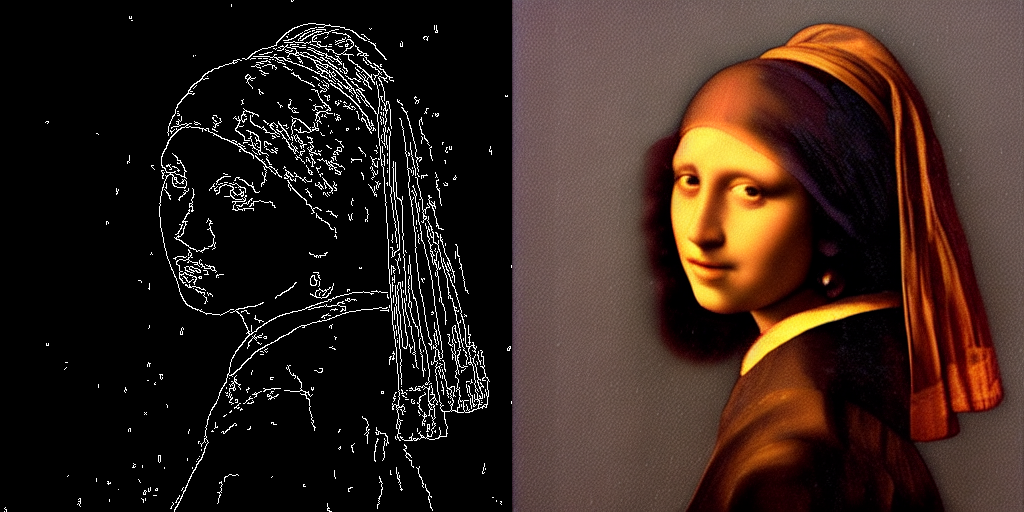
|
||||
|
||||
|
||||
<Tip>
|
||||
The inference parameters in this example might not work for all examples, so we recommend you to try different values for `num_inference_steps`, `guidance_scale`, `controlnet_conditioning_scale` and `cross_attention_kwargs` parameters and choose the best one.
|
||||
</Tip>
|
||||
|
||||
### T2I-Adapter
|
||||
|
||||
This example shows how to use the LCM-LoRA with the [Canny T2I-Adapter](TencentARC/t2i-adapter-canny-sdxl-1.0) and SDXL.
|
||||
|
||||
```python
|
||||
import torch
|
||||
import cv2
|
||||
import numpy as np
|
||||
from PIL import Image
|
||||
|
||||
from diffusers import StableDiffusionXLAdapterPipeline, T2IAdapter, LCMScheduler
|
||||
from diffusers.utils import load_image, make_image_grid
|
||||
|
||||
# Prepare image
|
||||
# Detect the canny map in low resolution to avoid high-frequency details
|
||||
image = load_image(
|
||||
"https://huggingface.co/Adapter/t2iadapter/resolve/main/figs_SDXLV1.0/org_canny.jpg"
|
||||
).resize((384, 384))
|
||||
|
||||
image = np.array(image)
|
||||
|
||||
low_threshold = 100
|
||||
high_threshold = 200
|
||||
|
||||
image = cv2.Canny(image, low_threshold, high_threshold)
|
||||
image = image[:, :, None]
|
||||
image = np.concatenate([image, image, image], axis=2)
|
||||
canny_image = Image.fromarray(image).resize((1024, 1024))
|
||||
|
||||
# load adapter
|
||||
adapter = T2IAdapter.from_pretrained("TencentARC/t2i-adapter-canny-sdxl-1.0", torch_dtype=torch.float16, varient="fp16").to("cuda")
|
||||
|
||||
pipe = StableDiffusionXLAdapterPipeline.from_pretrained(
|
||||
"stabilityai/stable-diffusion-xl-base-1.0",
|
||||
adapter=adapter,
|
||||
torch_dtype=torch.float16,
|
||||
variant="fp16",
|
||||
).to("cuda")
|
||||
|
||||
# set scheduler
|
||||
pipe.scheduler = LCMScheduler.from_config(pipe.scheduler.config)
|
||||
|
||||
# load LCM-LoRA
|
||||
pipe.load_lora_weights("latent-consistency/lcm-lora-sdxl")
|
||||
|
||||
prompt = "Mystical fairy in real, magic, 4k picture, high quality"
|
||||
negative_prompt = "extra digit, fewer digits, cropped, worst quality, low quality, glitch, deformed, mutated, ugly, disfigured"
|
||||
|
||||
generator = torch.manual_seed(0)
|
||||
image = pipe(
|
||||
prompt=prompt,
|
||||
negative_prompt=negative_prompt,
|
||||
image=canny_image,
|
||||
num_inference_steps=4,
|
||||
guidance_scale=1.5,
|
||||
adapter_conditioning_scale=0.8,
|
||||
adapter_conditioning_factor=1,
|
||||
generator=generator,
|
||||
).images[0]
|
||||
make_image_grid([canny_image, image], rows=1, cols=2)
|
||||
```
|
||||
|
||||
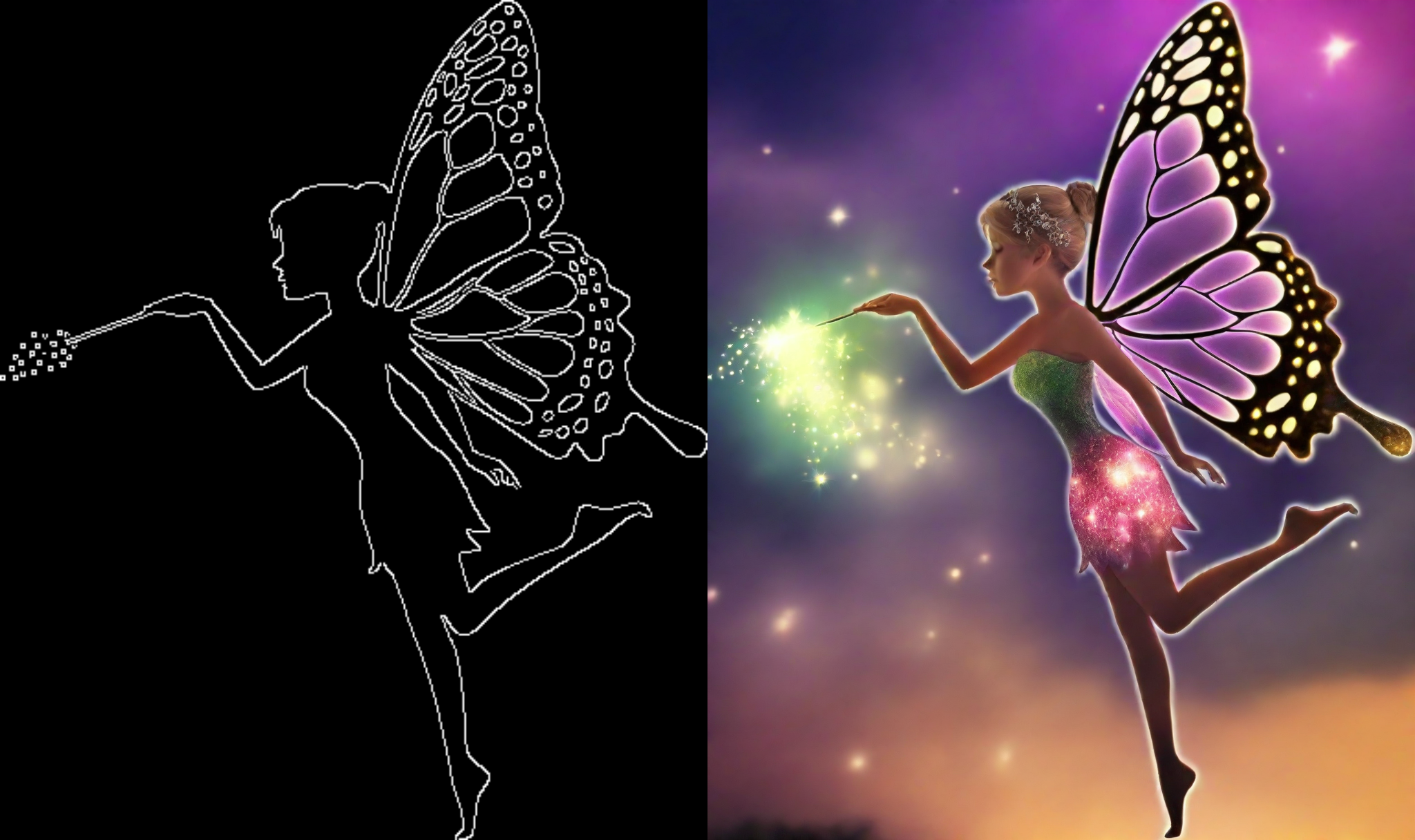
|
||||
|
||||
|
||||
## Inpainting
|
||||
|
||||
LCM-LoRA can be used for inpainting as well.
|
||||
|
||||
```python
|
||||
import torch
|
||||
from diffusers import AutoPipelineForInpainting, LCMScheduler
|
||||
from diffusers.utils import load_image, make_image_grid
|
||||
|
||||
pipe = AutoPipelineForInpainting.from_pretrained(
|
||||
"runwayml/stable-diffusion-inpainting",
|
||||
torch_dtype=torch.float16,
|
||||
variant="fp16",
|
||||
).to("cuda")
|
||||
|
||||
# set scheduler
|
||||
pipe.scheduler = LCMScheduler.from_config(pipe.scheduler.config)
|
||||
|
||||
# load LCM-LoRA
|
||||
pipe.load_lora_weights("latent-consistency/lcm-lora-sdv1-5")
|
||||
|
||||
# load base and mask image
|
||||
init_image = load_image("https://huggingface.co/datasets/huggingface/documentation-images/resolve/main/diffusers/inpaint.png")
|
||||
mask_image = load_image("https://huggingface.co/datasets/huggingface/documentation-images/resolve/main/diffusers/inpaint_mask.png")
|
||||
|
||||
# generator = torch.Generator("cuda").manual_seed(92)
|
||||
prompt = "concept art digital painting of an elven castle, inspired by lord of the rings, highly detailed, 8k"
|
||||
generator = torch.manual_seed(0)
|
||||
image = pipe(
|
||||
prompt=prompt,
|
||||
image=init_image,
|
||||
mask_image=mask_image,
|
||||
generator=generator,
|
||||
num_inference_steps=4,
|
||||
guidance_scale=4,
|
||||
).images[0]
|
||||
make_image_grid([init_image, mask_image, image], rows=1, cols=3)
|
||||
```
|
||||
|
||||
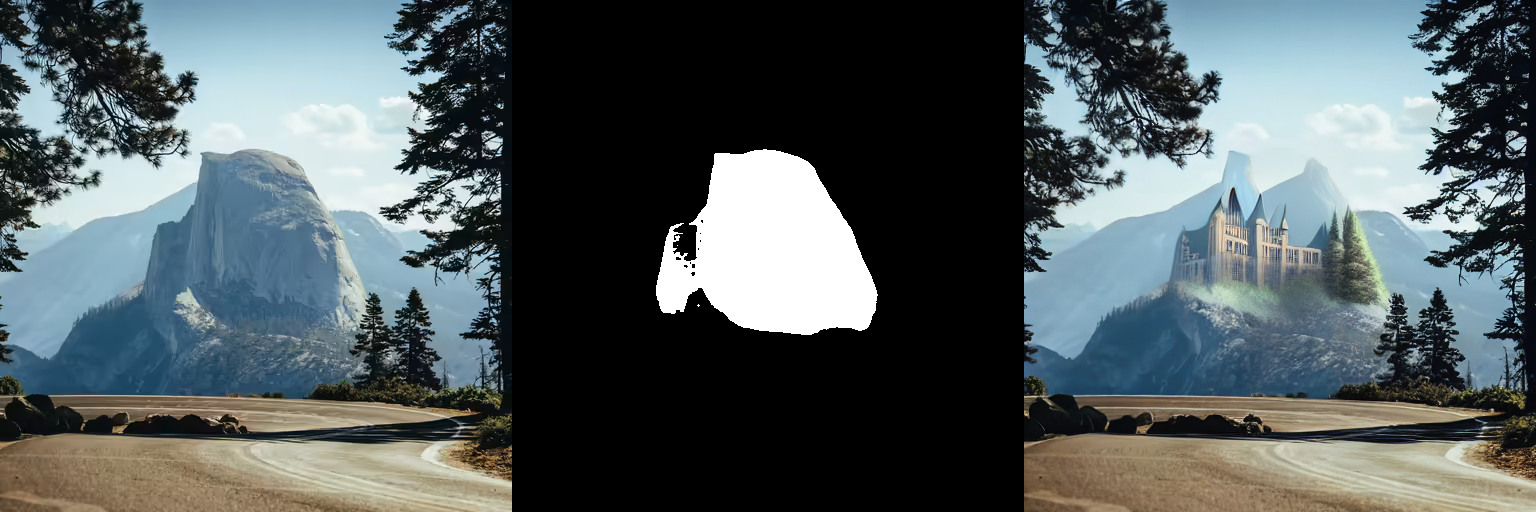
|
||||
|
||||
|
||||
## AnimateDiff
|
||||
|
||||
[`AnimateDiff`] allows you to animate images using Stable Diffusion models. To get good results, we need to generate multiple frames (16-24), and doing this with standard SD models can be very slow.
|
||||
LCM-LoRA can be used to speed up the process significantly, as you just need to do 4-8 steps for each frame. Let's look at how we can perform animation with LCM-LoRA and AnimateDiff.
|
||||
|
||||
```python
|
||||
import torch
|
||||
from diffusers import MotionAdapter, AnimateDiffPipeline, DDIMScheduler, LCMScheduler
|
||||
from diffusers.utils import export_to_gif
|
||||
|
||||
adapter = MotionAdapter.from_pretrained("diffusers/animatediff-motion-adapter-v1-5")
|
||||
pipe = AnimateDiffPipeline.from_pretrained(
|
||||
"frankjoshua/toonyou_beta6",
|
||||
motion_adapter=adapter,
|
||||
).to("cuda")
|
||||
|
||||
# set scheduler
|
||||
pipe.scheduler = LCMScheduler.from_config(pipe.scheduler.config)
|
||||
|
||||
# load LCM-LoRA
|
||||
pipe.load_lora_weights("latent-consistency/lcm-lora-sdv1-5", adapter_name="lcm")
|
||||
pipe.load_lora_weights("guoyww/animatediff-motion-lora-zoom-in", weight_name="diffusion_pytorch_model.safetensors", adapter_name="motion-lora")
|
||||
|
||||
pipe.set_adapters(["lcm", "motion-lora"], adapter_weights=[0.55, 1.2])
|
||||
|
||||
prompt = "best quality, masterpiece, 1girl, looking at viewer, blurry background, upper body, contemporary, dress"
|
||||
generator = torch.manual_seed(0)
|
||||
frames = pipe(
|
||||
prompt=prompt,
|
||||
num_inference_steps=5,
|
||||
guidance_scale=1.25,
|
||||
cross_attention_kwargs={"scale": 1},
|
||||
num_frames=24,
|
||||
generator=generator
|
||||
).frames[0]
|
||||
export_to_gif(frames, "animation.gif")
|
||||
```
|
||||
|
||||
|
||||
@@ -277,7 +277,7 @@ images = pipeline(
|
||||
|
||||
### IP-Adapter masking
|
||||
|
||||
Binary masks specify which portion of the output image should be assigned to an IP-Adapter. This is useful for composing more than one IP-Adapter image. For each input IP-Adapter image, you must provide a binary mask an an IP-Adapter.
|
||||
Binary masks specify which portion of the output image should be assigned to an IP-Adapter. This is useful for composing more than one IP-Adapter image. For each input IP-Adapter image, you must provide a binary mask.
|
||||
|
||||
To start, preprocess the input IP-Adapter images with the [`~image_processor.IPAdapterMaskProcessor.preprocess()`] to generate their masks. For optimal results, provide the output height and width to [`~image_processor.IPAdapterMaskProcessor.preprocess()`]. This ensures masks with different aspect ratios are appropriately stretched. If the input masks already match the aspect ratio of the generated image, you don't have to set the `height` and `width`.
|
||||
|
||||
@@ -305,13 +305,18 @@ masks = processor.preprocess([mask1, mask2], height=output_height, width=output_
|
||||
</div>
|
||||
</div>
|
||||
|
||||
When there is more than one input IP-Adapter image, load them as a list to ensure each image is assigned to a different IP-Adapter. Each of the input IP-Adapter images here correspond to the masks generated above.
|
||||
When there is more than one input IP-Adapter image, load them as a list and provide the IP-Adapter scale list. Each of the input IP-Adapter images here corresponds to one of the masks generated above.
|
||||
|
||||
```py
|
||||
pipeline.load_ip_adapter("h94/IP-Adapter", subfolder="sdxl_models", weight_name=["ip-adapter-plus-face_sdxl_vit-h.safetensors"])
|
||||
pipeline.set_ip_adapter_scale([[0.7, 0.7]]) # one scale for each image-mask pair
|
||||
|
||||
face_image1 = load_image("https://huggingface.co/datasets/huggingface/documentation-images/resolve/main/diffusers/ip_mask_girl1.png")
|
||||
face_image2 = load_image("https://huggingface.co/datasets/huggingface/documentation-images/resolve/main/diffusers/ip_mask_girl2.png")
|
||||
|
||||
ip_images = [[face_image1], [face_image2]]
|
||||
ip_images = [[face_image1, face_image2]]
|
||||
|
||||
masks = [masks.reshape(1, masks.shape[0], masks.shape[2], masks.shape[3])]
|
||||
```
|
||||
|
||||
<div class="flex flex-row gap-4">
|
||||
@@ -328,8 +333,6 @@ ip_images = [[face_image1], [face_image2]]
|
||||
Now pass the preprocessed masks to `cross_attention_kwargs` in the pipeline call.
|
||||
|
||||
```py
|
||||
pipeline.load_ip_adapter("h94/IP-Adapter", subfolder="sdxl_models", weight_name=["ip-adapter-plus-face_sdxl_vit-h.safetensors"] * 2)
|
||||
pipeline.set_ip_adapter_scale([0.7] * 2)
|
||||
generator = torch.Generator(device="cpu").manual_seed(0)
|
||||
num_images = 1
|
||||
|
||||
@@ -362,14 +365,12 @@ IP-Adapter's image prompting and compatibility with other adapters and models ma
|
||||
|
||||
### Face model
|
||||
|
||||
Generating accurate faces is challenging because they are complex and nuanced. Diffusers supports two IP-Adapter checkpoints specifically trained to generate faces:
|
||||
Generating accurate faces is challenging because they are complex and nuanced. Diffusers supports two IP-Adapter checkpoints specifically trained to generate faces from the [h94/IP-Adapter](https://huggingface.co/h94/IP-Adapter) repository:
|
||||
|
||||
* [ip-adapter-full-face_sd15.safetensors](https://huggingface.co/h94/IP-Adapter/blob/main/models/ip-adapter-full-face_sd15.safetensors) is conditioned with images of cropped faces and removed backgrounds
|
||||
* [ip-adapter-plus-face_sd15.safetensors](https://huggingface.co/h94/IP-Adapter/blob/main/models/ip-adapter-plus-face_sd15.safetensors) uses patch embeddings and is conditioned with images of cropped faces
|
||||
|
||||
> [!TIP]
|
||||
>
|
||||
> [IP-Adapter-FaceID](https://huggingface.co/h94/IP-Adapter-FaceID) is a face-specific IP-Adapter trained with face ID embeddings instead of CLIP image embeddings, allowing you to generate more consistent faces in different contexts and styles. Try out this popular [community pipeline](https://github.com/huggingface/diffusers/tree/main/examples/community#ip-adapter-face-id) and see how it compares to the other face IP-Adapters.
|
||||
Additionally, Diffusers supports all IP-Adapter checkpoints trained with face embeddings extracted by `insightface` face models. Supported models are from the [h94/IP-Adapter-FaceID](https://huggingface.co/h94/IP-Adapter-FaceID) repository.
|
||||
|
||||
For face models, use the [h94/IP-Adapter](https://huggingface.co/h94/IP-Adapter) checkpoint. It is also recommended to use [`DDIMScheduler`] or [`EulerDiscreteScheduler`] for face models.
|
||||
|
||||
@@ -411,6 +412,71 @@ image
|
||||
</div>
|
||||
</div>
|
||||
|
||||
To use IP-Adapter FaceID models, first extract face embeddings with `insightface`. Then pass the list of tensors to the pipeline as `ip_adapter_image_embeds`.
|
||||
|
||||
```py
|
||||
import torch
|
||||
from diffusers import StableDiffusionPipeline, DDIMScheduler
|
||||
from diffusers.utils import load_image
|
||||
from insightface.app import FaceAnalysis
|
||||
|
||||
pipeline = StableDiffusionPipeline.from_pretrained(
|
||||
"runwayml/stable-diffusion-v1-5",
|
||||
torch_dtype=torch.float16,
|
||||
).to("cuda")
|
||||
pipeline.scheduler = DDIMScheduler.from_config(pipeline.scheduler.config)
|
||||
pipeline.load_ip_adapter("h94/IP-Adapter-FaceID", subfolder=None, weight_name="ip-adapter-faceid_sd15.bin", image_encoder_folder=None)
|
||||
pipeline.set_ip_adapter_scale(0.6)
|
||||
|
||||
image = load_image("https://huggingface.co/datasets/huggingface/documentation-images/resolve/main/diffusers/ip_mask_girl1.png")
|
||||
|
||||
ref_images_embeds = []
|
||||
app = FaceAnalysis(name="buffalo_l", providers=['CUDAExecutionProvider', 'CPUExecutionProvider'])
|
||||
app.prepare(ctx_id=0, det_size=(640, 640))
|
||||
image = cv2.cvtColor(np.asarray(image), cv2.COLOR_BGR2RGB)
|
||||
faces = app.get(image)
|
||||
image = torch.from_numpy(faces[0].normed_embedding)
|
||||
ref_images_embeds.append(image.unsqueeze(0))
|
||||
ref_images_embeds = torch.stack(ref_images_embeds, dim=0).unsqueeze(0)
|
||||
neg_ref_images_embeds = torch.zeros_like(ref_images_embeds)
|
||||
id_embeds = torch.cat([neg_ref_images_embeds, ref_images_embeds]).to(dtype=torch.float16, device="cuda")
|
||||
|
||||
generator = torch.Generator(device="cpu").manual_seed(42)
|
||||
|
||||
images = pipeline(
|
||||
prompt="A photo of a girl",
|
||||
ip_adapter_image_embeds=[id_embeds],
|
||||
negative_prompt="monochrome, lowres, bad anatomy, worst quality, low quality",
|
||||
num_inference_steps=20, num_images_per_prompt=1,
|
||||
generator=generator
|
||||
).images
|
||||
```
|
||||
|
||||
Both IP-Adapter FaceID Plus and Plus v2 models require CLIP image embeddings. You can prepare face embeddings as shown previously, then you can extract and pass CLIP embeddings to the hidden image projection layers.
|
||||
|
||||
```py
|
||||
from insightface.utils import face_align
|
||||
|
||||
ref_images_embeds = []
|
||||
ip_adapter_images = []
|
||||
app = FaceAnalysis(name="buffalo_l", providers=['CUDAExecutionProvider', 'CPUExecutionProvider'])
|
||||
app.prepare(ctx_id=0, det_size=(640, 640))
|
||||
image = cv2.cvtColor(np.asarray(image), cv2.COLOR_BGR2RGB)
|
||||
faces = app.get(image)
|
||||
ip_adapter_images.append(face_align.norm_crop(image, landmark=faces[0].kps, image_size=224))
|
||||
image = torch.from_numpy(faces[0].normed_embedding)
|
||||
ref_images_embeds.append(image.unsqueeze(0))
|
||||
ref_images_embeds = torch.stack(ref_images_embeds, dim=0).unsqueeze(0)
|
||||
neg_ref_images_embeds = torch.zeros_like(ref_images_embeds)
|
||||
id_embeds = torch.cat([neg_ref_images_embeds, ref_images_embeds]).to(dtype=torch.float16, device="cuda")
|
||||
|
||||
clip_embeds = pipeline.prepare_ip_adapter_image_embeds(
|
||||
[ip_adapter_images], None, torch.device("cuda"), num_images, True)[0]
|
||||
|
||||
pipeline.unet.encoder_hid_proj.image_projection_layers[0].clip_embeds = clip_embeds.to(dtype=torch.float16)
|
||||
pipeline.unet.encoder_hid_proj.image_projection_layers[0].shortcut = False # True if Plus v2
|
||||
```
|
||||
|
||||
### Multi IP-Adapter
|
||||
|
||||
More than one IP-Adapter can be used at the same time to generate specific images in more diverse styles. For example, you can use IP-Adapter-Face to generate consistent faces and characters, and IP-Adapter Plus to generate those faces in a specific style.
|
||||
@@ -592,3 +658,87 @@ image
|
||||
<div class="flex justify-center">
|
||||
<img src="https://huggingface.co/datasets/YiYiXu/testing-images/resolve/main/ipa-controlnet-out.png" />
|
||||
</div>
|
||||
|
||||
### Style & layout control
|
||||
|
||||
[InstantStyle](https://arxiv.org/abs/2404.02733) is a plug-and-play method on top of IP-Adapter, which disentangles style and layout from image prompt to control image generation. This way, you can generate images following only the style or layout from image prompt, with significantly improved diversity. This is achieved by only activating IP-Adapters to specific parts of the model.
|
||||
|
||||
By default IP-Adapters are inserted to all layers of the model. Use the [`~loaders.IPAdapterMixin.set_ip_adapter_scale`] method with a dictionary to assign scales to IP-Adapter at different layers.
|
||||
|
||||
```py
|
||||
from diffusers import AutoPipelineForText2Image
|
||||
from diffusers.utils import load_image
|
||||
import torch
|
||||
|
||||
pipeline = AutoPipelineForText2Image.from_pretrained("stabilityai/stable-diffusion-xl-base-1.0", torch_dtype=torch.float16).to("cuda")
|
||||
pipeline.load_ip_adapter("h94/IP-Adapter", subfolder="sdxl_models", weight_name="ip-adapter_sdxl.bin")
|
||||
|
||||
scale = {
|
||||
"down": {"block_2": [0.0, 1.0]},
|
||||
"up": {"block_0": [0.0, 1.0, 0.0]},
|
||||
}
|
||||
pipeline.set_ip_adapter_scale(scale)
|
||||
```
|
||||
|
||||
This will activate IP-Adapter at the second layer in the model's down-part block 2 and up-part block 0. The former is the layer where IP-Adapter injects layout information and the latter injects style. Inserting IP-Adapter to these two layers you can generate images following both the style and layout from image prompt, but with contents more aligned to text prompt.
|
||||
|
||||
```py
|
||||
style_image = load_image("https://huggingface.co/datasets/huggingface/documentation-images/resolve/0052a70beed5bf71b92610a43a52df6d286cd5f3/diffusers/rabbit.jpg")
|
||||
|
||||
generator = torch.Generator(device="cpu").manual_seed(26)
|
||||
image = pipeline(
|
||||
prompt="a cat, masterpiece, best quality, high quality",
|
||||
ip_adapter_image=style_image,
|
||||
negative_prompt="text, watermark, lowres, low quality, worst quality, deformed, glitch, low contrast, noisy, saturation, blurry",
|
||||
guidance_scale=5,
|
||||
num_inference_steps=30,
|
||||
generator=generator,
|
||||
).images[0]
|
||||
image
|
||||
```
|
||||
|
||||
<div class="flex flex-row gap-4">
|
||||
<div class="flex-1">
|
||||
<img class="rounded-xl" src="https://huggingface.co/datasets/huggingface/documentation-images/resolve/0052a70beed5bf71b92610a43a52df6d286cd5f3/diffusers/rabbit.jpg"/>
|
||||
<figcaption class="mt-2 text-center text-sm text-gray-500">IP-Adapter image</figcaption>
|
||||
</div>
|
||||
<div class="flex-1">
|
||||
<img class="rounded-xl" src="https://huggingface.co/datasets/huggingface/documentation-images/resolve/main/datasets/cat_style_layout.png"/>
|
||||
<figcaption class="mt-2 text-center text-sm text-gray-500">generated image</figcaption>
|
||||
</div>
|
||||
</div>
|
||||
|
||||
In contrast, inserting IP-Adapter to all layers will often generate images that overly focus on image prompt and diminish diversity.
|
||||
|
||||
Activate IP-Adapter only in the style layer and then call the pipeline again.
|
||||
|
||||
```py
|
||||
scale = {
|
||||
"up": {"block_0": [0.0, 1.0, 0.0]},
|
||||
}
|
||||
pipeline.set_ip_adapter_scale(scale)
|
||||
|
||||
generator = torch.Generator(device="cpu").manual_seed(26)
|
||||
image = pipeline(
|
||||
prompt="a cat, masterpiece, best quality, high quality",
|
||||
ip_adapter_image=style_image,
|
||||
negative_prompt="text, watermark, lowres, low quality, worst quality, deformed, glitch, low contrast, noisy, saturation, blurry",
|
||||
guidance_scale=5,
|
||||
num_inference_steps=30,
|
||||
generator=generator,
|
||||
).images[0]
|
||||
image
|
||||
```
|
||||
|
||||
<div class="flex flex-row gap-4">
|
||||
<div class="flex-1">
|
||||
<img class="rounded-xl" src="https://huggingface.co/datasets/huggingface/documentation-images/resolve/main/datasets/cat_style_only.png"/>
|
||||
<figcaption class="mt-2 text-center text-sm text-gray-500">IP-Adapter only in style layer</figcaption>
|
||||
</div>
|
||||
<div class="flex-1">
|
||||
<img class="rounded-xl" src="https://huggingface.co/datasets/huggingface/documentation-images/resolve/main/datasets/cat_ip_adapter.png"/>
|
||||
<figcaption class="mt-2 text-center text-sm text-gray-500">IP-Adapter in all layers</figcaption>
|
||||
</div>
|
||||
</div>
|
||||
|
||||
Note that you don't have to specify all layers in the dictionary. Those not included in the dictionary will be set to scale 0 which means disable IP-Adapter by default.
|
||||
|
||||
@@ -10,57 +10,75 @@ an "AS IS" BASIS, WITHOUT WARRANTIES OR CONDITIONS OF ANY KIND, either express o
|
||||
specific language governing permissions and limitations under the License.
|
||||
-->
|
||||
|
||||
# Load pipelines, models, and schedulers
|
||||
# Load pipelines
|
||||
|
||||
[[open-in-colab]]
|
||||
|
||||
Having an easy way to use a diffusion system for inference is essential to 🧨 Diffusers. Diffusion systems often consist of multiple components like parameterized models, tokenizers, and schedulers that interact in complex ways. That is why we designed the [`DiffusionPipeline`] to wrap the complexity of the entire diffusion system into an easy-to-use API, while remaining flexible enough to be adapted for other use cases, such as loading each component individually as building blocks to assemble your own diffusion system.
|
||||
|
||||
Everything you need for inference or training is accessible with the `from_pretrained()` method.
|
||||
Diffusion systems consist of multiple components like parameterized models and schedulers that interact in complex ways. That is why we designed the [`DiffusionPipeline`] to wrap the complexity of the entire diffusion system into an easy-to-use API. At the same time, the [`DiffusionPipeline`] is entirely customizable so you can modify each component to build a diffusion system for your use case.
|
||||
|
||||
This guide will show you how to load:
|
||||
|
||||
- pipelines from the Hub and locally
|
||||
- different components into a pipeline
|
||||
- multiple pipelines without increasing memory usage
|
||||
- checkpoint variants such as different floating point types or non-exponential mean averaged (EMA) weights
|
||||
- models and schedulers
|
||||
|
||||
## Diffusion Pipeline
|
||||
## Load a pipeline
|
||||
|
||||
<Tip>
|
||||
> [!TIP]
|
||||
> Skip to the [DiffusionPipeline explained](#diffusionpipeline-explained) section if you're interested in an explanation about how the [`DiffusionPipeline`] class works.
|
||||
|
||||
💡 Skip to the [DiffusionPipeline explained](#diffusionpipeline-explained) section if you are interested in learning in more detail about how the [`DiffusionPipeline`] class works.
|
||||
There are two ways to load a pipeline for a task:
|
||||
|
||||
</Tip>
|
||||
1. Load the generic [`DiffusionPipeline`] class and allow it to automatically detect the correct pipeline class from the checkpoint.
|
||||
2. Load a specific pipeline class for a specific task.
|
||||
|
||||
The [`DiffusionPipeline`] class is the simplest and most generic way to load the latest trending diffusion model from the [Hub](https://huggingface.co/models?library=diffusers&sort=trending). The [`DiffusionPipeline.from_pretrained`] method automatically detects the correct pipeline class from the checkpoint, downloads, and caches all the required configuration and weight files, and returns a pipeline instance ready for inference.
|
||||
<hfoptions id="pipelines">
|
||||
<hfoption id="generic pipeline">
|
||||
|
||||
The [`DiffusionPipeline`] class is a simple and generic way to load the latest trending diffusion model from the [Hub](https://huggingface.co/models?library=diffusers&sort=trending). It uses the [`~DiffusionPipeline.from_pretrained`] method to automatically detect the correct pipeline class for a task from the checkpoint, downloads and caches all the required configuration and weight files, and returns a pipeline ready for inference.
|
||||
|
||||
```python
|
||||
from diffusers import DiffusionPipeline
|
||||
|
||||
repo_id = "runwayml/stable-diffusion-v1-5"
|
||||
pipe = DiffusionPipeline.from_pretrained(repo_id, use_safetensors=True)
|
||||
pipeline = DiffusionPipeline.from_pretrained("runwayml/stable-diffusion-v1-5", use_safetensors=True)
|
||||
```
|
||||
|
||||
You can also load a checkpoint with its specific pipeline class. The example above loaded a Stable Diffusion model; to get the same result, use the [`StableDiffusionPipeline`] class:
|
||||
This same checkpoint can also be used for an image-to-image task. The [`DiffusionPipeline`] class can handle any task as long as you provide the appropriate inputs. For example, for an image-to-image task, you need to pass an initial image to the pipeline.
|
||||
|
||||
```py
|
||||
from diffusers import DiffusionPipeline
|
||||
|
||||
pipeline = DiffusionPipeline.from_pretrained("runwayml/stable-diffusion-v1-5", use_safetensors=True)
|
||||
|
||||
init_image = load_image("https://huggingface.co/datasets/huggingface/documentation-images/resolve/main/diffusers/img2img-init.png")
|
||||
prompt = "Astronaut in a jungle, cold color palette, muted colors, detailed, 8k"
|
||||
image = pipeline("Astronaut in a jungle, cold color palette, muted colors, detailed, 8k", image=init_image).images[0]
|
||||
```
|
||||
|
||||
</hfoption>
|
||||
<hfoption id="specific pipeline">
|
||||
|
||||
Checkpoints can be loaded by their specific pipeline class if you already know it. For example, to load a Stable Diffusion model, use the [`StableDiffusionPipeline`] class.
|
||||
|
||||
```python
|
||||
from diffusers import StableDiffusionPipeline
|
||||
|
||||
repo_id = "runwayml/stable-diffusion-v1-5"
|
||||
pipe = StableDiffusionPipeline.from_pretrained(repo_id, use_safetensors=True)
|
||||
pipeline = StableDiffusionPipeline.from_pretrained("runwayml/stable-diffusion-v1-5", use_safetensors=True)
|
||||
```
|
||||
|
||||
A checkpoint (such as [`CompVis/stable-diffusion-v1-4`](https://huggingface.co/CompVis/stable-diffusion-v1-4) or [`runwayml/stable-diffusion-v1-5`](https://huggingface.co/runwayml/stable-diffusion-v1-5)) may also be used for more than one task, like text-to-image or image-to-image. To differentiate what task you want to use the checkpoint for, you have to load it directly with its corresponding task-specific pipeline class:
|
||||
This same checkpoint may also be used for another task like image-to-image. To differentiate what task you want to use the checkpoint for, you have to use the corresponding task-specific pipeline class. For example, to use the same checkpoint for image-to-image, use the [`StableDiffusionImg2ImgPipeline`] class.
|
||||
|
||||
```python
|
||||
```py
|
||||
from diffusers import StableDiffusionImg2ImgPipeline
|
||||
|
||||
repo_id = "runwayml/stable-diffusion-v1-5"
|
||||
pipe = StableDiffusionImg2ImgPipeline.from_pretrained(repo_id)
|
||||
pipeline = StableDiffusionImg2ImgPipeline.from_pretrained("runwayml/stable-diffusion-v1-5", use_safetensors=True)
|
||||
```
|
||||
|
||||
You can use the Space below to gauge the memory requirements of a pipeline you want to load beforehand without downloading the pipeline checkpoints:
|
||||
</hfoption>
|
||||
</hfoptions>
|
||||
|
||||
Use the Space below to gauge a pipeline's memory requirements before you download and load it to see if it runs on your hardware.
|
||||
|
||||
<div class="block dark:hidden">
|
||||
<iframe
|
||||
@@ -79,113 +97,69 @@ You can use the Space below to gauge the memory requirements of a pipeline you w
|
||||
|
||||
### Local pipeline
|
||||
|
||||
To load a diffusion pipeline locally, use [`git-lfs`](https://git-lfs.github.com/) to manually download the checkpoint (in this case, [`runwayml/stable-diffusion-v1-5`](https://huggingface.co/runwayml/stable-diffusion-v1-5)) to your local disk. This creates a local folder, `./stable-diffusion-v1-5`, on your disk:
|
||||
To load a pipeline locally, use [git-lfs](https://git-lfs.github.com/) to manually download a checkpoint to your local disk.
|
||||
|
||||
```bash
|
||||
git-lfs install
|
||||
git clone https://huggingface.co/runwayml/stable-diffusion-v1-5
|
||||
```
|
||||
|
||||
Then pass the local path to [`~DiffusionPipeline.from_pretrained`]:
|
||||
This creates a local folder, ./stable-diffusion-v1-5, on your disk and you should pass its path to [`~DiffusionPipeline.from_pretrained`].
|
||||
|
||||
```python
|
||||
from diffusers import DiffusionPipeline
|
||||
|
||||
repo_id = "./stable-diffusion-v1-5"
|
||||
stable_diffusion = DiffusionPipeline.from_pretrained(repo_id, use_safetensors=True)
|
||||
stable_diffusion = DiffusionPipeline.from_pretrained("./stable-diffusion-v1-5", use_safetensors=True)
|
||||
```
|
||||
|
||||
The [`~DiffusionPipeline.from_pretrained`] method won't download any files from the Hub when it detects a local path, but this also means it won't download and cache the latest changes to a checkpoint.
|
||||
The [`~DiffusionPipeline.from_pretrained`] method won't download files from the Hub when it detects a local path, but this also means it won't download and cache the latest changes to a checkpoint.
|
||||
|
||||
### Swap components in a pipeline
|
||||
## Customize a pipeline
|
||||
|
||||
You can customize the default components of any pipeline with another compatible component. Customization is important because:
|
||||
You can customize a pipeline by loading different components into it. This is important because you can:
|
||||
|
||||
- Changing the scheduler is important for exploring the trade-off between generation speed and quality.
|
||||
- Different components of a model are typically trained independently and you can swap out a component with a better-performing one.
|
||||
- During finetuning, usually only some components - like the UNet or text encoder - are trained.
|
||||
- change to a scheduler with faster generation speed or higher generation quality depending on your needs (call the `scheduler.compatibles` method on your pipeline to see compatible schedulers)
|
||||
- change a default pipeline component to a newer and better performing one
|
||||
|
||||
To find out which schedulers are compatible for customization, you can use the `compatibles` method:
|
||||
For example, let's customize the default [stabilityai/stable-diffusion-xl-base-1.0](https://hf.co/stabilityai/stable-diffusion-xl-base-1.0) checkpoint with:
|
||||
|
||||
- The [`HeunDiscreteScheduler`] to generate higher quality images at the expense of slower generation speed. You must pass the `subfolder="scheduler"` parameter in [`~HeunDiscreteScheduler.from_pretrained`] to load the scheduler configuration into the correct [subfolder](https://hf.co/stabilityai/stable-diffusion-xl-base-1.0/tree/main/scheduler) of the pipeline repository.
|
||||
- A more stable VAE that runs in fp16.
|
||||
|
||||
```py
|
||||
from diffusers import DiffusionPipeline
|
||||
from diffusers import StableDiffusionXLPipeline, HeunDiscreteScheduler, AutoencoderKL
|
||||
import torch
|
||||
|
||||
repo_id = "runwayml/stable-diffusion-v1-5"
|
||||
stable_diffusion = DiffusionPipeline.from_pretrained(repo_id, use_safetensors=True)
|
||||
stable_diffusion.scheduler.compatibles
|
||||
scheduler = HeunDiscreteScheduler.from_pretrained("stabilityai/stable-diffusion-xl-base-1.0", subfolder="scheduler")
|
||||
vae = AutoencoderKL.from_pretrained("madebyollin/sdxl-vae-fp16-fix", torch_dtype=torch.float16, use_safetensors=True)
|
||||
```
|
||||
|
||||
Let's use the [`SchedulerMixin.from_pretrained`] method to replace the default [`PNDMScheduler`] with a more performant scheduler, [`EulerDiscreteScheduler`]. The `subfolder="scheduler"` argument is required to load the scheduler configuration from the correct [subfolder](https://huggingface.co/runwayml/stable-diffusion-v1-5/tree/main/scheduler) of the pipeline repository.
|
||||
|
||||
Then you can pass the new [`EulerDiscreteScheduler`] instance to the `scheduler` argument in [`DiffusionPipeline`]:
|
||||
|
||||
```python
|
||||
from diffusers import DiffusionPipeline, EulerDiscreteScheduler
|
||||
|
||||
repo_id = "runwayml/stable-diffusion-v1-5"
|
||||
scheduler = EulerDiscreteScheduler.from_pretrained(repo_id, subfolder="scheduler")
|
||||
stable_diffusion = DiffusionPipeline.from_pretrained(repo_id, scheduler=scheduler, use_safetensors=True)
|
||||
```
|
||||
|
||||
### Safety checker
|
||||
|
||||
Diffusion models like Stable Diffusion can generate harmful content, which is why 🧨 Diffusers has a [safety checker](https://github.com/huggingface/diffusers/blob/main/src/diffusers/pipelines/stable_diffusion/safety_checker.py) to check generated outputs against known hardcoded NSFW content. If you'd like to disable the safety checker for whatever reason, pass `None` to the `safety_checker` argument:
|
||||
|
||||
```python
|
||||
from diffusers import DiffusionPipeline
|
||||
|
||||
repo_id = "runwayml/stable-diffusion-v1-5"
|
||||
stable_diffusion = DiffusionPipeline.from_pretrained(repo_id, safety_checker=None, use_safetensors=True)
|
||||
"""
|
||||
You have disabled the safety checker for <class 'diffusers.pipelines.stable_diffusion.pipeline_stable_diffusion.StableDiffusionPipeline'> by passing `safety_checker=None`. Ensure that you abide by the conditions of the Stable Diffusion license and do not expose unfiltered results in services or applications open to the public. Both the diffusers team and Hugging Face strongly recommend keeping the safety filter enabled in all public-facing circumstances, disabling it only for use cases that involve analyzing network behavior or auditing its results. For more information, please have a look at https://github.com/huggingface/diffusers/pull/254 .
|
||||
"""
|
||||
```
|
||||
|
||||
### Reuse components across pipelines
|
||||
|
||||
You can also reuse the same components in multiple pipelines to avoid loading the weights into RAM twice. Use the [`~DiffusionPipeline.components`] method to save the components:
|
||||
|
||||
```python
|
||||
from diffusers import StableDiffusionPipeline, StableDiffusionImg2ImgPipeline
|
||||
|
||||
model_id = "runwayml/stable-diffusion-v1-5"
|
||||
stable_diffusion_txt2img = StableDiffusionPipeline.from_pretrained(model_id, use_safetensors=True)
|
||||
|
||||
components = stable_diffusion_txt2img.components
|
||||
```
|
||||
|
||||
Then you can pass the `components` to another pipeline without reloading the weights into RAM:
|
||||
Now pass the new scheduler and VAE to the [`StableDiffusionXLPipeline`].
|
||||
|
||||
```py
|
||||
stable_diffusion_img2img = StableDiffusionImg2ImgPipeline(**components)
|
||||
pipeline = StableDiffusionXLPipeline.from_pretrained(
|
||||
"stabilityai/stable-diffusion-xl-base-1.0",
|
||||
scheduler=scheduler,
|
||||
vae=vae,
|
||||
torch_dtype=torch.float16,
|
||||
variant="fp16",
|
||||
use_safetensors=True
|
||||
).to("cuda")
|
||||
```
|
||||
|
||||
You can also pass the components individually to the pipeline if you want more flexibility over which components to reuse or disable. For example, to reuse the same components in the text-to-image pipeline, except for the safety checker and feature extractor, in the image-to-image pipeline:
|
||||
## Reuse a pipeline
|
||||
|
||||
```py
|
||||
from diffusers import StableDiffusionPipeline, StableDiffusionImg2ImgPipeline
|
||||
When you load multiple pipelines that share the same model components, it makes sense to reuse the shared components instead of reloading everything into memory again, especially if your hardware is memory-constrained. For example:
|
||||
|
||||
model_id = "runwayml/stable-diffusion-v1-5"
|
||||
stable_diffusion_txt2img = StableDiffusionPipeline.from_pretrained(model_id, use_safetensors=True)
|
||||
stable_diffusion_img2img = StableDiffusionImg2ImgPipeline(
|
||||
vae=stable_diffusion_txt2img.vae,
|
||||
text_encoder=stable_diffusion_txt2img.text_encoder,
|
||||
tokenizer=stable_diffusion_txt2img.tokenizer,
|
||||
unet=stable_diffusion_txt2img.unet,
|
||||
scheduler=stable_diffusion_txt2img.scheduler,
|
||||
safety_checker=None,
|
||||
feature_extractor=None,
|
||||
requires_safety_checker=False,
|
||||
)
|
||||
```
|
||||
1. You generated an image with the [`StableDiffusionPipeline`] but you want to improve its quality with the [`StableDiffusionSAGPipeline`]. Both of these pipelines share the same pretrained model, so it'd be a waste of memory to load the same model twice.
|
||||
2. You want to add a model component, like a [`MotionAdapter`](../api/pipelines/animatediff#animatediffpipeline), to [`AnimateDiffPipeline`] which was instantiated from an existing [`StableDiffusionPipeline`]. Again, both pipelines share the same pretrained model, so it'd be a waste of memory to load an entirely new pipeline again.
|
||||
|
||||
### Switch loaded pippelines
|
||||
With the [`DiffusionPipeline.from_pipe`] API, you can switch between multiple pipelines to take advantage of their different features without increasing memory-usage. It is similar to turning on and off a feature in your pipeline.
|
||||
|
||||
There are many diffuser pipelines that use the same pre-trained model as [`StableDiffusionPipeline`] and [`StableDiffusionXLPipeline`], but they implement specific features to help you achieve better generation results. This guide will show you how to use the `from_pipe` API to create multiple pipelines without increasing memory usage. By using this approach, you can easily switch between pipelines to use different features.
|
||||
> [!TIP]
|
||||
> To switch between tasks (rather than features), use the [`~DiffusionPipeline.from_pipe`] method with the [AutoPipeline](../api/pipelines/auto_pipeline) class, which automatically identifies the pipeline class based on the task (learn more in the [AutoPipeline](../tutorials/autopipeline) tutorial).
|
||||
|
||||
Let's take an example where we first create a [`StableDiffusionPipeline`] and then reuse the already loaded model components to create a [`StableDiffusionSAGPipeline`] to enhance generation quality.
|
||||
|
||||
we will generate an image of a bear eating pizza using Stable Diffusion with the IP-Adapter
|
||||
Let's start with a [`StableDiffusionPipeline`] and then reuse the loaded model components to create a [`StableDiffusionSAGPipeline`] to increase generation quality. You'll use the [`StableDiffusionPipeline`] with an [IP-Adapter](./ip_adapter) to generate a bear eating pizza.
|
||||
|
||||
```python
|
||||
from diffusers import DiffusionPipeline, StableDiffusionSAGPipeline
|
||||
@@ -194,123 +168,85 @@ import gc
|
||||
from diffusers.utils import load_image
|
||||
from accelerate.utils import compute_module_sizes
|
||||
|
||||
base_repo = "SG161222/Realistic_Vision_V6.0_B1_noVAE"
|
||||
num_inference_steps = 50
|
||||
image = load_image("https://huggingface.co/datasets/huggingface/documentation-images/resolve/main/diffusers/load_neg_embed.png")
|
||||
prompt="bear eats pizza"
|
||||
negative_prompt = "wrong white balance, dark, sketches,worst quality,low quality"
|
||||
|
||||
pipe_sd = DiffusionPipeline.from_pretrained(base_repo, torch_dtype=torch.float16)
|
||||
pipe_sd = DiffusionPipeline.from_pretrained("SG161222/Realistic_Vision_V6.0_B1_noVAE", torch_dtype=torch.float16)
|
||||
pipe_sd.load_ip_adapter("h94/IP-Adapter", subfolder="models", weight_name="ip-adapter_sd15.bin")
|
||||
pipe_sd.set_ip_adapter_scale(0.6)
|
||||
pipe_sd.to("cuda")
|
||||
|
||||
generator = torch.Generator(device="cpu").manual_seed(33)
|
||||
out_sd = pipe_sd(
|
||||
prompt=prompt,
|
||||
negative_prompt=negative_prompt,
|
||||
prompt="bear eats pizza",
|
||||
negative_prompt="wrong white balance, dark, sketches,worst quality,low quality",
|
||||
ip_adapter_image=image,
|
||||
num_inference_steps=num_inference_steps,
|
||||
num_inference_steps=50,
|
||||
generator=generator,
|
||||
).images[0]
|
||||
out_sd
|
||||
```
|
||||
|
||||
let’s take a look at the image and also print out the memory used
|
||||
|
||||
<div class="flex justify-center">
|
||||
<img class="rounded-xl" src="https://huggingface.co/datasets/YiYiXu/testing-images/resolve/main/from_pipe_out_sd_0.png"/>
|
||||
</div>
|
||||
|
||||
For reference, you can check how much memory this process consumed.
|
||||
|
||||
```python
|
||||
def bytes_to_giga_bytes(bytes):
|
||||
return bytes / 1024 / 1024 / 1024
|
||||
print(
|
||||
f"Max memory allocated: {bytes_to_giga_bytes(torch.cuda.max_memory_allocated())} GB"
|
||||
)
|
||||
print(f"Max memory allocated: {bytes_to_giga_bytes(torch.cuda.max_memory_allocated())} GB")
|
||||
"Max memory allocated: 4.406213283538818 GB"
|
||||
```
|
||||
|
||||
```bash
|
||||
Max memory allocated: 4.406213283538818 GB
|
||||
```
|
||||
Now, reuse the same pipeline components from [`StableDiffusionPipeline`] in [`StableDiffusionSAGPipeline`] with the [`~DiffusionPipeline.from_pipe`] method.
|
||||
|
||||
Now, we can use `from_pipe` to switch to the SAG pipeline.
|
||||
> [!WARNING]
|
||||
> Some pipeline methods may not function properly on new pipelines created with [`~DiffusionPipeline.from_pipe`]. For instance, the [`~DiffusionPipeline.enable_model_cpu_offload`] method installs hooks on the model components based on a unique offloading sequence for each pipeline. If the models are executed in a different order in the new pipeline, the CPU offloading may not work correctly.
|
||||
>
|
||||
> To ensure everything works as expected, we recommend re-applying a pipeline method on a new pipeline created with [`~DiffusionPipeline.from_pipe`].
|
||||
|
||||
```python
|
||||
pipe_sag = StableDiffusionSAGPipeline.from_pipe(
|
||||
pipe_sd,
|
||||
pipe_sd
|
||||
)
|
||||
```
|
||||
|
||||
It already has IP-Adapter loaded so that you can pass the same bear image as `ip_adapter_image`
|
||||
|
||||
```python
|
||||
generator = torch.Generator(device="cpu").manual_seed(33)
|
||||
out_sag = pipe_sag(
|
||||
prompt = prompt,
|
||||
negative_prompt=negative_prompt,
|
||||
prompt="bear eats pizza",
|
||||
negative_prompt="wrong white balance, dark, sketches,worst quality,low quality",
|
||||
ip_adapter_image=image,
|
||||
num_inference_steps=num_inference_steps,
|
||||
num_inference_steps=50,
|
||||
generator=generator,
|
||||
guidance_scale=1.0,
|
||||
sag_scale=0.75).images[0]
|
||||
sag_scale=0.75
|
||||
).images[0]
|
||||
out_sag
|
||||
```
|
||||
|
||||
You can see a pretty nice improvement in the output
|
||||
|
||||
<div class="flex justify-center">
|
||||
<img class="rounded-xl" src="https://huggingface.co/datasets/YiYiXu/testing-images/resolve/main/from_pipe_out_sag_1.png"/>
|
||||
</div>
|
||||
|
||||
Now we have both `stableDiffusionPipeline` and `StableDiffusionSAGPipeline` co-existing with the same loaded model components; You can use them interchangeably without additional memory.
|
||||
If you check the memory usage, you'll see it remains the same as before because [`StableDiffusionPipeline`] and [`StableDiffusionSAGPipeline`] are sharing the same pipeline components. This allows you to use them interchangeably without any additional memory overhead.
|
||||
|
||||
```
|
||||
print(
|
||||
f"Max memory allocated: {bytes_to_giga_bytes(torch.cuda.max_memory_allocated())} GB"
|
||||
)
|
||||
```py
|
||||
print(f"Max memory allocated: {bytes_to_giga_bytes(torch.cuda.max_memory_allocated())} GB")
|
||||
"Max memory allocated: 4.406213283538818 GB"
|
||||
```
|
||||
|
||||
```bash
|
||||
Max memory allocated: 4.406213283538818 GB
|
||||
```
|
||||
Let's animate the image with the [`AnimateDiffPipeline`] and also add a [`MotionAdapter`] module to the pipeline. For the [`AnimateDiffPipeline`], you need to unload the IP-Adapter first and reload it *after* you've created your new pipeline (this only applies to the [`AnimateDiffPipeline`]).
|
||||
|
||||
Let's unload the IP adapter from the SAG pipeline. It's important to note that methods like `load_ip_adapter` and `unload_ip_adapter` modify the state of the model components. Therefore, when you use these methods on one pipeline, it will affect all other pipelines that share the same model components.
|
||||
|
||||
```bash
|
||||
pipe_sag.unload_ip_adapter()
|
||||
```
|
||||
|
||||
If you try to use the Stable Diffusion pipeline with IP adapter again, it will fail
|
||||
|
||||
```bash
|
||||
generator = torch.Generator(device="cpu").manual_seed(33)
|
||||
out_sd = pipe_sd(
|
||||
prompt=prompt,
|
||||
negative_prompt=negative_prompt,
|
||||
ip_adapter_image=image,
|
||||
num_inference_steps=num_inference_steps,
|
||||
generator=generator,
|
||||
).images[0]
|
||||
```
|
||||
|
||||
```bash
|
||||
AttributeError: 'NoneType' object has no attribute 'image_projection_layers'
|
||||
```
|
||||
|
||||
Please note that the pipeline methods may not function properly on a new pipeline created using the `from_pipe` method. For instance, the `enable_model_cpu_offload` method installs hooks to the model components based on a unique offloading sequence for each pipeline. Therefore, if the models are executed in a different order in the new pipeline, the CPU offloading may not work correctly.
|
||||
|
||||
To ensure proper functionality, we recommend re-applying the pipeline methods on the new pipeline created using the `from_pipe` method.
|
||||
|
||||
You can also add or subtract model components when you create new pipelines. Let's now create a AnimateDiff pipeline with an additional `MotionAdapter` module
|
||||
|
||||
```bash
|
||||
```py
|
||||
from diffusers import AnimateDiffPipeline, MotionAdapter, DDIMScheduler
|
||||
from diffusers.utils import export_to_gif
|
||||
|
||||
pipe_sag.unload_ip_adapter()
|
||||
adapter = MotionAdapter.from_pretrained("guoyww/animatediff-motion-adapter-v1-5-2", torch_dtype=torch.float16)
|
||||
|
||||
pipe_animate = AnimateDiffPipeline.from_pipe(pipe_sd, motion_adapter=adapter)
|
||||
pipe_animate.scheduler = DDIMScheduler.from_config(pipe_animate.scheduler.config, beta_schedule="linear")
|
||||
# load ip_adapter again and load lora weights
|
||||
# load IP-Adapter and LoRA weights again
|
||||
pipe_animate.load_ip_adapter("h94/IP-Adapter", subfolder="models", weight_name="ip-adapter_sd15.bin")
|
||||
pipe_animate.load_lora_weights("guoyww/animatediff-motion-lora-zoom-out", adapter_name="zoom-out")
|
||||
pipe_animate.to("cuda")
|
||||
@@ -318,229 +254,153 @@ pipe_animate.to("cuda")
|
||||
generator = torch.Generator(device="cpu").manual_seed(33)
|
||||
pipe_animate.set_adapters("zoom-out", adapter_weights=0.75)
|
||||
out = pipe_animate(
|
||||
prompt= prompt,
|
||||
prompt="bear eats pizza",
|
||||
num_frames=16,
|
||||
num_inference_steps=num_inference_steps,
|
||||
ip_adapter_image = image,
|
||||
num_inference_steps=50,
|
||||
ip_adapter_image=image,
|
||||
generator=generator,
|
||||
).frames[0]
|
||||
export_to_gif(out, "out_animate.gif")
|
||||
```
|
||||
|
||||
<div class="flex justify-center">
|
||||
<img class="rounded-xl" src="https://huggingface.co/datasets/YiYiXu/testing-images/resolve/main/from_pipe_out_animate_3.gif"/>
|
||||
</div>
|
||||
|
||||
The [`AnimateDiffPipeline`] is more memory-intensive and consumes 15GB of memory (see the [Memory-usage of from_pipe](#memory-usage-of-from_pipe) section to learn what this means for your memory-usage).
|
||||
|
||||
When creating multiple pipelines using the `from_pipe` method, it is important to note that the memory requirement will be determined by the pipeline with the highest memory usage. This means that regardless of the number of pipelines you create, the total memory requirement will always be the same as the highest memory requirement among the pipelines.
|
||||
|
||||
For example, we have created three pipelines - `stableDiffusionPipeline`, `StableDiffusionSAGPipeline`, and `AnimateDiffPipeline` - and the `AnimateDiffPipeline` has the highest memory requirement, then the total memory usage will be based on the memory requirement of the `AnimateDiffPipeline`.
|
||||
|
||||
Therefore, creating additional pipelines will not add up to the total memory requirement. Each pipeline can be used interchangeably without any additional memory overhead.
|
||||
|
||||
|
||||
Did you know that you can use `from_pipe` with a community pipeline? Let me show you an example of using long negative prompt and prompt weighting!
|
||||
|
||||
```bash
|
||||
pipe_lpw = DiffusionPipeline.from_pipe(
|
||||
pipe_sd,
|
||||
custom_pipeline="lpw_stable_diffusion",
|
||||
).to("cuda")
|
||||
|
||||
prompt = "best_quality (1girl:1.3) bow bride brown_hair closed_mouth frilled_bow frilled_hair_tubes frills (full_body:1.3) fox_ear hair_bow hair_tubes happy hood japanese_clothes kimono long_sleeves red_bow smile solo tabi uchikake white_kimono wide_sleeves cherry_blossoms"
|
||||
neg_prompt = "lowres, bad_anatomy, error_body, error_hair, error_arm, error_hands, bad_hands, error_fingers, bad_fingers, missing_fingers, error_legs, bad_legs, multiple_legs, missing_legs, error_lighting, error_shadow, error_reflection, text, error, extra_digit, fewer_digits, cropped, worst_quality, low_quality, normal_quality, jpeg_artifacts, signature, watermark, username, blurry"
|
||||
generator = torch.Generator(device="cpu").manual_seed(33)
|
||||
out_lpw = pipe_lpw.text2img(
|
||||
prompt,
|
||||
negative_prompt=neg_prompt,
|
||||
width=512,height=512,
|
||||
max_embeddings_multiples=3,
|
||||
num_inference_steps=num_inference_steps,
|
||||
generator=generator,
|
||||
).images[0]
|
||||
```py
|
||||
print(f"Max memory allocated: {bytes_to_giga_bytes(torch.cuda.max_memory_allocated())} GB")
|
||||
"Max memory allocated: 15.178664207458496 GB"
|
||||
```
|
||||
|
||||
<div class="flex justify-center">
|
||||
<img class="rounded-xl" src="https://huggingface.co/datasets/YiYiXu/testing-images/resolve/main/from_pipe_out_lpw_4.png"/>
|
||||
</div>
|
||||
### Modify from_pipe components
|
||||
|
||||
let’s run StableDiffusionPipeline with the same inputs to compare: the result from the long prompt weighting pipeline is more aligned with the text prompt.
|
||||
Pipelines loaded with [`~DiffusionPipeline.from_pipe`] can be customized with different model components or methods. However, whenever you modify the *state* of the model components, it affects all the other pipelines that share the same components. For example, if you call [`~diffusers.loaders.IPAdapterMixin.unload_ip_adapter`] on the [`StableDiffusionSAGPipeline`], you won't be able to use IP-Adapter with the [`StableDiffusionPipeline`] because it's been removed from their shared components.
|
||||
|
||||
```py
|
||||
pipe.sag_unload_ip_adapter()
|
||||
|
||||
```
|
||||
generator = torch.Generator(device="cpu").manual_seed(33)
|
||||
out_sd = pipe_sd(
|
||||
prompt=prompt,
|
||||
negative_prompt=negative_prompt,
|
||||
prompt="bear eats pizza",
|
||||
negative_prompt="wrong white balance, dark, sketches,worst quality,low quality",
|
||||
ip_adapter_image=image,
|
||||
num_inference_steps=50,
|
||||
generator=generator,
|
||||
num_inference_steps=num_inference_steps,
|
||||
).images[0]
|
||||
out_sd
|
||||
"AttributeError: 'NoneType' object has no attribute 'image_projection_layers'"
|
||||
```
|
||||
<div class="flex justify-center">
|
||||
<img class="rounded-xl" src="https://huggingface.co/datasets/YiYiXu/testing-images/resolve/main/from_pipe_out_sd_5.png"/>
|
||||
</div>
|
||||
|
||||
### Memory usage of from_pipe
|
||||
|
||||
You can easily switch between different pipelines using the `from_pipe` method, similar to turning on and off a feature on your pipeline. To switch between tasks, you can use the `from_pipe` method with `AutoPipeline`, which automatically identifies the pipeline class based on the task. You can find more information about this feature at the [AutoPipe Guide](https://huggingface.co/docs/diffusers/tutorials/autopipeline).
|
||||
The memory requirement of loading multiple pipelines with [`~DiffusionPipeline.from_pipe`] is determined by the pipeline with the highest memory-usage regardless of the number of pipelines you create.
|
||||
|
||||
| Pipeline | Memory usage (GB) |
|
||||
|---|---|
|
||||
| StableDiffusionPipeline | 4.400 |
|
||||
| StableDiffusionSAGPipeline | 4.400 |
|
||||
| AnimateDiffPipeline | 15.178 |
|
||||
|
||||
The [`AnimateDiffPipeline`] has the highest memory requirement, so the *total memory-usage* is based only on the [`AnimateDiffPipeline`]. Your memory-usage will not increase if you create additional pipelines as long as their memory requirements doesn't exceed that of the [`AnimateDiffPipeline`]. Each pipeline can be used interchangeably without any additional memory overhead.
|
||||
|
||||
## Safety checker
|
||||
|
||||
Diffusers implements a [safety checker](https://github.com/huggingface/diffusers/blob/main/src/diffusers/pipelines/stable_diffusion/safety_checker.py) for Stable Diffusion models which can generate harmful content. The safety checker screens the generated output against known hardcoded not-safe-for-work (NSFW) content. If for whatever reason you'd like to disable the safety checker, pass `safety_checker=None` to the [`~DiffusionPipeline.from_pretrained`] method.
|
||||
|
||||
```python
|
||||
from diffusers import DiffusionPipeline
|
||||
|
||||
pipeline = DiffusionPipeline.from_pretrained("runwayml/stable-diffusion-v1-5", safety_checker=None, use_safetensors=True)
|
||||
"""
|
||||
You have disabled the safety checker for <class 'diffusers.pipelines.stable_diffusion.pipeline_stable_diffusion.StableDiffusionPipeline'> by passing `safety_checker=None`. Ensure that you abide by the conditions of the Stable Diffusion license and do not expose unfiltered results in services or applications open to the public. Both the diffusers team and Hugging Face strongly recommend keeping the safety filter enabled in all public-facing circumstances, disabling it only for use cases that involve analyzing network behavior or auditing its results. For more information, please have a look at https://github.com/huggingface/diffusers/pull/254 .
|
||||
"""
|
||||
```
|
||||
|
||||
## Checkpoint variants
|
||||
|
||||
A checkpoint variant is usually a checkpoint whose weights are:
|
||||
|
||||
- Stored in a different floating point type for lower precision and lower storage, such as [`torch.float16`](https://pytorch.org/docs/stable/tensors.html#data-types), because it only requires half the bandwidth and storage to download. You can't use this variant if you're continuing training or using a CPU.
|
||||
- Non-exponential mean averaged (EMA) weights, which shouldn't be used for inference. You should use these to continue fine-tuning a model.
|
||||
- Stored in a different floating point type, such as [torch.float16](https://pytorch.org/docs/stable/tensors.html#data-types), because it only requires half the bandwidth and storage to download. You can't use this variant if you're continuing training or using a CPU.
|
||||
- Non-exponential mean averaged (EMA) weights which shouldn't be used for inference. You should use this variant to continue finetuning a model.
|
||||
|
||||
<Tip>
|
||||
> [!TIP]
|
||||
> When the checkpoints have identical model structures, but they were trained on different datasets and with a different training setup, they should be stored in separate repositories. For example, [stabilityai/stable-diffusion-2](https://hf.co/stabilityai/stable-diffusion-2) and [stabilityai/stable-diffusion-2-1](https://hf.co/stabilityai/stable-diffusion-2-1) are stored in separate repositories.
|
||||
|
||||
💡 When the checkpoints have identical model structures, but they were trained on different datasets and with a different training setup, they should be stored in separate repositories instead of variations (for example, [`stable-diffusion-v1-4`] and [`stable-diffusion-v1-5`]).
|
||||
Otherwise, a variant is **identical** to the original checkpoint. They have exactly the same serialization format (like [safetensors](./using_safetensors)), model structure, and their weights have identical tensor shapes.
|
||||
|
||||
</Tip>
|
||||
| **checkpoint type** | **weight name** | **argument for loading weights** |
|
||||
|---------------------|---------------------------------------------|----------------------------------|
|
||||
| original | diffusion_pytorch_model.safetensors | |
|
||||
| floating point | diffusion_pytorch_model.fp16.safetensors | `variant`, `torch_dtype` |
|
||||
| non-EMA | diffusion_pytorch_model.non_ema.safetensors | `variant` |
|
||||
|
||||
Otherwise, a variant is **identical** to the original checkpoint. They have exactly the same serialization format (like [Safetensors](./using_safetensors)), model structure, and weights that have identical tensor shapes.
|
||||
There are two important arguments for loading variants:
|
||||
|
||||
| **checkpoint type** | **weight name** | **argument for loading weights** |
|
||||
|---------------------|-------------------------------------|----------------------------------|
|
||||
| original | diffusion_pytorch_model.bin | |
|
||||
| floating point | diffusion_pytorch_model.fp16.bin | `variant`, `torch_dtype` |
|
||||
| non-EMA | diffusion_pytorch_model.non_ema.bin | `variant` |
|
||||
- `torch_dtype` specifies the floating point precision of the loaded checkpoint. For example, if you want to save bandwidth by loading a fp16 variant, you should set `variant="fp16"` and `torch_dtype=torch.float16` to *convert the weights* to fp16. Otherwise, the fp16 weights are converted to the default fp32 precision.
|
||||
|
||||
There are two important arguments to know for loading variants:
|
||||
If you only set `torch_dtype=torch.float16`, the default fp32 weights are downloaded first and then converted to fp16.
|
||||
|
||||
- `torch_dtype` defines the floating point precision of the loaded checkpoints. For example, if you want to save bandwidth by loading a `fp16` variant, you should specify `torch_dtype=torch.float16` to *convert the weights* to `fp16`. Otherwise, the `fp16` weights are converted to the default `fp32` precision. You can also load the original checkpoint without defining the `variant` argument, and convert it to `fp16` with `torch_dtype=torch.float16`. In this case, the default `fp32` weights are downloaded first, and then they're converted to `fp16` after loading.
|
||||
- `variant` specifies which files should be loaded from the repository. For example, if you want to load a non-EMA variant of a UNet from [runwayml/stable-diffusion-v1-5](https://hf.co/runwayml/stable-diffusion-v1-5/tree/main/unet), set `variant="non_ema"` to download the `non_ema` file.
|
||||
|
||||
- `variant` defines which files should be loaded from the repository. For example, if you want to load a `non_ema` variant from the [`diffusers/stable-diffusion-variants`](https://huggingface.co/diffusers/stable-diffusion-variants/tree/main/unet) repository, you should specify `variant="non_ema"` to download the `non_ema` files.
|
||||
<hfoptions id="variants">
|
||||
<hfoption id="fp16">
|
||||
|
||||
```python
|
||||
```py
|
||||
from diffusers import DiffusionPipeline
|
||||
import torch
|
||||
|
||||
# load fp16 variant
|
||||
stable_diffusion = DiffusionPipeline.from_pretrained(
|
||||
pipeline = DiffusionPipeline.from_pretrained(
|
||||
"runwayml/stable-diffusion-v1-5", variant="fp16", torch_dtype=torch.float16, use_safetensors=True
|
||||
)
|
||||
# load non_ema variant
|
||||
stable_diffusion = DiffusionPipeline.from_pretrained(
|
||||
```
|
||||
|
||||
</hfoption>
|
||||
<hfoption id="non-EMA">
|
||||
|
||||
```py
|
||||
pipeline = DiffusionPipeline.from_pretrained(
|
||||
"runwayml/stable-diffusion-v1-5", variant="non_ema", use_safetensors=True
|
||||
)
|
||||
```
|
||||
|
||||
To save a checkpoint stored in a different floating-point type or as a non-EMA variant, use the [`DiffusionPipeline.save_pretrained`] method and specify the `variant` argument. You should try and save a variant to the same folder as the original checkpoint, so you can load both from the same folder:
|
||||
</hfoption>
|
||||
</hfoptions>
|
||||
|
||||
Use the `variant` parameter in the [`DiffusionPipeline.save_pretrained`] method to save a checkpoint as a different floating point type or as a non-EMA variant. You should try save a variant to the same folder as the original checkpoint, so you have the option of loading both from the same folder.
|
||||
|
||||
<hfoptions id="save">
|
||||
<hfoption id="fp16">
|
||||
|
||||
```python
|
||||
from diffusers import DiffusionPipeline
|
||||
|
||||
# save as fp16 variant
|
||||
stable_diffusion.save_pretrained("runwayml/stable-diffusion-v1-5", variant="fp16")
|
||||
# save as non-ema variant
|
||||
stable_diffusion.save_pretrained("runwayml/stable-diffusion-v1-5", variant="non_ema")
|
||||
pipeline.save_pretrained("runwayml/stable-diffusion-v1-5", variant="fp16")
|
||||
```
|
||||
|
||||
If you don't save the variant to an existing folder, you must specify the `variant` argument otherwise it'll throw an `Exception` because it can't find the original checkpoint:
|
||||
</hfoption>
|
||||
<hfoption id="non_ema">
|
||||
|
||||
```py
|
||||
pipeline.save_pretrained("runwayml/stable-diffusion-v1-5", variant="non_ema")
|
||||
```
|
||||
|
||||
</hfoption>
|
||||
</hfoptions>
|
||||
|
||||
If you don't save the variant to an existing folder, you must specify the `variant` argument otherwise it'll throw an `Exception` because it can't find the original checkpoint.
|
||||
|
||||
```python
|
||||
# 👎 this won't work
|
||||
stable_diffusion = DiffusionPipeline.from_pretrained(
|
||||
pipeline = DiffusionPipeline.from_pretrained(
|
||||
"./stable-diffusion-v1-5", torch_dtype=torch.float16, use_safetensors=True
|
||||
)
|
||||
# 👍 this works
|
||||
stable_diffusion = DiffusionPipeline.from_pretrained(
|
||||
pipeline = DiffusionPipeline.from_pretrained(
|
||||
"./stable-diffusion-v1-5", variant="fp16", torch_dtype=torch.float16, use_safetensors=True
|
||||
)
|
||||
```
|
||||
|
||||
<!--
|
||||
TODO(Patrick) - Make sure to uncomment this part as soon as things are deprecated.
|
||||
|
||||
#### Using `revision` to load pipeline variants is deprecated
|
||||
|
||||
Previously the `revision` argument of [`DiffusionPipeline.from_pretrained`] was heavily used to
|
||||
load model variants, e.g.:
|
||||
|
||||
```python
|
||||
from diffusers import DiffusionPipeline
|
||||
|
||||
pipe = DiffusionPipeline.from_pretrained("CompVis/stable-diffusion-v1-4", revision="fp16", use_safetensors=True)
|
||||
```
|
||||
|
||||
However, this behavior is now deprecated since the "revision" argument should (just as it's done in GitHub) better be used to load model checkpoints from a specific commit or branch in development.
|
||||
|
||||
The above example is therefore deprecated and won't be supported anymore for `diffusers >= 1.0.0`.
|
||||
|
||||
<Tip warning={true}>
|
||||
|
||||
If you load diffusers pipelines or models with `revision="fp16"` or `revision="non_ema"`,
|
||||
please make sure to update the code and use `variant="fp16"` or `variation="non_ema"` respectively
|
||||
instead.
|
||||
|
||||
</Tip>
|
||||
-->
|
||||
|
||||
## Models
|
||||
|
||||
Models are loaded from the [`ModelMixin.from_pretrained`] method, which downloads and caches the latest version of the model weights and configurations. If the latest files are available in the local cache, [`~ModelMixin.from_pretrained`] reuses files in the cache instead of re-downloading them.
|
||||
|
||||
Models can be loaded from a subfolder with the `subfolder` argument. For example, the model weights for `runwayml/stable-diffusion-v1-5` are stored in the [`unet`](https://huggingface.co/runwayml/stable-diffusion-v1-5/tree/main/unet) subfolder:
|
||||
|
||||
```python
|
||||
from diffusers import UNet2DConditionModel
|
||||
|
||||
repo_id = "runwayml/stable-diffusion-v1-5"
|
||||
model = UNet2DConditionModel.from_pretrained(repo_id, subfolder="unet", use_safetensors=True)
|
||||
```
|
||||
|
||||
Or directly from a repository's [directory](https://huggingface.co/google/ddpm-cifar10-32/tree/main):
|
||||
|
||||
```python
|
||||
from diffusers import UNet2DModel
|
||||
|
||||
repo_id = "google/ddpm-cifar10-32"
|
||||
model = UNet2DModel.from_pretrained(repo_id, use_safetensors=True)
|
||||
```
|
||||
|
||||
You can also load and save model variants by specifying the `variant` argument in [`ModelMixin.from_pretrained`] and [`ModelMixin.save_pretrained`]:
|
||||
|
||||
```python
|
||||
from diffusers import UNet2DConditionModel
|
||||
|
||||
model = UNet2DConditionModel.from_pretrained(
|
||||
"runwayml/stable-diffusion-v1-5", subfolder="unet", variant="non_ema", use_safetensors=True
|
||||
)
|
||||
model.save_pretrained("./local-unet", variant="non_ema")
|
||||
```
|
||||
|
||||
## Schedulers
|
||||
|
||||
Schedulers are loaded from the [`SchedulerMixin.from_pretrained`] method, and unlike models, schedulers are **not parameterized** or **trained**; they are defined by a configuration file.
|
||||
|
||||
Loading schedulers does not consume any significant amount of memory and the same configuration file can be used for a variety of different schedulers.
|
||||
For example, the following schedulers are compatible with [`StableDiffusionPipeline`], which means you can load the same scheduler configuration file in any of these classes:
|
||||
|
||||
```python
|
||||
from diffusers import StableDiffusionPipeline
|
||||
from diffusers import (
|
||||
DDPMScheduler,
|
||||
DDIMScheduler,
|
||||
PNDMScheduler,
|
||||
LMSDiscreteScheduler,
|
||||
EulerAncestralDiscreteScheduler,
|
||||
EulerDiscreteScheduler,
|
||||
DPMSolverMultistepScheduler,
|
||||
)
|
||||
|
||||
repo_id = "runwayml/stable-diffusion-v1-5"
|
||||
|
||||
ddpm = DDPMScheduler.from_pretrained(repo_id, subfolder="scheduler")
|
||||
ddim = DDIMScheduler.from_pretrained(repo_id, subfolder="scheduler")
|
||||
pndm = PNDMScheduler.from_pretrained(repo_id, subfolder="scheduler")
|
||||
lms = LMSDiscreteScheduler.from_pretrained(repo_id, subfolder="scheduler")
|
||||
euler_anc = EulerAncestralDiscreteScheduler.from_pretrained(repo_id, subfolder="scheduler")
|
||||
euler = EulerDiscreteScheduler.from_pretrained(repo_id, subfolder="scheduler")
|
||||
dpm = DPMSolverMultistepScheduler.from_pretrained(repo_id, subfolder="scheduler")
|
||||
|
||||
# replace `dpm` with any of `ddpm`, `ddim`, `pndm`, `lms`, `euler_anc`, `euler`
|
||||
pipeline = StableDiffusionPipeline.from_pretrained(repo_id, scheduler=dpm, use_safetensors=True)
|
||||
```
|
||||
|
||||
## DiffusionPipeline explained
|
||||
|
||||
As a class method, [`DiffusionPipeline.from_pretrained`] is responsible for two things:
|
||||
|
||||
@@ -320,3 +320,40 @@ pipeline = AutoPipelineForText2Image.from_pretrained(
|
||||
|
||||
pipeline.load_ip_adapter("h94/IP-Adapter", subfolder="sdxl_models", weight_name="ip-adapter-plus_sdxl_vit-h.safetensors")
|
||||
```
|
||||
|
||||
### IP-Adapter Face ID models
|
||||
|
||||
The IP-Adapter FaceID models are experimental IP Adapters that use image embeddings generated by `insightface` instead of CLIP image embeddings. Some of these models also use LoRA to improve ID consistency.
|
||||
You need to install `insightface` and all its requirements to use these models.
|
||||
|
||||
<Tip warning={true}>
|
||||
As InsightFace pretrained models are available for non-commercial research purposes, IP-Adapter-FaceID models are released exclusively for research purposes and are not intended for commercial use.
|
||||
</Tip>
|
||||
|
||||
```py
|
||||
pipeline = AutoPipelineForText2Image.from_pretrained(
|
||||
"stabilityai/stable-diffusion-xl-base-1.0",
|
||||
torch_dtype=torch.float16
|
||||
).to("cuda")
|
||||
|
||||
pipeline.load_ip_adapter("h94/IP-Adapter-FaceID", subfolder=None, weight_name="ip-adapter-faceid_sdxl.bin", image_encoder_folder=None)
|
||||
```
|
||||
|
||||
If you want to use one of the two IP-Adapter FaceID Plus models, you must also load the CLIP image encoder, as this models use both `insightface` and CLIP image embeddings to achieve better photorealism.
|
||||
|
||||
```py
|
||||
from transformers import CLIPVisionModelWithProjection
|
||||
|
||||
image_encoder = CLIPVisionModelWithProjection.from_pretrained(
|
||||
"laion/CLIP-ViT-H-14-laion2B-s32B-b79K",
|
||||
torch_dtype=torch.float16,
|
||||
)
|
||||
|
||||
pipeline = AutoPipelineForText2Image.from_pretrained(
|
||||
"runwayml/stable-diffusion-v1-5",
|
||||
image_encoder=image_encoder,
|
||||
torch_dtype=torch.float16
|
||||
).to("cuda")
|
||||
|
||||
pipeline.load_ip_adapter("h94/IP-Adapter-FaceID", subfolder=None, weight_name="ip-adapter-faceid-plus_sd15.bin")
|
||||
```
|
||||
|
||||
@@ -1,17 +0,0 @@
|
||||
<!--Copyright 2024 The HuggingFace Team. All rights reserved.
|
||||
|
||||
Licensed under the Apache License, Version 2.0 (the "License"); you may not use this file except in compliance with
|
||||
the License. You may obtain a copy of the License at
|
||||
|
||||
http://www.apache.org/licenses/LICENSE-2.0
|
||||
|
||||
Unless required by applicable law or agreed to in writing, software distributed under the License is distributed on
|
||||
an "AS IS" BASIS, WITHOUT WARRANTIES OR CONDITIONS OF ANY KIND, either express or implied. See the License for the
|
||||
specific language governing permissions and limitations under the License.
|
||||
-->
|
||||
|
||||
# Overview
|
||||
|
||||
🧨 Diffusers offers many pipelines, models, and schedulers for generative tasks. To make loading these components as simple as possible, we provide a single and unified method - `from_pretrained()` - that loads any of these components from either the Hugging Face [Hub](https://huggingface.co/models?library=diffusers&sort=downloads) or your local machine. Whenever you load a pipeline or model, the latest files are automatically downloaded and cached so you can quickly reuse them next time without redownloading the files.
|
||||
|
||||
This section will show you everything you need to know about loading pipelines, how to load different components in a pipeline, how to load checkpoint variants, and how to load community pipelines. You'll also learn how to load schedulers and compare the speed and quality trade-offs of using different schedulers. Finally, you'll see how to convert and load KerasCV checkpoints so you can use them in PyTorch with 🧨 Diffusers.
|
||||
@@ -1,21 +0,0 @@
|
||||
<!--Copyright 2024 The HuggingFace Team. All rights reserved.
|
||||
|
||||
Licensed under the Apache License, Version 2.0 (the "License"); you may not use this file except in compliance with
|
||||
the License. You may obtain a copy of the License at
|
||||
|
||||
http://www.apache.org/licenses/LICENSE-2.0
|
||||
|
||||
Unless required by applicable law or agreed to in writing, software distributed under the License is distributed on
|
||||
an "AS IS" BASIS, WITHOUT WARRANTIES OR CONDITIONS OF ANY KIND, either express or implied. See the License for the
|
||||
specific language governing permissions and limitations under the License.
|
||||
-->
|
||||
|
||||
# Using Diffusers with other modalities
|
||||
|
||||
Diffusers is in the process of expanding to modalities other than images.
|
||||
|
||||
Example type | Colab | Pipeline |
|
||||
:-------------------------:|:-------------------------:|:-------------------------:|
|
||||
[Molecule conformation](https://www.nature.com/subjects/molecular-conformation#:~:text=Definition,to%20changes%20in%20their%20environment.) generation | [](https://colab.research.google.com/github/huggingface/notebooks/blob/main/diffusers/geodiff_molecule_conformation.ipynb) | ❌
|
||||
|
||||
More coming soon!
|
||||
@@ -0,0 +1,18 @@
|
||||
<!--Copyright 2024 The HuggingFace Team. All rights reserved.
|
||||
|
||||
Licensed under the Apache License, Version 2.0 (the "License"); you may not use this file except in compliance with
|
||||
the License. You may obtain a copy of the License at
|
||||
|
||||
http://www.apache.org/licenses/LICENSE-2.0
|
||||
|
||||
Unless required by applicable law or agreed to in writing, software distributed under the License is distributed on
|
||||
an "AS IS" BASIS, WITHOUT WARRANTIES OR CONDITIONS OF ANY KIND, either express or implied. See the License for the
|
||||
specific language governing permissions and limitations under the License.
|
||||
-->
|
||||
|
||||
# Overview
|
||||
|
||||
The inference pipeline supports and enables a wide range of techniques that are divided into two categories:
|
||||
|
||||
* Pipeline functionality: these techniques modify the pipeline or extend it for other applications. For example, pipeline callbacks add new features to a pipeline and a pipeline can also be extended for distributed inference.
|
||||
* Improve inference quality: these techniques increase the visual quality of the generated images. For example, you can enhance your prompts with GPT2 to create better images with lower effort.
|
||||
@@ -1,17 +0,0 @@
|
||||
<!--Copyright 2024 The HuggingFace Team. All rights reserved.
|
||||
|
||||
Licensed under the Apache License, Version 2.0 (the "License"); you may not use this file except in compliance with
|
||||
the License. You may obtain a copy of the License at
|
||||
|
||||
http://www.apache.org/licenses/LICENSE-2.0
|
||||
|
||||
Unless required by applicable law or agreed to in writing, software distributed under the License is distributed on
|
||||
an "AS IS" BASIS, WITHOUT WARRANTIES OR CONDITIONS OF ANY KIND, either express or implied. See the License for the
|
||||
specific language governing permissions and limitations under the License.
|
||||
-->
|
||||
|
||||
# Overview
|
||||
|
||||
A pipeline is an end-to-end class that provides a quick and easy way to use a diffusion system for inference by bundling independently trained models and schedulers together. Certain combinations of models and schedulers define specific pipeline types, like [`StableDiffusionXLPipeline`] or [`StableDiffusionControlNetPipeline`], with specific capabilities. All pipeline types inherit from the base [`DiffusionPipeline`] class; pass it any checkpoint, and it'll automatically detect the pipeline type and load the necessary components.
|
||||
|
||||
This section demonstrates how to use specific pipelines such as Stable Diffusion XL, ControlNet, and DiffEdit. You'll also learn how to use a distilled version of the Stable Diffusion model to speed up inference, how to create reproducible pipelines, and how to use and contribute community pipelines.
|
||||
@@ -1,191 +0,0 @@
|
||||
<!--Copyright 2024 The HuggingFace Team. All rights reserved.
|
||||
|
||||
Licensed under the Apache License, Version 2.0 (the "License"); you may not use this file except in compliance with
|
||||
the License. You may obtain a copy of the License at
|
||||
|
||||
http://www.apache.org/licenses/LICENSE-2.0
|
||||
|
||||
Unless required by applicable law or agreed to in writing, software distributed under the License is distributed on
|
||||
an "AS IS" BASIS, WITHOUT WARRANTIES OR CONDITIONS OF ANY KIND, either express or implied. See the License for the
|
||||
specific language governing permissions and limitations under the License.
|
||||
-->
|
||||
|
||||
# Create reproducible pipelines
|
||||
|
||||
[[open-in-colab]]
|
||||
|
||||
Reproducibility is important for testing, replicating results, and can even be used to [improve image quality](reusing_seeds). However, the randomness in diffusion models is a desired property because it allows the pipeline to generate different images every time it is run. While you can't expect to get the exact same results across platforms, you can expect results to be reproducible across releases and platforms within a certain tolerance range. Even then, tolerance varies depending on the diffusion pipeline and checkpoint.
|
||||
|
||||
This is why it's important to understand how to control sources of randomness in diffusion models or use deterministic algorithms.
|
||||
|
||||
<Tip>
|
||||
|
||||
💡 We strongly recommend reading PyTorch's [statement about reproducibility](https://pytorch.org/docs/stable/notes/randomness.html):
|
||||
|
||||
> Completely reproducible results are not guaranteed across PyTorch releases, individual commits, or different platforms. Furthermore, results may not be reproducible between CPU and GPU executions, even when using identical seeds.
|
||||
|
||||
</Tip>
|
||||
|
||||
## Control randomness
|
||||
|
||||
During inference, pipelines rely heavily on random sampling operations which include creating the
|
||||
Gaussian noise tensors to denoise and adding noise to the scheduling step.
|
||||
|
||||
Take a look at the tensor values in the [`DDIMPipeline`] after two inference steps:
|
||||
|
||||
```python
|
||||
from diffusers import DDIMPipeline
|
||||
import numpy as np
|
||||
|
||||
model_id = "google/ddpm-cifar10-32"
|
||||
|
||||
# load model and scheduler
|
||||
ddim = DDIMPipeline.from_pretrained(model_id, use_safetensors=True)
|
||||
|
||||
# run pipeline for just two steps and return numpy tensor
|
||||
image = ddim(num_inference_steps=2, output_type="np").images
|
||||
print(np.abs(image).sum())
|
||||
```
|
||||
|
||||
Running the code above prints one value, but if you run it again you get a different value. What is going on here?
|
||||
|
||||
Every time the pipeline is run, [`torch.randn`](https://pytorch.org/docs/stable/generated/torch.randn.html) uses a different random seed to create Gaussian noise which is denoised stepwise. This leads to a different result each time it is run, which is great for diffusion pipelines since it generates a different random image each time.
|
||||
|
||||
But if you need to reliably generate the same image, that'll depend on whether you're running the pipeline on a CPU or GPU.
|
||||
|
||||
### CPU
|
||||
|
||||
To generate reproducible results on a CPU, you'll need to use a PyTorch [`Generator`](https://pytorch.org/docs/stable/generated/torch.Generator.html) and set a seed:
|
||||
|
||||
```python
|
||||
import torch
|
||||
from diffusers import DDIMPipeline
|
||||
import numpy as np
|
||||
|
||||
model_id = "google/ddpm-cifar10-32"
|
||||
|
||||
# load model and scheduler
|
||||
ddim = DDIMPipeline.from_pretrained(model_id, use_safetensors=True)
|
||||
|
||||
# create a generator for reproducibility
|
||||
generator = torch.Generator(device="cpu").manual_seed(0)
|
||||
|
||||
# run pipeline for just two steps and return numpy tensor
|
||||
image = ddim(num_inference_steps=2, output_type="np", generator=generator).images
|
||||
print(np.abs(image).sum())
|
||||
```
|
||||
|
||||
Now when you run the code above, it always prints a value of `1491.1711` no matter what because the `Generator` object with the seed is passed to all the random functions of the pipeline.
|
||||
|
||||
If you run this code example on your specific hardware and PyTorch version, you should get a similar, if not the same, result.
|
||||
|
||||
<Tip>
|
||||
|
||||
💡 It might be a bit unintuitive at first to pass `Generator` objects to the pipeline instead of
|
||||
just integer values representing the seed, but this is the recommended design when dealing with
|
||||
probabilistic models in PyTorch, as `Generator`s are *random states* that can be
|
||||
passed to multiple pipelines in a sequence.
|
||||
|
||||
</Tip>
|
||||
|
||||
### GPU
|
||||
|
||||
Writing a reproducible pipeline on a GPU is a bit trickier, and full reproducibility across different hardware is not guaranteed because matrix multiplication - which diffusion pipelines require a lot of - is less deterministic on a GPU than a CPU. For example, if you run the same code example above on a GPU:
|
||||
|
||||
```python
|
||||
import torch
|
||||
from diffusers import DDIMPipeline
|
||||
import numpy as np
|
||||
|
||||
model_id = "google/ddpm-cifar10-32"
|
||||
|
||||
# load model and scheduler
|
||||
ddim = DDIMPipeline.from_pretrained(model_id, use_safetensors=True)
|
||||
ddim.to("cuda")
|
||||
|
||||
# create a generator for reproducibility
|
||||
generator = torch.Generator(device="cuda").manual_seed(0)
|
||||
|
||||
# run pipeline for just two steps and return numpy tensor
|
||||
image = ddim(num_inference_steps=2, output_type="np", generator=generator).images
|
||||
print(np.abs(image).sum())
|
||||
```
|
||||
|
||||
The result is not the same even though you're using an identical seed because the GPU uses a different random number generator than the CPU.
|
||||
|
||||
To circumvent this problem, 🧨 Diffusers has a [`~diffusers.utils.torch_utils.randn_tensor`] function for creating random noise on the CPU, and then moving the tensor to a GPU if necessary. The `randn_tensor` function is used everywhere inside the pipeline, allowing the user to **always** pass a CPU `Generator` even if the pipeline is run on a GPU.
|
||||
|
||||
You'll see the results are much closer now!
|
||||
|
||||
```python
|
||||
import torch
|
||||
from diffusers import DDIMPipeline
|
||||
import numpy as np
|
||||
|
||||
model_id = "google/ddpm-cifar10-32"
|
||||
|
||||
# load model and scheduler
|
||||
ddim = DDIMPipeline.from_pretrained(model_id, use_safetensors=True)
|
||||
ddim.to("cuda")
|
||||
|
||||
# create a generator for reproducibility; notice you don't place it on the GPU!
|
||||
generator = torch.manual_seed(0)
|
||||
|
||||
# run pipeline for just two steps and return numpy tensor
|
||||
image = ddim(num_inference_steps=2, output_type="np", generator=generator).images
|
||||
print(np.abs(image).sum())
|
||||
```
|
||||
|
||||
<Tip>
|
||||
|
||||
💡 If reproducibility is important, we recommend always passing a CPU generator.
|
||||
The performance loss is often neglectable, and you'll generate much more similar
|
||||
values than if the pipeline had been run on a GPU.
|
||||
|
||||
</Tip>
|
||||
|
||||
Finally, for more complex pipelines such as [`UnCLIPPipeline`], these are often extremely
|
||||
susceptible to precision error propagation. Don't expect similar results across
|
||||
different GPU hardware or PyTorch versions. In this case, you'll need to run
|
||||
exactly the same hardware and PyTorch version for full reproducibility.
|
||||
|
||||
## Deterministic algorithms
|
||||
|
||||
You can also configure PyTorch to use deterministic algorithms to create a reproducible pipeline. However, you should be aware that deterministic algorithms may be slower than nondeterministic ones and you may observe a decrease in performance. But if reproducibility is important to you, then this is the way to go!
|
||||
|
||||
Nondeterministic behavior occurs when operations are launched in more than one CUDA stream. To avoid this, set the environment variable [`CUBLAS_WORKSPACE_CONFIG`](https://docs.nvidia.com/cuda/cublas/index.html#results-reproducibility) to `:16:8` to only use one buffer size during runtime.
|
||||
|
||||
PyTorch typically benchmarks multiple algorithms to select the fastest one, but if you want reproducibility, you should disable this feature because the benchmark may select different algorithms each time. Lastly, pass `True` to [`torch.use_deterministic_algorithms`](https://pytorch.org/docs/stable/generated/torch.use_deterministic_algorithms.html) to enable deterministic algorithms.
|
||||
|
||||
```py
|
||||
import os
|
||||
import torch
|
||||
|
||||
os.environ["CUBLAS_WORKSPACE_CONFIG"] = ":16:8"
|
||||
|
||||
torch.backends.cudnn.benchmark = False
|
||||
torch.use_deterministic_algorithms(True)
|
||||
```
|
||||
|
||||
Now when you run the same pipeline twice, you'll get identical results.
|
||||
|
||||
```py
|
||||
import torch
|
||||
from diffusers import DDIMScheduler, StableDiffusionPipeline
|
||||
|
||||
model_id = "runwayml/stable-diffusion-v1-5"
|
||||
pipe = StableDiffusionPipeline.from_pretrained(model_id, use_safetensors=True).to("cuda")
|
||||
pipe.scheduler = DDIMScheduler.from_config(pipe.scheduler.config)
|
||||
g = torch.Generator(device="cuda")
|
||||
|
||||
prompt = "A bear is playing a guitar on Times Square"
|
||||
|
||||
g.manual_seed(0)
|
||||
result1 = pipe(prompt=prompt, num_inference_steps=50, generator=g, output_type="latent").images
|
||||
|
||||
g.manual_seed(0)
|
||||
result2 = pipe(prompt=prompt, num_inference_steps=50, generator=g, output_type="latent").images
|
||||
|
||||
print("L_inf dist =", abs(result1 - result2).max())
|
||||
"L_inf dist = tensor(0., device='cuda:0')"
|
||||
```
|
||||
@@ -10,72 +10,179 @@ an "AS IS" BASIS, WITHOUT WARRANTIES OR CONDITIONS OF ANY KIND, either express o
|
||||
specific language governing permissions and limitations under the License.
|
||||
-->
|
||||
|
||||
# Improve image quality with deterministic generation
|
||||
# Reproducible pipelines
|
||||
|
||||
[[open-in-colab]]
|
||||
Diffusion models are inherently random which is what allows it to generate different outputs every time it is run. But there are certain times when you want to generate the same output every time, like when you're testing, replicating results, and even [improving image quality](#deterministic-batch-generation). While you can't expect to get identical results across platforms, you can expect reproducible results across releases and platforms within a certain tolerance range (though even this may vary).
|
||||
|
||||
A common way to improve the quality of generated images is with *deterministic batch generation*, generate a batch of images and select one image to improve with a more detailed prompt in a second round of inference. The key is to pass a list of [`torch.Generator`](https://pytorch.org/docs/stable/generated/torch.Generator.html#generator)'s to the pipeline for batched image generation, and tie each `Generator` to a seed so you can reuse it for an image.
|
||||
This guide will show you how to control randomness for deterministic generation on a CPU and GPU.
|
||||
|
||||
Let's use [`runwayml/stable-diffusion-v1-5`](https://huggingface.co/runwayml/stable-diffusion-v1-5) for example, and generate several versions of the following prompt:
|
||||
> [!TIP]
|
||||
> We strongly recommend reading PyTorch's [statement about reproducibility](https://pytorch.org/docs/stable/notes/randomness.html):
|
||||
>
|
||||
> "Completely reproducible results are not guaranteed across PyTorch releases, individual commits, or different platforms. Furthermore, results may not be reproducible between CPU and GPU executions, even when using identical seeds."
|
||||
|
||||
```py
|
||||
prompt = "Labrador in the style of Vermeer"
|
||||
```
|
||||
## Control randomness
|
||||
|
||||
Instantiate a pipeline with [`DiffusionPipeline.from_pretrained`] and place it on a GPU (if available):
|
||||
During inference, pipelines rely heavily on random sampling operations which include creating the
|
||||
Gaussian noise tensors to denoise and adding noise to the scheduling step.
|
||||
|
||||
Take a look at the tensor values in the [`DDIMPipeline`] after two inference steps.
|
||||
|
||||
```python
|
||||
from diffusers import DDIMPipeline
|
||||
import numpy as np
|
||||
|
||||
ddim = DDIMPipeline.from_pretrained( "google/ddpm-cifar10-32", use_safetensors=True)
|
||||
image = ddim(num_inference_steps=2, output_type="np").images
|
||||
print(np.abs(image).sum())
|
||||
```
|
||||
|
||||
Running the code above prints one value, but if you run it again you get a different value.
|
||||
|
||||
Each time the pipeline is run, [torch.randn](https://pytorch.org/docs/stable/generated/torch.randn.html) uses a different random seed to create the Gaussian noise tensors. This leads to a different result each time it is run and enables the diffusion pipeline to generate a different random image each time.
|
||||
|
||||
But if you need to reliably generate the same image, that depends on whether you're running the pipeline on a CPU or GPU.
|
||||
|
||||
> [!TIP]
|
||||
> It might seem unintuitive to pass `Generator` objects to a pipeline instead of the integer value representing the seed. However, this is the recommended design when working with probabilistic models in PyTorch because a `Generator` is a *random state* that can be passed to multiple pipelines in a sequence. As soon as the `Generator` is consumed, the *state* is changed in place which means even if you passed the same `Generator` to a different pipeline, it won't produce the same result because the state is already changed.
|
||||
|
||||
<hfoptions id="hardware">
|
||||
<hfoption id="CPU">
|
||||
|
||||
To generate reproducible results on a CPU, you'll need to use a PyTorch [Generator](https://pytorch.org/docs/stable/generated/torch.Generator.html) and set a seed. Now when you run the code, it always prints a value of `1491.1711` because the `Generator` object with the seed is passed to all the random functions in the pipeline. You should get a similar, if not the same, result on whatever hardware and PyTorch version you're using.
|
||||
|
||||
```python
|
||||
import torch
|
||||
import numpy as np
|
||||
from diffusers import DDIMPipeline
|
||||
|
||||
ddim = DDIMPipeline.from_pretrained("google/ddpm-cifar10-32", use_safetensors=True)
|
||||
generator = torch.Generator(device="cpu").manual_seed(0)
|
||||
image = ddim(num_inference_steps=2, output_type="np", generator=generator).images
|
||||
print(np.abs(image).sum())
|
||||
```
|
||||
|
||||
</hfoption>
|
||||
<hfoption id="GPU">
|
||||
|
||||
Writing a reproducible pipeline on a GPU is a bit trickier, and full reproducibility across different hardware is not guaranteed because matrix multiplication - which diffusion pipelines require a lot of - is less deterministic on a GPU than a CPU. For example, if you run the same code example from the CPU example, you'll get a different result even though the seed is identical. This is because the GPU uses a different random number generator than the CPU.
|
||||
|
||||
```python
|
||||
import torch
|
||||
import numpy as np
|
||||
from diffusers import DDIMPipeline
|
||||
|
||||
ddim = DDIMPipeline.from_pretrained("google/ddpm-cifar10-32", use_safetensors=True)
|
||||
ddim.to("cuda")
|
||||
generator = torch.Generator(device="cuda").manual_seed(0)
|
||||
image = ddim(num_inference_steps=2, output_type="np", generator=generator).images
|
||||
print(np.abs(image).sum())
|
||||
```
|
||||
|
||||
To avoid this issue, Diffusers has a [`~utils.torch_utils.randn_tensor`] function for creating random noise on the CPU, and then moving the tensor to a GPU if necessary. The [`~utils.torch_utils.randn_tensor`] function is used everywhere inside the pipeline. Now you can call [torch.manual_seed](https://pytorch.org/docs/stable/generated/torch.manual_seed.html) which automatically creates a CPU `Generator` that can be passed to the pipeline even if it is being run on a GPU.
|
||||
|
||||
```python
|
||||
import torch
|
||||
import numpy as np
|
||||
from diffusers import DDIMPipeline
|
||||
|
||||
ddim = DDIMPipeline.from_pretrained("google/ddpm-cifar10-32", use_safetensors=True)
|
||||
ddim.to("cuda")
|
||||
generator = torch.manual_seed(0)
|
||||
image = ddim(num_inference_steps=2, output_type="np", generator=generator).images
|
||||
print(np.abs(image).sum())
|
||||
```
|
||||
|
||||
> [!TIP]
|
||||
> If reproducibility is important to your use case, we recommend always passing a CPU `Generator`. The performance loss is often negligible and you'll generate more similar values than if the pipeline had been run on a GPU.
|
||||
|
||||
Finally, more complex pipelines such as [`UnCLIPPipeline`], are often extremely
|
||||
susceptible to precision error propagation. You'll need to use
|
||||
exactly the same hardware and PyTorch version for full reproducibility.
|
||||
|
||||
</hfoption>
|
||||
</hfoptions>
|
||||
|
||||
## Deterministic algorithms
|
||||
|
||||
You can also configure PyTorch to use deterministic algorithms to create a reproducible pipeline. The downside is that deterministic algorithms may be slower than non-deterministic ones and you may observe a decrease in performance.
|
||||
|
||||
Non-deterministic behavior occurs when operations are launched in more than one CUDA stream. To avoid this, set the environment variable [CUBLAS_WORKSPACE_CONFIG](https://docs.nvidia.com/cuda/cublas/index.html#results-reproducibility) to `:16:8` to only use one buffer size during runtime.
|
||||
|
||||
PyTorch typically benchmarks multiple algorithms to select the fastest one, but if you want reproducibility, you should disable this feature because the benchmark may select different algorithms each time. Set Diffusers [enable_full_determinism](https://github.com/huggingface/diffusers/blob/142f353e1c638ff1d20bd798402b68f72c1ebbdd/src/diffusers/utils/testing_utils.py#L861) to enable deterministic algorithms.
|
||||
|
||||
```py
|
||||
enable_full_determinism()
|
||||
```
|
||||
|
||||
Now when you run the same pipeline twice, you'll get identical results.
|
||||
|
||||
```py
|
||||
import torch
|
||||
from diffusers import DDIMScheduler, StableDiffusionPipeline
|
||||
|
||||
pipe = StableDiffusionPipeline.from_pretrained("runwayml/stable-diffusion-v1-5", use_safetensors=True).to("cuda")
|
||||
pipe.scheduler = DDIMScheduler.from_config(pipe.scheduler.config)
|
||||
g = torch.Generator(device="cuda")
|
||||
|
||||
prompt = "A bear is playing a guitar on Times Square"
|
||||
|
||||
g.manual_seed(0)
|
||||
result1 = pipe(prompt=prompt, num_inference_steps=50, generator=g, output_type="latent").images
|
||||
|
||||
g.manual_seed(0)
|
||||
result2 = pipe(prompt=prompt, num_inference_steps=50, generator=g, output_type="latent").images
|
||||
|
||||
print("L_inf dist =", abs(result1 - result2).max())
|
||||
"L_inf dist = tensor(0., device='cuda:0')"
|
||||
```
|
||||
|
||||
## Deterministic batch generation
|
||||
|
||||
A practical application of creating reproducible pipelines is *deterministic batch generation*. You generate a batch of images and select one image to improve with a more detailed prompt. The main idea is to pass a list of [Generator's](https://pytorch.org/docs/stable/generated/torch.Generator.html) to the pipeline and tie each `Generator` to a seed so you can reuse it.
|
||||
|
||||
Let's use the [runwayml/stable-diffusion-v1-5](https://huggingface.co/runwayml/stable-diffusion-v1-5) checkpoint and generate a batch of images.
|
||||
|
||||
```py
|
||||
import torch
|
||||
from diffusers import DiffusionPipeline
|
||||
from diffusers.utils import make_image_grid
|
||||
|
||||
pipe = DiffusionPipeline.from_pretrained(
|
||||
pipeline = DiffusionPipeline.from_pretrained(
|
||||
"runwayml/stable-diffusion-v1-5", torch_dtype=torch.float16, use_safetensors=True
|
||||
)
|
||||
pipe = pipe.to("cuda")
|
||||
pipeline = pipeline.to("cuda")
|
||||
```
|
||||
|
||||
Now, define four different `Generator`s and assign each `Generator` a seed (`0` to `3`) so you can reuse a `Generator` later for a specific image:
|
||||
Define four different `Generator`s and assign each `Generator` a seed (`0` to `3`). Then generate a batch of images and pick one to iterate on.
|
||||
|
||||
> [!WARNING]
|
||||
> Use a list comprehension that iterates over the batch size specified in `range()` to create a unique `Generator` object for each image in the batch. If you multiply the `Generator` by the batch size integer, it only creates *one* `Generator` object that is used sequentially for each image in the batch.
|
||||
>
|
||||
> ```py
|
||||
> [torch.Generator().manual_seed(seed)] * 4
|
||||
> ```
|
||||
|
||||
```python
|
||||
generator = [torch.Generator(device="cuda").manual_seed(i) for i in range(4)]
|
||||
```
|
||||
|
||||
<Tip warning={true}>
|
||||
|
||||
To create a batched seed, you should use a list comprehension that iterates over the length specified in `range()`. This creates a unique `Generator` object for each image in the batch. If you only multiply the `Generator` by the batch size, this only creates one `Generator` object that is used sequentially for each image in the batch.
|
||||
|
||||
For example, if you want to use the same seed to create 4 identical images:
|
||||
|
||||
```py
|
||||
❌ [torch.Generator().manual_seed(seed)] * 4
|
||||
|
||||
✅ [torch.Generator().manual_seed(seed) for _ in range(4)]
|
||||
```
|
||||
|
||||
</Tip>
|
||||
|
||||
Generate the images and have a look:
|
||||
|
||||
```python
|
||||
images = pipe(prompt, generator=generator, num_images_per_prompt=4).images
|
||||
prompt = "Labrador in the style of Vermeer"
|
||||
images = pipeline(prompt, generator=generator, num_images_per_prompt=4).images[0]
|
||||
make_image_grid(images, rows=2, cols=2)
|
||||
```
|
||||
|
||||
|
||||
<div class="flex justify-center">
|
||||
<img src="https://huggingface.co/datasets/diffusers/diffusers-images-docs/resolve/main/reusabe_seeds.jpg"/>
|
||||
</div>
|
||||
|
||||
In this example, you'll improve upon the first image - but in reality, you can use any image you want (even the image with double sets of eyes!). The first image used the `Generator` with seed `0`, so you'll reuse that `Generator` for the second round of inference. To improve the quality of the image, add some additional text to the prompt:
|
||||
Let's improve the first image (you can choose any image you want) which corresponds to the `Generator` with seed `0`. Add some additional text to your prompt and then make sure you reuse the same `Generator` with seed `0`. All the generated images should resemble the first image.
|
||||
|
||||
```python
|
||||
prompt = [prompt + t for t in [", highly realistic", ", artsy", ", trending", ", colorful"]]
|
||||
generator = [torch.Generator(device="cuda").manual_seed(0) for i in range(4)]
|
||||
```
|
||||
|
||||
Create four generators with seed `0`, and generate another batch of images, all of which should look like the first image from the previous round!
|
||||
|
||||
```python
|
||||
images = pipe(prompt, generator=generator).images
|
||||
images = pipeline(prompt, generator=generator).images
|
||||
make_image_grid(images, rows=2, cols=2)
|
||||
```
|
||||
|
||||
|
||||
<div class="flex justify-center">
|
||||
<img src="https://huggingface.co/datasets/diffusers/diffusers-images-docs/resolve/main/reusabe_seeds_2.jpg"/>
|
||||
</div>
|
||||
|
||||
@@ -10,57 +10,27 @@ an "AS IS" BASIS, WITHOUT WARRANTIES OR CONDITIONS OF ANY KIND, either express o
|
||||
specific language governing permissions and limitations under the License.
|
||||
-->
|
||||
|
||||
# Schedulers
|
||||
# Load schedulers and models
|
||||
|
||||
[[open-in-colab]]
|
||||
|
||||
Diffusion pipelines are inherently a collection of diffusion models and schedulers that are partly independent from each other. This means that one is able to switch out parts of the pipeline to better customize
|
||||
a pipeline to one's use case. The best example of this is the [Schedulers](../api/schedulers/overview).
|
||||
Diffusion pipelines are a collection of interchangeable schedulers and models that can be mixed and matched to tailor a pipeline to a specific use case. The scheduler encapsulates the entire denoising process such as the number of denoising steps and the algorithm for finding the denoised sample. A scheduler is not parameterized or trained so they don't take very much memory. The model is usually only concerned with the forward pass of going from a noisy input to a less noisy sample.
|
||||
|
||||
Whereas diffusion models usually simply define the forward pass from noise to a less noisy sample,
|
||||
schedulers define the whole denoising process, *i.e.*:
|
||||
- How many denoising steps?
|
||||
- Stochastic or deterministic?
|
||||
- What algorithm to use to find the denoised sample?
|
||||
This guide will show you how to load schedulers and models to customize a pipeline. You'll use the [runwayml/stable-diffusion-v1-5](https://hf.co/runwayml/stable-diffusion-v1-5) checkpoint throughout this guide, so let's load it first.
|
||||
|
||||
They can be quite complex and often define a trade-off between **denoising speed** and **denoising quality**.
|
||||
It is extremely difficult to measure quantitatively which scheduler works best for a given diffusion pipeline, so it is often recommended to simply try out which works best.
|
||||
|
||||
The following paragraphs show how to do so with the 🧨 Diffusers library.
|
||||
|
||||
## Load pipeline
|
||||
|
||||
Let's start by loading the [`runwayml/stable-diffusion-v1-5`](https://huggingface.co/runwayml/stable-diffusion-v1-5) model in the [`DiffusionPipeline`]:
|
||||
|
||||
```python
|
||||
from huggingface_hub import login
|
||||
from diffusers import DiffusionPipeline
|
||||
```py
|
||||
import torch
|
||||
|
||||
login()
|
||||
from diffusers import DiffusionPipeline
|
||||
|
||||
pipeline = DiffusionPipeline.from_pretrained(
|
||||
"runwayml/stable-diffusion-v1-5", torch_dtype=torch.float16, use_safetensors=True
|
||||
)
|
||||
).to("cuda")
|
||||
```
|
||||
|
||||
Next, we move it to GPU:
|
||||
You can see what scheduler this pipeline uses with the `pipeline.scheduler` attribute.
|
||||
|
||||
```python
|
||||
pipeline.to("cuda")
|
||||
```
|
||||
|
||||
## Access the scheduler
|
||||
|
||||
The scheduler is always one of the components of the pipeline and is usually called `"scheduler"`.
|
||||
So it can be accessed via the `"scheduler"` property.
|
||||
|
||||
```python
|
||||
```py
|
||||
pipeline.scheduler
|
||||
```
|
||||
|
||||
**Output**:
|
||||
```
|
||||
PNDMScheduler {
|
||||
"_class_name": "PNDMScheduler",
|
||||
"_diffusers_version": "0.21.4",
|
||||
@@ -77,235 +47,156 @@ PNDMScheduler {
|
||||
}
|
||||
```
|
||||
|
||||
We can see that the scheduler is of type [`PNDMScheduler`].
|
||||
Cool, now let's compare the scheduler in its performance to other schedulers.
|
||||
First we define a prompt on which we will test all the different schedulers:
|
||||
## Load a scheduler
|
||||
|
||||
```python
|
||||
prompt = "A photograph of an astronaut riding a horse on Mars, high resolution, high definition."
|
||||
```
|
||||
Schedulers are defined by a configuration file that can be used by a variety of schedulers. Load a scheduler with the [`SchedulerMixin.from_pretrained`] method, and specify the `subfolder` parameter to load the configuration file into the correct subfolder of the pipeline repository.
|
||||
|
||||
Next, we create a generator from a random seed that will ensure that we can generate similar images as well as run the pipeline:
|
||||
For example, to load the [`DDIMScheduler`]:
|
||||
|
||||
```python
|
||||
generator = torch.Generator(device="cuda").manual_seed(8)
|
||||
image = pipeline(prompt, generator=generator).images[0]
|
||||
image
|
||||
```
|
||||
|
||||
<p align="center">
|
||||
<br>
|
||||
<img src="https://huggingface.co/datasets/patrickvonplaten/images/resolve/main/diffusers_docs/astronaut_pndm.png" width="400"/>
|
||||
<br>
|
||||
</p>
|
||||
|
||||
|
||||
## Changing the scheduler
|
||||
|
||||
Now we show how easy it is to change the scheduler of a pipeline. Every scheduler has a property [`~SchedulerMixin.compatibles`]
|
||||
which defines all compatible schedulers. You can take a look at all available, compatible schedulers for the Stable Diffusion pipeline as follows.
|
||||
|
||||
```python
|
||||
pipeline.scheduler.compatibles
|
||||
```
|
||||
|
||||
**Output**:
|
||||
```
|
||||
[diffusers.utils.dummy_torch_and_torchsde_objects.DPMSolverSDEScheduler,
|
||||
diffusers.schedulers.scheduling_euler_discrete.EulerDiscreteScheduler,
|
||||
diffusers.schedulers.scheduling_lms_discrete.LMSDiscreteScheduler,
|
||||
diffusers.schedulers.scheduling_ddim.DDIMScheduler,
|
||||
diffusers.schedulers.scheduling_ddpm.DDPMScheduler,
|
||||
diffusers.schedulers.scheduling_heun_discrete.HeunDiscreteScheduler,
|
||||
diffusers.schedulers.scheduling_dpmsolver_multistep.DPMSolverMultistepScheduler,
|
||||
diffusers.schedulers.scheduling_deis_multistep.DEISMultistepScheduler,
|
||||
diffusers.schedulers.scheduling_pndm.PNDMScheduler,
|
||||
diffusers.schedulers.scheduling_euler_ancestral_discrete.EulerAncestralDiscreteScheduler,
|
||||
diffusers.schedulers.scheduling_unipc_multistep.UniPCMultistepScheduler,
|
||||
diffusers.schedulers.scheduling_k_dpm_2_discrete.KDPM2DiscreteScheduler,
|
||||
diffusers.schedulers.scheduling_dpmsolver_singlestep.DPMSolverSinglestepScheduler,
|
||||
diffusers.schedulers.scheduling_k_dpm_2_ancestral_discrete.KDPM2AncestralDiscreteScheduler]
|
||||
```
|
||||
|
||||
Cool, lots of schedulers to look at. Feel free to have a look at their respective class definitions:
|
||||
|
||||
- [`EulerDiscreteScheduler`],
|
||||
- [`LMSDiscreteScheduler`],
|
||||
- [`DDIMScheduler`],
|
||||
- [`DDPMScheduler`],
|
||||
- [`HeunDiscreteScheduler`],
|
||||
- [`DPMSolverMultistepScheduler`],
|
||||
- [`DEISMultistepScheduler`],
|
||||
- [`PNDMScheduler`],
|
||||
- [`EulerAncestralDiscreteScheduler`],
|
||||
- [`UniPCMultistepScheduler`],
|
||||
- [`KDPM2DiscreteScheduler`],
|
||||
- [`DPMSolverSinglestepScheduler`],
|
||||
- [`KDPM2AncestralDiscreteScheduler`].
|
||||
|
||||
We will now compare the input prompt with all other schedulers. To change the scheduler of the pipeline you can make use of the
|
||||
convenient [`~ConfigMixin.config`] property in combination with the [`~ConfigMixin.from_config`] function.
|
||||
|
||||
```python
|
||||
pipeline.scheduler.config
|
||||
```
|
||||
|
||||
returns a dictionary of the configuration of the scheduler:
|
||||
|
||||
**Output**:
|
||||
```py
|
||||
FrozenDict([('num_train_timesteps', 1000),
|
||||
('beta_start', 0.00085),
|
||||
('beta_end', 0.012),
|
||||
('beta_schedule', 'scaled_linear'),
|
||||
('trained_betas', None),
|
||||
('skip_prk_steps', True),
|
||||
('set_alpha_to_one', False),
|
||||
('prediction_type', 'epsilon'),
|
||||
('timestep_spacing', 'leading'),
|
||||
('steps_offset', 1),
|
||||
('_use_default_values', ['timestep_spacing', 'prediction_type']),
|
||||
('_class_name', 'PNDMScheduler'),
|
||||
('_diffusers_version', '0.21.4'),
|
||||
('clip_sample', False)])
|
||||
from diffusers import DDIMScheduler, DiffusionPipeline
|
||||
|
||||
ddim = DDIMScheduler.from_pretrained("runwayml/stable-diffusion-v1-5", subfolder="scheduler")
|
||||
```
|
||||
|
||||
This configuration can then be used to instantiate a scheduler
|
||||
of a different class that is compatible with the pipeline. Here,
|
||||
we change the scheduler to the [`DDIMScheduler`].
|
||||
Then you can pass the newly loaded scheduler to the pipeline.
|
||||
|
||||
```python
|
||||
from diffusers import DDIMScheduler
|
||||
|
||||
pipeline.scheduler = DDIMScheduler.from_config(pipeline.scheduler.config)
|
||||
pipeline = DiffusionPipeline.from_pretrained(
|
||||
"runwayml/stable-diffusion-v1-5", scheduler=ddim, torch_dtype=torch.float16, use_safetensors=True
|
||||
).to("cuda")
|
||||
```
|
||||
|
||||
Cool, now we can run the pipeline again to compare the generation quality.
|
||||
|
||||
```python
|
||||
generator = torch.Generator(device="cuda").manual_seed(8)
|
||||
image = pipeline(prompt, generator=generator).images[0]
|
||||
image
|
||||
```
|
||||
|
||||
<p align="center">
|
||||
<br>
|
||||
<img src="https://huggingface.co/datasets/patrickvonplaten/images/resolve/main/diffusers_docs/astronaut_ddim.png" width="400"/>
|
||||
<br>
|
||||
</p>
|
||||
|
||||
If you are a JAX/Flax user, please check [this section](#changing-the-scheduler-in-flax) instead.
|
||||
|
||||
## Compare schedulers
|
||||
|
||||
So far we have tried running the stable diffusion pipeline with two schedulers: [`PNDMScheduler`] and [`DDIMScheduler`].
|
||||
A number of better schedulers have been released that can be run with much fewer steps; let's compare them here:
|
||||
Schedulers have their own unique strengths and weaknesses, making it difficult to quantitatively compare which scheduler works best for a pipeline. You typically have to make a trade-off between denoising speed and denoising quality. We recommend trying out different schedulers to find one that works best for your use case. Call the `pipeline.scheduler.compatibles` attribute to see what schedulers are compatible with a pipeline.
|
||||
|
||||
[`LMSDiscreteScheduler`] usually leads to better results:
|
||||
Let's compare the [`LMSDiscreteScheduler`], [`EulerDiscreteScheduler`], [`EulerAncestralDiscreteScheduler`], and the [`DPMSolverMultistepScheduler`] on the following prompt and seed.
|
||||
|
||||
```python
|
||||
```py
|
||||
import torch
|
||||
from diffusers import DiffusionPipeline
|
||||
|
||||
pipeline = DiffusionPipeline.from_pretrained(
|
||||
"runwayml/stable-diffusion-v1-5", torch_dtype=torch.float16, use_safetensors=True
|
||||
).to("cuda")
|
||||
|
||||
prompt = "A photograph of an astronaut riding a horse on Mars, high resolution, high definition."
|
||||
generator = torch.Generator(device="cuda").manual_seed(8)
|
||||
```
|
||||
|
||||
To change the pipelines scheduler, use the [`~ConfigMixin.from_config`] method to load a different scheduler's `pipeline.scheduler.config` into the pipeline.
|
||||
|
||||
<hfoptions id="schedulers">
|
||||
<hfoption id="LMSDiscreteScheduler">
|
||||
|
||||
[`LMSDiscreteScheduler`] typically generates higher quality images than the default scheduler.
|
||||
|
||||
```py
|
||||
from diffusers import LMSDiscreteScheduler
|
||||
|
||||
pipeline.scheduler = LMSDiscreteScheduler.from_config(pipeline.scheduler.config)
|
||||
|
||||
generator = torch.Generator(device="cuda").manual_seed(8)
|
||||
image = pipeline(prompt, generator=generator).images[0]
|
||||
image
|
||||
```
|
||||
|
||||
<p align="center">
|
||||
<br>
|
||||
<img src="https://huggingface.co/datasets/patrickvonplaten/images/resolve/main/diffusers_docs/astronaut_lms.png" width="400"/>
|
||||
<br>
|
||||
</p>
|
||||
</hfoption>
|
||||
<hfoption id="EulerDiscreteScheduler">
|
||||
|
||||
[`EulerDiscreteScheduler`] can generate higher quality images in just 30 steps.
|
||||
|
||||
[`EulerDiscreteScheduler`] and [`EulerAncestralDiscreteScheduler`] can generate high quality results with as little as 30 steps.
|
||||
|
||||
```python
|
||||
```py
|
||||
from diffusers import EulerDiscreteScheduler
|
||||
|
||||
pipeline.scheduler = EulerDiscreteScheduler.from_config(pipeline.scheduler.config)
|
||||
|
||||
generator = torch.Generator(device="cuda").manual_seed(8)
|
||||
image = pipeline(prompt, generator=generator, num_inference_steps=30).images[0]
|
||||
image = pipeline(prompt, generator=generator).images[0]
|
||||
image
|
||||
```
|
||||
|
||||
<p align="center">
|
||||
<br>
|
||||
<img src="https://huggingface.co/datasets/patrickvonplaten/images/resolve/main/diffusers_docs/astronaut_euler_discrete.png" width="400"/>
|
||||
<br>
|
||||
</p>
|
||||
</hfoption>
|
||||
<hfoption id="EulerAncestralDiscreteScheduler">
|
||||
|
||||
[`EulerAncestralDiscreteScheduler`] can generate higher quality images in just 30 steps.
|
||||
|
||||
and:
|
||||
|
||||
```python
|
||||
```py
|
||||
from diffusers import EulerAncestralDiscreteScheduler
|
||||
|
||||
pipeline.scheduler = EulerAncestralDiscreteScheduler.from_config(pipeline.scheduler.config)
|
||||
|
||||
generator = torch.Generator(device="cuda").manual_seed(8)
|
||||
image = pipeline(prompt, generator=generator, num_inference_steps=30).images[0]
|
||||
image = pipeline(prompt, generator=generator).images[0]
|
||||
image
|
||||
```
|
||||
|
||||
<p align="center">
|
||||
<br>
|
||||
<img src="https://huggingface.co/datasets/patrickvonplaten/images/resolve/main/diffusers_docs/astronaut_euler_ancestral.png" width="400"/>
|
||||
<br>
|
||||
</p>
|
||||
</hfoption>
|
||||
<hfoption id="DPMSolverMultistepScheduler">
|
||||
|
||||
[`DPMSolverMultistepScheduler`] provides a balance between speed and quality and can generate higher quality images in just 20 steps.
|
||||
|
||||
[`DPMSolverMultistepScheduler`] gives a reasonable speed/quality trade-off and can be run with as little as 20 steps.
|
||||
|
||||
```python
|
||||
```py
|
||||
from diffusers import DPMSolverMultistepScheduler
|
||||
|
||||
pipeline.scheduler = DPMSolverMultistepScheduler.from_config(pipeline.scheduler.config)
|
||||
|
||||
generator = torch.Generator(device="cuda").manual_seed(8)
|
||||
image = pipeline(prompt, generator=generator, num_inference_steps=20).images[0]
|
||||
image = pipeline(prompt, generator=generator).images[0]
|
||||
image
|
||||
```
|
||||
|
||||
<p align="center">
|
||||
<br>
|
||||
<img src="https://huggingface.co/datasets/patrickvonplaten/images/resolve/main/diffusers_docs/astronaut_dpm.png" width="400"/>
|
||||
<br>
|
||||
</p>
|
||||
</hfoption>
|
||||
</hfoptions>
|
||||
|
||||
As you can see, most images look very similar and are arguably of very similar quality. It often really depends on the specific use case which scheduler to choose. A good approach is always to run multiple different
|
||||
schedulers to compare results.
|
||||
<div class="flex gap-4">
|
||||
<div>
|
||||
<img class="rounded-xl" src="https://huggingface.co/datasets/patrickvonplaten/images/resolve/main/diffusers_docs/astronaut_lms.png" />
|
||||
<figcaption class="mt-2 text-center text-sm text-gray-500">LMSDiscreteScheduler</figcaption>
|
||||
</div>
|
||||
<div>
|
||||
<img class="rounded-xl" src="https://huggingface.co/datasets/patrickvonplaten/images/resolve/main/diffusers_docs/astronaut_euler_discrete.png" />
|
||||
<figcaption class="mt-2 text-center text-sm text-gray-500">EulerDiscreteScheduler</figcaption>
|
||||
</div>
|
||||
</div>
|
||||
<div class="flex gap-4">
|
||||
<div>
|
||||
<img class="rounded-xl" src="https://huggingface.co/datasets/patrickvonplaten/images/resolve/main/diffusers_docs/astronaut_euler_ancestral.png" />
|
||||
<figcaption class="mt-2 text-center text-sm text-gray-500">EulerAncestralDiscreteScheduler</figcaption>
|
||||
</div>
|
||||
<div>
|
||||
<img class="rounded-xl" src="https://huggingface.co/datasets/patrickvonplaten/images/resolve/main/diffusers_docs/astronaut_dpm.png" />
|
||||
<figcaption class="mt-2 text-center text-sm text-gray-500">DPMSolverMultistepScheduler</figcaption>
|
||||
</div>
|
||||
</div>
|
||||
|
||||
## Changing the Scheduler in Flax
|
||||
Most images look very similar and are comparable in quality. Again, it often comes down to your specific use case so a good approach is to run multiple different schedulers and compare the results.
|
||||
|
||||
If you are a JAX/Flax user, you can also change the default pipeline scheduler. This is a complete example of how to run inference using the Flax Stable Diffusion pipeline and the super-fast [DPM-Solver++ scheduler](../api/schedulers/multistep_dpm_solver):
|
||||
### Flax schedulers
|
||||
|
||||
```Python
|
||||
To compare Flax schedulers, you need to additionally load the scheduler state into the model parameters. For example, let's change the default scheduler in [`FlaxStableDiffusionPipeline`] to use the super fast [`FlaxDPMSolverMultistepScheduler`].
|
||||
|
||||
> [!WARNING]
|
||||
> The [`FlaxLMSDiscreteScheduler`] and [`FlaxDDPMScheduler`] are not compatible with the [`FlaxStableDiffusionPipeline`] yet.
|
||||
|
||||
```py
|
||||
import jax
|
||||
import numpy as np
|
||||
from flax.jax_utils import replicate
|
||||
from flax.training.common_utils import shard
|
||||
|
||||
from diffusers import FlaxStableDiffusionPipeline, FlaxDPMSolverMultistepScheduler
|
||||
|
||||
model_id = "runwayml/stable-diffusion-v1-5"
|
||||
scheduler, scheduler_state = FlaxDPMSolverMultistepScheduler.from_pretrained(
|
||||
model_id,
|
||||
"runwayml/stable-diffusion-v1-5",
|
||||
subfolder="scheduler"
|
||||
)
|
||||
pipeline, params = FlaxStableDiffusionPipeline.from_pretrained(
|
||||
model_id,
|
||||
"runwayml/stable-diffusion-v1-5",
|
||||
scheduler=scheduler,
|
||||
revision="bf16",
|
||||
dtype=jax.numpy.bfloat16,
|
||||
)
|
||||
params["scheduler"] = scheduler_state
|
||||
```
|
||||
|
||||
Then you can take advantage of Flax's compatibility with TPUs to generate a number of images in parallel. You'll need to make a copy of the model parameters for each available device and then split the inputs across them to generate your desired number of images.
|
||||
|
||||
```py
|
||||
# Generate 1 image per parallel device (8 on TPUv2-8 or TPUv3-8)
|
||||
prompt = "a photo of an astronaut riding a horse on mars"
|
||||
prompt = "A photograph of an astronaut riding a horse on Mars, high resolution, high definition."
|
||||
num_samples = jax.device_count()
|
||||
prompt_ids = pipeline.prepare_inputs([prompt] * num_samples)
|
||||
|
||||
@@ -321,11 +212,33 @@ images = pipeline(prompt_ids, params, prng_seed, num_inference_steps, jit=True).
|
||||
images = pipeline.numpy_to_pil(np.asarray(images.reshape((num_samples,) + images.shape[-3:])))
|
||||
```
|
||||
|
||||
<Tip warning={true}>
|
||||
## Models
|
||||
|
||||
The following Flax schedulers are _not yet compatible_ with the Flax Stable Diffusion Pipeline:
|
||||
Models are loaded from the [`ModelMixin.from_pretrained`] method, which downloads and caches the latest version of the model weights and configurations. If the latest files are available in the local cache, [`~ModelMixin.from_pretrained`] reuses files in the cache instead of re-downloading them.
|
||||
|
||||
- `FlaxLMSDiscreteScheduler`
|
||||
- `FlaxDDPMScheduler`
|
||||
Models can be loaded from a subfolder with the `subfolder` argument. For example, the model weights for [runwayml/stable-diffusion-v1-5](https://hf.co/runwayml/stable-diffusion-v1-5) are stored in the [unet](https://hf.co/runwayml/stable-diffusion-v1-5/tree/main/unet) subfolder.
|
||||
|
||||
</Tip>
|
||||
```python
|
||||
from diffusers import UNet2DConditionModel
|
||||
|
||||
unet = UNet2DConditionModel.from_pretrained("runwayml/stable-diffusion-v1-5", subfolder="unet", use_safetensors=True)
|
||||
```
|
||||
|
||||
They can also be directly loaded from a [repository](https://huggingface.co/google/ddpm-cifar10-32/tree/main).
|
||||
|
||||
```python
|
||||
from diffusers import UNet2DModel
|
||||
|
||||
unet = UNet2DModel.from_pretrained("google/ddpm-cifar10-32", use_safetensors=True)
|
||||
```
|
||||
|
||||
To load and save model variants, specify the `variant` argument in [`ModelMixin.from_pretrained`] and [`ModelMixin.save_pretrained`].
|
||||
|
||||
```python
|
||||
from diffusers import UNet2DConditionModel
|
||||
|
||||
unet = UNet2DConditionModel.from_pretrained(
|
||||
"runwayml/stable-diffusion-v1-5", subfolder="unet", variant="non_ema", use_safetensors=True
|
||||
)
|
||||
unet.save_pretrained("./local-unet", variant="non_ema")
|
||||
```
|
||||
|
||||
@@ -49,7 +49,7 @@ prompt = "portrait photo of a old warrior chief"
|
||||
pipeline = pipeline.to("cuda")
|
||||
```
|
||||
|
||||
同じイメージを使って改良できるようにするには、[`Generator`](https://pytorch.org/docs/stable/generated/torch.Generator.html)を使い、[reproducibility](./using-diffusers/reproducibility)の種を設定します:
|
||||
同じイメージを使って改良できるようにするには、[`Generator`](https://pytorch.org/docs/stable/generated/torch.Generator.html)を使い、[reproducibility](./using-diffusers/reusing_seeds)の種を設定します:
|
||||
|
||||
```python
|
||||
import torch
|
||||
|
||||
@@ -49,7 +49,7 @@ prompt = "portrait photo of a old warrior chief"
|
||||
pipeline = pipeline.to("cuda")
|
||||
```
|
||||
|
||||
동일한 이미지를 사용하고 개선할 수 있는지 확인하려면 [`Generator`](https://pytorch.org/docs/stable/generated/torch.Generator.html)를 사용하고 [재현성](./using-diffusers/reproducibility)에 대한 시드를 설정하세요:
|
||||
동일한 이미지를 사용하고 개선할 수 있는지 확인하려면 [`Generator`](https://pytorch.org/docs/stable/generated/torch.Generator.html)를 사용하고 [재현성](./using-diffusers/reusing_seeds)에 대한 시드를 설정하세요:
|
||||
|
||||
```python
|
||||
import torch
|
||||
|
||||
@@ -51,7 +51,7 @@ prompt = "portrait photo of a old warrior chief"
|
||||
pipeline = pipeline.to("cuda")
|
||||
```
|
||||
|
||||
为了确保您可以使用相同的图像并对其进行改进,使用 [`Generator`](https://pytorch.org/docs/stable/generated/torch.Generator.html) 方法,然后设置一个随机数种子 以确保其 [复现性](./using-diffusers/reproducibility):
|
||||
为了确保您可以使用相同的图像并对其进行改进,使用 [`Generator`](https://pytorch.org/docs/stable/generated/torch.Generator.html) 方法,然后设置一个随机数种子 以确保其 [复现性](./using-diffusers/reusing_seeds):
|
||||
|
||||
```python
|
||||
import torch
|
||||
|
||||
@@ -234,7 +234,7 @@ In ComfyUI we will load a LoRA and a textual embedding at the same time.
|
||||
SDXL's VAE is known to suffer from numerical instability issues. This is why we also expose a CLI argument namely `--pretrained_vae_model_name_or_path` that lets you specify the location of a better VAE (such as [this one](https://huggingface.co/madebyollin/sdxl-vae-fp16-fix)).
|
||||
|
||||
### DoRA training
|
||||
The advanced script now supports DoRA training too!
|
||||
The advanced script supports DoRA training too!
|
||||
> Proposed in [DoRA: Weight-Decomposed Low-Rank Adaptation](https://arxiv.org/abs/2402.09353),
|
||||
**DoRA** is very similar to LoRA, except it decomposes the pre-trained weight into two components, **magnitude** and **direction** and employs LoRA for _directional_ updates to efficiently minimize the number of trainable parameters.
|
||||
The authors found that by using DoRA, both the learning capacity and training stability of LoRA are enhanced without any additional overhead during inference.
|
||||
@@ -304,6 +304,147 @@ accelerate launch train_dreambooth_lora_sdxl_advanced.py \
|
||||
> [!CAUTION]
|
||||
> Min-SNR gamma is not supported with the EDM-style training yet. When training with the PlaygroundAI model, it's recommended to not pass any "variant".
|
||||
|
||||
### B-LoRA training
|
||||
The advanced script now supports B-LoRA training too!
|
||||
> Proposed in [Implicit Style-Content Separation using B-LoRA](https://arxiv.org/abs/2403.14572),
|
||||
B-LoRA is a method that leverages LoRA to implicitly separate the style and content components of a **single** image.
|
||||
It was shown that learning the LoRA weights of two specific blocks (referred to as B-LoRAs)
|
||||
achieves style-content separation that cannot be achieved by training each B-LoRA independently.
|
||||
Once trained, the two B-LoRAs can be used as independent components to allow various image stylization tasks
|
||||
|
||||
**Usage**
|
||||
Enable B-LoRA training by adding this flag
|
||||
```bash
|
||||
--use_blora
|
||||
```
|
||||
You can train a B-LoRA with as little as 1 image, and 1000 steps. Try this default configuration as a start:
|
||||
```bash
|
||||
!accelerate launch train_dreambooth_b-lora_sdxl.py \
|
||||
--pretrained_model_name_or_path="stabilityai/stable-diffusion-xl-base-1.0" \
|
||||
--instance_data_dir="linoyts/B-LoRA_teddy_bear" \
|
||||
--output_dir="B-LoRA_teddy_bear" \
|
||||
--instance_prompt="a [v18]" \
|
||||
--resolution=1024 \
|
||||
--rank=64 \
|
||||
--train_batch_size=1 \
|
||||
--learning_rate=5e-5 \
|
||||
--lr_scheduler="constant" \
|
||||
--lr_warmup_steps=0 \
|
||||
--max_train_steps=1000 \
|
||||
--checkpointing_steps=2000 \
|
||||
--seed="0" \
|
||||
--gradient_checkpointing \
|
||||
--mixed_precision="fp16"
|
||||
```
|
||||
**Inference**
|
||||
The inference is a bit different:
|
||||
1. we need load *specific* unet layers (as opposed to a regular LoRA/DoRA)
|
||||
2. the trained layers we load, changes based on our objective (e.g. style/content)
|
||||
|
||||
```python
|
||||
import torch
|
||||
from diffusers import StableDiffusionXLPipeline, AutoencoderKL
|
||||
|
||||
# taken & modified from B-LoRA repo - https://github.com/yardenfren1996/B-LoRA/blob/main/blora_utils.py
|
||||
def is_belong_to_blocks(key, blocks):
|
||||
try:
|
||||
for g in blocks:
|
||||
if g in key:
|
||||
return True
|
||||
return False
|
||||
except Exception as e:
|
||||
raise type(e)(f'failed to is_belong_to_block, due to: {e}')
|
||||
|
||||
def lora_lora_unet_blocks(lora_path, alpha, target_blocks):
|
||||
state_dict, _ = pipeline.lora_state_dict(lora_path)
|
||||
filtered_state_dict = {k: v * alpha for k, v in state_dict.items() if is_belong_to_blocks(k, target_blocks)}
|
||||
return filtered_state_dict
|
||||
|
||||
vae = AutoencoderKL.from_pretrained("madebyollin/sdxl-vae-fp16-fix", torch_dtype=torch.float16)
|
||||
pipeline = StableDiffusionXLPipeline.from_pretrained(
|
||||
"stabilityai/stable-diffusion-xl-base-1.0",
|
||||
vae=vae,
|
||||
torch_dtype=torch.float16,
|
||||
).to("cuda")
|
||||
|
||||
# pick a blora for content/style (you can also set one to None)
|
||||
content_B_lora_path = "lora-library/B-LoRA-teddybear"
|
||||
style_B_lora_path= "lora-library/B-LoRA-pen_sketch"
|
||||
|
||||
|
||||
content_B_LoRA = lora_lora_unet_blocks(content_B_lora_path,alpha=1,target_blocks=["unet.up_blocks.0.attentions.0"])
|
||||
style_B_LoRA = lora_lora_unet_blocks(style_B_lora_path,alpha=1.1,target_blocks=["unet.up_blocks.0.attentions.1"])
|
||||
combined_lora = {**content_B_LoRA, **style_B_LoRA}
|
||||
|
||||
# Load both loras
|
||||
pipeline.load_lora_into_unet(combined_lora, None, pipeline.unet)
|
||||
|
||||
#generate
|
||||
prompt = "a [v18] in [v30] style"
|
||||
pipeline(prompt, num_images_per_prompt=4).images
|
||||
```
|
||||
### LoRA training of Targeted U-net Blocks
|
||||
The advanced script now supports custom choice of U-net blocks to train during Dreambooth LoRA tuning.
|
||||
> [!NOTE]
|
||||
> This feature is still experimental
|
||||
|
||||
> Recently, works like B-LoRA showed the potential advantages of learning the LoRA weights of specific U-net blocks, not only in speed & memory,
|
||||
> but also in reducing the amount of needed data, improving style manipulation and overcoming overfitting issues.
|
||||
> In light of this, we're introducing a new feature to the advanced script to allow for configurable U-net learned blocks.
|
||||
|
||||
**Usage**
|
||||
Configure LoRA learned U-net blocks adding a `lora_unet_blocks` flag, with a comma seperated string specifying the targeted blocks.
|
||||
e.g:
|
||||
```bash
|
||||
--lora_unet_blocks="unet.up_blocks.0.attentions.0,unet.up_blocks.0.attentions.1"
|
||||
```
|
||||
|
||||
> [!NOTE]
|
||||
> if you specify both `--use_blora` and `--lora_unet_blocks`, values given in --lora_unet_blocks will be ignored.
|
||||
> When enabling --use_blora, targeted U-net blocks are automatically set to be "unet.up_blocks.0.attentions.0,unet.up_blocks.0.attentions.1" as discussed in the paper.
|
||||
> If you wish to experiment with different blocks, specify `--lora_unet_blocks` only.
|
||||
|
||||
**Inference**
|
||||
Inference is the same as for B-LoRAs, except the input targeted blocks should be modified based on your training configuration.
|
||||
```python
|
||||
import torch
|
||||
from diffusers import StableDiffusionXLPipeline, AutoencoderKL
|
||||
|
||||
# taken & modified from B-LoRA repo - https://github.com/yardenfren1996/B-LoRA/blob/main/blora_utils.py
|
||||
def is_belong_to_blocks(key, blocks):
|
||||
try:
|
||||
for g in blocks:
|
||||
if g in key:
|
||||
return True
|
||||
return False
|
||||
except Exception as e:
|
||||
raise type(e)(f'failed to is_belong_to_block, due to: {e}')
|
||||
|
||||
def lora_lora_unet_blocks(lora_path, alpha, target_blocks):
|
||||
state_dict, _ = pipeline.lora_state_dict(lora_path)
|
||||
filtered_state_dict = {k: v * alpha for k, v in state_dict.items() if is_belong_to_blocks(k, target_blocks)}
|
||||
return filtered_state_dict
|
||||
|
||||
vae = AutoencoderKL.from_pretrained("madebyollin/sdxl-vae-fp16-fix", torch_dtype=torch.float16)
|
||||
pipeline = StableDiffusionXLPipeline.from_pretrained(
|
||||
"stabilityai/stable-diffusion-xl-base-1.0",
|
||||
vae=vae,
|
||||
torch_dtype=torch.float16,
|
||||
).to("cuda")
|
||||
|
||||
lora_path = "lora-library/B-LoRA-pen_sketch"
|
||||
|
||||
state_dict = lora_lora_unet_blocks(content_B_lora_path,alpha=1,target_blocks=["unet.up_blocks.0.attentions.0"])
|
||||
|
||||
# Load traine dlora layers into the unet
|
||||
pipeline.load_lora_into_unet(state_dict, None, pipeline.unet)
|
||||
|
||||
#generate
|
||||
prompt = "a dog in [v30] style"
|
||||
pipeline(prompt, num_images_per_prompt=4).images
|
||||
```
|
||||
|
||||
|
||||
### Tips and Tricks
|
||||
Check out [these recommended practices](https://huggingface.co/blog/sdxl_lora_advanced_script#additional-good-practices)
|
||||
|
||||
|
||||
@@ -15,7 +15,6 @@
|
||||
|
||||
import argparse
|
||||
import gc
|
||||
import hashlib
|
||||
import itertools
|
||||
import json
|
||||
import logging
|
||||
@@ -40,6 +39,7 @@ from accelerate import Accelerator
|
||||
from accelerate.logging import get_logger
|
||||
from accelerate.utils import DistributedDataParallelKwargs, ProjectConfiguration, set_seed
|
||||
from huggingface_hub import create_repo, hf_hub_download, upload_folder
|
||||
from huggingface_hub.utils import insecure_hashlib
|
||||
from packaging import version
|
||||
from peft import LoraConfig, set_peft_model_state_dict
|
||||
from peft.utils import get_peft_model_state_dict
|
||||
@@ -696,6 +696,23 @@ def parse_args(input_args=None):
|
||||
"Note: to use DoRA you need to install peft from main, `pip install git+https://github.com/huggingface/peft.git`"
|
||||
),
|
||||
)
|
||||
parser.add_argument(
|
||||
"--lora_unet_blocks",
|
||||
type=str,
|
||||
default=None,
|
||||
help=(
|
||||
"the U-net blocks to tune during training. please specify them in a comma separated string, e.g. `unet.up_blocks.0.attentions.0,unet.up_blocks.0.attentions.1` etc."
|
||||
"NOTE: By default (if not specified) - regular LoRA training is performed. "
|
||||
"if --use_blora is enabled, this arg will be ignored, since in B-LoRA training, targeted U-net blocks are `unet.up_blocks.0.attentions.0` and `unet.up_blocks.0.attentions.1`"
|
||||
),
|
||||
)
|
||||
parser.add_argument(
|
||||
"--use_blora",
|
||||
action="store_true",
|
||||
help=(
|
||||
"Whether to train a B-LoRA as proposed in- Implicit Style-Content Separation using B-LoRA https://arxiv.org/abs/2403.14572. "
|
||||
),
|
||||
)
|
||||
parser.add_argument(
|
||||
"--cache_latents",
|
||||
action="store_true",
|
||||
@@ -720,6 +737,11 @@ def parse_args(input_args=None):
|
||||
"For full LoRA text encoder training check --train_text_encoder, for textual "
|
||||
"inversion training check `--train_text_encoder_ti`"
|
||||
)
|
||||
if args.use_blora and args.lora_unet_blocks:
|
||||
warnings.warn(
|
||||
"You specified both `--use_blora` and `--lora_unet_blocks`, for B-LoRA training, target unet blocks are: `unet.up_blocks.0.attentions.0` and `unet.up_blocks.0.attentions.1`. "
|
||||
"If you wish to target different U-net blocks, don't enable `--use_blora`"
|
||||
)
|
||||
|
||||
env_local_rank = int(os.environ.get("LOCAL_RANK", -1))
|
||||
if env_local_rank != -1 and env_local_rank != args.local_rank:
|
||||
@@ -740,6 +762,40 @@ def parse_args(input_args=None):
|
||||
return args
|
||||
|
||||
|
||||
# Taken (and slightly modified) from B-LoRA repo https://github.com/yardenfren1996/B-LoRA/blob/main/blora_utils.py
|
||||
def is_belong_to_blocks(key, blocks):
|
||||
try:
|
||||
for g in blocks:
|
||||
if g in key:
|
||||
return True
|
||||
return False
|
||||
except Exception as e:
|
||||
raise type(e)(f"failed to is_belong_to_block, due to: {e}")
|
||||
|
||||
|
||||
def get_unet_lora_target_modules(unet, use_blora, target_blocks=None):
|
||||
if use_blora:
|
||||
content_b_lora_blocks = "unet.up_blocks.0.attentions.0"
|
||||
style_b_lora_blocks = "unet.up_blocks.0.attentions.1"
|
||||
target_blocks = [content_b_lora_blocks, style_b_lora_blocks]
|
||||
try:
|
||||
blocks = [(".").join(blk.split(".")[1:]) for blk in target_blocks]
|
||||
|
||||
attns = [
|
||||
attn_processor_name.rsplit(".", 1)[0]
|
||||
for attn_processor_name, _ in unet.attn_processors.items()
|
||||
if is_belong_to_blocks(attn_processor_name, blocks)
|
||||
]
|
||||
|
||||
target_modules = [f"{attn}.{mat}" for mat in ["to_k", "to_q", "to_v", "to_out.0"] for attn in attns]
|
||||
return target_modules
|
||||
except Exception as e:
|
||||
raise type(e)(
|
||||
f"failed to get_target_modules, due to: {e}. "
|
||||
f"Please check the modules specified in --lora_unet_blocks are correct"
|
||||
)
|
||||
|
||||
|
||||
# Taken from https://github.com/replicate/cog-sdxl/blob/main/dataset_and_utils.py
|
||||
class TokenEmbeddingsHandler:
|
||||
def __init__(self, text_encoders, tokenizers):
|
||||
@@ -946,16 +1002,20 @@ class DreamBoothDataset(Dataset):
|
||||
transforms.Normalize([0.5], [0.5]),
|
||||
]
|
||||
)
|
||||
# if using B-LoRA for single image. do not use transformations
|
||||
single_image = len(self.instance_images) < 2
|
||||
for image in self.instance_images:
|
||||
image = exif_transpose(image)
|
||||
if not single_image:
|
||||
image = exif_transpose(image)
|
||||
if not image.mode == "RGB":
|
||||
image = image.convert("RGB")
|
||||
self.original_sizes.append((image.height, image.width))
|
||||
image = train_resize(image)
|
||||
if args.random_flip and random.random() < 0.5:
|
||||
|
||||
if not single_image and args.random_flip and random.random() < 0.5:
|
||||
# flip
|
||||
image = train_flip(image)
|
||||
if args.center_crop:
|
||||
if args.center_crop or single_image:
|
||||
y1 = max(0, int(round((image.height - args.resolution) / 2.0)))
|
||||
x1 = max(0, int(round((image.width - args.resolution) / 2.0)))
|
||||
image = train_crop(image)
|
||||
@@ -1216,7 +1276,7 @@ def main(args):
|
||||
images = pipeline(example["prompt"]).images
|
||||
|
||||
for i, image in enumerate(images):
|
||||
hash_image = hashlib.sha1(image.tobytes()).hexdigest()
|
||||
hash_image = insecure_hashlib.sha1(image.tobytes()).hexdigest()
|
||||
image_filename = class_images_dir / f"{example['index'][i] + cur_class_images}-{hash_image}.jpg"
|
||||
image.save(image_filename)
|
||||
|
||||
@@ -1374,12 +1434,24 @@ def main(args):
|
||||
text_encoder_two.gradient_checkpointing_enable()
|
||||
|
||||
# now we will add new LoRA weights to the attention layers
|
||||
|
||||
if args.use_blora:
|
||||
# if using B-LoRA, the targeted blocks to train are automatically set
|
||||
target_modules = get_unet_lora_target_modules(unet, use_blora=True)
|
||||
elif args.lora_unet_blocks:
|
||||
# if training specific unet blocks not in the B-LoRA scheme
|
||||
target_blocks_list = "".join(args.lora_unet_blocks.split()).split(",")
|
||||
logger.info(f"list of unet blocks to train: {target_blocks_list}")
|
||||
target_modules = get_unet_lora_target_modules(unet, use_blora=False, target_blocks=target_blocks_list)
|
||||
else:
|
||||
target_modules = ["to_k", "to_q", "to_v", "to_out.0"]
|
||||
|
||||
unet_lora_config = LoraConfig(
|
||||
r=args.rank,
|
||||
lora_alpha=args.rank,
|
||||
use_dora=args.use_dora,
|
||||
lora_alpha=args.rank,
|
||||
init_lora_weights="gaussian",
|
||||
target_modules=["to_k", "to_q", "to_v", "to_out.0"],
|
||||
target_modules=target_modules,
|
||||
)
|
||||
unet.add_adapter(unet_lora_config)
|
||||
|
||||
@@ -1388,8 +1460,8 @@ def main(args):
|
||||
if args.train_text_encoder:
|
||||
text_lora_config = LoraConfig(
|
||||
r=args.rank,
|
||||
lora_alpha=args.rank,
|
||||
use_dora=args.use_dora,
|
||||
lora_alpha=args.rank,
|
||||
init_lora_weights="gaussian",
|
||||
target_modules=["q_proj", "k_proj", "v_proj", "out_proj"],
|
||||
)
|
||||
@@ -1505,6 +1577,7 @@ def main(args):
|
||||
models = [unet_]
|
||||
if args.train_text_encoder:
|
||||
models.extend([text_encoder_one_, text_encoder_two_])
|
||||
# only upcast trainable parameters (LoRA) into fp32
|
||||
cast_training_params(models)
|
||||
|
||||
accelerator.register_save_state_pre_hook(save_model_hook)
|
||||
@@ -1525,6 +1598,8 @@ def main(args):
|
||||
models = [unet]
|
||||
if args.train_text_encoder:
|
||||
models.extend([text_encoder_one, text_encoder_two])
|
||||
|
||||
# only upcast trainable parameters (LoRA) into fp32
|
||||
cast_training_params(models, dtype=torch.float32)
|
||||
|
||||
unet_lora_parameters = list(filter(lambda p: p.requires_grad, unet.parameters()))
|
||||
@@ -1780,7 +1855,12 @@ def main(args):
|
||||
# We need to initialize the trackers we use, and also store our configuration.
|
||||
# The trackers initializes automatically on the main process.
|
||||
if accelerator.is_main_process:
|
||||
accelerator.init_trackers("dreambooth-lora-sd-xl", config=vars(args))
|
||||
tracker_name = (
|
||||
"dreambooth-lora-sd-xl"
|
||||
if "playground" not in args.pretrained_model_name_or_path
|
||||
else "dreambooth-lora-playground"
|
||||
)
|
||||
accelerator.init_trackers(tracker_name, config=vars(args))
|
||||
|
||||
# Train!
|
||||
total_batch_size = args.train_batch_size * accelerator.num_processes * args.gradient_accumulation_steps
|
||||
@@ -1833,7 +1913,6 @@ def main(args):
|
||||
)
|
||||
|
||||
def get_sigmas(timesteps, n_dim=4, dtype=torch.float32):
|
||||
# TODO: revisit other sampling algorithms
|
||||
sigmas = noise_scheduler.sigmas.to(device=accelerator.device, dtype=dtype)
|
||||
schedule_timesteps = noise_scheduler.timesteps.to(accelerator.device)
|
||||
timesteps = timesteps.to(accelerator.device)
|
||||
@@ -1852,6 +1931,7 @@ def main(args):
|
||||
# flag used for textual inversion
|
||||
pivoted = False
|
||||
for epoch in range(first_epoch, args.num_train_epochs):
|
||||
unet.train()
|
||||
# if performing any kind of optimization of text_encoder params
|
||||
if args.train_text_encoder or args.train_text_encoder_ti:
|
||||
if epoch == num_train_epochs_text_encoder:
|
||||
@@ -1869,7 +1949,6 @@ def main(args):
|
||||
text_encoder_one.text_model.embeddings.requires_grad_(True)
|
||||
text_encoder_two.text_model.embeddings.requires_grad_(True)
|
||||
|
||||
unet.train()
|
||||
for step, batch in enumerate(train_dataloader):
|
||||
if pivoted:
|
||||
# stopping optimization of text_encoder params
|
||||
@@ -1970,7 +2049,8 @@ def main(args):
|
||||
timesteps,
|
||||
prompt_embeds_input,
|
||||
added_cond_kwargs=unet_added_conditions,
|
||||
).sample
|
||||
return_dict=False,
|
||||
)[0]
|
||||
else:
|
||||
unet_added_conditions = {"time_ids": add_time_ids}
|
||||
prompt_embeds, pooled_prompt_embeds = encode_prompt(
|
||||
@@ -1988,7 +2068,8 @@ def main(args):
|
||||
timesteps,
|
||||
prompt_embeds_input,
|
||||
added_cond_kwargs=unet_added_conditions,
|
||||
).sample
|
||||
return_dict=False,
|
||||
)[0]
|
||||
|
||||
weighting = None
|
||||
if args.do_edm_style_training:
|
||||
|
||||
@@ -3819,12 +3819,10 @@ export_to_gif(frames, "animation.gif")
|
||||
IP Adapter FaceID is an experimental IP Adapter model that uses image embeddings generated by `insightface`, so no image encoder needs to be loaded.
|
||||
You need to install `insightface` and all its requirements to use this model.
|
||||
You must pass the image embedding tensor as `image_embeds` to the StableDiffusionPipeline instead of `ip_adapter_image`.
|
||||
You have to disable PEFT BACKEND in order to load weights.
|
||||
You can find more results [here](https://github.com/huggingface/diffusers/pull/6276).
|
||||
|
||||
```py
|
||||
import diffusers
|
||||
diffusers.utils.USE_PEFT_BACKEND = False
|
||||
import torch
|
||||
from diffusers.utils import load_image
|
||||
import cv2
|
||||
|
||||
@@ -359,9 +359,16 @@ class CLIPGuidedStableDiffusion(DiffusionPipeline, StableDiffusionMixin):
|
||||
|
||||
# Preprocess image
|
||||
image = preprocess(image, width, height)
|
||||
latents = self.prepare_latents(
|
||||
image, latent_timestep, batch_size, num_images_per_prompt, text_embeddings.dtype, self.device, generator
|
||||
)
|
||||
if latents is None:
|
||||
latents = self.prepare_latents(
|
||||
image,
|
||||
latent_timestep,
|
||||
batch_size,
|
||||
num_images_per_prompt,
|
||||
text_embeddings.dtype,
|
||||
self.device,
|
||||
generator,
|
||||
)
|
||||
|
||||
if clip_guidance_scale > 0:
|
||||
if clip_prompt is not None:
|
||||
|
||||
@@ -321,7 +321,12 @@ class ComposableStableDiffusionPipeline(DiffusionPipeline, StableDiffusionMixin)
|
||||
)
|
||||
|
||||
def prepare_latents(self, batch_size, num_channels_latents, height, width, dtype, device, generator, latents=None):
|
||||
shape = (batch_size, num_channels_latents, height // self.vae_scale_factor, width // self.vae_scale_factor)
|
||||
shape = (
|
||||
batch_size,
|
||||
num_channels_latents,
|
||||
int(height) // self.vae_scale_factor,
|
||||
int(width) // self.vae_scale_factor,
|
||||
)
|
||||
if latents is None:
|
||||
if device.type == "mps":
|
||||
# randn does not work reproducibly on mps
|
||||
|
||||
@@ -500,7 +500,12 @@ class GlueGenStableDiffusionPipeline(DiffusionPipeline, StableDiffusionMixin, Lo
|
||||
)
|
||||
|
||||
def prepare_latents(self, batch_size, num_channels_latents, height, width, dtype, device, generator, latents=None):
|
||||
shape = (batch_size, num_channels_latents, height // self.vae_scale_factor, width // self.vae_scale_factor)
|
||||
shape = (
|
||||
batch_size,
|
||||
num_channels_latents,
|
||||
int(height) // self.vae_scale_factor,
|
||||
int(width) // self.vae_scale_factor,
|
||||
)
|
||||
if isinstance(generator, list) and len(generator) != batch_size:
|
||||
raise ValueError(
|
||||
f"You have passed a list of generators of length {len(generator)}, but requested an effective batch"
|
||||
|
||||
@@ -468,7 +468,12 @@ class InstaFlowPipeline(
|
||||
)
|
||||
|
||||
def prepare_latents(self, batch_size, num_channels_latents, height, width, dtype, device, generator, latents=None):
|
||||
shape = (batch_size, num_channels_latents, height // self.vae_scale_factor, width // self.vae_scale_factor)
|
||||
shape = (
|
||||
batch_size,
|
||||
num_channels_latents,
|
||||
int(height) // self.vae_scale_factor,
|
||||
int(width) // self.vae_scale_factor,
|
||||
)
|
||||
if isinstance(generator, list) and len(generator) != batch_size:
|
||||
raise ValueError(
|
||||
f"You have passed a list of generators of length {len(generator)}, but requested an effective batch"
|
||||
|
||||
@@ -26,7 +26,14 @@ from diffusers.configuration_utils import FrozenDict
|
||||
from diffusers.image_processor import VaeImageProcessor
|
||||
from diffusers.loaders import FromSingleFileMixin, IPAdapterMixin, LoraLoaderMixin, TextualInversionLoaderMixin
|
||||
from diffusers.models import AutoencoderKL, UNet2DConditionModel
|
||||
from diffusers.models.lora import LoRALinearLayer, adjust_lora_scale_text_encoder
|
||||
from diffusers.models.attention_processor import (
|
||||
AttnProcessor,
|
||||
AttnProcessor2_0,
|
||||
IPAdapterAttnProcessor,
|
||||
IPAdapterAttnProcessor2_0,
|
||||
)
|
||||
from diffusers.models.embeddings import MultiIPAdapterImageProjection
|
||||
from diffusers.models.lora import adjust_lora_scale_text_encoder
|
||||
from diffusers.pipelines.pipeline_utils import DiffusionPipeline, StableDiffusionMixin
|
||||
from diffusers.pipelines.stable_diffusion.pipeline_output import StableDiffusionPipelineOutput
|
||||
from diffusers.pipelines.stable_diffusion.safety_checker import StableDiffusionSafetyChecker
|
||||
@@ -45,300 +52,6 @@ from diffusers.utils.torch_utils import randn_tensor
|
||||
logger = logging.get_logger(__name__) # pylint: disable=invalid-name
|
||||
|
||||
|
||||
class LoRAIPAdapterAttnProcessor(nn.Module):
|
||||
r"""
|
||||
Attention processor for IP-Adapater.
|
||||
Args:
|
||||
hidden_size (`int`):
|
||||
The hidden size of the attention layer.
|
||||
cross_attention_dim (`int`):
|
||||
The number of channels in the `encoder_hidden_states`.
|
||||
rank (`int`, defaults to 4):
|
||||
The dimension of the LoRA update matrices.
|
||||
network_alpha (`int`, *optional*):
|
||||
Equivalent to `alpha` but it's usage is specific to Kohya (A1111) style LoRAs.
|
||||
lora_scale (`float`, defaults to 1.0):
|
||||
the weight scale of LoRA.
|
||||
scale (`float`, defaults to 1.0):
|
||||
the weight scale of image prompt.
|
||||
num_tokens (`int`, defaults to 4 when do ip_adapter_plus it should be 16):
|
||||
The context length of the image features.
|
||||
"""
|
||||
|
||||
def __init__(
|
||||
self,
|
||||
hidden_size,
|
||||
cross_attention_dim=None,
|
||||
rank=4,
|
||||
network_alpha=None,
|
||||
lora_scale=1.0,
|
||||
scale=1.0,
|
||||
num_tokens=4,
|
||||
):
|
||||
super().__init__()
|
||||
|
||||
self.rank = rank
|
||||
self.lora_scale = lora_scale
|
||||
|
||||
self.to_q_lora = LoRALinearLayer(hidden_size, hidden_size, rank, network_alpha)
|
||||
self.to_k_lora = LoRALinearLayer(cross_attention_dim or hidden_size, hidden_size, rank, network_alpha)
|
||||
self.to_v_lora = LoRALinearLayer(cross_attention_dim or hidden_size, hidden_size, rank, network_alpha)
|
||||
self.to_out_lora = LoRALinearLayer(hidden_size, hidden_size, rank, network_alpha)
|
||||
|
||||
self.hidden_size = hidden_size
|
||||
self.cross_attention_dim = cross_attention_dim
|
||||
self.scale = scale
|
||||
self.num_tokens = num_tokens
|
||||
|
||||
self.to_k_ip = nn.Linear(cross_attention_dim or hidden_size, hidden_size, bias=False)
|
||||
self.to_v_ip = nn.Linear(cross_attention_dim or hidden_size, hidden_size, bias=False)
|
||||
|
||||
def __call__(
|
||||
self,
|
||||
attn,
|
||||
hidden_states,
|
||||
encoder_hidden_states=None,
|
||||
attention_mask=None,
|
||||
temb=None,
|
||||
):
|
||||
residual = hidden_states
|
||||
|
||||
# separate ip_hidden_states from encoder_hidden_states
|
||||
if encoder_hidden_states is not None:
|
||||
if isinstance(encoder_hidden_states, tuple):
|
||||
encoder_hidden_states, ip_hidden_states = encoder_hidden_states
|
||||
else:
|
||||
deprecation_message = (
|
||||
"You have passed a tensor as `encoder_hidden_states`.This is deprecated and will be removed in a future release."
|
||||
" Please make sure to update your script to pass `encoder_hidden_states` as a tuple to supress this warning."
|
||||
)
|
||||
deprecate("encoder_hidden_states not a tuple", "1.0.0", deprecation_message, standard_warn=False)
|
||||
end_pos = encoder_hidden_states.shape[1] - self.num_tokens[0]
|
||||
encoder_hidden_states, ip_hidden_states = (
|
||||
encoder_hidden_states[:, :end_pos, :],
|
||||
[encoder_hidden_states[:, end_pos:, :]],
|
||||
)
|
||||
|
||||
if attn.spatial_norm is not None:
|
||||
hidden_states = attn.spatial_norm(hidden_states, temb)
|
||||
|
||||
input_ndim = hidden_states.ndim
|
||||
|
||||
if input_ndim == 4:
|
||||
batch_size, channel, height, width = hidden_states.shape
|
||||
hidden_states = hidden_states.view(batch_size, channel, height * width).transpose(1, 2)
|
||||
|
||||
batch_size, sequence_length, _ = (
|
||||
hidden_states.shape if encoder_hidden_states is None else encoder_hidden_states.shape
|
||||
)
|
||||
attention_mask = attn.prepare_attention_mask(attention_mask, sequence_length, batch_size)
|
||||
|
||||
if attn.group_norm is not None:
|
||||
hidden_states = attn.group_norm(hidden_states.transpose(1, 2)).transpose(1, 2)
|
||||
|
||||
query = attn.to_q(hidden_states) + self.lora_scale * self.to_q_lora(hidden_states)
|
||||
|
||||
if encoder_hidden_states is None:
|
||||
encoder_hidden_states = hidden_states
|
||||
elif attn.norm_cross:
|
||||
encoder_hidden_states = attn.norm_encoder_hidden_states(encoder_hidden_states)
|
||||
|
||||
key = attn.to_k(encoder_hidden_states) + self.lora_scale * self.to_k_lora(encoder_hidden_states)
|
||||
value = attn.to_v(encoder_hidden_states) + self.lora_scale * self.to_v_lora(encoder_hidden_states)
|
||||
|
||||
query = attn.head_to_batch_dim(query)
|
||||
key = attn.head_to_batch_dim(key)
|
||||
value = attn.head_to_batch_dim(value)
|
||||
|
||||
attention_probs = attn.get_attention_scores(query, key, attention_mask)
|
||||
hidden_states = torch.bmm(attention_probs, value)
|
||||
hidden_states = attn.batch_to_head_dim(hidden_states)
|
||||
|
||||
# for ip-adapter
|
||||
ip_key = self.to_k_ip(ip_hidden_states)
|
||||
ip_value = self.to_v_ip(ip_hidden_states)
|
||||
|
||||
ip_key = attn.head_to_batch_dim(ip_key)
|
||||
ip_value = attn.head_to_batch_dim(ip_value)
|
||||
|
||||
ip_attention_probs = attn.get_attention_scores(query, ip_key, None)
|
||||
ip_hidden_states = torch.bmm(ip_attention_probs, ip_value)
|
||||
ip_hidden_states = attn.batch_to_head_dim(ip_hidden_states)
|
||||
|
||||
hidden_states = hidden_states + self.scale * ip_hidden_states
|
||||
|
||||
# linear proj
|
||||
hidden_states = attn.to_out[0](hidden_states) + self.lora_scale * self.to_out_lora(hidden_states)
|
||||
# dropout
|
||||
hidden_states = attn.to_out[1](hidden_states)
|
||||
|
||||
if input_ndim == 4:
|
||||
hidden_states = hidden_states.transpose(-1, -2).reshape(batch_size, channel, height, width)
|
||||
|
||||
if attn.residual_connection:
|
||||
hidden_states = hidden_states + residual
|
||||
|
||||
hidden_states = hidden_states / attn.rescale_output_factor
|
||||
|
||||
return hidden_states
|
||||
|
||||
|
||||
class LoRAIPAdapterAttnProcessor2_0(nn.Module):
|
||||
r"""
|
||||
Attention processor for IP-Adapater for PyTorch 2.0.
|
||||
Args:
|
||||
hidden_size (`int`):
|
||||
The hidden size of the attention layer.
|
||||
cross_attention_dim (`int`):
|
||||
The number of channels in the `encoder_hidden_states`.
|
||||
rank (`int`, defaults to 4):
|
||||
The dimension of the LoRA update matrices.
|
||||
network_alpha (`int`, *optional*):
|
||||
Equivalent to `alpha` but it's usage is specific to Kohya (A1111) style LoRAs.
|
||||
lora_scale (`float`, defaults to 1.0):
|
||||
the weight scale of LoRA.
|
||||
scale (`float`, defaults to 1.0):
|
||||
the weight scale of image prompt.
|
||||
num_tokens (`int`, defaults to 4 when do ip_adapter_plus it should be 16):
|
||||
The context length of the image features.
|
||||
"""
|
||||
|
||||
def __init__(
|
||||
self,
|
||||
hidden_size,
|
||||
cross_attention_dim=None,
|
||||
rank=4,
|
||||
network_alpha=None,
|
||||
lora_scale=1.0,
|
||||
scale=1.0,
|
||||
num_tokens=4,
|
||||
):
|
||||
super().__init__()
|
||||
|
||||
self.rank = rank
|
||||
self.lora_scale = lora_scale
|
||||
|
||||
self.to_q_lora = LoRALinearLayer(hidden_size, hidden_size, rank, network_alpha)
|
||||
self.to_k_lora = LoRALinearLayer(cross_attention_dim or hidden_size, hidden_size, rank, network_alpha)
|
||||
self.to_v_lora = LoRALinearLayer(cross_attention_dim or hidden_size, hidden_size, rank, network_alpha)
|
||||
self.to_out_lora = LoRALinearLayer(hidden_size, hidden_size, rank, network_alpha)
|
||||
|
||||
self.hidden_size = hidden_size
|
||||
self.cross_attention_dim = cross_attention_dim
|
||||
self.scale = scale
|
||||
self.num_tokens = num_tokens
|
||||
|
||||
self.to_k_ip = nn.Linear(cross_attention_dim or hidden_size, hidden_size, bias=False)
|
||||
self.to_v_ip = nn.Linear(cross_attention_dim or hidden_size, hidden_size, bias=False)
|
||||
|
||||
def __call__(
|
||||
self,
|
||||
attn,
|
||||
hidden_states,
|
||||
encoder_hidden_states=None,
|
||||
attention_mask=None,
|
||||
temb=None,
|
||||
):
|
||||
residual = hidden_states
|
||||
|
||||
# separate ip_hidden_states from encoder_hidden_states
|
||||
if encoder_hidden_states is not None:
|
||||
if isinstance(encoder_hidden_states, tuple):
|
||||
encoder_hidden_states, ip_hidden_states = encoder_hidden_states
|
||||
else:
|
||||
deprecation_message = (
|
||||
"You have passed a tensor as `encoder_hidden_states`.This is deprecated and will be removed in a future release."
|
||||
" Please make sure to update your script to pass `encoder_hidden_states` as a tuple to supress this warning."
|
||||
)
|
||||
deprecate("encoder_hidden_states not a tuple", "1.0.0", deprecation_message, standard_warn=False)
|
||||
end_pos = encoder_hidden_states.shape[1] - self.num_tokens[0]
|
||||
encoder_hidden_states, ip_hidden_states = (
|
||||
encoder_hidden_states[:, :end_pos, :],
|
||||
[encoder_hidden_states[:, end_pos:, :]],
|
||||
)
|
||||
|
||||
if attn.spatial_norm is not None:
|
||||
hidden_states = attn.spatial_norm(hidden_states, temb)
|
||||
|
||||
input_ndim = hidden_states.ndim
|
||||
|
||||
if input_ndim == 4:
|
||||
batch_size, channel, height, width = hidden_states.shape
|
||||
hidden_states = hidden_states.view(batch_size, channel, height * width).transpose(1, 2)
|
||||
|
||||
batch_size, sequence_length, _ = (
|
||||
hidden_states.shape if encoder_hidden_states is None else encoder_hidden_states.shape
|
||||
)
|
||||
|
||||
if attention_mask is not None:
|
||||
attention_mask = attn.prepare_attention_mask(attention_mask, sequence_length, batch_size)
|
||||
# scaled_dot_product_attention expects attention_mask shape to be
|
||||
# (batch, heads, source_length, target_length)
|
||||
attention_mask = attention_mask.view(batch_size, attn.heads, -1, attention_mask.shape[-1])
|
||||
|
||||
if attn.group_norm is not None:
|
||||
hidden_states = attn.group_norm(hidden_states.transpose(1, 2)).transpose(1, 2)
|
||||
|
||||
query = attn.to_q(hidden_states) + self.lora_scale * self.to_q_lora(hidden_states)
|
||||
|
||||
if encoder_hidden_states is None:
|
||||
encoder_hidden_states = hidden_states
|
||||
elif attn.norm_cross:
|
||||
encoder_hidden_states = attn.norm_encoder_hidden_states(encoder_hidden_states)
|
||||
|
||||
key = attn.to_k(encoder_hidden_states) + self.lora_scale * self.to_k_lora(encoder_hidden_states)
|
||||
value = attn.to_v(encoder_hidden_states) + self.lora_scale * self.to_v_lora(encoder_hidden_states)
|
||||
|
||||
inner_dim = key.shape[-1]
|
||||
head_dim = inner_dim // attn.heads
|
||||
|
||||
query = query.view(batch_size, -1, attn.heads, head_dim).transpose(1, 2)
|
||||
key = key.view(batch_size, -1, attn.heads, head_dim).transpose(1, 2)
|
||||
value = value.view(batch_size, -1, attn.heads, head_dim).transpose(1, 2)
|
||||
|
||||
# the output of sdp = (batch, num_heads, seq_len, head_dim)
|
||||
# TODO: add support for attn.scale when we move to Torch 2.1
|
||||
hidden_states = F.scaled_dot_product_attention(
|
||||
query, key, value, attn_mask=attention_mask, dropout_p=0.0, is_causal=False
|
||||
)
|
||||
|
||||
hidden_states = hidden_states.transpose(1, 2).reshape(batch_size, -1, attn.heads * head_dim)
|
||||
hidden_states = hidden_states.to(query.dtype)
|
||||
|
||||
# for ip-adapter
|
||||
ip_key = self.to_k_ip(ip_hidden_states)
|
||||
ip_value = self.to_v_ip(ip_hidden_states)
|
||||
|
||||
ip_key = ip_key.view(batch_size, -1, attn.heads, head_dim).transpose(1, 2)
|
||||
ip_value = ip_value.view(batch_size, -1, attn.heads, head_dim).transpose(1, 2)
|
||||
|
||||
# the output of sdp = (batch, num_heads, seq_len, head_dim)
|
||||
# TODO: add support for attn.scale when we move to Torch 2.1
|
||||
ip_hidden_states = F.scaled_dot_product_attention(
|
||||
query, ip_key, ip_value, attn_mask=None, dropout_p=0.0, is_causal=False
|
||||
)
|
||||
|
||||
ip_hidden_states = ip_hidden_states.transpose(1, 2).reshape(batch_size, -1, attn.heads * head_dim)
|
||||
ip_hidden_states = ip_hidden_states.to(query.dtype)
|
||||
|
||||
hidden_states = hidden_states + self.scale * ip_hidden_states
|
||||
|
||||
# linear proj
|
||||
hidden_states = attn.to_out[0](hidden_states) + self.lora_scale * self.to_out_lora(hidden_states)
|
||||
# dropout
|
||||
hidden_states = attn.to_out[1](hidden_states)
|
||||
|
||||
if input_ndim == 4:
|
||||
hidden_states = hidden_states.transpose(-1, -2).reshape(batch_size, channel, height, width)
|
||||
|
||||
if attn.residual_connection:
|
||||
hidden_states = hidden_states + residual
|
||||
|
||||
hidden_states = hidden_states / attn.rescale_output_factor
|
||||
|
||||
return hidden_states
|
||||
|
||||
|
||||
class IPAdapterFullImageProjection(nn.Module):
|
||||
def __init__(self, image_embed_dim=1024, cross_attention_dim=1024, mult=1, num_tokens=1):
|
||||
super().__init__()
|
||||
@@ -615,17 +328,13 @@ class IPAdapterFaceIDStableDiffusionPipeline(
|
||||
return image_projection
|
||||
|
||||
def _load_ip_adapter_weights(self, state_dict):
|
||||
from diffusers.models.attention_processor import (
|
||||
AttnProcessor,
|
||||
AttnProcessor2_0,
|
||||
)
|
||||
|
||||
num_image_text_embeds = 4
|
||||
|
||||
self.unet.encoder_hid_proj = None
|
||||
|
||||
# set ip-adapter cross-attention processors & load state_dict
|
||||
attn_procs = {}
|
||||
lora_dict = {}
|
||||
key_id = 0
|
||||
for name in self.unet.attn_processors.keys():
|
||||
cross_attention_dim = None if name.endswith("attn1.processor") else self.unet.config.cross_attention_dim
|
||||
@@ -642,94 +351,99 @@ class IPAdapterFaceIDStableDiffusionPipeline(
|
||||
AttnProcessor2_0 if hasattr(F, "scaled_dot_product_attention") else AttnProcessor
|
||||
)
|
||||
attn_procs[name] = attn_processor_class()
|
||||
rank = state_dict["ip_adapter"][f"{key_id}.to_q_lora.down.weight"].shape[0]
|
||||
attn_module = self.unet
|
||||
for n in name.split(".")[:-1]:
|
||||
attn_module = getattr(attn_module, n)
|
||||
# Set the `lora_layer` attribute of the attention-related matrices.
|
||||
attn_module.to_q.set_lora_layer(
|
||||
LoRALinearLayer(
|
||||
in_features=attn_module.to_q.in_features,
|
||||
out_features=attn_module.to_q.out_features,
|
||||
rank=rank,
|
||||
)
|
||||
)
|
||||
attn_module.to_k.set_lora_layer(
|
||||
LoRALinearLayer(
|
||||
in_features=attn_module.to_k.in_features,
|
||||
out_features=attn_module.to_k.out_features,
|
||||
rank=rank,
|
||||
)
|
||||
)
|
||||
attn_module.to_v.set_lora_layer(
|
||||
LoRALinearLayer(
|
||||
in_features=attn_module.to_v.in_features,
|
||||
out_features=attn_module.to_v.out_features,
|
||||
rank=rank,
|
||||
)
|
||||
)
|
||||
attn_module.to_out[0].set_lora_layer(
|
||||
LoRALinearLayer(
|
||||
in_features=attn_module.to_out[0].in_features,
|
||||
out_features=attn_module.to_out[0].out_features,
|
||||
rank=rank,
|
||||
)
|
||||
)
|
||||
|
||||
value_dict = {}
|
||||
for k, module in attn_module.named_children():
|
||||
index = "."
|
||||
if not hasattr(module, "set_lora_layer"):
|
||||
index = ".0."
|
||||
module = module[0]
|
||||
lora_layer = getattr(module, "lora_layer")
|
||||
for lora_name, w in lora_layer.state_dict().items():
|
||||
value_dict.update(
|
||||
{
|
||||
f"{k}{index}lora_layer.{lora_name}": state_dict["ip_adapter"][
|
||||
f"{key_id}.{k}_lora.{lora_name}"
|
||||
]
|
||||
}
|
||||
)
|
||||
|
||||
attn_module.load_state_dict(value_dict, strict=False)
|
||||
attn_module.to(dtype=self.dtype, device=self.device)
|
||||
lora_dict.update(
|
||||
{f"unet.{name}.to_k_lora.down.weight": state_dict["ip_adapter"][f"{key_id}.to_k_lora.down.weight"]}
|
||||
)
|
||||
lora_dict.update(
|
||||
{f"unet.{name}.to_q_lora.down.weight": state_dict["ip_adapter"][f"{key_id}.to_q_lora.down.weight"]}
|
||||
)
|
||||
lora_dict.update(
|
||||
{f"unet.{name}.to_v_lora.down.weight": state_dict["ip_adapter"][f"{key_id}.to_v_lora.down.weight"]}
|
||||
)
|
||||
lora_dict.update(
|
||||
{
|
||||
f"unet.{name}.to_out_lora.down.weight": state_dict["ip_adapter"][
|
||||
f"{key_id}.to_out_lora.down.weight"
|
||||
]
|
||||
}
|
||||
)
|
||||
lora_dict.update(
|
||||
{f"unet.{name}.to_k_lora.up.weight": state_dict["ip_adapter"][f"{key_id}.to_k_lora.up.weight"]}
|
||||
)
|
||||
lora_dict.update(
|
||||
{f"unet.{name}.to_q_lora.up.weight": state_dict["ip_adapter"][f"{key_id}.to_q_lora.up.weight"]}
|
||||
)
|
||||
lora_dict.update(
|
||||
{f"unet.{name}.to_v_lora.up.weight": state_dict["ip_adapter"][f"{key_id}.to_v_lora.up.weight"]}
|
||||
)
|
||||
lora_dict.update(
|
||||
{f"unet.{name}.to_out_lora.up.weight": state_dict["ip_adapter"][f"{key_id}.to_out_lora.up.weight"]}
|
||||
)
|
||||
key_id += 1
|
||||
else:
|
||||
rank = state_dict["ip_adapter"][f"{key_id}.to_q_lora.down.weight"].shape[0]
|
||||
attn_processor_class = (
|
||||
LoRAIPAdapterAttnProcessor2_0
|
||||
if hasattr(F, "scaled_dot_product_attention")
|
||||
else LoRAIPAdapterAttnProcessor
|
||||
IPAdapterAttnProcessor2_0 if hasattr(F, "scaled_dot_product_attention") else IPAdapterAttnProcessor
|
||||
)
|
||||
attn_procs[name] = attn_processor_class(
|
||||
hidden_size=hidden_size,
|
||||
cross_attention_dim=cross_attention_dim,
|
||||
scale=1.0,
|
||||
rank=rank,
|
||||
num_tokens=num_image_text_embeds,
|
||||
).to(dtype=self.dtype, device=self.device)
|
||||
|
||||
value_dict = {}
|
||||
for k, w in attn_procs[name].state_dict().items():
|
||||
value_dict.update({f"{k}": state_dict["ip_adapter"][f"{key_id}.{k}"]})
|
||||
lora_dict.update(
|
||||
{f"unet.{name}.to_k_lora.down.weight": state_dict["ip_adapter"][f"{key_id}.to_k_lora.down.weight"]}
|
||||
)
|
||||
lora_dict.update(
|
||||
{f"unet.{name}.to_q_lora.down.weight": state_dict["ip_adapter"][f"{key_id}.to_q_lora.down.weight"]}
|
||||
)
|
||||
lora_dict.update(
|
||||
{f"unet.{name}.to_v_lora.down.weight": state_dict["ip_adapter"][f"{key_id}.to_v_lora.down.weight"]}
|
||||
)
|
||||
lora_dict.update(
|
||||
{
|
||||
f"unet.{name}.to_out_lora.down.weight": state_dict["ip_adapter"][
|
||||
f"{key_id}.to_out_lora.down.weight"
|
||||
]
|
||||
}
|
||||
)
|
||||
lora_dict.update(
|
||||
{f"unet.{name}.to_k_lora.up.weight": state_dict["ip_adapter"][f"{key_id}.to_k_lora.up.weight"]}
|
||||
)
|
||||
lora_dict.update(
|
||||
{f"unet.{name}.to_q_lora.up.weight": state_dict["ip_adapter"][f"{key_id}.to_q_lora.up.weight"]}
|
||||
)
|
||||
lora_dict.update(
|
||||
{f"unet.{name}.to_v_lora.up.weight": state_dict["ip_adapter"][f"{key_id}.to_v_lora.up.weight"]}
|
||||
)
|
||||
lora_dict.update(
|
||||
{f"unet.{name}.to_out_lora.up.weight": state_dict["ip_adapter"][f"{key_id}.to_out_lora.up.weight"]}
|
||||
)
|
||||
|
||||
value_dict = {}
|
||||
value_dict.update({"to_k_ip.0.weight": state_dict["ip_adapter"][f"{key_id}.to_k_ip.weight"]})
|
||||
value_dict.update({"to_v_ip.0.weight": state_dict["ip_adapter"][f"{key_id}.to_v_ip.weight"]})
|
||||
attn_procs[name].load_state_dict(value_dict)
|
||||
key_id += 1
|
||||
|
||||
self.unet.set_attn_processor(attn_procs)
|
||||
|
||||
self.load_lora_weights(lora_dict, adapter_name="faceid")
|
||||
self.set_adapters(["faceid"], adapter_weights=[1.0])
|
||||
|
||||
# convert IP-Adapter Image Projection layers to diffusers
|
||||
image_projection = self.convert_ip_adapter_image_proj_to_diffusers(state_dict["image_proj"])
|
||||
image_projection_layers = [image_projection.to(device=self.device, dtype=self.dtype)]
|
||||
|
||||
self.unet.encoder_hid_proj = image_projection.to(device=self.device, dtype=self.dtype)
|
||||
self.unet.encoder_hid_proj = MultiIPAdapterImageProjection(image_projection_layers)
|
||||
self.unet.config.encoder_hid_dim_type = "ip_image_proj"
|
||||
|
||||
def set_ip_adapter_scale(self, scale):
|
||||
unet = getattr(self, self.unet_name) if not hasattr(self, "unet") else self.unet
|
||||
for attn_processor in unet.attn_processors.values():
|
||||
if isinstance(attn_processor, (LoRAIPAdapterAttnProcessor, LoRAIPAdapterAttnProcessor2_0)):
|
||||
attn_processor.scale = scale
|
||||
if isinstance(attn_processor, (IPAdapterAttnProcessor, IPAdapterAttnProcessor2_0)):
|
||||
attn_processor.scale = [scale]
|
||||
|
||||
def _encode_prompt(
|
||||
self,
|
||||
@@ -1039,7 +753,12 @@ class IPAdapterFaceIDStableDiffusionPipeline(
|
||||
)
|
||||
|
||||
def prepare_latents(self, batch_size, num_channels_latents, height, width, dtype, device, generator, latents=None):
|
||||
shape = (batch_size, num_channels_latents, height // self.vae_scale_factor, width // self.vae_scale_factor)
|
||||
shape = (
|
||||
batch_size,
|
||||
num_channels_latents,
|
||||
int(height) // self.vae_scale_factor,
|
||||
int(width) // self.vae_scale_factor,
|
||||
)
|
||||
if isinstance(generator, list) and len(generator) != batch_size:
|
||||
raise ValueError(
|
||||
f"You have passed a list of generators of length {len(generator)}, but requested an effective batch"
|
||||
@@ -1298,7 +1017,7 @@ class IPAdapterFaceIDStableDiffusionPipeline(
|
||||
negative_image_embeds = torch.zeros_like(image_embeds)
|
||||
if self.do_classifier_free_guidance:
|
||||
image_embeds = torch.cat([negative_image_embeds, image_embeds])
|
||||
|
||||
image_embeds = [image_embeds]
|
||||
# 4. Prepare timesteps
|
||||
timesteps, num_inference_steps = retrieve_timesteps(self.scheduler, num_inference_steps, device, timesteps)
|
||||
|
||||
@@ -1319,7 +1038,7 @@ class IPAdapterFaceIDStableDiffusionPipeline(
|
||||
extra_step_kwargs = self.prepare_extra_step_kwargs(generator, eta)
|
||||
|
||||
# 6.1 Add image embeds for IP-Adapter
|
||||
added_cond_kwargs = {"image_embeds": image_embeds} if image_embeds is not None else None
|
||||
added_cond_kwargs = {"image_embeds": image_embeds} if image_embeds is not None else {}
|
||||
|
||||
# 6.2 Optionally get Guidance Scale Embedding
|
||||
timestep_cond = None
|
||||
|
||||
@@ -177,7 +177,12 @@ class LatentConsistencyModelImg2ImgPipeline(DiffusionPipeline):
|
||||
latents=None,
|
||||
generator=None,
|
||||
):
|
||||
shape = (batch_size, num_channels_latents, height // self.vae_scale_factor, width // self.vae_scale_factor)
|
||||
shape = (
|
||||
batch_size,
|
||||
num_channels_latents,
|
||||
int(height) // self.vae_scale_factor,
|
||||
int(width) // self.vae_scale_factor,
|
||||
)
|
||||
|
||||
if not isinstance(image, (torch.Tensor, PIL.Image.Image, list)):
|
||||
raise ValueError(
|
||||
@@ -330,17 +335,18 @@ class LatentConsistencyModelImg2ImgPipeline(DiffusionPipeline):
|
||||
|
||||
# 5. Prepare latent variable
|
||||
num_channels_latents = self.unet.config.in_channels
|
||||
latents = self.prepare_latents(
|
||||
image,
|
||||
latent_timestep,
|
||||
batch_size * num_images_per_prompt,
|
||||
num_channels_latents,
|
||||
height,
|
||||
width,
|
||||
prompt_embeds.dtype,
|
||||
device,
|
||||
latents,
|
||||
)
|
||||
if latents is None:
|
||||
latents = self.prepare_latents(
|
||||
image,
|
||||
latent_timestep,
|
||||
batch_size * num_images_per_prompt,
|
||||
num_channels_latents,
|
||||
height,
|
||||
width,
|
||||
prompt_embeds.dtype,
|
||||
device,
|
||||
latents,
|
||||
)
|
||||
bs = batch_size * num_images_per_prompt
|
||||
|
||||
# 6. Get Guidance Scale Embedding
|
||||
|
||||
@@ -472,7 +472,12 @@ class LatentConsistencyModelWalkPipeline(
|
||||
|
||||
# Copied from diffusers.pipelines.stable_diffusion.pipeline_stable_diffusion.StableDiffusionPipeline.prepare_latents
|
||||
def prepare_latents(self, batch_size, num_channels_latents, height, width, dtype, device, generator, latents=None):
|
||||
shape = (batch_size, num_channels_latents, height // self.vae_scale_factor, width // self.vae_scale_factor)
|
||||
shape = (
|
||||
batch_size,
|
||||
num_channels_latents,
|
||||
int(height) // self.vae_scale_factor,
|
||||
int(width) // self.vae_scale_factor,
|
||||
)
|
||||
if isinstance(generator, list) and len(generator) != batch_size:
|
||||
raise ValueError(
|
||||
f"You have passed a list of generators of length {len(generator)}, but requested an effective batch"
|
||||
|
||||
@@ -163,7 +163,12 @@ class LatentConsistencyModelPipeline(DiffusionPipeline):
|
||||
return image, has_nsfw_concept
|
||||
|
||||
def prepare_latents(self, batch_size, num_channels_latents, height, width, dtype, device, latents=None):
|
||||
shape = (batch_size, num_channels_latents, height // self.vae_scale_factor, width // self.vae_scale_factor)
|
||||
shape = (
|
||||
batch_size,
|
||||
num_channels_latents,
|
||||
int(height) // self.vae_scale_factor,
|
||||
int(width) // self.vae_scale_factor,
|
||||
)
|
||||
if latents is None:
|
||||
latents = torch.randn(shape, dtype=dtype).to(device)
|
||||
else:
|
||||
|
||||
@@ -726,7 +726,12 @@ class StableDiffusionLongPromptWeightingPipeline(
|
||||
):
|
||||
if image is None:
|
||||
batch_size = batch_size * num_images_per_prompt
|
||||
shape = (batch_size, num_channels_latents, height // self.vae_scale_factor, width // self.vae_scale_factor)
|
||||
shape = (
|
||||
batch_size,
|
||||
num_channels_latents,
|
||||
int(height) // self.vae_scale_factor,
|
||||
int(width) // self.vae_scale_factor,
|
||||
)
|
||||
if isinstance(generator, list) and len(generator) != batch_size:
|
||||
raise ValueError(
|
||||
f"You have passed a list of generators of length {len(generator)}, but requested an effective batch"
|
||||
|
||||
@@ -1060,7 +1060,12 @@ class SDXLLongPromptWeightingPipeline(
|
||||
batch_size *= num_images_per_prompt
|
||||
|
||||
if image is None:
|
||||
shape = (batch_size, num_channels_latents, height // self.vae_scale_factor, width // self.vae_scale_factor)
|
||||
shape = (
|
||||
batch_size,
|
||||
num_channels_latents,
|
||||
int(height) // self.vae_scale_factor,
|
||||
int(width) // self.vae_scale_factor,
|
||||
)
|
||||
if isinstance(generator, list) and len(generator) != batch_size:
|
||||
raise ValueError(
|
||||
f"You have passed a list of generators of length {len(generator)}, but requested an effective batch"
|
||||
@@ -1140,7 +1145,12 @@ class SDXLLongPromptWeightingPipeline(
|
||||
return latents
|
||||
|
||||
else:
|
||||
shape = (batch_size, num_channels_latents, height // self.vae_scale_factor, width // self.vae_scale_factor)
|
||||
shape = (
|
||||
batch_size,
|
||||
num_channels_latents,
|
||||
int(height) // self.vae_scale_factor,
|
||||
int(width) // self.vae_scale_factor,
|
||||
)
|
||||
if isinstance(generator, list) and len(generator) != batch_size:
|
||||
raise ValueError(
|
||||
f"You have passed a list of generators of length {len(generator)}, but requested an effective batch"
|
||||
|
||||
@@ -373,18 +373,29 @@ class AnimateDiffControlNetPipeline(
|
||||
return prompt_embeds, negative_prompt_embeds
|
||||
|
||||
# Copied from diffusers.pipelines.stable_diffusion.pipeline_stable_diffusion.StableDiffusionPipeline.encode_image
|
||||
def encode_image(self, image, device, num_images_per_prompt):
|
||||
def encode_image(self, image, device, num_images_per_prompt, output_hidden_states=None):
|
||||
dtype = next(self.image_encoder.parameters()).dtype
|
||||
|
||||
if not isinstance(image, torch.Tensor):
|
||||
image = self.feature_extractor(image, return_tensors="pt").pixel_values
|
||||
|
||||
image = image.to(device=device, dtype=dtype)
|
||||
image_embeds = self.image_encoder(image).image_embeds
|
||||
image_embeds = image_embeds.repeat_interleave(num_images_per_prompt, dim=0)
|
||||
if output_hidden_states:
|
||||
image_enc_hidden_states = self.image_encoder(image, output_hidden_states=True).hidden_states[-2]
|
||||
image_enc_hidden_states = image_enc_hidden_states.repeat_interleave(num_images_per_prompt, dim=0)
|
||||
uncond_image_enc_hidden_states = self.image_encoder(
|
||||
torch.zeros_like(image), output_hidden_states=True
|
||||
).hidden_states[-2]
|
||||
uncond_image_enc_hidden_states = uncond_image_enc_hidden_states.repeat_interleave(
|
||||
num_images_per_prompt, dim=0
|
||||
)
|
||||
return image_enc_hidden_states, uncond_image_enc_hidden_states
|
||||
else:
|
||||
image_embeds = self.image_encoder(image).image_embeds
|
||||
image_embeds = image_embeds.repeat_interleave(num_images_per_prompt, dim=0)
|
||||
uncond_image_embeds = torch.zeros_like(image_embeds)
|
||||
|
||||
uncond_image_embeds = torch.zeros_like(image_embeds)
|
||||
return image_embeds, uncond_image_embeds
|
||||
return image_embeds, uncond_image_embeds
|
||||
|
||||
# Copied from diffusers.pipelines.stable_diffusion.pipeline_stable_diffusion.StableDiffusionPipeline.prepare_ip_adapter_image_embeds
|
||||
def prepare_ip_adapter_image_embeds(
|
||||
|
||||
@@ -477,7 +477,12 @@ class DemoFusionSDXLPipeline(
|
||||
|
||||
# Copied from diffusers.pipelines.stable_diffusion.pipeline_stable_diffusion.StableDiffusionPipeline.prepare_latents
|
||||
def prepare_latents(self, batch_size, num_channels_latents, height, width, dtype, device, generator, latents=None):
|
||||
shape = (batch_size, num_channels_latents, height // self.vae_scale_factor, width // self.vae_scale_factor)
|
||||
shape = (
|
||||
batch_size,
|
||||
num_channels_latents,
|
||||
int(height) // self.vae_scale_factor,
|
||||
int(width) // self.vae_scale_factor,
|
||||
)
|
||||
if isinstance(generator, list) and len(generator) != batch_size:
|
||||
raise ValueError(
|
||||
f"You have passed a list of generators of length {len(generator)}, but requested an effective batch"
|
||||
@@ -1299,7 +1304,11 @@ class DemoFusionSDXLPipeline(
|
||||
if isinstance(component, torch.nn.Module):
|
||||
if hasattr(component, "_hf_hook"):
|
||||
is_model_cpu_offload = isinstance(getattr(component, "_hf_hook"), CpuOffload)
|
||||
is_sequential_cpu_offload = isinstance(getattr(component, "_hf_hook"), AlignDevicesHook)
|
||||
is_sequential_cpu_offload = (
|
||||
isinstance(getattr(component, "_hf_hook"), AlignDevicesHook)
|
||||
or hasattr(component._hf_hook, "hooks")
|
||||
and isinstance(component._hf_hook.hooks[0], AlignDevicesHook)
|
||||
)
|
||||
logger.info(
|
||||
"Accelerate hooks detected. Since you have called `load_lora_weights()`, the previous hooks will be first removed. Then the LoRA parameters will be loaded and the hooks will be applied again."
|
||||
)
|
||||
|
||||
@@ -151,7 +151,7 @@ def concat_first(feat: torch.Tensor, dim: int = 2, scale: float = 1.0) -> torch.
|
||||
return torch.cat((feat, feat_style), dim=dim)
|
||||
|
||||
|
||||
def calc_mean_std(feat: torch.Tensor, eps: float = 1e-5) -> tuple[torch.Tensor, torch.Tensor]:
|
||||
def calc_mean_std(feat: torch.Tensor, eps: float = 1e-5) -> Tuple[torch.Tensor, torch.Tensor]:
|
||||
feat_std = (feat.var(dim=-2, keepdims=True) + eps).sqrt()
|
||||
feat_mean = feat.mean(dim=-2, keepdims=True)
|
||||
return feat_mean, feat_std
|
||||
@@ -919,7 +919,12 @@ class StyleAlignedSDXLPipeline(
|
||||
batch_size *= num_images_per_prompt
|
||||
|
||||
if image is None:
|
||||
shape = (batch_size, num_channels_latents, height // self.vae_scale_factor, width // self.vae_scale_factor)
|
||||
shape = (
|
||||
batch_size,
|
||||
num_channels_latents,
|
||||
int(height) // self.vae_scale_factor,
|
||||
int(width) // self.vae_scale_factor,
|
||||
)
|
||||
if isinstance(generator, list) and len(generator) != batch_size:
|
||||
raise ValueError(
|
||||
f"You have passed a list of generators of length {len(generator)}, but requested an effective batch"
|
||||
@@ -999,7 +1004,12 @@ class StyleAlignedSDXLPipeline(
|
||||
return latents
|
||||
|
||||
else:
|
||||
shape = (batch_size, num_channels_latents, height // self.vae_scale_factor, width // self.vae_scale_factor)
|
||||
shape = (
|
||||
batch_size,
|
||||
num_channels_latents,
|
||||
int(height) // self.vae_scale_factor,
|
||||
int(width) // self.vae_scale_factor,
|
||||
)
|
||||
if isinstance(generator, list) and len(generator) != batch_size:
|
||||
raise ValueError(
|
||||
f"You have passed a list of generators of length {len(generator)}, but requested an effective batch"
|
||||
|
||||
@@ -857,7 +857,12 @@ class StableDiffusionPAGPipeline(
|
||||
)
|
||||
|
||||
def prepare_latents(self, batch_size, num_channels_latents, height, width, dtype, device, generator, latents=None):
|
||||
shape = (batch_size, num_channels_latents, height // self.vae_scale_factor, width // self.vae_scale_factor)
|
||||
shape = (
|
||||
batch_size,
|
||||
num_channels_latents,
|
||||
int(height) // self.vae_scale_factor,
|
||||
int(width) // self.vae_scale_factor,
|
||||
)
|
||||
if isinstance(generator, list) and len(generator) != batch_size:
|
||||
raise ValueError(
|
||||
f"You have passed a list of generators of length {len(generator)}, but requested an effective batch"
|
||||
|
||||
@@ -751,7 +751,12 @@ class StableDiffusionXLControlNetAdapterPipeline(
|
||||
|
||||
# Copied from diffusers.pipelines.stable_diffusion.pipeline_stable_diffusion.StableDiffusionPipeline.prepare_latents
|
||||
def prepare_latents(self, batch_size, num_channels_latents, height, width, dtype, device, generator, latents=None):
|
||||
shape = (batch_size, num_channels_latents, height // self.vae_scale_factor, width // self.vae_scale_factor)
|
||||
shape = (
|
||||
batch_size,
|
||||
num_channels_latents,
|
||||
int(height) // self.vae_scale_factor,
|
||||
int(width) // self.vae_scale_factor,
|
||||
)
|
||||
if isinstance(generator, list) and len(generator) != batch_size:
|
||||
raise ValueError(
|
||||
f"You have passed a list of generators of length {len(generator)}, but requested an effective batch"
|
||||
|
||||
@@ -17,7 +17,7 @@
|
||||
|
||||
import inspect
|
||||
from collections.abc import Callable
|
||||
from typing import Any, List, Optional, Union
|
||||
from typing import Any, Dict, List, Optional, Tuple, Union
|
||||
|
||||
import numpy as np
|
||||
import PIL
|
||||
@@ -1211,8 +1211,8 @@ class StableDiffusionXLControlNetAdapterInpaintPipeline(
|
||||
@replace_example_docstring(EXAMPLE_DOC_STRING)
|
||||
def __call__(
|
||||
self,
|
||||
prompt: Optional[Union[str, list[str]]] = None,
|
||||
prompt_2: Optional[Union[str, list[str]]] = None,
|
||||
prompt: Optional[Union[str, List[str]]] = None,
|
||||
prompt_2: Optional[Union[str, List[str]]] = None,
|
||||
image: Optional[Union[torch.Tensor, PIL.Image.Image]] = None,
|
||||
mask_image: Optional[Union[torch.Tensor, PIL.Image.Image]] = None,
|
||||
adapter_image: PipelineImageInput = None,
|
||||
@@ -1224,11 +1224,11 @@ class StableDiffusionXLControlNetAdapterInpaintPipeline(
|
||||
denoising_start: Optional[float] = None,
|
||||
denoising_end: Optional[float] = None,
|
||||
guidance_scale: float = 5.0,
|
||||
negative_prompt: Optional[Union[str, list[str]]] = None,
|
||||
negative_prompt_2: Optional[Union[str, list[str]]] = None,
|
||||
negative_prompt: Optional[Union[str, List[str]]] = None,
|
||||
negative_prompt_2: Optional[Union[str, List[str]]] = None,
|
||||
num_images_per_prompt: Optional[int] = 1,
|
||||
eta: float = 0.0,
|
||||
generator: Optional[Union[torch.Generator, list[torch.Generator]]] = None,
|
||||
generator: Optional[Union[torch.Generator, List[torch.Generator]]] = None,
|
||||
latents: Optional[Union[torch.FloatTensor]] = None,
|
||||
prompt_embeds: Optional[torch.FloatTensor] = None,
|
||||
negative_prompt_embeds: Optional[torch.FloatTensor] = None,
|
||||
@@ -1238,12 +1238,12 @@ class StableDiffusionXLControlNetAdapterInpaintPipeline(
|
||||
return_dict: bool = True,
|
||||
callback: Optional[Callable[[int, int, torch.FloatTensor], None]] = None,
|
||||
callback_steps: int = 1,
|
||||
cross_attention_kwargs: Optional[dict[str, Any]] = None,
|
||||
cross_attention_kwargs: Optional[Dict[str, Any]] = None,
|
||||
guidance_rescale: float = 0.0,
|
||||
original_size: Optional[tuple[int, int]] = None,
|
||||
crops_coords_top_left: Optional[tuple[int, int]] = (0, 0),
|
||||
target_size: Optional[tuple[int, int]] = None,
|
||||
adapter_conditioning_scale: Optional[Union[float, list[float]]] = 1.0,
|
||||
original_size: Optional[Tuple[int, int]] = None,
|
||||
crops_coords_top_left: Optional[Tuple[int, int]] = (0, 0),
|
||||
target_size: Optional[Tuple[int, int]] = None,
|
||||
adapter_conditioning_scale: Optional[Union[float, List[float]]] = 1.0,
|
||||
cond_tau: float = 1.0,
|
||||
aesthetic_score: float = 6.0,
|
||||
negative_aesthetic_score: float = 2.5,
|
||||
|
||||
@@ -614,7 +614,12 @@ class StableDiffusionXLPipelineIpex(
|
||||
|
||||
# Copied from diffusers.pipelines.stable_diffusion.pipeline_stable_diffusion.StableDiffusionPipeline.prepare_latents
|
||||
def prepare_latents(self, batch_size, num_channels_latents, height, width, dtype, device, generator, latents=None):
|
||||
shape = (batch_size, num_channels_latents, height // self.vae_scale_factor, width // self.vae_scale_factor)
|
||||
shape = (
|
||||
batch_size,
|
||||
num_channels_latents,
|
||||
int(height) // self.vae_scale_factor,
|
||||
int(width) // self.vae_scale_factor,
|
||||
)
|
||||
if isinstance(generator, list) and len(generator) != batch_size:
|
||||
raise ValueError(
|
||||
f"You have passed a list of generators of length {len(generator)}, but requested an effective batch"
|
||||
|
||||
@@ -497,7 +497,12 @@ class Zero1to3StableDiffusionPipeline(DiffusionPipeline, StableDiffusionMixin):
|
||||
)
|
||||
|
||||
def prepare_latents(self, batch_size, num_channels_latents, height, width, dtype, device, generator, latents=None):
|
||||
shape = (batch_size, num_channels_latents, height // self.vae_scale_factor, width // self.vae_scale_factor)
|
||||
shape = (
|
||||
batch_size,
|
||||
num_channels_latents,
|
||||
int(height) // self.vae_scale_factor,
|
||||
int(width) // self.vae_scale_factor,
|
||||
)
|
||||
if isinstance(generator, list) and len(generator) != batch_size:
|
||||
raise ValueError(
|
||||
f"You have passed a list of generators of length {len(generator)}, but requested an effective batch"
|
||||
|
||||
@@ -802,15 +802,16 @@ class StableDiffusionControlNetImg2ImgPipeline(DiffusionPipeline, StableDiffusio
|
||||
latent_timestep = timesteps[:1].repeat(batch_size * num_images_per_prompt)
|
||||
|
||||
# 6. Prepare latent variables
|
||||
latents = self.prepare_latents(
|
||||
image,
|
||||
latent_timestep,
|
||||
batch_size,
|
||||
num_images_per_prompt,
|
||||
prompt_embeds.dtype,
|
||||
device,
|
||||
generator,
|
||||
)
|
||||
if latents is None:
|
||||
latents = self.prepare_latents(
|
||||
image,
|
||||
latent_timestep,
|
||||
batch_size,
|
||||
num_images_per_prompt,
|
||||
prompt_embeds.dtype,
|
||||
device,
|
||||
generator,
|
||||
)
|
||||
|
||||
# 7. Prepare extra step kwargs. TODO: Logic should ideally just be moved out of the pipeline
|
||||
extra_step_kwargs = self.prepare_extra_step_kwargs(generator, eta)
|
||||
|
||||
@@ -635,7 +635,12 @@ class StableDiffusionControlNetInpaintPipeline(DiffusionPipeline, StableDiffusio
|
||||
)
|
||||
|
||||
def prepare_latents(self, batch_size, num_channels_latents, height, width, dtype, device, generator, latents=None):
|
||||
shape = (batch_size, num_channels_latents, height // self.vae_scale_factor, width // self.vae_scale_factor)
|
||||
shape = (
|
||||
batch_size,
|
||||
num_channels_latents,
|
||||
int(height) // self.vae_scale_factor,
|
||||
int(width) // self.vae_scale_factor,
|
||||
)
|
||||
if isinstance(generator, list) and len(generator) != batch_size:
|
||||
raise ValueError(
|
||||
f"You have passed a list of generators of length {len(generator)}, but requested an effective batch"
|
||||
|
||||
@@ -907,15 +907,16 @@ class StableDiffusionControlNetInpaintImg2ImgPipeline(DiffusionPipeline, StableD
|
||||
latent_timestep = timesteps[:1].repeat(batch_size * num_images_per_prompt)
|
||||
|
||||
# 6. Prepare latent variables
|
||||
latents = self.prepare_latents(
|
||||
image,
|
||||
latent_timestep,
|
||||
batch_size,
|
||||
num_images_per_prompt,
|
||||
prompt_embeds.dtype,
|
||||
device,
|
||||
generator,
|
||||
)
|
||||
if latents is None:
|
||||
latents = self.prepare_latents(
|
||||
image,
|
||||
latent_timestep,
|
||||
batch_size,
|
||||
num_images_per_prompt,
|
||||
prompt_embeds.dtype,
|
||||
device,
|
||||
generator,
|
||||
)
|
||||
|
||||
mask_image_latents = self.prepare_mask_latents(
|
||||
mask_image,
|
||||
|
||||
@@ -533,7 +533,12 @@ class StableDiffusionIPEXPipeline(
|
||||
)
|
||||
|
||||
def prepare_latents(self, batch_size, num_channels_latents, height, width, dtype, device, generator, latents=None):
|
||||
shape = (batch_size, num_channels_latents, height // self.vae_scale_factor, width // self.vae_scale_factor)
|
||||
shape = (
|
||||
batch_size,
|
||||
num_channels_latents,
|
||||
int(height) // self.vae_scale_factor,
|
||||
int(width) // self.vae_scale_factor,
|
||||
)
|
||||
if isinstance(generator, list) and len(generator) != batch_size:
|
||||
raise ValueError(
|
||||
f"You have passed a list of generators of length {len(generator)}, but requested an effective batch"
|
||||
|
||||
@@ -609,7 +609,12 @@ class StableDiffusionReferencePipeline(
|
||||
Returns:
|
||||
torch.Tensor: The prepared latent vectors.
|
||||
"""
|
||||
shape = (batch_size, num_channels_latents, height // self.vae_scale_factor, width // self.vae_scale_factor)
|
||||
shape = (
|
||||
batch_size,
|
||||
num_channels_latents,
|
||||
int(height) // self.vae_scale_factor,
|
||||
int(width) // self.vae_scale_factor,
|
||||
)
|
||||
if isinstance(generator, list) and len(generator) != batch_size:
|
||||
raise ValueError(
|
||||
f"You have passed a list of generators of length {len(generator)}, but requested an effective batch"
|
||||
|
||||
@@ -32,7 +32,7 @@ import torch.utils.checkpoint
|
||||
import transformers
|
||||
from accelerate import Accelerator
|
||||
from accelerate.logging import get_logger
|
||||
from accelerate.utils import ProjectConfiguration, set_seed
|
||||
from accelerate.utils import DistributedType, ProjectConfiguration, set_seed
|
||||
from datasets import load_dataset
|
||||
from huggingface_hub import create_repo, upload_folder
|
||||
from packaging import version
|
||||
@@ -53,7 +53,7 @@ from diffusers import (
|
||||
from diffusers.optimization import get_scheduler
|
||||
from diffusers.utils import check_min_version, is_wandb_available, make_image_grid
|
||||
from diffusers.utils.hub_utils import load_or_create_model_card, populate_model_card
|
||||
from diffusers.utils.import_utils import is_xformers_available
|
||||
from diffusers.utils.import_utils import is_torch_npu_available, is_xformers_available
|
||||
from diffusers.utils.torch_utils import is_compiled_module
|
||||
|
||||
|
||||
@@ -64,6 +64,8 @@ if is_wandb_available():
|
||||
check_min_version("0.28.0.dev0")
|
||||
|
||||
logger = get_logger(__name__)
|
||||
if is_torch_npu_available():
|
||||
torch.npu.config.allow_internal_format = False
|
||||
|
||||
|
||||
def log_validation(vae, unet, controlnet, args, accelerator, weight_dtype, step, is_final_validation=False):
|
||||
@@ -471,6 +473,9 @@ def parse_args(input_args=None):
|
||||
parser.add_argument(
|
||||
"--enable_xformers_memory_efficient_attention", action="store_true", help="Whether or not to use xformers."
|
||||
)
|
||||
parser.add_argument(
|
||||
"--enable_npu_flash_attention", action="store_true", help="Whether or not to use npu flash attention."
|
||||
)
|
||||
parser.add_argument(
|
||||
"--set_grads_to_none",
|
||||
action="store_true",
|
||||
@@ -936,6 +941,13 @@ def main(args):
|
||||
text_encoder_two.requires_grad_(False)
|
||||
controlnet.train()
|
||||
|
||||
if args.enable_npu_flash_attention:
|
||||
if is_torch_npu_available():
|
||||
logger.info("npu flash attention enabled.")
|
||||
unet.enable_npu_flash_attention()
|
||||
else:
|
||||
raise ValueError("npu flash attention requires torch_npu extensions and is supported only on npu devices.")
|
||||
|
||||
if args.enable_xformers_memory_efficient_attention:
|
||||
if is_xformers_available():
|
||||
import xformers
|
||||
@@ -1235,7 +1247,8 @@ def main(args):
|
||||
progress_bar.update(1)
|
||||
global_step += 1
|
||||
|
||||
if accelerator.is_main_process:
|
||||
# DeepSpeed requires saving weights on every device; saving weights only on the main process would cause issues.
|
||||
if accelerator.distributed_type == DistributedType.DEEPSPEED or accelerator.is_main_process:
|
||||
if global_step % args.checkpointing_steps == 0:
|
||||
# _before_ saving state, check if this save would set us over the `checkpoints_total_limit`
|
||||
if args.checkpoints_total_limit is not None:
|
||||
|
||||
@@ -0,0 +1,6 @@
|
||||
# GeoDiff
|
||||
|
||||
> [!TIP]
|
||||
> This notebook is not actively maintained by the Diffusers team. For any questions or comments, please contact [natolambert](https://twitter.com/natolambert).
|
||||
|
||||
This is an experimental research notebook demonstrating how to generate stable 3D structures of molecules with [GeoDiff](https://github.com/MinkaiXu/GeoDiff) and Diffusers.
|
||||
File diff suppressed because one or more lines are too long
@@ -789,7 +789,12 @@ class PromptDiffusionPipeline(DiffusionPipeline, TextualInversionLoaderMixin, Lo
|
||||
|
||||
# Copied from diffusers.pipelines.stable_diffusion.pipeline_stable_diffusion.StableDiffusionPipeline.prepare_latents
|
||||
def prepare_latents(self, batch_size, num_channels_latents, height, width, dtype, device, generator, latents=None):
|
||||
shape = (batch_size, num_channels_latents, height // self.vae_scale_factor, width // self.vae_scale_factor)
|
||||
shape = (
|
||||
batch_size,
|
||||
num_channels_latents,
|
||||
int(height) // self.vae_scale_factor,
|
||||
int(width) // self.vae_scale_factor,
|
||||
)
|
||||
if isinstance(generator, list) and len(generator) != batch_size:
|
||||
raise ValueError(
|
||||
f"You have passed a list of generators of length {len(generator)}, but requested an effective batch"
|
||||
|
||||
@@ -123,7 +123,12 @@ class RDMPipeline(DiffusionPipeline, StableDiffusionMixin):
|
||||
return image_embeddings
|
||||
|
||||
def prepare_latents(self, batch_size, num_channels_latents, height, width, dtype, device, generator, latents=None):
|
||||
shape = (batch_size, num_channels_latents, height // self.vae_scale_factor, width // self.vae_scale_factor)
|
||||
shape = (
|
||||
batch_size,
|
||||
num_channels_latents,
|
||||
int(height) // self.vae_scale_factor,
|
||||
int(width) // self.vae_scale_factor,
|
||||
)
|
||||
if isinstance(generator, list) and len(generator) != batch_size:
|
||||
raise ValueError(
|
||||
f"You have passed a list of generators of length {len(generator)}, but requested an effective batch"
|
||||
|
||||
@@ -170,6 +170,11 @@ For our small Pokemons dataset, the effects of Min-SNR weighting strategy might
|
||||
|
||||
Also, note that in this example, we either predict `epsilon` (i.e., the noise) or the `v_prediction`. For both of these cases, the formulation of the Min-SNR weighting strategy that we have used holds.
|
||||
|
||||
#### Training with DREAM
|
||||
|
||||
We support training epsilon (noise) prediction models using the [DREAM (Diffusion Rectification and Estimation-Adaptive Models) strategy](https://arxiv.org/abs/2312.00210). DREAM claims to increase model fidelity for the performance cost of an extra grad-less unet `forward` step in the training loop. You can turn on DREAM training by using the `--dream_training` argument. The `--dream_detail_preservation` argument controls the detail preservation variable p and is the default of 1 from the paper.
|
||||
|
||||
|
||||
## Training with LoRA
|
||||
|
||||
Low-Rank Adaption of Large Language Models was first introduced by Microsoft in [LoRA: Low-Rank Adaptation of Large Language Models](https://arxiv.org/abs/2106.09685) by *Edward J. Hu, Yelong Shen, Phillip Wallis, Zeyuan Allen-Zhu, Yuanzhi Li, Shean Wang, Lu Wang, Weizhu Chen*.
|
||||
|
||||
@@ -45,7 +45,7 @@ from transformers.utils import ContextManagers
|
||||
import diffusers
|
||||
from diffusers import AutoencoderKL, DDPMScheduler, StableDiffusionPipeline, UNet2DConditionModel
|
||||
from diffusers.optimization import get_scheduler
|
||||
from diffusers.training_utils import EMAModel, compute_snr
|
||||
from diffusers.training_utils import EMAModel, compute_dream_and_update_latents, compute_snr
|
||||
from diffusers.utils import check_min_version, deprecate, is_wandb_available, make_image_grid
|
||||
from diffusers.utils.hub_utils import load_or_create_model_card, populate_model_card
|
||||
from diffusers.utils.import_utils import is_xformers_available
|
||||
@@ -361,6 +361,20 @@ def parse_args():
|
||||
help="SNR weighting gamma to be used if rebalancing the loss. Recommended value is 5.0. "
|
||||
"More details here: https://arxiv.org/abs/2303.09556.",
|
||||
)
|
||||
parser.add_argument(
|
||||
"--dream_training",
|
||||
action="store_true",
|
||||
help=(
|
||||
"Use the DREAM training method, which makes training more efficient and accurate at the ",
|
||||
"expense of doing an extra forward pass. See: https://arxiv.org/abs/2312.00210",
|
||||
),
|
||||
)
|
||||
parser.add_argument(
|
||||
"--dream_detail_preservation",
|
||||
type=float,
|
||||
default=1.0,
|
||||
help="Dream detail preservation factor p (should be greater than 0; default=1.0, as suggested in the paper)",
|
||||
)
|
||||
parser.add_argument(
|
||||
"--use_8bit_adam", action="store_true", help="Whether or not to use 8-bit Adam from bitsandbytes."
|
||||
)
|
||||
@@ -948,6 +962,18 @@ def main():
|
||||
else:
|
||||
raise ValueError(f"Unknown prediction type {noise_scheduler.config.prediction_type}")
|
||||
|
||||
if args.dream_training:
|
||||
noisy_latents, target = compute_dream_and_update_latents(
|
||||
unet,
|
||||
noise_scheduler,
|
||||
timesteps,
|
||||
noise,
|
||||
noisy_latents,
|
||||
target,
|
||||
encoder_hidden_states,
|
||||
args.dream_detail_preservation,
|
||||
)
|
||||
|
||||
# Predict the noise residual and compute loss
|
||||
model_pred = unet(noisy_latents, timesteps, encoder_hidden_states, return_dict=False)[0]
|
||||
|
||||
|
||||
@@ -32,7 +32,7 @@ import torch.utils.checkpoint
|
||||
import transformers
|
||||
from accelerate import Accelerator
|
||||
from accelerate.logging import get_logger
|
||||
from accelerate.utils import DistributedDataParallelKwargs, ProjectConfiguration, set_seed
|
||||
from accelerate.utils import DistributedDataParallelKwargs, DistributedType, ProjectConfiguration, set_seed
|
||||
from datasets import load_dataset
|
||||
from huggingface_hub import create_repo, upload_folder
|
||||
from packaging import version
|
||||
@@ -60,7 +60,7 @@ from diffusers.utils import (
|
||||
is_wandb_available,
|
||||
)
|
||||
from diffusers.utils.hub_utils import load_or_create_model_card, populate_model_card
|
||||
from diffusers.utils.import_utils import is_xformers_available
|
||||
from diffusers.utils.import_utils import is_torch_npu_available, is_xformers_available
|
||||
from diffusers.utils.torch_utils import is_compiled_module
|
||||
|
||||
|
||||
@@ -68,6 +68,8 @@ from diffusers.utils.torch_utils import is_compiled_module
|
||||
check_min_version("0.28.0.dev0")
|
||||
|
||||
logger = get_logger(__name__)
|
||||
if is_torch_npu_available():
|
||||
torch.npu.config.allow_internal_format = False
|
||||
|
||||
|
||||
def save_model_card(
|
||||
@@ -419,6 +421,9 @@ def parse_args(input_args=None):
|
||||
parser.add_argument(
|
||||
"--enable_xformers_memory_efficient_attention", action="store_true", help="Whether or not to use xformers."
|
||||
)
|
||||
parser.add_argument(
|
||||
"--enable_npu_flash_attention", action="store_true", help="Whether or not to use npu flash attention."
|
||||
)
|
||||
parser.add_argument("--noise_offset", type=float, default=0, help="The scale of noise offset.")
|
||||
parser.add_argument(
|
||||
"--rank",
|
||||
@@ -623,6 +628,13 @@ def main(args):
|
||||
text_encoder_one.to(accelerator.device, dtype=weight_dtype)
|
||||
text_encoder_two.to(accelerator.device, dtype=weight_dtype)
|
||||
|
||||
if args.enable_npu_flash_attention:
|
||||
if is_torch_npu_available():
|
||||
logger.info("npu flash attention enabled.")
|
||||
unet.enable_npu_flash_attention()
|
||||
else:
|
||||
raise ValueError("npu flash attention requires torch_npu extensions and is supported only on npu devices.")
|
||||
|
||||
if args.enable_xformers_memory_efficient_attention:
|
||||
if is_xformers_available():
|
||||
import xformers
|
||||
@@ -1149,7 +1161,8 @@ def main(args):
|
||||
accelerator.log({"train_loss": train_loss}, step=global_step)
|
||||
train_loss = 0.0
|
||||
|
||||
if accelerator.is_main_process:
|
||||
# DeepSpeed requires saving weights on every device; saving weights only on the main process would cause issues.
|
||||
if accelerator.distributed_type == DistributedType.DEEPSPEED or accelerator.is_main_process:
|
||||
if global_step % args.checkpointing_steps == 0:
|
||||
# _before_ saving state, check if this save would set us over the `checkpoints_total_limit`
|
||||
if args.checkpoints_total_limit is not None:
|
||||
|
||||
@@ -1,7 +1,7 @@
|
||||
import argparse
|
||||
|
||||
import torch
|
||||
from safetensors.torch import save_file
|
||||
from safetensors.torch import load_file, save_file
|
||||
|
||||
|
||||
def convert_motion_module(original_state_dict):
|
||||
@@ -34,7 +34,10 @@ def get_args():
|
||||
if __name__ == "__main__":
|
||||
args = get_args()
|
||||
|
||||
state_dict = torch.load(args.ckpt_path, map_location="cpu")
|
||||
if args.ckpt_path.endswith(".safetensors"):
|
||||
state_dict = load_file(args.ckpt_path)
|
||||
else:
|
||||
state_dict = torch.load(args.ckpt_path, map_location="cpu")
|
||||
|
||||
if "state_dict" in state_dict.keys():
|
||||
state_dict = state_dict["state_dict"]
|
||||
|
||||
@@ -1,6 +1,7 @@
|
||||
import argparse
|
||||
|
||||
import torch
|
||||
from safetensors.torch import load_file
|
||||
|
||||
from diffusers import MotionAdapter
|
||||
|
||||
@@ -38,7 +39,11 @@ def get_args():
|
||||
if __name__ == "__main__":
|
||||
args = get_args()
|
||||
|
||||
state_dict = torch.load(args.ckpt_path, map_location="cpu")
|
||||
if args.ckpt_path.endswith(".safetensors"):
|
||||
state_dict = load_file(args.ckpt_path)
|
||||
else:
|
||||
state_dict = torch.load(args.ckpt_path, map_location="cpu")
|
||||
|
||||
if "state_dict" in state_dict.keys():
|
||||
state_dict = state_dict["state_dict"]
|
||||
|
||||
|
||||
@@ -0,0 +1,223 @@
|
||||
import argparse
|
||||
import os
|
||||
|
||||
import torch
|
||||
from transformers import T5EncoderModel, T5Tokenizer
|
||||
|
||||
from diffusers import AutoencoderKL, DPMSolverMultistepScheduler, PixArtSigmaPipeline, Transformer2DModel
|
||||
|
||||
|
||||
ckpt_id = "PixArt-alpha"
|
||||
# https://github.com/PixArt-alpha/PixArt-sigma/blob/dd087141864e30ec44f12cb7448dd654be065e88/scripts/inference.py#L158
|
||||
interpolation_scale = {256: 0.5, 512: 1, 1024: 2, 2048: 4}
|
||||
|
||||
|
||||
def main(args):
|
||||
all_state_dict = torch.load(args.orig_ckpt_path)
|
||||
state_dict = all_state_dict.pop("state_dict")
|
||||
converted_state_dict = {}
|
||||
|
||||
# Patch embeddings.
|
||||
converted_state_dict["pos_embed.proj.weight"] = state_dict.pop("x_embedder.proj.weight")
|
||||
converted_state_dict["pos_embed.proj.bias"] = state_dict.pop("x_embedder.proj.bias")
|
||||
|
||||
# Caption projection.
|
||||
converted_state_dict["caption_projection.linear_1.weight"] = state_dict.pop("y_embedder.y_proj.fc1.weight")
|
||||
converted_state_dict["caption_projection.linear_1.bias"] = state_dict.pop("y_embedder.y_proj.fc1.bias")
|
||||
converted_state_dict["caption_projection.linear_2.weight"] = state_dict.pop("y_embedder.y_proj.fc2.weight")
|
||||
converted_state_dict["caption_projection.linear_2.bias"] = state_dict.pop("y_embedder.y_proj.fc2.bias")
|
||||
|
||||
# AdaLN-single LN
|
||||
converted_state_dict["adaln_single.emb.timestep_embedder.linear_1.weight"] = state_dict.pop(
|
||||
"t_embedder.mlp.0.weight"
|
||||
)
|
||||
converted_state_dict["adaln_single.emb.timestep_embedder.linear_1.bias"] = state_dict.pop("t_embedder.mlp.0.bias")
|
||||
converted_state_dict["adaln_single.emb.timestep_embedder.linear_2.weight"] = state_dict.pop(
|
||||
"t_embedder.mlp.2.weight"
|
||||
)
|
||||
converted_state_dict["adaln_single.emb.timestep_embedder.linear_2.bias"] = state_dict.pop("t_embedder.mlp.2.bias")
|
||||
|
||||
if args.micro_condition:
|
||||
# Resolution.
|
||||
converted_state_dict["adaln_single.emb.resolution_embedder.linear_1.weight"] = state_dict.pop(
|
||||
"csize_embedder.mlp.0.weight"
|
||||
)
|
||||
converted_state_dict["adaln_single.emb.resolution_embedder.linear_1.bias"] = state_dict.pop(
|
||||
"csize_embedder.mlp.0.bias"
|
||||
)
|
||||
converted_state_dict["adaln_single.emb.resolution_embedder.linear_2.weight"] = state_dict.pop(
|
||||
"csize_embedder.mlp.2.weight"
|
||||
)
|
||||
converted_state_dict["adaln_single.emb.resolution_embedder.linear_2.bias"] = state_dict.pop(
|
||||
"csize_embedder.mlp.2.bias"
|
||||
)
|
||||
# Aspect ratio.
|
||||
converted_state_dict["adaln_single.emb.aspect_ratio_embedder.linear_1.weight"] = state_dict.pop(
|
||||
"ar_embedder.mlp.0.weight"
|
||||
)
|
||||
converted_state_dict["adaln_single.emb.aspect_ratio_embedder.linear_1.bias"] = state_dict.pop(
|
||||
"ar_embedder.mlp.0.bias"
|
||||
)
|
||||
converted_state_dict["adaln_single.emb.aspect_ratio_embedder.linear_2.weight"] = state_dict.pop(
|
||||
"ar_embedder.mlp.2.weight"
|
||||
)
|
||||
converted_state_dict["adaln_single.emb.aspect_ratio_embedder.linear_2.bias"] = state_dict.pop(
|
||||
"ar_embedder.mlp.2.bias"
|
||||
)
|
||||
# Shared norm.
|
||||
converted_state_dict["adaln_single.linear.weight"] = state_dict.pop("t_block.1.weight")
|
||||
converted_state_dict["adaln_single.linear.bias"] = state_dict.pop("t_block.1.bias")
|
||||
|
||||
for depth in range(28):
|
||||
# Transformer blocks.
|
||||
converted_state_dict[f"transformer_blocks.{depth}.scale_shift_table"] = state_dict.pop(
|
||||
f"blocks.{depth}.scale_shift_table"
|
||||
)
|
||||
# Attention is all you need 🤘
|
||||
|
||||
# Self attention.
|
||||
q, k, v = torch.chunk(state_dict.pop(f"blocks.{depth}.attn.qkv.weight"), 3, dim=0)
|
||||
q_bias, k_bias, v_bias = torch.chunk(state_dict.pop(f"blocks.{depth}.attn.qkv.bias"), 3, dim=0)
|
||||
converted_state_dict[f"transformer_blocks.{depth}.attn1.to_q.weight"] = q
|
||||
converted_state_dict[f"transformer_blocks.{depth}.attn1.to_q.bias"] = q_bias
|
||||
converted_state_dict[f"transformer_blocks.{depth}.attn1.to_k.weight"] = k
|
||||
converted_state_dict[f"transformer_blocks.{depth}.attn1.to_k.bias"] = k_bias
|
||||
converted_state_dict[f"transformer_blocks.{depth}.attn1.to_v.weight"] = v
|
||||
converted_state_dict[f"transformer_blocks.{depth}.attn1.to_v.bias"] = v_bias
|
||||
# Projection.
|
||||
converted_state_dict[f"transformer_blocks.{depth}.attn1.to_out.0.weight"] = state_dict.pop(
|
||||
f"blocks.{depth}.attn.proj.weight"
|
||||
)
|
||||
converted_state_dict[f"transformer_blocks.{depth}.attn1.to_out.0.bias"] = state_dict.pop(
|
||||
f"blocks.{depth}.attn.proj.bias"
|
||||
)
|
||||
if args.qk_norm:
|
||||
converted_state_dict[f"transformer_blocks.{depth}.attn1.q_norm.weight"] = state_dict.pop(
|
||||
f"blocks.{depth}.attn.q_norm.weight"
|
||||
)
|
||||
converted_state_dict[f"transformer_blocks.{depth}.attn1.q_norm.bias"] = state_dict.pop(
|
||||
f"blocks.{depth}.attn.q_norm.bias"
|
||||
)
|
||||
converted_state_dict[f"transformer_blocks.{depth}.attn1.k_norm.weight"] = state_dict.pop(
|
||||
f"blocks.{depth}.attn.k_norm.weight"
|
||||
)
|
||||
converted_state_dict[f"transformer_blocks.{depth}.attn1.k_norm.bias"] = state_dict.pop(
|
||||
f"blocks.{depth}.attn.k_norm.bias"
|
||||
)
|
||||
|
||||
# Feed-forward.
|
||||
converted_state_dict[f"transformer_blocks.{depth}.ff.net.0.proj.weight"] = state_dict.pop(
|
||||
f"blocks.{depth}.mlp.fc1.weight"
|
||||
)
|
||||
converted_state_dict[f"transformer_blocks.{depth}.ff.net.0.proj.bias"] = state_dict.pop(
|
||||
f"blocks.{depth}.mlp.fc1.bias"
|
||||
)
|
||||
converted_state_dict[f"transformer_blocks.{depth}.ff.net.2.weight"] = state_dict.pop(
|
||||
f"blocks.{depth}.mlp.fc2.weight"
|
||||
)
|
||||
converted_state_dict[f"transformer_blocks.{depth}.ff.net.2.bias"] = state_dict.pop(
|
||||
f"blocks.{depth}.mlp.fc2.bias"
|
||||
)
|
||||
|
||||
# Cross-attention.
|
||||
q = state_dict.pop(f"blocks.{depth}.cross_attn.q_linear.weight")
|
||||
q_bias = state_dict.pop(f"blocks.{depth}.cross_attn.q_linear.bias")
|
||||
k, v = torch.chunk(state_dict.pop(f"blocks.{depth}.cross_attn.kv_linear.weight"), 2, dim=0)
|
||||
k_bias, v_bias = torch.chunk(state_dict.pop(f"blocks.{depth}.cross_attn.kv_linear.bias"), 2, dim=0)
|
||||
|
||||
converted_state_dict[f"transformer_blocks.{depth}.attn2.to_q.weight"] = q
|
||||
converted_state_dict[f"transformer_blocks.{depth}.attn2.to_q.bias"] = q_bias
|
||||
converted_state_dict[f"transformer_blocks.{depth}.attn2.to_k.weight"] = k
|
||||
converted_state_dict[f"transformer_blocks.{depth}.attn2.to_k.bias"] = k_bias
|
||||
converted_state_dict[f"transformer_blocks.{depth}.attn2.to_v.weight"] = v
|
||||
converted_state_dict[f"transformer_blocks.{depth}.attn2.to_v.bias"] = v_bias
|
||||
|
||||
converted_state_dict[f"transformer_blocks.{depth}.attn2.to_out.0.weight"] = state_dict.pop(
|
||||
f"blocks.{depth}.cross_attn.proj.weight"
|
||||
)
|
||||
converted_state_dict[f"transformer_blocks.{depth}.attn2.to_out.0.bias"] = state_dict.pop(
|
||||
f"blocks.{depth}.cross_attn.proj.bias"
|
||||
)
|
||||
|
||||
# Final block.
|
||||
converted_state_dict["proj_out.weight"] = state_dict.pop("final_layer.linear.weight")
|
||||
converted_state_dict["proj_out.bias"] = state_dict.pop("final_layer.linear.bias")
|
||||
converted_state_dict["scale_shift_table"] = state_dict.pop("final_layer.scale_shift_table")
|
||||
|
||||
# PixArt XL/2
|
||||
transformer = Transformer2DModel(
|
||||
sample_size=args.image_size // 8,
|
||||
num_layers=28,
|
||||
attention_head_dim=72,
|
||||
in_channels=4,
|
||||
out_channels=8,
|
||||
patch_size=2,
|
||||
attention_bias=True,
|
||||
num_attention_heads=16,
|
||||
cross_attention_dim=1152,
|
||||
activation_fn="gelu-approximate",
|
||||
num_embeds_ada_norm=1000,
|
||||
norm_type="ada_norm_single",
|
||||
norm_elementwise_affine=False,
|
||||
norm_eps=1e-6,
|
||||
caption_channels=4096,
|
||||
interpolation_scale=interpolation_scale[args.image_size],
|
||||
use_additional_conditions=args.micro_condition,
|
||||
)
|
||||
transformer.load_state_dict(converted_state_dict, strict=True)
|
||||
|
||||
assert transformer.pos_embed.pos_embed is not None
|
||||
try:
|
||||
state_dict.pop("y_embedder.y_embedding")
|
||||
state_dict.pop("pos_embed")
|
||||
except Exception as e:
|
||||
print(f"Skipping {str(e)}")
|
||||
pass
|
||||
assert len(state_dict) == 0, f"State dict is not empty, {state_dict.keys()}"
|
||||
|
||||
num_model_params = sum(p.numel() for p in transformer.parameters())
|
||||
print(f"Total number of transformer parameters: {num_model_params}")
|
||||
|
||||
if args.only_transformer:
|
||||
transformer.save_pretrained(os.path.join(args.dump_path, "transformer"))
|
||||
else:
|
||||
# pixart-Sigma vae link: https://huggingface.co/PixArt-alpha/pixart_sigma_sdxlvae_T5_diffusers/tree/main/vae
|
||||
vae = AutoencoderKL.from_pretrained(f"{ckpt_id}/pixart_sigma_sdxlvae_T5_diffusers", subfolder="vae")
|
||||
|
||||
scheduler = DPMSolverMultistepScheduler()
|
||||
|
||||
tokenizer = T5Tokenizer.from_pretrained(f"{ckpt_id}/pixart_sigma_sdxlvae_T5_diffusers", subfolder="tokenizer")
|
||||
text_encoder = T5EncoderModel.from_pretrained(
|
||||
f"{ckpt_id}/pixart_sigma_sdxlvae_T5_diffusers", subfolder="text_encoder"
|
||||
)
|
||||
|
||||
pipeline = PixArtSigmaPipeline(
|
||||
tokenizer=tokenizer, text_encoder=text_encoder, transformer=transformer, vae=vae, scheduler=scheduler
|
||||
)
|
||||
|
||||
pipeline.save_pretrained(args.dump_path)
|
||||
|
||||
|
||||
if __name__ == "__main__":
|
||||
parser = argparse.ArgumentParser()
|
||||
|
||||
parser.add_argument(
|
||||
"--micro_condition", action="store_true", help="If use Micro-condition in PixArtMS structure during training."
|
||||
)
|
||||
parser.add_argument("--qk_norm", action="store_true", help="If use qk norm during training.")
|
||||
parser.add_argument(
|
||||
"--orig_ckpt_path", default=None, type=str, required=False, help="Path to the checkpoint to convert."
|
||||
)
|
||||
parser.add_argument(
|
||||
"--image_size",
|
||||
default=1024,
|
||||
type=int,
|
||||
choices=[256, 512, 1024, 2048],
|
||||
required=False,
|
||||
help="Image size of pretrained model, 256, 512, 1024, or 2048.",
|
||||
)
|
||||
parser.add_argument("--dump_path", default=None, type=str, required=True, help="Path to the output pipeline.")
|
||||
parser.add_argument("--only_transformer", default=True, type=bool, required=True)
|
||||
|
||||
args = parser.parse_args()
|
||||
main(args)
|
||||
@@ -95,7 +95,7 @@ from setuptools import Command, find_packages, setup
|
||||
# 2. once modified, run: `make deps_table_update` to update src/diffusers/dependency_versions_table.py
|
||||
_deps = [
|
||||
"Pillow", # keep the PIL.Image.Resampling deprecation away
|
||||
"accelerate>=0.11.0",
|
||||
"accelerate>=0.29.3",
|
||||
"compel==0.1.8",
|
||||
"datasets",
|
||||
"filelock",
|
||||
|
||||
@@ -261,6 +261,7 @@ else:
|
||||
"PaintByExamplePipeline",
|
||||
"PIAPipeline",
|
||||
"PixArtAlphaPipeline",
|
||||
"PixArtSigmaPipeline",
|
||||
"SemanticStableDiffusionPipeline",
|
||||
"ShapEImg2ImgPipeline",
|
||||
"ShapEPipeline",
|
||||
@@ -637,6 +638,7 @@ if TYPE_CHECKING or DIFFUSERS_SLOW_IMPORT:
|
||||
PaintByExamplePipeline,
|
||||
PIAPipeline,
|
||||
PixArtAlphaPipeline,
|
||||
PixArtSigmaPipeline,
|
||||
SemanticStableDiffusionPipeline,
|
||||
ShapEImg2ImgPipeline,
|
||||
ShapEPipeline,
|
||||
|
||||
@@ -310,9 +310,9 @@ class ConfigMixin:
|
||||
force_download (`bool`, *optional*, defaults to `False`):
|
||||
Whether or not to force the (re-)download of the model weights and configuration files, overriding the
|
||||
cached versions if they exist.
|
||||
resume_download (`bool`, *optional*, defaults to `False`):
|
||||
Whether or not to resume downloading the model weights and configuration files. If set to `False`, any
|
||||
incompletely downloaded files are deleted.
|
||||
resume_download:
|
||||
Deprecated and ignored. All downloads are now resumed by default when possible. Will be removed in v1
|
||||
of Diffusers.
|
||||
proxies (`Dict[str, str]`, *optional*):
|
||||
A dictionary of proxy servers to use by protocol or endpoint, for example, `{'http': 'foo.bar:3128',
|
||||
'http://hostname': 'foo.bar:4012'}`. The proxies are used on each request.
|
||||
@@ -341,7 +341,7 @@ class ConfigMixin:
|
||||
"""
|
||||
cache_dir = kwargs.pop("cache_dir", None)
|
||||
force_download = kwargs.pop("force_download", False)
|
||||
resume_download = kwargs.pop("resume_download", False)
|
||||
resume_download = kwargs.pop("resume_download", None)
|
||||
proxies = kwargs.pop("proxies", None)
|
||||
token = kwargs.pop("token", None)
|
||||
local_files_only = kwargs.pop("local_files_only", False)
|
||||
@@ -450,8 +450,8 @@ class ConfigMixin:
|
||||
return outputs
|
||||
|
||||
@staticmethod
|
||||
def _get_init_keys(cls):
|
||||
return set(dict(inspect.signature(cls.__init__).parameters).keys())
|
||||
def _get_init_keys(input_class):
|
||||
return set(dict(inspect.signature(input_class.__init__).parameters).keys())
|
||||
|
||||
@classmethod
|
||||
def extract_init_dict(cls, config_dict, **kwargs):
|
||||
|
||||
@@ -3,7 +3,7 @@
|
||||
# 2. run `make deps_table_update`
|
||||
deps = {
|
||||
"Pillow": "Pillow",
|
||||
"accelerate": "accelerate>=0.11.0",
|
||||
"accelerate": "accelerate>=0.29.3",
|
||||
"compel": "compel==0.1.8",
|
||||
"datasets": "datasets",
|
||||
"filelock": "filelock",
|
||||
|
||||
@@ -994,3 +994,77 @@ class IPAdapterMaskProcessor(VaeImageProcessor):
|
||||
)
|
||||
|
||||
return mask_downsample
|
||||
|
||||
|
||||
class PixArtImageProcessor(VaeImageProcessor):
|
||||
"""
|
||||
Image processor for PixArt image resize and crop.
|
||||
|
||||
Args:
|
||||
do_resize (`bool`, *optional*, defaults to `True`):
|
||||
Whether to downscale the image's (height, width) dimensions to multiples of `vae_scale_factor`. Can accept
|
||||
`height` and `width` arguments from [`image_processor.VaeImageProcessor.preprocess`] method.
|
||||
vae_scale_factor (`int`, *optional*, defaults to `8`):
|
||||
VAE scale factor. If `do_resize` is `True`, the image is automatically resized to multiples of this factor.
|
||||
resample (`str`, *optional*, defaults to `lanczos`):
|
||||
Resampling filter to use when resizing the image.
|
||||
do_normalize (`bool`, *optional*, defaults to `True`):
|
||||
Whether to normalize the image to [-1,1].
|
||||
do_binarize (`bool`, *optional*, defaults to `False`):
|
||||
Whether to binarize the image to 0/1.
|
||||
do_convert_rgb (`bool`, *optional*, defaults to be `False`):
|
||||
Whether to convert the images to RGB format.
|
||||
do_convert_grayscale (`bool`, *optional*, defaults to be `False`):
|
||||
Whether to convert the images to grayscale format.
|
||||
"""
|
||||
|
||||
@register_to_config
|
||||
def __init__(
|
||||
self,
|
||||
do_resize: bool = True,
|
||||
vae_scale_factor: int = 8,
|
||||
resample: str = "lanczos",
|
||||
do_normalize: bool = True,
|
||||
do_binarize: bool = False,
|
||||
do_convert_grayscale: bool = False,
|
||||
):
|
||||
super().__init__(
|
||||
do_resize=do_resize,
|
||||
vae_scale_factor=vae_scale_factor,
|
||||
resample=resample,
|
||||
do_normalize=do_normalize,
|
||||
do_binarize=do_binarize,
|
||||
do_convert_grayscale=do_convert_grayscale,
|
||||
)
|
||||
|
||||
@staticmethod
|
||||
def classify_height_width_bin(height: int, width: int, ratios: dict) -> Tuple[int, int]:
|
||||
"""Returns binned height and width."""
|
||||
ar = float(height / width)
|
||||
closest_ratio = min(ratios.keys(), key=lambda ratio: abs(float(ratio) - ar))
|
||||
default_hw = ratios[closest_ratio]
|
||||
return int(default_hw[0]), int(default_hw[1])
|
||||
|
||||
@staticmethod
|
||||
def resize_and_crop_tensor(samples: torch.Tensor, new_width: int, new_height: int) -> torch.Tensor:
|
||||
orig_height, orig_width = samples.shape[2], samples.shape[3]
|
||||
|
||||
# Check if resizing is needed
|
||||
if orig_height != new_height or orig_width != new_width:
|
||||
ratio = max(new_height / orig_height, new_width / orig_width)
|
||||
resized_width = int(orig_width * ratio)
|
||||
resized_height = int(orig_height * ratio)
|
||||
|
||||
# Resize
|
||||
samples = F.interpolate(
|
||||
samples, size=(resized_height, resized_width), mode="bilinear", align_corners=False
|
||||
)
|
||||
|
||||
# Center Crop
|
||||
start_x = (resized_width - new_width) // 2
|
||||
end_x = start_x + new_width
|
||||
start_y = (resized_height - new_height) // 2
|
||||
end_y = start_y + new_height
|
||||
samples = samples[:, :, start_y:end_y, start_x:end_x]
|
||||
|
||||
return samples
|
||||
|
||||
@@ -50,9 +50,9 @@ class FromOriginalVAEMixin:
|
||||
cache_dir (`Union[str, os.PathLike]`, *optional*):
|
||||
Path to a directory where a downloaded pretrained model configuration is cached if the standard cache
|
||||
is not used.
|
||||
resume_download (`bool`, *optional*, defaults to `False`):
|
||||
Whether or not to resume downloading the model weights and configuration files. If set to `False`, any
|
||||
incompletely downloaded files are deleted.
|
||||
resume_download:
|
||||
Deprecated and ignored. All downloads are now resumed by default when possible. Will be removed in v1
|
||||
of Diffusers.
|
||||
proxies (`Dict[str, str]`, *optional*):
|
||||
A dictionary of proxy servers to use by protocol or endpoint, for example, `{'http': 'foo.bar:3128',
|
||||
'http://hostname': 'foo.bar:4012'}`. The proxies are used on each request.
|
||||
@@ -99,7 +99,7 @@ class FromOriginalVAEMixin:
|
||||
|
||||
original_config_file = kwargs.pop("original_config_file", None)
|
||||
config_file = kwargs.pop("config_file", None)
|
||||
resume_download = kwargs.pop("resume_download", False)
|
||||
resume_download = kwargs.pop("resume_download", None)
|
||||
force_download = kwargs.pop("force_download", False)
|
||||
proxies = kwargs.pop("proxies", None)
|
||||
token = kwargs.pop("token", None)
|
||||
|
||||
@@ -50,9 +50,9 @@ class FromOriginalControlNetMixin:
|
||||
cache_dir (`Union[str, os.PathLike]`, *optional*):
|
||||
Path to a directory where a downloaded pretrained model configuration is cached if the standard cache
|
||||
is not used.
|
||||
resume_download (`bool`, *optional*, defaults to `False`):
|
||||
Whether or not to resume downloading the model weights and configuration files. If set to `False`, any
|
||||
incompletely downloaded files are deleted.
|
||||
resume_download:
|
||||
Deprecated and ignored. All downloads are now resumed by default when possible. Will be removed in v1
|
||||
of Diffusers.
|
||||
proxies (`Dict[str, str]`, *optional*):
|
||||
A dictionary of proxy servers to use by protocol or endpoint, for example, `{'http': 'foo.bar:3128',
|
||||
'http://hostname': 'foo.bar:4012'}`. The proxies are used on each request.
|
||||
@@ -89,7 +89,7 @@ class FromOriginalControlNetMixin:
|
||||
"""
|
||||
original_config_file = kwargs.pop("original_config_file", None)
|
||||
config_file = kwargs.pop("config_file", None)
|
||||
resume_download = kwargs.pop("resume_download", False)
|
||||
resume_download = kwargs.pop("resume_download", None)
|
||||
force_download = kwargs.pop("force_download", False)
|
||||
proxies = kwargs.pop("proxies", None)
|
||||
token = kwargs.pop("token", None)
|
||||
|
||||
@@ -16,17 +16,20 @@ from pathlib import Path
|
||||
from typing import Dict, List, Optional, Union
|
||||
|
||||
import torch
|
||||
import torch.nn.functional as F
|
||||
from huggingface_hub.utils import validate_hf_hub_args
|
||||
from safetensors import safe_open
|
||||
|
||||
from ..models.modeling_utils import _LOW_CPU_MEM_USAGE_DEFAULT, load_state_dict
|
||||
from ..utils import (
|
||||
USE_PEFT_BACKEND,
|
||||
_get_model_file,
|
||||
is_accelerate_available,
|
||||
is_torch_version,
|
||||
is_transformers_available,
|
||||
logging,
|
||||
)
|
||||
from .unet_loader_utils import _maybe_expand_lora_scales
|
||||
|
||||
|
||||
if is_transformers_available():
|
||||
@@ -36,6 +39,8 @@ if is_transformers_available():
|
||||
)
|
||||
|
||||
from ..models.attention_processor import (
|
||||
AttnProcessor,
|
||||
AttnProcessor2_0,
|
||||
IPAdapterAttnProcessor,
|
||||
IPAdapterAttnProcessor2_0,
|
||||
)
|
||||
@@ -85,9 +90,9 @@ class IPAdapterMixin:
|
||||
force_download (`bool`, *optional*, defaults to `False`):
|
||||
Whether or not to force the (re-)download of the model weights and configuration files, overriding the
|
||||
cached versions if they exist.
|
||||
resume_download (`bool`, *optional*, defaults to `False`):
|
||||
Whether or not to resume downloading the model weights and configuration files. If set to `False`, any
|
||||
incompletely downloaded files are deleted.
|
||||
resume_download:
|
||||
Deprecated and ignored. All downloads are now resumed by default when possible. Will be removed in v1
|
||||
of Diffusers.
|
||||
proxies (`Dict[str, str]`, *optional*):
|
||||
A dictionary of proxy servers to use by protocol or endpoint, for example, `{'http': 'foo.bar:3128',
|
||||
'http://hostname': 'foo.bar:4012'}`. The proxies are used on each request.
|
||||
@@ -130,7 +135,7 @@ class IPAdapterMixin:
|
||||
# Load the main state dict first.
|
||||
cache_dir = kwargs.pop("cache_dir", None)
|
||||
force_download = kwargs.pop("force_download", False)
|
||||
resume_download = kwargs.pop("resume_download", False)
|
||||
resume_download = kwargs.pop("resume_download", None)
|
||||
proxies = kwargs.pop("proxies", None)
|
||||
local_files_only = kwargs.pop("local_files_only", None)
|
||||
token = kwargs.pop("token", None)
|
||||
@@ -228,27 +233,69 @@ class IPAdapterMixin:
|
||||
unet = getattr(self, self.unet_name) if not hasattr(self, "unet") else self.unet
|
||||
unet._load_ip_adapter_weights(state_dicts, low_cpu_mem_usage=low_cpu_mem_usage)
|
||||
|
||||
extra_loras = unet._load_ip_adapter_loras(state_dicts)
|
||||
if extra_loras != {}:
|
||||
if not USE_PEFT_BACKEND:
|
||||
logger.warning("PEFT backend is required to load these weights.")
|
||||
else:
|
||||
# apply the IP Adapter Face ID LoRA weights
|
||||
peft_config = getattr(unet, "peft_config", {})
|
||||
for k, lora in extra_loras.items():
|
||||
if f"faceid_{k}" not in peft_config:
|
||||
self.load_lora_weights(lora, adapter_name=f"faceid_{k}")
|
||||
self.set_adapters([f"faceid_{k}"], adapter_weights=[1.0])
|
||||
|
||||
def set_ip_adapter_scale(self, scale):
|
||||
"""
|
||||
Sets the conditioning scale between text and image.
|
||||
Set IP-Adapter scales per-transformer block. Input `scale` could be a single config or a list of configs for
|
||||
granular control over each IP-Adapter behavior. A config can be a float or a dictionary.
|
||||
|
||||
Example:
|
||||
|
||||
```py
|
||||
pipeline.set_ip_adapter_scale(0.5)
|
||||
# To use original IP-Adapter
|
||||
scale = 1.0
|
||||
pipeline.set_ip_adapter_scale(scale)
|
||||
|
||||
# To use style block only
|
||||
scale = {
|
||||
"up": {"block_0": [0.0, 1.0, 0.0]},
|
||||
}
|
||||
pipeline.set_ip_adapter_scale(scale)
|
||||
|
||||
# To use style+layout blocks
|
||||
scale = {
|
||||
"down": {"block_2": [0.0, 1.0]},
|
||||
"up": {"block_0": [0.0, 1.0, 0.0]},
|
||||
}
|
||||
pipeline.set_ip_adapter_scale(scale)
|
||||
|
||||
# To use style and layout from 2 reference images
|
||||
scales = [{"down": {"block_2": [0.0, 1.0]}}, {"up": {"block_0": [0.0, 1.0, 0.0]}}]
|
||||
pipeline.set_ip_adapter_scale(scales)
|
||||
```
|
||||
"""
|
||||
unet = getattr(self, self.unet_name) if not hasattr(self, "unet") else self.unet
|
||||
for attn_processor in unet.attn_processors.values():
|
||||
if not isinstance(scale, list):
|
||||
scale = [scale]
|
||||
scale_configs = _maybe_expand_lora_scales(unet, scale, default_scale=0.0)
|
||||
|
||||
for attn_name, attn_processor in unet.attn_processors.items():
|
||||
if isinstance(attn_processor, (IPAdapterAttnProcessor, IPAdapterAttnProcessor2_0)):
|
||||
if not isinstance(scale, list):
|
||||
scale = [scale] * len(attn_processor.scale)
|
||||
if len(attn_processor.scale) != len(scale):
|
||||
if len(scale_configs) != len(attn_processor.scale):
|
||||
raise ValueError(
|
||||
f"`scale` should be a list of same length as the number if ip-adapters "
|
||||
f"Expected {len(attn_processor.scale)} but got {len(scale)}."
|
||||
f"Cannot assign {len(scale_configs)} scale_configs to "
|
||||
f"{len(attn_processor.scale)} IP-Adapter."
|
||||
)
|
||||
attn_processor.scale = scale
|
||||
elif len(scale_configs) == 1:
|
||||
scale_configs = scale_configs * len(attn_processor.scale)
|
||||
for i, scale_config in enumerate(scale_configs):
|
||||
if isinstance(scale_config, dict):
|
||||
for k, s in scale_config.items():
|
||||
if attn_name.startswith(k):
|
||||
attn_processor.scale[i] = s
|
||||
else:
|
||||
attn_processor.scale[i] = scale_config
|
||||
|
||||
def unload_ip_adapter(self):
|
||||
"""
|
||||
@@ -279,4 +326,14 @@ class IPAdapterMixin:
|
||||
self.config.encoder_hid_dim_type = None
|
||||
|
||||
# restore original Unet attention processors layers
|
||||
self.unet.set_default_attn_processor()
|
||||
attn_procs = {}
|
||||
for name, value in self.unet.attn_processors.items():
|
||||
attn_processor_class = (
|
||||
AttnProcessor2_0() if hasattr(F, "scaled_dot_product_attention") else AttnProcessor()
|
||||
)
|
||||
attn_procs[name] = (
|
||||
attn_processor_class
|
||||
if isinstance(value, (IPAdapterAttnProcessor, IPAdapterAttnProcessor2_0))
|
||||
else value.__class__()
|
||||
)
|
||||
self.unet.set_attn_processor(attn_procs)
|
||||
|
||||
@@ -176,9 +176,9 @@ class LoraLoaderMixin:
|
||||
force_download (`bool`, *optional*, defaults to `False`):
|
||||
Whether or not to force the (re-)download of the model weights and configuration files, overriding the
|
||||
cached versions if they exist.
|
||||
resume_download (`bool`, *optional*, defaults to `False`):
|
||||
Whether or not to resume downloading the model weights and configuration files. If set to `False`, any
|
||||
incompletely downloaded files are deleted.
|
||||
resume_download:
|
||||
Deprecated and ignored. All downloads are now resumed by default when possible. Will be removed in v1
|
||||
of Diffusers.
|
||||
proxies (`Dict[str, str]`, *optional*):
|
||||
A dictionary of proxy servers to use by protocol or endpoint, for example, `{'http': 'foo.bar:3128',
|
||||
'http://hostname': 'foo.bar:4012'}`. The proxies are used on each request.
|
||||
@@ -208,7 +208,7 @@ class LoraLoaderMixin:
|
||||
# UNet and text encoder or both.
|
||||
cache_dir = kwargs.pop("cache_dir", None)
|
||||
force_download = kwargs.pop("force_download", False)
|
||||
resume_download = kwargs.pop("resume_download", False)
|
||||
resume_download = kwargs.pop("resume_download", None)
|
||||
proxies = kwargs.pop("proxies", None)
|
||||
local_files_only = kwargs.pop("local_files_only", None)
|
||||
token = kwargs.pop("token", None)
|
||||
@@ -369,7 +369,11 @@ class LoraLoaderMixin:
|
||||
if not is_model_cpu_offload:
|
||||
is_model_cpu_offload = isinstance(component._hf_hook, CpuOffload)
|
||||
if not is_sequential_cpu_offload:
|
||||
is_sequential_cpu_offload = isinstance(component._hf_hook, AlignDevicesHook)
|
||||
is_sequential_cpu_offload = (
|
||||
isinstance(component._hf_hook, AlignDevicesHook)
|
||||
or hasattr(component._hf_hook, "hooks")
|
||||
and isinstance(component._hf_hook.hooks[0], AlignDevicesHook)
|
||||
)
|
||||
|
||||
logger.info(
|
||||
"Accelerate hooks detected. Since you have called `load_lora_weights()`, the previous hooks will be first removed. Then the LoRA parameters will be loaded and the hooks will be applied again."
|
||||
@@ -1268,9 +1272,10 @@ class LoraLoaderMixin:
|
||||
unet_module.lora_A[adapter_name].to(device)
|
||||
unet_module.lora_B[adapter_name].to(device)
|
||||
# this is a param, not a module, so device placement is not in-place -> re-assign
|
||||
unet_module.lora_magnitude_vector[adapter_name] = unet_module.lora_magnitude_vector[
|
||||
adapter_name
|
||||
].to(device)
|
||||
if hasattr(unet_module, "lora_magnitude_vector") and unet_module.lora_magnitude_vector is not None:
|
||||
unet_module.lora_magnitude_vector[adapter_name] = unet_module.lora_magnitude_vector[
|
||||
adapter_name
|
||||
].to(device)
|
||||
|
||||
# Handle the text encoder
|
||||
modules_to_process = []
|
||||
@@ -1288,9 +1293,13 @@ class LoraLoaderMixin:
|
||||
text_encoder_module.lora_A[adapter_name].to(device)
|
||||
text_encoder_module.lora_B[adapter_name].to(device)
|
||||
# this is a param, not a module, so device placement is not in-place -> re-assign
|
||||
text_encoder_module.lora_magnitude_vector[
|
||||
adapter_name
|
||||
] = text_encoder_module.lora_magnitude_vector[adapter_name].to(device)
|
||||
if (
|
||||
hasattr(text_encoder, "lora_magnitude_vector")
|
||||
and text_encoder_module.lora_magnitude_vector is not None
|
||||
):
|
||||
text_encoder_module.lora_magnitude_vector[
|
||||
adapter_name
|
||||
] = text_encoder_module.lora_magnitude_vector[adapter_name].to(device)
|
||||
|
||||
|
||||
class StableDiffusionXLLoraLoaderMixin(LoraLoaderMixin):
|
||||
|
||||
@@ -177,9 +177,9 @@ class FromSingleFileMixin:
|
||||
cache_dir (`Union[str, os.PathLike]`, *optional*):
|
||||
Path to a directory where a downloaded pretrained model configuration is cached if the standard cache
|
||||
is not used.
|
||||
resume_download (`bool`, *optional*, defaults to `False`):
|
||||
Whether or not to resume downloading the model weights and configuration files. If set to `False`, any
|
||||
incompletely downloaded files are deleted.
|
||||
resume_download:
|
||||
Deprecated and ignored. All downloads are now resumed by default when possible. Will be removed in v1
|
||||
of Diffusers.
|
||||
proxies (`Dict[str, str]`, *optional*):
|
||||
A dictionary of proxy servers to use by protocol or endpoint, for example, `{'http': 'foo.bar:3128',
|
||||
'http://hostname': 'foo.bar:4012'}`. The proxies are used on each request.
|
||||
@@ -244,7 +244,7 @@ class FromSingleFileMixin:
|
||||
```
|
||||
"""
|
||||
original_config_file = kwargs.pop("original_config_file", None)
|
||||
resume_download = kwargs.pop("resume_download", False)
|
||||
resume_download = kwargs.pop("resume_download", None)
|
||||
force_download = kwargs.pop("force_download", False)
|
||||
proxies = kwargs.pop("proxies", None)
|
||||
token = kwargs.pop("token", None)
|
||||
|
||||
@@ -305,7 +305,7 @@ def fetch_ldm_config_and_checkpoint(
|
||||
pretrained_model_link_or_path,
|
||||
class_name,
|
||||
original_config_file=None,
|
||||
resume_download=False,
|
||||
resume_download=None,
|
||||
force_download=False,
|
||||
proxies=None,
|
||||
token=None,
|
||||
|
||||
@@ -38,7 +38,7 @@ TEXT_INVERSION_NAME_SAFE = "learned_embeds.safetensors"
|
||||
def load_textual_inversion_state_dicts(pretrained_model_name_or_paths, **kwargs):
|
||||
cache_dir = kwargs.pop("cache_dir", None)
|
||||
force_download = kwargs.pop("force_download", False)
|
||||
resume_download = kwargs.pop("resume_download", False)
|
||||
resume_download = kwargs.pop("resume_download", None)
|
||||
proxies = kwargs.pop("proxies", None)
|
||||
local_files_only = kwargs.pop("local_files_only", None)
|
||||
token = kwargs.pop("token", None)
|
||||
@@ -308,9 +308,9 @@ class TextualInversionLoaderMixin:
|
||||
force_download (`bool`, *optional*, defaults to `False`):
|
||||
Whether or not to force the (re-)download of the model weights and configuration files, overriding the
|
||||
cached versions if they exist.
|
||||
resume_download (`bool`, *optional*, defaults to `False`):
|
||||
Whether or not to resume downloading the model weights and configuration files. If set to `False`, any
|
||||
incompletely downloaded files are deleted.
|
||||
resume_download:
|
||||
Deprecated and ignored. All downloads are now resumed by default when possible. Will be removed in v1
|
||||
of Diffusers.
|
||||
proxies (`Dict[str, str]`, *optional*):
|
||||
A dictionary of proxy servers to use by protocol or endpoint, for example, `{'http': 'foo.bar:3128',
|
||||
'http://hostname': 'foo.bar:4012'}`. The proxies are used on each request.
|
||||
@@ -423,7 +423,11 @@ class TextualInversionLoaderMixin:
|
||||
if isinstance(component, nn.Module):
|
||||
if hasattr(component, "_hf_hook"):
|
||||
is_model_cpu_offload = isinstance(getattr(component, "_hf_hook"), CpuOffload)
|
||||
is_sequential_cpu_offload = isinstance(getattr(component, "_hf_hook"), AlignDevicesHook)
|
||||
is_sequential_cpu_offload = (
|
||||
isinstance(getattr(component, "_hf_hook"), AlignDevicesHook)
|
||||
or hasattr(component._hf_hook, "hooks")
|
||||
and isinstance(component._hf_hook.hooks[0], AlignDevicesHook)
|
||||
)
|
||||
logger.info(
|
||||
"Accelerate hooks detected. Since you have called `load_textual_inversion()`, the previous hooks will be first removed. Then the textual inversion parameters will be loaded and the hooks will be applied again."
|
||||
)
|
||||
|
||||
@@ -27,6 +27,8 @@ from torch import nn
|
||||
|
||||
from ..models.embeddings import (
|
||||
ImageProjection,
|
||||
IPAdapterFaceIDImageProjection,
|
||||
IPAdapterFaceIDPlusImageProjection,
|
||||
IPAdapterFullImageProjection,
|
||||
IPAdapterPlusImageProjection,
|
||||
MultiIPAdapterImageProjection,
|
||||
@@ -101,9 +103,9 @@ class UNet2DConditionLoadersMixin:
|
||||
force_download (`bool`, *optional*, defaults to `False`):
|
||||
Whether or not to force the (re-)download of the model weights and configuration files, overriding the
|
||||
cached versions if they exist.
|
||||
resume_download (`bool`, *optional*, defaults to `False`):
|
||||
Whether or not to resume downloading the model weights and configuration files. If set to `False`, any
|
||||
incompletely downloaded files are deleted.
|
||||
resume_download:
|
||||
Deprecated and ignored. All downloads are now resumed by default when possible. Will be removed in v1
|
||||
of Diffusers.
|
||||
proxies (`Dict[str, str]`, *optional*):
|
||||
A dictionary of proxy servers to use by protocol or endpoint, for example, `{'http': 'foo.bar:3128',
|
||||
'http://hostname': 'foo.bar:4012'}`. The proxies are used on each request.
|
||||
@@ -147,7 +149,7 @@ class UNet2DConditionLoadersMixin:
|
||||
|
||||
cache_dir = kwargs.pop("cache_dir", None)
|
||||
force_download = kwargs.pop("force_download", False)
|
||||
resume_download = kwargs.pop("resume_download", False)
|
||||
resume_download = kwargs.pop("resume_download", None)
|
||||
proxies = kwargs.pop("proxies", None)
|
||||
local_files_only = kwargs.pop("local_files_only", None)
|
||||
token = kwargs.pop("token", None)
|
||||
@@ -357,7 +359,11 @@ class UNet2DConditionLoadersMixin:
|
||||
for _, component in _pipeline.components.items():
|
||||
if isinstance(component, nn.Module) and hasattr(component, "_hf_hook"):
|
||||
is_model_cpu_offload = isinstance(getattr(component, "_hf_hook"), CpuOffload)
|
||||
is_sequential_cpu_offload = isinstance(getattr(component, "_hf_hook"), AlignDevicesHook)
|
||||
is_sequential_cpu_offload = (
|
||||
isinstance(getattr(component, "_hf_hook"), AlignDevicesHook)
|
||||
or hasattr(component._hf_hook, "hooks")
|
||||
and isinstance(component._hf_hook.hooks[0], AlignDevicesHook)
|
||||
)
|
||||
|
||||
logger.info(
|
||||
"Accelerate hooks detected. Since you have called `load_lora_weights()`, the previous hooks will be first removed. Then the LoRA parameters will be loaded and the hooks will be applied again."
|
||||
@@ -756,6 +762,90 @@ class UNet2DConditionLoadersMixin:
|
||||
diffusers_name = diffusers_name.replace("proj.3", "norm")
|
||||
updated_state_dict[diffusers_name] = value
|
||||
|
||||
elif "perceiver_resampler.proj_in.weight" in state_dict:
|
||||
# IP-Adapter Face ID Plus
|
||||
id_embeddings_dim = state_dict["proj.0.weight"].shape[1]
|
||||
embed_dims = state_dict["perceiver_resampler.proj_in.weight"].shape[0]
|
||||
hidden_dims = state_dict["perceiver_resampler.proj_in.weight"].shape[1]
|
||||
output_dims = state_dict["perceiver_resampler.proj_out.weight"].shape[0]
|
||||
heads = state_dict["perceiver_resampler.layers.0.0.to_q.weight"].shape[0] // 64
|
||||
|
||||
with init_context():
|
||||
image_projection = IPAdapterFaceIDPlusImageProjection(
|
||||
embed_dims=embed_dims,
|
||||
output_dims=output_dims,
|
||||
hidden_dims=hidden_dims,
|
||||
heads=heads,
|
||||
id_embeddings_dim=id_embeddings_dim,
|
||||
)
|
||||
|
||||
for key, value in state_dict.items():
|
||||
diffusers_name = key.replace("perceiver_resampler.", "")
|
||||
diffusers_name = diffusers_name.replace("0.to", "attn.to")
|
||||
diffusers_name = diffusers_name.replace("0.1.0.", "0.ff.0.")
|
||||
diffusers_name = diffusers_name.replace("0.1.1.weight", "0.ff.1.net.0.proj.weight")
|
||||
diffusers_name = diffusers_name.replace("0.1.3.weight", "0.ff.1.net.2.weight")
|
||||
diffusers_name = diffusers_name.replace("1.1.0.", "1.ff.0.")
|
||||
diffusers_name = diffusers_name.replace("1.1.1.weight", "1.ff.1.net.0.proj.weight")
|
||||
diffusers_name = diffusers_name.replace("1.1.3.weight", "1.ff.1.net.2.weight")
|
||||
diffusers_name = diffusers_name.replace("2.1.0.", "2.ff.0.")
|
||||
diffusers_name = diffusers_name.replace("2.1.1.weight", "2.ff.1.net.0.proj.weight")
|
||||
diffusers_name = diffusers_name.replace("2.1.3.weight", "2.ff.1.net.2.weight")
|
||||
diffusers_name = diffusers_name.replace("3.1.0.", "3.ff.0.")
|
||||
diffusers_name = diffusers_name.replace("3.1.1.weight", "3.ff.1.net.0.proj.weight")
|
||||
diffusers_name = diffusers_name.replace("3.1.3.weight", "3.ff.1.net.2.weight")
|
||||
diffusers_name = diffusers_name.replace("layers.0.0", "layers.0.ln0")
|
||||
diffusers_name = diffusers_name.replace("layers.0.1", "layers.0.ln1")
|
||||
diffusers_name = diffusers_name.replace("layers.1.0", "layers.1.ln0")
|
||||
diffusers_name = diffusers_name.replace("layers.1.1", "layers.1.ln1")
|
||||
diffusers_name = diffusers_name.replace("layers.2.0", "layers.2.ln0")
|
||||
diffusers_name = diffusers_name.replace("layers.2.1", "layers.2.ln1")
|
||||
diffusers_name = diffusers_name.replace("layers.3.0", "layers.3.ln0")
|
||||
diffusers_name = diffusers_name.replace("layers.3.1", "layers.3.ln1")
|
||||
|
||||
if "norm1" in diffusers_name:
|
||||
updated_state_dict[diffusers_name.replace("0.norm1", "0")] = value
|
||||
elif "norm2" in diffusers_name:
|
||||
updated_state_dict[diffusers_name.replace("0.norm2", "1")] = value
|
||||
elif "to_kv" in diffusers_name:
|
||||
v_chunk = value.chunk(2, dim=0)
|
||||
updated_state_dict[diffusers_name.replace("to_kv", "to_k")] = v_chunk[0]
|
||||
updated_state_dict[diffusers_name.replace("to_kv", "to_v")] = v_chunk[1]
|
||||
elif "to_out" in diffusers_name:
|
||||
updated_state_dict[diffusers_name.replace("to_out", "to_out.0")] = value
|
||||
elif "proj.0.weight" == diffusers_name:
|
||||
updated_state_dict["proj.net.0.proj.weight"] = value
|
||||
elif "proj.0.bias" == diffusers_name:
|
||||
updated_state_dict["proj.net.0.proj.bias"] = value
|
||||
elif "proj.2.weight" == diffusers_name:
|
||||
updated_state_dict["proj.net.2.weight"] = value
|
||||
elif "proj.2.bias" == diffusers_name:
|
||||
updated_state_dict["proj.net.2.bias"] = value
|
||||
else:
|
||||
updated_state_dict[diffusers_name] = value
|
||||
|
||||
elif "norm.weight" in state_dict:
|
||||
# IP-Adapter Face ID
|
||||
id_embeddings_dim_in = state_dict["proj.0.weight"].shape[1]
|
||||
id_embeddings_dim_out = state_dict["proj.0.weight"].shape[0]
|
||||
multiplier = id_embeddings_dim_out // id_embeddings_dim_in
|
||||
norm_layer = "norm.weight"
|
||||
cross_attention_dim = state_dict[norm_layer].shape[0]
|
||||
num_tokens = state_dict["proj.2.weight"].shape[0] // cross_attention_dim
|
||||
|
||||
with init_context():
|
||||
image_projection = IPAdapterFaceIDImageProjection(
|
||||
cross_attention_dim=cross_attention_dim,
|
||||
image_embed_dim=id_embeddings_dim_in,
|
||||
mult=multiplier,
|
||||
num_tokens=num_tokens,
|
||||
)
|
||||
|
||||
for key, value in state_dict.items():
|
||||
diffusers_name = key.replace("proj.0", "ff.net.0.proj")
|
||||
diffusers_name = diffusers_name.replace("proj.2", "ff.net.2")
|
||||
updated_state_dict[diffusers_name] = value
|
||||
|
||||
else:
|
||||
# IP-Adapter Plus
|
||||
num_image_text_embeds = state_dict["latents"].shape[1]
|
||||
@@ -847,6 +937,7 @@ class UNet2DConditionLoadersMixin:
|
||||
AttnProcessor2_0 if hasattr(F, "scaled_dot_product_attention") else AttnProcessor
|
||||
)
|
||||
attn_procs[name] = attn_processor_class()
|
||||
|
||||
else:
|
||||
attn_processor_class = (
|
||||
IPAdapterAttnProcessor2_0 if hasattr(F, "scaled_dot_product_attention") else IPAdapterAttnProcessor
|
||||
@@ -859,6 +950,12 @@ class UNet2DConditionLoadersMixin:
|
||||
elif "proj.3.weight" in state_dict["image_proj"]:
|
||||
# IP-Adapter Full Face
|
||||
num_image_text_embeds += [257] # 256 CLIP tokens + 1 CLS token
|
||||
elif "perceiver_resampler.proj_in.weight" in state_dict["image_proj"]:
|
||||
# IP-Adapter Face ID Plus
|
||||
num_image_text_embeds += [4]
|
||||
elif "norm.weight" in state_dict["image_proj"]:
|
||||
# IP-Adapter Face ID
|
||||
num_image_text_embeds += [4]
|
||||
else:
|
||||
# IP-Adapter Plus
|
||||
num_image_text_embeds += [state_dict["image_proj"]["latents"].shape[1]]
|
||||
@@ -910,6 +1007,59 @@ class UNet2DConditionLoadersMixin:
|
||||
|
||||
self.to(dtype=self.dtype, device=self.device)
|
||||
|
||||
def _load_ip_adapter_loras(self, state_dicts):
|
||||
lora_dicts = {}
|
||||
for key_id, name in enumerate(self.attn_processors.keys()):
|
||||
for i, state_dict in enumerate(state_dicts):
|
||||
if f"{key_id}.to_k_lora.down.weight" in state_dict["ip_adapter"]:
|
||||
if i not in lora_dicts:
|
||||
lora_dicts[i] = {}
|
||||
lora_dicts[i].update(
|
||||
{
|
||||
f"unet.{name}.to_k_lora.down.weight": state_dict["ip_adapter"][
|
||||
f"{key_id}.to_k_lora.down.weight"
|
||||
]
|
||||
}
|
||||
)
|
||||
lora_dicts[i].update(
|
||||
{
|
||||
f"unet.{name}.to_q_lora.down.weight": state_dict["ip_adapter"][
|
||||
f"{key_id}.to_q_lora.down.weight"
|
||||
]
|
||||
}
|
||||
)
|
||||
lora_dicts[i].update(
|
||||
{
|
||||
f"unet.{name}.to_v_lora.down.weight": state_dict["ip_adapter"][
|
||||
f"{key_id}.to_v_lora.down.weight"
|
||||
]
|
||||
}
|
||||
)
|
||||
lora_dicts[i].update(
|
||||
{
|
||||
f"unet.{name}.to_out_lora.down.weight": state_dict["ip_adapter"][
|
||||
f"{key_id}.to_out_lora.down.weight"
|
||||
]
|
||||
}
|
||||
)
|
||||
lora_dicts[i].update(
|
||||
{f"unet.{name}.to_k_lora.up.weight": state_dict["ip_adapter"][f"{key_id}.to_k_lora.up.weight"]}
|
||||
)
|
||||
lora_dicts[i].update(
|
||||
{f"unet.{name}.to_q_lora.up.weight": state_dict["ip_adapter"][f"{key_id}.to_q_lora.up.weight"]}
|
||||
)
|
||||
lora_dicts[i].update(
|
||||
{f"unet.{name}.to_v_lora.up.weight": state_dict["ip_adapter"][f"{key_id}.to_v_lora.up.weight"]}
|
||||
)
|
||||
lora_dicts[i].update(
|
||||
{
|
||||
f"unet.{name}.to_out_lora.up.weight": state_dict["ip_adapter"][
|
||||
f"{key_id}.to_out_lora.up.weight"
|
||||
]
|
||||
}
|
||||
)
|
||||
return lora_dicts
|
||||
|
||||
|
||||
class FromOriginalUNetMixin:
|
||||
"""
|
||||
@@ -940,9 +1090,9 @@ class FromOriginalUNetMixin:
|
||||
cache_dir (`Union[str, os.PathLike]`, *optional*):
|
||||
Path to a directory where a downloaded pretrained model configuration is cached if the standard cache
|
||||
is not used.
|
||||
resume_download (`bool`, *optional*, defaults to `False`):
|
||||
Whether or not to resume downloading the model weights and configuration files. If set to `False`, any
|
||||
incompletely downloaded files are deleted.
|
||||
resume_download:
|
||||
Deprecated and ignored. All downloads are now resumed by default when possible. Will be removed in v1
|
||||
of Diffusers.
|
||||
proxies (`Dict[str, str]`, *optional*):
|
||||
A dictionary of proxy servers to use by protocol or endpoint, for example, `{'http': 'foo.bar:3128',
|
||||
'http://hostname': 'foo.bar:4012'}`. The proxies are used on each request.
|
||||
@@ -964,7 +1114,7 @@ class FromOriginalUNetMixin:
|
||||
raise ValueError("FromOriginalUNetMixin is currently only compatible with StableCascadeUNet")
|
||||
|
||||
config = kwargs.pop("config", None)
|
||||
resume_download = kwargs.pop("resume_download", False)
|
||||
resume_download = kwargs.pop("resume_download", None)
|
||||
force_download = kwargs.pop("force_download", False)
|
||||
proxies = kwargs.pop("proxies", None)
|
||||
token = kwargs.pop("token", None)
|
||||
|
||||
@@ -38,7 +38,9 @@ def _translate_into_actual_layer_name(name):
|
||||
return ".".join((updown, block, attn))
|
||||
|
||||
|
||||
def _maybe_expand_lora_scales(unet: "UNet2DConditionModel", weight_scales: List[Union[float, Dict]]):
|
||||
def _maybe_expand_lora_scales(
|
||||
unet: "UNet2DConditionModel", weight_scales: List[Union[float, Dict]], default_scale=1.0
|
||||
):
|
||||
blocks_with_transformer = {
|
||||
"down": [i for i, block in enumerate(unet.down_blocks) if hasattr(block, "attentions")],
|
||||
"up": [i for i, block in enumerate(unet.up_blocks) if hasattr(block, "attentions")],
|
||||
@@ -47,7 +49,11 @@ def _maybe_expand_lora_scales(unet: "UNet2DConditionModel", weight_scales: List[
|
||||
|
||||
expanded_weight_scales = [
|
||||
_maybe_expand_lora_scales_for_one_adapter(
|
||||
weight_for_adapter, blocks_with_transformer, transformer_per_block, unet.state_dict()
|
||||
weight_for_adapter,
|
||||
blocks_with_transformer,
|
||||
transformer_per_block,
|
||||
unet.state_dict(),
|
||||
default_scale=default_scale,
|
||||
)
|
||||
for weight_for_adapter in weight_scales
|
||||
]
|
||||
@@ -60,6 +66,7 @@ def _maybe_expand_lora_scales_for_one_adapter(
|
||||
blocks_with_transformer: Dict[str, int],
|
||||
transformer_per_block: Dict[str, int],
|
||||
state_dict: None,
|
||||
default_scale: float = 1.0,
|
||||
):
|
||||
"""
|
||||
Expands the inputs into a more granular dictionary. See the example below for more details.
|
||||
@@ -108,21 +115,36 @@ def _maybe_expand_lora_scales_for_one_adapter(
|
||||
scales = copy.deepcopy(scales)
|
||||
|
||||
if "mid" not in scales:
|
||||
scales["mid"] = 1
|
||||
scales["mid"] = default_scale
|
||||
elif isinstance(scales["mid"], list):
|
||||
if len(scales["mid"]) == 1:
|
||||
scales["mid"] = scales["mid"][0]
|
||||
else:
|
||||
raise ValueError(f"Expected 1 scales for mid, got {len(scales['mid'])}.")
|
||||
|
||||
for updown in ["up", "down"]:
|
||||
if updown not in scales:
|
||||
scales[updown] = 1
|
||||
scales[updown] = default_scale
|
||||
|
||||
# eg {"down": 1} to {"down": {"block_1": 1, "block_2": 1}}}
|
||||
if not isinstance(scales[updown], dict):
|
||||
scales[updown] = {f"block_{i}": scales[updown] for i in blocks_with_transformer[updown]}
|
||||
scales[updown] = {f"block_{i}": copy.deepcopy(scales[updown]) for i in blocks_with_transformer[updown]}
|
||||
|
||||
# eg {"down": "block_1": 1}} to {"down": "block_1": [1, 1]}}
|
||||
# eg {"down": {"block_1": 1}} to {"down": {"block_1": [1, 1]}}
|
||||
for i in blocks_with_transformer[updown]:
|
||||
block = f"block_{i}"
|
||||
# set not assigned blocks to default scale
|
||||
if block not in scales[updown]:
|
||||
scales[updown][block] = default_scale
|
||||
if not isinstance(scales[updown][block], list):
|
||||
scales[updown][block] = [scales[updown][block] for _ in range(transformer_per_block[updown])]
|
||||
elif len(scales[updown][block]) == 1:
|
||||
# a list specifying scale to each masked IP input
|
||||
scales[updown][block] = scales[updown][block] * transformer_per_block[updown]
|
||||
elif len(scales[updown][block]) != transformer_per_block[updown]:
|
||||
raise ValueError(
|
||||
f"Expected {transformer_per_block[updown]} scales for {updown}.{block}, got {len(scales[updown][block])}."
|
||||
)
|
||||
|
||||
# eg {"down": "block_1": [1, 1]}} to {"down.block_1.0": 1, "down.block_1.1": 1}
|
||||
for i in blocks_with_transformer[updown]:
|
||||
|
||||
@@ -18,8 +18,12 @@ import torch.nn.functional as F
|
||||
from torch import nn
|
||||
|
||||
from ..utils import deprecate
|
||||
from ..utils.import_utils import is_torch_npu_available
|
||||
|
||||
|
||||
if is_torch_npu_available():
|
||||
import torch_npu
|
||||
|
||||
ACTIVATION_FUNCTIONS = {
|
||||
"swish": nn.SiLU(),
|
||||
"silu": nn.SiLU(),
|
||||
@@ -98,9 +102,13 @@ class GEGLU(nn.Module):
|
||||
if len(args) > 0 or kwargs.get("scale", None) is not None:
|
||||
deprecation_message = "The `scale` argument is deprecated and will be ignored. Please remove it, as passing it will raise an error in the future. `scale` should directly be passed while calling the underlying pipeline component i.e., via `cross_attention_kwargs`."
|
||||
deprecate("scale", "1.0.0", deprecation_message)
|
||||
|
||||
hidden_states, gate = self.proj(hidden_states).chunk(2, dim=-1)
|
||||
return hidden_states * self.gelu(gate)
|
||||
hidden_states = self.proj(hidden_states)
|
||||
if is_torch_npu_available():
|
||||
# using torch_npu.npu_geglu can run faster and save memory on NPU.
|
||||
return torch_npu.npu_geglu(hidden_states, dim=-1, approximate=1)[0]
|
||||
else:
|
||||
hidden_states, gate = hidden_states.chunk(2, dim=-1)
|
||||
return hidden_states * self.gelu(gate)
|
||||
|
||||
|
||||
class ApproximateGELU(nn.Module):
|
||||
|
||||
@@ -12,6 +12,7 @@
|
||||
# See the License for the specific language governing permissions and
|
||||
# limitations under the License.
|
||||
import inspect
|
||||
import math
|
||||
from importlib import import_module
|
||||
from typing import Callable, List, Optional, Union
|
||||
|
||||
@@ -21,13 +22,15 @@ from torch import nn
|
||||
|
||||
from ..image_processor import IPAdapterMaskProcessor
|
||||
from ..utils import deprecate, logging
|
||||
from ..utils.import_utils import is_xformers_available
|
||||
from ..utils.import_utils import is_torch_npu_available, is_xformers_available
|
||||
from ..utils.torch_utils import maybe_allow_in_graph
|
||||
from .lora import LoRALinearLayer
|
||||
|
||||
|
||||
logger = logging.get_logger(__name__) # pylint: disable=invalid-name
|
||||
|
||||
if is_torch_npu_available():
|
||||
import torch_npu
|
||||
|
||||
if is_xformers_available():
|
||||
import xformers
|
||||
@@ -209,6 +212,23 @@ class Attention(nn.Module):
|
||||
)
|
||||
self.set_processor(processor)
|
||||
|
||||
def set_use_npu_flash_attention(self, use_npu_flash_attention: bool) -> None:
|
||||
r"""
|
||||
Set whether to use npu flash attention from `torch_npu` or not.
|
||||
|
||||
"""
|
||||
if use_npu_flash_attention:
|
||||
processor = AttnProcessorNPU()
|
||||
else:
|
||||
# set attention processor
|
||||
# We use the AttnProcessor2_0 by default when torch 2.x is used which uses
|
||||
# torch.nn.functional.scaled_dot_product_attention for native Flash/memory_efficient_attention
|
||||
# but only if it has the default `scale` argument. TODO remove scale_qk check when we move to torch 2.1
|
||||
processor = (
|
||||
AttnProcessor2_0() if hasattr(F, "scaled_dot_product_attention") and self.scale_qk else AttnProcessor()
|
||||
)
|
||||
self.set_processor(processor)
|
||||
|
||||
def set_use_memory_efficient_attention_xformers(
|
||||
self, use_memory_efficient_attention_xformers: bool, attention_op: Optional[Callable] = None
|
||||
) -> None:
|
||||
@@ -1207,6 +1227,116 @@ class XFormersAttnProcessor:
|
||||
return hidden_states
|
||||
|
||||
|
||||
class AttnProcessorNPU:
|
||||
|
||||
r"""
|
||||
Processor for implementing flash attention using torch_npu. Torch_npu supports only fp16 and bf16 data types. If
|
||||
fp32 is used, F.scaled_dot_product_attention will be used for computation, but the acceleration effect on NPU is
|
||||
not significant.
|
||||
|
||||
"""
|
||||
|
||||
def __init__(self):
|
||||
if not is_torch_npu_available():
|
||||
raise ImportError("AttnProcessorNPU requires torch_npu extensions and is supported only on npu devices.")
|
||||
|
||||
def __call__(
|
||||
self,
|
||||
attn: Attention,
|
||||
hidden_states: torch.FloatTensor,
|
||||
encoder_hidden_states: Optional[torch.FloatTensor] = None,
|
||||
attention_mask: Optional[torch.FloatTensor] = None,
|
||||
temb: Optional[torch.FloatTensor] = None,
|
||||
*args,
|
||||
**kwargs,
|
||||
) -> torch.FloatTensor:
|
||||
if len(args) > 0 or kwargs.get("scale", None) is not None:
|
||||
deprecation_message = "The `scale` argument is deprecated and will be ignored. Please remove it, as passing it will raise an error in the future. `scale` should directly be passed while calling the underlying pipeline component i.e., via `cross_attention_kwargs`."
|
||||
deprecate("scale", "1.0.0", deprecation_message)
|
||||
|
||||
residual = hidden_states
|
||||
if attn.spatial_norm is not None:
|
||||
hidden_states = attn.spatial_norm(hidden_states, temb)
|
||||
|
||||
input_ndim = hidden_states.ndim
|
||||
|
||||
if input_ndim == 4:
|
||||
batch_size, channel, height, width = hidden_states.shape
|
||||
hidden_states = hidden_states.view(batch_size, channel, height * width).transpose(1, 2)
|
||||
|
||||
batch_size, sequence_length, _ = (
|
||||
hidden_states.shape if encoder_hidden_states is None else encoder_hidden_states.shape
|
||||
)
|
||||
|
||||
if attention_mask is not None:
|
||||
attention_mask = attn.prepare_attention_mask(attention_mask, sequence_length, batch_size)
|
||||
# scaled_dot_product_attention expects attention_mask shape to be
|
||||
# (batch, heads, source_length, target_length)
|
||||
attention_mask = attention_mask.view(batch_size, attn.heads, -1, attention_mask.shape[-1])
|
||||
|
||||
if attn.group_norm is not None:
|
||||
hidden_states = attn.group_norm(hidden_states.transpose(1, 2)).transpose(1, 2)
|
||||
|
||||
query = attn.to_q(hidden_states)
|
||||
|
||||
if encoder_hidden_states is None:
|
||||
encoder_hidden_states = hidden_states
|
||||
elif attn.norm_cross:
|
||||
encoder_hidden_states = attn.norm_encoder_hidden_states(encoder_hidden_states)
|
||||
|
||||
key = attn.to_k(encoder_hidden_states)
|
||||
value = attn.to_v(encoder_hidden_states)
|
||||
|
||||
inner_dim = key.shape[-1]
|
||||
head_dim = inner_dim // attn.heads
|
||||
|
||||
query = query.view(batch_size, -1, attn.heads, head_dim).transpose(1, 2)
|
||||
|
||||
key = key.view(batch_size, -1, attn.heads, head_dim).transpose(1, 2)
|
||||
value = value.view(batch_size, -1, attn.heads, head_dim).transpose(1, 2)
|
||||
|
||||
# the output of sdp = (batch, num_heads, seq_len, head_dim)
|
||||
if query.dtype in (torch.float16, torch.bfloat16):
|
||||
hidden_states = torch_npu.npu_fusion_attention(
|
||||
query,
|
||||
key,
|
||||
value,
|
||||
attn.heads,
|
||||
input_layout="BNSD",
|
||||
pse=None,
|
||||
atten_mask=attention_mask,
|
||||
scale=1.0 / math.sqrt(query.shape[-1]),
|
||||
pre_tockens=65536,
|
||||
next_tockens=65536,
|
||||
keep_prob=1.0,
|
||||
sync=False,
|
||||
inner_precise=0,
|
||||
)[0]
|
||||
else:
|
||||
# TODO: add support for attn.scale when we move to Torch 2.1
|
||||
hidden_states = F.scaled_dot_product_attention(
|
||||
query, key, value, attn_mask=attention_mask, dropout_p=0.0, is_causal=False
|
||||
)
|
||||
|
||||
hidden_states = hidden_states.transpose(1, 2).reshape(batch_size, -1, attn.heads * head_dim)
|
||||
hidden_states = hidden_states.to(query.dtype)
|
||||
|
||||
# linear proj
|
||||
hidden_states = attn.to_out[0](hidden_states)
|
||||
# dropout
|
||||
hidden_states = attn.to_out[1](hidden_states)
|
||||
|
||||
if input_ndim == 4:
|
||||
hidden_states = hidden_states.transpose(-1, -2).reshape(batch_size, channel, height, width)
|
||||
|
||||
if attn.residual_connection:
|
||||
hidden_states = hidden_states + residual
|
||||
|
||||
hidden_states = hidden_states / attn.rescale_output_factor
|
||||
|
||||
return hidden_states
|
||||
|
||||
|
||||
class AttnProcessor2_0:
|
||||
r"""
|
||||
Processor for implementing scaled dot-product attention (enabled by default if you're using PyTorch 2.0).
|
||||
@@ -2229,44 +2359,51 @@ class IPAdapterAttnProcessor(nn.Module):
|
||||
for current_ip_hidden_states, scale, to_k_ip, to_v_ip, mask in zip(
|
||||
ip_hidden_states, self.scale, self.to_k_ip, self.to_v_ip, ip_adapter_masks
|
||||
):
|
||||
if mask is not None:
|
||||
if not isinstance(scale, list):
|
||||
scale = [scale]
|
||||
skip = False
|
||||
if isinstance(scale, list):
|
||||
if all(s == 0 for s in scale):
|
||||
skip = True
|
||||
elif scale == 0:
|
||||
skip = True
|
||||
if not skip:
|
||||
if mask is not None:
|
||||
if not isinstance(scale, list):
|
||||
scale = [scale] * mask.shape[1]
|
||||
|
||||
current_num_images = mask.shape[1]
|
||||
for i in range(current_num_images):
|
||||
ip_key = to_k_ip(current_ip_hidden_states[:, i, :, :])
|
||||
ip_value = to_v_ip(current_ip_hidden_states[:, i, :, :])
|
||||
current_num_images = mask.shape[1]
|
||||
for i in range(current_num_images):
|
||||
ip_key = to_k_ip(current_ip_hidden_states[:, i, :, :])
|
||||
ip_value = to_v_ip(current_ip_hidden_states[:, i, :, :])
|
||||
|
||||
ip_key = attn.head_to_batch_dim(ip_key)
|
||||
ip_value = attn.head_to_batch_dim(ip_value)
|
||||
|
||||
ip_attention_probs = attn.get_attention_scores(query, ip_key, None)
|
||||
_current_ip_hidden_states = torch.bmm(ip_attention_probs, ip_value)
|
||||
_current_ip_hidden_states = attn.batch_to_head_dim(_current_ip_hidden_states)
|
||||
|
||||
mask_downsample = IPAdapterMaskProcessor.downsample(
|
||||
mask[:, i, :, :],
|
||||
batch_size,
|
||||
_current_ip_hidden_states.shape[1],
|
||||
_current_ip_hidden_states.shape[2],
|
||||
)
|
||||
|
||||
mask_downsample = mask_downsample.to(dtype=query.dtype, device=query.device)
|
||||
|
||||
hidden_states = hidden_states + scale[i] * (_current_ip_hidden_states * mask_downsample)
|
||||
else:
|
||||
ip_key = to_k_ip(current_ip_hidden_states)
|
||||
ip_value = to_v_ip(current_ip_hidden_states)
|
||||
|
||||
ip_key = attn.head_to_batch_dim(ip_key)
|
||||
ip_value = attn.head_to_batch_dim(ip_value)
|
||||
|
||||
ip_attention_probs = attn.get_attention_scores(query, ip_key, None)
|
||||
_current_ip_hidden_states = torch.bmm(ip_attention_probs, ip_value)
|
||||
_current_ip_hidden_states = attn.batch_to_head_dim(_current_ip_hidden_states)
|
||||
current_ip_hidden_states = torch.bmm(ip_attention_probs, ip_value)
|
||||
current_ip_hidden_states = attn.batch_to_head_dim(current_ip_hidden_states)
|
||||
|
||||
mask_downsample = IPAdapterMaskProcessor.downsample(
|
||||
mask[:, i, :, :],
|
||||
batch_size,
|
||||
_current_ip_hidden_states.shape[1],
|
||||
_current_ip_hidden_states.shape[2],
|
||||
)
|
||||
|
||||
mask_downsample = mask_downsample.to(dtype=query.dtype, device=query.device)
|
||||
|
||||
hidden_states = hidden_states + scale[i] * (_current_ip_hidden_states * mask_downsample)
|
||||
else:
|
||||
ip_key = to_k_ip(current_ip_hidden_states)
|
||||
ip_value = to_v_ip(current_ip_hidden_states)
|
||||
|
||||
ip_key = attn.head_to_batch_dim(ip_key)
|
||||
ip_value = attn.head_to_batch_dim(ip_value)
|
||||
|
||||
ip_attention_probs = attn.get_attention_scores(query, ip_key, None)
|
||||
current_ip_hidden_states = torch.bmm(ip_attention_probs, ip_value)
|
||||
current_ip_hidden_states = attn.batch_to_head_dim(current_ip_hidden_states)
|
||||
|
||||
hidden_states = hidden_states + scale * current_ip_hidden_states
|
||||
hidden_states = hidden_states + scale * current_ip_hidden_states
|
||||
|
||||
# linear proj
|
||||
hidden_states = attn.to_out[0](hidden_states)
|
||||
@@ -2439,57 +2576,64 @@ class IPAdapterAttnProcessor2_0(torch.nn.Module):
|
||||
for current_ip_hidden_states, scale, to_k_ip, to_v_ip, mask in zip(
|
||||
ip_hidden_states, self.scale, self.to_k_ip, self.to_v_ip, ip_adapter_masks
|
||||
):
|
||||
if mask is not None:
|
||||
if not isinstance(scale, list):
|
||||
scale = [scale]
|
||||
skip = False
|
||||
if isinstance(scale, list):
|
||||
if all(s == 0 for s in scale):
|
||||
skip = True
|
||||
elif scale == 0:
|
||||
skip = True
|
||||
if not skip:
|
||||
if mask is not None:
|
||||
if not isinstance(scale, list):
|
||||
scale = [scale] * mask.shape[1]
|
||||
|
||||
current_num_images = mask.shape[1]
|
||||
for i in range(current_num_images):
|
||||
ip_key = to_k_ip(current_ip_hidden_states[:, i, :, :])
|
||||
ip_value = to_v_ip(current_ip_hidden_states[:, i, :, :])
|
||||
current_num_images = mask.shape[1]
|
||||
for i in range(current_num_images):
|
||||
ip_key = to_k_ip(current_ip_hidden_states[:, i, :, :])
|
||||
ip_value = to_v_ip(current_ip_hidden_states[:, i, :, :])
|
||||
|
||||
ip_key = ip_key.view(batch_size, -1, attn.heads, head_dim).transpose(1, 2)
|
||||
ip_value = ip_value.view(batch_size, -1, attn.heads, head_dim).transpose(1, 2)
|
||||
|
||||
# the output of sdp = (batch, num_heads, seq_len, head_dim)
|
||||
# TODO: add support for attn.scale when we move to Torch 2.1
|
||||
_current_ip_hidden_states = F.scaled_dot_product_attention(
|
||||
query, ip_key, ip_value, attn_mask=None, dropout_p=0.0, is_causal=False
|
||||
)
|
||||
|
||||
_current_ip_hidden_states = _current_ip_hidden_states.transpose(1, 2).reshape(
|
||||
batch_size, -1, attn.heads * head_dim
|
||||
)
|
||||
_current_ip_hidden_states = _current_ip_hidden_states.to(query.dtype)
|
||||
|
||||
mask_downsample = IPAdapterMaskProcessor.downsample(
|
||||
mask[:, i, :, :],
|
||||
batch_size,
|
||||
_current_ip_hidden_states.shape[1],
|
||||
_current_ip_hidden_states.shape[2],
|
||||
)
|
||||
|
||||
mask_downsample = mask_downsample.to(dtype=query.dtype, device=query.device)
|
||||
hidden_states = hidden_states + scale[i] * (_current_ip_hidden_states * mask_downsample)
|
||||
else:
|
||||
ip_key = to_k_ip(current_ip_hidden_states)
|
||||
ip_value = to_v_ip(current_ip_hidden_states)
|
||||
|
||||
ip_key = ip_key.view(batch_size, -1, attn.heads, head_dim).transpose(1, 2)
|
||||
ip_value = ip_value.view(batch_size, -1, attn.heads, head_dim).transpose(1, 2)
|
||||
|
||||
# the output of sdp = (batch, num_heads, seq_len, head_dim)
|
||||
# TODO: add support for attn.scale when we move to Torch 2.1
|
||||
_current_ip_hidden_states = F.scaled_dot_product_attention(
|
||||
current_ip_hidden_states = F.scaled_dot_product_attention(
|
||||
query, ip_key, ip_value, attn_mask=None, dropout_p=0.0, is_causal=False
|
||||
)
|
||||
|
||||
_current_ip_hidden_states = _current_ip_hidden_states.transpose(1, 2).reshape(
|
||||
current_ip_hidden_states = current_ip_hidden_states.transpose(1, 2).reshape(
|
||||
batch_size, -1, attn.heads * head_dim
|
||||
)
|
||||
_current_ip_hidden_states = _current_ip_hidden_states.to(query.dtype)
|
||||
current_ip_hidden_states = current_ip_hidden_states.to(query.dtype)
|
||||
|
||||
mask_downsample = IPAdapterMaskProcessor.downsample(
|
||||
mask[:, i, :, :],
|
||||
batch_size,
|
||||
_current_ip_hidden_states.shape[1],
|
||||
_current_ip_hidden_states.shape[2],
|
||||
)
|
||||
|
||||
mask_downsample = mask_downsample.to(dtype=query.dtype, device=query.device)
|
||||
hidden_states = hidden_states + scale[i] * (_current_ip_hidden_states * mask_downsample)
|
||||
else:
|
||||
ip_key = to_k_ip(current_ip_hidden_states)
|
||||
ip_value = to_v_ip(current_ip_hidden_states)
|
||||
|
||||
ip_key = ip_key.view(batch_size, -1, attn.heads, head_dim).transpose(1, 2)
|
||||
ip_value = ip_value.view(batch_size, -1, attn.heads, head_dim).transpose(1, 2)
|
||||
|
||||
# the output of sdp = (batch, num_heads, seq_len, head_dim)
|
||||
# TODO: add support for attn.scale when we move to Torch 2.1
|
||||
current_ip_hidden_states = F.scaled_dot_product_attention(
|
||||
query, ip_key, ip_value, attn_mask=None, dropout_p=0.0, is_causal=False
|
||||
)
|
||||
|
||||
current_ip_hidden_states = current_ip_hidden_states.transpose(1, 2).reshape(
|
||||
batch_size, -1, attn.heads * head_dim
|
||||
)
|
||||
current_ip_hidden_states = current_ip_hidden_states.to(query.dtype)
|
||||
|
||||
hidden_states = hidden_states + scale * current_ip_hidden_states
|
||||
hidden_states = hidden_states + scale * current_ip_hidden_states
|
||||
|
||||
# linear proj
|
||||
hidden_states = attn.to_out[0](hidden_states)
|
||||
|
||||
@@ -65,6 +65,7 @@ class AutoencoderKL(ModelMixin, ConfigMixin, FromOriginalVAEMixin):
|
||||
"""
|
||||
|
||||
_supports_gradient_checkpointing = True
|
||||
_no_split_modules = ["BasicTransformerBlock", "ResnetBlock2D"]
|
||||
|
||||
@register_to_config
|
||||
def __init__(
|
||||
|
||||
@@ -90,7 +90,6 @@ class Encoder(nn.Module):
|
||||
padding=1,
|
||||
)
|
||||
|
||||
self.mid_block = None
|
||||
self.down_blocks = nn.ModuleList([])
|
||||
|
||||
# down
|
||||
@@ -228,7 +227,6 @@ class Decoder(nn.Module):
|
||||
padding=1,
|
||||
)
|
||||
|
||||
self.mid_block = None
|
||||
self.up_blocks = nn.ModuleList([])
|
||||
|
||||
temb_channels = in_channels if norm_type == "spatial" else None
|
||||
@@ -474,7 +472,6 @@ class MaskConditionDecoder(nn.Module):
|
||||
padding=1,
|
||||
)
|
||||
|
||||
self.mid_block = None
|
||||
self.up_blocks = nn.ModuleList([])
|
||||
|
||||
temb_channels = in_channels if norm_type == "spatial" else None
|
||||
|
||||
@@ -22,7 +22,14 @@ from torch import FloatTensor, nn
|
||||
from ..configuration_utils import ConfigMixin, register_to_config
|
||||
from ..utils import BaseOutput, is_torch_version, logging
|
||||
from ..utils.torch_utils import apply_freeu
|
||||
from .attention_processor import Attention, AttentionProcessor
|
||||
from .attention_processor import (
|
||||
ADDED_KV_ATTENTION_PROCESSORS,
|
||||
CROSS_ATTENTION_PROCESSORS,
|
||||
Attention,
|
||||
AttentionProcessor,
|
||||
AttnAddedKVProcessor,
|
||||
AttnProcessor,
|
||||
)
|
||||
from .controlnet import ControlNetConditioningEmbedding
|
||||
from .embeddings import TimestepEmbedding, Timesteps
|
||||
from .modeling_utils import ModelMixin
|
||||
@@ -869,7 +876,7 @@ class UNetControlNetXSModel(ModelMixin, ConfigMixin):
|
||||
|
||||
return processors
|
||||
|
||||
# copied from diffusers.models.unets.unet_2d_condition.UNet2DConditionModel
|
||||
# Copied from diffusers.models.unets.unet_2d_condition.UNet2DConditionModel.set_attn_processor
|
||||
def set_attn_processor(self, processor: Union[AttentionProcessor, Dict[str, AttentionProcessor]]):
|
||||
r"""
|
||||
Sets the attention processor to use to compute attention.
|
||||
@@ -904,7 +911,23 @@ class UNetControlNetXSModel(ModelMixin, ConfigMixin):
|
||||
for name, module in self.named_children():
|
||||
fn_recursive_attn_processor(name, module, processor)
|
||||
|
||||
# copied from diffusers.models.unets.unet_2d_condition.UNet2DConditionModel
|
||||
# copied from diffusers.models.unets.unet_2d_condition.UNet2DConditionModel.set_default_attn_processor
|
||||
def set_default_attn_processor(self):
|
||||
"""
|
||||
Disables custom attention processors and sets the default attention implementation.
|
||||
"""
|
||||
if all(proc.__class__ in ADDED_KV_ATTENTION_PROCESSORS for proc in self.attn_processors.values()):
|
||||
processor = AttnAddedKVProcessor()
|
||||
elif all(proc.__class__ in CROSS_ATTENTION_PROCESSORS for proc in self.attn_processors.values()):
|
||||
processor = AttnProcessor()
|
||||
else:
|
||||
raise ValueError(
|
||||
f"Cannot call `set_default_attn_processor` when attention processors are of type {next(iter(self.attn_processors.values()))}"
|
||||
)
|
||||
|
||||
self.set_attn_processor(processor)
|
||||
|
||||
# copied from diffusers.models.unets.unet_2d_condition.UNet2DConditionModel.enable_freeu
|
||||
def enable_freeu(self, s1: float, s2: float, b1: float, b2: float):
|
||||
r"""Enables the FreeU mechanism from https://arxiv.org/abs/2309.11497.
|
||||
|
||||
@@ -929,7 +952,7 @@ class UNetControlNetXSModel(ModelMixin, ConfigMixin):
|
||||
setattr(upsample_block, "b1", b1)
|
||||
setattr(upsample_block, "b2", b2)
|
||||
|
||||
# copied from diffusers.models.unets.unet_2d_condition.UNet2DConditionModel
|
||||
# copied from diffusers.models.unets.unet_2d_condition.UNet2DConditionModel.disable_freeu
|
||||
def disable_freeu(self):
|
||||
"""Disables the FreeU mechanism."""
|
||||
freeu_keys = {"s1", "s2", "b1", "b2"}
|
||||
@@ -938,7 +961,7 @@ class UNetControlNetXSModel(ModelMixin, ConfigMixin):
|
||||
if hasattr(upsample_block, k) or getattr(upsample_block, k, None) is not None:
|
||||
setattr(upsample_block, k, None)
|
||||
|
||||
# copied from diffusers.models.unets.unet_2d_condition.UNet2DConditionModel
|
||||
# copied from diffusers.models.unets.unet_2d_condition.UNet2DConditionModel.fuse_qkv_projections
|
||||
def fuse_qkv_projections(self):
|
||||
"""
|
||||
Enables fused QKV projections. For self-attention modules, all projection matrices (i.e., query, key, value)
|
||||
@@ -962,7 +985,7 @@ class UNetControlNetXSModel(ModelMixin, ConfigMixin):
|
||||
if isinstance(module, Attention):
|
||||
module.fuse_projections(fuse=True)
|
||||
|
||||
# copied from diffusers.models.unets.unet_2d_condition.UNet2DConditionModel
|
||||
# copied from diffusers.models.unets.unet_2d_condition.UNet2DConditionModel.unfuse_qkv_projections
|
||||
def unfuse_qkv_projections(self):
|
||||
"""Disables the fused QKV projection if enabled.
|
||||
|
||||
|
||||
@@ -472,6 +472,22 @@ class IPAdapterFullImageProjection(nn.Module):
|
||||
return self.norm(self.ff(image_embeds))
|
||||
|
||||
|
||||
class IPAdapterFaceIDImageProjection(nn.Module):
|
||||
def __init__(self, image_embed_dim=1024, cross_attention_dim=1024, mult=1, num_tokens=1):
|
||||
super().__init__()
|
||||
from .attention import FeedForward
|
||||
|
||||
self.num_tokens = num_tokens
|
||||
self.cross_attention_dim = cross_attention_dim
|
||||
self.ff = FeedForward(image_embed_dim, cross_attention_dim * num_tokens, mult=mult, activation_fn="gelu")
|
||||
self.norm = nn.LayerNorm(cross_attention_dim)
|
||||
|
||||
def forward(self, image_embeds: torch.FloatTensor):
|
||||
x = self.ff(image_embeds)
|
||||
x = x.reshape(-1, self.num_tokens, self.cross_attention_dim)
|
||||
return self.norm(x)
|
||||
|
||||
|
||||
class CombinedTimestepLabelEmbeddings(nn.Module):
|
||||
def __init__(self, num_classes, embedding_dim, class_dropout_prob=0.1):
|
||||
super().__init__()
|
||||
@@ -794,13 +810,14 @@ class IPAdapterPlusImageProjection(nn.Module):
|
||||
"""Resampler of IP-Adapter Plus.
|
||||
|
||||
Args:
|
||||
----
|
||||
embed_dims (int): The feature dimension. Defaults to 768. output_dims (int): The number of output channels,
|
||||
that is the same
|
||||
number of the channels in the `unet.config.cross_attention_dim`. Defaults to 1024.
|
||||
hidden_dims (int): The number of hidden channels. Defaults to 1280. depth (int): The number of blocks. Defaults
|
||||
hidden_dims (int):
|
||||
The number of hidden channels. Defaults to 1280. depth (int): The number of blocks. Defaults
|
||||
to 8. dim_head (int): The number of head channels. Defaults to 64. heads (int): Parallel attention heads.
|
||||
Defaults to 16. num_queries (int): The number of queries. Defaults to 8. ffn_ratio (float): The expansion ratio
|
||||
Defaults to 16. num_queries (int):
|
||||
The number of queries. Defaults to 8. ffn_ratio (float): The expansion ratio
|
||||
of feedforward network hidden
|
||||
layer channels. Defaults to 4.
|
||||
"""
|
||||
@@ -851,11 +868,8 @@ class IPAdapterPlusImageProjection(nn.Module):
|
||||
"""Forward pass.
|
||||
|
||||
Args:
|
||||
----
|
||||
x (torch.Tensor): Input Tensor.
|
||||
|
||||
Returns:
|
||||
-------
|
||||
torch.Tensor: Output Tensor.
|
||||
"""
|
||||
latents = self.latents.repeat(x.size(0), 1, 1)
|
||||
@@ -875,6 +889,119 @@ class IPAdapterPlusImageProjection(nn.Module):
|
||||
return self.norm_out(latents)
|
||||
|
||||
|
||||
class IPAdapterPlusImageProjectionBlock(nn.Module):
|
||||
def __init__(
|
||||
self,
|
||||
embed_dims: int = 768,
|
||||
dim_head: int = 64,
|
||||
heads: int = 16,
|
||||
ffn_ratio: float = 4,
|
||||
) -> None:
|
||||
super().__init__()
|
||||
from .attention import FeedForward
|
||||
|
||||
self.ln0 = nn.LayerNorm(embed_dims)
|
||||
self.ln1 = nn.LayerNorm(embed_dims)
|
||||
self.attn = Attention(
|
||||
query_dim=embed_dims,
|
||||
dim_head=dim_head,
|
||||
heads=heads,
|
||||
out_bias=False,
|
||||
)
|
||||
self.ff = nn.Sequential(
|
||||
nn.LayerNorm(embed_dims),
|
||||
FeedForward(embed_dims, embed_dims, activation_fn="gelu", mult=ffn_ratio, bias=False),
|
||||
)
|
||||
|
||||
def forward(self, x, latents, residual):
|
||||
encoder_hidden_states = self.ln0(x)
|
||||
latents = self.ln1(latents)
|
||||
encoder_hidden_states = torch.cat([encoder_hidden_states, latents], dim=-2)
|
||||
latents = self.attn(latents, encoder_hidden_states) + residual
|
||||
latents = self.ff(latents) + latents
|
||||
return latents
|
||||
|
||||
|
||||
class IPAdapterFaceIDPlusImageProjection(nn.Module):
|
||||
"""FacePerceiverResampler of IP-Adapter Plus.
|
||||
|
||||
Args:
|
||||
embed_dims (int): The feature dimension. Defaults to 768. output_dims (int): The number of output channels,
|
||||
that is the same
|
||||
number of the channels in the `unet.config.cross_attention_dim`. Defaults to 1024.
|
||||
hidden_dims (int):
|
||||
The number of hidden channels. Defaults to 1280. depth (int): The number of blocks. Defaults
|
||||
to 8. dim_head (int): The number of head channels. Defaults to 64. heads (int): Parallel attention heads.
|
||||
Defaults to 16. num_tokens (int): Number of tokens num_queries (int): The number of queries. Defaults to 8.
|
||||
ffn_ratio (float): The expansion ratio of feedforward network hidden
|
||||
layer channels. Defaults to 4.
|
||||
ffproj_ratio (float): The expansion ratio of feedforward network hidden
|
||||
layer channels (for ID embeddings). Defaults to 4.
|
||||
"""
|
||||
|
||||
def __init__(
|
||||
self,
|
||||
embed_dims: int = 768,
|
||||
output_dims: int = 768,
|
||||
hidden_dims: int = 1280,
|
||||
id_embeddings_dim: int = 512,
|
||||
depth: int = 4,
|
||||
dim_head: int = 64,
|
||||
heads: int = 16,
|
||||
num_tokens: int = 4,
|
||||
num_queries: int = 8,
|
||||
ffn_ratio: float = 4,
|
||||
ffproj_ratio: int = 2,
|
||||
) -> None:
|
||||
super().__init__()
|
||||
from .attention import FeedForward
|
||||
|
||||
self.num_tokens = num_tokens
|
||||
self.embed_dim = embed_dims
|
||||
self.clip_embeds = None
|
||||
self.shortcut = False
|
||||
self.shortcut_scale = 1.0
|
||||
|
||||
self.proj = FeedForward(id_embeddings_dim, embed_dims * num_tokens, activation_fn="gelu", mult=ffproj_ratio)
|
||||
self.norm = nn.LayerNorm(embed_dims)
|
||||
|
||||
self.proj_in = nn.Linear(hidden_dims, embed_dims)
|
||||
|
||||
self.proj_out = nn.Linear(embed_dims, output_dims)
|
||||
self.norm_out = nn.LayerNorm(output_dims)
|
||||
|
||||
self.layers = nn.ModuleList(
|
||||
[IPAdapterPlusImageProjectionBlock(embed_dims, dim_head, heads, ffn_ratio) for _ in range(depth)]
|
||||
)
|
||||
|
||||
def forward(self, id_embeds: torch.Tensor) -> torch.Tensor:
|
||||
"""Forward pass.
|
||||
|
||||
Args:
|
||||
id_embeds (torch.Tensor): Input Tensor (ID embeds).
|
||||
Returns:
|
||||
torch.Tensor: Output Tensor.
|
||||
"""
|
||||
id_embeds = id_embeds.to(self.clip_embeds.dtype)
|
||||
id_embeds = self.proj(id_embeds)
|
||||
id_embeds = id_embeds.reshape(-1, self.num_tokens, self.embed_dim)
|
||||
id_embeds = self.norm(id_embeds)
|
||||
latents = id_embeds
|
||||
|
||||
clip_embeds = self.proj_in(self.clip_embeds)
|
||||
x = clip_embeds.reshape(-1, clip_embeds.shape[2], clip_embeds.shape[3])
|
||||
|
||||
for block in self.layers:
|
||||
residual = latents
|
||||
latents = block(x, latents, residual)
|
||||
|
||||
latents = self.proj_out(latents)
|
||||
out = self.norm_out(latents)
|
||||
if self.shortcut:
|
||||
out = id_embeds + self.shortcut_scale * out
|
||||
return out
|
||||
|
||||
|
||||
class MultiIPAdapterImageProjection(nn.Module):
|
||||
def __init__(self, IPAdapterImageProjectionLayers: Union[List[nn.Module], Tuple[nn.Module]]):
|
||||
super().__init__()
|
||||
|
||||
@@ -245,9 +245,9 @@ class FlaxModelMixin(PushToHubMixin):
|
||||
force_download (`bool`, *optional*, defaults to `False`):
|
||||
Whether or not to force the (re-)download of the model weights and configuration files, overriding the
|
||||
cached versions if they exist.
|
||||
resume_download (`bool`, *optional*, defaults to `False`):
|
||||
Whether or not to resume downloading the model weights and configuration files. If set to `False`, any
|
||||
incompletely downloaded files are deleted.
|
||||
resume_download:
|
||||
Deprecated and ignored. All downloads are now resumed by default when possible. Will be removed in v1
|
||||
of Diffusers.
|
||||
proxies (`Dict[str, str]`, *optional*):
|
||||
A dictionary of proxy servers to use by protocol or endpoint, for example, `{'http': 'foo.bar:3128',
|
||||
'http://hostname': 'foo.bar:4012'}`. The proxies are used on each request.
|
||||
@@ -296,7 +296,7 @@ class FlaxModelMixin(PushToHubMixin):
|
||||
cache_dir = kwargs.pop("cache_dir", None)
|
||||
force_download = kwargs.pop("force_download", False)
|
||||
from_pt = kwargs.pop("from_pt", False)
|
||||
resume_download = kwargs.pop("resume_download", False)
|
||||
resume_download = kwargs.pop("resume_download", None)
|
||||
proxies = kwargs.pop("proxies", None)
|
||||
local_files_only = kwargs.pop("local_files_only", False)
|
||||
token = kwargs.pop("token", None)
|
||||
|
||||
@@ -57,7 +57,8 @@ else:
|
||||
|
||||
if is_accelerate_available():
|
||||
import accelerate
|
||||
from accelerate.utils import set_module_tensor_to_device
|
||||
from accelerate import infer_auto_device_map
|
||||
from accelerate.utils import get_balanced_memory, get_max_memory, set_module_tensor_to_device
|
||||
from accelerate.utils.versions import is_torch_version
|
||||
|
||||
|
||||
@@ -99,6 +100,29 @@ def get_parameter_dtype(parameter: torch.nn.Module) -> torch.dtype:
|
||||
return first_tuple[1].dtype
|
||||
|
||||
|
||||
# Adapted from `transformers` (see modeling_utils.py)
|
||||
def _determine_device_map(model: "ModelMixin", device_map, max_memory, torch_dtype):
|
||||
if isinstance(device_map, str):
|
||||
no_split_modules = model._get_no_split_modules(device_map)
|
||||
device_map_kwargs = {"no_split_module_classes": no_split_modules}
|
||||
|
||||
if device_map != "sequential":
|
||||
max_memory = get_balanced_memory(
|
||||
model,
|
||||
dtype=torch_dtype,
|
||||
low_zero=(device_map == "balanced_low_0"),
|
||||
max_memory=max_memory,
|
||||
**device_map_kwargs,
|
||||
)
|
||||
else:
|
||||
max_memory = get_max_memory(max_memory)
|
||||
|
||||
device_map_kwargs["max_memory"] = max_memory
|
||||
device_map = infer_auto_device_map(model, dtype=torch_dtype, **device_map_kwargs)
|
||||
|
||||
return device_map
|
||||
|
||||
|
||||
def load_state_dict(checkpoint_file: Union[str, os.PathLike], variant: Optional[str] = None):
|
||||
"""
|
||||
Reads a checkpoint file, returning properly formatted errors if they arise.
|
||||
@@ -201,6 +225,7 @@ class ModelMixin(torch.nn.Module, PushToHubMixin):
|
||||
_automatically_saved_args = ["_diffusers_version", "_class_name", "_name_or_path"]
|
||||
_supports_gradient_checkpointing = False
|
||||
_keys_to_ignore_on_load_unexpected = None
|
||||
_no_split_modules = None
|
||||
|
||||
def __init__(self):
|
||||
super().__init__()
|
||||
@@ -247,6 +272,36 @@ class ModelMixin(torch.nn.Module, PushToHubMixin):
|
||||
if self._supports_gradient_checkpointing:
|
||||
self.apply(partial(self._set_gradient_checkpointing, value=False))
|
||||
|
||||
def set_use_npu_flash_attention(self, valid: bool) -> None:
|
||||
r"""
|
||||
Set the switch for the npu flash attention.
|
||||
"""
|
||||
|
||||
def fn_recursive_set_npu_flash_attention(module: torch.nn.Module):
|
||||
if hasattr(module, "set_use_npu_flash_attention"):
|
||||
module.set_use_npu_flash_attention(valid)
|
||||
|
||||
for child in module.children():
|
||||
fn_recursive_set_npu_flash_attention(child)
|
||||
|
||||
for module in self.children():
|
||||
if isinstance(module, torch.nn.Module):
|
||||
fn_recursive_set_npu_flash_attention(module)
|
||||
|
||||
def enable_npu_flash_attention(self) -> None:
|
||||
r"""
|
||||
Enable npu flash attention from torch_npu
|
||||
|
||||
"""
|
||||
self.set_use_npu_flash_attention(True)
|
||||
|
||||
def disable_npu_flash_attention(self) -> None:
|
||||
r"""
|
||||
disable npu flash attention from torch_npu
|
||||
|
||||
"""
|
||||
self.set_use_npu_flash_attention(False)
|
||||
|
||||
def set_use_memory_efficient_attention_xformers(
|
||||
self, valid: bool, attention_op: Optional[Callable] = None
|
||||
) -> None:
|
||||
@@ -421,9 +476,9 @@ class ModelMixin(torch.nn.Module, PushToHubMixin):
|
||||
force_download (`bool`, *optional*, defaults to `False`):
|
||||
Whether or not to force the (re-)download of the model weights and configuration files, overriding the
|
||||
cached versions if they exist.
|
||||
resume_download (`bool`, *optional*, defaults to `False`):
|
||||
Whether or not to resume downloading the model weights and configuration files. If set to `False`, any
|
||||
incompletely downloaded files are deleted.
|
||||
resume_download:
|
||||
Deprecated and ignored. All downloads are now resumed by default when possible. Will be removed in v1
|
||||
of Diffusers.
|
||||
proxies (`Dict[str, str]`, *optional*):
|
||||
A dictionary of proxy servers to use by protocol or endpoint, for example, `{'http': 'foo.bar:3128',
|
||||
'http://hostname': 'foo.bar:4012'}`. The proxies are used on each request.
|
||||
@@ -505,7 +560,7 @@ class ModelMixin(torch.nn.Module, PushToHubMixin):
|
||||
ignore_mismatched_sizes = kwargs.pop("ignore_mismatched_sizes", False)
|
||||
force_download = kwargs.pop("force_download", False)
|
||||
from_flax = kwargs.pop("from_flax", False)
|
||||
resume_download = kwargs.pop("resume_download", False)
|
||||
resume_download = kwargs.pop("resume_download", None)
|
||||
proxies = kwargs.pop("proxies", None)
|
||||
output_loading_info = kwargs.pop("output_loading_info", False)
|
||||
local_files_only = kwargs.pop("local_files_only", None)
|
||||
@@ -560,6 +615,36 @@ class ModelMixin(torch.nn.Module, PushToHubMixin):
|
||||
" dispatching. Please make sure to set `low_cpu_mem_usage=True`."
|
||||
)
|
||||
|
||||
# change device_map into a map if we passed an int, a str or a torch.device
|
||||
if isinstance(device_map, torch.device):
|
||||
device_map = {"": device_map}
|
||||
elif isinstance(device_map, str) and device_map not in ["auto", "balanced", "balanced_low_0", "sequential"]:
|
||||
try:
|
||||
device_map = {"": torch.device(device_map)}
|
||||
except RuntimeError:
|
||||
raise ValueError(
|
||||
"When passing device_map as a string, the value needs to be a device name (e.g. cpu, cuda:0) or "
|
||||
f"'auto', 'balanced', 'balanced_low_0', 'sequential' but found {device_map}."
|
||||
)
|
||||
elif isinstance(device_map, int):
|
||||
if device_map < 0:
|
||||
raise ValueError(
|
||||
"You can't pass device_map as a negative int. If you want to put the model on the cpu, pass device_map = 'cpu' "
|
||||
)
|
||||
else:
|
||||
device_map = {"": device_map}
|
||||
|
||||
if device_map is not None:
|
||||
if low_cpu_mem_usage is None:
|
||||
low_cpu_mem_usage = True
|
||||
elif not low_cpu_mem_usage:
|
||||
raise ValueError("Passing along a `device_map` requires `low_cpu_mem_usage=True`")
|
||||
|
||||
if low_cpu_mem_usage:
|
||||
if device_map is not None and not is_torch_version(">=", "1.10"):
|
||||
# The max memory utils require PyTorch >= 1.10 to have torch.cuda.mem_get_info.
|
||||
raise ValueError("`low_cpu_mem_usage` and `device_map` require PyTorch >= 1.10.")
|
||||
|
||||
# Load config if we don't provide a configuration
|
||||
config_path = pretrained_model_name_or_path
|
||||
|
||||
@@ -582,10 +667,6 @@ class ModelMixin(torch.nn.Module, PushToHubMixin):
|
||||
token=token,
|
||||
revision=revision,
|
||||
subfolder=subfolder,
|
||||
device_map=device_map,
|
||||
max_memory=max_memory,
|
||||
offload_folder=offload_folder,
|
||||
offload_state_dict=offload_state_dict,
|
||||
user_agent=user_agent,
|
||||
**kwargs,
|
||||
)
|
||||
@@ -690,6 +771,7 @@ class ModelMixin(torch.nn.Module, PushToHubMixin):
|
||||
else: # else let accelerate handle loading and dispatching.
|
||||
# Load weights and dispatch according to the device_map
|
||||
# by default the device_map is None and the weights are loaded on the CPU
|
||||
device_map = _determine_device_map(model, device_map, max_memory, torch_dtype)
|
||||
try:
|
||||
accelerate.load_checkpoint_and_dispatch(
|
||||
model,
|
||||
@@ -700,6 +782,7 @@ class ModelMixin(torch.nn.Module, PushToHubMixin):
|
||||
offload_state_dict=offload_state_dict,
|
||||
dtype=torch_dtype,
|
||||
force_hooks=True,
|
||||
strict=True,
|
||||
)
|
||||
except AttributeError as e:
|
||||
# When using accelerate loading, we do not have the ability to load the state
|
||||
@@ -880,6 +963,36 @@ class ModelMixin(torch.nn.Module, PushToHubMixin):
|
||||
|
||||
return model, missing_keys, unexpected_keys, mismatched_keys, error_msgs
|
||||
|
||||
# Adapted from `transformers` modeling_utils.py
|
||||
def _get_no_split_modules(self, device_map: str):
|
||||
"""
|
||||
Get the modules of the model that should not be spit when using device_map. We iterate through the modules to
|
||||
get the underlying `_no_split_modules`.
|
||||
|
||||
Args:
|
||||
device_map (`str`):
|
||||
The device map value. Options are ["auto", "balanced", "balanced_low_0", "sequential"]
|
||||
|
||||
Returns:
|
||||
`List[str]`: List of modules that should not be split
|
||||
"""
|
||||
_no_split_modules = set()
|
||||
modules_to_check = [self]
|
||||
while len(modules_to_check) > 0:
|
||||
module = modules_to_check.pop(-1)
|
||||
# if the module does not appear in _no_split_modules, we also check the children
|
||||
if module.__class__.__name__ not in _no_split_modules:
|
||||
if isinstance(module, ModelMixin):
|
||||
if module._no_split_modules is None:
|
||||
raise ValueError(
|
||||
f"{module.__class__.__name__} does not support `device_map='{device_map}'`. To implement support, the model "
|
||||
"class needs to implement the `_no_split_modules` attribute."
|
||||
)
|
||||
else:
|
||||
_no_split_modules = _no_split_modules | set(module._no_split_modules)
|
||||
modules_to_check += list(module.children())
|
||||
return list(_no_split_modules)
|
||||
|
||||
@property
|
||||
def device(self) -> torch.device:
|
||||
"""
|
||||
|
||||
@@ -72,6 +72,7 @@ class Transformer2DModel(ModelMixin, ConfigMixin):
|
||||
"""
|
||||
|
||||
_supports_gradient_checkpointing = True
|
||||
_no_split_modules = ["BasicTransformerBlock"]
|
||||
|
||||
@register_to_config
|
||||
def __init__(
|
||||
@@ -100,6 +101,7 @@ class Transformer2DModel(ModelMixin, ConfigMixin):
|
||||
attention_type: str = "default",
|
||||
caption_channels: int = None,
|
||||
interpolation_scale: float = None,
|
||||
use_additional_conditions: Optional[bool] = None,
|
||||
):
|
||||
super().__init__()
|
||||
|
||||
@@ -124,6 +126,12 @@ class Transformer2DModel(ModelMixin, ConfigMixin):
|
||||
self.in_channels = in_channels
|
||||
self.out_channels = in_channels if out_channels is None else out_channels
|
||||
self.gradient_checkpointing = False
|
||||
if use_additional_conditions is None:
|
||||
if norm_type == "ada_norm_single" and sample_size == 128:
|
||||
use_additional_conditions = True
|
||||
else:
|
||||
use_additional_conditions = False
|
||||
self.use_additional_conditions = use_additional_conditions
|
||||
|
||||
# 1. Transformer2DModel can process both standard continuous images of shape `(batch_size, num_channels, width, height)` as well as quantized image embeddings of shape `(batch_size, num_image_vectors)`
|
||||
# Define whether input is continuous or discrete depending on configuration
|
||||
@@ -305,9 +313,7 @@ class Transformer2DModel(ModelMixin, ConfigMixin):
|
||||
|
||||
# PixArt-Alpha blocks.
|
||||
self.adaln_single = None
|
||||
self.use_additional_conditions = False
|
||||
if self.config.norm_type == "ada_norm_single":
|
||||
self.use_additional_conditions = self.config.sample_size == 128
|
||||
# TODO(Sayak, PVP) clean this, for now we use sample size to determine whether to use
|
||||
# additional conditions until we find better name
|
||||
self.adaln_single = AdaLayerNormSingle(
|
||||
|
||||
@@ -161,6 +161,7 @@ class UNet2DConditionModel(ModelMixin, ConfigMixin, UNet2DConditionLoadersMixin,
|
||||
"""
|
||||
|
||||
_supports_gradient_checkpointing = True
|
||||
_no_split_modules = ["BasicTransformerBlock", "ResnetBlock2D", "CrossAttnUpBlock2D"]
|
||||
|
||||
@register_to_config
|
||||
def __init__(
|
||||
|
||||
@@ -187,7 +187,7 @@ else:
|
||||
_import_structure["musicldm"] = ["MusicLDMPipeline"]
|
||||
_import_structure["paint_by_example"] = ["PaintByExamplePipeline"]
|
||||
_import_structure["pia"] = ["PIAPipeline"]
|
||||
_import_structure["pixart_alpha"] = ["PixArtAlphaPipeline"]
|
||||
_import_structure["pixart_alpha"] = ["PixArtAlphaPipeline", "PixArtSigmaPipeline"]
|
||||
_import_structure["semantic_stable_diffusion"] = ["SemanticStableDiffusionPipeline"]
|
||||
_import_structure["shap_e"] = ["ShapEImg2ImgPipeline", "ShapEPipeline"]
|
||||
_import_structure["stable_cascade"] = [
|
||||
@@ -450,7 +450,7 @@ if TYPE_CHECKING or DIFFUSERS_SLOW_IMPORT:
|
||||
from .musicldm import MusicLDMPipeline
|
||||
from .paint_by_example import PaintByExamplePipeline
|
||||
from .pia import PIAPipeline
|
||||
from .pixart_alpha import PixArtAlphaPipeline
|
||||
from .pixart_alpha import PixArtAlphaPipeline, PixArtSigmaPipeline
|
||||
from .semantic_stable_diffusion import SemanticStableDiffusionPipeline
|
||||
from .shap_e import ShapEImg2ImgPipeline, ShapEPipeline
|
||||
from .stable_cascade import (
|
||||
|
||||
@@ -330,8 +330,8 @@ class AudioLDMPipeline(DiffusionPipeline, StableDiffusionMixin):
|
||||
shape = (
|
||||
batch_size,
|
||||
num_channels_latents,
|
||||
height // self.vae_scale_factor,
|
||||
self.vocoder.config.model_in_dim // self.vae_scale_factor,
|
||||
int(height) // self.vae_scale_factor,
|
||||
int(self.vocoder.config.model_in_dim) // self.vae_scale_factor,
|
||||
)
|
||||
if isinstance(generator, list) and len(generator) != batch_size:
|
||||
raise ValueError(
|
||||
|
||||
Some files were not shown because too many files have changed in this diff Show More
Reference in New Issue
Block a user