Compare commits
859 Commits
| Author | SHA1 | Date | |
|---|---|---|---|
 anton-l anton-l
|
3f55d1359f | ||
|
Patrick von Platen
|
195ebe5a02 | ||
|
Patrick von Platen
|
1e98723e12 | ||
|
Patrick von Platen
|
4e2c1f3a4d | ||
|
Kashif Rasul
|
5e6417e988 | ||
|
Patrick von Platen
|
234e90cca7 | ||
|
Patrick von Platen
|
f6fb3282b1 | ||
|
Pedro Cuenca
|
1a79969d23 | ||
|
Patrick von Platen
|
f55190b275 | ||
|
Patrick von Platen
|
f8325cfd7b | ||
|
Anton Lozhkov
|
8d9c4a531b | ||
|
Anton Lozhkov
|
7bcc873bb5 | ||
|
Patrick von Platen
|
43c585111d | ||
|
Patrick von Platen
|
46013e8e3f | ||
|
Patrick von Platen
|
e7457b377d | ||
|
Satpal Singh Rathore
|
1d7adf1329 | ||
|
Satpal Singh Rathore
|
f4a785cec7 | ||
|
Pedro Cuenca
|
5dda1735fd | ||
|
Patrick von Platen
|
98f346835a | ||
|
Satpal Singh Rathore
|
6b9906f6c2 | ||
|
Patrick von Platen
|
a353c46ec0 | ||
|
Pedro Cuenca
|
c29d81c3e3 | ||
|
Daniel Hug
|
a127363dca | ||
|
Nathan Lambert
|
b8894f181d | ||
|
Nathan Lambert
|
e6110f6856 | ||
|
Nathan Lambert
|
cee3aa0dd4 | ||
|
Patrick von Platen
|
8ff777d3c1 | ||
|
Rashmi Margani
|
1a431ae886 | ||
|
Pedro Cuenca
|
8d14edf27f | ||
|
Pedro Cuenca
|
58d627aed6 | ||
|
Kashif Rasul
|
65ed5d2845 | ||
|
Kashif Rasul
|
44091d8b2a | ||
|
Patrick von Platen
|
e0d836c813 | ||
|
Patrick von Platen
|
8603ca6b09 | ||
|
Kashif Rasul
|
fead3ba386 | ||
|
Pedro Cuenca
|
492f5c9a6c | ||
|
Kashif Rasul
|
71d737bfe2 | ||
|
Jonathan Whitaker
|
5b4f5951a9 | ||
|
Patrick von Platen
|
3dcc5e9a5a | ||
|
Kashif Rasul
|
9288fb1df8 | ||
|
Satpal Singh Rathore
|
a0592a13ee | ||
|
Pedro Cuenca
|
cdb371f07b | ||
|
Patrick von Platen
|
8ef1ee812d | ||
|
Suraj Patil
|
ac84c2fa5a | ||
|
Patrick von Platen
|
5a38033de4 | ||
|
apolinario
|
7bd50cabaf | ||
|
Patrick von Platen
|
5c4ea00de7 | ||
|
Pedro Cuenca
|
56c003705f | ||
|
Anton Lozhkov
|
7a1229fa29 | ||
|
Partho
|
f085d2f5c6 | ||
|
Santiago Víquez
|
be52be7215 | ||
|
Santiago Víquez
|
3c1cdd3359 | ||
|
Samuel Ajisegiri
|
07f8ebd543 | ||
|
Sid Sahai
|
ada09bd3f0 | ||
|
Patrick von Platen
|
cc59b05635 | ||
|
Mishig Davaadorj
|
daddd98b88 | ||
|
Suraj Patil
|
55d6453fce | ||
|
Santiago Víquez
|
9ea9c6d1c2 | ||
|
Partho
|
5791f4acde | ||
|
Partho
|
878af0e113 | ||
|
Partho
|
dea5ec508f | ||
|
Yuntian Deng
|
6c0ca5efa6 | ||
|
Patrick von Platen
|
cab7650524 | ||
|
Patrick von Platen
|
ed8ef6226d | ||
|
Patrick von Platen
|
59c1af77e8 | ||
|
Patrick von Platen
|
fd76845651 | ||
|
Sid Sahai
|
b1fe170642 | ||
|
Patrick von Platen
|
9b704f7688 | ||
|
Pedro Cuenca
|
e49dd03d2d | ||
|
Partho
|
7b628a225a | ||
|
Santiago Víquez
|
033b77ebc4 | ||
|
Patrick von Platen
|
e54206d095 | ||
|
Patrick von Platen
|
6b5baa9332 | ||
|
Anton Lozhkov
|
66fd3ec70d | ||
|
Pedro Cuenca
|
3a536ac8f1 | ||
|
Suraj Patil
|
30e7c78ac3 | ||
|
Suraj Patil
|
d0d3e24ec1 | ||
|
Santiago Víquez
|
5164c9faa9 | ||
|
Anton Lozhkov
|
93debd301d | ||
|
Suraj Patil
|
1b1d6444c6 | ||
|
Anton Lozhkov
|
4724250980 | ||
|
Patrick von Platen
|
64270eff34 | ||
|
Anton Lozhkov
|
3c138a4d2b | ||
|
Patrick von Platen
|
2fa4476525 | ||
|
okalldal
|
d799084a9a | ||
|
Kirill
|
1e5d91d577 | ||
|
Patrick von Platen
|
d8f8b9aac9 | ||
|
Patrick von Platen
|
4d1b1b46f4 | ||
|
Juan Carrasquilla
|
1f196a09fe | ||
|
Kirill
|
034673bbeb | ||
|
Patrick von Platen
|
17b8adeb0e | ||
|
Patrick von Platen
|
e8140304b9 | ||
|
Patrick von Platen
|
bc2ad5a661 | ||
|
Patrick von Platen
|
f3937bc8f3 | ||
|
Patrick von Platen
|
384fcac6df | ||
|
Patrick von Platen
|
0b1a843d32 | ||
|
Patrick von Platen
|
2299951e6d | ||
|
Anton Lozhkov
|
ab7857019a | ||
|
Anton Lozhkov
|
c7a3b2ed31 | ||
|
Nouamane Tazi
|
b64c522759 | ||
|
Kirill
|
7eb6dfc607 | ||
|
Patrick von Platen
|
06bc1daf6c | ||
|
Anton Lozhkov
|
7e1b202d5e | ||
|
Richard Löwenström
|
170af08e7f | ||
|
Patrick von Platen
|
76985bc87a | ||
|
Nathan Lambert
|
851b968630 | ||
|
Patrick von Platen
|
3a5eff9022 | ||
|
Patrick von Platen
|
6e808719d2 | ||
|
Patrick von Platen
|
eb64e201b8 | ||
|
Patrick von Platen
|
a4d5b59f13 | ||
|
hysts
|
5e84353eba | ||
|
Anton Lozhkov
|
efa773afd2 | ||
|
nicolas-dufour
|
da7d4cf200 | ||
|
Patrick von Platen
|
9e1b1ca49d | ||
|
Pulkit Mishra
|
16172c1c7e | ||
|
Evita
|
28f730520e | ||
|
Suraj Patil
|
5cbed8e0d1 | ||
|
Anton Lozhkov
|
11133dcca1 | ||
|
Logan
|
bb4d605dfc | ||
|
Nathan Lambert
|
e5b5deaea6 | ||
|
Pedro Cuenca
|
bfe37f3159 | ||
|
Anton Lozhkov
|
89793a97e2 | ||
|
Anton Lozhkov
|
365f75233f | ||
|
Patrick von Platen
|
c1efda70b5 | ||
|
Kashif Rasul
|
47893164ab | ||
|
Kashif Rasul
|
102cabeb23 | ||
|
Suraj Patil
|
511bd3aaf2 | ||
|
Suraj Patil
|
4674fdf807 | ||
|
Yih-Dar
|
6028d58cb0 | ||
|
anton-l
|
60a147343f | ||
|
anton-l
|
eb5267f377 | ||
|
Patrick von Platen
|
db5fa43079 | ||
|
Anton Lozhkov
|
0ab948568d | ||
|
anton-l
|
ebd80e2618 | ||
|
anton-l
|
89509230db | ||
|
anton-l
|
577a6a65d6 | ||
|
Anton Lozhkov
|
62b3efe351 | ||
|
anton-l
|
21ceda3f6c | ||
|
Suraj Patil
|
5321f3e203 | ||
|
Nathan Lambert
|
3f1861ee46 | ||
|
Pedro Cuenca
|
6a03060c45 | ||
|
Pedro Cuenca
|
2b7669183e | ||
|
Patrick von Platen
|
e7b69cbe19 | ||
|
Anton Lozhkov
|
3cde81408f | ||
|
Pedro Cuenca
|
71ba8aec55 | ||
|
Suraj Patil
|
89e9521048 | ||
|
Suraj Patil
|
65ea7d6b62 | ||
|
Anton Lozhkov
|
e30e1b89d0 | ||
|
Anton Lozhkov
|
df90f0ce98 | ||
|
Anton Lozhkov
|
ed22b4fd07 | ||
|
Suraj Patil
|
f9522d825c | ||
|
Suraj Patil
|
80e0c8ba9e | ||
|
Suraj Patil
|
3cd20d59d7 | ||
|
apolinario
|
e36a36788e | ||
|
Patrick von Platen
|
4b02f53e62 | ||
|
Patrick von Platen
|
27d11a0094 | ||
|
Patrick von Platen
|
554e67cb06 | ||
|
Patrick von Platen
|
45cb500667 | ||
|
Patrick von Platen
|
8c78e73fef | ||
|
anton-l
|
c1b378db69 | ||
|
Patrick von Platen
|
b50a9ae383 | ||
|
anton-l
|
ea2e177c1d | ||
|
Pedro Cuenca
|
513f1fbfb0 | ||
|
Anton Lozhkov
|
d7b692083c | ||
|
Patrick von Platen
|
9070c394aa | ||
|
Patrick von Platen
|
194ed794d8 | ||
|
Patrick von Platen
|
051b34635f | ||
|
Suraj Patil
|
5f25818a0f | ||
|
Suraj Patil
|
c25d8c905c | ||
|
Suraj Patil
|
5782e0393d | ||
|
Suraj Patil
|
92b6dbba1a | ||
|
Suraj Patil
|
c72e343085 | ||
|
Suraj Patil
|
3228eb1609 | ||
|
Suraj Patil
|
c1488ff348 | ||
|
Suraj Patil
|
b344c953a8 | ||
|
Anton Lozhkov
|
dd10da76a7 | ||
|
Suraj Patil
|
543ee1e092 | ||
|
Pedro Cuenca
|
75b6c16567 | ||
|
Pedro Cuenca
|
c4ae7c2421 | ||
|
Suraj Patil
|
a2090375ca | ||
|
Suraj Patil
|
c4a3b09a36 | ||
|
Sugato Ray
|
616c3a42cb | ||
|
Omar Sanseviero
|
d23cf98769 | ||
|
Anton Lozhkov
|
eeb9264acd | ||
|
Eyal Mazuz
|
b6447fa87e | ||
|
anton-l
|
b6cadcef98 | ||
|
Patrick von Platen
|
3100bc9670 | ||
|
Anton Lozhkov
|
e05f03ae41 | ||
|
Anton Lozhkov
|
6c15636b0b | ||
|
r8bhavneet
|
89f2011ced | ||
|
Mario Šaško
|
0f8547c2af | ||
|
Omar Sanseviero
|
343180c2cf | ||
|
Yue Zhao
|
27782bc18e | ||
|
Anton Lozhkov
|
cde0ed162a | ||
|
Omar Sanseviero
|
570d3f1eb9 | ||
|
John Haugeland
|
85244d4a59 | ||
|
David Marx
|
1a84bd2a0f | ||
|
Manuel Romero
|
3247eadde4 | ||
|
Anton Lozhkov
|
a487b5095a | ||
|
Patrick von Platen
|
04fa7baea8 | ||
|
apolinario
|
9a04a8a6a8 | ||
|
Omar Sanseviero
|
a05a5fb9ba | ||
|
Patrick von Platen
|
71faf347fd | ||
|
Patrick von Platen
|
2f1f7b01d6 | ||
|
Patrick von Platen
|
5311f564ed | ||
|
Lysandre Debut
|
3b7f514a1c | ||
|
anton-l
|
7c0a861894 | ||
|
anton-l
|
a73ae3e5b0 | ||
|
anton-l
|
06505ba4b4 | ||
|
anton-l
|
13457002c0 | ||
|
anton-l
|
302b86bd0b | ||
|
Lysandre Debut
|
d87d5edf66 | ||
|
Patrick von Platen
|
e795a4c6f8 | ||
|
Patrick von Platen
|
4293b9f54f | ||
|
Patrick von Platen
|
0e5f2daee7 | ||
|
Patrick von Platen
|
416749ff96 | ||
|
Patrick von Platen
|
b1b99b59ac | ||
|
Patrick von Platen
|
606ac57e50 | ||
|
Patrick von Platen
|
394243ce98 | ||
|
Nathan Lambert
|
fe98574622 | ||
|
Patrick von Platen
|
c5c9399610 | ||
|
Patrick von Platen
|
836f3f35c2 | ||
|
Patrick von Platen
|
9c3820d05a | ||
|
Patrick von Platen
|
13e37cabe0 | ||
|
Patrick von Platen
|
760dcb1ffc | ||
|
Nathan Lambert
|
889aa6008c | ||
|
Anton Lozhkov
|
76f9b52289 | ||
|
anton-l
|
6b275fca49 | ||
|
Anton Lozhkov
|
1b42732ced | ||
|
anton-l
|
9e9d2dbc59 | ||
|
Anton Lozhkov
|
8b4371f70f | ||
|
Patrick von Platen
|
919e27d357 | ||
|
Sylvain Gugger
|
ad9d252596 | ||
|
Patrick von Platen
|
7e11392dfd | ||
|
Patrick von Platen
|
1f49a343b5 | ||
|
Patrick von Platen
|
936cd08488 | ||
|
Patrick von Platen
|
3a32b8c916 | ||
|
Patrick von Platen
|
c3a15437f8 | ||
|
Patrick von Platen
|
8c31925b3b | ||
|
Arthur
|
33344ed916 | ||
|
anton-l
|
7353b74ec2 | ||
|
anton-l
|
44bb38fd8b | ||
|
Patrick von Platen
|
2ea64a08ed | ||
|
Patrick von Platen
|
37fe8e00b2 | ||
|
anton-l
|
0ea78f0d3b | ||
|
anton-l
|
0e5a99bb5a | ||
|
anton-l
|
e3c982ee29 | ||
|
anton-l
|
ab00f5d3e1 | ||
|
Patrick von Platen
|
3f0b44b322 | ||
|
Patrick von Platen
|
cb90fd69b4 | ||
|
Arthur
|
f794432e81 | ||
|
Nathan Lambert
|
182b164f32 | ||
|
Patrick von Platen
|
8b42c7cecc | ||
|
Patrick von Platen
|
66d5a1804c | ||
|
Patrick von Platen
|
d5acb4110a | ||
|
Lysandre Debut
|
6cabc599a2 | ||
|
anton-l
|
36b459f6e6 | ||
|
anton-l
|
1820024005 | ||
|
anton-l
|
ffe7b93b60 | ||
|
Patrick von Platen
|
f82ebb9a03 | ||
|
Nathan Lambert
|
63c68d979a | ||
|
Patrick von Platen
|
ba3c9a9a3a | ||
|
Patrick von Platen
|
b5c684f042 | ||
|
Patrick von Platen
|
da8e87e201 | ||
|
Patrick von Platen
|
43bbc78123 | ||
|
Patrick von Platen
|
1c14ce9509 | ||
|
Patrick von Platen
|
29628acbec | ||
|
Patrick von Platen
|
9d2fc6b535 | ||
|
Patrick von Platen
|
3f1e95928e | ||
|
Lysandre Debut
|
87060e6a9c | ||
|
Patrick von Platen
|
e5f3415fbd | ||
|
Patrick von Platen
|
f5ca5af6ce | ||
|
Patrick von Platen
|
2ac19ff190 | ||
|
Patrick von Platen
|
badc5517ff | ||
|
Patrick von Platen
|
a8fc1560c6 | ||
|
Patrick von Platen
|
f448360bd0 | ||
|
Patrick von Platen
|
97e1e3ba76 | ||
|
Nathan Lambert
|
dacabaa47f | ||
|
Patrick von Platen
|
6d5ef87e6b | ||
|
Patrick von Platen
|
e7fe901e5e | ||
|
Nathan Lambert
|
c3d78cd306 | ||
|
Patrick von Platen
|
2a69c0b7b8 | ||
|
Patrick von Platen
|
c8c0c0e846 | ||
|
Patrick von Platen
|
5e12d5c691 | ||
|
Patrick von Platen
|
8aed37c1bd | ||
|
Patrick von Platen
|
06c79730d0 | ||
|
Patrick von Platen
|
ea8d58ea91 | ||
|
Patrick von Platen
|
c352faeae3 | ||
|
Anton Lozhkov
|
107986639d | ||
|
Anton Lozhkov
|
d9316bf8bc | ||
|
Tanishq Abraham
|
3abf4bc439 | ||
|
Patrick von Platen
|
94566e6dd8 | ||
|
Suraj Patil
|
4e2674934f | ||
|
Suraj Patil
|
53a42d0a0c | ||
|
Patrick von Platen
|
321f9791d6 | ||
|
Patrick von Platen
|
c524244f49 | ||
|
Patrick von Platen
|
d224c6373f | ||
|
Patrick von Platen
|
44705a648b | ||
|
Patrick von Platen
|
a7b0047e0f | ||
|
Patrick von Platen
|
dcb9070bc2 | ||
|
Patrick von Platen
|
11667d08d3 | ||
|
Patrick von Platen
|
221de0edee | ||
|
Patrick von Platen
|
0eac7bd682 | ||
|
Patrick von Platen
|
1e7e23a9c6 | ||
|
Patrick von Platen
|
b8415bb480 | ||
|
Patrick von Platen
|
3a15afacab | ||
|
Patrick von Platen
|
571e4062e5 | ||
|
Patrick von Platen
|
14bd3567b0 | ||
|
Suraj Patil
|
c2bc59d2b1 | ||
|
patil-suraj
|
ab946575b1 | ||
|
Patrick von Platen
|
1468f754e0 | ||
|
Patrick von Platen
|
fa7443c899 | ||
|
Patrick von Platen
|
8d7771d8b0 | ||
|
Suraj Patil
|
a1b5ef5ddc | ||
|
patil-suraj
|
f26d3011c7 | ||
|
Patrick von Platen
|
9da575d63c | ||
|
Suraj Patil
|
979c48be04 | ||
|
patil-suraj
|
099d3eab49 | ||
|
Patrick von Platen
|
61dc657461 | ||
|
patil-suraj
|
23904d54d0 | ||
|
Suraj Patil
|
c691bb2f42 | ||
|
patil-suraj
|
4c293e0e1b | ||
|
patil-suraj
|
516cb9e7f8 | ||
|
patil-suraj
|
60a981343e | ||
|
patil-suraj
|
db5a05742e | ||
|
patil-suraj
|
0dbc4779c8 | ||
|
patil-suraj
|
5018abff6e | ||
|
Patrick von Platen
|
f1aade0596 | ||
|
Patrick von Platen
|
abedfb08f1 | ||
|
Patrick von Platen
|
61ea57c5a7 | ||
|
Patrick von Platen
|
810c0e4fda | ||
|
Patrick von Platen
|
db7ec72dd8 | ||
|
Patrick von Platen
|
52e0c5b294 | ||
|
Patrick von Platen
|
fb188cd3f5 | ||
|
Patrick von Platen
|
efe1e60e12 | ||
|
Patrick von Platen
|
fd6f93b2b1 | ||
|
Patrick von Platen
|
db934c6750 | ||
|
Patrick von Platen
|
185347e411 | ||
|
Patrick von Platen
|
c1c4dea98d | ||
|
Patrick von Platen
|
f4cd5a20d0 | ||
|
Patrick von Platen
|
3dbd6a8f4d | ||
|
patil-suraj
|
c54f36f087 | ||
|
Suraj Patil
|
8b0bc596de | ||
|
patil-suraj
|
f35387b33f | ||
|
patil-suraj
|
3e2cff4da2 | ||
|
patil-suraj
|
639b861129 | ||
|
patil-suraj
|
663393e28a | ||
|
patil-suraj
|
c50d997591 | ||
|
patil-suraj
|
f1cb807496 | ||
|
patil-suraj
|
13ac40ed8e | ||
|
patil-suraj
|
ebe683432f | ||
|
patil-suraj
|
b897008122 | ||
|
patil-suraj
|
8830af1168 | ||
|
patil-suraj
|
81e7144783 | ||
|
patil-suraj
|
c9bd4d4338 | ||
|
anton-l
|
7e0fd19ffe | ||
|
anton-l
|
21aac1aca9 | ||
|
Patrick von Platen
|
b65eb377dd | ||
|
Patrick von Platen
|
26ce60c46d | ||
|
Patrick von Platen
|
358531be9d | ||
|
patil-suraj
|
66ee73eebc | ||
|
patil-suraj
|
32b93da875 | ||
|
Patrick von Platen
|
597b7ae2fb | ||
|
Patrick von Platen
|
519bd41ff3 | ||
|
Patrick von Platen
|
eb90d3be13 | ||
|
Patrick von Platen
|
df2e145e5f | ||
|
Patrick von Platen
|
046dc43075 | ||
|
Patrick von Platen
|
c174bcf4bf | ||
|
Patrick von Platen
|
466214d2d6 | ||
|
Patrick von Platen
|
4e125f72ab | ||
|
Patrick von Platen
|
0926dc2418 | ||
|
Anton Lozhkov
|
8cba133f36 | ||
|
Suraj Patil
|
f47066f707 | ||
|
patil-suraj
|
859ffea2b1 | ||
|
patil-suraj
|
65788e46ed | ||
|
Suraj Patil
|
eceeb97242 | ||
|
patil-suraj
|
333a8da678 | ||
|
Patrick von Platen
|
814133ec9c | ||
|
Patrick von Platen
|
f15ab901a0 | ||
|
Patrick von Platen
|
d1f2e3e47b | ||
|
Patrick von Platen
|
1899457b24 | ||
|
Patrick von Platen
|
ebf3717c37 | ||
|
patil-suraj
|
976173a4bf | ||
|
patil-suraj
|
bae04ea9d8 | ||
|
patil-suraj
|
0b7daa6de9 | ||
|
patil-suraj
|
99568c5a39 | ||
|
patil-suraj
|
2ac9b02609 | ||
|
patil-suraj
|
17e5b4921a | ||
|
patil-suraj
|
36e1893c6f | ||
|
patil-suraj
|
4d1536bb2e | ||
|
Patrick von Platen
|
e5d9baf0fe | ||
|
Patrick von Platen
|
c482d7bd4f | ||
|
Patrick von Platen
|
e47c97a451 | ||
|
Patrick von Platen
|
740326d2a2 | ||
|
Patrick von Platen
|
31d1f3c8c0 | ||
|
Patrick von Platen
|
635da72374 | ||
|
Patrick von Platen
|
79db3eb6ca | ||
|
Patrick von Platen
|
e372767c4d | ||
|
Patrick von Platen
|
c45fd7498c | ||
|
Patrick von Platen
|
9dccc7dc42 | ||
|
Patrick von Platen
|
52b3ff5eb9 | ||
|
Patrick von Platen
|
fff981df2f | ||
|
Patrick von Platen
|
a42b900d27 | ||
|
Patrick von Platen
|
bdecc3cffd | ||
|
Patrick von Platen
|
0efac0aac9 | ||
|
Patrick von Platen
|
d74b804d05 | ||
|
Patrick von Platen
|
a859b1992b | ||
|
patil-suraj
|
22b63d155a | ||
|
Nathan Lambert
|
85d991a12a | ||
|
Nathan Lambert
|
3a5c87055c | ||
|
Patrick von Platen
|
a2b72faff7 | ||
|
Patrick von Platen
|
c9504bba10 | ||
|
patil-suraj
|
26ea58d4e1 | ||
|
patil-suraj
|
d1fb309381 | ||
|
patil-suraj
|
7b9b946cb2 | ||
|
patil-suraj
|
b9de7172ba | ||
|
Patrick von Platen
|
4261c3aadf | ||
|
Patrick von Platen
|
932ce05d97 | ||
|
Patrick von Platen
|
4e08e0ca42 | ||
|
Patrick von Platen
|
af6c143919 | ||
|
anton-l
|
07ff0abff4 | ||
|
anton-l
|
3286dac6bf | ||
|
anton-l
|
1cf7933ea2 | ||
|
Patrick von Platen
|
d726857f7e | ||
|
patil-suraj
|
ee010726ab | ||
|
patil-suraj
|
abcb25978a | ||
|
patil-suraj
|
183056f243 | ||
|
patil-suraj
|
dc7c49e4e4 | ||
|
Patrick von Platen
|
c991ffd4f0 | ||
|
Patrick von Platen
|
3986741b8b | ||
|
anton-l
|
0e13d3293c | ||
|
anton-l
|
3f9e3d8ad6 | ||
|
patil-suraj
|
e13ee8b5b3 | ||
|
patil-suraj
|
0027993e91 | ||
|
Patrick von Platen
|
6846ee2ac4 | ||
|
Patrick von Platen
|
c7a39d38ad | ||
|
Patrick von Platen
|
02a76c2c81 | ||
|
patil-suraj
|
9b9afc9726 | ||
|
patil-suraj
|
b7f0ce5b39 | ||
|
patil-suraj
|
6921393ae2 | ||
|
patil-suraj
|
17bf65e186 | ||
|
Patrick von Platen
|
014ebc594d | ||
|
Patrick von Platen
|
168e5b7ffa | ||
|
patil-suraj
|
43bf361a7a | ||
|
patil-suraj
|
8199f09c22 | ||
|
patil-suraj
|
7c120874be | ||
|
Patrick von Platen
|
3562a3e661 | ||
|
Patrick von Platen
|
1a0331a78a | ||
|
patil-suraj
|
fbb103deb6 | ||
|
Patrick von Platen
|
45a09bebf3 | ||
|
Patrick von Platen
|
0183bf13c7 | ||
|
Patrick von Platen
|
f6e8c8c09c | ||
|
Patrick von Platen
|
9a4d53a476 | ||
|
Patrick von Platen
|
ba264419f4 | ||
|
Patrick von Platen
|
dc6d028654 | ||
|
Patrick von Platen
|
d5c527a499 | ||
|
Patrick von Platen
|
135acd83af | ||
|
Patrick von Platen
|
433cb3f801 | ||
|
Patrick von Platen
|
de810814da | ||
|
Patrick von Platen
|
bc2d586dcb | ||
|
Patrick von Platen
|
49a81f9f1a | ||
|
Patrick von Platen
|
78e99a997b | ||
|
Patrick von Platen
|
fc67917a18 | ||
|
Patrick von Platen
|
7ca832cac9 | ||
|
Patrick von Platen
|
b296f2d4f3 | ||
|
Patrick von Platen
|
ac796924df | ||
|
Anton Lozhkov
|
3618d33039 | ||
|
Kashif Rasul
|
c3c1bdf8e2 | ||
|
Patrick von Platen
|
bd9c9fbfbe | ||
|
Patrick von Platen
|
f941fc9917 | ||
|
Nathan Lambert
|
e29fc44635 | ||
|
Nathan Lambert
|
7b4e049eb0 | ||
|
Patrick von Platen
|
4fbf8c815e | ||
|
Patrick von Platen
|
0244e2af4c | ||
|
Patrick von Platen
|
6e456b7a7a | ||
|
Anton Lozhkov
|
3a17775454 | ||
|
Patrick von Platen
|
40e28e8bf4 | ||
|
Patrick von Platen
|
fc596c8625 | ||
|
Patrick von Platen
|
48269070d2 | ||
|
anton-l
|
c31736a4a4 | ||
|
anton-l
|
7b43035bcb | ||
|
Patrick von Platen
|
e45dae7dc0 | ||
|
Patrick von Platen
|
d0032c6095 | ||
|
Anton Lozhkov
|
33abc79515 | ||
|
anton-l
|
0d80fe9327 | ||
|
anton-l
|
848c86ca0a | ||
|
Patrick von Platen
|
320506c75a | ||
|
Patrick von Platen
|
30fbd39f0c | ||
|
anton-l
|
62c2c547db | ||
|
anton-l
|
9e31c6a749 | ||
|
patil-suraj
|
e3bf932404 | ||
|
patil-suraj
|
dc966cc447 | ||
|
patil-suraj
|
ac00dad756 | ||
|
anton-l
|
072d75196c | ||
|
anton-l
|
da4aebeda7 | ||
|
anton-l
|
71289ba06e | ||
|
patil-suraj
|
bfb4ddca35 | ||
|
patil-suraj
|
c982fb8262 | ||
|
anton-l
|
0417baf23d | ||
|
anton-l
|
9c82c32ba7 | ||
|
anton-l
|
1a099e5e0e | ||
|
anton-l
|
b09b152f77 | ||
|
anton-l
|
a2117cb797 | ||
|
Pratik Pingale
|
ee902ddf3a | ||
|
Narek Maloyan
|
e1ef122260 | ||
|
Nathan Lambert
|
4497e78d00 | ||
|
Nathan Lambert
|
49718b4704 | ||
|
Patrick von Platen
|
77aadfee6a | ||
|
Patrick von Platen
|
452339e20e | ||
|
patil-suraj
|
80898b5234 | ||
|
patil-suraj
|
e5675fad5d | ||
|
patil-suraj
|
27359ae049 | ||
|
patil-suraj
|
95a45f5b3a | ||
|
patil-suraj
|
646e16fe06 | ||
|
Patrick von Platen
|
08c852290a | ||
|
Patrick von Platen
|
2b8bc91cf8 | ||
|
Patrick von Platen
|
5b8ce1e7e6 | ||
|
Patrick von Platen
|
05e265fbc8 | ||
|
Nathan Lambert
|
694ad9849b | ||
|
Nathan Lambert
|
808b49a7dc | ||
|
Suraj Patil
|
1c953bc3ea | ||
|
patil-suraj
|
e007c797b1 | ||
|
patil-suraj
|
44e64f9464 | ||
|
Patrick von Platen
|
a677565f16 | ||
|
Patrick von Platen
|
ff885b0e26 | ||
|
Patrick von Platen
|
b4e6a7403d | ||
|
Suraj Patil
|
d182a6ad91 | ||
|
patil-suraj
|
12da0fe10d | ||
|
patil-suraj
|
cf6cd39572 | ||
|
patil-suraj
|
eef2327a47 | ||
|
Nathan Lambert
|
9c96682a51 | ||
|
Patrick von Platen
|
1997b90838 | ||
|
Patrick von Platen
|
b2274ece73 | ||
|
patil-suraj
|
7dc71897b3 | ||
|
patil-suraj
|
800b27703e | ||
|
patil-suraj
|
d76bc43720 | ||
|
Patrick von Platen
|
de22d4cd5d | ||
|
Patrick von Platen
|
8c1f51978c | ||
|
Patrick von Platen
|
dcb23b2d72 | ||
|
Patrick von Platen
|
13a78b3cd3 | ||
|
Patrick von Platen
|
fe7d136324 | ||
|
Patrick von Platen
|
e660a05fed | ||
|
Patrick von Platen
|
5e6f500038 | ||
|
Suraj Patil
|
0ffda1dfcc | ||
|
Suraj Patil
|
20c722c601 | ||
|
Suraj Patil
|
7cabc0cddc | ||
|
patil-suraj
|
c2e48b23f8 | ||
|
patil-suraj
|
ace07110c1 | ||
|
Suraj Patil
|
988369a01c | ||
|
patil-suraj
|
5a3467e623 | ||
|
patil-suraj
|
e26782759c | ||
|
patil-suraj
|
1d2551d716 | ||
|
patil-suraj
|
8007393614 | ||
|
patil-suraj
|
cdf26c55f5 | ||
|
Suraj Patil
|
bed32182f6 | ||
|
Kashif Rasul
|
cf3fdb8479 | ||
|
Kashif Rasul
|
d2940c23fe | ||
|
Kashif Rasul
|
13f003c9bd | ||
|
Kashif Rasul
|
a1e1806575 | ||
|
patil-suraj
|
cc45831ec6 | ||
|
patil-suraj
|
2d8d82f93e | ||
|
patil-suraj
|
71ecc7aed8 | ||
|
patil-suraj
|
3f2d46a14e | ||
|
Patrick von Platen
|
ebbba62c36 | ||
|
patil-suraj
|
7b55d334d5 | ||
|
patil-suraj
|
986cc9b2f4 | ||
|
Alexander McKinney
|
c3cc8eb23c | ||
|
Patrick von Platen
|
926658665f | ||
|
Suraj Patil
|
acb2faaefa | ||
|
Suraj Patil
|
4c16b3a5fd | ||
|
milyiyo
|
c5e54c200a | ||
|
Muhtasham Oblokulov
|
4bf6bea52a | ||
|
Anton Lozhkov
|
7d4bafa8a4 | ||
|
Manuel Romero
|
57aba1ef50 | ||
|
Suraj Patil
|
71c6b36254 | ||
|
Anton Lozhkov
|
1112699149 | ||
|
Patrick von Platen
|
52a9acfa8e | ||
|
Patrick von Platen
|
611163405f | ||
|
Patrick von Platen
|
e3c8af2618 | ||
|
Patrick von Platen
|
ca9f7ac2df | ||
|
Suraj Patil
|
3d335f833c | ||
|
Patrick von Platen
|
57a70b809e | ||
|
Patrick von Platen
|
1ba7e801ab | ||
|
Patrick von Platen
|
fb9e37adf6 | ||
|
anton-l
|
273f9feedb | ||
|
anton-l
|
8e5945a76e | ||
|
Patrick von Platen
|
4384948573 | ||
|
anton-l
|
84bd65bced | ||
|
anton-l
|
0deeb06aac | ||
|
Patrick von Platen
|
97fcc4c6cc | ||
|
Patrick von Platen
|
cee56cc720 | ||
|
Patrick von Platen
|
22ab275526 | ||
|
Patrick von Platen
|
7971a05a2a | ||
|
Patrick von Platen
|
1ab81f3b5b | ||
|
Patrick von Platen
|
30c76cb437 | ||
|
Patrick von Platen
|
17c574a16d | ||
|
Patrick von Platen
|
f8cd3a20e4 | ||
|
Patrick von Platen
|
8e020677ad | ||
|
Patrick von Platen
|
f84bbd3543 | ||
|
Patrick von Platen
|
a3899d56fd | ||
|
Anton Lozhkov
|
642c3fb7f2 | ||
|
Suraj Patil
|
a5cf8db698 | ||
|
Patrick von Platen
|
c2d76da337 | ||
|
Patrick von Platen
|
15f218c5d3 | ||
|
Patrick von Platen
|
8b97588222 | ||
|
Patrick von Platen
|
32c556731f | ||
|
anton-l
|
850d43450f | ||
|
anton-l
|
cfe6eb1611 | ||
|
Suraj Patil
|
f7d91f8b8c | ||
|
patil-suraj
|
304d4d9057 | ||
|
patil-suraj
|
31712deac3 | ||
|
patil-suraj
|
14a2201f77 | ||
|
patil-suraj
|
01b238d0de | ||
|
patil-suraj
|
8fdecfab00 | ||
|
patil-suraj
|
cdb3c4931b | ||
|
patil-suraj
|
a3784522a8 | ||
|
patil-suraj
|
d4c2bcf8a3 | ||
|
patil-suraj
|
ca94e36c97 | ||
|
patil-suraj
|
76f0f1d453 | ||
|
patil-suraj
|
614b92c065 | ||
|
patil-suraj
|
23d50522e7 | ||
|
anton-l
|
31a7c75be9 | ||
|
anton-l
|
7fe05bb311 | ||
|
patil-suraj
|
be736cb248 | ||
|
patil-suraj
|
542c78686f | ||
|
patil-suraj
|
147d8e0702 | ||
|
patil-suraj
|
d81b56ba5c | ||
|
Patrick von Platen
|
da1f920ef1 | ||
|
Patrick von Platen
|
9b7e6f495f | ||
|
Patrick von Platen
|
df64f624c0 | ||
|
anton-l
|
1fd02631fa | ||
|
anton-l
|
57243fd565 | ||
|
Patrick von Platen
|
f0a99e7684 | ||
|
Patrick von Platen
|
4dce43ccaa | ||
|
Patrick von Platen
|
559b8cbf46 | ||
|
anton-l
|
d10441d877 | ||
|
anton-l
|
3979f6eaa4 | ||
|
anton-l
|
bb30664285 | ||
|
Patrick von Platen
|
7d8bf1a909 | ||
|
anton-l
|
418888a566 | ||
|
Patrick von Platen
|
ca72c1f81d | ||
|
Patrick von Platen
|
059a6e9d82 | ||
|
anton-l
|
55d29ab742 | ||
|
anton-l
|
77451b3bf3 | ||
|
Patrick von Platen
|
809591b7b6 | ||
|
Patrick von Platen
|
11631e8154 | ||
|
Patrick von Platen
|
13c5a0654f | ||
|
Suraj Patil
|
b8a6764025 | ||
|
Suraj Patil
|
ddc89204e3 | ||
|
Suraj Patil
|
d57107de48 | ||
|
Suraj Patil
|
f88322b728 | ||
|
anton-l
|
a82d2592f1 | ||
|
anton-l
|
ba21735c42 | ||
|
patil-suraj
|
61dc11c713 | ||
|
patil-suraj
|
29d9f02f83 | ||
|
patil-suraj
|
cdf58a4ec6 | ||
|
patil-suraj
|
b96c6ce193 | ||
|
patil-suraj
|
2d1f7de28c | ||
|
patil-suraj
|
bc72d297c6 | ||
|
anton-l
|
77c80489f3 | ||
|
anton-l
|
bff9746da0 | ||
|
patil-suraj
|
86da45bc66 | ||
|
patil-suraj
|
99e6d64f8e | ||
|
anton-l
|
2f8e556b46 | ||
|
anton-l
|
3fe026e06c | ||
|
patil-suraj
|
730741862f | ||
|
anton-l
|
bf13b76aa3 | ||
|
anton-l
|
9c53019115 | ||
|
anton-l
|
ca2635d9ee | ||
|
Patrick von Platen
|
f28cb9e118 | ||
|
Patrick von Platen
|
1f66160e5d | ||
|
Patrick von Platen
|
27266abc9f | ||
|
Patrick von Platen
|
5c21d96284 | ||
|
Patrick von Platen
|
ed167940c5 | ||
|
Patrick von Platen
|
20d9178237 | ||
|
Patrick von Platen
|
7764669c54 | ||
|
Patrick von Platen
|
12b10cbe09 | ||
|
Patrick von Platen
|
2d97544dc7 | ||
|
Patrick von Platen
|
bda825f910 | ||
|
Patrick von Platen
|
e83ff11f57 | ||
|
Patrick von Platen
|
08e7f4b063 | ||
|
Patrick von Platen
|
acb948bd30 | ||
|
Patrick von Platen
|
8b8a339c49 | ||
|
Patrick von Platen
|
a020285e8e | ||
|
Patrick von Platen
|
e01bcbb765 | ||
|
Patrick von Platen
|
2e9910bdb7 | ||
|
patil-suraj
|
2b29e7d830 | ||
|
patil-suraj
|
96306533cb | ||
|
Suraj Patil
|
0f761a133f | ||
|
patil-suraj
|
54eefc5c42 | ||
|
patil-suraj
|
a729fddadb | ||
|
Patrick von Platen
|
449fffed96 | ||
|
patil-suraj
|
162035e94d | ||
|
patil-suraj
|
7bb3dcd18e | ||
|
Patrick von Platen
|
35c4d01da4 | ||
|
Patrick von Platen
|
ab9f061b96 | ||
|
Patrick von Platen
|
abbbc27e88 | ||
|
Patrick von Platen
|
929e1c0328 | ||
|
Patrick von Platen
|
01cf739213 | ||
|
patil-suraj
|
4569f75880 | ||
|
Patrick von Platen
|
a14d774b40 | ||
|
Patrick von Platen
|
d90a7367c5 | ||
|
Patrick von Platen
|
c836efcfdc | ||
|
Patrick von Platen
|
d3e79144e6 | ||
|
Patrick von Platen
|
9d32a26579 | ||
|
patil-suraj
|
4e3f4a9e18 | ||
|
patil-suraj
|
a75846379a | ||
|
patil-suraj
|
573fbdff16 | ||
|
patil-suraj
|
cc81901054 | ||
|
patil-suraj
|
7ac909d62a | ||
|
patil-suraj
|
9a1a6e97e0 | ||
|
patil-suraj
|
f1823bbef9 | ||
|
Patrick von Platen
|
1122c7079a | ||
|
Patrick von Platen
|
2852c80540 | ||
|
Patrick von Platen
|
97226d97d4 | ||
|
Patrick von Platen
|
8d6494439c | ||
|
Patrick von Platen
|
999d3856b3 | ||
|
patil-suraj
|
e3820fa3f6 | ||
|
patil-suraj
|
302ac73b74 | ||
|
Patrick von Platen
|
27039cd37c | ||
|
Patrick von Platen
|
8841d0d1a9 | ||
|
Patrick von Platen
|
f035fbfba7 | ||
|
anton-l
|
1f4d817c32 | ||
|
anton-l
|
e3dfaf82ad | ||
|
patil-suraj
|
4229101ea2 | ||
|
anton-l
|
99540747b5 | ||
|
patil-suraj
|
d1af9d91a0 | ||
|
anton-l
|
528b12931c | ||
|
patil-suraj
|
9fc2b6c529 | ||
|
anton-l
|
f23bb3e813 | ||
|
patil-suraj
|
758f9d2201 | ||
|
Patrick von Platen
|
cbb19ee84e | ||
|
Patrick von Platen
|
2234877e01 | ||
|
anton-l
|
9dd6085b0e | ||
|
Patrick von Platen
|
7ba3130cc2 | ||
|
anton-l
|
decac197cf | ||
|
patil-suraj
|
2fa1d64841 | ||
|
anton-l
|
ae73d95e41 | ||
|
anton-l
|
c6c659f231 | ||
|
patil-suraj
|
4f761e95c7 | ||
|
patil-suraj
|
6b66999e75 | ||
|
Patrick von Platen
|
b02d0d6be3 | ||
|
Patrick von Platen
|
49257b4abf | ||
|
patil-suraj
|
02cdd68331 | ||
|
Patrick von Platen
|
09e1b0b46f | ||
|
patil-suraj
|
74d2da9950 | ||
|
patil-suraj
|
397b31c84f | ||
|
anton-l
|
c6a33e3d24 | ||
|
anton-l
|
dc6324d44b | ||
|
anton-l
|
ff89f80869 | ||
|
anton-l
|
f9cdb4ddf1 | ||
|
Patrick von Platen
|
46dae846df | ||
|
Patrick von Platen
|
485797b846 | ||
|
Patrick von Platen
|
33e5a8313b | ||
|
Suraj Patil
|
67533c798c | ||
|
patil-suraj
|
f4ee3498b3 | ||
|
anton-l
|
43e728d307 | ||
|
anton-l
|
383dc795c9 | ||
|
Patrick von Platen
|
9fdbc14ec1 | ||
|
Patrick von Platen
|
ef044a7231 | ||
|
anton-l
|
d754ce5f3b | ||
|
Patrick von Platen
|
e8977e957c | ||
|
anton-l
|
07ffe73f79 | ||
|
anton-l
|
bb98a5b709 | ||
|
anton-l
|
1e21f06160 | ||
|
Suraj Patil
|
b53924c749 | ||
|
patil-suraj
|
4d53a52150 | ||
|
Patrick von Platen
|
ee71a3b63b | ||
|
Patrick von Platen
|
7a1323b62f | ||
|
Suraj Patil
|
e7026edc85 | ||
|
patil-suraj
|
b903d3d3c1 | ||
|
patil-suraj
|
a9374a0228 | ||
|
patil-suraj
|
2f24ce1ce3 | ||
|
patil-suraj
|
4ea4429d1a | ||
|
Patrick von Platen
|
86064df7b5 | ||
|
Patrick von Platen
|
2665677b0a | ||
|
Patrick von Platen
|
ae81c3d696 | ||
|
Patrick von Platen
|
db3757aa06 | ||
|
Patrick von Platen
|
5a784f98a6 | ||
|
anton-l
|
d1715d3385 | ||
|
anton-l
|
db2a1077c0 | ||
|
Patrick von Platen
|
3e801673d6 | ||
|
Patrick von Platen
|
f8a9bb6f63 | ||
|
Patrick von Platen
|
6f88cc92e9 | ||
|
Patrick von Platen
|
89af440e32 | ||
|
Patrick von Platen
|
b76eea0412 | ||
|
Patrick von Platen
|
5da71f8fa3 | ||
|
Patrick von Platen
|
8edf5981aa | ||
|
Patrick von Platen
|
46d20d2d76 | ||
|
Patrick von Platen
|
60f5a643f1 | ||
|
Patrick von Platen
|
58eeff8638 | ||
|
Patrick von Platen
|
20cd337b7f | ||
|
Anton Lozhkov
|
9c4cd06df9 | ||
|
anton-l
|
d04051e3e2 | ||
|
anton-l
|
6292107f16 | ||
|
patil-suraj
|
f39020bd8a | ||
|
patil-suraj
|
5aea843a41 | ||
|
patil-suraj
|
7cc629d953 | ||
|
Suraj Patil
|
acd87ae02a | ||
|
Suraj Patil
|
28ba0ffa35 | ||
|
patil-suraj
|
733546210e | ||
|
patil-suraj
|
d8287fcd1d | ||
|
patil-suraj
|
fe99460b5f | ||
|
patil-suraj
|
a61a961345 | ||
|
Patrick von Platen
|
96164196ad | ||
|
Patrick von Platen
|
3b8f24525f | ||
|
Patrick von Platen
|
eee80dd2f2 | ||
|
Patrick von Platen
|
ef4365c6ef | ||
|
Patrick von Platen
|
addc43af8a | ||
|
patil-suraj
|
b8be488f55 | ||
|
Patrick von Platen
|
f9a4532fcb | ||
|
patil-suraj
|
ce5666211e | ||
|
Patrick von Platen
|
dd4cd081db | ||
|
Patrick von Platen
|
ab8e5364cf | ||
|
Patrick von Platen
|
5b1af9ab82 | ||
|
Patrick von Platen
|
0a1d4c58cc | ||
|
Anton Lozhkov
|
7f6a36c3b1 | ||
|
anton-l
|
747f42d0e9 | ||
|
anton-l
|
f7ce79f820 | ||
|
Anton Lozhkov
|
2db090ded9 | ||
|
anton-l
|
111fa990f9 | ||
|
Patrick von Platen
|
1a6196e8a2 | ||
|
Patrick von Platen
|
40dc888fca | ||
|
Patrick von Platen
|
e8ad2b75e7 | ||
|
Patrick von Platen
|
07b6d0e71e | ||
|
Patrick von Platen
|
c674f8fad5 | ||
|
Patrick von Platen
|
579210d214 | ||
|
Patrick von Platen
|
6f75ef12d4 | ||
|
Patrick von Platen
|
8a79ed699e | ||
|
Patrick von Platen
|
7ec721c5f7 | ||
|
Patrick von Platen
|
20c2ab0269 | ||
|
Patrick von Platen
|
80b865878c | ||
|
Patrick von Platen
|
a9f0785dec | ||
|
Patrick von Platen
|
6ab2dd18a4 | ||
|
Patrick von Platen
|
6259f2a5f2 | ||
|
Patrick von Platen
|
fe3137304b | ||
|
Patrick von Platen
|
3a5c65d568 | ||
|
Patrick von Platen
|
2032ad935d | ||
|
Patrick von Platen
|
417927f554 | ||
|
Patrick von Platen
|
277a06047e | ||
|
Patrick von Platen
|
a2afe04eae | ||
|
Patrick von Platen
|
25feac9e65 | ||
|
Patrick von Platen
|
4ca3407cfb | ||
|
Patrick von Platen
|
e83c5363c6 | ||
|
Patrick von Platen
|
f09defd3f5 | ||
|
Patrick von Platen
|
e6c4c72ed3 | ||
|
Patrick von Platen
|
4032bedeb7 | ||
|
Patrick von Platen
|
4cc029960a | ||
|
Patrick von Platen
|
055ef77362 | ||
|
Patrick von Platen
|
c7ba6ba267 | ||
|
Patrick von Platen
|
2894be2a4f | ||
|
Patrick von Platen
|
6d4879c2e3 | ||
|
Patrick von Platen
|
f15f0cd2b5 | ||
|
Patrick von Platen
|
8cb5e69415 | ||
|
Patrick von Platen
|
18ef809c4d | ||
|
Patrick von Platen
|
e779b250e1 | ||
|
Patrick von Platen
|
95f4256fc9 | ||
|
Patrick von Platen
|
d849816659 | ||
|
Patrick von Platen
|
0bea0268ca |
@@ -5,20 +5,7 @@ body:
|
||||
- type: markdown
|
||||
attributes:
|
||||
value: |
|
||||
Thanks a lot for taking the time to file this issue 🤗.
|
||||
Issues do not only help to improve the library, but also publicly document common problems, questions, workflows for the whole community!
|
||||
Thus, issues are of the same importance as pull requests when contributing to this library ❤️.
|
||||
In order to make your issue as **useful for the community as possible**, let's try to stick to some simple guidelines:
|
||||
- 1. Please try to be as precise and concise as possible.
|
||||
*Give your issue a fitting title. Assume that someone which very limited knowledge of diffusers can understand your issue. Add links to the source code, documentation other issues, pull requests etc...*
|
||||
- 2. If your issue is about something not working, **always** provide a reproducible code snippet. The reader should be able to reproduce your issue by **only copy-pasting your code snippet into a Python shell**.
|
||||
*The community cannot solve your issue if it cannot reproduce it. If your bug is related to training, add your training script and make everything needed to train public. Otherwise, just add a simple Python code snippet.*
|
||||
- 3. Add the **minimum amount of code / context that is needed to understand, reproduce your issue**.
|
||||
*Make the life of maintainers easy. `diffusers` is getting many issues every day. Make sure your issue is about one bug and one bug only. Make sure you add only the context, code needed to understand your issues - nothing more. Generally, every issue is a way of documenting this library, try to make it a good documentation entry.*
|
||||
- type: markdown
|
||||
attributes:
|
||||
value: |
|
||||
For more in-detail information on how to write good issues you can have a look [here](https://huggingface.co/course/chapter8/5?fw=pt)
|
||||
Thanks for taking the time to fill out this bug report!
|
||||
- type: textarea
|
||||
id: bug-description
|
||||
attributes:
|
||||
@@ -33,8 +20,6 @@ body:
|
||||
label: Reproduction
|
||||
description: Please provide a minimal reproducible code which we can copy/paste and reproduce the issue.
|
||||
placeholder: Reproduction
|
||||
validations:
|
||||
required: true
|
||||
- type: textarea
|
||||
id: logs
|
||||
attributes:
|
||||
|
||||
@@ -1,4 +1,7 @@
|
||||
contact_links:
|
||||
- name: Forum
|
||||
url: https://discuss.huggingface.co/c/discussion-related-to-httpsgithubcomhuggingfacediffusers/63
|
||||
about: General usage questions and community discussions
|
||||
- name: Blank issue
|
||||
url: https://github.com/huggingface/diffusers/issues/new
|
||||
about: General usage questions and community discussions
|
||||
about: Please note that the Forum is in most places the right place for discussions
|
||||
|
||||
@@ -1,146 +0,0 @@
|
||||
name: Set up conda environment for testing
|
||||
|
||||
description: Sets up miniconda in your ${RUNNER_TEMP} environment and gives you the ${CONDA_RUN} environment variable so you don't have to worry about polluting non-empeheral runners anymore
|
||||
|
||||
inputs:
|
||||
python-version:
|
||||
description: If set to any value, dont use sudo to clean the workspace
|
||||
required: false
|
||||
type: string
|
||||
default: "3.9"
|
||||
miniconda-version:
|
||||
description: Miniconda version to install
|
||||
required: false
|
||||
type: string
|
||||
default: "4.12.0"
|
||||
environment-file:
|
||||
description: Environment file to install dependencies from
|
||||
required: false
|
||||
type: string
|
||||
default: ""
|
||||
|
||||
runs:
|
||||
using: composite
|
||||
steps:
|
||||
# Use the same trick from https://github.com/marketplace/actions/setup-miniconda
|
||||
# to refresh the cache daily. This is kind of optional though
|
||||
- name: Get date
|
||||
id: get-date
|
||||
shell: bash
|
||||
run: echo "::set-output name=today::$(/bin/date -u '+%Y%m%d')d"
|
||||
- name: Setup miniconda cache
|
||||
id: miniconda-cache
|
||||
uses: actions/cache@v2
|
||||
with:
|
||||
path: ${{ runner.temp }}/miniconda
|
||||
key: miniconda-${{ runner.os }}-${{ runner.arch }}-${{ inputs.python-version }}-${{ steps.get-date.outputs.today }}
|
||||
- name: Install miniconda (${{ inputs.miniconda-version }})
|
||||
if: steps.miniconda-cache.outputs.cache-hit != 'true'
|
||||
env:
|
||||
MINICONDA_VERSION: ${{ inputs.miniconda-version }}
|
||||
shell: bash -l {0}
|
||||
run: |
|
||||
MINICONDA_INSTALL_PATH="${RUNNER_TEMP}/miniconda"
|
||||
mkdir -p "${MINICONDA_INSTALL_PATH}"
|
||||
case ${RUNNER_OS}-${RUNNER_ARCH} in
|
||||
Linux-X64)
|
||||
MINICONDA_ARCH="Linux-x86_64"
|
||||
;;
|
||||
macOS-ARM64)
|
||||
MINICONDA_ARCH="MacOSX-arm64"
|
||||
;;
|
||||
macOS-X64)
|
||||
MINICONDA_ARCH="MacOSX-x86_64"
|
||||
;;
|
||||
*)
|
||||
echo "::error::Platform ${RUNNER_OS}-${RUNNER_ARCH} currently unsupported using this action"
|
||||
exit 1
|
||||
;;
|
||||
esac
|
||||
MINICONDA_URL="https://repo.anaconda.com/miniconda/Miniconda3-py39_${MINICONDA_VERSION}-${MINICONDA_ARCH}.sh"
|
||||
curl -fsSL "${MINICONDA_URL}" -o "${MINICONDA_INSTALL_PATH}/miniconda.sh"
|
||||
bash "${MINICONDA_INSTALL_PATH}/miniconda.sh" -b -u -p "${MINICONDA_INSTALL_PATH}"
|
||||
rm -rf "${MINICONDA_INSTALL_PATH}/miniconda.sh"
|
||||
- name: Update GitHub path to include miniconda install
|
||||
shell: bash
|
||||
run: |
|
||||
MINICONDA_INSTALL_PATH="${RUNNER_TEMP}/miniconda"
|
||||
echo "${MINICONDA_INSTALL_PATH}/bin" >> $GITHUB_PATH
|
||||
- name: Setup miniconda env cache (with env file)
|
||||
id: miniconda-env-cache-env-file
|
||||
if: ${{ runner.os }} == 'macOS' && ${{ inputs.environment-file }} != ''
|
||||
uses: actions/cache@v2
|
||||
with:
|
||||
path: ${{ runner.temp }}/conda-python-${{ inputs.python-version }}
|
||||
key: miniconda-env-${{ runner.os }}-${{ runner.arch }}-${{ inputs.python-version }}-${{ steps.get-date.outputs.today }}-${{ hashFiles(inputs.environment-file) }}
|
||||
- name: Setup miniconda env cache (without env file)
|
||||
id: miniconda-env-cache
|
||||
if: ${{ runner.os }} == 'macOS' && ${{ inputs.environment-file }} == ''
|
||||
uses: actions/cache@v2
|
||||
with:
|
||||
path: ${{ runner.temp }}/conda-python-${{ inputs.python-version }}
|
||||
key: miniconda-env-${{ runner.os }}-${{ runner.arch }}-${{ inputs.python-version }}-${{ steps.get-date.outputs.today }}
|
||||
- name: Setup conda environment with python (v${{ inputs.python-version }})
|
||||
if: steps.miniconda-env-cache-env-file.outputs.cache-hit != 'true' && steps.miniconda-env-cache.outputs.cache-hit != 'true'
|
||||
shell: bash
|
||||
env:
|
||||
PYTHON_VERSION: ${{ inputs.python-version }}
|
||||
ENV_FILE: ${{ inputs.environment-file }}
|
||||
run: |
|
||||
CONDA_BASE_ENV="${RUNNER_TEMP}/conda-python-${PYTHON_VERSION}"
|
||||
ENV_FILE_FLAG=""
|
||||
if [[ -f "${ENV_FILE}" ]]; then
|
||||
ENV_FILE_FLAG="--file ${ENV_FILE}"
|
||||
elif [[ -n "${ENV_FILE}" ]]; then
|
||||
echo "::warning::Specified env file (${ENV_FILE}) not found, not going to include it"
|
||||
fi
|
||||
conda create \
|
||||
--yes \
|
||||
--prefix "${CONDA_BASE_ENV}" \
|
||||
"python=${PYTHON_VERSION}" \
|
||||
${ENV_FILE_FLAG} \
|
||||
cmake=3.22 \
|
||||
conda-build=3.21 \
|
||||
ninja=1.10 \
|
||||
pkg-config=0.29 \
|
||||
wheel=0.37
|
||||
- name: Clone the base conda environment and update GitHub env
|
||||
shell: bash
|
||||
env:
|
||||
PYTHON_VERSION: ${{ inputs.python-version }}
|
||||
CONDA_BASE_ENV: ${{ runner.temp }}/conda-python-${{ inputs.python-version }}
|
||||
run: |
|
||||
CONDA_ENV="${RUNNER_TEMP}/conda_environment_${GITHUB_RUN_ID}"
|
||||
conda create \
|
||||
--yes \
|
||||
--prefix "${CONDA_ENV}" \
|
||||
--clone "${CONDA_BASE_ENV}"
|
||||
# TODO: conda-build could not be cloned because it hardcodes the path, so it
|
||||
# could not be cached
|
||||
conda install --yes -p ${CONDA_ENV} conda-build=3.21
|
||||
echo "CONDA_ENV=${CONDA_ENV}" >> "${GITHUB_ENV}"
|
||||
echo "CONDA_RUN=conda run -p ${CONDA_ENV} --no-capture-output" >> "${GITHUB_ENV}"
|
||||
echo "CONDA_BUILD=conda run -p ${CONDA_ENV} conda-build" >> "${GITHUB_ENV}"
|
||||
echo "CONDA_INSTALL=conda install -p ${CONDA_ENV}" >> "${GITHUB_ENV}"
|
||||
- name: Get disk space usage and throw an error for low disk space
|
||||
shell: bash
|
||||
run: |
|
||||
echo "Print the available disk space for manual inspection"
|
||||
df -h
|
||||
# Set the minimum requirement space to 4GB
|
||||
MINIMUM_AVAILABLE_SPACE_IN_GB=4
|
||||
MINIMUM_AVAILABLE_SPACE_IN_KB=$(($MINIMUM_AVAILABLE_SPACE_IN_GB * 1024 * 1024))
|
||||
# Use KB to avoid floating point warning like 3.1GB
|
||||
df -k | tr -s ' ' | cut -d' ' -f 4,9 | while read -r LINE;
|
||||
do
|
||||
AVAIL=$(echo $LINE | cut -f1 -d' ')
|
||||
MOUNT=$(echo $LINE | cut -f2 -d' ')
|
||||
if [ "$MOUNT" = "/" ]; then
|
||||
if [ "$AVAIL" -lt "$MINIMUM_AVAILABLE_SPACE_IN_KB" ]; then
|
||||
echo "There is only ${AVAIL}KB free space left in $MOUNT, which is less than the minimum requirement of ${MINIMUM_AVAILABLE_SPACE_IN_KB}KB. Please help create an issue to PyTorch Release Engineering via https://github.com/pytorch/test-infra/issues and provide the link to the workflow run."
|
||||
exit 1;
|
||||
else
|
||||
echo "There is ${AVAIL}KB free space left in $MOUNT, continue"
|
||||
fi
|
||||
fi
|
||||
done
|
||||
@@ -1,50 +0,0 @@
|
||||
name: Build Docker images (nightly)
|
||||
|
||||
on:
|
||||
workflow_dispatch:
|
||||
schedule:
|
||||
- cron: "0 0 * * *" # every day at midnight
|
||||
|
||||
concurrency:
|
||||
group: docker-image-builds
|
||||
cancel-in-progress: false
|
||||
|
||||
env:
|
||||
REGISTRY: diffusers
|
||||
|
||||
jobs:
|
||||
build-docker-images:
|
||||
runs-on: ubuntu-latest
|
||||
|
||||
permissions:
|
||||
contents: read
|
||||
packages: write
|
||||
|
||||
strategy:
|
||||
fail-fast: false
|
||||
matrix:
|
||||
image-name:
|
||||
- diffusers-pytorch-cpu
|
||||
- diffusers-pytorch-cuda
|
||||
- diffusers-flax-cpu
|
||||
- diffusers-flax-tpu
|
||||
- diffusers-onnxruntime-cpu
|
||||
- diffusers-onnxruntime-cuda
|
||||
|
||||
steps:
|
||||
- name: Checkout repository
|
||||
uses: actions/checkout@v3
|
||||
|
||||
- name: Login to Docker Hub
|
||||
uses: docker/login-action@v2
|
||||
with:
|
||||
username: ${{ env.REGISTRY }}
|
||||
password: ${{ secrets.DOCKERHUB_TOKEN }}
|
||||
|
||||
- name: Build and push
|
||||
uses: docker/build-push-action@v3
|
||||
with:
|
||||
no-cache: true
|
||||
context: ./docker/${{ matrix.image-name }}
|
||||
push: true
|
||||
tags: ${{ env.REGISTRY }}/${{ matrix.image-name }}:latest
|
||||
@@ -1,162 +0,0 @@
|
||||
name: Nightly tests on main
|
||||
|
||||
on:
|
||||
schedule:
|
||||
- cron: "0 0 * * *" # every day at midnight
|
||||
|
||||
env:
|
||||
DIFFUSERS_IS_CI: yes
|
||||
HF_HOME: /mnt/cache
|
||||
OMP_NUM_THREADS: 8
|
||||
MKL_NUM_THREADS: 8
|
||||
PYTEST_TIMEOUT: 600
|
||||
RUN_SLOW: yes
|
||||
RUN_NIGHTLY: yes
|
||||
|
||||
jobs:
|
||||
run_nightly_tests:
|
||||
strategy:
|
||||
fail-fast: false
|
||||
matrix:
|
||||
config:
|
||||
- name: Nightly PyTorch CUDA tests on Ubuntu
|
||||
framework: pytorch
|
||||
runner: docker-gpu
|
||||
image: diffusers/diffusers-pytorch-cuda
|
||||
report: torch_cuda
|
||||
- name: Nightly Flax TPU tests on Ubuntu
|
||||
framework: flax
|
||||
runner: docker-tpu
|
||||
image: diffusers/diffusers-flax-tpu
|
||||
report: flax_tpu
|
||||
- name: Nightly ONNXRuntime CUDA tests on Ubuntu
|
||||
framework: onnxruntime
|
||||
runner: docker-gpu
|
||||
image: diffusers/diffusers-onnxruntime-cuda
|
||||
report: onnx_cuda
|
||||
|
||||
name: ${{ matrix.config.name }}
|
||||
|
||||
runs-on: ${{ matrix.config.runner }}
|
||||
|
||||
container:
|
||||
image: ${{ matrix.config.image }}
|
||||
options: --shm-size "16gb" --ipc host -v /mnt/hf_cache:/mnt/cache/ ${{ matrix.config.runner == 'docker-tpu' && '--privileged' || '--gpus 0'}}
|
||||
|
||||
defaults:
|
||||
run:
|
||||
shell: bash
|
||||
|
||||
steps:
|
||||
- name: Checkout diffusers
|
||||
uses: actions/checkout@v3
|
||||
with:
|
||||
fetch-depth: 2
|
||||
|
||||
- name: NVIDIA-SMI
|
||||
if: ${{ matrix.config.runner == 'docker-gpu' }}
|
||||
run: |
|
||||
nvidia-smi
|
||||
|
||||
- name: Install dependencies
|
||||
run: |
|
||||
python -m pip install -e .[quality,test]
|
||||
python -m pip install -U git+https://github.com/huggingface/transformers
|
||||
python -m pip install git+https://github.com/huggingface/accelerate
|
||||
|
||||
- name: Environment
|
||||
run: |
|
||||
python utils/print_env.py
|
||||
|
||||
- name: Run nightly PyTorch CUDA tests
|
||||
if: ${{ matrix.config.framework == 'pytorch' }}
|
||||
env:
|
||||
HUGGING_FACE_HUB_TOKEN: ${{ secrets.HUGGING_FACE_HUB_TOKEN }}
|
||||
run: |
|
||||
python -m pytest -n 1 --max-worker-restart=0 --dist=loadfile \
|
||||
-s -v -k "not Flax and not Onnx" \
|
||||
--make-reports=tests_${{ matrix.config.report }} \
|
||||
tests/
|
||||
|
||||
- name: Run nightly Flax TPU tests
|
||||
if: ${{ matrix.config.framework == 'flax' }}
|
||||
env:
|
||||
HUGGING_FACE_HUB_TOKEN: ${{ secrets.HUGGING_FACE_HUB_TOKEN }}
|
||||
run: |
|
||||
python -m pytest -n 0 \
|
||||
-s -v -k "Flax" \
|
||||
--make-reports=tests_${{ matrix.config.report }} \
|
||||
tests/
|
||||
|
||||
- name: Run nightly ONNXRuntime CUDA tests
|
||||
if: ${{ matrix.config.framework == 'onnxruntime' }}
|
||||
env:
|
||||
HUGGING_FACE_HUB_TOKEN: ${{ secrets.HUGGING_FACE_HUB_TOKEN }}
|
||||
run: |
|
||||
python -m pytest -n 1 --max-worker-restart=0 --dist=loadfile \
|
||||
-s -v -k "Onnx" \
|
||||
--make-reports=tests_${{ matrix.config.report }} \
|
||||
tests/
|
||||
|
||||
- name: Failure short reports
|
||||
if: ${{ failure() }}
|
||||
run: cat reports/tests_${{ matrix.config.report }}_failures_short.txt
|
||||
|
||||
- name: Test suite reports artifacts
|
||||
if: ${{ always() }}
|
||||
uses: actions/upload-artifact@v2
|
||||
with:
|
||||
name: ${{ matrix.config.report }}_test_reports
|
||||
path: reports
|
||||
|
||||
run_nightly_tests_apple_m1:
|
||||
name: Nightly PyTorch MPS tests on MacOS
|
||||
runs-on: [ self-hosted, apple-m1 ]
|
||||
|
||||
steps:
|
||||
- name: Checkout diffusers
|
||||
uses: actions/checkout@v3
|
||||
with:
|
||||
fetch-depth: 2
|
||||
|
||||
- name: Clean checkout
|
||||
shell: arch -arch arm64 bash {0}
|
||||
run: |
|
||||
git clean -fxd
|
||||
|
||||
- name: Setup miniconda
|
||||
uses: ./.github/actions/setup-miniconda
|
||||
with:
|
||||
python-version: 3.9
|
||||
|
||||
- name: Install dependencies
|
||||
shell: arch -arch arm64 bash {0}
|
||||
run: |
|
||||
${CONDA_RUN} python -m pip install --upgrade pip
|
||||
${CONDA_RUN} python -m pip install -e .[quality,test]
|
||||
${CONDA_RUN} python -m pip install torch torchvision torchaudio --extra-index-url https://download.pytorch.org/whl/cpu
|
||||
${CONDA_RUN} python -m pip install git+https://github.com/huggingface/accelerate
|
||||
|
||||
- name: Environment
|
||||
shell: arch -arch arm64 bash {0}
|
||||
run: |
|
||||
${CONDA_RUN} python utils/print_env.py
|
||||
|
||||
- name: Run nightly PyTorch tests on M1 (MPS)
|
||||
shell: arch -arch arm64 bash {0}
|
||||
env:
|
||||
HF_HOME: /System/Volumes/Data/mnt/cache
|
||||
HUGGING_FACE_HUB_TOKEN: ${{ secrets.HUGGING_FACE_HUB_TOKEN }}
|
||||
run: |
|
||||
${CONDA_RUN} python -m pytest -n 1 -s -v --make-reports=tests_torch_mps tests/
|
||||
|
||||
- name: Failure short reports
|
||||
if: ${{ failure() }}
|
||||
run: cat reports/tests_torch_mps_failures_short.txt
|
||||
|
||||
- name: Test suite reports artifacts
|
||||
if: ${{ always() }}
|
||||
uses: actions/upload-artifact@v2
|
||||
with:
|
||||
name: torch_mps_test_reports
|
||||
path: reports
|
||||
@@ -31,20 +31,3 @@ jobs:
|
||||
isort --check-only examples tests src utils scripts
|
||||
flake8 examples tests src utils scripts
|
||||
doc-builder style src/diffusers docs/source --max_len 119 --check_only --path_to_docs docs/source
|
||||
|
||||
check_repository_consistency:
|
||||
runs-on: ubuntu-latest
|
||||
steps:
|
||||
- uses: actions/checkout@v3
|
||||
- name: Set up Python
|
||||
uses: actions/setup-python@v4
|
||||
with:
|
||||
python-version: "3.7"
|
||||
- name: Install dependencies
|
||||
run: |
|
||||
python -m pip install --upgrade pip
|
||||
pip install .[quality]
|
||||
- name: Check quality
|
||||
run: |
|
||||
python utils/check_copies.py
|
||||
python utils/check_dummies.py
|
||||
|
||||
+13
-124
@@ -1,4 +1,4 @@
|
||||
name: Fast tests for PRs
|
||||
name: Run non-slow tests
|
||||
|
||||
on:
|
||||
pull_request:
|
||||
@@ -10,44 +10,18 @@ concurrency:
|
||||
cancel-in-progress: true
|
||||
|
||||
env:
|
||||
DIFFUSERS_IS_CI: yes
|
||||
OMP_NUM_THREADS: 4
|
||||
MKL_NUM_THREADS: 4
|
||||
HF_HOME: /mnt/cache
|
||||
OMP_NUM_THREADS: 8
|
||||
MKL_NUM_THREADS: 8
|
||||
PYTEST_TIMEOUT: 60
|
||||
|
||||
jobs:
|
||||
run_fast_tests:
|
||||
strategy:
|
||||
fail-fast: false
|
||||
matrix:
|
||||
config:
|
||||
- name: Fast PyTorch CPU tests on Ubuntu
|
||||
framework: pytorch
|
||||
runner: docker-cpu
|
||||
image: diffusers/diffusers-pytorch-cpu
|
||||
report: torch_cpu
|
||||
- name: Fast Flax CPU tests on Ubuntu
|
||||
framework: flax
|
||||
runner: docker-cpu
|
||||
image: diffusers/diffusers-flax-cpu
|
||||
report: flax_cpu
|
||||
- name: Fast ONNXRuntime CPU tests on Ubuntu
|
||||
framework: onnxruntime
|
||||
runner: docker-cpu
|
||||
image: diffusers/diffusers-onnxruntime-cpu
|
||||
report: onnx_cpu
|
||||
|
||||
name: ${{ matrix.config.name }}
|
||||
|
||||
runs-on: ${{ matrix.config.runner }}
|
||||
|
||||
run_tests_cpu:
|
||||
name: Diffusers tests
|
||||
runs-on: [ self-hosted, docker-gpu ]
|
||||
container:
|
||||
image: ${{ matrix.config.image }}
|
||||
options: --shm-size "16gb" --ipc host -v /mnt/hf_cache:/mnt/cache/
|
||||
|
||||
defaults:
|
||||
run:
|
||||
shell: bash
|
||||
image: python:3.7
|
||||
options: --shm-size "16gb" --ipc host -v /mnt/cache/.cache/huggingface:/mnt/cache/
|
||||
|
||||
steps:
|
||||
- name: Checkout diffusers
|
||||
@@ -57,99 +31,14 @@ jobs:
|
||||
|
||||
- name: Install dependencies
|
||||
run: |
|
||||
apt-get update && apt-get install libsndfile1-dev -y
|
||||
python -m pip install --upgrade pip
|
||||
python -m pip install torch --extra-index-url https://download.pytorch.org/whl/cpu
|
||||
python -m pip install -e .[quality,test]
|
||||
python -m pip install -U git+https://github.com/huggingface/transformers
|
||||
python -m pip install git+https://github.com/huggingface/accelerate
|
||||
|
||||
- name: Environment
|
||||
run: |
|
||||
python utils/print_env.py
|
||||
|
||||
- name: Run fast PyTorch CPU tests
|
||||
if: ${{ matrix.config.framework == 'pytorch' }}
|
||||
- name: Run all non-slow selected tests on CPU
|
||||
run: |
|
||||
python -m pytest -n 2 --max-worker-restart=0 --dist=loadfile \
|
||||
-s -v -k "not Flax and not Onnx" \
|
||||
--make-reports=tests_${{ matrix.config.report }} \
|
||||
tests/
|
||||
|
||||
- name: Run fast Flax TPU tests
|
||||
if: ${{ matrix.config.framework == 'flax' }}
|
||||
run: |
|
||||
python -m pytest -n 2 --max-worker-restart=0 --dist=loadfile \
|
||||
-s -v -k "Flax" \
|
||||
--make-reports=tests_${{ matrix.config.report }} \
|
||||
tests/
|
||||
|
||||
- name: Run fast ONNXRuntime CPU tests
|
||||
if: ${{ matrix.config.framework == 'onnxruntime' }}
|
||||
run: |
|
||||
python -m pytest -n 2 --max-worker-restart=0 --dist=loadfile \
|
||||
-s -v -k "Onnx" \
|
||||
--make-reports=tests_${{ matrix.config.report }} \
|
||||
tests/
|
||||
|
||||
- name: Failure short reports
|
||||
if: ${{ failure() }}
|
||||
run: cat reports/tests_${{ matrix.config.report }}_failures_short.txt
|
||||
|
||||
- name: Test suite reports artifacts
|
||||
if: ${{ always() }}
|
||||
uses: actions/upload-artifact@v2
|
||||
with:
|
||||
name: pr_${{ matrix.config.report }}_test_reports
|
||||
path: reports
|
||||
|
||||
run_fast_tests_apple_m1:
|
||||
name: Fast PyTorch MPS tests on MacOS
|
||||
runs-on: [ self-hosted, apple-m1 ]
|
||||
|
||||
steps:
|
||||
- name: Checkout diffusers
|
||||
uses: actions/checkout@v3
|
||||
with:
|
||||
fetch-depth: 2
|
||||
|
||||
- name: Clean checkout
|
||||
shell: arch -arch arm64 bash {0}
|
||||
run: |
|
||||
git clean -fxd
|
||||
|
||||
- name: Setup miniconda
|
||||
uses: ./.github/actions/setup-miniconda
|
||||
with:
|
||||
python-version: 3.9
|
||||
|
||||
- name: Install dependencies
|
||||
shell: arch -arch arm64 bash {0}
|
||||
run: |
|
||||
${CONDA_RUN} python -m pip install --upgrade pip
|
||||
${CONDA_RUN} python -m pip install -e .[quality,test]
|
||||
${CONDA_RUN} python -m pip install torch torchvision torchaudio --extra-index-url https://download.pytorch.org/whl/cpu
|
||||
${CONDA_RUN} python -m pip install git+https://github.com/huggingface/accelerate
|
||||
${CONDA_RUN} python -m pip install -U git+https://github.com/huggingface/transformers
|
||||
|
||||
- name: Environment
|
||||
shell: arch -arch arm64 bash {0}
|
||||
run: |
|
||||
${CONDA_RUN} python utils/print_env.py
|
||||
|
||||
- name: Run fast PyTorch tests on M1 (MPS)
|
||||
shell: arch -arch arm64 bash {0}
|
||||
env:
|
||||
HF_HOME: /System/Volumes/Data/mnt/cache
|
||||
HUGGING_FACE_HUB_TOKEN: ${{ secrets.HUGGING_FACE_HUB_TOKEN }}
|
||||
run: |
|
||||
${CONDA_RUN} python -m pytest -n 0 -s -v --make-reports=tests_torch_mps tests/
|
||||
|
||||
- name: Failure short reports
|
||||
if: ${{ failure() }}
|
||||
run: cat reports/tests_torch_mps_failures_short.txt
|
||||
|
||||
- name: Test suite reports artifacts
|
||||
if: ${{ always() }}
|
||||
uses: actions/upload-artifact@v2
|
||||
with:
|
||||
name: pr_torch_mps_test_reports
|
||||
path: reports
|
||||
python -m pytest -n 2 --max-worker-restart=0 --dist=loadfile -s tests/
|
||||
|
||||
@@ -1,4 +1,4 @@
|
||||
name: Slow tests on main
|
||||
name: Run all tests
|
||||
|
||||
on:
|
||||
push:
|
||||
@@ -6,46 +6,23 @@ on:
|
||||
- main
|
||||
|
||||
env:
|
||||
DIFFUSERS_IS_CI: yes
|
||||
HF_HOME: /mnt/cache
|
||||
OMP_NUM_THREADS: 8
|
||||
MKL_NUM_THREADS: 8
|
||||
PYTEST_TIMEOUT: 600
|
||||
PYTEST_TIMEOUT: 1000
|
||||
RUN_SLOW: yes
|
||||
|
||||
jobs:
|
||||
run_slow_tests:
|
||||
run_tests_single_gpu:
|
||||
name: Diffusers tests
|
||||
strategy:
|
||||
fail-fast: false
|
||||
matrix:
|
||||
config:
|
||||
- name: Slow PyTorch CUDA tests on Ubuntu
|
||||
framework: pytorch
|
||||
runner: docker-gpu
|
||||
image: diffusers/diffusers-pytorch-cuda
|
||||
report: torch_cuda
|
||||
- name: Slow Flax TPU tests on Ubuntu
|
||||
framework: flax
|
||||
runner: docker-tpu
|
||||
image: diffusers/diffusers-flax-tpu
|
||||
report: flax_tpu
|
||||
- name: Slow ONNXRuntime CUDA tests on Ubuntu
|
||||
framework: onnxruntime
|
||||
runner: docker-gpu
|
||||
image: diffusers/diffusers-onnxruntime-cuda
|
||||
report: onnx_cuda
|
||||
|
||||
name: ${{ matrix.config.name }}
|
||||
|
||||
runs-on: ${{ matrix.config.runner }}
|
||||
|
||||
machine_type: [ single-gpu ]
|
||||
runs-on: [ self-hosted, docker-gpu, '${{ matrix.machine_type }}' ]
|
||||
container:
|
||||
image: ${{ matrix.config.image }}
|
||||
options: --shm-size "16gb" --ipc host -v /mnt/hf_cache:/mnt/cache/ ${{ matrix.config.runner == 'docker-tpu' && '--privileged' || '--gpus 0'}}
|
||||
|
||||
defaults:
|
||||
run:
|
||||
shell: bash
|
||||
image: nvcr.io/nvidia/pytorch:22.07-py3
|
||||
options: --gpus 0 --shm-size "16gb" --ipc host -v /mnt/cache/.cache/huggingface:/mnt/cache/
|
||||
|
||||
steps:
|
||||
- name: Checkout diffusers
|
||||
@@ -54,103 +31,22 @@ jobs:
|
||||
fetch-depth: 2
|
||||
|
||||
- name: NVIDIA-SMI
|
||||
if : ${{ matrix.config.runner == 'docker-gpu' }}
|
||||
run: |
|
||||
nvidia-smi
|
||||
|
||||
- name: Install dependencies
|
||||
run: |
|
||||
python -m pip install --upgrade pip
|
||||
python -m pip uninstall -y torch torchvision torchtext
|
||||
python -m pip install torch --extra-index-url https://download.pytorch.org/whl/cu116
|
||||
python -m pip install -e .[quality,test]
|
||||
python -m pip install -U git+https://github.com/huggingface/transformers
|
||||
python -m pip install git+https://github.com/huggingface/accelerate
|
||||
|
||||
- name: Environment
|
||||
run: |
|
||||
python utils/print_env.py
|
||||
|
||||
- name: Run slow PyTorch CUDA tests
|
||||
if: ${{ matrix.config.framework == 'pytorch' }}
|
||||
- name: Run all (incl. slow) tests on GPU
|
||||
env:
|
||||
HUGGING_FACE_HUB_TOKEN: ${{ secrets.HUGGING_FACE_HUB_TOKEN }}
|
||||
run: |
|
||||
python -m pytest -n 1 --max-worker-restart=0 --dist=loadfile \
|
||||
-s -v -k "not Flax and not Onnx" \
|
||||
--make-reports=tests_${{ matrix.config.report }} \
|
||||
tests/
|
||||
|
||||
- name: Run slow Flax TPU tests
|
||||
if: ${{ matrix.config.framework == 'flax' }}
|
||||
env:
|
||||
HUGGING_FACE_HUB_TOKEN: ${{ secrets.HUGGING_FACE_HUB_TOKEN }}
|
||||
run: |
|
||||
python -m pytest -n 0 \
|
||||
-s -v -k "Flax" \
|
||||
--make-reports=tests_${{ matrix.config.report }} \
|
||||
tests/
|
||||
|
||||
- name: Run slow ONNXRuntime CUDA tests
|
||||
if: ${{ matrix.config.framework == 'onnxruntime' }}
|
||||
env:
|
||||
HUGGING_FACE_HUB_TOKEN: ${{ secrets.HUGGING_FACE_HUB_TOKEN }}
|
||||
run: |
|
||||
python -m pytest -n 1 --max-worker-restart=0 --dist=loadfile \
|
||||
-s -v -k "Onnx" \
|
||||
--make-reports=tests_${{ matrix.config.report }} \
|
||||
tests/
|
||||
|
||||
- name: Failure short reports
|
||||
if: ${{ failure() }}
|
||||
run: cat reports/tests_${{ matrix.config.report }}_failures_short.txt
|
||||
|
||||
- name: Test suite reports artifacts
|
||||
if: ${{ always() }}
|
||||
uses: actions/upload-artifact@v2
|
||||
with:
|
||||
name: ${{ matrix.config.report }}_test_reports
|
||||
path: reports
|
||||
|
||||
run_examples_tests:
|
||||
name: Examples PyTorch CUDA tests on Ubuntu
|
||||
|
||||
runs-on: docker-gpu
|
||||
|
||||
container:
|
||||
image: diffusers/diffusers-pytorch-cuda
|
||||
options: --gpus 0 --shm-size "16gb" --ipc host -v /mnt/hf_cache:/mnt/cache/
|
||||
|
||||
steps:
|
||||
- name: Checkout diffusers
|
||||
uses: actions/checkout@v3
|
||||
with:
|
||||
fetch-depth: 2
|
||||
|
||||
- name: NVIDIA-SMI
|
||||
run: |
|
||||
nvidia-smi
|
||||
|
||||
- name: Install dependencies
|
||||
run: |
|
||||
python -m pip install -e .[quality,test,training]
|
||||
python -m pip install git+https://github.com/huggingface/accelerate
|
||||
python -m pip install -U git+https://github.com/huggingface/transformers
|
||||
|
||||
- name: Environment
|
||||
run: |
|
||||
python utils/print_env.py
|
||||
|
||||
- name: Run example tests on GPU
|
||||
env:
|
||||
HUGGING_FACE_HUB_TOKEN: ${{ secrets.HUGGING_FACE_HUB_TOKEN }}
|
||||
run: |
|
||||
python -m pytest -n 1 --max-worker-restart=0 --dist=loadfile -s -v --make-reports=examples_torch_cuda examples/
|
||||
|
||||
- name: Failure short reports
|
||||
if: ${{ failure() }}
|
||||
run: cat reports/examples_torch_cuda_failures_short.txt
|
||||
|
||||
- name: Test suite reports artifacts
|
||||
if: ${{ always() }}
|
||||
uses: actions/upload-artifact@v2
|
||||
with:
|
||||
name: examples_test_reports
|
||||
path: reports
|
||||
python -m pytest -n 1 --max-worker-restart=0 --dist=loadfile -s tests/
|
||||
|
||||
@@ -1,27 +0,0 @@
|
||||
name: Stale Bot
|
||||
|
||||
on:
|
||||
schedule:
|
||||
- cron: "0 15 * * *"
|
||||
|
||||
jobs:
|
||||
close_stale_issues:
|
||||
name: Close Stale Issues
|
||||
if: github.repository == 'huggingface/diffusers'
|
||||
runs-on: ubuntu-latest
|
||||
env:
|
||||
GITHUB_TOKEN: ${{ secrets.GITHUB_TOKEN }}
|
||||
steps:
|
||||
- uses: actions/checkout@v2
|
||||
|
||||
- name: Setup Python
|
||||
uses: actions/setup-python@v1
|
||||
with:
|
||||
python-version: 3.7
|
||||
|
||||
- name: Install requirements
|
||||
run: |
|
||||
pip install PyGithub
|
||||
- name: Close stale issues
|
||||
run: |
|
||||
python utils/stale.py
|
||||
@@ -1,14 +0,0 @@
|
||||
name: Check typos
|
||||
|
||||
on:
|
||||
workflow_dispatch:
|
||||
|
||||
jobs:
|
||||
build:
|
||||
runs-on: ubuntu-latest
|
||||
|
||||
steps:
|
||||
- uses: actions/checkout@v3
|
||||
|
||||
- name: typos-action
|
||||
uses: crate-ci/typos@v1.12.4
|
||||
+1
-6
@@ -163,9 +163,4 @@ tags
|
||||
*.lock
|
||||
|
||||
# DS_Store (MacOS)
|
||||
.DS_Store
|
||||
# RL pipelines may produce mp4 outputs
|
||||
*.mp4
|
||||
|
||||
# dependencies
|
||||
/transformers
|
||||
.DS_Store
|
||||
@@ -1,2 +1 @@
|
||||
include LICENSE
|
||||
include src/diffusers/utils/model_card_template.md
|
||||
|
||||
@@ -67,7 +67,6 @@ fixup: modified_only_fixup extra_style_checks autogenerate_code repo-consistency
|
||||
# Make marked copies of snippets of codes conform to the original
|
||||
|
||||
fix-copies:
|
||||
python utils/check_copies.py --fix_and_overwrite
|
||||
python utils/check_dummies.py --fix_and_overwrite
|
||||
|
||||
# Run tests for the library
|
||||
|
||||
@@ -1,6 +1,6 @@
|
||||
<p align="center">
|
||||
<br>
|
||||
<img src="https://github.com/huggingface/diffusers/raw/main/docs/source/imgs/diffusers_library.jpg" width="400"/>
|
||||
<img src="docs/source/imgs/diffusers_library.jpg" width="400"/>
|
||||
<br>
|
||||
<p>
|
||||
<p align="center">
|
||||
@@ -21,34 +21,24 @@ as a modular toolbox for inference and training of diffusion models.
|
||||
More precisely, 🤗 Diffusers offers:
|
||||
|
||||
- State-of-the-art diffusion pipelines that can be run in inference with just a couple of lines of code (see [src/diffusers/pipelines](https://github.com/huggingface/diffusers/tree/main/src/diffusers/pipelines)). Check [this overview](https://github.com/huggingface/diffusers/tree/main/src/diffusers/pipelines/README.md#pipelines-summary) to see all supported pipelines and their corresponding official papers.
|
||||
- Various noise schedulers that can be used interchangeably for the preferred speed vs. quality trade-off in inference (see [src/diffusers/schedulers](https://github.com/huggingface/diffusers/tree/main/src/diffusers/schedulers)).
|
||||
- Various noise schedulers that can be used interchangeably for the prefered speed vs. quality trade-off in inference (see [src/diffusers/schedulers](https://github.com/huggingface/diffusers/tree/main/src/diffusers/schedulers)).
|
||||
- Multiple types of models, such as UNet, can be used as building blocks in an end-to-end diffusion system (see [src/diffusers/models](https://github.com/huggingface/diffusers/tree/main/src/diffusers/models)).
|
||||
- Training examples to show how to train the most popular diffusion model tasks (see [examples](https://github.com/huggingface/diffusers/tree/main/examples), *e.g.* [unconditional-image-generation](https://github.com/huggingface/diffusers/tree/main/examples/unconditional_image_generation)).
|
||||
|
||||
## Installation
|
||||
|
||||
### For PyTorch
|
||||
|
||||
**With `pip`** (official package)
|
||||
**With `pip`**
|
||||
|
||||
```bash
|
||||
pip install --upgrade diffusers[torch]
|
||||
pip install --upgrade diffusers
|
||||
```
|
||||
|
||||
**With `conda`** (maintained by the community)
|
||||
**With `conda`**
|
||||
|
||||
```sh
|
||||
conda install -c conda-forge diffusers
|
||||
```
|
||||
|
||||
### For Flax
|
||||
|
||||
**With `pip`**
|
||||
|
||||
```bash
|
||||
pip install --upgrade diffusers[flax]
|
||||
```
|
||||
|
||||
**Apple Silicon (M1/M2) support**
|
||||
|
||||
Please, refer to [the documentation](https://huggingface.co/docs/diffusers/optimization/mps).
|
||||
@@ -74,221 +64,103 @@ In order to get started, we recommend taking a look at two notebooks:
|
||||
- The [Training a diffusers model](https://colab.research.google.com/github/huggingface/notebooks/blob/main/diffusers/training_example.ipynb) [](https://colab.research.google.com/github/huggingface/notebooks/blob/main/diffusers/training_example.ipynb) notebook summarizes diffusion models training methods. This notebook takes a step-by-step approach to training your
|
||||
diffusion models on an image dataset, with explanatory graphics.
|
||||
|
||||
## Stable Diffusion is fully compatible with `diffusers`!
|
||||
## **New** Stable Diffusion is now fully compatible with `diffusers`!
|
||||
|
||||
Stable Diffusion is a text-to-image latent diffusion model created by the researchers and engineers from [CompVis](https://github.com/CompVis), [Stability AI](https://stability.ai/), [LAION](https://laion.ai/) and [RunwayML](https://runwayml.com/). It's trained on 512x512 images from a subset of the [LAION-5B](https://laion.ai/blog/laion-5b/) database. This model uses a frozen CLIP ViT-L/14 text encoder to condition the model on text prompts. With its 860M UNet and 123M text encoder, the model is relatively lightweight and runs on a GPU with at least 4GB VRAM.
|
||||
Stable Diffusion is a text-to-image latent diffusion model created by the researchers and engineers from [CompVis](https://github.com/CompVis), [Stability AI](https://stability.ai/) and [LAION](https://laion.ai/). It's trained on 512x512 images from a subset of the [LAION-5B](https://laion.ai/blog/laion-5b/) database. This model uses a frozen CLIP ViT-L/14 text encoder to condition the model on text prompts. With its 860M UNet and 123M text encoder, the model is relatively lightweight and runs on a GPU with at least 10GB VRAM.
|
||||
See the [model card](https://huggingface.co/CompVis/stable-diffusion) for more information.
|
||||
|
||||
You need to accept the model license before downloading or using the Stable Diffusion weights. Please, visit the [model card](https://huggingface.co/CompVis/stable-diffusion-v1-4), read the license and tick the checkbox if you agree. You have to be a registered user in 🤗 Hugging Face Hub, and you'll also need to use an access token for the code to work. For more information on access tokens, please refer to [this section](https://huggingface.co/docs/hub/security-tokens) of the documentation.
|
||||
|
||||
|
||||
### Text-to-Image generation with Stable Diffusion
|
||||
|
||||
First let's install
|
||||
|
||||
```bash
|
||||
pip install --upgrade diffusers transformers accelerate
|
||||
```
|
||||
|
||||
We recommend using the model in [half-precision (`fp16`)](https://pytorch.org/blog/accelerating-training-on-nvidia-gpus-with-pytorch-automatic-mixed-precision/) as it gives almost always the same results as full
|
||||
precision while being roughly twice as fast and requiring half the amount of GPU RAM.
|
||||
|
||||
```python
|
||||
import torch
|
||||
# make sure you're logged in with `huggingface-cli login`
|
||||
from torch import autocast
|
||||
from diffusers import StableDiffusionPipeline
|
||||
|
||||
pipe = StableDiffusionPipeline.from_pretrained("runwayml/stable-diffusion-v1-5", torch_dtype=torch.float16)
|
||||
pipe = StableDiffusionPipeline.from_pretrained("CompVis/stable-diffusion-v1-4", use_auth_token=True)
|
||||
pipe = pipe.to("cuda")
|
||||
|
||||
prompt = "a photo of an astronaut riding a horse on mars"
|
||||
image = pipe(prompt).images[0]
|
||||
with autocast("cuda"):
|
||||
image = pipe(prompt).images[0]
|
||||
```
|
||||
|
||||
#### Running the model locally
|
||||
|
||||
You can also simply download the model folder and pass the path to the local folder to the `StableDiffusionPipeline`.
|
||||
**Note**: If you don't want to use the token, you can also simply download the model weights
|
||||
(after having [accepted the license](https://huggingface.co/CompVis/stable-diffusion-v1-4)) and pass
|
||||
the path to the local folder to the `StableDiffusionPipeline`.
|
||||
|
||||
```
|
||||
git lfs install
|
||||
git clone https://huggingface.co/runwayml/stable-diffusion-v1-5
|
||||
git clone https://huggingface.co/CompVis/stable-diffusion-v1-4
|
||||
```
|
||||
|
||||
Assuming the folder is stored locally under `./stable-diffusion-v1-5`, you can run stable diffusion
|
||||
as follows:
|
||||
Assuming the folder is stored locally under `./stable-diffusion-v1-4`, you can also run stable diffusion
|
||||
without requiring an authentication token:
|
||||
|
||||
```python
|
||||
pipe = StableDiffusionPipeline.from_pretrained("./stable-diffusion-v1-5")
|
||||
pipe = StableDiffusionPipeline.from_pretrained("./stable-diffusion-v1-4")
|
||||
pipe = pipe.to("cuda")
|
||||
|
||||
prompt = "a photo of an astronaut riding a horse on mars"
|
||||
image = pipe(prompt).images[0]
|
||||
with autocast("cuda"):
|
||||
image = pipe(prompt).images[0]
|
||||
```
|
||||
|
||||
If you are limited by GPU memory, you might want to consider chunking the attention computation in addition
|
||||
to using `fp16`.
|
||||
If you are limited by GPU memory, you might want to consider using the model in `fp16` as
|
||||
well as chunking the attention computation.
|
||||
The following snippet should result in less than 4GB VRAM.
|
||||
|
||||
```python
|
||||
pipe = StableDiffusionPipeline.from_pretrained("runwayml/stable-diffusion-v1-5", torch_dtype=torch.float16)
|
||||
pipe = StableDiffusionPipeline.from_pretrained(
|
||||
"CompVis/stable-diffusion-v1-4",
|
||||
revision="fp16",
|
||||
torch_dtype=torch.float16,
|
||||
use_auth_token=True
|
||||
)
|
||||
pipe = pipe.to("cuda")
|
||||
|
||||
prompt = "a photo of an astronaut riding a horse on mars"
|
||||
pipe.enable_attention_slicing()
|
||||
image = pipe(prompt).images[0]
|
||||
with autocast("cuda"):
|
||||
image = pipe(prompt).images[0]
|
||||
```
|
||||
|
||||
If you wish to use a different scheduler (e.g.: DDIM, LMS, PNDM/PLMS), you can instantiate
|
||||
Finally, if you wish to use a different scheduler, you can simply instantiate
|
||||
it before the pipeline and pass it to `from_pretrained`.
|
||||
|
||||
```python
|
||||
from diffusers import LMSDiscreteScheduler
|
||||
|
||||
pipe.scheduler = LMSDiscreteScheduler.from_config(pipe.scheduler.config)
|
||||
lms = LMSDiscreteScheduler(
|
||||
beta_start=0.00085,
|
||||
beta_end=0.012,
|
||||
beta_schedule="scaled_linear"
|
||||
)
|
||||
|
||||
prompt = "a photo of an astronaut riding a horse on mars"
|
||||
image = pipe(prompt).images[0]
|
||||
|
||||
image.save("astronaut_rides_horse.png")
|
||||
```
|
||||
|
||||
If you want to run Stable Diffusion on CPU or you want to have maximum precision on GPU,
|
||||
please run the model in the default *full-precision* setting:
|
||||
|
||||
```python
|
||||
from diffusers import StableDiffusionPipeline
|
||||
|
||||
pipe = StableDiffusionPipeline.from_pretrained("runwayml/stable-diffusion-v1-5")
|
||||
|
||||
# disable the following line if you run on CPU
|
||||
pipe = StableDiffusionPipeline.from_pretrained(
|
||||
"CompVis/stable-diffusion-v1-4",
|
||||
revision="fp16",
|
||||
torch_dtype=torch.float16,
|
||||
scheduler=lms,
|
||||
use_auth_token=True
|
||||
)
|
||||
pipe = pipe.to("cuda")
|
||||
|
||||
prompt = "a photo of an astronaut riding a horse on mars"
|
||||
image = pipe(prompt).images[0]
|
||||
with autocast("cuda"):
|
||||
image = pipe(prompt).images[0]
|
||||
|
||||
image.save("astronaut_rides_horse.png")
|
||||
```
|
||||
|
||||
### JAX/Flax
|
||||
|
||||
Diffusers offers a JAX / Flax implementation of Stable Diffusion for very fast inference. JAX shines specially on TPU hardware because each TPU server has 8 accelerators working in parallel, but it runs great on GPUs too.
|
||||
|
||||
Running the pipeline with the default PNDMScheduler:
|
||||
|
||||
```python
|
||||
import jax
|
||||
import numpy as np
|
||||
from flax.jax_utils import replicate
|
||||
from flax.training.common_utils import shard
|
||||
|
||||
from diffusers import FlaxStableDiffusionPipeline
|
||||
|
||||
pipeline, params = FlaxStableDiffusionPipeline.from_pretrained(
|
||||
"runwayml/stable-diffusion-v1-5", revision="flax", dtype=jax.numpy.bfloat16
|
||||
)
|
||||
|
||||
prompt = "a photo of an astronaut riding a horse on mars"
|
||||
|
||||
prng_seed = jax.random.PRNGKey(0)
|
||||
num_inference_steps = 50
|
||||
|
||||
num_samples = jax.device_count()
|
||||
prompt = num_samples * [prompt]
|
||||
prompt_ids = pipeline.prepare_inputs(prompt)
|
||||
|
||||
# shard inputs and rng
|
||||
params = replicate(params)
|
||||
prng_seed = jax.random.split(prng_seed, jax.device_count())
|
||||
prompt_ids = shard(prompt_ids)
|
||||
|
||||
images = pipeline(prompt_ids, params, prng_seed, num_inference_steps, jit=True).images
|
||||
images = pipeline.numpy_to_pil(np.asarray(images.reshape((num_samples,) + images.shape[-3:])))
|
||||
```
|
||||
|
||||
**Note**:
|
||||
If you are limited by TPU memory, please make sure to load the `FlaxStableDiffusionPipeline` in `bfloat16` precision instead of the default `float32` precision as done above. You can do so by telling diffusers to load the weights from "bf16" branch.
|
||||
|
||||
```python
|
||||
import jax
|
||||
import numpy as np
|
||||
from flax.jax_utils import replicate
|
||||
from flax.training.common_utils import shard
|
||||
|
||||
from diffusers import FlaxStableDiffusionPipeline
|
||||
|
||||
pipeline, params = FlaxStableDiffusionPipeline.from_pretrained(
|
||||
"runwayml/stable-diffusion-v1-5", revision="bf16", dtype=jax.numpy.bfloat16
|
||||
)
|
||||
|
||||
prompt = "a photo of an astronaut riding a horse on mars"
|
||||
|
||||
prng_seed = jax.random.PRNGKey(0)
|
||||
num_inference_steps = 50
|
||||
|
||||
num_samples = jax.device_count()
|
||||
prompt = num_samples * [prompt]
|
||||
prompt_ids = pipeline.prepare_inputs(prompt)
|
||||
|
||||
# shard inputs and rng
|
||||
params = replicate(params)
|
||||
prng_seed = jax.random.split(prng_seed, jax.device_count())
|
||||
prompt_ids = shard(prompt_ids)
|
||||
|
||||
images = pipeline(prompt_ids, params, prng_seed, num_inference_steps, jit=True).images
|
||||
images = pipeline.numpy_to_pil(np.asarray(images.reshape((num_samples,) + images.shape[-3:])))
|
||||
```
|
||||
|
||||
Diffusers also has a Image-to-Image generation pipeline with Flax/Jax
|
||||
```python
|
||||
import jax
|
||||
import numpy as np
|
||||
import jax.numpy as jnp
|
||||
from flax.jax_utils import replicate
|
||||
from flax.training.common_utils import shard
|
||||
import requests
|
||||
from io import BytesIO
|
||||
from PIL import Image
|
||||
from diffusers import FlaxStableDiffusionImg2ImgPipeline
|
||||
|
||||
def create_key(seed=0):
|
||||
return jax.random.PRNGKey(seed)
|
||||
rng = create_key(0)
|
||||
|
||||
url = "https://raw.githubusercontent.com/CompVis/stable-diffusion/main/assets/stable-samples/img2img/sketch-mountains-input.jpg"
|
||||
response = requests.get(url)
|
||||
init_img = Image.open(BytesIO(response.content)).convert("RGB")
|
||||
init_img = init_img.resize((768, 512))
|
||||
|
||||
prompts = "A fantasy landscape, trending on artstation"
|
||||
|
||||
pipeline, params = FlaxStableDiffusionImg2ImgPipeline.from_pretrained(
|
||||
"CompVis/stable-diffusion-v1-4", revision="flax",
|
||||
dtype=jnp.bfloat16,
|
||||
)
|
||||
|
||||
num_samples = jax.device_count()
|
||||
rng = jax.random.split(rng, jax.device_count())
|
||||
prompt_ids, processed_image = pipeline.prepare_inputs(prompt=[prompts]*num_samples, image = [init_img]*num_samples)
|
||||
p_params = replicate(params)
|
||||
prompt_ids = shard(prompt_ids)
|
||||
processed_image = shard(processed_image)
|
||||
|
||||
output = pipeline(
|
||||
prompt_ids=prompt_ids,
|
||||
image=processed_image,
|
||||
params=p_params,
|
||||
prng_seed=rng,
|
||||
strength=0.75,
|
||||
num_inference_steps=50,
|
||||
jit=True,
|
||||
height=512,
|
||||
width=768).images
|
||||
|
||||
output_images = pipeline.numpy_to_pil(np.asarray(output.reshape((num_samples,) + output.shape[-3:])))
|
||||
```
|
||||
|
||||
### Image-to-Image text-guided generation with Stable Diffusion
|
||||
|
||||
The `StableDiffusionImg2ImgPipeline` lets you pass a text prompt and an initial image to condition the generation of new images.
|
||||
|
||||
```python
|
||||
from torch import autocast
|
||||
import requests
|
||||
import torch
|
||||
from PIL import Image
|
||||
@@ -298,11 +170,15 @@ from diffusers import StableDiffusionImg2ImgPipeline
|
||||
|
||||
# load the pipeline
|
||||
device = "cuda"
|
||||
model_id_or_path = "runwayml/stable-diffusion-v1-5"
|
||||
pipe = StableDiffusionImg2ImgPipeline.from_pretrained(model_id_or_path, torch_dtype=torch.float16)
|
||||
|
||||
# or download via git clone https://huggingface.co/runwayml/stable-diffusion-v1-5
|
||||
# and pass `model_id_or_path="./stable-diffusion-v1-5"`.
|
||||
model_id_or_path = "CompVis/stable-diffusion-v1-4"
|
||||
pipe = StableDiffusionImg2ImgPipeline.from_pretrained(
|
||||
model_id_or_path,
|
||||
revision="fp16",
|
||||
torch_dtype=torch.float16,
|
||||
use_auth_token=True
|
||||
)
|
||||
# or download via git clone https://huggingface.co/CompVis/stable-diffusion-v1-4
|
||||
# and pass `model_id_or_path="./stable-diffusion-v1-4"` without having to use `use_auth_token=True`.
|
||||
pipe = pipe.to(device)
|
||||
|
||||
# let's download an initial image
|
||||
@@ -314,22 +190,25 @@ init_image = init_image.resize((768, 512))
|
||||
|
||||
prompt = "A fantasy landscape, trending on artstation"
|
||||
|
||||
images = pipe(prompt=prompt, image=init_image, strength=0.75, guidance_scale=7.5).images
|
||||
with autocast("cuda"):
|
||||
images = pipe(prompt=prompt, init_image=init_image, strength=0.75, guidance_scale=7.5).images
|
||||
|
||||
images[0].save("fantasy_landscape.png")
|
||||
```
|
||||
You can also run this example on colab [](https://colab.research.google.com/github/huggingface/notebooks/blob/main/diffusers/image_2_image_using_diffusers.ipynb)
|
||||
You can also run this example on colab [](https://colab.research.google.com/github/patil-suraj/Notebooks/blob/master/image_2_image_using_diffusers.ipynb)
|
||||
|
||||
### In-painting using Stable Diffusion
|
||||
|
||||
The `StableDiffusionInpaintPipeline` lets you edit specific parts of an image by providing a mask and a text prompt.
|
||||
The `StableDiffusionInpaintPipeline` lets you edit specific parts of an image by providing a mask and text prompt.
|
||||
|
||||
```python
|
||||
import PIL
|
||||
import requests
|
||||
import torch
|
||||
from io import BytesIO
|
||||
|
||||
from torch import autocast
|
||||
import torch
|
||||
import requests
|
||||
import PIL
|
||||
|
||||
from diffusers import StableDiffusionInpaintPipeline
|
||||
|
||||
def download_image(url):
|
||||
@@ -342,37 +221,34 @@ mask_url = "https://raw.githubusercontent.com/CompVis/latent-diffusion/main/data
|
||||
init_image = download_image(img_url).resize((512, 512))
|
||||
mask_image = download_image(mask_url).resize((512, 512))
|
||||
|
||||
pipe = StableDiffusionInpaintPipeline.from_pretrained("runwayml/stable-diffusion-inpainting", torch_dtype=torch.float16)
|
||||
pipe = pipe.to("cuda")
|
||||
device = "cuda"
|
||||
model_id_or_path = "CompVis/stable-diffusion-v1-4"
|
||||
pipe = StableDiffusionInpaintPipeline.from_pretrained(
|
||||
model_id_or_path,
|
||||
revision="fp16",
|
||||
torch_dtype=torch.float16,
|
||||
use_auth_token=True
|
||||
)
|
||||
# or download via git clone https://huggingface.co/CompVis/stable-diffusion-v1-4
|
||||
# and pass `model_id_or_path="./stable-diffusion-v1-4"` without having to use `use_auth_token=True`.
|
||||
pipe = pipe.to(device)
|
||||
|
||||
prompt = "Face of a yellow cat, high resolution, sitting on a park bench"
|
||||
image = pipe(prompt=prompt, image=init_image, mask_image=mask_image).images[0]
|
||||
prompt = "a cat sitting on a bench"
|
||||
with autocast("cuda"):
|
||||
images = pipe(prompt=prompt, init_image=init_image, mask_image=mask_image, strength=0.75).images
|
||||
|
||||
images[0].save("cat_on_bench.png")
|
||||
```
|
||||
|
||||
### Tweak prompts reusing seeds and latents
|
||||
|
||||
You can generate your own latents to reproduce results, or tweak your prompt on a specific result you liked.
|
||||
Please have a look at [Reusing seeds for deterministic generation](https://huggingface.co/docs/diffusers/main/en/using-diffusers/reusing_seeds).
|
||||
|
||||
## Fine-Tuning Stable Diffusion
|
||||
|
||||
Fine-tuning techniques make it possible to adapt Stable Diffusion to your own dataset, or add new subjects to it. These are some of the techniques supported in `diffusers`:
|
||||
|
||||
Textual Inversion is a technique for capturing novel concepts from a small number of example images in a way that can later be used to control text-to-image pipelines. It does so by learning new 'words' in the embedding space of the pipeline's text encoder. These special words can then be used within text prompts to achieve very fine-grained control of the resulting images.
|
||||
|
||||
- Textual Inversion. Capture novel concepts from a small set of sample images, and associate them with new "words" in the embedding space of the text encoder. Please, refer to [our training examples](https://github.com/huggingface/diffusers/tree/main/examples/textual_inversion) or [documentation](https://huggingface.co/docs/diffusers/training/text_inversion) to try for yourself.
|
||||
|
||||
- Dreambooth. Another technique to capture new concepts in Stable Diffusion. This method fine-tunes the UNet (and, optionally, also the text encoder) of the pipeline to achieve impressive results. Please, refer to [our training example](https://github.com/huggingface/diffusers/tree/main/examples/dreambooth) and [training report](https://huggingface.co/blog/dreambooth) for additional details and training recommendations.
|
||||
|
||||
- Full Stable Diffusion fine-tuning. If you have a more sizable dataset with a specific look or style, you can fine-tune Stable Diffusion so that it outputs images following those examples. This was the approach taken to create [a Pokémon Stable Diffusion model](https://huggingface.co/justinpinkney/pokemon-stable-diffusion) (by Justing Pinkney / Lambda Labs), [a Japanese specific version of Stable Diffusion](https://huggingface.co/spaces/rinna/japanese-stable-diffusion) (by [Rinna Co.](https://github.com/rinnakk/japanese-stable-diffusion/) and others. You can start at [our text-to-image fine-tuning example](https://github.com/huggingface/diffusers/tree/main/examples/text_to_image) and go from there.
|
||||
You can generate your own latents to reproduce results, or tweak your prompt on a specific result you liked. [This notebook](https://github.com/pcuenca/diffusers-examples/blob/main/notebooks/stable-diffusion-seeds.ipynb) shows how to do it step by step. You can also run it in Google Colab [](https://colab.research.google.com/github/pcuenca/diffusers-examples/blob/main/notebooks/stable-diffusion-seeds.ipynb).
|
||||
|
||||
|
||||
## Stable Diffusion Community Pipelines
|
||||
|
||||
The release of Stable Diffusion as an open source model has fostered a lot of interesting ideas and experimentation.
|
||||
Our [Community Examples folder](https://github.com/huggingface/diffusers/tree/main/examples/community) contains many ideas worth exploring, like interpolating to create animated videos, using CLIP Guidance for additional prompt fidelity, term weighting, and much more! [Take a look](https://huggingface.co/docs/diffusers/using-diffusers/custom_pipeline_overview) and [contribute your own](https://huggingface.co/docs/diffusers/using-diffusers/contribute_pipeline).
|
||||
|
||||
## Other Examples
|
||||
For more details, check out [the Stable Diffusion notebook](https://colab.research.google.com/github/huggingface/notebooks/blob/main/diffusers/stable_diffusion.ipynb) [](https://colab.research.google.com/github/huggingface/notebooks/blob/main/diffusers/stable_diffusion.ipynb)
|
||||
and have a look into the [release notes](https://github.com/huggingface/diffusers/releases/tag/v0.2.0).
|
||||
|
||||
## Examples
|
||||
|
||||
There are many ways to try running Diffusers! Here we outline code-focused tools (primarily using `DiffusionPipeline`s and Google Colab) and interactive web-tools.
|
||||
|
||||
@@ -381,7 +257,8 @@ There are many ways to try running Diffusers! Here we outline code-focused tools
|
||||
If you want to run the code yourself 💻, you can try out:
|
||||
- [Text-to-Image Latent Diffusion](https://huggingface.co/CompVis/ldm-text2im-large-256)
|
||||
```python
|
||||
# !pip install diffusers["torch"] transformers
|
||||
# !pip install diffusers transformers
|
||||
from torch import autocast
|
||||
from diffusers import DiffusionPipeline
|
||||
|
||||
device = "cuda"
|
||||
@@ -393,14 +270,16 @@ ldm = ldm.to(device)
|
||||
|
||||
# run pipeline in inference (sample random noise and denoise)
|
||||
prompt = "A painting of a squirrel eating a burger"
|
||||
image = ldm([prompt], num_inference_steps=50, eta=0.3, guidance_scale=6).images[0]
|
||||
with autocast(device):
|
||||
image = ldm([prompt], num_inference_steps=50, eta=0.3, guidance_scale=6).images[0]
|
||||
|
||||
# save image
|
||||
image.save("squirrel.png")
|
||||
```
|
||||
- [Unconditional Diffusion with discrete scheduler](https://huggingface.co/google/ddpm-celebahq-256)
|
||||
```python
|
||||
# !pip install diffusers["torch"]
|
||||
# !pip install diffusers
|
||||
from torch import autocast
|
||||
from diffusers import DDPMPipeline, DDIMPipeline, PNDMPipeline
|
||||
|
||||
model_id = "google/ddpm-celebahq-256"
|
||||
@@ -411,22 +290,19 @@ ddpm = DDPMPipeline.from_pretrained(model_id) # you can replace DDPMPipeline wi
|
||||
ddpm.to(device)
|
||||
|
||||
# run pipeline in inference (sample random noise and denoise)
|
||||
image = ddpm().images[0]
|
||||
with autocast("cuda"):
|
||||
image = ddpm().images[0]
|
||||
|
||||
# save image
|
||||
image.save("ddpm_generated_image.png")
|
||||
```
|
||||
- [Unconditional Latent Diffusion](https://huggingface.co/CompVis/ldm-celebahq-256)
|
||||
- [Unconditional Diffusion with continuous scheduler](https://huggingface.co/google/ncsnpp-ffhq-1024)
|
||||
- [Unconditional Diffusion with continous scheduler](https://huggingface.co/google/ncsnpp-ffhq-1024)
|
||||
|
||||
**Other Image Notebooks**:
|
||||
* [image-to-image generation with Stable Diffusion](https://colab.research.google.com/github/huggingface/notebooks/blob/main/diffusers/image_2_image_using_diffusers.ipynb) ,
|
||||
**Other Notebooks**:
|
||||
* [image-to-image generation with Stable Diffusion](https://colab.research.google.com/github/patil-suraj/Notebooks/blob/master/image_2_image_using_diffusers.ipynb) ,
|
||||
* [tweak images via repeated Stable Diffusion seeds](https://colab.research.google.com/github/pcuenca/diffusers-examples/blob/main/notebooks/stable-diffusion-seeds.ipynb) ,
|
||||
|
||||
**Diffusers for Other Modalities**:
|
||||
* [Molecule conformation generation](https://colab.research.google.com/github/huggingface/notebooks/blob/main/diffusers/geodiff_molecule_conformation.ipynb) ,
|
||||
* [Model-based reinforcement learning](https://colab.research.google.com/github/huggingface/notebooks/blob/main/diffusers/reinforcement_learning_with_diffusers.ipynb) ,
|
||||
|
||||
### Web Demos
|
||||
If you just want to play around with some web demos, you can try out the following 🚀 Spaces:
|
||||
| Model | Hugging Face Spaces |
|
||||
@@ -449,7 +325,7 @@ If you just want to play around with some web demos, you can try out the followi
|
||||
<p>
|
||||
|
||||
**Schedulers**: Algorithm class for both **inference** and **training**.
|
||||
The class provides functionality to compute previous image according to alpha, beta schedule as well as predict noise for training. Also known as **Samplers**.
|
||||
The class provides functionality to compute previous image according to alpha, beta schedule as well as predict noise for training.
|
||||
*Examples*: [DDPM](https://arxiv.org/abs/2006.11239), [DDIM](https://arxiv.org/abs/2010.02502), [PNDM](https://arxiv.org/abs/2202.09778), [DEIS](https://arxiv.org/abs/2204.13902)
|
||||
|
||||
<p align="center">
|
||||
@@ -470,8 +346,8 @@ The class provides functionality to compute previous image according to alpha, b
|
||||
|
||||
## Philosophy
|
||||
|
||||
- Readability and clarity is preferred over highly optimized code. A strong importance is put on providing readable, intuitive and elementary code design. *E.g.*, the provided [schedulers](https://github.com/huggingface/diffusers/tree/main/src/diffusers/schedulers) are separated from the provided [models](https://github.com/huggingface/diffusers/tree/main/src/diffusers/models) and provide well-commented code that can be read alongside the original paper.
|
||||
- Diffusers is **modality independent** and focuses on providing pretrained models and tools to build systems that generate **continuous outputs**, *e.g.* vision and audio.
|
||||
- Readability and clarity is prefered over highly optimized code. A strong importance is put on providing readable, intuitive and elementary code design. *E.g.*, the provided [schedulers](https://github.com/huggingface/diffusers/tree/main/src/diffusers/schedulers) are separated from the provided [models](https://github.com/huggingface/diffusers/tree/main/src/diffusers/models) and provide well-commented code that can be read alongside the original paper.
|
||||
- Diffusers is **modality independent** and focuses on providing pretrained models and tools to build systems that generate **continous outputs**, *e.g.* vision and audio.
|
||||
- Diffusion models and schedulers are provided as concise, elementary building blocks. In contrast, diffusion pipelines are a collection of end-to-end diffusion systems that can be used out-of-the-box, should stay as close as possible to their original implementation and can include components of another library, such as text-encoders. Examples for diffusion pipelines are [Glide](https://github.com/openai/glide-text2im) and [Latent Diffusion](https://github.com/CompVis/latent-diffusion).
|
||||
|
||||
## In the works
|
||||
@@ -501,16 +377,3 @@ This library concretizes previous work by many different authors and would not h
|
||||
- @yang-song's Score-VE and Score-VP implementations, available [here](https://github.com/yang-song/score_sde_pytorch)
|
||||
|
||||
We also want to thank @heejkoo for the very helpful overview of papers, code and resources on diffusion models, available [here](https://github.com/heejkoo/Awesome-Diffusion-Models) as well as @crowsonkb and @rromb for useful discussions and insights.
|
||||
|
||||
## Citation
|
||||
|
||||
```bibtex
|
||||
@misc{von-platen-etal-2022-diffusers,
|
||||
author = {Patrick von Platen and Suraj Patil and Anton Lozhkov and Pedro Cuenca and Nathan Lambert and Kashif Rasul and Mishig Davaadorj and Thomas Wolf},
|
||||
title = {Diffusers: State-of-the-art diffusion models},
|
||||
year = {2022},
|
||||
publisher = {GitHub},
|
||||
journal = {GitHub repository},
|
||||
howpublished = {\url{https://github.com/huggingface/diffusers}}
|
||||
}
|
||||
```
|
||||
|
||||
-13
@@ -1,13 +0,0 @@
|
||||
# Files for typos
|
||||
# Instruction: https://github.com/marketplace/actions/typos-action#getting-started
|
||||
|
||||
[default.extend-identifiers]
|
||||
|
||||
[default.extend-words]
|
||||
NIN="NIN" # NIN is used in scripts/convert_ncsnpp_original_checkpoint_to_diffusers.py
|
||||
nd="np" # nd may be np (numpy)
|
||||
parms="parms" # parms is used in scripts/convert_original_stable_diffusion_to_diffusers.py
|
||||
|
||||
|
||||
[files]
|
||||
extend-exclude = ["_typos.toml"]
|
||||
@@ -1,44 +0,0 @@
|
||||
FROM ubuntu:20.04
|
||||
LABEL maintainer="Hugging Face"
|
||||
LABEL repository="diffusers"
|
||||
|
||||
ENV DEBIAN_FRONTEND=noninteractive
|
||||
|
||||
RUN apt update && \
|
||||
apt install -y bash \
|
||||
build-essential \
|
||||
git \
|
||||
git-lfs \
|
||||
curl \
|
||||
ca-certificates \
|
||||
libsndfile1-dev \
|
||||
python3.8 \
|
||||
python3-pip \
|
||||
python3.8-venv && \
|
||||
rm -rf /var/lib/apt/lists
|
||||
|
||||
# make sure to use venv
|
||||
RUN python3 -m venv /opt/venv
|
||||
ENV PATH="/opt/venv/bin:$PATH"
|
||||
|
||||
# pre-install the heavy dependencies (these can later be overridden by the deps from setup.py)
|
||||
# follow the instructions here: https://cloud.google.com/tpu/docs/run-in-container#train_a_jax_model_in_a_docker_container
|
||||
RUN python3 -m pip install --no-cache-dir --upgrade pip && \
|
||||
python3 -m pip install --upgrade --no-cache-dir \
|
||||
clu \
|
||||
"jax[cpu]>=0.2.16,!=0.3.2" \
|
||||
"flax>=0.4.1" \
|
||||
"jaxlib>=0.1.65" && \
|
||||
python3 -m pip install --no-cache-dir \
|
||||
accelerate \
|
||||
datasets \
|
||||
hf-doc-builder \
|
||||
huggingface-hub \
|
||||
librosa \
|
||||
modelcards \
|
||||
numpy \
|
||||
scipy \
|
||||
tensorboard \
|
||||
transformers
|
||||
|
||||
CMD ["/bin/bash"]
|
||||
@@ -1,46 +0,0 @@
|
||||
FROM ubuntu:20.04
|
||||
LABEL maintainer="Hugging Face"
|
||||
LABEL repository="diffusers"
|
||||
|
||||
ENV DEBIAN_FRONTEND=noninteractive
|
||||
|
||||
RUN apt update && \
|
||||
apt install -y bash \
|
||||
build-essential \
|
||||
git \
|
||||
git-lfs \
|
||||
curl \
|
||||
ca-certificates \
|
||||
libsndfile1-dev \
|
||||
python3.8 \
|
||||
python3-pip \
|
||||
python3.8-venv && \
|
||||
rm -rf /var/lib/apt/lists
|
||||
|
||||
# make sure to use venv
|
||||
RUN python3 -m venv /opt/venv
|
||||
ENV PATH="/opt/venv/bin:$PATH"
|
||||
|
||||
# pre-install the heavy dependencies (these can later be overridden by the deps from setup.py)
|
||||
# follow the instructions here: https://cloud.google.com/tpu/docs/run-in-container#train_a_jax_model_in_a_docker_container
|
||||
RUN python3 -m pip install --no-cache-dir --upgrade pip && \
|
||||
python3 -m pip install --no-cache-dir \
|
||||
"jax[tpu]>=0.2.16,!=0.3.2" \
|
||||
-f https://storage.googleapis.com/jax-releases/libtpu_releases.html && \
|
||||
python3 -m pip install --upgrade --no-cache-dir \
|
||||
clu \
|
||||
"flax>=0.4.1" \
|
||||
"jaxlib>=0.1.65" && \
|
||||
python3 -m pip install --no-cache-dir \
|
||||
accelerate \
|
||||
datasets \
|
||||
hf-doc-builder \
|
||||
huggingface-hub \
|
||||
librosa \
|
||||
modelcards \
|
||||
numpy \
|
||||
scipy \
|
||||
tensorboard \
|
||||
transformers
|
||||
|
||||
CMD ["/bin/bash"]
|
||||
@@ -1,44 +0,0 @@
|
||||
FROM ubuntu:20.04
|
||||
LABEL maintainer="Hugging Face"
|
||||
LABEL repository="diffusers"
|
||||
|
||||
ENV DEBIAN_FRONTEND=noninteractive
|
||||
|
||||
RUN apt update && \
|
||||
apt install -y bash \
|
||||
build-essential \
|
||||
git \
|
||||
git-lfs \
|
||||
curl \
|
||||
ca-certificates \
|
||||
libsndfile1-dev \
|
||||
python3.8 \
|
||||
python3-pip \
|
||||
python3.8-venv && \
|
||||
rm -rf /var/lib/apt/lists
|
||||
|
||||
# make sure to use venv
|
||||
RUN python3 -m venv /opt/venv
|
||||
ENV PATH="/opt/venv/bin:$PATH"
|
||||
|
||||
# pre-install the heavy dependencies (these can later be overridden by the deps from setup.py)
|
||||
RUN python3 -m pip install --no-cache-dir --upgrade pip && \
|
||||
python3 -m pip install --no-cache-dir \
|
||||
torch \
|
||||
torchvision \
|
||||
torchaudio \
|
||||
onnxruntime \
|
||||
--extra-index-url https://download.pytorch.org/whl/cpu && \
|
||||
python3 -m pip install --no-cache-dir \
|
||||
accelerate \
|
||||
datasets \
|
||||
hf-doc-builder \
|
||||
huggingface-hub \
|
||||
librosa \
|
||||
modelcards \
|
||||
numpy \
|
||||
scipy \
|
||||
tensorboard \
|
||||
transformers
|
||||
|
||||
CMD ["/bin/bash"]
|
||||
@@ -1,44 +0,0 @@
|
||||
FROM nvidia/cuda:11.6.2-cudnn8-devel-ubuntu20.04
|
||||
LABEL maintainer="Hugging Face"
|
||||
LABEL repository="diffusers"
|
||||
|
||||
ENV DEBIAN_FRONTEND=noninteractive
|
||||
|
||||
RUN apt update && \
|
||||
apt install -y bash \
|
||||
build-essential \
|
||||
git \
|
||||
git-lfs \
|
||||
curl \
|
||||
ca-certificates \
|
||||
libsndfile1-dev \
|
||||
python3.8 \
|
||||
python3-pip \
|
||||
python3.8-venv && \
|
||||
rm -rf /var/lib/apt/lists
|
||||
|
||||
# make sure to use venv
|
||||
RUN python3 -m venv /opt/venv
|
||||
ENV PATH="/opt/venv/bin:$PATH"
|
||||
|
||||
# pre-install the heavy dependencies (these can later be overridden by the deps from setup.py)
|
||||
RUN python3 -m pip install --no-cache-dir --upgrade pip && \
|
||||
python3 -m pip install --no-cache-dir \
|
||||
torch \
|
||||
torchvision \
|
||||
torchaudio \
|
||||
"onnxruntime-gpu>=1.13.1" \
|
||||
--extra-index-url https://download.pytorch.org/whl/cu117 && \
|
||||
python3 -m pip install --no-cache-dir \
|
||||
accelerate \
|
||||
datasets \
|
||||
hf-doc-builder \
|
||||
huggingface-hub \
|
||||
librosa \
|
||||
modelcards \
|
||||
numpy \
|
||||
scipy \
|
||||
tensorboard \
|
||||
transformers
|
||||
|
||||
CMD ["/bin/bash"]
|
||||
@@ -1,43 +0,0 @@
|
||||
FROM ubuntu:20.04
|
||||
LABEL maintainer="Hugging Face"
|
||||
LABEL repository="diffusers"
|
||||
|
||||
ENV DEBIAN_FRONTEND=noninteractive
|
||||
|
||||
RUN apt update && \
|
||||
apt install -y bash \
|
||||
build-essential \
|
||||
git \
|
||||
git-lfs \
|
||||
curl \
|
||||
ca-certificates \
|
||||
libsndfile1-dev \
|
||||
python3.8 \
|
||||
python3-pip \
|
||||
python3.8-venv && \
|
||||
rm -rf /var/lib/apt/lists
|
||||
|
||||
# make sure to use venv
|
||||
RUN python3 -m venv /opt/venv
|
||||
ENV PATH="/opt/venv/bin:$PATH"
|
||||
|
||||
# pre-install the heavy dependencies (these can later be overridden by the deps from setup.py)
|
||||
RUN python3 -m pip install --no-cache-dir --upgrade pip && \
|
||||
python3 -m pip install --no-cache-dir \
|
||||
torch \
|
||||
torchvision \
|
||||
torchaudio \
|
||||
--extra-index-url https://download.pytorch.org/whl/cpu && \
|
||||
python3 -m pip install --no-cache-dir \
|
||||
accelerate \
|
||||
datasets \
|
||||
hf-doc-builder \
|
||||
huggingface-hub \
|
||||
librosa \
|
||||
modelcards \
|
||||
numpy \
|
||||
scipy \
|
||||
tensorboard \
|
||||
transformers
|
||||
|
||||
CMD ["/bin/bash"]
|
||||
@@ -1,43 +0,0 @@
|
||||
FROM nvidia/cuda:11.7.1-cudnn8-runtime-ubuntu20.04
|
||||
LABEL maintainer="Hugging Face"
|
||||
LABEL repository="diffusers"
|
||||
|
||||
ENV DEBIAN_FRONTEND=noninteractive
|
||||
|
||||
RUN apt update && \
|
||||
apt install -y bash \
|
||||
build-essential \
|
||||
git \
|
||||
git-lfs \
|
||||
curl \
|
||||
ca-certificates \
|
||||
libsndfile1-dev \
|
||||
python3.8 \
|
||||
python3-pip \
|
||||
python3.8-venv && \
|
||||
rm -rf /var/lib/apt/lists
|
||||
|
||||
# make sure to use venv
|
||||
RUN python3 -m venv /opt/venv
|
||||
ENV PATH="/opt/venv/bin:$PATH"
|
||||
|
||||
# pre-install the heavy dependencies (these can later be overridden by the deps from setup.py)
|
||||
RUN python3 -m pip install --no-cache-dir --upgrade pip && \
|
||||
python3 -m pip install --no-cache-dir \
|
||||
torch \
|
||||
torchvision \
|
||||
torchaudio \
|
||||
--extra-index-url https://download.pytorch.org/whl/cu117 && \
|
||||
python3 -m pip install --no-cache-dir \
|
||||
accelerate \
|
||||
datasets \
|
||||
hf-doc-builder \
|
||||
huggingface-hub \
|
||||
librosa \
|
||||
modelcards \
|
||||
numpy \
|
||||
scipy \
|
||||
tensorboard \
|
||||
transformers
|
||||
|
||||
CMD ["/bin/bash"]
|
||||
-271
@@ -1,271 +0,0 @@
|
||||
<!---
|
||||
Copyright 2022- The HuggingFace Team. All rights reserved.
|
||||
|
||||
Licensed under the Apache License, Version 2.0 (the "License");
|
||||
you may not use this file except in compliance with the License.
|
||||
You may obtain a copy of the License at
|
||||
|
||||
http://www.apache.org/licenses/LICENSE-2.0
|
||||
|
||||
Unless required by applicable law or agreed to in writing, software
|
||||
distributed under the License is distributed on an "AS IS" BASIS,
|
||||
WITHOUT WARRANTIES OR CONDITIONS OF ANY KIND, either express or implied.
|
||||
See the License for the specific language governing permissions and
|
||||
limitations under the License.
|
||||
-->
|
||||
|
||||
# Generating the documentation
|
||||
|
||||
To generate the documentation, you first have to build it. Several packages are necessary to build the doc,
|
||||
you can install them with the following command, at the root of the code repository:
|
||||
|
||||
```bash
|
||||
pip install -e ".[docs]"
|
||||
```
|
||||
|
||||
Then you need to install our open source documentation builder tool:
|
||||
|
||||
```bash
|
||||
pip install git+https://github.com/huggingface/doc-builder
|
||||
```
|
||||
|
||||
---
|
||||
**NOTE**
|
||||
|
||||
You only need to generate the documentation to inspect it locally (if you're planning changes and want to
|
||||
check how they look before committing for instance). You don't have to commit the built documentation.
|
||||
|
||||
---
|
||||
|
||||
## Previewing the documentation
|
||||
|
||||
To preview the docs, first install the `watchdog` module with:
|
||||
|
||||
```bash
|
||||
pip install watchdog
|
||||
```
|
||||
|
||||
Then run the following command:
|
||||
|
||||
```bash
|
||||
doc-builder preview {package_name} {path_to_docs}
|
||||
```
|
||||
|
||||
For example:
|
||||
|
||||
```bash
|
||||
doc-builder preview diffusers docs/source/
|
||||
```
|
||||
|
||||
The docs will be viewable at [http://localhost:3000](http://localhost:3000). You can also preview the docs once you have opened a PR. You will see a bot add a comment to a link where the documentation with your changes lives.
|
||||
|
||||
---
|
||||
**NOTE**
|
||||
|
||||
The `preview` command only works with existing doc files. When you add a completely new file, you need to update `_toctree.yml` & restart `preview` command (`ctrl-c` to stop it & call `doc-builder preview ...` again).
|
||||
|
||||
---
|
||||
|
||||
## Adding a new element to the navigation bar
|
||||
|
||||
Accepted files are Markdown (.md or .mdx).
|
||||
|
||||
Create a file with its extension and put it in the source directory. You can then link it to the toc-tree by putting
|
||||
the filename without the extension in the [`_toctree.yml`](https://github.com/huggingface/diffusers/blob/main/docs/source/_toctree.yml) file.
|
||||
|
||||
## Renaming section headers and moving sections
|
||||
|
||||
It helps to keep the old links working when renaming the section header and/or moving sections from one document to another. This is because the old links are likely to be used in Issues, Forums, and Social media and it'd make for a much more superior user experience if users reading those months later could still easily navigate to the originally intended information.
|
||||
|
||||
Therefore, we simply keep a little map of moved sections at the end of the document where the original section was. The key is to preserve the original anchor.
|
||||
|
||||
So if you renamed a section from: "Section A" to "Section B", then you can add at the end of the file:
|
||||
|
||||
```
|
||||
Sections that were moved:
|
||||
|
||||
[ <a href="#section-b">Section A</a><a id="section-a"></a> ]
|
||||
```
|
||||
and of course, if you moved it to another file, then:
|
||||
|
||||
```
|
||||
Sections that were moved:
|
||||
|
||||
[ <a href="../new-file#section-b">Section A</a><a id="section-a"></a> ]
|
||||
```
|
||||
|
||||
Use the relative style to link to the new file so that the versioned docs continue to work.
|
||||
|
||||
For an example of a rich moved section set please see the very end of [the transformers Trainer doc](https://github.com/huggingface/transformers/blob/main/docs/source/en/main_classes/trainer.mdx).
|
||||
|
||||
|
||||
## Writing Documentation - Specification
|
||||
|
||||
The `huggingface/diffusers` documentation follows the
|
||||
[Google documentation](https://sphinxcontrib-napoleon.readthedocs.io/en/latest/example_google.html) style for docstrings,
|
||||
although we can write them directly in Markdown.
|
||||
|
||||
### Adding a new tutorial
|
||||
|
||||
Adding a new tutorial or section is done in two steps:
|
||||
|
||||
- Add a new file under `docs/source`. This file can either be ReStructuredText (.rst) or Markdown (.md).
|
||||
- Link that file in `docs/source/_toctree.yml` on the correct toc-tree.
|
||||
|
||||
Make sure to put your new file under the proper section. It's unlikely to go in the first section (*Get Started*), so
|
||||
depending on the intended targets (beginners, more advanced users, or researchers) it should go in sections two, three, or four.
|
||||
|
||||
### Adding a new pipeline/scheduler
|
||||
|
||||
When adding a new pipeline:
|
||||
|
||||
- create a file `xxx.mdx` under `docs/source/api/pipelines` (don't hesitate to copy an existing file as template).
|
||||
- Link that file in (*Diffusers Summary*) section in `docs/source/api/pipelines/overview.mdx`, along with the link to the paper, and a colab notebook (if available).
|
||||
- Write a short overview of the diffusion model:
|
||||
- Overview with paper & authors
|
||||
- Paper abstract
|
||||
- Tips and tricks and how to use it best
|
||||
- Possible an end-to-end example of how to use it
|
||||
- Add all the pipeline classes that should be linked in the diffusion model. These classes should be added using our Markdown syntax. By default as follows:
|
||||
|
||||
```
|
||||
## XXXPipeline
|
||||
|
||||
[[autodoc]] XXXPipeline
|
||||
- all
|
||||
- __call__
|
||||
```
|
||||
|
||||
This will include every public method of the pipeline that is documented, as well as the `__call__` method that is not documented by default. If you just want to add additional methods that are not documented, you can put the list of all methods to add in a list that contains `all`.
|
||||
|
||||
```
|
||||
[[autodoc]] XXXPipeline
|
||||
- all
|
||||
- __call__
|
||||
- enable_attention_slicing
|
||||
- disable_attention_slicing
|
||||
- enable_xformers_memory_efficient_attention
|
||||
- disable_xformers_memory_efficient_attention
|
||||
```
|
||||
|
||||
You can follow the same process to create a new scheduler under the `docs/source/api/schedulers` folder
|
||||
|
||||
### Writing source documentation
|
||||
|
||||
Values that should be put in `code` should either be surrounded by backticks: \`like so\`. Note that argument names
|
||||
and objects like True, None, or any strings should usually be put in `code`.
|
||||
|
||||
When mentioning a class, function, or method, it is recommended to use our syntax for internal links so that our tool
|
||||
adds a link to its documentation with this syntax: \[\`XXXClass\`\] or \[\`function\`\]. This requires the class or
|
||||
function to be in the main package.
|
||||
|
||||
If you want to create a link to some internal class or function, you need to
|
||||
provide its path. For instance: \[\`pipelines.ImagePipelineOutput\`\]. This will be converted into a link with
|
||||
`pipelines.ImagePipelineOutput` in the description. To get rid of the path and only keep the name of the object you are
|
||||
linking to in the description, add a ~: \[\`~pipelines.ImagePipelineOutput\`\] will generate a link with `ImagePipelineOutput` in the description.
|
||||
|
||||
The same works for methods so you can either use \[\`XXXClass.method\`\] or \[~\`XXXClass.method\`\].
|
||||
|
||||
#### Defining arguments in a method
|
||||
|
||||
Arguments should be defined with the `Args:` (or `Arguments:` or `Parameters:`) prefix, followed by a line return and
|
||||
an indentation. The argument should be followed by its type, with its shape if it is a tensor, a colon, and its
|
||||
description:
|
||||
|
||||
```
|
||||
Args:
|
||||
n_layers (`int`): The number of layers of the model.
|
||||
```
|
||||
|
||||
If the description is too long to fit in one line, another indentation is necessary before writing the description
|
||||
after the argument.
|
||||
|
||||
Here's an example showcasing everything so far:
|
||||
|
||||
```
|
||||
Args:
|
||||
input_ids (`torch.LongTensor` of shape `(batch_size, sequence_length)`):
|
||||
Indices of input sequence tokens in the vocabulary.
|
||||
|
||||
Indices can be obtained using [`AlbertTokenizer`]. See [`~PreTrainedTokenizer.encode`] and
|
||||
[`~PreTrainedTokenizer.__call__`] for details.
|
||||
|
||||
[What are input IDs?](../glossary#input-ids)
|
||||
```
|
||||
|
||||
For optional arguments or arguments with defaults we follow the following syntax: imagine we have a function with the
|
||||
following signature:
|
||||
|
||||
```
|
||||
def my_function(x: str = None, a: float = 1):
|
||||
```
|
||||
|
||||
then its documentation should look like this:
|
||||
|
||||
```
|
||||
Args:
|
||||
x (`str`, *optional*):
|
||||
This argument controls ...
|
||||
a (`float`, *optional*, defaults to 1):
|
||||
This argument is used to ...
|
||||
```
|
||||
|
||||
Note that we always omit the "defaults to \`None\`" when None is the default for any argument. Also note that even
|
||||
if the first line describing your argument type and its default gets long, you can't break it on several lines. You can
|
||||
however write as many lines as you want in the indented description (see the example above with `input_ids`).
|
||||
|
||||
#### Writing a multi-line code block
|
||||
|
||||
Multi-line code blocks can be useful for displaying examples. They are done between two lines of three backticks as usual in Markdown:
|
||||
|
||||
|
||||
````
|
||||
```
|
||||
# first line of code
|
||||
# second line
|
||||
# etc
|
||||
```
|
||||
````
|
||||
|
||||
#### Writing a return block
|
||||
|
||||
The return block should be introduced with the `Returns:` prefix, followed by a line return and an indentation.
|
||||
The first line should be the type of the return, followed by a line return. No need to indent further for the elements
|
||||
building the return.
|
||||
|
||||
Here's an example of a single value return:
|
||||
|
||||
```
|
||||
Returns:
|
||||
`List[int]`: A list of integers in the range [0, 1] --- 1 for a special token, 0 for a sequence token.
|
||||
```
|
||||
|
||||
Here's an example of a tuple return, comprising several objects:
|
||||
|
||||
```
|
||||
Returns:
|
||||
`tuple(torch.FloatTensor)` comprising various elements depending on the configuration ([`BertConfig`]) and inputs:
|
||||
- ** loss** (*optional*, returned when `masked_lm_labels` is provided) `torch.FloatTensor` of shape `(1,)` --
|
||||
Total loss is the sum of the masked language modeling loss and the next sequence prediction (classification) loss.
|
||||
- **prediction_scores** (`torch.FloatTensor` of shape `(batch_size, sequence_length, config.vocab_size)`) --
|
||||
Prediction scores of the language modeling head (scores for each vocabulary token before SoftMax).
|
||||
```
|
||||
|
||||
#### Adding an image
|
||||
|
||||
Due to the rapidly growing repository, it is important to make sure that no files that would significantly weigh down the repository are added. This includes images, videos, and other non-text files. We prefer to leverage a hf.co hosted `dataset` like
|
||||
the ones hosted on [`hf-internal-testing`](https://huggingface.co/hf-internal-testing) in which to place these files and reference
|
||||
them by URL. We recommend putting them in the following dataset: [huggingface/documentation-images](https://huggingface.co/datasets/huggingface/documentation-images).
|
||||
If an external contribution, feel free to add the images to your PR and ask a Hugging Face member to migrate your images
|
||||
to this dataset.
|
||||
|
||||
## Styling the docstring
|
||||
|
||||
We have an automatic script running with the `make style` command that will make sure that:
|
||||
- the docstrings fully take advantage of the line width
|
||||
- all code examples are formatted using black, like the code of the Transformers library
|
||||
|
||||
This script may have some weird failures if you made a syntax mistake or if you uncover a bug. Therefore, it's
|
||||
recommended to commit your changes before running `make style`, so you can revert the changes done by that script
|
||||
easily.
|
||||
|
||||
+9
-110
@@ -10,13 +10,9 @@
|
||||
- sections:
|
||||
- local: using-diffusers/loading
|
||||
title: "Loading Pipelines, Models, and Schedulers"
|
||||
- local: using-diffusers/schedulers
|
||||
title: "Using different Schedulers"
|
||||
- local: using-diffusers/configuration
|
||||
title: "Configuring Pipelines, Models, and Schedulers"
|
||||
- local: using-diffusers/custom_pipeline_overview
|
||||
title: "Loading and Adding Custom Pipelines"
|
||||
title: "Loading & Hub"
|
||||
title: "Loading"
|
||||
- sections:
|
||||
- local: using-diffusers/unconditional_image_generation
|
||||
title: "Unconditional Image Generation"
|
||||
@@ -26,37 +22,19 @@
|
||||
title: "Text-Guided Image-to-Image"
|
||||
- local: using-diffusers/inpaint
|
||||
title: "Text-Guided Image-Inpainting"
|
||||
- local: using-diffusers/depth2img
|
||||
title: "Text-Guided Depth-to-Image"
|
||||
- local: using-diffusers/reusing_seeds
|
||||
title: "Reusing seeds for deterministic generation"
|
||||
- local: using-diffusers/custom_pipeline_examples
|
||||
title: "Community Pipelines"
|
||||
- local: using-diffusers/contribute_pipeline
|
||||
title: "How to contribute a Pipeline"
|
||||
- local: using-diffusers/custom
|
||||
title: "Create a custom pipeline"
|
||||
title: "Pipelines for Inference"
|
||||
- sections:
|
||||
- local: using-diffusers/rl
|
||||
title: "Reinforcement Learning"
|
||||
- local: using-diffusers/audio
|
||||
title: "Audio"
|
||||
- local: using-diffusers/other-modalities
|
||||
title: "Other Modalities"
|
||||
title: "Taking Diffusers Beyond Images"
|
||||
title: "Using Diffusers"
|
||||
- sections:
|
||||
- local: optimization/fp16
|
||||
title: "Memory and Speed"
|
||||
- local: optimization/xformers
|
||||
title: "xFormers"
|
||||
- local: optimization/onnx
|
||||
title: "ONNX"
|
||||
- local: optimization/open_vino
|
||||
title: "OpenVINO"
|
||||
title: "Open Vino"
|
||||
- local: optimization/mps
|
||||
title: "MPS"
|
||||
- local: optimization/habana
|
||||
title: "Habana Gaudi"
|
||||
title: "Optimization/Special Hardware"
|
||||
- sections:
|
||||
- local: training/overview
|
||||
@@ -64,11 +42,9 @@
|
||||
- local: training/unconditional_training
|
||||
title: "Unconditional Image Generation"
|
||||
- local: training/text_inversion
|
||||
title: "Textual Inversion"
|
||||
- local: training/dreambooth
|
||||
title: "Dreambooth"
|
||||
title: "Text Inversion"
|
||||
- local: training/text2image
|
||||
title: "Text-to-image fine-tuning"
|
||||
title: "Text-to-image"
|
||||
title: "Training"
|
||||
- sections:
|
||||
- local: conceptual/stable_diffusion
|
||||
@@ -82,6 +58,8 @@
|
||||
- sections:
|
||||
- local: api/models
|
||||
title: "Models"
|
||||
- local: api/schedulers
|
||||
title: "Schedulers"
|
||||
- local: api/diffusion_pipeline
|
||||
title: "Diffusion Pipeline"
|
||||
- local: api/logging
|
||||
@@ -91,14 +69,9 @@
|
||||
- local: api/outputs
|
||||
title: "Outputs"
|
||||
title: "Main Classes"
|
||||
|
||||
- sections:
|
||||
- local: api/pipelines/overview
|
||||
title: "Overview"
|
||||
- local: api/pipelines/alt_diffusion
|
||||
title: "AltDiffusion"
|
||||
- local: api/pipelines/cycle_diffusion
|
||||
title: "Cycle Diffusion"
|
||||
- local: api/pipelines/ddim
|
||||
title: "DDIM"
|
||||
- local: api/pipelines/ddpm
|
||||
@@ -107,87 +80,13 @@
|
||||
title: "Latent Diffusion"
|
||||
- local: api/pipelines/latent_diffusion_uncond
|
||||
title: "Unconditional Latent Diffusion"
|
||||
- local: api/pipelines/paint_by_example
|
||||
title: "PaintByExample"
|
||||
- local: api/pipelines/pndm
|
||||
title: "PNDM"
|
||||
- local: api/pipelines/score_sde_ve
|
||||
title: "Score SDE VE"
|
||||
- sections:
|
||||
- local: api/pipelines/stable_diffusion/overview
|
||||
title: "Overview"
|
||||
- local: api/pipelines/stable_diffusion/text2img
|
||||
title: "Text-to-Image"
|
||||
- local: api/pipelines/stable_diffusion/img2img
|
||||
title: "Image-to-Image"
|
||||
- local: api/pipelines/stable_diffusion/inpaint
|
||||
title: "Inpaint"
|
||||
- local: api/pipelines/stable_diffusion/depth2img
|
||||
title: "Depth-to-Image"
|
||||
- local: api/pipelines/stable_diffusion/image_variation
|
||||
title: "Image-Variation"
|
||||
- local: api/pipelines/stable_diffusion/upscale
|
||||
title: "Super-Resolution"
|
||||
- local: api/pipelines/stable_diffusion
|
||||
title: "Stable Diffusion"
|
||||
- local: api/pipelines/stable_diffusion_2
|
||||
title: "Stable Diffusion 2"
|
||||
- local: api/pipelines/stable_diffusion_safe
|
||||
title: "Safe Stable Diffusion"
|
||||
- local: api/pipelines/stochastic_karras_ve
|
||||
title: "Stochastic Karras VE"
|
||||
- local: api/pipelines/dance_diffusion
|
||||
title: "Dance Diffusion"
|
||||
- local: api/pipelines/unclip
|
||||
title: "UnCLIP"
|
||||
- local: api/pipelines/versatile_diffusion
|
||||
title: "Versatile Diffusion"
|
||||
- local: api/pipelines/vq_diffusion
|
||||
title: "VQ Diffusion"
|
||||
- local: api/pipelines/repaint
|
||||
title: "RePaint"
|
||||
- local: api/pipelines/audio_diffusion
|
||||
title: "Audio Diffusion"
|
||||
title: "Pipelines"
|
||||
- sections:
|
||||
- local: api/schedulers/overview
|
||||
title: "Overview"
|
||||
- local: api/schedulers/ddim
|
||||
title: "DDIM"
|
||||
- local: api/schedulers/ddpm
|
||||
title: "DDPM"
|
||||
- local: api/schedulers/singlestep_dpm_solver
|
||||
title: "Singlestep DPM-Solver"
|
||||
- local: api/schedulers/multistep_dpm_solver
|
||||
title: "Multistep DPM-Solver"
|
||||
- local: api/schedulers/heun
|
||||
title: "Heun Scheduler"
|
||||
- local: api/schedulers/dpm_discrete
|
||||
title: "DPM Discrete Scheduler"
|
||||
- local: api/schedulers/dpm_discrete_ancestral
|
||||
title: "DPM Discrete Scheduler with ancestral sampling"
|
||||
- local: api/schedulers/stochastic_karras_ve
|
||||
title: "Stochastic Kerras VE"
|
||||
- local: api/schedulers/lms_discrete
|
||||
title: "Linear Multistep"
|
||||
- local: api/schedulers/pndm
|
||||
title: "PNDM"
|
||||
- local: api/schedulers/score_sde_ve
|
||||
title: "VE-SDE"
|
||||
- local: api/schedulers/ipndm
|
||||
title: "IPNDM"
|
||||
- local: api/schedulers/score_sde_vp
|
||||
title: "VP-SDE"
|
||||
- local: api/schedulers/euler
|
||||
title: "Euler scheduler"
|
||||
- local: api/schedulers/euler_ancestral
|
||||
title: "Euler Ancestral Scheduler"
|
||||
- local: api/schedulers/vq_diffusion
|
||||
title: "VQDiffusionScheduler"
|
||||
- local: api/schedulers/repaint
|
||||
title: "RePaint Scheduler"
|
||||
title: "Schedulers"
|
||||
- sections:
|
||||
- local: api/experimental/rl
|
||||
title: "RL Planning"
|
||||
title: "Experimental Features"
|
||||
title: "API"
|
||||
|
||||
@@ -15,9 +15,9 @@ specific language governing permissions and limitations under the License.
|
||||
In Diffusers, schedulers of type [`schedulers.scheduling_utils.SchedulerMixin`], and models of type [`ModelMixin`] inherit from [`ConfigMixin`] which conveniently takes care of storing all parameters that are
|
||||
passed to the respective `__init__` methods in a JSON-configuration file.
|
||||
|
||||
## ConfigMixin
|
||||
TODO(PVP) - add example and better info here
|
||||
|
||||
## ConfigMixin
|
||||
[[autodoc]] ConfigMixin
|
||||
- load_config
|
||||
- from_config
|
||||
- save_config
|
||||
|
||||
@@ -30,17 +30,10 @@ Any pipeline object can be saved locally with [`~DiffusionPipeline.save_pretrain
|
||||
|
||||
## DiffusionPipeline
|
||||
[[autodoc]] DiffusionPipeline
|
||||
- all
|
||||
- __call__
|
||||
- device
|
||||
- to
|
||||
- from_pretrained
|
||||
- save_pretrained
|
||||
|
||||
## ImagePipelineOutput
|
||||
By default diffusion pipelines return an object of class
|
||||
|
||||
[[autodoc]] pipelines.ImagePipelineOutput
|
||||
|
||||
## AudioPipelineOutput
|
||||
By default diffusion pipelines return an object of class
|
||||
|
||||
[[autodoc]] pipelines.AudioPipelineOutput
|
||||
[[autodoc]] pipeline_utils.ImagePipelineOutput
|
||||
|
||||
@@ -25,12 +25,6 @@ The models are built on the base class ['ModelMixin'] that is a `torch.nn.module
|
||||
## UNet2DModel
|
||||
[[autodoc]] UNet2DModel
|
||||
|
||||
## UNet1DOutput
|
||||
[[autodoc]] models.unet_1d.UNet1DOutput
|
||||
|
||||
## UNet1DModel
|
||||
[[autodoc]] UNet1DModel
|
||||
|
||||
## UNet2DConditionOutput
|
||||
[[autodoc]] models.unet_2d_condition.UNet2DConditionOutput
|
||||
|
||||
@@ -41,43 +35,13 @@ The models are built on the base class ['ModelMixin'] that is a `torch.nn.module
|
||||
[[autodoc]] models.vae.DecoderOutput
|
||||
|
||||
## VQEncoderOutput
|
||||
[[autodoc]] models.vq_model.VQEncoderOutput
|
||||
[[autodoc]] models.vae.VQEncoderOutput
|
||||
|
||||
## VQModel
|
||||
[[autodoc]] VQModel
|
||||
|
||||
## AutoencoderKLOutput
|
||||
[[autodoc]] models.autoencoder_kl.AutoencoderKLOutput
|
||||
[[autodoc]] models.vae.AutoencoderKLOutput
|
||||
|
||||
## AutoencoderKL
|
||||
[[autodoc]] AutoencoderKL
|
||||
|
||||
## Transformer2DModel
|
||||
[[autodoc]] Transformer2DModel
|
||||
|
||||
## Transformer2DModelOutput
|
||||
[[autodoc]] models.transformer_2d.Transformer2DModelOutput
|
||||
|
||||
## PriorTransformer
|
||||
[[autodoc]] models.prior_transformer.PriorTransformer
|
||||
|
||||
## PriorTransformerOutput
|
||||
[[autodoc]] models.prior_transformer.PriorTransformerOutput
|
||||
|
||||
## FlaxModelMixin
|
||||
[[autodoc]] FlaxModelMixin
|
||||
|
||||
## FlaxUNet2DConditionOutput
|
||||
[[autodoc]] models.unet_2d_condition_flax.FlaxUNet2DConditionOutput
|
||||
|
||||
## FlaxUNet2DConditionModel
|
||||
[[autodoc]] FlaxUNet2DConditionModel
|
||||
|
||||
## FlaxDecoderOutput
|
||||
[[autodoc]] models.vae_flax.FlaxDecoderOutput
|
||||
|
||||
## FlaxAutoencoderKLOutput
|
||||
[[autodoc]] models.vae_flax.FlaxAutoencoderKLOutput
|
||||
|
||||
## FlaxAutoencoderKL
|
||||
[[autodoc]] FlaxAutoencoderKL
|
||||
|
||||
@@ -25,7 +25,7 @@ pipeline = DDIMPipeline.from_pretrained("google/ddpm-cifar10-32")
|
||||
outputs = pipeline()
|
||||
```
|
||||
|
||||
The `outputs` object is a [`~pipelines.ImagePipelineOutput`], as we can see in the
|
||||
The `outputs` object is a [`~pipeline_utils.ImagePipelineOutput`], as we can see in the
|
||||
documentation of that class below, it means it has an image attribute.
|
||||
|
||||
You can access each attribute as you would usually do, and if that attribute has not been returned by the model, you will get `None`:
|
||||
|
||||
@@ -1,83 +0,0 @@
|
||||
<!--Copyright 2022 The HuggingFace Team. All rights reserved.
|
||||
|
||||
Licensed under the Apache License, Version 2.0 (the "License"); you may not use this file except in compliance with
|
||||
the License. You may obtain a copy of the License at
|
||||
|
||||
http://www.apache.org/licenses/LICENSE-2.0
|
||||
|
||||
Unless required by applicable law or agreed to in writing, software distributed under the License is distributed on
|
||||
an "AS IS" BASIS, WITHOUT WARRANTIES OR CONDITIONS OF ANY KIND, either express or implied. See the License for the
|
||||
specific language governing permissions and limitations under the License.
|
||||
-->
|
||||
|
||||
# AltDiffusion
|
||||
|
||||
AltDiffusion was proposed in [AltCLIP: Altering the Language Encoder in CLIP for Extended Language Capabilities](https://arxiv.org/abs/2211.06679) by Zhongzhi Chen, Guang Liu, Bo-Wen Zhang, Fulong Ye, Qinghong Yang, Ledell Wu
|
||||
|
||||
The abstract of the paper is the following:
|
||||
|
||||
*In this work, we present a conceptually simple and effective method to train a strong bilingual multimodal representation model. Starting from the pretrained multimodal representation model CLIP released by OpenAI, we switched its text encoder with a pretrained multilingual text encoder XLM-R, and aligned both languages and image representations by a two-stage training schema consisting of teacher learning and contrastive learning. We validate our method through evaluations of a wide range of tasks. We set new state-of-the-art performances on a bunch of tasks including ImageNet-CN, Flicker30k- CN, and COCO-CN. Further, we obtain very close performances with CLIP on almost all tasks, suggesting that one can simply alter the text encoder in CLIP for extended capabilities such as multilingual understanding.*
|
||||
|
||||
|
||||
*Overview*:
|
||||
|
||||
| Pipeline | Tasks | Colab | Demo
|
||||
|---|---|:---:|:---:|
|
||||
| [pipeline_alt_diffusion.py](https://github.com/huggingface/diffusers/blob/main/src/diffusers/pipelines/alt_diffusion/pipeline_alt_diffusion.py) | *Text-to-Image Generation* | - | -
|
||||
| [pipeline_alt_diffusion_img2img.py](https://github.com/huggingface/diffusers/blob/main/src/diffusers/pipelines/alt_diffusion/pipeline_alt_diffusion_img2img.py) | *Image-to-Image Text-Guided Generation* | - |-
|
||||
|
||||
## Tips
|
||||
|
||||
- AltDiffusion is conceptually exaclty the same as [Stable Diffusion](./api/pipelines/stable_diffusion/overview).
|
||||
|
||||
- *Run AltDiffusion*
|
||||
|
||||
AltDiffusion can be tested very easily with the [`AltDiffusionPipeline`], [`AltDiffusionImg2ImgPipeline`] and the `"BAAI/AltDiffusion-m9"` checkpoint exactly in the same way it is shown in the [Conditional Image Generation Guide](./using-diffusers/conditional_image_generation) and the [Image-to-Image Generation Guide](./using-diffusers/img2img).
|
||||
|
||||
- *How to load and use different schedulers.*
|
||||
|
||||
The alt diffusion pipeline uses [`DDIMScheduler`] scheduler by default. But `diffusers` provides many other schedulers that can be used with the alt diffusion pipeline such as [`PNDMScheduler`], [`LMSDiscreteScheduler`], [`EulerDiscreteScheduler`], [`EulerAncestralDiscreteScheduler`] etc.
|
||||
To use a different scheduler, you can either change it via the [`ConfigMixin.from_config`] method or pass the `scheduler` argument to the `from_pretrained` method of the pipeline. For example, to use the [`EulerDiscreteScheduler`], you can do the following:
|
||||
|
||||
```python
|
||||
>>> from diffusers import AltDiffusionPipeline, EulerDiscreteScheduler
|
||||
|
||||
>>> pipeline = AltDiffusionPipeline.from_pretrained("BAAI/AltDiffusion-m9")
|
||||
>>> pipeline.scheduler = EulerDiscreteScheduler.from_config(pipeline.scheduler.config)
|
||||
|
||||
>>> # or
|
||||
>>> euler_scheduler = EulerDiscreteScheduler.from_pretrained("BAAI/AltDiffusion-m9", subfolder="scheduler")
|
||||
>>> pipeline = AltDiffusionPipeline.from_pretrained("BAAI/AltDiffusion-m9", scheduler=euler_scheduler)
|
||||
```
|
||||
|
||||
|
||||
- *How to convert all use cases with multiple or single pipeline*
|
||||
|
||||
If you want to use all possible use cases in a single `DiffusionPipeline` we recommend using the `components` functionality to instantiate all components in the most memory-efficient way:
|
||||
|
||||
```python
|
||||
>>> from diffusers import (
|
||||
... AltDiffusionPipeline,
|
||||
... AltDiffusionImg2ImgPipeline,
|
||||
... )
|
||||
|
||||
>>> text2img = AltDiffusionPipeline.from_pretrained("BAAI/AltDiffusion-m9")
|
||||
>>> img2img = AltDiffusionImg2ImgPipeline(**text2img.components)
|
||||
|
||||
>>> # now you can use text2img(...) and img2img(...) just like the call methods of each respective pipeline
|
||||
```
|
||||
|
||||
## AltDiffusionPipelineOutput
|
||||
[[autodoc]] pipelines.alt_diffusion.AltDiffusionPipelineOutput
|
||||
- all
|
||||
- __call__
|
||||
|
||||
## AltDiffusionPipeline
|
||||
[[autodoc]] AltDiffusionPipeline
|
||||
- all
|
||||
- __call__
|
||||
|
||||
## AltDiffusionImg2ImgPipeline
|
||||
[[autodoc]] AltDiffusionImg2ImgPipeline
|
||||
- all
|
||||
- __call__
|
||||
@@ -1,98 +0,0 @@
|
||||
<!--Copyright 2022 The HuggingFace Team. All rights reserved.
|
||||
|
||||
Licensed under the Apache License, Version 2.0 (the "License"); you may not use this file except in compliance with
|
||||
the License. You may obtain a copy of the License at
|
||||
|
||||
http://www.apache.org/licenses/LICENSE-2.0
|
||||
|
||||
Unless required by applicable law or agreed to in writing, software distributed under the License is distributed on
|
||||
an "AS IS" BASIS, WITHOUT WARRANTIES OR CONDITIONS OF ANY KIND, either express or implied. See the License for the
|
||||
specific language governing permissions and limitations under the License.
|
||||
-->
|
||||
|
||||
# Audio Diffusion
|
||||
|
||||
## Overview
|
||||
|
||||
[Audio Diffusion](https://github.com/teticio/audio-diffusion) by Robert Dargavel Smith.
|
||||
|
||||
Audio Diffusion leverages the recent advances in image generation using diffusion models by converting audio samples to
|
||||
and from mel spectrogram images.
|
||||
|
||||
The original codebase of this implementation can be found [here](https://github.com/teticio/audio-diffusion), including
|
||||
training scripts and example notebooks.
|
||||
|
||||
## Available Pipelines:
|
||||
|
||||
| Pipeline | Tasks | Colab
|
||||
|---|---|:---:|
|
||||
| [pipeline_audio_diffusion.py](https://github.com/huggingface/diffusers/blob/main/src/diffusers/pipelines/audio_diffusion/pipeline_audio_diffusion.py) | *Unconditional Audio Generation* | [](https://colab.research.google.com/github/teticio/audio-diffusion/blob/master/notebooks/audio_diffusion_pipeline.ipynb) |
|
||||
|
||||
|
||||
## Examples:
|
||||
|
||||
### Audio Diffusion
|
||||
|
||||
```python
|
||||
import torch
|
||||
from IPython.display import Audio
|
||||
from diffusers import DiffusionPipeline
|
||||
|
||||
device = "cuda" if torch.cuda.is_available() else "cpu"
|
||||
pipe = DiffusionPipeline.from_pretrained("teticio/audio-diffusion-256").to(device)
|
||||
|
||||
output = pipe()
|
||||
display(output.images[0])
|
||||
display(Audio(output.audios[0], rate=mel.get_sample_rate()))
|
||||
```
|
||||
|
||||
### Latent Audio Diffusion
|
||||
|
||||
```python
|
||||
import torch
|
||||
from IPython.display import Audio
|
||||
from diffusers import DiffusionPipeline
|
||||
|
||||
device = "cuda" if torch.cuda.is_available() else "cpu"
|
||||
pipe = DiffusionPipeline.from_pretrained("teticio/latent-audio-diffusion-256").to(device)
|
||||
|
||||
output = pipe()
|
||||
display(output.images[0])
|
||||
display(Audio(output.audios[0], rate=pipe.mel.get_sample_rate()))
|
||||
```
|
||||
|
||||
### Audio Diffusion with DDIM (faster)
|
||||
|
||||
```python
|
||||
import torch
|
||||
from IPython.display import Audio
|
||||
from diffusers import DiffusionPipeline
|
||||
|
||||
device = "cuda" if torch.cuda.is_available() else "cpu"
|
||||
pipe = DiffusionPipeline.from_pretrained("teticio/audio-diffusion-ddim-256").to(device)
|
||||
|
||||
output = pipe()
|
||||
display(output.images[0])
|
||||
display(Audio(output.audios[0], rate=pipe.mel.get_sample_rate()))
|
||||
```
|
||||
|
||||
### Variations, in-painting, out-painting etc.
|
||||
|
||||
```python
|
||||
output = pipe(
|
||||
raw_audio=output.audios[0, 0],
|
||||
start_step=int(pipe.get_default_steps() / 2),
|
||||
mask_start_secs=1,
|
||||
mask_end_secs=1,
|
||||
)
|
||||
display(output.images[0])
|
||||
display(Audio(output.audios[0], rate=pipe.mel.get_sample_rate()))
|
||||
```
|
||||
|
||||
## AudioDiffusionPipeline
|
||||
[[autodoc]] AudioDiffusionPipeline
|
||||
- all
|
||||
- __call__
|
||||
|
||||
## Mel
|
||||
[[autodoc]] Mel
|
||||
@@ -1,100 +0,0 @@
|
||||
<!--Copyright 2022 The HuggingFace Team. All rights reserved.
|
||||
|
||||
Licensed under the Apache License, Version 2.0 (the "License"); you may not use this file except in compliance with
|
||||
the License. You may obtain a copy of the License at
|
||||
|
||||
http://www.apache.org/licenses/LICENSE-2.0
|
||||
|
||||
Unless required by applicable law or agreed to in writing, software distributed under the License is distributed on
|
||||
an "AS IS" BASIS, WITHOUT WARRANTIES OR CONDITIONS OF ANY KIND, either express or implied. See the License for the
|
||||
specific language governing permissions and limitations under the License.
|
||||
-->
|
||||
|
||||
# Cycle Diffusion
|
||||
|
||||
## Overview
|
||||
|
||||
Cycle Diffusion is a Text-Guided Image-to-Image Generation model proposed in [Unifying Diffusion Models' Latent Space, with Applications to CycleDiffusion and Guidance](https://arxiv.org/abs/2210.05559) by Chen Henry Wu, Fernando De la Torre.
|
||||
|
||||
The abstract of the paper is the following:
|
||||
|
||||
*Diffusion models have achieved unprecedented performance in generative modeling. The commonly-adopted formulation of the latent code of diffusion models is a sequence of gradually denoised samples, as opposed to the simpler (e.g., Gaussian) latent space of GANs, VAEs, and normalizing flows. This paper provides an alternative, Gaussian formulation of the latent space of various diffusion models, as well as an invertible DPM-Encoder that maps images into the latent space. While our formulation is purely based on the definition of diffusion models, we demonstrate several intriguing consequences. (1) Empirically, we observe that a common latent space emerges from two diffusion models trained independently on related domains. In light of this finding, we propose CycleDiffusion, which uses DPM-Encoder for unpaired image-to-image translation. Furthermore, applying CycleDiffusion to text-to-image diffusion models, we show that large-scale text-to-image diffusion models can be used as zero-shot image-to-image editors. (2) One can guide pre-trained diffusion models and GANs by controlling the latent codes in a unified, plug-and-play formulation based on energy-based models. Using the CLIP model and a face recognition model as guidance, we demonstrate that diffusion models have better coverage of low-density sub-populations and individuals than GANs.*
|
||||
|
||||
*Tips*:
|
||||
- The Cycle Diffusion pipeline is fully compatible with any [Stable Diffusion](./stable_diffusion) checkpoints
|
||||
- Currently Cycle Diffusion only works with the [`DDIMScheduler`].
|
||||
|
||||
*Example*:
|
||||
|
||||
In the following we should how to best use the [`CycleDiffusionPipeline`]
|
||||
|
||||
```python
|
||||
import requests
|
||||
import torch
|
||||
from PIL import Image
|
||||
from io import BytesIO
|
||||
|
||||
from diffusers import CycleDiffusionPipeline, DDIMScheduler
|
||||
|
||||
# load the pipeline
|
||||
# make sure you're logged in with `huggingface-cli login`
|
||||
model_id_or_path = "CompVis/stable-diffusion-v1-4"
|
||||
scheduler = DDIMScheduler.from_pretrained(model_id_or_path, subfolder="scheduler")
|
||||
pipe = CycleDiffusionPipeline.from_pretrained(model_id_or_path, scheduler=scheduler).to("cuda")
|
||||
|
||||
# let's download an initial image
|
||||
url = "https://raw.githubusercontent.com/ChenWu98/cycle-diffusion/main/data/dalle2/An%20astronaut%20riding%20a%20horse.png"
|
||||
response = requests.get(url)
|
||||
init_image = Image.open(BytesIO(response.content)).convert("RGB")
|
||||
init_image = init_image.resize((512, 512))
|
||||
init_image.save("horse.png")
|
||||
|
||||
# let's specify a prompt
|
||||
source_prompt = "An astronaut riding a horse"
|
||||
prompt = "An astronaut riding an elephant"
|
||||
|
||||
# call the pipeline
|
||||
image = pipe(
|
||||
prompt=prompt,
|
||||
source_prompt=source_prompt,
|
||||
image=init_image,
|
||||
num_inference_steps=100,
|
||||
eta=0.1,
|
||||
strength=0.8,
|
||||
guidance_scale=2,
|
||||
source_guidance_scale=1,
|
||||
).images[0]
|
||||
|
||||
image.save("horse_to_elephant.png")
|
||||
|
||||
# let's try another example
|
||||
# See more samples at the original repo: https://github.com/ChenWu98/cycle-diffusion
|
||||
url = "https://raw.githubusercontent.com/ChenWu98/cycle-diffusion/main/data/dalle2/A%20black%20colored%20car.png"
|
||||
response = requests.get(url)
|
||||
init_image = Image.open(BytesIO(response.content)).convert("RGB")
|
||||
init_image = init_image.resize((512, 512))
|
||||
init_image.save("black.png")
|
||||
|
||||
source_prompt = "A black colored car"
|
||||
prompt = "A blue colored car"
|
||||
|
||||
# call the pipeline
|
||||
torch.manual_seed(0)
|
||||
image = pipe(
|
||||
prompt=prompt,
|
||||
source_prompt=source_prompt,
|
||||
image=init_image,
|
||||
num_inference_steps=100,
|
||||
eta=0.1,
|
||||
strength=0.85,
|
||||
guidance_scale=3,
|
||||
source_guidance_scale=1,
|
||||
).images[0]
|
||||
|
||||
image.save("black_to_blue.png")
|
||||
```
|
||||
|
||||
## CycleDiffusionPipeline
|
||||
[[autodoc]] CycleDiffusionPipeline
|
||||
- all
|
||||
- __call__
|
||||
@@ -1,34 +0,0 @@
|
||||
<!--Copyright 2022 The HuggingFace Team. All rights reserved.
|
||||
|
||||
Licensed under the Apache License, Version 2.0 (the "License"); you may not use this file except in compliance with
|
||||
the License. You may obtain a copy of the License at
|
||||
|
||||
http://www.apache.org/licenses/LICENSE-2.0
|
||||
|
||||
Unless required by applicable law or agreed to in writing, software distributed under the License is distributed on
|
||||
an "AS IS" BASIS, WITHOUT WARRANTIES OR CONDITIONS OF ANY KIND, either express or implied. See the License for the
|
||||
specific language governing permissions and limitations under the License.
|
||||
-->
|
||||
|
||||
# Dance Diffusion
|
||||
|
||||
## Overview
|
||||
|
||||
[Dance Diffusion](https://github.com/Harmonai-org/sample-generator) by Zach Evans.
|
||||
|
||||
Dance Diffusion is the first in a suite of generative audio tools for producers and musicians to be released by Harmonai.
|
||||
For more info or to get involved in the development of these tools, please visit https://harmonai.org and fill out the form on the front page.
|
||||
|
||||
The original codebase of this implementation can be found [here](https://github.com/Harmonai-org/sample-generator).
|
||||
|
||||
## Available Pipelines:
|
||||
|
||||
| Pipeline | Tasks | Colab
|
||||
|---|---|:---:|
|
||||
| [pipeline_dance_diffusion.py](https://github.com/huggingface/diffusers/blob/main/src/diffusers/pipelines/dance_diffusion/pipeline_dance_diffusion.py) | *Unconditional Audio Generation* | - |
|
||||
|
||||
|
||||
## DanceDiffusionPipeline
|
||||
[[autodoc]] DanceDiffusionPipeline
|
||||
- all
|
||||
- __call__
|
||||
@@ -1,15 +1,3 @@
|
||||
<!--Copyright 2022 The HuggingFace Team. All rights reserved.
|
||||
|
||||
Licensed under the Apache License, Version 2.0 (the "License"); you may not use this file except in compliance with
|
||||
the License. You may obtain a copy of the License at
|
||||
|
||||
http://www.apache.org/licenses/LICENSE-2.0
|
||||
|
||||
Unless required by applicable law or agreed to in writing, software distributed under the License is distributed on
|
||||
an "AS IS" BASIS, WITHOUT WARRANTIES OR CONDITIONS OF ANY KIND, either express or implied. See the License for the
|
||||
specific language governing permissions and limitations under the License.
|
||||
-->
|
||||
|
||||
# DDIM
|
||||
|
||||
## Overview
|
||||
@@ -20,8 +8,7 @@ The abstract of the paper is the following:
|
||||
|
||||
Denoising diffusion probabilistic models (DDPMs) have achieved high quality image generation without adversarial training, yet they require simulating a Markov chain for many steps to produce a sample. To accelerate sampling, we present denoising diffusion implicit models (DDIMs), a more efficient class of iterative implicit probabilistic models with the same training procedure as DDPMs. In DDPMs, the generative process is defined as the reverse of a Markovian diffusion process. We construct a class of non-Markovian diffusion processes that lead to the same training objective, but whose reverse process can be much faster to sample from. We empirically demonstrate that DDIMs can produce high quality samples 10× to 50× faster in terms of wall-clock time compared to DDPMs, allow us to trade off computation for sample quality, and can perform semantically meaningful image interpolation directly in the latent space.
|
||||
|
||||
The original codebase of this paper can be found here: [ermongroup/ddim](https://github.com/ermongroup/ddim).
|
||||
For questions, feel free to contact the author on [tsong.me](https://tsong.me/).
|
||||
The original codebase of this paper can be found [here](https://github.com/ermongroup/ddim).
|
||||
|
||||
## Available Pipelines:
|
||||
|
||||
@@ -32,5 +19,4 @@ For questions, feel free to contact the author on [tsong.me](https://tsong.me/).
|
||||
|
||||
## DDIMPipeline
|
||||
[[autodoc]] DDIMPipeline
|
||||
- all
|
||||
- __call__
|
||||
- __call__
|
||||
|
||||
@@ -1,15 +1,3 @@
|
||||
<!--Copyright 2022 The HuggingFace Team. All rights reserved.
|
||||
|
||||
Licensed under the Apache License, Version 2.0 (the "License"); you may not use this file except in compliance with
|
||||
the License. You may obtain a copy of the License at
|
||||
|
||||
http://www.apache.org/licenses/LICENSE-2.0
|
||||
|
||||
Unless required by applicable law or agreed to in writing, software distributed under the License is distributed on
|
||||
an "AS IS" BASIS, WITHOUT WARRANTIES OR CONDITIONS OF ANY KIND, either express or implied. See the License for the
|
||||
specific language governing permissions and limitations under the License.
|
||||
-->
|
||||
|
||||
# DDPM
|
||||
|
||||
## Overview
|
||||
@@ -33,5 +21,4 @@ The original codebase of this paper can be found [here](https://github.com/hojon
|
||||
|
||||
# DDPMPipeline
|
||||
[[autodoc]] DDPMPipeline
|
||||
- all
|
||||
- __call__
|
||||
- __call__
|
||||
|
||||
@@ -1,15 +1,3 @@
|
||||
<!--Copyright 2022 The HuggingFace Team. All rights reserved.
|
||||
|
||||
Licensed under the Apache License, Version 2.0 (the "License"); you may not use this file except in compliance with
|
||||
the License. You may obtain a copy of the License at
|
||||
|
||||
http://www.apache.org/licenses/LICENSE-2.0
|
||||
|
||||
Unless required by applicable law or agreed to in writing, software distributed under the License is distributed on
|
||||
an "AS IS" BASIS, WITHOUT WARRANTIES OR CONDITIONS OF ANY KIND, either express or implied. See the License for the
|
||||
specific language governing permissions and limitations under the License.
|
||||
-->
|
||||
|
||||
# Latent Diffusion
|
||||
|
||||
## Overview
|
||||
@@ -33,17 +21,10 @@ The original codebase can be found [here](https://github.com/CompVis/latent-diff
|
||||
| Pipeline | Tasks | Colab
|
||||
|---|---|:---:|
|
||||
| [pipeline_latent_diffusion.py](https://github.com/huggingface/diffusers/blob/main/src/diffusers/pipelines/latent_diffusion/pipeline_latent_diffusion.py) | *Text-to-Image Generation* | - |
|
||||
| [pipeline_latent_diffusion_superresolution.py](https://github.com/huggingface/diffusers/blob/main/src/diffusers/pipelines/latent_diffusion/pipeline_latent_diffusion_superresolution.py) | *Super Resolution* | - |
|
||||
|
||||
## Examples:
|
||||
|
||||
|
||||
## LDMTextToImagePipeline
|
||||
[[autodoc]] LDMTextToImagePipeline
|
||||
- all
|
||||
- __call__
|
||||
|
||||
## LDMSuperResolutionPipeline
|
||||
[[autodoc]] LDMSuperResolutionPipeline
|
||||
- all
|
||||
- __call__
|
||||
[[autodoc]] pipelines.latent_diffusion.pipeline_latent_diffusion.LDMTextToImagePipeline
|
||||
- __call__
|
||||
|
||||
@@ -1,15 +1,3 @@
|
||||
<!--Copyright 2022 The HuggingFace Team. All rights reserved.
|
||||
|
||||
Licensed under the Apache License, Version 2.0 (the "License"); you may not use this file except in compliance with
|
||||
the License. You may obtain a copy of the License at
|
||||
|
||||
http://www.apache.org/licenses/LICENSE-2.0
|
||||
|
||||
Unless required by applicable law or agreed to in writing, software distributed under the License is distributed on
|
||||
an "AS IS" BASIS, WITHOUT WARRANTIES OR CONDITIONS OF ANY KIND, either express or implied. See the License for the
|
||||
specific language governing permissions and limitations under the License.
|
||||
-->
|
||||
|
||||
# Unconditional Latent Diffusion
|
||||
|
||||
## Overview
|
||||
@@ -38,5 +26,4 @@ The original codebase can be found [here](https://github.com/CompVis/latent-diff
|
||||
|
||||
## LDMPipeline
|
||||
[[autodoc]] LDMPipeline
|
||||
- all
|
||||
- __call__
|
||||
- __call__
|
||||
|
||||
@@ -28,7 +28,7 @@ or created independently from each other.
|
||||
|
||||
To that end, we strive to offer all open-sourced, state-of-the-art diffusion system under a unified API.
|
||||
More specifically, we strive to provide pipelines that
|
||||
- 1. can load the officially published weights and yield 1-to-1 the same outputs as the original implementation according to the corresponding paper (*e.g.* [LDMTextToImagePipeline](https://github.com/huggingface/diffusers/tree/main/src/diffusers/pipelines/latent_diffusion), uses the officially released weights of [High-Resolution Image Synthesis with Latent Diffusion Models](https://arxiv.org/abs/2112.10752)),
|
||||
- 1. can load the officially published weights and yield 1-to-1 the same outputs as the original implementation according to the corresponding paper (*e.g.* [LatentDiffusionPipeline](https://github.com/huggingface/diffusers/tree/main/src/diffusers/pipelines/latent_diffusion), uses the officially released weights of [High-Resolution Image Synthesis with Latent Diffusion Models](https://arxiv.org/abs/2112.10752)),
|
||||
- 2. have a simple user interface to run the model in inference (see the [Pipelines API](#pipelines-api) section),
|
||||
- 3. are easy to understand with code that is self-explanatory and can be read along-side the official paper (see [Pipelines summary](#pipelines-summary)),
|
||||
- 4. can easily be contributed by the community (see the [Contribution](#contribution) section).
|
||||
@@ -41,36 +41,19 @@ If you are looking for *official* training examples, please have a look at [exam
|
||||
The following table summarizes all officially supported pipelines, their corresponding paper, and if
|
||||
available a colab notebook to directly try them out.
|
||||
|
||||
|
||||
| Pipeline | Paper | Tasks | Colab
|
||||
|---|---|:---:|:---:|
|
||||
| [alt_diffusion](./alt_diffusion) | [**AltDiffusion**](https://arxiv.org/abs/2211.06679) | Image-to-Image Text-Guided Generation | -
|
||||
| [audio_diffusion](./audio_diffusion) | [**Audio Diffusion**](https://github.com/teticio/audio_diffusion.git) | Unconditional Audio Generation |
|
||||
| [cycle_diffusion](./cycle_diffusion) | [**Cycle Diffusion**](https://arxiv.org/abs/2210.05559) | Image-to-Image Text-Guided Generation |
|
||||
| [dance_diffusion](./dance_diffusion) | [**Dance Diffusion**](https://github.com/williamberman/diffusers.git) | Unconditional Audio Generation |
|
||||
| [ddpm](./ddpm) | [**Denoising Diffusion Probabilistic Models**](https://arxiv.org/abs/2006.11239) | Unconditional Image Generation |
|
||||
| [ddim](./ddim) | [**Denoising Diffusion Implicit Models**](https://arxiv.org/abs/2010.02502) | Unconditional Image Generation |
|
||||
| [ddim](./ddim) | [**Denoising Diffusion Implicit Models**](https://arxiv.org/abs/2010.02502) | Unconditional Image Generation | [](https://colab.research.google.com/github/huggingface/notebooks/blob/main/diffusers/training_example.ipynb)
|
||||
| [latent_diffusion](./latent_diffusion) | [**High-Resolution Image Synthesis with Latent Diffusion Models**](https://arxiv.org/abs/2112.10752)| Text-to-Image Generation |
|
||||
| [latent_diffusion](./latent_diffusion) | [**High-Resolution Image Synthesis with Latent Diffusion Models**](https://arxiv.org/abs/2112.10752)| Super Resolution Image-to-Image |
|
||||
| [latent_diffusion_uncond](./latent_diffusion_uncond) | [**High-Resolution Image Synthesis with Latent Diffusion Models**](https://arxiv.org/abs/2112.10752) | Unconditional Image Generation |
|
||||
| [paint_by_example](./paint_by_example) | [**Paint by Example: Exemplar-based Image Editing with Diffusion Models**](https://arxiv.org/abs/2211.13227) | Image-Guided Image Inpainting |
|
||||
| [pndm](./pndm) | [**Pseudo Numerical Methods for Diffusion Models on Manifolds**](https://arxiv.org/abs/2202.09778) | Unconditional Image Generation |
|
||||
| [score_sde_ve](./score_sde_ve) | [**Score-Based Generative Modeling through Stochastic Differential Equations**](https://openreview.net/forum?id=PxTIG12RRHS) | Unconditional Image Generation |
|
||||
| [score_sde_vp](./score_sde_vp) | [**Score-Based Generative Modeling through Stochastic Differential Equations**](https://openreview.net/forum?id=PxTIG12RRHS) | Unconditional Image Generation |
|
||||
| [stable_diffusion](./stable_diffusion) | [**Stable Diffusion**](https://stability.ai/blog/stable-diffusion-public-release) | Text-to-Image Generation | [](https://colab.research.google.com/github/huggingface/notebooks/blob/main/diffusers/training_example.ipynb)
|
||||
| [stable_diffusion](./stable_diffusion) | [**Stable Diffusion**](https://stability.ai/blog/stable-diffusion-public-release) | Image-to-Image Text-Guided Generation | [](https://colab.research.google.com/github/huggingface/notebooks/blob/main/diffusers/image_2_image_using_diffusers.ipynb)
|
||||
| [stable_diffusion](./stable_diffusion) | [**Stable Diffusion**](https://stability.ai/blog/stable-diffusion-public-release) | Text-Guided Image Inpainting | [](https://colab.research.google.com/github/huggingface/notebooks/blob/main/diffusers/in_painting_with_stable_diffusion_using_diffusers.ipynb)
|
||||
| [stable_diffusion_2](./stable_diffusion_2) | [**Stable Diffusion 2**](https://stability.ai/blog/stable-diffusion-v2-release) | Text-to-Image Generation |
|
||||
| [stable_diffusion_2](./stable_diffusion_2) | [**Stable Diffusion 2**](https://stability.ai/blog/stable-diffusion-v2-release) | Text-Guided Image Inpainting |
|
||||
| [stable_diffusion_2](./stable_diffusion_2) | [**Stable Diffusion 2**](https://stability.ai/blog/stable-diffusion-v2-release) | Text-Guided Super Resolution Image-to-Image |
|
||||
| [stable_diffusion_safe](./stable_diffusion_safe) | [**Safe Stable Diffusion**](https://arxiv.org/abs/2211.05105) | Text-Guided Generation | [](https://colab.research.google.com/github/ml-research/safe-latent-diffusion/blob/main/examples/Safe%20Latent%20Diffusion.ipynb)
|
||||
| [stochastic_karras_ve](./stochastic_karras_ve) | [**Elucidating the Design Space of Diffusion-Based Generative Models**](https://arxiv.org/abs/2206.00364) | Unconditional Image Generation |
|
||||
| [unclip](./unclip) | [Hierarchical Text-Conditional Image Generation with CLIP Latents](https://arxiv.org/abs/2204.06125) | Text-to-Image Generation |
|
||||
| [versatile_diffusion](./versatile_diffusion) | [Versatile Diffusion: Text, Images and Variations All in One Diffusion Model](https://arxiv.org/abs/2211.08332) | Text-to-Image Generation |
|
||||
| [versatile_diffusion](./versatile_diffusion) | [Versatile Diffusion: Text, Images and Variations All in One Diffusion Model](https://arxiv.org/abs/2211.08332) | Image Variations Generation |
|
||||
| [versatile_diffusion](./versatile_diffusion) | [Versatile Diffusion: Text, Images and Variations All in One Diffusion Model](https://arxiv.org/abs/2211.08332) | Dual Image and Text Guided Generation |
|
||||
| [vq_diffusion](./vq_diffusion) | [Vector Quantized Diffusion Model for Text-to-Image Synthesis](https://arxiv.org/abs/2111.14822) | Text-to-Image Generation |
|
||||
|
||||
| [stable_diffusion](./stable_diffusion) | [**Stable Diffusion**](https://stability.ai/blog/stable-diffusion-public-release) | Image-to-Image Text-Guided Generation | [](https://colab.research.google.com/github/patil-suraj/Notebooks/blob/master/image_2_image_using_diffusers.ipynb)
|
||||
| [stable_diffusion](./stable_diffusion) | [**Stable Diffusion**](https://stability.ai/blog/stable-diffusion-public-release) | Text-Guided Image Inpainting | [](https://colab.research.google.com/github/patil-suraj/Notebooks/blob/master/in_painting_with_stable_diffusion_using_diffusers.ipynb)
|
||||
| [stochatic_karras_ve](./stochatic_karras_ve) | [**Elucidating the Design Space of Diffusion-Based Generative Models**](https://arxiv.org/abs/2206.00364) | Unconditional Image Generation |
|
||||
|
||||
**Note**: Pipelines are simple examples of how to play around with the diffusion systems as described in the corresponding papers.
|
||||
|
||||
@@ -84,8 +67,8 @@ Diffusion models often consist of multiple independently-trained models or other
|
||||
Each model has been trained independently on a different task and the scheduler can easily be swapped out and replaced with a different one.
|
||||
During inference, we however want to be able to easily load all components and use them in inference - even if one component, *e.g.* CLIP's text encoder, originates from a different library, such as [Transformers](https://github.com/huggingface/transformers). To that end, all pipelines provide the following functionality:
|
||||
|
||||
- [`from_pretrained` method](../diffusion_pipeline) that accepts a Hugging Face Hub repository id, *e.g.* [runwayml/stable-diffusion-v1-5](https://huggingface.co/runwayml/stable-diffusion-v1-5) or a path to a local directory, *e.g.*
|
||||
"./stable-diffusion". To correctly retrieve which models and components should be loaded, one has to provide a `model_index.json` file, *e.g.* [runwayml/stable-diffusion-v1-5/model_index.json](https://huggingface.co/runwayml/stable-diffusion-v1-5/blob/main/model_index.json), which defines all components that should be
|
||||
- [`from_pretrained` method](../diffusion_pipeline) that accepts a Hugging Face Hub repository id, *e.g.* [CompVis/stable-diffusion-v1-4](https://huggingface.co/CompVis/stable-diffusion-v1-4) or a path to a local directory, *e.g.*
|
||||
"./stable-diffusion". To correctly retrieve which models and components should be loaded, one has to provide a `model_index.json` file, *e.g.* [CompVis/stable-diffusion-v1-4/model_index.json](https://huggingface.co/CompVis/stable-diffusion-v1-4/blob/main/model_index.json), which defines all components that should be
|
||||
loaded into the pipelines. More specifically, for each model/component one needs to define the format `<name>: ["<library>", "<class name>"]`. `<name>` is the attribute name given to the loaded instance of `<class name>` which can be found in the library or pipeline folder called `"<library>"`.
|
||||
- [`save_pretrained`](../diffusion_pipeline) that accepts a local path, *e.g.* `./stable-diffusion` under which all models/components of the pipeline will be saved. For each component/model a folder is created inside the local path that is named after the given attribute name, *e.g.* `./stable_diffusion/unet`.
|
||||
In addition, a `model_index.json` file is created at the root of the local path, *e.g.* `./stable_diffusion/model_index.json` so that the complete pipeline can again be instantiated
|
||||
@@ -102,7 +85,7 @@ not be used for training. If you want to store the gradients during the forward
|
||||
We are more than happy about any contribution to the officially supported pipelines 🤗. We aspire
|
||||
all of our pipelines to be **self-contained**, **easy-to-tweak**, **beginner-friendly** and for **one-purpose-only**.
|
||||
|
||||
- **Self-contained**: A pipeline shall be as self-contained as possible. More specifically, this means that all functionality should be either directly defined in the pipeline file itself, should be inherited from (and only from) the [`DiffusionPipeline` class](.../diffusion_pipeline) or be directly attached to the model and scheduler components of the pipeline.
|
||||
- **Self-contained**: A pipeline shall be as self-contained as possible. More specifically, this means that all functionality should be either directly defined in the pipeline file iteslf, should be inherited from (and only from) the [`DiffusionPipeline` class](.../diffusion_pipeline) or be directly attached to the model and scheduler components of the pipeline.
|
||||
- **Easy-to-use**: Pipelines should be extremely easy to use - one should be able to load the pipeline and
|
||||
use it for its designated task, *e.g.* text-to-image generation, in just a couple of lines of code. Most
|
||||
logic including pre-processing, an unrolled diffusion loop, and post-processing should all happen inside the `__call__` method.
|
||||
@@ -115,13 +98,15 @@ logic including pre-processing, an unrolled diffusion loop, and post-processing
|
||||
|
||||
```python
|
||||
# make sure you're logged in with `huggingface-cli login`
|
||||
from torch import autocast
|
||||
from diffusers import StableDiffusionPipeline, LMSDiscreteScheduler
|
||||
|
||||
pipe = StableDiffusionPipeline.from_pretrained("runwayml/stable-diffusion-v1-5")
|
||||
pipe = StableDiffusionPipeline.from_pretrained("CompVis/stable-diffusion-v1-4", use_auth_token=True)
|
||||
pipe = pipe.to("cuda")
|
||||
|
||||
prompt = "a photo of an astronaut riding a horse on mars"
|
||||
image = pipe(prompt).images[0]
|
||||
with autocast("cuda"):
|
||||
image = pipe(prompt).images[0]
|
||||
|
||||
image.save("astronaut_rides_horse.png")
|
||||
```
|
||||
@@ -131,6 +116,7 @@ image.save("astronaut_rides_horse.png")
|
||||
The `StableDiffusionImg2ImgPipeline` lets you pass a text prompt and an initial image to condition the generation of new images.
|
||||
|
||||
```python
|
||||
from torch import autocast
|
||||
import requests
|
||||
from PIL import Image
|
||||
from io import BytesIO
|
||||
@@ -139,9 +125,9 @@ from diffusers import StableDiffusionImg2ImgPipeline
|
||||
|
||||
# load the pipeline
|
||||
device = "cuda"
|
||||
pipe = StableDiffusionImg2ImgPipeline.from_pretrained("runwayml/stable-diffusion-v1-5", torch_dtype=torch.float16).to(
|
||||
device
|
||||
)
|
||||
pipe = StableDiffusionImg2ImgPipeline.from_pretrained(
|
||||
"CompVis/stable-diffusion-v1-4", revision="fp16", torch_dtype=torch.float16, use_auth_token=True
|
||||
).to(device)
|
||||
|
||||
# let's download an initial image
|
||||
url = "https://raw.githubusercontent.com/CompVis/stable-diffusion/main/assets/stable-samples/img2img/sketch-mountains-input.jpg"
|
||||
@@ -152,11 +138,12 @@ init_image = init_image.resize((768, 512))
|
||||
|
||||
prompt = "A fantasy landscape, trending on artstation"
|
||||
|
||||
images = pipe(prompt=prompt, image=init_image, strength=0.75, guidance_scale=7.5).images
|
||||
with autocast("cuda"):
|
||||
images = pipe(prompt=prompt, init_image=init_image, strength=0.75, guidance_scale=7.5).images
|
||||
|
||||
images[0].save("fantasy_landscape.png")
|
||||
```
|
||||
You can also run this example on colab [](https://colab.research.google.com/github/huggingface/notebooks/blob/main/diffusers/image_2_image_using_diffusers.ipynb)
|
||||
You can also run this example on colab [](https://colab.research.google.com/github/patil-suraj/Notebooks/blob/master/image_2_image_using_diffusers.ipynb)
|
||||
|
||||
### Tweak prompts reusing seeds and latents
|
||||
|
||||
@@ -168,11 +155,12 @@ You can generate your own latents to reproduce results, or tweak your prompt on
|
||||
The `StableDiffusionInpaintPipeline` lets you edit specific parts of an image by providing a mask and text prompt.
|
||||
|
||||
```python
|
||||
import PIL
|
||||
import requests
|
||||
import torch
|
||||
from io import BytesIO
|
||||
|
||||
from torch import autocast
|
||||
import requests
|
||||
import PIL
|
||||
|
||||
from diffusers import StableDiffusionInpaintPipeline
|
||||
|
||||
|
||||
@@ -187,14 +175,16 @@ mask_url = "https://raw.githubusercontent.com/CompVis/latent-diffusion/main/data
|
||||
init_image = download_image(img_url).resize((512, 512))
|
||||
mask_image = download_image(mask_url).resize((512, 512))
|
||||
|
||||
device = "cuda"
|
||||
pipe = StableDiffusionInpaintPipeline.from_pretrained(
|
||||
"runwayml/stable-diffusion-inpainting",
|
||||
torch_dtype=torch.float16,
|
||||
)
|
||||
pipe = pipe.to("cuda")
|
||||
"CompVis/stable-diffusion-v1-4", revision="fp16", torch_dtype=torch.float16, use_auth_token=True
|
||||
).to(device)
|
||||
|
||||
prompt = "Face of a yellow cat, high resolution, sitting on a park bench"
|
||||
image = pipe(prompt=prompt, image=init_image, mask_image=mask_image).images[0]
|
||||
prompt = "a cat sitting on a bench"
|
||||
with autocast("cuda"):
|
||||
images = pipe(prompt=prompt, init_image=init_image, mask_image=mask_image, strength=0.75).images
|
||||
|
||||
images[0].save("cat_on_bench.png")
|
||||
```
|
||||
|
||||
You can also run this example on colab [](https://colab.research.google.com/github/huggingface/notebooks/blob/main/diffusers/in_painting_with_stable_diffusion_using_diffusers.ipynb)
|
||||
You can also run this example on colab [](https://colab.research.google.com/github/patil-suraj/Notebooks/blob/master/in_painting_with_stable_diffusion_using_diffusers.ipynb)
|
||||
|
||||
@@ -1,74 +0,0 @@
|
||||
<!--Copyright 2022 The HuggingFace Team. All rights reserved.
|
||||
|
||||
Licensed under the Apache License, Version 2.0 (the "License"); you may not use this file except in compliance with
|
||||
the License. You may obtain a copy of the License at
|
||||
|
||||
http://www.apache.org/licenses/LICENSE-2.0
|
||||
|
||||
Unless required by applicable law or agreed to in writing, software distributed under the License is distributed on
|
||||
an "AS IS" BASIS, WITHOUT WARRANTIES OR CONDITIONS OF ANY KIND, either express or implied. See the License for the
|
||||
specific language governing permissions and limitations under the License.
|
||||
-->
|
||||
|
||||
# PaintByExample
|
||||
|
||||
## Overview
|
||||
|
||||
[Paint by Example: Exemplar-based Image Editing with Diffusion Models](https://arxiv.org/abs/2211.13227) by Binxin Yang, Shuyang Gu, Bo Zhang, Ting Zhang, Xuejin Chen, Xiaoyan Sun, Dong Chen, Fang Wen
|
||||
|
||||
The abstract of the paper is the following:
|
||||
|
||||
*Language-guided image editing has achieved great success recently. In this paper, for the first time, we investigate exemplar-guided image editing for more precise control. We achieve this goal by leveraging self-supervised training to disentangle and re-organize the source image and the exemplar. However, the naive approach will cause obvious fusing artifacts. We carefully analyze it and propose an information bottleneck and strong augmentations to avoid the trivial solution of directly copying and pasting the exemplar image. Meanwhile, to ensure the controllability of the editing process, we design an arbitrary shape mask for the exemplar image and leverage the classifier-free guidance to increase the similarity to the exemplar image. The whole framework involves a single forward of the diffusion model without any iterative optimization. We demonstrate that our method achieves an impressive performance and enables controllable editing on in-the-wild images with high fidelity.*
|
||||
|
||||
The original codebase can be found [here](https://github.com/Fantasy-Studio/Paint-by-Example).
|
||||
|
||||
## Available Pipelines:
|
||||
|
||||
| Pipeline | Tasks | Colab
|
||||
|---|---|:---:|
|
||||
| [pipeline_paint_by_example.py](https://github.com/huggingface/diffusers/blob/main/src/diffusers/pipelines/paint_by_example/pipeline_paint_by_example.py) | *Image-Guided Image Painting* | - |
|
||||
|
||||
## Tips
|
||||
|
||||
- PaintByExample is supported by the official [Fantasy-Studio/Paint-by-Example](https://huggingface.co/Fantasy-Studio/Paint-by-Example) checkpoint. The checkpoint has been warm-started from the [CompVis/stable-diffusion-v1-4](https://huggingface.co/CompVis/stable-diffusion-v1-4) and with the objective to inpaint partly masked images conditioned on example / reference images
|
||||
- To quickly demo *PaintByExample*, please have a look at [this demo](https://huggingface.co/spaces/Fantasy-Studio/Paint-by-Example)
|
||||
- You can run the following code snippet as an example:
|
||||
|
||||
|
||||
```python
|
||||
# !pip install diffusers transformers
|
||||
|
||||
import PIL
|
||||
import requests
|
||||
import torch
|
||||
from io import BytesIO
|
||||
from diffusers import DiffusionPipeline
|
||||
|
||||
|
||||
def download_image(url):
|
||||
response = requests.get(url)
|
||||
return PIL.Image.open(BytesIO(response.content)).convert("RGB")
|
||||
|
||||
|
||||
img_url = "https://raw.githubusercontent.com/Fantasy-Studio/Paint-by-Example/main/examples/image/example_1.png"
|
||||
mask_url = "https://raw.githubusercontent.com/Fantasy-Studio/Paint-by-Example/main/examples/mask/example_1.png"
|
||||
example_url = "https://raw.githubusercontent.com/Fantasy-Studio/Paint-by-Example/main/examples/reference/example_1.jpg"
|
||||
|
||||
init_image = download_image(img_url).resize((512, 512))
|
||||
mask_image = download_image(mask_url).resize((512, 512))
|
||||
example_image = download_image(example_url).resize((512, 512))
|
||||
|
||||
pipe = DiffusionPipeline.from_pretrained(
|
||||
"Fantasy-Studio/Paint-by-Example",
|
||||
torch_dtype=torch.float16,
|
||||
)
|
||||
pipe = pipe.to("cuda")
|
||||
|
||||
image = pipe(image=init_image, mask_image=mask_image, example_image=example_image).images[0]
|
||||
image
|
||||
```
|
||||
|
||||
## PaintByExamplePipeline
|
||||
[[autodoc]] PaintByExamplePipeline
|
||||
- all
|
||||
- __call__
|
||||
@@ -1,15 +1,3 @@
|
||||
<!--Copyright 2022 The HuggingFace Team. All rights reserved.
|
||||
|
||||
Licensed under the Apache License, Version 2.0 (the "License"); you may not use this file except in compliance with
|
||||
the License. You may obtain a copy of the License at
|
||||
|
||||
http://www.apache.org/licenses/LICENSE-2.0
|
||||
|
||||
Unless required by applicable law or agreed to in writing, software distributed under the License is distributed on
|
||||
an "AS IS" BASIS, WITHOUT WARRANTIES OR CONDITIONS OF ANY KIND, either express or implied. See the License for the
|
||||
specific language governing permissions and limitations under the License.
|
||||
-->
|
||||
|
||||
# PNDM
|
||||
|
||||
## Overview
|
||||
@@ -30,6 +18,6 @@ The original codebase can be found [here](https://github.com/luping-liu/PNDM).
|
||||
|
||||
|
||||
## PNDMPipeline
|
||||
[[autodoc]] PNDMPipeline
|
||||
- all
|
||||
- __call__
|
||||
[[autodoc]] pipelines.pndm.pipeline_pndm.PNDMPipeline
|
||||
- __call__
|
||||
|
||||
|
||||
@@ -1,77 +0,0 @@
|
||||
<!--Copyright 2022 The HuggingFace Team. All rights reserved.
|
||||
|
||||
Licensed under the Apache License, Version 2.0 (the "License"); you may not use this file except in compliance with
|
||||
the License. You may obtain a copy of the License at
|
||||
|
||||
http://www.apache.org/licenses/LICENSE-2.0
|
||||
|
||||
Unless required by applicable law or agreed to in writing, software distributed under the License is distributed on
|
||||
an "AS IS" BASIS, WITHOUT WARRANTIES OR CONDITIONS OF ANY KIND, either express or implied. See the License for the
|
||||
specific language governing permissions and limitations under the License.
|
||||
-->
|
||||
|
||||
# RePaint
|
||||
|
||||
## Overview
|
||||
|
||||
[RePaint: Inpainting using Denoising Diffusion Probabilistic Models](https://arxiv.org/abs/2201.09865) (PNDM) by Andreas Lugmayr, Martin Danelljan, Andres Romero, Fisher Yu, Radu Timofte, Luc Van Gool.
|
||||
|
||||
The abstract of the paper is the following:
|
||||
|
||||
Free-form inpainting is the task of adding new content to an image in the regions specified by an arbitrary binary mask. Most existing approaches train for a certain distribution of masks, which limits their generalization capabilities to unseen mask types. Furthermore, training with pixel-wise and perceptual losses often leads to simple textural extensions towards the missing areas instead of semantically meaningful generation. In this work, we propose RePaint: A Denoising Diffusion Probabilistic Model (DDPM) based inpainting approach that is applicable to even extreme masks. We employ a pretrained unconditional DDPM as the generative prior. To condition the generation process, we only alter the reverse diffusion iterations by sampling the unmasked regions using the given image information. Since this technique does not modify or condition the original DDPM network itself, the model produces high-quality and diverse output images for any inpainting form. We validate our method for both faces and general-purpose image inpainting using standard and extreme masks.
|
||||
RePaint outperforms state-of-the-art Autoregressive, and GAN approaches for at least five out of six mask distributions.
|
||||
|
||||
The original codebase can be found [here](https://github.com/andreas128/RePaint).
|
||||
|
||||
## Available Pipelines:
|
||||
|
||||
| Pipeline | Tasks | Colab
|
||||
|-------------------------------------------------------------------------------------------------------------------------------|--------------------|:---:|
|
||||
| [pipeline_repaint.py](https://github.com/huggingface/diffusers/blob/main/src/diffusers/pipelines/repaint/pipeline_repaint.py) | *Image Inpainting* | - |
|
||||
|
||||
## Usage example
|
||||
|
||||
```python
|
||||
from io import BytesIO
|
||||
|
||||
import torch
|
||||
|
||||
import PIL
|
||||
import requests
|
||||
from diffusers import RePaintPipeline, RePaintScheduler
|
||||
|
||||
|
||||
def download_image(url):
|
||||
response = requests.get(url)
|
||||
return PIL.Image.open(BytesIO(response.content)).convert("RGB")
|
||||
|
||||
|
||||
img_url = "https://huggingface.co/datasets/hf-internal-testing/diffusers-images/resolve/main/repaint/celeba_hq_256.png"
|
||||
mask_url = "https://huggingface.co/datasets/hf-internal-testing/diffusers-images/resolve/main/repaint/mask_256.png"
|
||||
|
||||
# Load the original image and the mask as PIL images
|
||||
original_image = download_image(img_url).resize((256, 256))
|
||||
mask_image = download_image(mask_url).resize((256, 256))
|
||||
|
||||
# Load the RePaint scheduler and pipeline based on a pretrained DDPM model
|
||||
scheduler = RePaintScheduler.from_pretrained("google/ddpm-ema-celebahq-256")
|
||||
pipe = RePaintPipeline.from_pretrained("google/ddpm-ema-celebahq-256", scheduler=scheduler)
|
||||
pipe = pipe.to("cuda")
|
||||
|
||||
generator = torch.Generator(device="cuda").manual_seed(0)
|
||||
output = pipe(
|
||||
original_image=original_image,
|
||||
mask_image=mask_image,
|
||||
num_inference_steps=250,
|
||||
eta=0.0,
|
||||
jump_length=10,
|
||||
jump_n_sample=10,
|
||||
generator=generator,
|
||||
)
|
||||
inpainted_image = output.images[0]
|
||||
```
|
||||
|
||||
## RePaintPipeline
|
||||
[[autodoc]] RePaintPipeline
|
||||
- all
|
||||
- __call__
|
||||
@@ -1,15 +1,3 @@
|
||||
<!--Copyright 2022 The HuggingFace Team. All rights reserved.
|
||||
|
||||
Licensed under the Apache License, Version 2.0 (the "License"); you may not use this file except in compliance with
|
||||
the License. You may obtain a copy of the License at
|
||||
|
||||
http://www.apache.org/licenses/LICENSE-2.0
|
||||
|
||||
Unless required by applicable law or agreed to in writing, software distributed under the License is distributed on
|
||||
an "AS IS" BASIS, WITHOUT WARRANTIES OR CONDITIONS OF ANY KIND, either express or implied. See the License for the
|
||||
specific language governing permissions and limitations under the License.
|
||||
-->
|
||||
|
||||
# Score SDE VE
|
||||
|
||||
## Overview
|
||||
@@ -32,5 +20,5 @@ This pipeline implements the Variance Expanding (VE) variant of the method.
|
||||
|
||||
## ScoreSdeVePipeline
|
||||
[[autodoc]] ScoreSdeVePipeline
|
||||
- all
|
||||
- __call__
|
||||
- __call__
|
||||
|
||||
|
||||
@@ -0,0 +1,38 @@
|
||||
# Stable diffusion pipelines
|
||||
|
||||
Stable Diffusion is a text-to-image _latent diffusion_ model created by the researchers and engineers from [CompVis](https://github.com/CompVis), [Stability AI](https://stability.ai/) and [LAION](https://laion.ai/). It's trained on 512x512 images from a subset of the [LAION-5B](https://laion.ai/blog/laion-5b/) dataset. This model uses a frozen CLIP ViT-L/14 text encoder to condition the model on text prompts. With its 860M UNet and 123M text encoder, the model is relatively lightweight and can run on consumer GPUs.
|
||||
|
||||
Latent diffusion is the research on top of which Stable Diffusion was built. It was proposed in [High-Resolution Image Synthesis with Latent Diffusion Models](https://arxiv.org/abs/2112.10752) by Robin Rombach, Andreas Blattmann, Dominik Lorenz, Patrick Esser, Björn Ommer. You can learn more details about it in the [specific pipeline for latent diffusion](pipelines/latent_diffusion) that is part of 🤗 Diffusers.
|
||||
|
||||
For more details about how Stable Diffusion works and how it differs from the base latent diffusion model, please refer to the official [launch announcement post](https://stability.ai/blog/stable-diffusion-announcement) and [this section of our own blog post](https://huggingface.co/blog/stable_diffusion#how-does-stable-diffusion-work).
|
||||
|
||||
*Tips*:
|
||||
- To tweak your prompts on a specific result you liked, you can generate your own latents, as demonstrated in the following notebook: [](https://colab.research.google.com/github/pcuenca/diffusers-examples/blob/main/notebooks/stable-diffusion-seeds.ipynb)
|
||||
|
||||
*Overview*:
|
||||
| Pipeline | Tasks | Colab | Demo
|
||||
|---|---|:---:|:---:|
|
||||
| [pipeline_stable_diffusion.py](https://github.com/huggingface/diffusers/blob/main/src/diffusers/pipelines/stable_diffusion/pipeline_stable_diffusion.py) | *Text-to-Image Generation* | [](https://colab.research.google.com/github/huggingface/notebooks/blob/main/diffusers/stable_diffusion.ipynb) | [🤗 Stable Diffusion](https://huggingface.co/spaces/stabilityai/stable-diffusion)
|
||||
| [pipeline_stable_diffusion_img2img.py](https://github.com/huggingface/diffusers/blob/main/src/diffusers/pipelines/stable_diffusion/pipeline_stable_diffusion_img2img.py) | *Image-to-Image Text-Guided Generation* | [](https://colab.research.google.com/github/patil-suraj/Notebooks/blob/master/image_2_image_using_diffusers.ipynb) | [🤗 Diffuse the Rest](https://huggingface.co/spaces/huggingface/diffuse-the-rest)
|
||||
| [pipeline_stable_diffusion_inpaint.py](https://github.com/huggingface/diffusers/blob/main/src/diffusers/pipelines/stable_diffusion/pipeline_stable_diffusion_inpaint.py) | **Experimental** – *Text-Guided Image Inpainting* | [](https://colab.research.google.com/github/patil-suraj/Notebooks/blob/master/in_painting_with_stable_diffusion_using_diffusers.ipynb) | Coming soon
|
||||
|
||||
## StableDiffusionPipelineOutput
|
||||
[[autodoc]] pipelines.stable_diffusion.StableDiffusionPipelineOutput
|
||||
|
||||
## StableDiffusionPipeline
|
||||
[[autodoc]] StableDiffusionPipeline
|
||||
- __call__
|
||||
- enable_attention_slicing
|
||||
- disable_attention_slicing
|
||||
|
||||
## StableDiffusionImg2ImgPipeline
|
||||
[[autodoc]] StableDiffusionImg2ImgPipeline
|
||||
- __call__
|
||||
- enable_attention_slicing
|
||||
- disable_attention_slicing
|
||||
|
||||
## StableDiffusionInpaintPipeline
|
||||
[[autodoc]] StableDiffusionInpaintPipeline
|
||||
- __call__
|
||||
- enable_attention_slicing
|
||||
- disable_attention_slicing
|
||||
@@ -1,33 +0,0 @@
|
||||
<!--Copyright 2022 The HuggingFace Team. All rights reserved.
|
||||
|
||||
Licensed under the Apache License, Version 2.0 (the "License"); you may not use this file except in compliance with
|
||||
the License. You may obtain a copy of the License at
|
||||
|
||||
http://www.apache.org/licenses/LICENSE-2.0
|
||||
|
||||
Unless required by applicable law or agreed to in writing, software distributed under the License is distributed on
|
||||
an "AS IS" BASIS, WITHOUT WARRANTIES OR CONDITIONS OF ANY KIND, either express or implied. See the License for the
|
||||
specific language governing permissions and limitations under the License.
|
||||
-->
|
||||
|
||||
# Depth-to-Image Generation
|
||||
|
||||
## StableDiffusionDepth2ImgPipeline
|
||||
|
||||
The depth-guided stable diffusion model was created by the researchers and engineers from [CompVis](https://github.com/CompVis), [Stability AI](https://stability.ai/), and [LAION](https://laion.ai/), as part of Stable Diffusion 2.0. It uses [MiDas](https://github.com/isl-org/MiDaS) to infer depth based on an image.
|
||||
|
||||
[`StableDiffusionDepth2ImgPipeline`] lets you pass a text prompt and an initial image to condition the generation of new images as well as a `depth_map` to preserve the images’ structure.
|
||||
|
||||
The original codebase can be found here:
|
||||
- *Stable Diffusion v2*: [Stability-AI/stablediffusion](https://github.com/Stability-AI/stablediffusion#depth-conditional-stable-diffusion)
|
||||
|
||||
Available Checkpoints are:
|
||||
- *stable-diffusion-2-depth*: [stabilityai/stable-diffusion-2-depth](https://huggingface.co/stabilityai/stable-diffusion-2-depth)
|
||||
|
||||
[[autodoc]] StableDiffusionDepth2ImgPipeline
|
||||
- all
|
||||
- __call__
|
||||
- enable_attention_slicing
|
||||
- disable_attention_slicing
|
||||
- enable_xformers_memory_efficient_attention
|
||||
- disable_xformers_memory_efficient_attention
|
||||
@@ -1,31 +0,0 @@
|
||||
<!--Copyright 2022 The HuggingFace Team. All rights reserved.
|
||||
|
||||
Licensed under the Apache License, Version 2.0 (the "License"); you may not use this file except in compliance with
|
||||
the License. You may obtain a copy of the License at
|
||||
|
||||
http://www.apache.org/licenses/LICENSE-2.0
|
||||
|
||||
Unless required by applicable law or agreed to in writing, software distributed under the License is distributed on
|
||||
an "AS IS" BASIS, WITHOUT WARRANTIES OR CONDITIONS OF ANY KIND, either express or implied. See the License for the
|
||||
specific language governing permissions and limitations under the License.
|
||||
-->
|
||||
|
||||
# Image Variation
|
||||
|
||||
## StableDiffusionImageVariationPipeline
|
||||
|
||||
[`StableDiffusionImageVariationPipeline`] lets you generate variations from an input image using Stable Diffusion. It uses a fine-tuned version of Stable Diffusion model, trained by [Justin Pinkney](https://www.justinpinkney.com/) (@Buntworthy) at [Lambda](https://lambdalabs.com/)
|
||||
|
||||
The original codebase can be found here:
|
||||
[Stable Diffusion Image Variations](https://github.com/LambdaLabsML/lambda-diffusers#stable-diffusion-image-variations)
|
||||
|
||||
Available Checkpoints are:
|
||||
- *sd-image-variations-diffusers*: [lambdalabs/sd-image-variations-diffusers](https://huggingface.co/lambdalabs/sd-image-variations-diffusers)
|
||||
|
||||
[[autodoc]] StableDiffusionImageVariationPipeline
|
||||
- all
|
||||
- __call__
|
||||
- enable_attention_slicing
|
||||
- disable_attention_slicing
|
||||
- enable_xformers_memory_efficient_attention
|
||||
- disable_xformers_memory_efficient_attention
|
||||
@@ -1,29 +0,0 @@
|
||||
<!--Copyright 2022 The HuggingFace Team. All rights reserved.
|
||||
|
||||
Licensed under the Apache License, Version 2.0 (the "License"); you may not use this file except in compliance with
|
||||
the License. You may obtain a copy of the License at
|
||||
|
||||
http://www.apache.org/licenses/LICENSE-2.0
|
||||
|
||||
Unless required by applicable law or agreed to in writing, software distributed under the License is distributed on
|
||||
an "AS IS" BASIS, WITHOUT WARRANTIES OR CONDITIONS OF ANY KIND, either express or implied. See the License for the
|
||||
specific language governing permissions and limitations under the License.
|
||||
-->
|
||||
|
||||
# Image-to-Image Generation
|
||||
|
||||
## StableDiffusionImg2ImgPipeline
|
||||
|
||||
The Stable Diffusion model was created by the researchers and engineers from [CompVis](https://github.com/CompVis), [Stability AI](https://stability.ai/), [runway](https://github.com/runwayml), and [LAION](https://laion.ai/). The [`StableDiffusionImg2ImgPipeline`] lets you pass a text prompt and an initial image to condition the generation of new images using Stable Diffusion.
|
||||
|
||||
The original codebase can be found here: [CampVis/stable-diffusion](https://github.com/CompVis/stable-diffusion/blob/main/scripts/img2img.py)
|
||||
|
||||
[`StableDiffusionImg2ImgPipeline`] is compatible with all Stable Diffusion checkpoints for [Text-to-Image](./text2img)
|
||||
|
||||
[[autodoc]] StableDiffusionImg2ImgPipeline
|
||||
- all
|
||||
- __call__
|
||||
- enable_attention_slicing
|
||||
- disable_attention_slicing
|
||||
- enable_xformers_memory_efficient_attention
|
||||
- disable_xformers_memory_efficient_attention
|
||||
@@ -1,33 +0,0 @@
|
||||
<!--Copyright 2022 The HuggingFace Team. All rights reserved.
|
||||
|
||||
Licensed under the Apache License, Version 2.0 (the "License"); you may not use this file except in compliance with
|
||||
the License. You may obtain a copy of the License at
|
||||
|
||||
http://www.apache.org/licenses/LICENSE-2.0
|
||||
|
||||
Unless required by applicable law or agreed to in writing, software distributed under the License is distributed on
|
||||
an "AS IS" BASIS, WITHOUT WARRANTIES OR CONDITIONS OF ANY KIND, either express or implied. See the License for the
|
||||
specific language governing permissions and limitations under the License.
|
||||
-->
|
||||
|
||||
# Text-Guided Image Inpainting
|
||||
|
||||
## StableDiffusionInpaintPipeline
|
||||
|
||||
The Stable Diffusion model was created by the researchers and engineers from [CompVis](https://github.com/CompVis), [Stability AI](https://stability.ai/), [runway](https://github.com/runwayml), and [LAION](https://laion.ai/). The [`StableDiffusionInpaintPipeline`] lets you edit specific parts of an image by providing a mask and a text prompt using Stable Diffusion.
|
||||
|
||||
The original codebase can be found here:
|
||||
- *Stable Diffusion V1*: [CampVis/stable-diffusion](https://github.com/runwayml/stable-diffusion#inpainting-with-stable-diffusion)
|
||||
- *Stable Diffusion V2*: [Stability-AI/stablediffusion](https://github.com/Stability-AI/stablediffusion#image-inpainting-with-stable-diffusion)
|
||||
|
||||
Available checkpoints are:
|
||||
- *stable-diffusion-inpainting (512x512 resolution)*: [runwayml/stable-diffusion-inpainting](https://huggingface.co/runwayml/stable-diffusion-inpainting)
|
||||
- *stable-diffusion-2-inpainting (512x512 resolution)*: [stabilityai/stable-diffusion-2-inpainting](https://huggingface.co/stabilityai/stable-diffusion-2-inpainting)
|
||||
|
||||
[[autodoc]] StableDiffusionInpaintPipeline
|
||||
- all
|
||||
- __call__
|
||||
- enable_attention_slicing
|
||||
- disable_attention_slicing
|
||||
- enable_xformers_memory_efficient_attention
|
||||
- disable_xformers_memory_efficient_attention
|
||||
@@ -1,133 +0,0 @@
|
||||
<!--Copyright 2022 The HuggingFace Team. All rights reserved.
|
||||
|
||||
Licensed under the Apache License, Version 2.0 (the "License"); you may not use this file except in compliance with
|
||||
the License. You may obtain a copy of the License at
|
||||
|
||||
http://www.apache.org/licenses/LICENSE-2.0
|
||||
|
||||
Unless required by applicable law or agreed to in writing, software distributed under the License is distributed on
|
||||
an "AS IS" BASIS, WITHOUT WARRANTIES OR CONDITIONS OF ANY KIND, either express or implied. See the License for the
|
||||
specific language governing permissions and limitations under the License.
|
||||
-->
|
||||
|
||||
# Stable diffusion pipelines
|
||||
|
||||
Stable Diffusion is a text-to-image _latent diffusion_ model created by the researchers and engineers from [CompVis](https://github.com/CompVis), [Stability AI](https://stability.ai/) and [LAION](https://laion.ai/). It's trained on 512x512 images from a subset of the [LAION-5B](https://laion.ai/blog/laion-5b/) dataset. This model uses a frozen CLIP ViT-L/14 text encoder to condition the model on text prompts. With its 860M UNet and 123M text encoder, the model is relatively lightweight and can run on consumer GPUs.
|
||||
|
||||
Latent diffusion is the research on top of which Stable Diffusion was built. It was proposed in [High-Resolution Image Synthesis with Latent Diffusion Models](https://arxiv.org/abs/2112.10752) by Robin Rombach, Andreas Blattmann, Dominik Lorenz, Patrick Esser, Björn Ommer. You can learn more details about it in the [specific pipeline for latent diffusion](pipelines/latent_diffusion) that is part of 🤗 Diffusers.
|
||||
|
||||
For more details about how Stable Diffusion works and how it differs from the base latent diffusion model, please refer to the official [launch announcement post](https://stability.ai/blog/stable-diffusion-announcement) and [this section of our own blog post](https://huggingface.co/blog/stable_diffusion#how-does-stable-diffusion-work).
|
||||
|
||||
*Tips*:
|
||||
- To tweak your prompts on a specific result you liked, you can generate your own latents, as demonstrated in the following notebook: [](https://colab.research.google.com/github/pcuenca/diffusers-examples/blob/main/notebooks/stable-diffusion-seeds.ipynb)
|
||||
|
||||
*Overview*:
|
||||
|
||||
| Pipeline | Tasks | Colab | Demo
|
||||
|---|---|:---:|:---:|
|
||||
| [StableDiffusionPipeline](./text2img) | *Text-to-Image Generation* | [](https://colab.research.google.com/github/huggingface/notebooks/blob/main/diffusers/stable_diffusion.ipynb) | [🤗 Stable Diffusion](https://huggingface.co/spaces/stabilityai/stable-diffusion)
|
||||
| [StableDiffusionImg2ImgPipeline](./img2img) | *Image-to-Image Text-Guided Generation* | [](https://colab.research.google.com/github/huggingface/notebooks/blob/main/diffusers/image_2_image_using_diffusers.ipynb) | [🤗 Diffuse the Rest](https://huggingface.co/spaces/huggingface/diffuse-the-rest)
|
||||
| [StableDiffusionInpaintPipeline](./inpaint) | **Experimental** – *Text-Guided Image Inpainting* | [](https://colab.research.google.com/github/huggingface/notebooks/blob/main/diffusers/in_painting_with_stable_diffusion_using_diffusers.ipynb) | Coming soon
|
||||
| [StableDiffusionDepth2ImgPipeline](./depth2img) | **Experimental** – *Depth-to-Image Text-Guided Generation * | | Coming soon
|
||||
| [StableDiffusionImageVariationPipeline](./image_variation) | **Experimental** – *Image Variation Generation * | | [🤗 Stable Diffusion Image Variations](https://huggingface.co/spaces/lambdalabs/stable-diffusion-image-variations)
|
||||
| [StableDiffusionUpscalePipeline](./upscale) | **Experimental** – *Text-Guided Image Super-Resolution * | | Coming soon
|
||||
|
||||
|
||||
|
||||
## Tips
|
||||
|
||||
### How to load and use different schedulers.
|
||||
|
||||
The stable diffusion pipeline uses [`PNDMScheduler`] scheduler by default. But `diffusers` provides many other schedulers that can be used with the stable diffusion pipeline such as [`DDIMScheduler`], [`LMSDiscreteScheduler`], [`EulerDiscreteScheduler`], [`EulerAncestralDiscreteScheduler`] etc.
|
||||
To use a different scheduler, you can either change it via the [`ConfigMixin.from_config`] method or pass the `scheduler` argument to the `from_pretrained` method of the pipeline. For example, to use the [`EulerDiscreteScheduler`], you can do the following:
|
||||
|
||||
```python
|
||||
>>> from diffusers import StableDiffusionPipeline, EulerDiscreteScheduler
|
||||
|
||||
>>> pipeline = StableDiffusionPipeline.from_pretrained("CompVis/stable-diffusion-v1-4")
|
||||
>>> pipeline.scheduler = EulerDiscreteScheduler.from_config(pipeline.scheduler.config)
|
||||
|
||||
>>> # or
|
||||
>>> euler_scheduler = EulerDiscreteScheduler.from_pretrained("CompVis/stable-diffusion-v1-4", subfolder="scheduler")
|
||||
>>> pipeline = StableDiffusionPipeline.from_pretrained("CompVis/stable-diffusion-v1-4", scheduler=euler_scheduler)
|
||||
```
|
||||
|
||||
|
||||
### How to convert all use cases with multiple or single pipeline
|
||||
|
||||
If you want to use all possible use cases in a single `DiffusionPipeline` you can either:
|
||||
- Make use of the [Stable Diffusion Mega Pipeline](https://github.com/huggingface/diffusers/tree/main/examples/community#stable-diffusion-mega) or
|
||||
- Make use of the `components` functionality to instantiate all components in the most memory-efficient way:
|
||||
|
||||
```python
|
||||
>>> from diffusers import (
|
||||
... StableDiffusionPipeline,
|
||||
... StableDiffusionImg2ImgPipeline,
|
||||
... StableDiffusionInpaintPipeline,
|
||||
... )
|
||||
|
||||
>>> text2img = StableDiffusionPipeline.from_pretrained("CompVis/stable-diffusion-v1-4")
|
||||
>>> img2img = StableDiffusionImg2ImgPipeline(**text2img.components)
|
||||
>>> inpaint = StableDiffusionInpaintPipeline(**text2img.components)
|
||||
|
||||
>>> # now you can use text2img(...), img2img(...), inpaint(...) just like the call methods of each respective pipeline
|
||||
```
|
||||
|
||||
## StableDiffusionPipelineOutput
|
||||
[[autodoc]] pipelines.stable_diffusion.StableDiffusionPipelineOutput
|
||||
|
||||
## StableDiffusionPipeline
|
||||
[[autodoc]] StableDiffusionPipeline
|
||||
- all
|
||||
- __call__
|
||||
- enable_attention_slicing
|
||||
- disable_attention_slicing
|
||||
- enable_xformers_memory_efficient_attention
|
||||
- disable_xformers_memory_efficient_attention
|
||||
|
||||
|
||||
|
||||
## StableDiffusionImg2ImgPipeline
|
||||
[[autodoc]] StableDiffusionImg2ImgPipeline
|
||||
- all
|
||||
- __call__
|
||||
- enable_attention_slicing
|
||||
- disable_attention_slicing
|
||||
- enable_xformers_memory_efficient_attention
|
||||
- disable_xformers_memory_efficient_attention
|
||||
|
||||
## StableDiffusionInpaintPipeline
|
||||
[[autodoc]] StableDiffusionInpaintPipeline
|
||||
- all
|
||||
- __call__
|
||||
- enable_attention_slicing
|
||||
- disable_attention_slicing
|
||||
- enable_xformers_memory_efficient_attention
|
||||
- disable_xformers_memory_efficient_attention
|
||||
|
||||
## StableDiffusionDepth2ImgPipeline
|
||||
[[autodoc]] StableDiffusionDepth2ImgPipeline
|
||||
- all
|
||||
- __call__
|
||||
- enable_attention_slicing
|
||||
- disable_attention_slicing
|
||||
- enable_xformers_memory_efficient_attention
|
||||
- disable_xformers_memory_efficient_attention
|
||||
|
||||
## StableDiffusionImageVariationPipeline
|
||||
[[autodoc]] StableDiffusionImageVariationPipeline
|
||||
- all
|
||||
- __call__
|
||||
- enable_attention_slicing
|
||||
- disable_attention_slicing
|
||||
- enable_xformers_memory_efficient_attention
|
||||
- disable_xformers_memory_efficient_attention
|
||||
|
||||
## StableDiffusionUpscalePipeline
|
||||
[[autodoc]] StableDiffusionUpscalePipeline
|
||||
- all
|
||||
- __call__
|
||||
- enable_attention_slicing
|
||||
- disable_attention_slicing
|
||||
- enable_xformers_memory_efficient_attention
|
||||
- disable_xformers_memory_efficient_attention
|
||||
@@ -1,39 +0,0 @@
|
||||
<!--Copyright 2022 The HuggingFace Team. All rights reserved.
|
||||
|
||||
Licensed under the Apache License, Version 2.0 (the "License"); you may not use this file except in compliance with
|
||||
the License. You may obtain a copy of the License at
|
||||
|
||||
http://www.apache.org/licenses/LICENSE-2.0
|
||||
|
||||
Unless required by applicable law or agreed to in writing, software distributed under the License is distributed on
|
||||
an "AS IS" BASIS, WITHOUT WARRANTIES OR CONDITIONS OF ANY KIND, either express or implied. See the License for the
|
||||
specific language governing permissions and limitations under the License.
|
||||
-->
|
||||
|
||||
# Text-to-Image Generation
|
||||
|
||||
## StableDiffusionPipeline
|
||||
|
||||
The Stable Diffusion model was created by the researchers and engineers from [CompVis](https://github.com/CompVis), [Stability AI](https://stability.ai/), [runway](https://github.com/runwayml), and [LAION](https://laion.ai/). The [`StableDiffusionPipeline`] is capable of generating photo-realistic images given any text input using Stable Diffusion.
|
||||
|
||||
The original codebase can be found here:
|
||||
- *Stable Diffusion V1*: [CampVis/stable-diffusion](https://github.com/CompVis/stable-diffusion)
|
||||
- *Stable Diffusion v2*: [Stability-AI/stablediffusion](https://github.com/Stability-AI/stablediffusion)
|
||||
|
||||
Available Checkpoints are:
|
||||
- *stable-diffusion-v1-4 (512x512 resolution)* [CompVis/stable-diffusion-v1-4](https://huggingface.co/CompVis/stable-diffusion-v1-4)
|
||||
- *stable-diffusion-v1-5 (512x512 resolution)* [runwayml/stable-diffusion-v1-5](https://huggingface.co/runwayml/stable-diffusion-v1-5)
|
||||
- *stable-diffusion-2-base (512x512 resolution)*: [stabilityai/stable-diffusion-2-base](https://huggingface.co/stabilityai/stable-diffusion-2-base)
|
||||
- *stable-diffusion-2 (768x768 resolution)*: [stabilityai/stable-diffusion-2](https://huggingface.co/stabilityai/stable-diffusion-2)
|
||||
- *stable-diffusion-2-1-base (512x512 resolution)* [stabilityai/stable-diffusion-2-1-base](https://huggingface.co/stabilityai/stable-diffusion-2-1-base)
|
||||
- *stable-diffusion-2-1 (768x768 resolution)*: [stabilityai/stable-diffusion-2-1](https://huggingface.co/stabilityai/stable-diffusion-2-1)
|
||||
|
||||
[[autodoc]] StableDiffusionPipeline
|
||||
- all
|
||||
- __call__
|
||||
- enable_attention_slicing
|
||||
- disable_attention_slicing
|
||||
- enable_vae_slicing
|
||||
- disable_vae_slicing
|
||||
- enable_xformers_memory_efficient_attention
|
||||
- disable_xformers_memory_efficient_attention
|
||||
@@ -1,32 +0,0 @@
|
||||
<!--Copyright 2022 The HuggingFace Team. All rights reserved.
|
||||
|
||||
Licensed under the Apache License, Version 2.0 (the "License"); you may not use this file except in compliance with
|
||||
the License. You may obtain a copy of the License at
|
||||
|
||||
http://www.apache.org/licenses/LICENSE-2.0
|
||||
|
||||
Unless required by applicable law or agreed to in writing, software distributed under the License is distributed on
|
||||
an "AS IS" BASIS, WITHOUT WARRANTIES OR CONDITIONS OF ANY KIND, either express or implied. See the License for the
|
||||
specific language governing permissions and limitations under the License.
|
||||
-->
|
||||
|
||||
# Super-Resolution
|
||||
|
||||
## StableDiffusionUpscalePipeline
|
||||
|
||||
The upscaler diffusion model was created by the researchers and engineers from [CompVis](https://github.com/CompVis), [Stability AI](https://stability.ai/), and [LAION](https://laion.ai/), as part of Stable Diffusion 2.0. [`StableDiffusionUpscalePipeline`] can be used to enhance the resolution of input images by a factor of 4.
|
||||
|
||||
The original codebase can be found here:
|
||||
- *Stable Diffusion v2*: [Stability-AI/stablediffusion](https://github.com/Stability-AI/stablediffusion#image-upscaling-with-stable-diffusion)
|
||||
|
||||
Available Checkpoints are:
|
||||
- *stabilityai/stable-diffusion-x4-upscaler (x4 resolution resolution)*: [stable-diffusion-x4-upscaler](https://huggingface.co/stabilityai/stable-diffusion-x4-upscaler)
|
||||
|
||||
|
||||
[[autodoc]] StableDiffusionUpscalePipeline
|
||||
- all
|
||||
- __call__
|
||||
- enable_attention_slicing
|
||||
- disable_attention_slicing
|
||||
- enable_xformers_memory_efficient_attention
|
||||
- disable_xformers_memory_efficient_attention
|
||||
@@ -1,176 +0,0 @@
|
||||
<!--Copyright 2022 The HuggingFace Team. All rights reserved.
|
||||
|
||||
Licensed under the Apache License, Version 2.0 (the "License"); you may not use this file except in compliance with
|
||||
the License. You may obtain a copy of the License at
|
||||
|
||||
http://www.apache.org/licenses/LICENSE-2.0
|
||||
|
||||
Unless required by applicable law or agreed to in writing, software distributed under the License is distributed on
|
||||
an "AS IS" BASIS, WITHOUT WARRANTIES OR CONDITIONS OF ANY KIND, either express or implied. See the License for the
|
||||
specific language governing permissions and limitations under the License.
|
||||
-->
|
||||
|
||||
# Stable diffusion 2
|
||||
|
||||
Stable Diffusion 2 is a text-to-image _latent diffusion_ model built upon the work of [Stable Diffusion 1](https://stability.ai/blog/stable-diffusion-public-release).
|
||||
The project to train Stable Diffusion 2 was led by Robin Rombach and Katherine Crowson from [Stability AI](https://stability.ai/) and [LAION](https://laion.ai/).
|
||||
|
||||
*The Stable Diffusion 2.0 release includes robust text-to-image models trained using a brand new text encoder (OpenCLIP), developed by LAION with support from Stability AI, which greatly improves the quality of the generated images compared to earlier V1 releases. The text-to-image models in this release can generate images with default resolutions of both 512x512 pixels and 768x768 pixels.
|
||||
These models are trained on an aesthetic subset of the [LAION-5B dataset](https://laion.ai/blog/laion-5b/) created by the DeepFloyd team at Stability AI, which is then further filtered to remove adult content using [LAION’s NSFW filter](https://openreview.net/forum?id=M3Y74vmsMcY).*
|
||||
|
||||
For more details about how Stable Diffusion 2 works and how it differs from Stable Diffusion 1, please refer to the official [launch announcement post](https://stability.ai/blog/stable-diffusion-v2-release).
|
||||
|
||||
## Tips
|
||||
|
||||
### Available checkpoints:
|
||||
|
||||
Note that the architecture is more or less identical to [Stable Diffusion 1](./stable_diffusion/overview) so please refer to [this page](./stable_diffusion/overview) for API documentation.
|
||||
|
||||
- *Text-to-Image (512x512 resolution)*: [stabilityai/stable-diffusion-2-base](https://huggingface.co/stabilityai/stable-diffusion-2-base) with [`StableDiffusionPipeline`]
|
||||
- *Text-to-Image (768x768 resolution)*: [stabilityai/stable-diffusion-2](https://huggingface.co/stabilityai/stable-diffusion-2) with [`StableDiffusionPipeline`]
|
||||
- *Image Inpainting (512x512 resolution)*: [stabilityai/stable-diffusion-2-inpainting](https://huggingface.co/stabilityai/stable-diffusion-2-inpainting) with [`StableDiffusionInpaintPipeline`]
|
||||
- *Super-Resolution (x4 resolution resolution)*: [stable-diffusion-x4-upscaler](https://huggingface.co/stabilityai/stable-diffusion-x4-upscaler) [`StableDiffusionUpscalePipeline`]
|
||||
- *Depth-to-Image (512x512 resolution)*: [stabilityai/stable-diffusion-2-depth](https://huggingface.co/stabilityai/stable-diffusion-2-depth) with [`StableDiffusionDepth2ImagePipeline`]
|
||||
|
||||
We recommend using the [`DPMSolverMultistepScheduler`] as it's currently the fastest scheduler there is.
|
||||
|
||||
|
||||
### Text-to-Image
|
||||
|
||||
- *Text-to-Image (512x512 resolution)*: [stabilityai/stable-diffusion-2-base](https://huggingface.co/stabilityai/stable-diffusion-2-base) with [`StableDiffusionPipeline`]
|
||||
|
||||
```python
|
||||
from diffusers import DiffusionPipeline, DPMSolverMultistepScheduler
|
||||
import torch
|
||||
|
||||
repo_id = "stabilityai/stable-diffusion-2-base"
|
||||
pipe = DiffusionPipeline.from_pretrained(repo_id, torch_dtype=torch.float16, revision="fp16")
|
||||
|
||||
pipe.scheduler = DPMSolverMultistepScheduler.from_config(pipe.scheduler.config)
|
||||
pipe = pipe.to("cuda")
|
||||
|
||||
prompt = "High quality photo of an astronaut riding a horse in space"
|
||||
image = pipe(prompt, num_inference_steps=25).images[0]
|
||||
image.save("astronaut.png")
|
||||
```
|
||||
|
||||
- *Text-to-Image (768x768 resolution)*: [stabilityai/stable-diffusion-2](https://huggingface.co/stabilityai/stable-diffusion-2) with [`StableDiffusionPipeline`]
|
||||
|
||||
```python
|
||||
from diffusers import DiffusionPipeline, DPMSolverMultistepScheduler
|
||||
import torch
|
||||
|
||||
repo_id = "stabilityai/stable-diffusion-2"
|
||||
pipe = DiffusionPipeline.from_pretrained(repo_id, torch_dtype=torch.float16, revision="fp16")
|
||||
|
||||
pipe.scheduler = DPMSolverMultistepScheduler.from_config(pipe.scheduler.config)
|
||||
pipe = pipe.to("cuda")
|
||||
|
||||
prompt = "High quality photo of an astronaut riding a horse in space"
|
||||
image = pipe(prompt, guidance_scale=9, num_inference_steps=25).images[0]
|
||||
image.save("astronaut.png")
|
||||
```
|
||||
|
||||
### Image Inpainting
|
||||
|
||||
- *Image Inpainting (512x512 resolution)*: [stabilityai/stable-diffusion-2-inpainting](https://huggingface.co/stabilityai/stable-diffusion-2-inpainting) with [`StableDiffusionInpaintPipeline`]
|
||||
|
||||
```python
|
||||
import PIL
|
||||
import requests
|
||||
import torch
|
||||
from io import BytesIO
|
||||
|
||||
from diffusers import DiffusionPipeline, DPMSolverMultistepScheduler
|
||||
|
||||
|
||||
def download_image(url):
|
||||
response = requests.get(url)
|
||||
return PIL.Image.open(BytesIO(response.content)).convert("RGB")
|
||||
|
||||
|
||||
img_url = "https://raw.githubusercontent.com/CompVis/latent-diffusion/main/data/inpainting_examples/overture-creations-5sI6fQgYIuo.png"
|
||||
mask_url = "https://raw.githubusercontent.com/CompVis/latent-diffusion/main/data/inpainting_examples/overture-creations-5sI6fQgYIuo_mask.png"
|
||||
|
||||
init_image = download_image(img_url).resize((512, 512))
|
||||
mask_image = download_image(mask_url).resize((512, 512))
|
||||
|
||||
repo_id = "stabilityai/stable-diffusion-2-inpainting"
|
||||
pipe = DiffusionPipeline.from_pretrained(repo_id, torch_dtype=torch.float16, revision="fp16")
|
||||
|
||||
pipe.scheduler = DPMSolverMultistepScheduler.from_config(pipe.scheduler.config)
|
||||
pipe = pipe.to("cuda")
|
||||
|
||||
prompt = "Face of a yellow cat, high resolution, sitting on a park bench"
|
||||
image = pipe(prompt=prompt, image=init_image, mask_image=mask_image, num_inference_steps=25).images[0]
|
||||
|
||||
image.save("yellow_cat.png")
|
||||
```
|
||||
|
||||
### Super-Resolution
|
||||
|
||||
- *Image Upscaling (x4 resolution resolution)*: [stable-diffusion-x4-upscaler](https://huggingface.co/stabilityai/stable-diffusion-x4-upscaler) with [`StableDiffusionUpscalePipeline`]
|
||||
|
||||
|
||||
```python
|
||||
import requests
|
||||
from PIL import Image
|
||||
from io import BytesIO
|
||||
from diffusers import StableDiffusionUpscalePipeline
|
||||
import torch
|
||||
|
||||
# load model and scheduler
|
||||
model_id = "stabilityai/stable-diffusion-x4-upscaler"
|
||||
pipeline = StableDiffusionUpscalePipeline.from_pretrained(model_id, torch_dtype=torch.float16)
|
||||
pipeline = pipeline.to("cuda")
|
||||
|
||||
# let's download an image
|
||||
url = "https://huggingface.co/datasets/hf-internal-testing/diffusers-images/resolve/main/sd2-upscale/low_res_cat.png"
|
||||
response = requests.get(url)
|
||||
low_res_img = Image.open(BytesIO(response.content)).convert("RGB")
|
||||
low_res_img = low_res_img.resize((128, 128))
|
||||
prompt = "a white cat"
|
||||
upscaled_image = pipeline(prompt=prompt, image=low_res_img).images[0]
|
||||
upscaled_image.save("upsampled_cat.png")
|
||||
```
|
||||
|
||||
### Depth-to-Image
|
||||
|
||||
- *Depth-Guided Text-to-Image*: [stabilityai/stable-diffusion-2-depth](https://huggingface.co/stabilityai/stable-diffusion-2-depth) [`StableDiffusionDepth2ImagePipeline`]
|
||||
|
||||
|
||||
```python
|
||||
import torch
|
||||
import requests
|
||||
from PIL import Image
|
||||
|
||||
from diffusers import StableDiffusionDepth2ImgPipeline
|
||||
|
||||
pipe = StableDiffusionDepth2ImgPipeline.from_pretrained(
|
||||
"stabilityai/stable-diffusion-2-depth",
|
||||
torch_dtype=torch.float16,
|
||||
).to("cuda")
|
||||
|
||||
|
||||
url = "http://images.cocodataset.org/val2017/000000039769.jpg"
|
||||
init_image = Image.open(requests.get(url, stream=True).raw)
|
||||
prompt = "two tigers"
|
||||
n_propmt = "bad, deformed, ugly, bad anotomy"
|
||||
image = pipe(prompt=prompt, image=init_image, negative_prompt=n_propmt, strength=0.7).images[0]
|
||||
```
|
||||
|
||||
### How to load and use different schedulers.
|
||||
|
||||
The stable diffusion pipeline uses [`DDIMScheduler`] scheduler by default. But `diffusers` provides many other schedulers that can be used with the stable diffusion pipeline such as [`PNDMScheduler`], [`LMSDiscreteScheduler`], [`EulerDiscreteScheduler`], [`EulerAncestralDiscreteScheduler`] etc.
|
||||
To use a different scheduler, you can either change it via the [`ConfigMixin.from_config`] method or pass the `scheduler` argument to the `from_pretrained` method of the pipeline. For example, to use the [`EulerDiscreteScheduler`], you can do the following:
|
||||
|
||||
```python
|
||||
>>> from diffusers import StableDiffusionPipeline, EulerDiscreteScheduler
|
||||
|
||||
>>> pipeline = StableDiffusionPipeline.from_pretrained("stabilityai/stable-diffusion-2")
|
||||
>>> pipeline.scheduler = EulerDiscreteScheduler.from_config(pipeline.scheduler.config)
|
||||
|
||||
>>> # or
|
||||
>>> euler_scheduler = EulerDiscreteScheduler.from_pretrained("stabilityai/stable-diffusion-2", subfolder="scheduler")
|
||||
>>> pipeline = StableDiffusionPipeline.from_pretrained("stabilityai/stable-diffusion-2", scheduler=euler_scheduler)
|
||||
```
|
||||
@@ -1,90 +0,0 @@
|
||||
<!--Copyright 2022 The HuggingFace Team. All rights reserved.
|
||||
|
||||
Licensed under the Apache License, Version 2.0 (the "License"); you may not use this file except in compliance with
|
||||
the License. You may obtain a copy of the License at
|
||||
|
||||
http://www.apache.org/licenses/LICENSE-2.0
|
||||
|
||||
Unless required by applicable law or agreed to in writing, software distributed under the License is distributed on
|
||||
an "AS IS" BASIS, WITHOUT WARRANTIES OR CONDITIONS OF ANY KIND, either express or implied. See the License for the
|
||||
specific language governing permissions and limitations under the License.
|
||||
-->
|
||||
|
||||
# Safe Stable Diffusion
|
||||
|
||||
Safe Stable Diffusion was proposed in [Safe Latent Diffusion: Mitigating Inappropriate Degeneration in Diffusion Models](https://arxiv.org/abs/2211.05105) and mitigates the well known issue that models like Stable Diffusion that are trained on unfiltered, web-crawled datasets tend to suffer from inappropriate degeneration. For instance Stable Diffusion may unexpectedly generate nudity, violence, images depicting self-harm, or otherwise offensive content.
|
||||
Safe Stable Diffusion is an extension to the Stable Diffusion that drastically reduces content like this.
|
||||
|
||||
The abstract of the paper is the following:
|
||||
|
||||
*Text-conditioned image generation models have recently achieved astonishing results in image quality and text alignment and are consequently employed in a fast-growing number of applications. Since they are highly data-driven, relying on billion-sized datasets randomly scraped from the internet, they also suffer, as we demonstrate, from degenerated and biased human behavior. In turn, they may even reinforce such biases. To help combat these undesired side effects, we present safe latent diffusion (SLD). Specifically, to measure the inappropriate degeneration due to unfiltered and imbalanced training sets, we establish a novel image generation test bed-inappropriate image prompts (I2P)-containing dedicated, real-world image-to-text prompts covering concepts such as nudity and violence. As our exhaustive empirical evaluation demonstrates, the introduced SLD removes and suppresses inappropriate image parts during the diffusion process, with no additional training required and no adverse effect on overall image quality or text alignment.*
|
||||
|
||||
|
||||
*Overview*:
|
||||
|
||||
| Pipeline | Tasks | Colab | Demo
|
||||
|---|---|:---:|:---:|
|
||||
| [pipeline_stable_diffusion_safe.py](https://github.com/huggingface/diffusers/blob/main/src/diffusers/pipelines/stable_diffusion_safe/pipeline_stable_diffusion_safe.py) | *Text-to-Image Generation* | [](https://colab.research.google.com/github/ml-research/safe-latent-diffusion/blob/main/examples/Safe%20Latent%20Diffusion.ipynb) | -
|
||||
|
||||
## Tips
|
||||
|
||||
- Safe Stable Diffusion may also be used with weights of [Stable Diffusion](./api/pipelines/stable_diffusion/text2img).
|
||||
|
||||
### Run Safe Stable Diffusion
|
||||
|
||||
Safe Stable Diffusion can be tested very easily with the [`StableDiffusionPipelineSafe`], and the `"AIML-TUDA/stable-diffusion-safe"` checkpoint exactly in the same way it is shown in the [Conditional Image Generation Guide](./using-diffusers/conditional_image_generation).
|
||||
|
||||
### Interacting with the Safety Concept
|
||||
|
||||
To check and edit the currently used safety concept, use the `safety_concept` property of [`StableDiffusionPipelineSafe`]
|
||||
```python
|
||||
>>> from diffusers import StableDiffusionPipelineSafe
|
||||
|
||||
>>> pipeline = StableDiffusionPipelineSafe.from_pretrained("AIML-TUDA/stable-diffusion-safe")
|
||||
>>> pipeline.safety_concept
|
||||
```
|
||||
For each image generation the active concept is also contained in [`StableDiffusionSafePipelineOutput`].
|
||||
|
||||
### Using pre-defined safety configurations
|
||||
|
||||
You may use the 4 configurations defined in the [Safe Latent Diffusion paper](https://arxiv.org/abs/2211.05105) as follows:
|
||||
|
||||
```python
|
||||
>>> from diffusers import StableDiffusionPipelineSafe
|
||||
>>> from diffusers.pipelines.stable_diffusion_safe import SafetyConfig
|
||||
|
||||
>>> pipeline = StableDiffusionPipelineSafe.from_pretrained("AIML-TUDA/stable-diffusion-safe")
|
||||
>>> prompt = "the four horsewomen of the apocalypse, painting by tom of finland, gaston bussiere, craig mullins, j. c. leyendecker"
|
||||
>>> out = pipeline(prompt=prompt, **SafetyConfig.MAX)
|
||||
```
|
||||
|
||||
The following configurations are available: `SafetyConfig.WEAK`, `SafetyConfig.MEDIUM`, `SafetyConfig.STRONg`, and `SafetyConfig.MAX`.
|
||||
|
||||
### How to load and use different schedulers.
|
||||
|
||||
The safe stable diffusion pipeline uses [`PNDMScheduler`] scheduler by default. But `diffusers` provides many other schedulers that can be used with the stable diffusion pipeline such as [`DDIMScheduler`], [`LMSDiscreteScheduler`], [`EulerDiscreteScheduler`], [`EulerAncestralDiscreteScheduler`] etc.
|
||||
To use a different scheduler, you can either change it via the [`ConfigMixin.from_config`] method or pass the `scheduler` argument to the `from_pretrained` method of the pipeline. For example, to use the [`EulerDiscreteScheduler`], you can do the following:
|
||||
|
||||
```python
|
||||
>>> from diffusers import StableDiffusionPipelineSafe, EulerDiscreteScheduler
|
||||
|
||||
>>> pipeline = StableDiffusionPipelineSafe.from_pretrained("AIML-TUDA/stable-diffusion-safe")
|
||||
>>> pipeline.scheduler = EulerDiscreteScheduler.from_config(pipeline.scheduler.config)
|
||||
|
||||
>>> # or
|
||||
>>> euler_scheduler = EulerDiscreteScheduler.from_pretrained("AIML-TUDA/stable-diffusion-safe", subfolder="scheduler")
|
||||
>>> pipeline = StableDiffusionPipelineSafe.from_pretrained(
|
||||
... "AIML-TUDA/stable-diffusion-safe", scheduler=euler_scheduler
|
||||
... )
|
||||
```
|
||||
|
||||
|
||||
## StableDiffusionSafePipelineOutput
|
||||
[[autodoc]] pipelines.stable_diffusion_safe.StableDiffusionSafePipelineOutput
|
||||
- all
|
||||
- __call__
|
||||
|
||||
## StableDiffusionPipelineSafe
|
||||
[[autodoc]] StableDiffusionPipelineSafe
|
||||
- all
|
||||
- __call__
|
||||
@@ -1,15 +1,3 @@
|
||||
<!--Copyright 2022 The HuggingFace Team. All rights reserved.
|
||||
|
||||
Licensed under the Apache License, Version 2.0 (the "License"); you may not use this file except in compliance with
|
||||
the License. You may obtain a copy of the License at
|
||||
|
||||
http://www.apache.org/licenses/LICENSE-2.0
|
||||
|
||||
Unless required by applicable law or agreed to in writing, software distributed under the License is distributed on
|
||||
an "AS IS" BASIS, WITHOUT WARRANTIES OR CONDITIONS OF ANY KIND, either express or implied. See the License for the
|
||||
specific language governing permissions and limitations under the License.
|
||||
-->
|
||||
|
||||
# Stochastic Karras VE
|
||||
|
||||
## Overview
|
||||
@@ -32,5 +20,4 @@ This pipeline implements the Stochastic sampling tailored to the Variance-Expand
|
||||
|
||||
## KarrasVePipeline
|
||||
[[autodoc]] KarrasVePipeline
|
||||
- all
|
||||
- __call__
|
||||
- __call__
|
||||
|
||||
@@ -1,37 +0,0 @@
|
||||
<!--Copyright 2022 The HuggingFace Team. All rights reserved.
|
||||
Licensed under the Apache License, Version 2.0 (the "License"); you may not use this file except in compliance with
|
||||
the License. You may obtain a copy of the License at
|
||||
http://www.apache.org/licenses/LICENSE-2.0
|
||||
Unless required by applicable law or agreed to in writing, software distributed under the License is distributed on
|
||||
an "AS IS" BASIS, WITHOUT WARRANTIES OR CONDITIONS OF ANY KIND, either express or implied. See the License for the
|
||||
specific language governing permissions and limitations under the License.
|
||||
-->
|
||||
|
||||
# unCLIP
|
||||
|
||||
## Overview
|
||||
|
||||
[Hierarchical Text-Conditional Image Generation with CLIP Latents](https://arxiv.org/abs/2204.06125) by Aditya Ramesh, Prafulla Dhariwal, Alex Nichol, Casey Chu, Mark Chen
|
||||
|
||||
The abstract of the paper is the following:
|
||||
|
||||
Contrastive models like CLIP have been shown to learn robust representations of images that capture both semantics and style. To leverage these representations for image generation, we propose a two-stage model: a prior that generates a CLIP image embedding given a text caption, and a decoder that generates an image conditioned on the image embedding. We show that explicitly generating image representations improves image diversity with minimal loss in photorealism and caption similarity. Our decoders conditioned on image representations can also produce variations of an image that preserve both its semantics and style, while varying the non-essential details absent from the image representation. Moreover, the joint embedding space of CLIP enables language-guided image manipulations in a zero-shot fashion. We use diffusion models for the decoder and experiment with both autoregressive and diffusion models for the prior, finding that the latter are computationally more efficient and produce higher-quality samples.
|
||||
|
||||
The unCLIP model in diffusers comes from kakaobrain's karlo and the original codebase can be found [here](https://github.com/kakaobrain/karlo). Additionally, lucidrains has a DALL-E 2 recreation [here](https://github.com/lucidrains/DALLE2-pytorch).
|
||||
|
||||
## Available Pipelines:
|
||||
|
||||
| Pipeline | Tasks | Colab
|
||||
|---|---|:---:|
|
||||
| [pipeline_unclip.py](https://github.com/huggingface/diffusers/blob/main/src/diffusers/pipelines/unclip/pipeline_unclip.py) | *Text-to-Image Generation* | - |
|
||||
| [pipeline_unclip_image_variation.py](https://github.com/huggingface/diffusers/blob/main/src/diffusers/pipelines/unclip/pipeline_unclip_image_variation.py) | *Image-Guided Image Generation* | - |
|
||||
|
||||
|
||||
## UnCLIPPipeline
|
||||
[[autodoc]] UnCLIPPipeline
|
||||
- all
|
||||
- __call__
|
||||
|
||||
[[autodoc]] UnCLIPImageVariationPipeline
|
||||
- all
|
||||
- __call__
|
||||
@@ -1,70 +0,0 @@
|
||||
<!--Copyright 2022 The HuggingFace Team. All rights reserved.
|
||||
|
||||
Licensed under the Apache License, Version 2.0 (the "License"); you may not use this file except in compliance with
|
||||
the License. You may obtain a copy of the License at
|
||||
|
||||
http://www.apache.org/licenses/LICENSE-2.0
|
||||
|
||||
Unless required by applicable law or agreed to in writing, software distributed under the License is distributed on
|
||||
an "AS IS" BASIS, WITHOUT WARRANTIES OR CONDITIONS OF ANY KIND, either express or implied. See the License for the
|
||||
specific language governing permissions and limitations under the License.
|
||||
-->
|
||||
|
||||
# VersatileDiffusion
|
||||
|
||||
VersatileDiffusion was proposed in [Versatile Diffusion: Text, Images and Variations All in One Diffusion Model](https://arxiv.org/abs/2211.08332) by Xingqian Xu, Zhangyang Wang, Eric Zhang, Kai Wang, Humphrey Shi .
|
||||
|
||||
The abstract of the paper is the following:
|
||||
|
||||
*The recent advances in diffusion models have set an impressive milestone in many generation tasks. Trending works such as DALL-E2, Imagen, and Stable Diffusion have attracted great interest in academia and industry. Despite the rapid landscape changes, recent new approaches focus on extensions and performance rather than capacity, thus requiring separate models for separate tasks. In this work, we expand the existing single-flow diffusion pipeline into a multi-flow network, dubbed Versatile Diffusion (VD), that handles text-to-image, image-to-text, image-variation, and text-variation in one unified model. Moreover, we generalize VD to a unified multi-flow multimodal diffusion framework with grouped layers, swappable streams, and other propositions that can process modalities beyond images and text. Through our experiments, we demonstrate that VD and its underlying framework have the following merits: a) VD handles all subtasks with competitive quality; b) VD initiates novel extensions and applications such as disentanglement of style and semantic, image-text dual-guided generation, etc.; c) Through these experiments and applications, VD provides more semantic insights of the generated outputs.*
|
||||
|
||||
## Tips
|
||||
|
||||
- VersatileDiffusion is conceptually very similar as [Stable Diffusion](./api/pipelines/stable_diffusion/overview), but instead of providing just a image data stream conditioned on text, VersatileDiffusion provides both a image and text data stream and can be conditioned on both text and image.
|
||||
|
||||
### *Run VersatileDiffusion*
|
||||
|
||||
You can both load the memory intensive "all-in-one" [`VersatileDiffusionPipeline`] that can run all tasks
|
||||
with the same class as shown in [`VersatileDiffusionPipeline.text_to_image`], [`VersatileDiffusionPipeline.image_variation`], and [`VersatileDiffusionPipeline.dual_guided`]
|
||||
|
||||
**or**
|
||||
|
||||
You can run the individual pipelines which are much more memory efficient:
|
||||
|
||||
- *Text-to-Image*: [`VersatileDiffusionTextToImagePipeline.__call__`]
|
||||
- *Image Variation*: [`VersatileDiffusionImageVariationPipeline.__call__`]
|
||||
- *Dual Text and Image Guided Generation*: [`VersatileDiffusionDualGuidedPipeline.__call__`]
|
||||
|
||||
### *How to load and use different schedulers.*
|
||||
|
||||
The versatile diffusion pipelines uses [`DDIMScheduler`] scheduler by default. But `diffusers` provides many other schedulers that can be used with the alt diffusion pipeline such as [`PNDMScheduler`], [`LMSDiscreteScheduler`], [`EulerDiscreteScheduler`], [`EulerAncestralDiscreteScheduler`] etc.
|
||||
To use a different scheduler, you can either change it via the [`ConfigMixin.from_config`] method or pass the `scheduler` argument to the `from_pretrained` method of the pipeline. For example, to use the [`EulerDiscreteScheduler`], you can do the following:
|
||||
|
||||
```python
|
||||
>>> from diffusers import VersatileDiffusionPipeline, EulerDiscreteScheduler
|
||||
|
||||
>>> pipeline = VersatileDiffusionPipeline.from_pretrained("shi-labs/versatile-diffusion")
|
||||
>>> pipeline.scheduler = EulerDiscreteScheduler.from_config(pipeline.scheduler.config)
|
||||
|
||||
>>> # or
|
||||
>>> euler_scheduler = EulerDiscreteScheduler.from_pretrained("shi-labs/versatile-diffusion", subfolder="scheduler")
|
||||
>>> pipeline = VersatileDiffusionPipeline.from_pretrained("shi-labs/versatile-diffusion", scheduler=euler_scheduler)
|
||||
```
|
||||
|
||||
## VersatileDiffusionPipeline
|
||||
[[autodoc]] VersatileDiffusionPipeline
|
||||
|
||||
## VersatileDiffusionTextToImagePipeline
|
||||
[[autodoc]] VersatileDiffusionTextToImagePipeline
|
||||
- all
|
||||
- __call__
|
||||
|
||||
## VersatileDiffusionImageVariationPipeline
|
||||
[[autodoc]] VersatileDiffusionImageVariationPipeline
|
||||
- all
|
||||
- __call__
|
||||
|
||||
## VersatileDiffusionDualGuidedPipeline
|
||||
[[autodoc]] VersatileDiffusionDualGuidedPipeline
|
||||
- all
|
||||
- __call__
|
||||
@@ -1,35 +0,0 @@
|
||||
<!--Copyright 2022 The HuggingFace Team. All rights reserved.
|
||||
|
||||
Licensed under the Apache License, Version 2.0 (the "License"); you may not use this file except in compliance with
|
||||
the License. You may obtain a copy of the License at
|
||||
|
||||
http://www.apache.org/licenses/LICENSE-2.0
|
||||
|
||||
Unless required by applicable law or agreed to in writing, software distributed under the License is distributed on
|
||||
an "AS IS" BASIS, WITHOUT WARRANTIES OR CONDITIONS OF ANY KIND, either express or implied. See the License for the
|
||||
specific language governing permissions and limitations under the License.
|
||||
-->
|
||||
|
||||
# VQDiffusion
|
||||
|
||||
## Overview
|
||||
|
||||
[Vector Quantized Diffusion Model for Text-to-Image Synthesis](https://arxiv.org/abs/2111.14822) by Shuyang Gu, Dong Chen, Jianmin Bao, Fang Wen, Bo Zhang, Dongdong Chen, Lu Yuan, Baining Guo
|
||||
|
||||
The abstract of the paper is the following:
|
||||
|
||||
We present the vector quantized diffusion (VQ-Diffusion) model for text-to-image generation. This method is based on a vector quantized variational autoencoder (VQ-VAE) whose latent space is modeled by a conditional variant of the recently developed Denoising Diffusion Probabilistic Model (DDPM). We find that this latent-space method is well-suited for text-to-image generation tasks because it not only eliminates the unidirectional bias with existing methods but also allows us to incorporate a mask-and-replace diffusion strategy to avoid the accumulation of errors, which is a serious problem with existing methods. Our experiments show that the VQ-Diffusion produces significantly better text-to-image generation results when compared with conventional autoregressive (AR) models with similar numbers of parameters. Compared with previous GAN-based text-to-image methods, our VQ-Diffusion can handle more complex scenes and improve the synthesized image quality by a large margin. Finally, we show that the image generation computation in our method can be made highly efficient by reparameterization. With traditional AR methods, the text-to-image generation time increases linearly with the output image resolution and hence is quite time consuming even for normal size images. The VQ-Diffusion allows us to achieve a better trade-off between quality and speed. Our experiments indicate that the VQ-Diffusion model with the reparameterization is fifteen times faster than traditional AR methods while achieving a better image quality.
|
||||
|
||||
The original codebase can be found [here](https://github.com/microsoft/VQ-Diffusion).
|
||||
|
||||
## Available Pipelines:
|
||||
|
||||
| Pipeline | Tasks | Colab
|
||||
|---|---|:---:|
|
||||
| [pipeline_vq_diffusion.py](https://github.com/huggingface/diffusers/blob/main/src/diffusers/pipelines/vq_diffusion/pipeline_vq_diffusion.py) | *Text-to-Image Generation* | - |
|
||||
|
||||
|
||||
## VQDiffusionPipeline
|
||||
[[autodoc]] VQDiffusionPipeline
|
||||
- all
|
||||
- __call__
|
||||
@@ -0,0 +1,109 @@
|
||||
<!--Copyright 2022 The HuggingFace Team. All rights reserved.
|
||||
|
||||
Licensed under the Apache License, Version 2.0 (the "License"); you may not use this file except in compliance with
|
||||
the License. You may obtain a copy of the License at
|
||||
|
||||
http://www.apache.org/licenses/LICENSE-2.0
|
||||
|
||||
Unless required by applicable law or agreed to in writing, software distributed under the License is distributed on
|
||||
an "AS IS" BASIS, WITHOUT WARRANTIES OR CONDITIONS OF ANY KIND, either express or implied. See the License for the
|
||||
specific language governing permissions and limitations under the License.
|
||||
-->
|
||||
|
||||
# Schedulers
|
||||
|
||||
Diffusers contains multiple pre-built schedule functions for the diffusion process.
|
||||
|
||||
## What is a scheduler?
|
||||
|
||||
The schedule functions, denoted *Schedulers* in the library take in the output of a trained model, a sample which the diffusion process is iterating on, and a timestep to return a denoised sample.
|
||||
|
||||
- Schedulers define the methodology for iteratively adding noise to an image or for updating a sample based on model outputs.
|
||||
- adding noise in different manners represent the algorithmic processes to train a diffusion model by adding noise to images.
|
||||
- for inference, the scheduler defines how to update a sample based on an output from a pretrained model.
|
||||
- Schedulers are often defined by a *noise schedule* and an *update rule* to solve the differential equation solution.
|
||||
|
||||
### Discrete versus continuous schedulers
|
||||
|
||||
All schedulers take in a timestep to predict the updated version of the sample being diffused.
|
||||
The timesteps dictate where in the diffusion process the step is, where data is generated by iterating forward in time and inference is executed by propagating backwards through timesteps.
|
||||
Different algorithms use timesteps that both discrete (accepting `int` inputs), such as the [`DDPMScheduler`] or [`PNDMScheduler`], and continuous (accepting `float` inputs), such as the score-based schedulers [`ScoreSdeVeScheduler`] or [`ScoreSdeVpScheduler`].
|
||||
|
||||
## Designing Re-usable schedulers
|
||||
|
||||
The core design principle between the schedule functions is to be model, system, and framework independent.
|
||||
This allows for rapid experimentation and cleaner abstractions in the code, where the model prediction is separated from the sample update.
|
||||
To this end, the design of schedulers is such that:
|
||||
|
||||
- Schedulers can be used interchangeably between diffusion models in inference to find the preferred trade-off between speed and generation quality.
|
||||
- Schedulers are currently by default in PyTorch, but are designed to be framework independent (partial Numpy support currently exists).
|
||||
|
||||
|
||||
## API
|
||||
|
||||
The core API for any new scheduler must follow a limited structure.
|
||||
- Schedulers should provide one or more `def step(...)` functions that should be called to update the generated sample iteratively.
|
||||
- Schedulers should provide a `set_timesteps(...)` method that configures the parameters of a schedule function for a specific inference task.
|
||||
- Schedulers should be framework-agonstic, but provide a simple functionality to convert the scheduler into a specific framework, such as PyTorch
|
||||
with a `set_format(...)` method.
|
||||
|
||||
The base class [`SchedulerMixin`] implements low level utilities used by multiple schedulers.
|
||||
|
||||
### SchedulerMixin
|
||||
[[autodoc]] SchedulerMixin
|
||||
|
||||
### SchedulerOutput
|
||||
The class [`SchedulerOutput`] contains the ouputs from any schedulers `step(...)` call.
|
||||
|
||||
[[autodoc]] schedulers.scheduling_utils.SchedulerOutput
|
||||
|
||||
### Implemented Schedulers
|
||||
|
||||
#### Denoising diffusion implicit models (DDIM)
|
||||
|
||||
Original paper can be found here.
|
||||
|
||||
[[autodoc]] DDIMScheduler
|
||||
|
||||
#### Denoising diffusion probabilistic models (DDPM)
|
||||
|
||||
Original paper can be found [here](https://arxiv.org/abs/2010.02502).
|
||||
|
||||
[[autodoc]] DDPMScheduler
|
||||
|
||||
#### Varience exploding, stochastic sampling from Karras et. al
|
||||
|
||||
Original paper can be found [here](https://arxiv.org/abs/2006.11239).
|
||||
|
||||
[[autodoc]] KarrasVeScheduler
|
||||
|
||||
#### Linear multistep scheduler for discrete beta schedules
|
||||
|
||||
Original implementation can be found [here](https://arxiv.org/abs/2206.00364).
|
||||
|
||||
|
||||
[[autodoc]] LMSDiscreteScheduler
|
||||
|
||||
#### Pseudo numerical methods for diffusion models (PNDM)
|
||||
|
||||
Original implementation can be found [here](https://github.com/crowsonkb/k-diffusion/blob/481677d114f6ea445aa009cf5bd7a9cdee909e47/k_diffusion/sampling.py#L181).
|
||||
|
||||
[[autodoc]] PNDMScheduler
|
||||
|
||||
#### variance exploding stochastic differential equation (SDE) scheduler
|
||||
|
||||
Original paper can be found [here](https://arxiv.org/abs/2011.13456).
|
||||
|
||||
[[autodoc]] ScoreSdeVeScheduler
|
||||
|
||||
#### variance preserving stochastic differential equation (SDE) scheduler
|
||||
|
||||
Original paper can be found [here](https://arxiv.org/abs/2011.13456).
|
||||
|
||||
<Tip warning={true}>
|
||||
|
||||
Score SDE-VP is under construction.
|
||||
|
||||
</Tip>
|
||||
|
||||
[[autodoc]] schedulers.scheduling_sde_vp.ScoreSdeVpScheduler
|
||||
@@ -1,27 +0,0 @@
|
||||
<!--Copyright 2022 The HuggingFace Team. All rights reserved.
|
||||
|
||||
Licensed under the Apache License, Version 2.0 (the "License"); you may not use this file except in compliance with
|
||||
the License. You may obtain a copy of the License at
|
||||
|
||||
http://www.apache.org/licenses/LICENSE-2.0
|
||||
|
||||
Unless required by applicable law or agreed to in writing, software distributed under the License is distributed on
|
||||
an "AS IS" BASIS, WITHOUT WARRANTIES OR CONDITIONS OF ANY KIND, either express or implied. See the License for the
|
||||
specific language governing permissions and limitations under the License.
|
||||
-->
|
||||
|
||||
# Denoising diffusion implicit models (DDIM)
|
||||
|
||||
## Overview
|
||||
|
||||
[Denoising Diffusion Implicit Models](https://arxiv.org/abs/2010.02502) (DDIM) by Jiaming Song, Chenlin Meng and Stefano Ermon.
|
||||
|
||||
The abstract of the paper is the following:
|
||||
|
||||
Denoising diffusion probabilistic models (DDPMs) have achieved high quality image generation without adversarial training, yet they require simulating a Markov chain for many steps to produce a sample. To accelerate sampling, we present denoising diffusion implicit models (DDIMs), a more efficient class of iterative implicit probabilistic models with the same training procedure as DDPMs. In DDPMs, the generative process is defined as the reverse of a Markovian diffusion process. We construct a class of non-Markovian diffusion processes that lead to the same training objective, but whose reverse process can be much faster to sample from. We empirically demonstrate that DDIMs can produce high quality samples 10× to 50× faster in terms of wall-clock time compared to DDPMs, allow us to trade off computation for sample quality, and can perform semantically meaningful image interpolation directly in the latent space.
|
||||
|
||||
The original codebase of this paper can be found here: [ermongroup/ddim](https://github.com/ermongroup/ddim).
|
||||
For questions, feel free to contact the author on [tsong.me](https://tsong.me/).
|
||||
|
||||
## DDIMScheduler
|
||||
[[autodoc]] DDIMScheduler
|
||||
@@ -1,27 +0,0 @@
|
||||
<!--Copyright 2022 The HuggingFace Team. All rights reserved.
|
||||
|
||||
Licensed under the Apache License, Version 2.0 (the "License"); you may not use this file except in compliance with
|
||||
the License. You may obtain a copy of the License at
|
||||
|
||||
http://www.apache.org/licenses/LICENSE-2.0
|
||||
|
||||
Unless required by applicable law or agreed to in writing, software distributed under the License is distributed on
|
||||
an "AS IS" BASIS, WITHOUT WARRANTIES OR CONDITIONS OF ANY KIND, either express or implied. See the License for the
|
||||
specific language governing permissions and limitations under the License.
|
||||
-->
|
||||
|
||||
# Denoising diffusion probabilistic models (DDPM)
|
||||
|
||||
## Overview
|
||||
|
||||
[Denoising Diffusion Probabilistic Models](https://arxiv.org/abs/2006.11239)
|
||||
(DDPM) by Jonathan Ho, Ajay Jain and Pieter Abbeel proposes the diffusion based model of the same name, but in the context of the 🤗 Diffusers library, DDPM refers to the discrete denoising scheduler from the paper as well as the pipeline.
|
||||
|
||||
The abstract of the paper is the following:
|
||||
|
||||
We present high quality image synthesis results using diffusion probabilistic models, a class of latent variable models inspired by considerations from nonequilibrium thermodynamics. Our best results are obtained by training on a weighted variational bound designed according to a novel connection between diffusion probabilistic models and denoising score matching with Langevin dynamics, and our models naturally admit a progressive lossy decompression scheme that can be interpreted as a generalization of autoregressive decoding. On the unconditional CIFAR10 dataset, we obtain an Inception score of 9.46 and a state-of-the-art FID score of 3.17. On 256x256 LSUN, we obtain sample quality similar to ProgressiveGAN.
|
||||
|
||||
The original paper can be found [here](https://arxiv.org/abs/2010.02502).
|
||||
|
||||
## DDPMScheduler
|
||||
[[autodoc]] DDPMScheduler
|
||||
@@ -1,22 +0,0 @@
|
||||
<!--Copyright 2022 The HuggingFace Team. All rights reserved.
|
||||
|
||||
Licensed under the Apache License, Version 2.0 (the "License"); you may not use this file except in compliance with
|
||||
the License. You may obtain a copy of the License at
|
||||
|
||||
http://www.apache.org/licenses/LICENSE-2.0
|
||||
|
||||
Unless required by applicable law or agreed to in writing, software distributed under the License is distributed on
|
||||
an "AS IS" BASIS, WITHOUT WARRANTIES OR CONDITIONS OF ANY KIND, either express or implied. See the License for the
|
||||
specific language governing permissions and limitations under the License.
|
||||
-->
|
||||
|
||||
# DPM Discrete Scheduler inspired by Karras et. al paper
|
||||
|
||||
## Overview
|
||||
|
||||
Inspired by [Karras et. al](https://arxiv.org/abs/2206.00364). Scheduler ported from @crowsonkb's https://github.com/crowsonkb/k-diffusion library:
|
||||
|
||||
All credit for making this scheduler work goes to [Katherine Crowson](https://github.com/crowsonkb/)
|
||||
|
||||
## KDPM2DiscreteScheduler
|
||||
[[autodoc]] KDPM2DiscreteScheduler
|
||||
@@ -1,22 +0,0 @@
|
||||
<!--Copyright 2022 The HuggingFace Team. All rights reserved.
|
||||
|
||||
Licensed under the Apache License, Version 2.0 (the "License"); you may not use this file except in compliance with
|
||||
the License. You may obtain a copy of the License at
|
||||
|
||||
http://www.apache.org/licenses/LICENSE-2.0
|
||||
|
||||
Unless required by applicable law or agreed to in writing, software distributed under the License is distributed on
|
||||
an "AS IS" BASIS, WITHOUT WARRANTIES OR CONDITIONS OF ANY KIND, either express or implied. See the License for the
|
||||
specific language governing permissions and limitations under the License.
|
||||
-->
|
||||
|
||||
# DPM Discrete Scheduler with ancestral sampling inspired by Karras et. al paper
|
||||
|
||||
## Overview
|
||||
|
||||
Inspired by [Karras et. al](https://arxiv.org/abs/2206.00364). Scheduler ported from @crowsonkb's https://github.com/crowsonkb/k-diffusion library:
|
||||
|
||||
All credit for making this scheduler work goes to [Katherine Crowson](https://github.com/crowsonkb/)
|
||||
|
||||
## KDPM2AncestralDiscreteScheduler
|
||||
[[autodoc]] KDPM2AncestralDiscreteScheduler
|
||||
@@ -1,21 +0,0 @@
|
||||
<!--Copyright 2022 The HuggingFace Team. All rights reserved.
|
||||
|
||||
Licensed under the Apache License, Version 2.0 (the "License"); you may not use this file except in compliance with
|
||||
the License. You may obtain a copy of the License at
|
||||
|
||||
http://www.apache.org/licenses/LICENSE-2.0
|
||||
|
||||
Unless required by applicable law or agreed to in writing, software distributed under the License is distributed on
|
||||
an "AS IS" BASIS, WITHOUT WARRANTIES OR CONDITIONS OF ANY KIND, either express or implied. See the License for the
|
||||
specific language governing permissions and limitations under the License.
|
||||
-->
|
||||
|
||||
# Euler scheduler
|
||||
|
||||
## Overview
|
||||
|
||||
Euler scheduler (Algorithm 2) from the paper [Elucidating the Design Space of Diffusion-Based Generative Models](https://arxiv.org/abs/2206.00364) by Karras et al. (2022). Based on the original [k-diffusion](https://github.com/crowsonkb/k-diffusion/blob/481677d114f6ea445aa009cf5bd7a9cdee909e47/k_diffusion/sampling.py#L51) implementation by Katherine Crowson.
|
||||
Fast scheduler which often times generates good outputs with 20-30 steps.
|
||||
|
||||
## EulerDiscreteScheduler
|
||||
[[autodoc]] EulerDiscreteScheduler
|
||||
@@ -1,21 +0,0 @@
|
||||
<!--Copyright 2022 The HuggingFace Team. All rights reserved.
|
||||
|
||||
Licensed under the Apache License, Version 2.0 (the "License"); you may not use this file except in compliance with
|
||||
the License. You may obtain a copy of the License at
|
||||
|
||||
http://www.apache.org/licenses/LICENSE-2.0
|
||||
|
||||
Unless required by applicable law or agreed to in writing, software distributed under the License is distributed on
|
||||
an "AS IS" BASIS, WITHOUT WARRANTIES OR CONDITIONS OF ANY KIND, either express or implied. See the License for the
|
||||
specific language governing permissions and limitations under the License.
|
||||
-->
|
||||
|
||||
# Euler Ancestral scheduler
|
||||
|
||||
## Overview
|
||||
|
||||
Ancestral sampling with Euler method steps. Based on the original (k-diffusion)[https://github.com/crowsonkb/k-diffusion/blob/481677d114f6ea445aa009cf5bd7a9cdee909e47/k_diffusion/sampling.py#L72] implementation by Katherine Crowson.
|
||||
Fast scheduler which often times generates good outputs with 20-30 steps.
|
||||
|
||||
## EulerAncestralDiscreteScheduler
|
||||
[[autodoc]] EulerAncestralDiscreteScheduler
|
||||
@@ -1,23 +0,0 @@
|
||||
<!--Copyright 2022 The HuggingFace Team. All rights reserved.
|
||||
|
||||
Licensed under the Apache License, Version 2.0 (the "License"); you may not use this file except in compliance with
|
||||
the License. You may obtain a copy of the License at
|
||||
|
||||
http://www.apache.org/licenses/LICENSE-2.0
|
||||
|
||||
Unless required by applicable law or agreed to in writing, software distributed under the License is distributed on
|
||||
an "AS IS" BASIS, WITHOUT WARRANTIES OR CONDITIONS OF ANY KIND, either express or implied. See the License for the
|
||||
specific language governing permissions and limitations under the License.
|
||||
-->
|
||||
|
||||
# Heun scheduler inspired by Karras et. al paper
|
||||
|
||||
## Overview
|
||||
|
||||
Algorithm 1 of [Karras et. al](https://arxiv.org/abs/2206.00364).
|
||||
Scheduler ported from @crowsonkb's https://github.com/crowsonkb/k-diffusion library:
|
||||
|
||||
All credit for making this scheduler work goes to [Katherine Crowson](https://github.com/crowsonkb/)
|
||||
|
||||
## HeunDiscreteScheduler
|
||||
[[autodoc]] HeunDiscreteScheduler
|
||||
@@ -1,20 +0,0 @@
|
||||
<!--Copyright 2022 The HuggingFace Team. All rights reserved.
|
||||
|
||||
Licensed under the Apache License, Version 2.0 (the "License"); you may not use this file except in compliance with
|
||||
the License. You may obtain a copy of the License at
|
||||
|
||||
http://www.apache.org/licenses/LICENSE-2.0
|
||||
|
||||
Unless required by applicable law or agreed to in writing, software distributed under the License is distributed on
|
||||
an "AS IS" BASIS, WITHOUT WARRANTIES OR CONDITIONS OF ANY KIND, either express or implied. See the License for the
|
||||
specific language governing permissions and limitations under the License.
|
||||
-->
|
||||
|
||||
# improved pseudo numerical methods for diffusion models (iPNDM)
|
||||
|
||||
## Overview
|
||||
|
||||
Original implementation can be found [here](https://github.com/crowsonkb/v-diffusion-pytorch/blob/987f8985e38208345c1959b0ea767a625831cc9b/diffusion/sampling.py#L296).
|
||||
|
||||
## IPNDMScheduler
|
||||
[[autodoc]] IPNDMScheduler
|
||||
@@ -1,20 +0,0 @@
|
||||
<!--Copyright 2022 The HuggingFace Team. All rights reserved.
|
||||
|
||||
Licensed under the Apache License, Version 2.0 (the "License"); you may not use this file except in compliance with
|
||||
the License. You may obtain a copy of the License at
|
||||
|
||||
http://www.apache.org/licenses/LICENSE-2.0
|
||||
|
||||
Unless required by applicable law or agreed to in writing, software distributed under the License is distributed on
|
||||
an "AS IS" BASIS, WITHOUT WARRANTIES OR CONDITIONS OF ANY KIND, either express or implied. See the License for the
|
||||
specific language governing permissions and limitations under the License.
|
||||
-->
|
||||
|
||||
# Linear multistep scheduler for discrete beta schedules
|
||||
|
||||
## Overview
|
||||
|
||||
Original implementation can be found [here](https://arxiv.org/abs/2206.00364).
|
||||
|
||||
## LMSDiscreteScheduler
|
||||
[[autodoc]] LMSDiscreteScheduler
|
||||
@@ -1,20 +0,0 @@
|
||||
<!--Copyright 2022 The HuggingFace Team. All rights reserved.
|
||||
|
||||
Licensed under the Apache License, Version 2.0 (the "License"); you may not use this file except in compliance with
|
||||
the License. You may obtain a copy of the License at
|
||||
|
||||
http://www.apache.org/licenses/LICENSE-2.0
|
||||
|
||||
Unless required by applicable law or agreed to in writing, software distributed under the License is distributed on
|
||||
an "AS IS" BASIS, WITHOUT WARRANTIES OR CONDITIONS OF ANY KIND, either express or implied. See the License for the
|
||||
specific language governing permissions and limitations under the License.
|
||||
-->
|
||||
|
||||
# Multistep DPM-Solver
|
||||
|
||||
## Overview
|
||||
|
||||
Original paper can be found [here](https://arxiv.org/abs/2206.00927) and the [improved version](https://arxiv.org/abs/2211.01095). The original implementation can be found [here](https://github.com/LuChengTHU/dpm-solver).
|
||||
|
||||
## DPMSolverMultistepScheduler
|
||||
[[autodoc]] DPMSolverMultistepScheduler
|
||||
@@ -1,83 +0,0 @@
|
||||
<!--Copyright 2022 The HuggingFace Team. All rights reserved.
|
||||
|
||||
Licensed under the Apache License, Version 2.0 (the "License"); you may not use this file except in compliance with
|
||||
the License. You may obtain a copy of the License at
|
||||
|
||||
http://www.apache.org/licenses/LICENSE-2.0
|
||||
|
||||
Unless required by applicable law or agreed to in writing, software distributed under the License is distributed on
|
||||
an "AS IS" BASIS, WITHOUT WARRANTIES OR CONDITIONS OF ANY KIND, either express or implied. See the License for the
|
||||
specific language governing permissions and limitations under the License.
|
||||
-->
|
||||
|
||||
# Schedulers
|
||||
|
||||
Diffusers contains multiple pre-built schedule functions for the diffusion process.
|
||||
|
||||
## What is a scheduler?
|
||||
|
||||
The schedule functions, denoted *Schedulers* in the library take in the output of a trained model, a sample which the diffusion process is iterating on, and a timestep to return a denoised sample. That's why schedulers may also be called *Samplers* in other diffusion models implementations.
|
||||
|
||||
- Schedulers define the methodology for iteratively adding noise to an image or for updating a sample based on model outputs.
|
||||
- adding noise in different manners represent the algorithmic processes to train a diffusion model by adding noise to images.
|
||||
- for inference, the scheduler defines how to update a sample based on an output from a pretrained model.
|
||||
- Schedulers are often defined by a *noise schedule* and an *update rule* to solve the differential equation solution.
|
||||
|
||||
### Discrete versus continuous schedulers
|
||||
|
||||
All schedulers take in a timestep to predict the updated version of the sample being diffused.
|
||||
The timesteps dictate where in the diffusion process the step is, where data is generated by iterating forward in time and inference is executed by propagating backwards through timesteps.
|
||||
Different algorithms use timesteps that can be discrete (accepting `int` inputs), such as the [`DDPMScheduler`] or [`PNDMScheduler`], or continuous (accepting `float` inputs), such as the score-based schedulers [`ScoreSdeVeScheduler`] or [`ScoreSdeVpScheduler`].
|
||||
|
||||
## Designing Re-usable schedulers
|
||||
|
||||
The core design principle between the schedule functions is to be model, system, and framework independent.
|
||||
This allows for rapid experimentation and cleaner abstractions in the code, where the model prediction is separated from the sample update.
|
||||
To this end, the design of schedulers is such that:
|
||||
|
||||
- Schedulers can be used interchangeably between diffusion models in inference to find the preferred trade-off between speed and generation quality.
|
||||
- Schedulers are currently by default in PyTorch, but are designed to be framework independent (partial Jax support currently exists).
|
||||
|
||||
## Schedulers Summary
|
||||
|
||||
The following table summarizes all officially supported schedulers, their corresponding paper
|
||||
|
||||
|
||||
| Scheduler | Paper |
|
||||
|---|---|
|
||||
| [ddim](./ddim) | [**Denoising Diffusion Implicit Models**](https://arxiv.org/abs/2010.02502) |
|
||||
| [ddpm](./ddpm) | [**Denoising Diffusion Probabilistic Models**](https://arxiv.org/abs/2006.11239) |
|
||||
| [singlestep_dpm_solver](./singlestep_dpm_solver) | [**Singlestep DPM-Solver**](https://arxiv.org/abs/2206.00927) |
|
||||
| [multistep_dpm_solver](./multistep_dpm_solver) | [**Multistep DPM-Solver**](https://arxiv.org/abs/2206.00927) |
|
||||
| [heun](./heun) | [**Heun scheduler inspired by Karras et. al paper**](https://arxiv.org/abs/2206.00364) |
|
||||
| [dpm_discrete](./dpm_discrete) | [**DPM Discrete Scheduler inspired by Karras et. al paper**](https://arxiv.org/abs/2206.00364) |
|
||||
| [dpm_discrete_ancestral](./dpm_discrete_ancestral) | [**DPM Discrete Scheduler with ancestral sampling inspired by Karras et. al paper**](https://arxiv.org/abs/2206.00364) |
|
||||
| [stochastic_karras_ve](./stochastic_karras_ve) | [**Variance exploding, stochastic sampling from Karras et. al**](https://arxiv.org/abs/2206.00364) |
|
||||
| [lms_discrete](./lms_discrete) | [**Linear multistep scheduler for discrete beta schedules**](https://arxiv.org/abs/2206.00364) |
|
||||
| [pndm](./pndm) | [**Pseudo numerical methods for diffusion models (PNDM)**](https://github.com/crowsonkb/k-diffusion/blob/481677d114f6ea445aa009cf5bd7a9cdee909e47/k_diffusion/sampling.py#L181) |
|
||||
| [score_sde_ve](./score_sde_ve) | [**variance exploding stochastic differential equation (VE-SDE) scheduler**](https://arxiv.org/abs/2011.13456) |
|
||||
| [ipndm](./ipndm) | [**improved pseudo numerical methods for diffusion models (iPNDM)**](https://github.com/crowsonkb/v-diffusion-pytorch/blob/987f8985e38208345c1959b0ea767a625831cc9b/diffusion/sampling.py#L296) |
|
||||
| [score_sde_vp](./score_sde_vp) | [**Variance preserving stochastic differential equation (VP-SDE) scheduler**](https://arxiv.org/abs/2011.13456) |
|
||||
| [euler](./euler) | [**Euler scheduler**](https://arxiv.org/abs/2206.00364) |
|
||||
| [euler_ancestral](./euler_ancestral) | [**Euler Ancestral scheduler**](https://github.com/crowsonkb/k-diffusion/blob/481677d114f6ea445aa009cf5bd7a9cdee909e47/k_diffusion/sampling.py#L72) |
|
||||
| [vq_diffusion](./vq_diffusion) | [**VQDiffusionScheduler**](https://arxiv.org/abs/2111.14822) |
|
||||
| [repaint](./repaint) | [**RePaint scheduler**](https://arxiv.org/abs/2201.09865) |
|
||||
|
||||
## API
|
||||
|
||||
The core API for any new scheduler must follow a limited structure.
|
||||
- Schedulers should provide one or more `def step(...)` functions that should be called to update the generated sample iteratively.
|
||||
- Schedulers should provide a `set_timesteps(...)` method that configures the parameters of a schedule function for a specific inference task.
|
||||
- Schedulers should be framework-specific.
|
||||
|
||||
The base class [`SchedulerMixin`] implements low level utilities used by multiple schedulers.
|
||||
|
||||
### SchedulerMixin
|
||||
[[autodoc]] SchedulerMixin
|
||||
|
||||
### SchedulerOutput
|
||||
The class [`SchedulerOutput`] contains the outputs from any schedulers `step(...)` call.
|
||||
|
||||
[[autodoc]] schedulers.scheduling_utils.SchedulerOutput
|
||||
|
||||
|
||||
@@ -1,20 +0,0 @@
|
||||
<!--Copyright 2022 The HuggingFace Team. All rights reserved.
|
||||
|
||||
Licensed under the Apache License, Version 2.0 (the "License"); you may not use this file except in compliance with
|
||||
the License. You may obtain a copy of the License at
|
||||
|
||||
http://www.apache.org/licenses/LICENSE-2.0
|
||||
|
||||
Unless required by applicable law or agreed to in writing, software distributed under the License is distributed on
|
||||
an "AS IS" BASIS, WITHOUT WARRANTIES OR CONDITIONS OF ANY KIND, either express or implied. See the License for the
|
||||
specific language governing permissions and limitations under the License.
|
||||
-->
|
||||
|
||||
# Pseudo numerical methods for diffusion models (PNDM)
|
||||
|
||||
## Overview
|
||||
|
||||
Original implementation can be found [here](https://github.com/crowsonkb/k-diffusion/blob/481677d114f6ea445aa009cf5bd7a9cdee909e47/k_diffusion/sampling.py#L181).
|
||||
|
||||
## PNDMScheduler
|
||||
[[autodoc]] PNDMScheduler
|
||||
@@ -1,23 +0,0 @@
|
||||
<!--Copyright 2022 The HuggingFace Team. All rights reserved.
|
||||
|
||||
Licensed under the Apache License, Version 2.0 (the "License"); you may not use this file except in compliance with
|
||||
the License. You may obtain a copy of the License at
|
||||
|
||||
http://www.apache.org/licenses/LICENSE-2.0
|
||||
|
||||
Unless required by applicable law or agreed to in writing, software distributed under the License is distributed on
|
||||
an "AS IS" BASIS, WITHOUT WARRANTIES OR CONDITIONS OF ANY KIND, either express or implied. See the License for the
|
||||
specific language governing permissions and limitations under the License.
|
||||
-->
|
||||
|
||||
# RePaint scheduler
|
||||
|
||||
## Overview
|
||||
|
||||
DDPM-based inpainting scheduler for unsupervised inpainting with extreme masks.
|
||||
Intended for use with [`RePaintPipeline`].
|
||||
Based on the paper [RePaint: Inpainting using Denoising Diffusion Probabilistic Models](https://arxiv.org/abs/2201.09865)
|
||||
and the original implementation by Andreas Lugmayr et al.: https://github.com/andreas128/RePaint
|
||||
|
||||
## RePaintScheduler
|
||||
[[autodoc]] RePaintScheduler
|
||||
@@ -1,20 +0,0 @@
|
||||
<!--Copyright 2022 The HuggingFace Team. All rights reserved.
|
||||
|
||||
Licensed under the Apache License, Version 2.0 (the "License"); you may not use this file except in compliance with
|
||||
the License. You may obtain a copy of the License at
|
||||
|
||||
http://www.apache.org/licenses/LICENSE-2.0
|
||||
|
||||
Unless required by applicable law or agreed to in writing, software distributed under the License is distributed on
|
||||
an "AS IS" BASIS, WITHOUT WARRANTIES OR CONDITIONS OF ANY KIND, either express or implied. See the License for the
|
||||
specific language governing permissions and limitations under the License.
|
||||
-->
|
||||
|
||||
# variance exploding stochastic differential equation (VE-SDE) scheduler
|
||||
|
||||
## Overview
|
||||
|
||||
Original paper can be found [here](https://arxiv.org/abs/2011.13456).
|
||||
|
||||
## ScoreSdeVeScheduler
|
||||
[[autodoc]] ScoreSdeVeScheduler
|
||||
@@ -1,26 +0,0 @@
|
||||
<!--Copyright 2022 The HuggingFace Team. All rights reserved.
|
||||
|
||||
Licensed under the Apache License, Version 2.0 (the "License"); you may not use this file except in compliance with
|
||||
the License. You may obtain a copy of the License at
|
||||
|
||||
http://www.apache.org/licenses/LICENSE-2.0
|
||||
|
||||
Unless required by applicable law or agreed to in writing, software distributed under the License is distributed on
|
||||
an "AS IS" BASIS, WITHOUT WARRANTIES OR CONDITIONS OF ANY KIND, either express or implied. See the License for the
|
||||
specific language governing permissions and limitations under the License.
|
||||
-->
|
||||
|
||||
# Variance preserving stochastic differential equation (VP-SDE) scheduler
|
||||
|
||||
## Overview
|
||||
|
||||
Original paper can be found [here](https://arxiv.org/abs/2011.13456).
|
||||
|
||||
<Tip warning={true}>
|
||||
|
||||
Score SDE-VP is under construction.
|
||||
|
||||
</Tip>
|
||||
|
||||
## ScoreSdeVpScheduler
|
||||
[[autodoc]] schedulers.scheduling_sde_vp.ScoreSdeVpScheduler
|
||||
@@ -1,20 +0,0 @@
|
||||
<!--Copyright 2022 The HuggingFace Team. All rights reserved.
|
||||
|
||||
Licensed under the Apache License, Version 2.0 (the "License"); you may not use this file except in compliance with
|
||||
the License. You may obtain a copy of the License at
|
||||
|
||||
http://www.apache.org/licenses/LICENSE-2.0
|
||||
|
||||
Unless required by applicable law or agreed to in writing, software distributed under the License is distributed on
|
||||
an "AS IS" BASIS, WITHOUT WARRANTIES OR CONDITIONS OF ANY KIND, either express or implied. See the License for the
|
||||
specific language governing permissions and limitations under the License.
|
||||
-->
|
||||
|
||||
# Singlestep DPM-Solver
|
||||
|
||||
## Overview
|
||||
|
||||
Original paper can be found [here](https://arxiv.org/abs/2206.00927) and the [improved version](https://arxiv.org/abs/2211.01095). The original implementation can be found [here](https://github.com/LuChengTHU/dpm-solver).
|
||||
|
||||
## DPMSolverSinglestepScheduler
|
||||
[[autodoc]] DPMSolverSinglestepScheduler
|
||||
@@ -1,20 +0,0 @@
|
||||
<!--Copyright 2022 The HuggingFace Team. All rights reserved.
|
||||
|
||||
Licensed under the Apache License, Version 2.0 (the "License"); you may not use this file except in compliance with
|
||||
the License. You may obtain a copy of the License at
|
||||
|
||||
http://www.apache.org/licenses/LICENSE-2.0
|
||||
|
||||
Unless required by applicable law or agreed to in writing, software distributed under the License is distributed on
|
||||
an "AS IS" BASIS, WITHOUT WARRANTIES OR CONDITIONS OF ANY KIND, either express or implied. See the License for the
|
||||
specific language governing permissions and limitations under the License.
|
||||
-->
|
||||
|
||||
# Variance exploding, stochastic sampling from Karras et. al
|
||||
|
||||
## Overview
|
||||
|
||||
Original paper can be found [here](https://arxiv.org/abs/2206.00364).
|
||||
|
||||
## KarrasVeScheduler
|
||||
[[autodoc]] KarrasVeScheduler
|
||||
@@ -1,20 +0,0 @@
|
||||
<!--Copyright 2022 The HuggingFace Team. All rights reserved.
|
||||
|
||||
Licensed under the Apache License, Version 2.0 (the "License"); you may not use this file except in compliance with
|
||||
the License. You may obtain a copy of the License at
|
||||
|
||||
http://www.apache.org/licenses/LICENSE-2.0
|
||||
|
||||
Unless required by applicable law or agreed to in writing, software distributed under the License is distributed on
|
||||
an "AS IS" BASIS, WITHOUT WARRANTIES OR CONDITIONS OF ANY KIND, either express or implied. See the License for the
|
||||
specific language governing permissions and limitations under the License.
|
||||
-->
|
||||
|
||||
# VQDiffusionScheduler
|
||||
|
||||
## Overview
|
||||
|
||||
Original paper can be found [here](https://arxiv.org/abs/2111.14822)
|
||||
|
||||
## VQDiffusionScheduler
|
||||
[[autodoc]] VQDiffusionScheduler
|
||||
@@ -12,4 +12,6 @@ specific language governing permissions and limitations under the License.
|
||||
|
||||
# Stable Diffusion
|
||||
|
||||
Please visit this [very in-detail blog post](https://huggingface.co/blog/stable_diffusion) on Stable Diffusion!
|
||||
Under construction 🚧
|
||||
|
||||
For now please visit this [very in-detail blog post](https://huggingface.co/blog/stable_diffusion)
|
||||
|
||||

Binary file not shown.
|
Before Width: | Height: | Size: 102 KiB |
+7
-22
@@ -18,12 +18,12 @@ specific language governing permissions and limitations under the License.
|
||||
|
||||
# 🧨 Diffusers
|
||||
|
||||
🤗 Diffusers provides pretrained vision and audio diffusion models, and serves as a modular toolbox for inference and training.
|
||||
🤗 Diffusers provides pretrained vision diffusion models, and serves as a modular toolbox for inference and training.
|
||||
|
||||
More precisely, 🤗 Diffusers offers:
|
||||
|
||||
- State-of-the-art diffusion pipelines that can be run in inference with just a couple of lines of code (see [**Using Diffusers**](./using-diffusers/conditional_image_generation)) or have a look at [**Pipelines**](#pipelines) to get an overview of all supported pipelines and their corresponding papers.
|
||||
- Various noise schedulers that can be used interchangeably for the preferred speed vs. quality trade-off in inference. For more information see [**Schedulers**](./api/schedulers/overview).
|
||||
- Various noise schedulers that can be used interchangeably for the preferred speed vs. quality trade-off in inference. For more information see [**Schedulers**](./api/schedulers).
|
||||
- Multiple types of models, such as UNet, can be used as building blocks in an end-to-end diffusion system. See [**Models**](./api/models) for more details
|
||||
- Training examples to show how to train the most popular diffusion model tasks. For more information see [**Training**](./training/overview).
|
||||
|
||||
@@ -34,31 +34,16 @@ available a colab notebook to directly try them out.
|
||||
|
||||
| Pipeline | Paper | Tasks | Colab
|
||||
|---|---|:---:|:---:|
|
||||
| [alt_diffusion](./api/pipelines/alt_diffusion) | [**AltDiffusion**](https://arxiv.org/abs/2211.06679) | Image-to-Image Text-Guided Generation |
|
||||
| [audio_diffusion](./api/pipelines/audio_diffusion) | [**Audio Diffusion**](https://github.com/teticio/audio-diffusion.git) | Unconditional Audio Generation | [](https://colab.research.google.com/github/teticio/audio-diffusion/blob/master/notebooks/audio_diffusion_pipeline.ipynb)
|
||||
| [cycle_diffusion](./api/pipelines/cycle_diffusion) | [**Cycle Diffusion**](https://arxiv.org/abs/2210.05559) | Image-to-Image Text-Guided Generation |
|
||||
| [dance_diffusion](./api/pipelines/dance_diffusion) | [**Dance Diffusion**](https://github.com/williamberman/diffusers.git) | Unconditional Audio Generation |
|
||||
| [ddpm](./api/pipelines/ddpm) | [**Denoising Diffusion Probabilistic Models**](https://arxiv.org/abs/2006.11239) | Unconditional Image Generation |
|
||||
| [ddim](./api/pipelines/ddim) | [**Denoising Diffusion Implicit Models**](https://arxiv.org/abs/2010.02502) | Unconditional Image Generation |
|
||||
| [ddim](./api/pipelines/ddim) | [**Denoising Diffusion Implicit Models**](https://arxiv.org/abs/2010.02502) | Unconditional Image Generation | [](https://colab.research.google.com/github/huggingface/notebooks/blob/main/diffusers/training_example.ipynb)
|
||||
| [latent_diffusion](./api/pipelines/latent_diffusion) | [**High-Resolution Image Synthesis with Latent Diffusion Models**](https://arxiv.org/abs/2112.10752)| Text-to-Image Generation |
|
||||
| [latent_diffusion](./api/pipelines/latent_diffusion) | [**High-Resolution Image Synthesis with Latent Diffusion Models**](https://arxiv.org/abs/2112.10752)| Super Resolution Image-to-Image |
|
||||
| [latent_diffusion_uncond](./api/pipelines/latent_diffusion_uncond) | [**High-Resolution Image Synthesis with Latent Diffusion Models**](https://arxiv.org/abs/2112.10752) | Unconditional Image Generation |
|
||||
| [paint_by_example](./api/pipelines/paint_by_example) | [**Paint by Example: Exemplar-based Image Editing with Diffusion Models**](https://arxiv.org/abs/2211.13227) | Image-Guided Image Inpainting |
|
||||
| [pndm](./api/pipelines/pndm) | [**Pseudo Numerical Methods for Diffusion Models on Manifolds**](https://arxiv.org/abs/2202.09778) | Unconditional Image Generation |
|
||||
| [score_sde_ve](./api/pipelines/score_sde_ve) | [**Score-Based Generative Modeling through Stochastic Differential Equations**](https://openreview.net/forum?id=PxTIG12RRHS) | Unconditional Image Generation |
|
||||
| [score_sde_vp](./api/pipelines/score_sde_vp) | [**Score-Based Generative Modeling through Stochastic Differential Equations**](https://openreview.net/forum?id=PxTIG12RRHS) | Unconditional Image Generation |
|
||||
| [stable_diffusion](./api/pipelines/stable_diffusion/text2img) | [**Stable Diffusion**](https://stability.ai/blog/stable-diffusion-public-release) | Text-to-Image Generation | [](https://colab.research.google.com/github/huggingface/notebooks/blob/main/diffusers/training_example.ipynb)
|
||||
| [stable_diffusion](./api/pipelines/stable_diffusion/img2img) | [**Stable Diffusion**](https://stability.ai/blog/stable-diffusion-public-release) | Image-to-Image Text-Guided Generation | [](https://colab.research.google.com/github/huggingface/notebooks/blob/main/diffusers/image_2_image_using_diffusers.ipynb)
|
||||
| [stable_diffusion](./api/pipelines/stable_diffusion/inpaint) | [**Stable Diffusion**](https://stability.ai/blog/stable-diffusion-public-release) | Text-Guided Image Inpainting | [](https://colab.research.google.com/github/huggingface/notebooks/blob/main/diffusers/in_painting_with_stable_diffusion_using_diffusers.ipynb)
|
||||
| [stable_diffusion_2](./api/pipelines/stable_diffusion_2) | [**Stable Diffusion 2**](https://stability.ai/blog/stable-diffusion-v2-release) | Text-to-Image Generation |
|
||||
| [stable_diffusion_2](./api/pipelines/stable_diffusion_2) | [**Stable Diffusion 2**](https://stability.ai/blog/stable-diffusion-v2-release) | Text-Guided Image Inpainting |
|
||||
| [stable_diffusion_2](./api/pipelines/stable_diffusion_2) | [**Stable Diffusion 2**](https://stability.ai/blog/stable-diffusion-v2-release) | Text-Guided Super Resolution Image-to-Image |
|
||||
| [stable_diffusion_safe](./api/pipelines/stable_diffusion_safe) | [**Safe Stable Diffusion**](https://arxiv.org/abs/2211.05105) | Text-Guided Generation | [](https://colab.research.google.com/github/ml-research/safe-latent-diffusion/blob/main/examples/Safe%20Latent%20Diffusion.ipynb)
|
||||
| [stochastic_karras_ve](./api/pipelines/stochastic_karras_ve) | [**Elucidating the Design Space of Diffusion-Based Generative Models**](https://arxiv.org/abs/2206.00364) | Unconditional Image Generation |
|
||||
| [unclip](./api/pipelines/unclip) | [Hierarchical Text-Conditional Image Generation with CLIP Latents](https://arxiv.org/abs/2204.06125) | Text-to-Image Generation |
|
||||
| [versatile_diffusion](./api/pipelines/versatile_diffusion) | [Versatile Diffusion: Text, Images and Variations All in One Diffusion Model](https://arxiv.org/abs/2211.08332) | Text-to-Image Generation |
|
||||
| [versatile_diffusion](./api/pipelines/versatile_diffusion) | [Versatile Diffusion: Text, Images and Variations All in One Diffusion Model](https://arxiv.org/abs/2211.08332) | Image Variations Generation |
|
||||
| [versatile_diffusion](./api/pipelines/versatile_diffusion) | [Versatile Diffusion: Text, Images and Variations All in One Diffusion Model](https://arxiv.org/abs/2211.08332) | Dual Image and Text Guided Generation |
|
||||
| [vq_diffusion](./api/pipelines/vq_diffusion) | [Vector Quantized Diffusion Model for Text-to-Image Synthesis](https://arxiv.org/abs/2111.14822) | Text-to-Image Generation |
|
||||
| [stable_diffusion](./api/pipelines/stable_diffusion) | [**Stable Diffusion**](https://stability.ai/blog/stable-diffusion-public-release) | Text-to-Image Generation | [](https://colab.research.google.com/github/huggingface/notebooks/blob/main/diffusers/training_example.ipynb)
|
||||
| [stable_diffusion](./api/pipelines/stable_diffusion) | [**Stable Diffusion**](https://stability.ai/blog/stable-diffusion-public-release) | Image-to-Image Text-Guided Generation | [](https://colab.research.google.com/github/patil-suraj/Notebooks/blob/master/image_2_image_using_diffusers.ipynb)
|
||||
| [stable_diffusion](./api/pipelines/stable_diffusion) | [**Stable Diffusion**](https://stability.ai/blog/stable-diffusion-public-release) | Text-Guided Image Inpainting | [](https://colab.research.google.com/github/patil-suraj/Notebooks/blob/master/in_painting_with_stable_diffusion_using_diffusers.ipynb)
|
||||
| [stochatic_karras_ve](./api/pipelines/stochatic_karras_ve) | [**Elucidating the Design Space of Diffusion-Based Generative Models**](https://arxiv.org/abs/2206.00364) | Unconditional Image Generation |
|
||||
|
||||
**Note**: Pipelines are simple examples of how to play around with the diffusion systems as described in the corresponding papers.
|
||||
|
||||
@@ -12,12 +12,9 @@ specific language governing permissions and limitations under the License.
|
||||
|
||||
# Installation
|
||||
|
||||
Install 🤗 Diffusers for whichever deep learning library you’re working with.
|
||||
Install Diffusers for with PyTorch. Support for other libraries will come in the future
|
||||
|
||||
🤗 Diffusers is tested on Python 3.7+, PyTorch 1.7.0+ and flax. Follow the installation instructions below for the deep learning library you are using:
|
||||
|
||||
- [PyTorch](https://pytorch.org/get-started/locally/) installation instructions.
|
||||
- [Flax](https://flax.readthedocs.io/en/latest/) installation instructions.
|
||||
🤗 Diffusers is tested on Python 3.7+, and PyTorch 1.7.0+.
|
||||
|
||||
## Install with pip
|
||||
|
||||
@@ -39,30 +36,12 @@ source .env/bin/activate
|
||||
|
||||
Now you're ready to install 🤗 Diffusers with the following command:
|
||||
|
||||
**For PyTorch**
|
||||
|
||||
```bash
|
||||
pip install diffusers["torch"]
|
||||
```
|
||||
|
||||
**For Flax**
|
||||
|
||||
```bash
|
||||
pip install diffusers["flax"]
|
||||
pip install diffusers
|
||||
```
|
||||
|
||||
## Install from source
|
||||
|
||||
Before intsalling `diffusers` from source, make sure you have `torch` and `accelerate` installed.
|
||||
|
||||
For `torch` installation refer to the `torch` [docs](https://pytorch.org/get-started/locally/#start-locally).
|
||||
|
||||
To install `accelerate`
|
||||
|
||||
```bash
|
||||
pip install accelerate
|
||||
```
|
||||
|
||||
Install 🤗 Diffusers from source with the following command:
|
||||
|
||||
```bash
|
||||
@@ -74,7 +53,7 @@ The `main` version is useful for staying up-to-date with the latest developments
|
||||
For instance, if a bug has been fixed since the last official release but a new release hasn't been rolled out yet.
|
||||
However, this means the `main` version may not always be stable.
|
||||
We strive to keep the `main` version operational, and most issues are usually resolved within a few hours or a day.
|
||||
If you run into a problem, please open an [Issue](https://github.com/huggingface/transformers/issues), so we can fix it even sooner!
|
||||
If you run into a problem, please open an [Issue](https://github.com/huggingface/transformers/issues) so we can fix it even sooner!
|
||||
|
||||
## Editable install
|
||||
|
||||
@@ -87,19 +66,8 @@ Clone the repository and install 🤗 Diffusers with the following commands:
|
||||
|
||||
```bash
|
||||
git clone https://github.com/huggingface/diffusers.git
|
||||
cd diffusers
|
||||
```
|
||||
|
||||
**For PyTorch**
|
||||
|
||||
```
|
||||
pip install -e ".[torch]"
|
||||
```
|
||||
|
||||
**For Flax**
|
||||
|
||||
```
|
||||
pip install -e ".[flax]"
|
||||
cd transformers
|
||||
pip install -e .
|
||||
```
|
||||
|
||||
These commands will link the folder you cloned the repository to and your Python library paths.
|
||||
@@ -120,25 +88,3 @@ git pull
|
||||
```
|
||||
|
||||
Your Python environment will find the `main` version of 🤗 Diffusers on the next run.
|
||||
|
||||
## Notice on telemetry logging
|
||||
|
||||
Our library gathers telemetry information during `from_pretrained()` requests.
|
||||
This data includes the version of Diffusers and PyTorch/Flax, the requested model or pipeline class,
|
||||
and the path to a pretrained checkpoint if it is hosted on the Hub.
|
||||
This usage data helps us debug issues and prioritize new features.
|
||||
Telemetry is only sent when loading models and pipelines from the HuggingFace Hub,
|
||||
and is not collected during local usage.
|
||||
|
||||
We understand that not everyone wants to share additional information, and we respect your privacy,
|
||||
so you can disable telemetry collection by setting the `DISABLE_TELEMETRY` environment variable from your terminal:
|
||||
|
||||
On Linux/MacOS:
|
||||
```bash
|
||||
export DISABLE_TELEMETRY=YES
|
||||
```
|
||||
|
||||
On Windows:
|
||||
```bash
|
||||
set DISABLE_TELEMETRY=YES
|
||||
```
|
||||
@@ -12,49 +12,9 @@ specific language governing permissions and limitations under the License.
|
||||
|
||||
# Memory and speed
|
||||
|
||||
We present some techniques and ideas to optimize 🤗 Diffusers _inference_ for memory or speed. As a general rule, we recommend the use of [xFormers](https://github.com/facebookresearch/xformers) for memory efficient attention, please see the recommended [installation instructions](xformers).
|
||||
We present some techniques and ideas to optimize 🤗 Diffusers _inference_ for memory or speed.
|
||||
|
||||
We'll discuss how the following settings impact performance and memory.
|
||||
|
||||
| | Latency | Speedup |
|
||||
| ---------------- | ------- | ------- |
|
||||
| original | 9.50s | x1 |
|
||||
| cuDNN auto-tuner | 9.37s | x1.01 |
|
||||
| autocast (fp16) | 5.47s | x1.74 |
|
||||
| fp16 | 3.61s | x2.63 |
|
||||
| channels last | 3.30s | x2.88 |
|
||||
| traced UNet | 3.21s | x2.96 |
|
||||
| memory efficient attention | 2.63s | x3.61 |
|
||||
|
||||
<em>
|
||||
obtained on NVIDIA TITAN RTX by generating a single image of size 512x512 from
|
||||
the prompt "a photo of an astronaut riding a horse on mars" with 50 DDIM
|
||||
steps.
|
||||
</em>
|
||||
|
||||
## Enable cuDNN auto-tuner
|
||||
|
||||
[NVIDIA cuDNN](https://developer.nvidia.com/cudnn) supports many algorithms to compute a convolution. Autotuner runs a short benchmark and selects the kernel with the best performance on a given hardware for a given input size.
|
||||
|
||||
Since we’re using **convolutional networks** (other types currently not supported), we can enable cuDNN autotuner before launching the inference by setting:
|
||||
|
||||
```python
|
||||
import torch
|
||||
|
||||
torch.backends.cudnn.benchmark = True
|
||||
```
|
||||
|
||||
### Use tf32 instead of fp32 (on Ampere and later CUDA devices)
|
||||
|
||||
On Ampere and later CUDA devices matrix multiplications and convolutions can use the TensorFloat32 (TF32) mode for faster but slightly less accurate computations. By default PyTorch enables TF32 mode for convolutions but not matrix multiplications, and unless a network requires full float32 precision we recommend enabling this setting for matrix multiplications, too. It can significantly speed up computations with typically negligible loss of numerical accuracy. You can read more about it [here](https://huggingface.co/docs/transformers/v4.18.0/en/performance#tf32). All you need to do is to add this before your inference:
|
||||
|
||||
```python
|
||||
import torch
|
||||
|
||||
torch.backends.cuda.matmul.allow_tf32 = True
|
||||
```
|
||||
|
||||
## Automatic mixed precision (AMP)
|
||||
## CUDA `autocast`
|
||||
|
||||
If you use a CUDA GPU, you can take advantage of `torch.autocast` to perform inference roughly twice as fast at the cost of slightly lower precision. All you need to do is put your inference call inside an `autocast` context manager. The following example shows how to do it using Stable Diffusion text-to-image generation as an example:
|
||||
|
||||
@@ -62,41 +22,35 @@ If you use a CUDA GPU, you can take advantage of `torch.autocast` to perform inf
|
||||
from torch import autocast
|
||||
from diffusers import StableDiffusionPipeline
|
||||
|
||||
pipe = StableDiffusionPipeline.from_pretrained("runwayml/stable-diffusion-v1-5")
|
||||
pipe = StableDiffusionPipeline.from_pretrained("CompVis/stable-diffusion-v1-4", use_auth_token=True)
|
||||
pipe = pipe.to("cuda")
|
||||
|
||||
prompt = "a photo of an astronaut riding a horse on mars"
|
||||
with autocast("cuda"):
|
||||
image = pipe(prompt).images[0]
|
||||
image = pipe(prompt).images[0]
|
||||
```
|
||||
|
||||
Despite the precision loss, in our experience the final image results look the same as the `float32` versions. Feel free to experiment and report back!
|
||||
|
||||
## Half precision weights
|
||||
|
||||
To save more GPU memory and get even more speed, you can load and run the model weights directly in half precision. This involves loading the float16 version of the weights, which was saved to a branch named `fp16`, and telling PyTorch to use the `float16` type when loading them:
|
||||
To save more GPU memory, you can load the model weights directly in half precision. This involves loading the float16 version of the weights, which was saved to a branch named `fp16`, and telling PyTorch to use the `float16` type when loading them:
|
||||
|
||||
```Python
|
||||
pipe = StableDiffusionPipeline.from_pretrained(
|
||||
"runwayml/stable-diffusion-v1-5",
|
||||
|
||||
"CompVis/stable-diffusion-v1-4",
|
||||
revision="fp16",
|
||||
torch_dtype=torch.float16,
|
||||
use_auth_token=True
|
||||
)
|
||||
pipe = pipe.to("cuda")
|
||||
|
||||
prompt = "a photo of an astronaut riding a horse on mars"
|
||||
image = pipe(prompt).images[0]
|
||||
```
|
||||
|
||||
## Sliced attention for additional memory savings
|
||||
|
||||
For even additional memory savings, you can use a sliced version of attention that performs the computation in steps instead of all at once.
|
||||
For even additional memory savings, you can use a sliced version of attention that performs the computation in steps instead of all at once.
|
||||
|
||||
<Tip>
|
||||
Attention slicing is useful even if a batch size of just 1 is used - as long
|
||||
as the model uses more than one attention head. If there is more than one
|
||||
attention head the *QK^T* attention matrix can be computed sequentially for
|
||||
each head which can save a significant amount of memory.
|
||||
Attention slicing is useful even if a batch size of just 1 is used - as long as the model uses more than one attention head. If there is more than one attention head the *QK^T* attention matrix can be computed sequentially for each head which can save a significant amount of memory.
|
||||
</Tip>
|
||||
|
||||
To perform the attention computation sequentially over each head, you only need to invoke [`~StableDiffusionPipeline.enable_attention_slicing`] in your pipeline before inference, like here:
|
||||
@@ -106,255 +60,17 @@ import torch
|
||||
from diffusers import StableDiffusionPipeline
|
||||
|
||||
pipe = StableDiffusionPipeline.from_pretrained(
|
||||
"runwayml/stable-diffusion-v1-5",
|
||||
|
||||
"CompVis/stable-diffusion-v1-4",
|
||||
revision="fp16",
|
||||
torch_dtype=torch.float16,
|
||||
use_auth_token=True
|
||||
)
|
||||
pipe = pipe.to("cuda")
|
||||
|
||||
prompt = "a photo of an astronaut riding a horse on mars"
|
||||
pipe.enable_attention_slicing()
|
||||
image = pipe(prompt).images[0]
|
||||
with torch.autocast("cuda"):
|
||||
image = pipe(prompt).images[0]
|
||||
```
|
||||
|
||||
There's a small performance penalty of about 10% slower inference times, but this method allows you to use Stable Diffusion in as little as 3.2 GB of VRAM!
|
||||
|
||||
|
||||
## Sliced VAE decode for larger batches
|
||||
|
||||
To decode large batches of images with limited VRAM, or to enable batches with 32 images or more, you can use sliced VAE decode that decodes the batch latents one image at a time.
|
||||
|
||||
You likely want to couple this with [`~StableDiffusionPipeline.enable_attention_slicing`] or [`~StableDiffusionPipeline.enable_xformers_memory_efficient_attention`] to further minimize memory use.
|
||||
|
||||
To perform the VAE decode one image at a time, invoke [`~StableDiffusionPipeline.enable_vae_slicing`] in your pipeline before inference. For example:
|
||||
|
||||
```Python
|
||||
import torch
|
||||
from diffusers import StableDiffusionPipeline
|
||||
|
||||
pipe = StableDiffusionPipeline.from_pretrained(
|
||||
"runwayml/stable-diffusion-v1-5",
|
||||
|
||||
torch_dtype=torch.float16,
|
||||
)
|
||||
pipe = pipe.to("cuda")
|
||||
|
||||
prompt = "a photo of an astronaut riding a horse on mars"
|
||||
pipe.enable_vae_slicing()
|
||||
images = pipe([prompt] * 32).images
|
||||
```
|
||||
|
||||
You may see a small performance boost in VAE decode on multi-image batches. There should be no performance impact on single-image batches.
|
||||
|
||||
|
||||
## Offloading to CPU with accelerate for memory savings
|
||||
|
||||
For additional memory savings, you can offload the weights to CPU and load them to GPU when performing the forward pass.
|
||||
|
||||
To perform CPU offloading, all you have to do is invoke [`~StableDiffusionPipeline.enable_sequential_cpu_offload`]:
|
||||
|
||||
```Python
|
||||
import torch
|
||||
from diffusers import StableDiffusionPipeline
|
||||
|
||||
pipe = StableDiffusionPipeline.from_pretrained(
|
||||
"runwayml/stable-diffusion-v1-5",
|
||||
|
||||
torch_dtype=torch.float16,
|
||||
)
|
||||
pipe = pipe.to("cuda")
|
||||
|
||||
prompt = "a photo of an astronaut riding a horse on mars"
|
||||
pipe.enable_sequential_cpu_offload()
|
||||
image = pipe(prompt).images[0]
|
||||
```
|
||||
|
||||
And you can get the memory consumption to < 2GB.
|
||||
|
||||
If is also possible to chain it with attention slicing for minimal memory consumption, running it in as little as < 800mb of GPU vRAM:
|
||||
|
||||
```Python
|
||||
import torch
|
||||
from diffusers import StableDiffusionPipeline
|
||||
|
||||
pipe = StableDiffusionPipeline.from_pretrained(
|
||||
"runwayml/stable-diffusion-v1-5",
|
||||
|
||||
torch_dtype=torch.float16,
|
||||
)
|
||||
pipe = pipe.to("cuda")
|
||||
|
||||
prompt = "a photo of an astronaut riding a horse on mars"
|
||||
pipe.enable_sequential_cpu_offload()
|
||||
pipe.enable_attention_slicing(1)
|
||||
|
||||
image = pipe(prompt).images[0]
|
||||
```
|
||||
|
||||
## Using Channels Last memory format
|
||||
|
||||
Channels last memory format is an alternative way of ordering NCHW tensors in memory preserving dimensions ordering. Channels last tensors ordered in such a way that channels become the densest dimension (aka storing images pixel-per-pixel). Since not all operators currently support channels last format it may result in a worst performance, so it's better to try it and see if it works for your model.
|
||||
|
||||
For example, in order to set the UNet model in our pipeline to use channels last format, we can use the following:
|
||||
|
||||
```python
|
||||
print(pipe.unet.conv_out.state_dict()["weight"].stride()) # (2880, 9, 3, 1)
|
||||
pipe.unet.to(memory_format=torch.channels_last) # in-place operation
|
||||
print(
|
||||
pipe.unet.conv_out.state_dict()["weight"].stride()
|
||||
) # (2880, 1, 960, 320) having a stride of 1 for the 2nd dimension proves that it works
|
||||
```
|
||||
|
||||
## Tracing
|
||||
|
||||
Tracing runs an example input tensor through your model, and captures the operations that are invoked as that input makes its way through the model's layers so that an executable or `ScriptFunction` is returned that will be optimized using just-in-time compilation.
|
||||
|
||||
To trace our UNet model, we can use the following:
|
||||
|
||||
```python
|
||||
import time
|
||||
import torch
|
||||
from diffusers import StableDiffusionPipeline
|
||||
import functools
|
||||
|
||||
# torch disable grad
|
||||
torch.set_grad_enabled(False)
|
||||
|
||||
# set variables
|
||||
n_experiments = 2
|
||||
unet_runs_per_experiment = 50
|
||||
|
||||
# load inputs
|
||||
def generate_inputs():
|
||||
sample = torch.randn(2, 4, 64, 64).half().cuda()
|
||||
timestep = torch.rand(1).half().cuda() * 999
|
||||
encoder_hidden_states = torch.randn(2, 77, 768).half().cuda()
|
||||
return sample, timestep, encoder_hidden_states
|
||||
|
||||
|
||||
pipe = StableDiffusionPipeline.from_pretrained(
|
||||
"runwayml/stable-diffusion-v1-5",
|
||||
torch_dtype=torch.float16,
|
||||
).to("cuda")
|
||||
unet = pipe.unet
|
||||
unet.eval()
|
||||
unet.to(memory_format=torch.channels_last) # use channels_last memory format
|
||||
unet.forward = functools.partial(unet.forward, return_dict=False) # set return_dict=False as default
|
||||
|
||||
# warmup
|
||||
for _ in range(3):
|
||||
with torch.inference_mode():
|
||||
inputs = generate_inputs()
|
||||
orig_output = unet(*inputs)
|
||||
|
||||
# trace
|
||||
print("tracing..")
|
||||
unet_traced = torch.jit.trace(unet, inputs)
|
||||
unet_traced.eval()
|
||||
print("done tracing")
|
||||
|
||||
|
||||
# warmup and optimize graph
|
||||
for _ in range(5):
|
||||
with torch.inference_mode():
|
||||
inputs = generate_inputs()
|
||||
orig_output = unet_traced(*inputs)
|
||||
|
||||
|
||||
# benchmarking
|
||||
with torch.inference_mode():
|
||||
for _ in range(n_experiments):
|
||||
torch.cuda.synchronize()
|
||||
start_time = time.time()
|
||||
for _ in range(unet_runs_per_experiment):
|
||||
orig_output = unet_traced(*inputs)
|
||||
torch.cuda.synchronize()
|
||||
print(f"unet traced inference took {time.time() - start_time:.2f} seconds")
|
||||
for _ in range(n_experiments):
|
||||
torch.cuda.synchronize()
|
||||
start_time = time.time()
|
||||
for _ in range(unet_runs_per_experiment):
|
||||
orig_output = unet(*inputs)
|
||||
torch.cuda.synchronize()
|
||||
print(f"unet inference took {time.time() - start_time:.2f} seconds")
|
||||
|
||||
# save the model
|
||||
unet_traced.save("unet_traced.pt")
|
||||
```
|
||||
|
||||
Then we can replace the `unet` attribute of the pipeline with the traced model like the following
|
||||
|
||||
```python
|
||||
from diffusers import StableDiffusionPipeline
|
||||
import torch
|
||||
from dataclasses import dataclass
|
||||
|
||||
|
||||
@dataclass
|
||||
class UNet2DConditionOutput:
|
||||
sample: torch.FloatTensor
|
||||
|
||||
|
||||
pipe = StableDiffusionPipeline.from_pretrained(
|
||||
"runwayml/stable-diffusion-v1-5",
|
||||
torch_dtype=torch.float16,
|
||||
).to("cuda")
|
||||
|
||||
# use jitted unet
|
||||
unet_traced = torch.jit.load("unet_traced.pt")
|
||||
# del pipe.unet
|
||||
class TracedUNet(torch.nn.Module):
|
||||
def __init__(self):
|
||||
super().__init__()
|
||||
self.in_channels = pipe.unet.in_channels
|
||||
self.device = pipe.unet.device
|
||||
|
||||
def forward(self, latent_model_input, t, encoder_hidden_states):
|
||||
sample = unet_traced(latent_model_input, t, encoder_hidden_states)[0]
|
||||
return UNet2DConditionOutput(sample=sample)
|
||||
|
||||
|
||||
pipe.unet = TracedUNet()
|
||||
|
||||
with torch.inference_mode():
|
||||
image = pipe([prompt] * 1, num_inference_steps=50).images[0]
|
||||
```
|
||||
|
||||
|
||||
## Memory Efficient Attention
|
||||
|
||||
Recent work on optimizing the bandwitdh in the attention block has generated huge speed ups and gains in GPU memory usage. The most recent being Flash Attention from @tridao: [code](https://github.com/HazyResearch/flash-attention), [paper](https://arxiv.org/pdf/2205.14135.pdf).
|
||||
|
||||
Here are the speedups we obtain on a few Nvidia GPUs when running the inference at 512x512 with a batch size of 1 (one prompt):
|
||||
|
||||
| GPU | Base Attention FP16 | Memory Efficient Attention FP16 |
|
||||
|------------------ |--------------------- |--------------------------------- |
|
||||
| NVIDIA Tesla T4 | 3.5it/s | 5.5it/s |
|
||||
| NVIDIA 3060 RTX | 4.6it/s | 7.8it/s |
|
||||
| NVIDIA A10G | 8.88it/s | 15.6it/s |
|
||||
| NVIDIA RTX A6000 | 11.7it/s | 21.09it/s |
|
||||
| NVIDIA TITAN RTX | 12.51it/s | 18.22it/s |
|
||||
| A100-SXM4-40GB | 18.6it/s | 29.it/s |
|
||||
| A100-SXM-80GB | 18.7it/s | 29.5it/s |
|
||||
|
||||
To leverage it just make sure you have:
|
||||
- PyTorch > 1.12
|
||||
- Cuda available
|
||||
- [Installed the xformers library](xformers).
|
||||
```python
|
||||
from diffusers import StableDiffusionPipeline
|
||||
import torch
|
||||
|
||||
pipe = StableDiffusionPipeline.from_pretrained(
|
||||
"runwayml/stable-diffusion-v1-5",
|
||||
torch_dtype=torch.float16,
|
||||
).to("cuda")
|
||||
|
||||
pipe.enable_xformers_memory_efficient_attention()
|
||||
|
||||
with torch.inference_mode():
|
||||
sample = pipe("a small cat")
|
||||
|
||||
# optional: You can disable it via
|
||||
# pipe.disable_xformers_memory_efficient_attention()
|
||||
```
|
||||
There's a small performance penalty of about 10% slower inference times, but this method allows you to use Stable Diffusion in as little as 3.2 GB of VRAM!
|
||||
|
||||
@@ -1,70 +0,0 @@
|
||||
<!--Copyright 2022 The HuggingFace Team. All rights reserved.
|
||||
|
||||
Licensed under the Apache License, Version 2.0 (the "License"); you may not use this file except in compliance with
|
||||
the License. You may obtain a copy of the License at
|
||||
|
||||
http://www.apache.org/licenses/LICENSE-2.0
|
||||
|
||||
Unless required by applicable law or agreed to in writing, software distributed under the License is distributed on
|
||||
an "AS IS" BASIS, WITHOUT WARRANTIES OR CONDITIONS OF ANY KIND, either express or implied. See the License for the
|
||||
specific language governing permissions and limitations under the License.
|
||||
-->
|
||||
|
||||
# How to use Stable Diffusion on Habana Gaudi
|
||||
|
||||
🤗 Diffusers is compatible with Habana Gaudi through 🤗 [Optimum Habana](https://huggingface.co/docs/optimum/habana/usage_guides/stable_diffusion).
|
||||
|
||||
## Requirements
|
||||
|
||||
- Optimum Habana 1.3 or later, [here](https://huggingface.co/docs/optimum/habana/installation) is how to install it.
|
||||
- SynapseAI 1.7.
|
||||
|
||||
|
||||
## Inference Pipeline
|
||||
|
||||
To generate images with Stable Diffusion 1 and 2 on Gaudi, you need to instantiate two instances:
|
||||
- A pipeline with [`GaudiStableDiffusionPipeline`](https://huggingface.co/docs/optimum/habana/package_reference/stable_diffusion_pipeline). This pipeline supports *text-to-image generation*.
|
||||
- A scheduler with [`GaudiDDIMScheduler`](https://huggingface.co/docs/optimum/habana/package_reference/stable_diffusion_pipeline#optimum.habana.diffusers.GaudiDDIMScheduler). This scheduler has been optimized for Habana Gaudi.
|
||||
|
||||
When initializing the pipeline, you have to specify `use_habana=True` to deploy it on HPUs.
|
||||
Furthermore, in order to get the fastest possible generations you should enable **HPU graphs** with `use_hpu_graphs=True`.
|
||||
Finally, you will need to specify a [Gaudi configuration](https://huggingface.co/docs/optimum/habana/package_reference/gaudi_config) which can be downloaded from the [Hugging Face Hub](https://huggingface.co/Habana).
|
||||
|
||||
```python
|
||||
from optimum.habana import GaudiConfig
|
||||
from optimum.habana.diffusers import GaudiDDIMScheduler, GaudiStableDiffusionPipeline
|
||||
|
||||
model_name = "stabilityai/stable-diffusion-2-base"
|
||||
scheduler = GaudiDDIMScheduler.from_pretrained(model_name, subfolder="scheduler")
|
||||
pipeline = GaudiStableDiffusionPipeline.from_pretrained(
|
||||
model_name,
|
||||
scheduler=scheduler,
|
||||
use_habana=True,
|
||||
use_hpu_graphs=True,
|
||||
gaudi_config="Habana/stable-diffusion",
|
||||
)
|
||||
```
|
||||
|
||||
You can then call the pipeline to generate images by batches from one or several prompts:
|
||||
```python
|
||||
outputs = pipeline(
|
||||
prompt=[
|
||||
"High quality photo of an astronaut riding a horse in space",
|
||||
"Face of a yellow cat, high resolution, sitting on a park bench",
|
||||
],
|
||||
num_images_per_prompt=10,
|
||||
batch_size=4,
|
||||
)
|
||||
```
|
||||
|
||||
For more information, check out Optimum Habana's [documentation](https://huggingface.co/docs/optimum/habana/usage_guides/stable_diffusion) and the [example](https://github.com/huggingface/optimum-habana/tree/main/examples/stable-diffusion) provided in the official Github repository.
|
||||
|
||||
|
||||
## Benchmark
|
||||
|
||||
Here are the latencies for Habana Gaudi 1 and Gaudi 2 with the [Habana/stable-diffusion](https://huggingface.co/Habana/stable-diffusion) Gaudi configuration (mixed precision bf16/fp32):
|
||||
|
||||
| | Latency | Batch size |
|
||||
| ------- |:-------:|:----------:|
|
||||
| Gaudi 1 | 4.37s | 4/8 |
|
||||
| Gaudi 2 | 1.19s | 4/8 |
|
||||
@@ -17,10 +17,9 @@ specific language governing permissions and limitations under the License.
|
||||
## Requirements
|
||||
|
||||
- Mac computer with Apple silicon (M1/M2) hardware.
|
||||
- macOS 12.6 or later (13.0 or later recommended).
|
||||
- macOS 12.3 or later.
|
||||
- arm64 version of Python.
|
||||
- PyTorch 1.13. You can install it with `pip` or `conda` using the instructions in https://pytorch.org/get-started/locally/.
|
||||
|
||||
- PyTorch [Preview (Nightly)](https://pytorch.org/get-started/locally/), version `1.13.0.dev20220830` or later.
|
||||
|
||||
## Inference Pipeline
|
||||
|
||||
@@ -32,12 +31,9 @@ We recommend to "prime" the pipeline using an additional one-time pass through i
|
||||
# make sure you're logged in with `huggingface-cli login`
|
||||
from diffusers import StableDiffusionPipeline
|
||||
|
||||
pipe = StableDiffusionPipeline.from_pretrained("runwayml/stable-diffusion-v1-5")
|
||||
pipe = StableDiffusionPipeline.from_pretrained("CompVis/stable-diffusion-v1-4", use_auth_token=True)
|
||||
pipe = pipe.to("mps")
|
||||
|
||||
# Recommended if your computer has < 64 GB of RAM
|
||||
pipe.enable_attention_slicing()
|
||||
|
||||
prompt = "a photo of an astronaut riding a horse on mars"
|
||||
|
||||
# First-time "warmup" pass (see explanation above)
|
||||
@@ -47,17 +43,16 @@ _ = pipe(prompt, num_inference_steps=1)
|
||||
image = pipe(prompt).images[0]
|
||||
```
|
||||
|
||||
## Performance Recommendations
|
||||
|
||||
M1/M2 performance is very sensitive to memory pressure. The system will automatically swap if it needs to, but performance will degrade significantly when it does.
|
||||
|
||||
We recommend you use _attention slicing_ to reduce memory pressure during inference and prevent swapping, particularly if your computer has lass than 64 GB of system RAM, or if you generate images at non-standard resolutions larger than 512 × 512 pixels. Attention slicing performs the costly attention operation in multiple steps instead of all at once. It usually has a performance impact of ~20% in computers without universal memory, but we have observed _better performance_ in most Apple Silicon computers, unless you have 64 GB or more.
|
||||
|
||||
```python
|
||||
pipeline.enable_attention_slicing()
|
||||
```
|
||||
|
||||
## Known Issues
|
||||
|
||||
- As mentioned above, we are investigating a strange [first-time inference issue](https://github.com/huggingface/diffusers/issues/372).
|
||||
- Generating multiple prompts in a batch [crashes or doesn't work reliably](https://github.com/huggingface/diffusers/issues/363). We believe this is related to the [`mps` backend in PyTorch](https://github.com/pytorch/pytorch/issues/84039). This is being resolved, but for now we recommend to iterate instead of batching.
|
||||
- Generating multiple prompts in a batch [crashes or doesn't work reliably](https://github.com/huggingface/diffusers/issues/363). We believe this might be related to the [`mps` backend in PyTorch](https://github.com/pytorch/pytorch/issues/84039#issuecomment-1237735249), but we need to investigate in more depth. For now, we recommend to iterate instead of batching.
|
||||
|
||||
## Performance
|
||||
|
||||
These are the results we got on a M1 Max MacBook Pro with 64 GB of RAM, running macOS Ventura Version 13.0 Beta (22A5331f). We performed Stable Diffusion text-to-image generation of the same prompt for 50 inference steps, using a guidance scale of 7.5.
|
||||
|
||||
| Device | Steps | Time |
|
||||
|--------|-------|---------|
|
||||
| CPU | 50 | 213.46s |
|
||||
| MPS | 50 | 30.81s |
|
||||
@@ -28,9 +28,10 @@ The snippet below demonstrates how to use the ONNX runtime. You need to use `Sta
|
||||
from diffusers import StableDiffusionOnnxPipeline
|
||||
|
||||
pipe = StableDiffusionOnnxPipeline.from_pretrained(
|
||||
"runwayml/stable-diffusion-v1-5",
|
||||
"CompVis/stable-diffusion-v1-4",
|
||||
revision="onnx",
|
||||
provider="CUDAExecutionProvider",
|
||||
use_auth_token=True,
|
||||
)
|
||||
|
||||
prompt = "a photo of an astronaut riding a horse on mars"
|
||||
|
||||
@@ -1,26 +0,0 @@
|
||||
<!--Copyright 2022 The HuggingFace Team. All rights reserved.
|
||||
|
||||
Licensed under the Apache License, Version 2.0 (the "License"); you may not use this file except in compliance with
|
||||
the License. You may obtain a copy of the License at
|
||||
|
||||
http://www.apache.org/licenses/LICENSE-2.0
|
||||
|
||||
Unless required by applicable law or agreed to in writing, software distributed under the License is distributed on
|
||||
an "AS IS" BASIS, WITHOUT WARRANTIES OR CONDITIONS OF ANY KIND, either express or implied. See the License for the
|
||||
specific language governing permissions and limitations under the License.
|
||||
-->
|
||||
|
||||
# Installing xFormers
|
||||
|
||||
We recommend the use of [xFormers](https://github.com/facebookresearch/xformers) for both inference and training. In our tests, the optimizations performed in the attention blocks allow for both faster speed and reduced memory consumption.
|
||||
|
||||
Installing xFormers has historically been a bit involved, as binary distributions were not always up to date. Fortunately, the project has [very recently](https://github.com/facebookresearch/xformers/pull/591) integrated a process to build pip wheels as part of the project's continuous integration, so this should improve a lot starting from xFormers version 0.0.16.
|
||||
|
||||
Until xFormers 0.0.16 is deployed, you can install pip wheels using [`TestPyPI`](https://test.pypi.org/project/formers/). These are the steps that worked for us in a Linux computer to install xFormers version 0.0.15:
|
||||
|
||||
```bash
|
||||
pip install pyre-extensions==0.0.23
|
||||
pip install -i https://test.pypi.org/simple/ formers==0.0.15.dev376
|
||||
```
|
||||
|
||||
We'll update these instructions when the wheels are published to the official PyPI repository.
|
||||
+50
-34
@@ -18,12 +18,9 @@ Whether you're a developer or an everyday user, this quick tour will help you ge
|
||||
Before you begin, make sure you have all the necessary libraries installed:
|
||||
|
||||
```bash
|
||||
pip install --upgrade diffusers accelerate transformers
|
||||
pip install --upgrade diffusers
|
||||
```
|
||||
|
||||
- [`accelerate`](https://huggingface.co/docs/accelerate/index) speeds up model loading for inference and training
|
||||
- [`transformers`](https://huggingface.co/docs/transformers/index) is required to run the most popular diffusion models, such as [Stable Diffusion](https://huggingface.co/docs/diffusers/api/pipelines/stable_diffusion/overview)
|
||||
|
||||
## DiffusionPipeline
|
||||
|
||||
The [`DiffusionPipeline`] is the easiest way to use a pre-trained diffusion system for inference. You can use the [`DiffusionPipeline`] out-of-the-box for many tasks across different modalities. Take a look at the table below for some supported tasks:
|
||||
@@ -32,26 +29,19 @@ The [`DiffusionPipeline`] is the easiest way to use a pre-trained diffusion syst
|
||||
|------------------------------|--------------------------------------------------------------------------------------------------------------|-----------------|
|
||||
| Unconditional Image Generation | generate an image from gaussian noise | [unconditional_image_generation](./using-diffusers/unconditional_image_generation`) |
|
||||
| Text-Guided Image Generation | generate an image given a text prompt | [conditional_image_generation](./using-diffusers/conditional_image_generation) |
|
||||
| Text-Guided Image-to-Image Translation | adapt an image guided by a text prompt | [img2img](./using-diffusers/img2img) |
|
||||
| Text-Guided Image-to-Image Translation | generate an image given an original image and a text prompt | [img2img](./using-diffusers/img2img) |
|
||||
| Text-Guided Image-Inpainting | fill the masked part of an image given the image, the mask and a text prompt | [inpaint](./using-diffusers/inpaint) |
|
||||
| Text-Guided Depth-to-Image Translation | adapt parts of an image guided by a text prompt while preserving structure via depth estimation | [depth2image](./using-diffusers/depth2image) |
|
||||
|
||||
For more in-detail information on how diffusion pipelines function for the different tasks, please have a look at the [**Using Diffusers**](./using-diffusers/overview) section.
|
||||
|
||||
As an example, start by creating an instance of [`DiffusionPipeline`] and specify which pipeline checkpoint you would like to download.
|
||||
You can use the [`DiffusionPipeline`] for any [Diffusers' checkpoint](https://huggingface.co/models?library=diffusers&sort=downloads).
|
||||
In this guide though, you'll use [`DiffusionPipeline`] for text-to-image generation with [Stable Diffusion](https://huggingface.co/CompVis/stable-diffusion).
|
||||
|
||||
For [Stable Diffusion](https://huggingface.co/CompVis/stable-diffusion), please carefully read its [license](https://huggingface.co/spaces/CompVis/stable-diffusion-license) before running the model.
|
||||
This is due to the improved image generation capabilities of the model and the potentially harmful content that could be produced with it.
|
||||
Please, head over to your stable diffusion model of choice, *e.g.* [`runwayml/stable-diffusion-v1-5`](https://huggingface.co/runwayml/stable-diffusion-v1-5), and read the license.
|
||||
|
||||
You can load the model as follows:
|
||||
In this guide though, you'll use [`DiffusionPipeline`] for text-to-image generation with [Latent Diffusion](https://huggingface.co/CompVis/ldm-text2im-large-256):
|
||||
|
||||
```python
|
||||
>>> from diffusers import DiffusionPipeline
|
||||
|
||||
>>> pipeline = DiffusionPipeline.from_pretrained("runwayml/stable-diffusion-v1-5")
|
||||
>>> generator = DiffusionPipeline.from_pretrained("CompVis/ldm-text2im-large-256")
|
||||
```
|
||||
|
||||
The [`DiffusionPipeline`] downloads and caches all modeling, tokenization, and scheduling components.
|
||||
@@ -59,13 +49,13 @@ Because the model consists of roughly 1.4 billion parameters, we strongly recomm
|
||||
You can move the generator object to GPU, just like you would in PyTorch.
|
||||
|
||||
```python
|
||||
>>> pipeline.to("cuda")
|
||||
>>> generator.to("cuda")
|
||||
```
|
||||
|
||||
Now you can use the `pipeline` on your text prompt:
|
||||
Now you can use the `generator` on your text prompt:
|
||||
|
||||
```python
|
||||
>>> image = pipeline("An image of a squirrel in Picasso style").images[0]
|
||||
>>> image = generator("An image of a squirrel in Picasso style").images[0]
|
||||
```
|
||||
|
||||
The output is by default wrapped into a [PIL Image object](https://pillow.readthedocs.io/en/stable/reference/Image.html?highlight=image#the-image-class).
|
||||
@@ -76,17 +66,44 @@ You can save the image by simply calling:
|
||||
>>> image.save("image_of_squirrel_painting.png")
|
||||
```
|
||||
|
||||
**Note**: You can also use the pipeline locally by downloading the weights via:
|
||||
More advanced models, like [Stable Diffusion](https://huggingface.co/CompVis/stable-diffusion) require you to accept a [license](https://huggingface.co/spaces/CompVis/stable-diffusion-license) before running the model.
|
||||
This is due to the improved image generation capabilities of the model and the potentially harmful content that could be produced with it.
|
||||
Long story short: Head over to your stable diffusion model of choice, *e.g.* [`CompVis/stable-diffusion-v1-4`](https://huggingface.co/CompVis/stable-diffusion-v1-4), read through the license and click-accept to get
|
||||
access to the model.
|
||||
You have to be a registered user in 🤗 Hugging Face Hub, and you'll also need to use an access token for the code to work. For more information on access tokens, please refer to [this section of the documentation](https://huggingface.co/docs/hub/security-tokens).
|
||||
Having "click-accepted" the license, you can save your token:
|
||||
|
||||
```python
|
||||
AUTH_TOKEN = "<please-fill-with-your-token>"
|
||||
```
|
||||
|
||||
You can then load [`CompVis/stable-diffusion-v1-4`](https://huggingface.co/CompVis/stable-diffusion-v1-4)
|
||||
just like we did before only that now you need to pass your `AUTH_TOKEN`:
|
||||
|
||||
```python
|
||||
>>> from diffusers import DiffusionPipeline
|
||||
|
||||
>>> generator = DiffusionPipeline.from_pretrained("CompVis/stable-diffusion-v1-4", use_auth_token=AUTH_TOKEN)
|
||||
```
|
||||
|
||||
If you do not pass your authentification token you will see that the diffusion system will not be correctly
|
||||
downloaded. Forcing the user to pass an authentification token ensures that it can be verified that the
|
||||
user has indeed read and accepted the license, which also means that an internet connection is required.
|
||||
|
||||
**Note**: If you do not want to be forced to pass an authentification token, you can also simply download
|
||||
the weights locally via:
|
||||
|
||||
```
|
||||
git lfs install
|
||||
git clone https://huggingface.co/runwayml/stable-diffusion-v1-5
|
||||
git clone https://huggingface.co/CompVis/stable-diffusion-v1-4
|
||||
```
|
||||
|
||||
and then loading the saved weights into the pipeline.
|
||||
and then load locally saved weights into the pipeline. This way, you do not need to pass an authentification
|
||||
token. Assuming that `"./stable-diffusion-v1-4"` is the local path to the cloned stable-diffusion-v1-4 repo,
|
||||
you can also load the pipeline as follows:
|
||||
|
||||
```python
|
||||
>>> pipeline = DiffusionPipeline.from_pretrained("./stable-diffusion-v1-5")
|
||||
>>> generator = DiffusionPipeline.from_pretrained("./stable-diffusion-v1-4")
|
||||
```
|
||||
|
||||
Running the pipeline is then identical to the code above as it's the same model architecture.
|
||||
@@ -97,33 +114,32 @@ Running the pipeline is then identical to the code above as it's the same model
|
||||
>>> image.save("image_of_squirrel_painting.png")
|
||||
```
|
||||
|
||||
Diffusion systems can be used with multiple different [schedulers](./api/schedulers/overview) each with their
|
||||
Diffusion systems can be used with multiple different [schedulers]("api/schedulers") each with their
|
||||
pros and cons. By default, Stable Diffusion runs with [`PNDMScheduler`], but it's very simple to
|
||||
use a different scheduler. *E.g.* if you would instead like to use the [`EulerDiscreteScheduler`] scheduler,
|
||||
use a different scheduler. *E.g.* if you would instead like to use the [`LMSDiscreteScheduler`] scheduler,
|
||||
you could use it as follows:
|
||||
|
||||
```python
|
||||
>>> from diffusers import EulerDiscreteScheduler
|
||||
>>> from diffusers import LMSDiscreteScheduler
|
||||
|
||||
>>> pipeline = StableDiffusionPipeline.from_pretrained("runwayml/stable-diffusion-v1-5")
|
||||
>>> scheduler = LMSDiscreteScheduler(beta_start=0.00085, beta_end=0.012, beta_schedule="scaled_linear")
|
||||
|
||||
>>> # change scheduler to Euler
|
||||
>>> pipeline.scheduler = EulerDiscreteScheduler.from_config(pipeline.scheduler.config)
|
||||
>>> generator = StableDiffusionPipeline.from_pretrained(
|
||||
... "CompVis/stable-diffusion-v1-4", scheduler=scheduler, use_auth_token=AUTH_TOKEN
|
||||
... )
|
||||
```
|
||||
|
||||
For more in-detail information on how to change between schedulers, please refer to the [Using Schedulers](./using-diffusers/schedulers) guide.
|
||||
|
||||
[Stability AI's](https://stability.ai/) Stable Diffusion model is an impressive image generation model
|
||||
and can do much more than just generating images from text. We have dedicated a whole documentation page,
|
||||
just for Stable Diffusion [here](./conceptual/stable_diffusion).
|
||||
just for Stable Diffusion [here]("./conceptual/stable_diffusion").
|
||||
|
||||
If you want to know how to optimize Stable Diffusion to run on less memory, higher inference speeds, on specific hardware, such as Mac, or with [ONNX Runtime](https://onnxruntime.ai/), please have a look at our
|
||||
optimization pages:
|
||||
|
||||
- [Optimized PyTorch on GPU](./optimization/fp16)
|
||||
- [Mac OS with PyTorch](./optimization/mps)
|
||||
- [ONNX](./optimization/onnx)
|
||||
- [OpenVINO](./optimization/open_vino)
|
||||
- [Optimized PyTorch on GPU]("./optimization/fp16")
|
||||
- [Mac OS with PyTorch]("./optimization/mps")
|
||||
- [ONNX]("./optimization/onnx)
|
||||
- [OpenVINO]("./optimization/open_vino)
|
||||
|
||||
If you want to fine-tune or train your diffusion model, please have a look at the [**training section**](./training/overview)
|
||||
|
||||
|
||||
@@ -1,287 +0,0 @@
|
||||
<!--Copyright 2022 The HuggingFace Team. All rights reserved.
|
||||
|
||||
Licensed under the Apache License, Version 2.0 (the "License"); you may not use this file except in compliance with
|
||||
the License. You may obtain a copy of the License at
|
||||
|
||||
http://www.apache.org/licenses/LICENSE-2.0
|
||||
|
||||
Unless required by applicable law or agreed to in writing, software distributed under the License is distributed on
|
||||
an "AS IS" BASIS, WITHOUT WARRANTIES OR CONDITIONS OF ANY KIND, either express or implied. See the License for the
|
||||
specific language governing permissions and limitations under the License.
|
||||
-->
|
||||
|
||||
# DreamBooth fine-tuning example
|
||||
|
||||
[DreamBooth](https://arxiv.org/abs/2208.12242) is a method to personalize text-to-image models like stable diffusion given just a few (3~5) images of a subject.
|
||||
|
||||
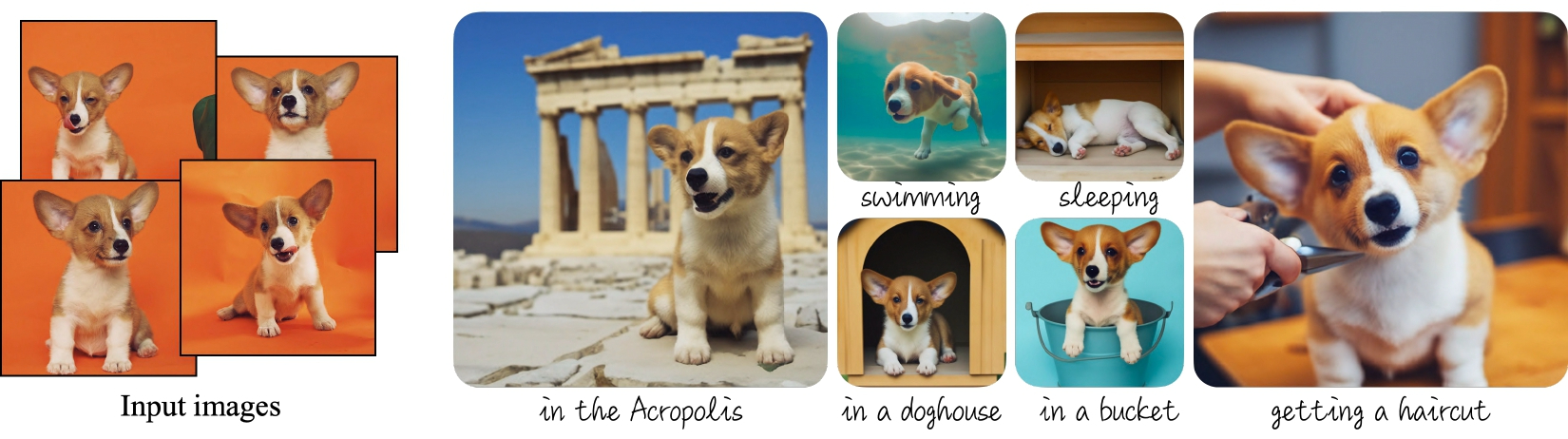
|
||||
_Dreambooth examples from the [project's blog](https://dreambooth.github.io)._
|
||||
|
||||
The [Dreambooth training script](https://github.com/huggingface/diffusers/tree/main/examples/dreambooth) shows how to implement this training procedure on a pre-trained Stable Diffusion model.
|
||||
|
||||
<Tip warning={true}>
|
||||
|
||||
Dreambooth fine-tuning is very sensitive to hyperparameters and easy to overfit. We recommend you take a look at our [in-depth analysis](https://huggingface.co/blog/dreambooth) with recommended settings for different subjects, and go from there.
|
||||
|
||||
</Tip>
|
||||
|
||||
## Training locally
|
||||
|
||||
### Installing the dependencies
|
||||
|
||||
Before running the scripts, make sure to install the library's training dependencies. We also recommend to install `diffusers` from the `main` github branch.
|
||||
|
||||
```bash
|
||||
pip install git+https://github.com/huggingface/diffusers
|
||||
pip install -U -r diffusers/examples/dreambooth/requirements.txt
|
||||
```
|
||||
|
||||
xFormers is not part of the training requirements, but [we recommend you install it if you can](../optimization/xformers). It could make your training faster and less memory intensive.
|
||||
|
||||
After all dependencies have been set up you can configure a [🤗 Accelerate](https://github.com/huggingface/accelerate/) environment with:
|
||||
|
||||
```bash
|
||||
accelerate config
|
||||
```
|
||||
|
||||
In this example we'll use model version `v1-4`, so please visit [its card](https://huggingface.co/CompVis/stable-diffusion-v1-4) and carefully read the license before proceeding.
|
||||
|
||||
The command below will download and cache the model weights from the Hub because we use the model's Hub id `CompVis/stable-diffusion-v1-4`. You may also clone the repo locally and use the local path in your system where the checkout was saved.
|
||||
|
||||
### Dog toy example
|
||||
|
||||
In this example we'll use [these images](https://drive.google.com/drive/folders/1BO_dyz-p65qhBRRMRA4TbZ8qW4rB99JZ) to add a new concept to Stable Diffusion using the Dreambooth process. They will be our training data. Please, download them and place them somewhere in your system.
|
||||
|
||||
Then you can launch the training script using:
|
||||
|
||||
```bash
|
||||
export MODEL_NAME="CompVis/stable-diffusion-v1-4"
|
||||
export INSTANCE_DIR="path_to_training_images"
|
||||
export OUTPUT_DIR="path_to_saved_model"
|
||||
|
||||
accelerate launch train_dreambooth.py \
|
||||
--pretrained_model_name_or_path=$MODEL_NAME \
|
||||
--instance_data_dir=$INSTANCE_DIR \
|
||||
--output_dir=$OUTPUT_DIR \
|
||||
--instance_prompt="a photo of sks dog" \
|
||||
--resolution=512 \
|
||||
--train_batch_size=1 \
|
||||
--gradient_accumulation_steps=1 \
|
||||
--learning_rate=5e-6 \
|
||||
--lr_scheduler="constant" \
|
||||
--lr_warmup_steps=0 \
|
||||
--max_train_steps=400
|
||||
```
|
||||
|
||||
### Training with a prior-preserving loss
|
||||
|
||||
Prior preservation is used to avoid overfitting and language-drift. Please, refer to the paper to learn more about it if you are interested. For prior preservation, we use other images of the same class as part of the training process. The nice thing is that we can generate those images using the Stable Diffusion model itself! The training script will save the generated images to a local path we specify.
|
||||
|
||||
According to the paper, it's recommended to generate `num_epochs * num_samples` images for prior preservation. 200-300 works well for most cases.
|
||||
|
||||
```bash
|
||||
export MODEL_NAME="CompVis/stable-diffusion-v1-4"
|
||||
export INSTANCE_DIR="path_to_training_images"
|
||||
export CLASS_DIR="path_to_class_images"
|
||||
export OUTPUT_DIR="path_to_saved_model"
|
||||
|
||||
accelerate launch train_dreambooth.py \
|
||||
--pretrained_model_name_or_path=$MODEL_NAME \
|
||||
--instance_data_dir=$INSTANCE_DIR \
|
||||
--class_data_dir=$CLASS_DIR \
|
||||
--output_dir=$OUTPUT_DIR \
|
||||
--with_prior_preservation --prior_loss_weight=1.0 \
|
||||
--instance_prompt="a photo of sks dog" \
|
||||
--class_prompt="a photo of dog" \
|
||||
--resolution=512 \
|
||||
--train_batch_size=1 \
|
||||
--gradient_accumulation_steps=1 \
|
||||
--learning_rate=5e-6 \
|
||||
--lr_scheduler="constant" \
|
||||
--lr_warmup_steps=0 \
|
||||
--num_class_images=200 \
|
||||
--max_train_steps=800
|
||||
```
|
||||
|
||||
### Saving checkpoints while training
|
||||
|
||||
It's easy to overfit while training with Dreambooth, so sometimes it's useful to save regular checkpoints during the process. One of the intermediate checkpoints might work better than the final model! To use this feature you need to pass the following argument to the training script:
|
||||
|
||||
```bash
|
||||
--checkpointing_steps=500
|
||||
```
|
||||
|
||||
This will save the full training state in subfolders of your `output_dir`. Subfolder names begin with the prefix `checkpoint-`, and then the number of steps performed so far; for example: `checkpoint-1500` would be a checkpoint saved after 1500 training steps.
|
||||
|
||||
#### Resuming training from a saved checkpoint
|
||||
|
||||
If you want to resume training from any of the saved checkpoints, you can pass the argument `--resume_from_checkpoint` and then indicate the name of the checkpoint you want to use. You can also use the special string `"latest"` to resume from the last checkpoint saved (i.e., the one with the largest number of steps). For example, the following would resume training from the checkpoint saved after 1500 steps:
|
||||
|
||||
```bash
|
||||
--resume_from_checkpoint="checkpoint-1500"
|
||||
```
|
||||
|
||||
This would be a good opportunity to tweak some of your hyperparameters if you wish.
|
||||
|
||||
#### Performing inference using a saved checkpoint
|
||||
|
||||
Saved checkpoints are stored in a format suitable for resuming training. They not only include the model weights, but also the state of the optimizer, data loaders and learning rate.
|
||||
|
||||
You can use a checkpoint for inference, but first you need to convert it to an inference pipeline. This is how you could do it:
|
||||
|
||||
```python
|
||||
from accelerate import Accelerator
|
||||
from diffusers import DiffusionPipeline
|
||||
|
||||
# Load the pipeline with the same arguments (model, revision) that were used for training
|
||||
model_id = "CompVis/stable-diffusion-v1-4"
|
||||
pipeline = DiffusionPipeline.from_pretrained(model_id)
|
||||
|
||||
accelerator = Accelerator()
|
||||
|
||||
# Use text_encoder if `--train_text_encoder` was used for the initial training
|
||||
unet, text_encoder = accelerator.prepare(pipeline.unet, pipeline.text_encoder)
|
||||
|
||||
# Restore state from a checkpoint path. You have to use the absolute path here.
|
||||
accelerator.load_state("/sddata/dreambooth/daruma-v2-1/checkpoint-100")
|
||||
|
||||
# Rebuild the pipeline with the unwrapped models (assignment to .unet and .text_encoder should work too)
|
||||
pipeline = DiffusionPipeline.from_pretrained(
|
||||
model_id,
|
||||
unet=accelerator.unwrap_model(unet),
|
||||
text_encoder=accelerator.unwrap_model(text_encoder),
|
||||
)
|
||||
|
||||
# Perform inference, or save, or push to the hub
|
||||
pipeline.save_pretrained("dreambooth-pipeline")
|
||||
```
|
||||
|
||||
### Training on a 16GB GPU
|
||||
|
||||
With the help of gradient checkpointing and the 8-bit optimizer from [bitsandbytes](https://github.com/TimDettmers/bitsandbytes), it's possible to train dreambooth on a 16GB GPU.
|
||||
|
||||
```bash
|
||||
pip install bitsandbytes
|
||||
```
|
||||
|
||||
Then pass the `--use_8bit_adam` option to the training script.
|
||||
|
||||
```bash
|
||||
export MODEL_NAME="CompVis/stable-diffusion-v1-4"
|
||||
export INSTANCE_DIR="path_to_training_images"
|
||||
export CLASS_DIR="path_to_class_images"
|
||||
export OUTPUT_DIR="path_to_saved_model"
|
||||
|
||||
accelerate launch train_dreambooth.py \
|
||||
--pretrained_model_name_or_path=$MODEL_NAME \
|
||||
--instance_data_dir=$INSTANCE_DIR \
|
||||
--class_data_dir=$CLASS_DIR \
|
||||
--output_dir=$OUTPUT_DIR \
|
||||
--with_prior_preservation --prior_loss_weight=1.0 \
|
||||
--instance_prompt="a photo of sks dog" \
|
||||
--class_prompt="a photo of dog" \
|
||||
--resolution=512 \
|
||||
--train_batch_size=1 \
|
||||
--gradient_accumulation_steps=2 --gradient_checkpointing \
|
||||
--use_8bit_adam \
|
||||
--learning_rate=5e-6 \
|
||||
--lr_scheduler="constant" \
|
||||
--lr_warmup_steps=0 \
|
||||
--num_class_images=200 \
|
||||
--max_train_steps=800
|
||||
```
|
||||
|
||||
### Fine-tune the text encoder in addition to the UNet
|
||||
|
||||
The script also allows to fine-tune the `text_encoder` along with the `unet`. It has been observed experimentally that this gives much better results, especially on faces. Please, refer to [our blog](https://huggingface.co/blog/dreambooth) for more details.
|
||||
|
||||
To enable this option, pass the `--train_text_encoder` argument to the training script.
|
||||
|
||||
<Tip>
|
||||
Training the text encoder requires additional memory, so training won't fit on a 16GB GPU. You'll need at least 24GB VRAM to use this option.
|
||||
</Tip>
|
||||
|
||||
```bash
|
||||
export MODEL_NAME="CompVis/stable-diffusion-v1-4"
|
||||
export INSTANCE_DIR="path_to_training_images"
|
||||
export CLASS_DIR="path_to_class_images"
|
||||
export OUTPUT_DIR="path_to_saved_model"
|
||||
|
||||
accelerate launch train_dreambooth.py \
|
||||
--pretrained_model_name_or_path=$MODEL_NAME \
|
||||
--train_text_encoder \
|
||||
--instance_data_dir=$INSTANCE_DIR \
|
||||
--class_data_dir=$CLASS_DIR \
|
||||
--output_dir=$OUTPUT_DIR \
|
||||
--with_prior_preservation --prior_loss_weight=1.0 \
|
||||
--instance_prompt="a photo of sks dog" \
|
||||
--class_prompt="a photo of dog" \
|
||||
--resolution=512 \
|
||||
--train_batch_size=1 \
|
||||
--use_8bit_adam
|
||||
--gradient_checkpointing \
|
||||
--learning_rate=2e-6 \
|
||||
--lr_scheduler="constant" \
|
||||
--lr_warmup_steps=0 \
|
||||
--num_class_images=200 \
|
||||
--max_train_steps=800
|
||||
```
|
||||
|
||||
### Training on a 8 GB GPU:
|
||||
|
||||
Using [DeepSpeed](https://www.deepspeed.ai/) it's even possible to offload some
|
||||
tensors from VRAM to either CPU or NVME, allowing training to proceed with less GPU memory.
|
||||
|
||||
DeepSpeed needs to be enabled with `accelerate config`. During configuration,
|
||||
answer yes to "Do you want to use DeepSpeed?". Combining DeepSpeed stage 2, fp16
|
||||
mixed precision, and offloading both the model parameters and the optimizer state to CPU, it's
|
||||
possible to train on under 8 GB VRAM. The drawback is that this requires more system RAM (about 25 GB). See [the DeepSpeed documentation](https://huggingface.co/docs/accelerate/usage_guides/deepspeed) for more configuration options.
|
||||
|
||||
Changing the default Adam optimizer to DeepSpeed's special version of Adam
|
||||
`deepspeed.ops.adam.DeepSpeedCPUAdam` gives a substantial speedup, but enabling
|
||||
it requires the system's CUDA toolchain version to be the same as the one installed with PyTorch. 8-bit optimizers don't seem to be compatible with DeepSpeed at the moment.
|
||||
|
||||
```bash
|
||||
export MODEL_NAME="CompVis/stable-diffusion-v1-4"
|
||||
export INSTANCE_DIR="path_to_training_images"
|
||||
export CLASS_DIR="path_to_class_images"
|
||||
export OUTPUT_DIR="path_to_saved_model"
|
||||
|
||||
accelerate launch train_dreambooth.py \
|
||||
--pretrained_model_name_or_path=$MODEL_NAME \
|
||||
--instance_data_dir=$INSTANCE_DIR \
|
||||
--class_data_dir=$CLASS_DIR \
|
||||
--output_dir=$OUTPUT_DIR \
|
||||
--with_prior_preservation --prior_loss_weight=1.0 \
|
||||
--instance_prompt="a photo of sks dog" \
|
||||
--class_prompt="a photo of dog" \
|
||||
--resolution=512 \
|
||||
--train_batch_size=1 \
|
||||
--sample_batch_size=1 \
|
||||
--gradient_accumulation_steps=1 --gradient_checkpointing \
|
||||
--learning_rate=5e-6 \
|
||||
--lr_scheduler="constant" \
|
||||
--lr_warmup_steps=0 \
|
||||
--num_class_images=200 \
|
||||
--max_train_steps=800 \
|
||||
--mixed_precision=fp16
|
||||
```
|
||||
|
||||
## Inference
|
||||
|
||||
Once you have trained a model, inference can be done using the `StableDiffusionPipeline`, by simply indicating the path where the model was saved. Make sure that your prompts include the special `identifier` used during training (`sks` in the previous examples).
|
||||
|
||||
```python
|
||||
from diffusers import StableDiffusionPipeline
|
||||
import torch
|
||||
|
||||
model_id = "path_to_saved_model"
|
||||
pipe = StableDiffusionPipeline.from_pretrained(model_id, torch_dtype=torch.float16).to("cuda")
|
||||
|
||||
prompt = "A photo of sks dog in a bucket"
|
||||
image = pipe(prompt, num_inference_steps=50, guidance_scale=7.5).images[0]
|
||||
|
||||
image.save("dog-bucket.png")
|
||||
```
|
||||
|
||||
You may also run inference from [any of the saved training checkpoints](#performing-inference-using-a-saved-checkpoint).
|
||||
@@ -12,7 +12,7 @@ specific language governing permissions and limitations under the License.
|
||||
|
||||
# 🧨 Diffusers Training Examples
|
||||
|
||||
Diffusers training examples are a collection of scripts to demonstrate how to effectively use the `diffusers` library
|
||||
Diffusers examples are a collection of scripts to demonstrate how to effectively use the `diffusers` library
|
||||
for a variety of use cases.
|
||||
|
||||
**Note**: If you are looking for **official** examples on how to use `diffusers` for inference,
|
||||
@@ -36,16 +36,13 @@ Training examples show how to pretrain or fine-tune diffusion models for a varie
|
||||
- [Unconditional Training](./unconditional_training)
|
||||
- [Text-to-Image Training](./text2image)
|
||||
- [Text Inversion](./text_inversion)
|
||||
- [Dreambooth](./dreambooth)
|
||||
|
||||
If possible, please [install xFormers](../optimization/xformers) for memory efficient attention. This could help make your training faster and less memory intensive.
|
||||
|
||||
| Task | 🤗 Accelerate | 🤗 Datasets | Colab
|
||||
|---|---|:---:|:---:|
|
||||
| [**Unconditional Image Generation**](./unconditional_training) | ✅ | ✅ | [](https://colab.research.google.com/github/huggingface/notebooks/blob/main/diffusers/training_example.ipynb)
|
||||
| [**Text-to-Image fine-tuning**](./text2image) | ✅ | ✅ |
|
||||
| [**Textual Inversion**](./text_inversion) | ✅ | - | [](https://colab.research.google.com/github/huggingface/notebooks/blob/main/diffusers/sd_textual_inversion_training.ipynb)
|
||||
| [**Dreambooth**](./dreambooth) | ✅ | - | [](https://colab.research.google.com/github/huggingface/notebooks/blob/main/diffusers/sd_dreambooth_training.ipynb)
|
||||
| [**Text-to-Image**](./text2image) | - | - |
|
||||
| [**Text-Inversion**](./text_inversion) | ✅ | ✅ | [](https://colab.research.google.com/github/huggingface/notebooks/blob/main/diffusers/sd_textual_inversion_training.ipynb)
|
||||
|
||||
## Community
|
||||
|
||||
|
||||
@@ -11,128 +11,6 @@ specific language governing permissions and limitations under the License.
|
||||
-->
|
||||
|
||||
|
||||
# Stable Diffusion text-to-image fine-tuning
|
||||
# Text-to-Image Training
|
||||
|
||||
The [`train_text_to_image.py`](https://github.com/huggingface/diffusers/tree/main/examples/text_to_image) script shows how to fine-tune the stable diffusion model on your own dataset.
|
||||
|
||||
<Tip warning={true}>
|
||||
|
||||
The text-to-image fine-tuning script is experimental. It's easy to overfit and run into issues like catastrophic forgetting. We recommend to explore different hyperparameters to get the best results on your dataset.
|
||||
|
||||
</Tip>
|
||||
|
||||
|
||||
## Running locally
|
||||
|
||||
### Installing the dependencies
|
||||
|
||||
Before running the scripts, make sure to install the library's training dependencies:
|
||||
|
||||
```bash
|
||||
pip install git+https://github.com/huggingface/diffusers.git
|
||||
pip install -U -r requirements.txt
|
||||
```
|
||||
|
||||
And initialize an [🤗Accelerate](https://github.com/huggingface/accelerate/) environment with:
|
||||
|
||||
```bash
|
||||
accelerate config
|
||||
```
|
||||
|
||||
You need to accept the model license before downloading or using the weights. In this example we'll use model version `v1-4`, so you'll need to visit [its card](https://huggingface.co/CompVis/stable-diffusion-v1-4), read the license and tick the checkbox if you agree.
|
||||
|
||||
You have to be a registered user in 🤗 Hugging Face Hub, and you'll also need to use an access token for the code to work. For more information on access tokens, please refer to [this section of the documentation](https://huggingface.co/docs/hub/security-tokens).
|
||||
|
||||
Run the following command to authenticate your token
|
||||
|
||||
```bash
|
||||
huggingface-cli login
|
||||
```
|
||||
|
||||
If you have already cloned the repo, then you won't need to go through these steps. Instead, you can pass the path to your local checkout to the training script and it will be loaded from there.
|
||||
|
||||
### Hardware Requirements for Fine-tuning
|
||||
|
||||
Using `gradient_checkpointing` and `mixed_precision` it should be possible to fine tune the model on a single 24GB GPU. For higher `batch_size` and faster training it's better to use GPUs with more than 30GB of GPU memory. You can also use JAX / Flax for fine-tuning on TPUs or GPUs, see [below](#flax-jax-finetuning) for details.
|
||||
|
||||
### Fine-tuning Example
|
||||
|
||||
The following script will launch a fine-tuning run using [Justin Pinkneys' captioned Pokemon dataset](https://huggingface.co/datasets/lambdalabs/pokemon-blip-captions), available in Hugging Face Hub.
|
||||
|
||||
|
||||
```bash
|
||||
export MODEL_NAME="CompVis/stable-diffusion-v1-4"
|
||||
export dataset_name="lambdalabs/pokemon-blip-captions"
|
||||
|
||||
accelerate launch train_text_to_image.py \
|
||||
--pretrained_model_name_or_path=$MODEL_NAME \
|
||||
--dataset_name=$dataset_name \
|
||||
--use_ema \
|
||||
--resolution=512 --center_crop --random_flip \
|
||||
--train_batch_size=1 \
|
||||
--gradient_accumulation_steps=4 \
|
||||
--gradient_checkpointing \
|
||||
--mixed_precision="fp16" \
|
||||
--max_train_steps=15000 \
|
||||
--learning_rate=1e-05 \
|
||||
--max_grad_norm=1 \
|
||||
--lr_scheduler="constant" --lr_warmup_steps=0 \
|
||||
--output_dir="sd-pokemon-model"
|
||||
```
|
||||
|
||||
To run on your own training files you need to prepare the dataset according to the format required by `datasets`. You can upload your dataset to the Hub, or you can prepare a local folder with your files. [This documentation](https://huggingface.co/docs/datasets/v2.4.0/en/image_load#imagefolder-with-metadata) explains how to do it.
|
||||
|
||||
You should modify the script if you wish to use custom loading logic. We have left pointers in the code in the appropriate places :)
|
||||
|
||||
```bash
|
||||
export MODEL_NAME="CompVis/stable-diffusion-v1-4"
|
||||
export TRAIN_DIR="path_to_your_dataset"
|
||||
export OUTPUT_DIR="path_to_save_model"
|
||||
|
||||
accelerate launch train_text_to_image.py \
|
||||
--pretrained_model_name_or_path=$MODEL_NAME \
|
||||
--train_data_dir=$TRAIN_DIR \
|
||||
--use_ema \
|
||||
--resolution=512 --center_crop --random_flip \
|
||||
--train_batch_size=1 \
|
||||
--gradient_accumulation_steps=4 \
|
||||
--gradient_checkpointing \
|
||||
--mixed_precision="fp16" \
|
||||
--max_train_steps=15000 \
|
||||
--learning_rate=1e-05 \
|
||||
--max_grad_norm=1 \
|
||||
--lr_scheduler="constant" --lr_warmup_steps=0 \
|
||||
--output_dir=${OUTPUT_DIR}
|
||||
```
|
||||
|
||||
Once training is finished the model will be saved to the `OUTPUT_DIR` specified in the command. To load the fine-tuned model for inference, just pass that path to `StableDiffusionPipeline`:
|
||||
|
||||
```python
|
||||
from diffusers import StableDiffusionPipeline
|
||||
|
||||
model_path = "path_to_saved_model"
|
||||
pipe = StableDiffusionPipeline.from_pretrained(model_path, torch_dtype=torch.float16)
|
||||
pipe.to("cuda")
|
||||
|
||||
image = pipe(prompt="yoda").images[0]
|
||||
image.save("yoda-pokemon.png")
|
||||
```
|
||||
|
||||
### Flax / JAX fine-tuning
|
||||
|
||||
Thanks to [@duongna211](https://github.com/duongna21) it's possible to fine-tune Stable Diffusion using Flax! This is very efficient on TPU hardware but works great on GPUs too. You can use the [Flax training script](https://github.com/huggingface/diffusers/blob/main/examples/text_to_image/train_text_to_image_flax.py) like this:
|
||||
|
||||
```Python
|
||||
export MODEL_NAME="runwayml/stable-diffusion-v1-5"
|
||||
export dataset_name="lambdalabs/pokemon-blip-captions"
|
||||
|
||||
python train_text_to_image_flax.py \
|
||||
--pretrained_model_name_or_path=$MODEL_NAME \
|
||||
--dataset_name=$dataset_name \
|
||||
--resolution=512 --center_crop --random_flip \
|
||||
--train_batch_size=1 \
|
||||
--max_train_steps=15000 \
|
||||
--learning_rate=1e-05 \
|
||||
--max_grad_norm=1 \
|
||||
--output_dir="sd-pokemon-model"
|
||||
```
|
||||
Under construction 🚧
|
||||
|
||||
@@ -49,7 +49,7 @@ The `textual_inversion.py` script [here](https://github.com/huggingface/diffuser
|
||||
|
||||
### Installing the dependencies
|
||||
|
||||
Before running the scripts, make sure to install the library's training dependencies.
|
||||
Before running the scipts, make sure to install the library's training dependencies:
|
||||
|
||||
```bash
|
||||
pip install diffusers[training] accelerate transformers
|
||||
@@ -64,17 +64,17 @@ accelerate config
|
||||
|
||||
### Cat toy example
|
||||
|
||||
You need to accept the model license before downloading or using the weights. In this example we'll use model version `v1-4`, so you'll need to visit [its card](https://huggingface.co/CompVis/stable-diffusion-v1-4), read the license and tick the checkbox if you agree.
|
||||
You need to accept the model license before downloading or using the weights. In this example we'll use model version `v1-4`, so you'll need to visit [its card](https://huggingface.co/CompVis/stable-diffusion-v1-4), read the license and tick the checkbox if you agree.
|
||||
|
||||
You have to be a registered user in 🤗 Hugging Face Hub, and you'll also need to use an access token for the code to work. For more information on access tokens, please refer to [this section of the documentation](https://huggingface.co/docs/hub/security-tokens).
|
||||
|
||||
Run the following command to authenticate your token
|
||||
Run the following command to autheticate your token
|
||||
|
||||
```bash
|
||||
huggingface-cli login
|
||||
```
|
||||
|
||||
If you have already cloned the repo, then you won't need to go through these steps.
|
||||
If you have already cloned the repo, then you won't need to go through these steps. You can simple remove the `--use_auth_token` arg from the following command.
|
||||
|
||||
<br>
|
||||
|
||||
@@ -83,11 +83,11 @@ Now let's get our dataset.Download 3-4 images from [here](https://drive.google.c
|
||||
And launch the training using
|
||||
|
||||
```bash
|
||||
export MODEL_NAME="runwayml/stable-diffusion-v1-5"
|
||||
export MODEL_NAME="CompVis/stable-diffusion-v1-4"
|
||||
export DATA_DIR="path-to-dir-containing-images"
|
||||
|
||||
accelerate launch textual_inversion.py \
|
||||
--pretrained_model_name_or_path=$MODEL_NAME \
|
||||
--pretrained_model_name_or_path=$MODEL_NAME --use_auth_token \
|
||||
--train_data_dir=$DATA_DIR \
|
||||
--learnable_property="object" \
|
||||
--placeholder_token="<cat-toy>" --initializer_token="toy" \
|
||||
@@ -109,6 +109,7 @@ A full training run takes ~1 hour on one V100 GPU.
|
||||
Once you have trained a model using above command, the inference can be done simply using the `StableDiffusionPipeline`. Make sure to include the `placeholder_token` in your prompt.
|
||||
|
||||
```python
|
||||
from torch import autocast
|
||||
from diffusers import StableDiffusionPipeline
|
||||
|
||||
model_id = "path-to-your-trained-model"
|
||||
@@ -116,7 +117,8 @@ pipe = StableDiffusionPipeline.from_pretrained(model_id, torch_dtype=torch.float
|
||||
|
||||
prompt = "A <cat-toy> backpack"
|
||||
|
||||
image = pipe(prompt, num_inference_steps=50, guidance_scale=7.5).images[0]
|
||||
with autocast("cuda"):
|
||||
image = pipe(prompt, num_inference_steps=50, guidance_scale=7.5).images[0]
|
||||
|
||||
image.save("cat-backpack.png")
|
||||
```
|
||||
|
||||
@@ -18,7 +18,7 @@ distribution.
|
||||
|
||||
## Installing the dependencies
|
||||
|
||||
Before running the scripts, make sure to install the library's training dependencies:
|
||||
Before running the scipts, make sure to install the library's training dependencies:
|
||||
|
||||
```bash
|
||||
pip install diffusers[training] accelerate datasets
|
||||
@@ -117,7 +117,7 @@ from datasets import load_dataset
|
||||
# example 1: local folder
|
||||
dataset = load_dataset("imagefolder", data_dir="path_to_your_folder")
|
||||
|
||||
# example 2: local files (supported formats are tar, gzip, zip, xz, rar, zstd)
|
||||
# example 2: local files (suppoted formats are tar, gzip, zip, xz, rar, zstd)
|
||||
dataset = load_dataset("imagefolder", data_files="path_to_zip_file")
|
||||
|
||||
# example 3: remote files (supported formats are tar, gzip, zip, xz, rar, zstd)
|
||||
|
||||
@@ -1,16 +0,0 @@
|
||||
<!--Copyright 2022 The HuggingFace Team. All rights reserved.
|
||||
|
||||
Licensed under the Apache License, Version 2.0 (the "License"); you may not use this file except in compliance with
|
||||
the License. You may obtain a copy of the License at
|
||||
|
||||
http://www.apache.org/licenses/LICENSE-2.0
|
||||
|
||||
Unless required by applicable law or agreed to in writing, software distributed under the License is distributed on
|
||||
an "AS IS" BASIS, WITHOUT WARRANTIES OR CONDITIONS OF ANY KIND, either express or implied. See the License for the
|
||||
specific language governing permissions and limitations under the License.
|
||||
-->
|
||||
|
||||
# Using Diffusers for audio
|
||||
|
||||
[`DanceDiffusionPipeline`] and [`AudioDiffusionPipeline`] can be used to generate
|
||||
audio rapidly! More coming soon!
|
||||
@@ -44,3 +44,5 @@ You can save the image by simply calling:
|
||||
```python
|
||||
>>> image.save("image_of_squirrel_painting.png")
|
||||
```
|
||||
|
||||
|
||||
|
||||
@@ -12,10 +12,21 @@ specific language governing permissions and limitations under the License.
|
||||
|
||||
|
||||
|
||||
# Configuration
|
||||
# Quicktour
|
||||
|
||||
The handling of configurations in Diffusers is with the `ConfigMixin` class.
|
||||
Start using Diffusers🧨 quickly!
|
||||
To start, use the [`DiffusionPipeline`] for quick inference and sample generations!
|
||||
|
||||
```
|
||||
pip install diffusers
|
||||
```
|
||||
|
||||
## Main classes
|
||||
|
||||
### Models
|
||||
|
||||
### Schedulers
|
||||
|
||||
### Pipeliens
|
||||
|
||||
[[autodoc]] ConfigMixin
|
||||
|
||||
Under further construction 🚧, open a [PR](https://github.com/huggingface/diffusers/compare) if you want to contribute!
|
||||
|
||||
@@ -1,169 +0,0 @@
|
||||
<!--Copyright 2022 The HuggingFace Team. All rights reserved.
|
||||
|
||||
Licensed under the Apache License, Version 2.0 (the "License"); you may not use this file except in compliance with
|
||||
the License. You may obtain a copy of the License at
|
||||
|
||||
http://www.apache.org/licenses/LICENSE-2.0
|
||||
|
||||
Unless required by applicable law or agreed to in writing, software distributed under the License is distributed on
|
||||
an "AS IS" BASIS, WITHOUT WARRANTIES OR CONDITIONS OF ANY KIND, either express or implied. See the License for the
|
||||
specific language governing permissions and limitations under the License.
|
||||
-->
|
||||
|
||||
# How to build a community pipeline
|
||||
|
||||
*Note*: this page was built from the GitHub Issue on Community Pipelines [#841](https://github.com/huggingface/diffusers/issues/841).
|
||||
|
||||
Let's make an example!
|
||||
Say you want to define a pipeline that just does a single forward pass to a U-Net and then calls a scheduler only once (Note, this doesn't make any sense from a scientific point of view, but only represents an example of how things work under the hood).
|
||||
|
||||
Cool! So you open your favorite IDE and start creating your pipeline 💻.
|
||||
First, what model weights and configurations do we need?
|
||||
We have a U-Net and a scheduler, so our pipeline should take a U-Net and a scheduler as an argument.
|
||||
Also, as stated above, you'd like to be able to load weights and the scheduler config for Hub and share your code with others, so we'll inherit from `DiffusionPipeline`:
|
||||
|
||||
```python
|
||||
from diffusers import DiffusionPipeline
|
||||
import torch
|
||||
|
||||
|
||||
class UnetSchedulerOneForwardPipeline(DiffusionPipeline):
|
||||
def __init__(self, unet, scheduler):
|
||||
super().__init__()
|
||||
```
|
||||
|
||||
Now, we must save the `unet` and `scheduler` in a config file so that you can save your pipeline with `save_pretrained`.
|
||||
Therefore, make sure you add every component that is save-able to the `register_modules` function:
|
||||
|
||||
```python
|
||||
from diffusers import DiffusionPipeline
|
||||
import torch
|
||||
|
||||
|
||||
class UnetSchedulerOneForwardPipeline(DiffusionPipeline):
|
||||
def __init__(self, unet, scheduler):
|
||||
super().__init__()
|
||||
|
||||
self.register_modules(unet=unet, scheduler=scheduler)
|
||||
```
|
||||
|
||||
Cool, the init is done! 🔥 Now, let's go into the forward pass, which we recommend defining as `__call__` . Here you're given all the creative freedom there is. For our amazing "one-step" pipeline, we simply create a random image and call the unet once and the scheduler once:
|
||||
|
||||
```python
|
||||
from diffusers import DiffusionPipeline
|
||||
import torch
|
||||
|
||||
|
||||
class UnetSchedulerOneForwardPipeline(DiffusionPipeline):
|
||||
def __init__(self, unet, scheduler):
|
||||
super().__init__()
|
||||
|
||||
self.register_modules(unet=unet, scheduler=scheduler)
|
||||
|
||||
def __call__(self):
|
||||
image = torch.randn(
|
||||
(1, self.unet.in_channels, self.unet.sample_size, self.unet.sample_size),
|
||||
)
|
||||
timestep = 1
|
||||
|
||||
model_output = self.unet(image, timestep).sample
|
||||
scheduler_output = self.scheduler.step(model_output, timestep, image).prev_sample
|
||||
|
||||
return scheduler_output
|
||||
```
|
||||
|
||||
Cool, that's it! 🚀 You can now run this pipeline by passing a `unet` and a `scheduler` to the init:
|
||||
|
||||
```python
|
||||
from diffusers import DDPMScheduler, Unet2DModel
|
||||
|
||||
scheduler = DDPMScheduler()
|
||||
unet = UNet2DModel()
|
||||
|
||||
pipeline = UnetSchedulerOneForwardPipeline(unet=unet, scheduler=scheduler)
|
||||
|
||||
output = pipeline()
|
||||
```
|
||||
|
||||
But what's even better is that you can load pre-existing weights into the pipeline if they match exactly your pipeline structure. This is e.g. the case for [https://huggingface.co/google/ddpm-cifar10-32](https://huggingface.co/google/ddpm-cifar10-32) so that we can do the following:
|
||||
|
||||
```python
|
||||
pipeline = UnetSchedulerOneForwardPipeline.from_pretrained("google/ddpm-cifar10-32")
|
||||
|
||||
output = pipeline()
|
||||
```
|
||||
|
||||
We want to share this amazing pipeline with the community, so we would open a PR request to add the following code under `one_step_unet.py` to [https://github.com/huggingface/diffusers/tree/main/examples/community](https://github.com/huggingface/diffusers/tree/main/examples/community) .
|
||||
|
||||
```python
|
||||
from diffusers import DiffusionPipeline
|
||||
import torch
|
||||
|
||||
|
||||
class UnetSchedulerOneForwardPipeline(DiffusionPipeline):
|
||||
def __init__(self, unet, scheduler):
|
||||
super().__init__()
|
||||
|
||||
self.register_modules(unet=unet, scheduler=scheduler)
|
||||
|
||||
def __call__(self):
|
||||
image = torch.randn(
|
||||
(1, self.unet.in_channels, self.unet.sample_size, self.unet.sample_size),
|
||||
)
|
||||
timestep = 1
|
||||
|
||||
model_output = self.unet(image, timestep).sample
|
||||
scheduler_output = self.scheduler.step(model_output, timestep, image).prev_sample
|
||||
|
||||
return scheduler_output
|
||||
```
|
||||
|
||||
Our amazing pipeline got merged here: [#840](https://github.com/huggingface/diffusers/pull/840).
|
||||
Now everybody that has `diffusers >= 0.4.0` installed can use our pipeline magically 🪄 as follows:
|
||||
|
||||
```python
|
||||
from diffusers import DiffusionPipeline
|
||||
|
||||
pipe = DiffusionPipeline.from_pretrained("google/ddpm-cifar10-32", custom_pipeline="one_step_unet")
|
||||
pipe()
|
||||
```
|
||||
|
||||
Another way to upload your custom_pipeline, besides sending a PR, is uploading the code that contains it to the Hugging Face Hub, [as exemplified here](https://huggingface.co/docs/diffusers/using-diffusers/custom_pipeline_overview#loading-custom-pipelines-from-the-hub).
|
||||
|
||||
**Try it out now - it works!**
|
||||
|
||||
In general, you will want to create much more sophisticated pipelines, so we recommend looking at existing pipelines here: [https://github.com/huggingface/diffusers/tree/main/examples/community](https://github.com/huggingface/diffusers/tree/main/examples/community).
|
||||
|
||||
IMPORTANT:
|
||||
You can use whatever package you want in your community pipeline file - as long as the user has it installed, everything will work fine. Make sure you have one and only one pipeline class that inherits from `DiffusionPipeline` as this will be automatically detected.
|
||||
|
||||
## How do community pipelines work?
|
||||
A community pipeline is a class that has to inherit from ['DiffusionPipeline']:
|
||||
and that has been added to `examples/community` [files](https://github.com/huggingface/diffusers/tree/main/examples/community).
|
||||
The community can load the pipeline code via the custom_pipeline argument from DiffusionPipeline. See docs [here](https://huggingface.co/docs/diffusers/api/diffusion_pipeline#diffusers.DiffusionPipeline.from_pretrained.custom_pipeline):
|
||||
|
||||
This means:
|
||||
The model weights and configs of the pipeline should be loaded from the `pretrained_model_name_or_path` [argument](https://huggingface.co/docs/diffusers/api/diffusion_pipeline#diffusers.DiffusionPipeline.from_pretrained.pretrained_model_name_or_path):
|
||||
whereas the code that powers the community pipeline is defined in a file added in [`examples/community`](https://github.com/huggingface/diffusers/tree/main/examples/community).
|
||||
|
||||
Now, it might very well be that only some of your pipeline components weights can be downloaded from an official repo.
|
||||
The other components should then be passed directly to init as is the case for the ClIP guidance notebook [here](https://colab.research.google.com/github/huggingface/notebooks/blob/main/diffusers/CLIP_Guided_Stable_diffusion_with_diffusers.ipynb#scrollTo=z9Kglma6hjki).
|
||||
|
||||
The magic behind all of this is that we load the code directly from GitHub. You can check it out in more detail if you follow the functionality defined here:
|
||||
|
||||
```python
|
||||
# 2. Load the pipeline class, if using custom module then load it from the hub
|
||||
# if we load from explicit class, let's use it
|
||||
if custom_pipeline is not None:
|
||||
pipeline_class = get_class_from_dynamic_module(
|
||||
custom_pipeline, module_file=CUSTOM_PIPELINE_FILE_NAME, cache_dir=custom_pipeline
|
||||
)
|
||||
elif cls != DiffusionPipeline:
|
||||
pipeline_class = cls
|
||||
else:
|
||||
diffusers_module = importlib.import_module(cls.__module__.split(".")[0])
|
||||
pipeline_class = getattr(diffusers_module, config_dict["_class_name"])
|
||||
```
|
||||
|
||||
This is why a community pipeline merged to GitHub will be directly available to all `diffusers` packages.
|
||||
|
||||
@@ -10,6 +10,6 @@ an "AS IS" BASIS, WITHOUT WARRANTIES OR CONDITIONS OF ANY KIND, either express o
|
||||
specific language governing permissions and limitations under the License.
|
||||
-->
|
||||
|
||||
# TODO
|
||||
# Custom Pipeline
|
||||
|
||||
Coming soon!
|
||||
Under construction 🚧
|
||||
@@ -1,280 +0,0 @@
|
||||
<!--Copyright 2022 The HuggingFace Team. All rights reserved.
|
||||
|
||||
Licensed under the Apache License, Version 2.0 (the "License"); you may not use this file except in compliance with
|
||||
the License. You may obtain a copy of the License at
|
||||
|
||||
http://www.apache.org/licenses/LICENSE-2.0
|
||||
|
||||
Unless required by applicable law or agreed to in writing, software distributed under the License is distributed on
|
||||
an "AS IS" BASIS, WITHOUT WARRANTIES OR CONDITIONS OF ANY KIND, either express or implied. See the License for the
|
||||
specific language governing permissions and limitations under the License.
|
||||
-->
|
||||
|
||||
# Custom Pipelines
|
||||
|
||||
> **For more information about community pipelines, please have a look at [this issue](https://github.com/huggingface/diffusers/issues/841).**
|
||||
|
||||
**Community** examples consist of both inference and training examples that have been added by the community.
|
||||
Please have a look at the following table to get an overview of all community examples. Click on the **Code Example** to get a copy-and-paste ready code example that you can try out.
|
||||
If a community doesn't work as expected, please open an issue and ping the author on it.
|
||||
|
||||
| Example | Description | Code Example | Colab | Author |
|
||||
|:---------------------------------------|:---------------------------------------------------------------------------------------------------------------------------------------------------------------------------------------------------------------------------------------------------------------------------------------------------------------------------------------------------------------------------------------------------------------------------------------------------------------------------------------------------------|:------------------------------------------------------------------|:-------------------------------------------------------------------------------------------------------------------------------------------------------------------------------------------------------------------|-----------------------------------------------------------:|
|
||||
| CLIP Guided Stable Diffusion | Doing CLIP guidance for text to image generation with Stable Diffusion | [CLIP Guided Stable Diffusion](#clip-guided-stable-diffusion) | [](https://colab.research.google.com/github/huggingface/notebooks/blob/main/diffusers/CLIP_Guided_Stable_diffusion_with_diffusers.ipynb) | [Suraj Patil](https://github.com/patil-suraj/) |
|
||||
| One Step U-Net (Dummy) | Example showcasing of how to use Community Pipelines (see https://github.com/huggingface/diffusers/issues/841) | [One Step U-Net](#one-step-unet) | - | [Patrick von Platen](https://github.com/patrickvonplaten/) |
|
||||
| Stable Diffusion Interpolation | Interpolate the latent space of Stable Diffusion between different prompts/seeds | [Stable Diffusion Interpolation](#stable-diffusion-interpolation) | - | [Nate Raw](https://github.com/nateraw/) |
|
||||
| Stable Diffusion Mega | **One** Stable Diffusion Pipeline with all functionalities of [Text2Image](https://github.com/huggingface/diffusers/blob/main/src/diffusers/pipelines/stable_diffusion/pipeline_stable_diffusion.py), [Image2Image](https://github.com/huggingface/diffusers/blob/main/src/diffusers/pipelines/stable_diffusion/pipeline_stable_diffusion_img2img.py) and [Inpainting](https://github.com/huggingface/diffusers/blob/main/src/diffusers/pipelines/stable_diffusion/pipeline_stable_diffusion_inpaint.py) | [Stable Diffusion Mega](#stable-diffusion-mega) | - | [Patrick von Platen](https://github.com/patrickvonplaten/) |
|
||||
| Long Prompt Weighting Stable Diffusion | **One** Stable Diffusion Pipeline without tokens length limit, and support parsing weighting in prompt. | [Long Prompt Weighting Stable Diffusion](#long-prompt-weighting-stable-diffusion) | - | [SkyTNT](https://github.com/SkyTNT) |
|
||||
| Speech to Image | Using automatic-speech-recognition to transcribe text and Stable Diffusion to generate images | [Speech to Image](#speech-to-image) | - | [Mikail Duzenli](https://github.com/MikailINTech)
|
||||
|
||||
To load a custom pipeline you just need to pass the `custom_pipeline` argument to `DiffusionPipeline`, as one of the files in `diffusers/examples/community`. Feel free to send a PR with your own pipelines, we will merge them quickly.
|
||||
```py
|
||||
pipe = DiffusionPipeline.from_pretrained(
|
||||
"CompVis/stable-diffusion-v1-4", custom_pipeline="filename_in_the_community_folder"
|
||||
)
|
||||
```
|
||||
|
||||
## Example usages
|
||||
|
||||
### CLIP Guided Stable Diffusion
|
||||
|
||||
CLIP guided stable diffusion can help to generate more realistic images
|
||||
by guiding stable diffusion at every denoising step with an additional CLIP model.
|
||||
|
||||
The following code requires roughly 12GB of GPU RAM.
|
||||
|
||||
```python
|
||||
from diffusers import DiffusionPipeline
|
||||
from transformers import CLIPFeatureExtractor, CLIPModel
|
||||
import torch
|
||||
|
||||
|
||||
feature_extractor = CLIPFeatureExtractor.from_pretrained("laion/CLIP-ViT-B-32-laion2B-s34B-b79K")
|
||||
clip_model = CLIPModel.from_pretrained("laion/CLIP-ViT-B-32-laion2B-s34B-b79K", torch_dtype=torch.float16)
|
||||
|
||||
|
||||
guided_pipeline = DiffusionPipeline.from_pretrained(
|
||||
"CompVis/stable-diffusion-v1-4",
|
||||
custom_pipeline="clip_guided_stable_diffusion",
|
||||
clip_model=clip_model,
|
||||
feature_extractor=feature_extractor,
|
||||
torch_dtype=torch.float16,
|
||||
)
|
||||
guided_pipeline.enable_attention_slicing()
|
||||
guided_pipeline = guided_pipeline.to("cuda")
|
||||
|
||||
prompt = "fantasy book cover, full moon, fantasy forest landscape, golden vector elements, fantasy magic, dark light night, intricate, elegant, sharp focus, illustration, highly detailed, digital painting, concept art, matte, art by WLOP and Artgerm and Albert Bierstadt, masterpiece"
|
||||
|
||||
generator = torch.Generator(device="cuda").manual_seed(0)
|
||||
images = []
|
||||
for i in range(4):
|
||||
image = guided_pipeline(
|
||||
prompt,
|
||||
num_inference_steps=50,
|
||||
guidance_scale=7.5,
|
||||
clip_guidance_scale=100,
|
||||
num_cutouts=4,
|
||||
use_cutouts=False,
|
||||
generator=generator,
|
||||
).images[0]
|
||||
images.append(image)
|
||||
|
||||
# save images locally
|
||||
for i, img in enumerate(images):
|
||||
img.save(f"./clip_guided_sd/image_{i}.png")
|
||||
```
|
||||
|
||||
The `images` list contains a list of PIL images that can be saved locally or displayed directly in a google colab.
|
||||
Generated images tend to be of higher qualtiy than natively using stable diffusion. E.g. the above script generates the following images:
|
||||
|
||||
.
|
||||
|
||||
### One Step Unet
|
||||
|
||||
The dummy "one-step-unet" can be run as follows:
|
||||
|
||||
```python
|
||||
from diffusers import DiffusionPipeline
|
||||
|
||||
pipe = DiffusionPipeline.from_pretrained("google/ddpm-cifar10-32", custom_pipeline="one_step_unet")
|
||||
pipe()
|
||||
```
|
||||
|
||||
**Note**: This community pipeline is not useful as a feature, but rather just serves as an example of how community pipelines can be added (see https://github.com/huggingface/diffusers/issues/841).
|
||||
|
||||
### Stable Diffusion Interpolation
|
||||
|
||||
The following code can be run on a GPU of at least 8GB VRAM and should take approximately 5 minutes.
|
||||
|
||||
```python
|
||||
from diffusers import DiffusionPipeline
|
||||
import torch
|
||||
|
||||
pipe = DiffusionPipeline.from_pretrained(
|
||||
"CompVis/stable-diffusion-v1-4",
|
||||
torch_dtype=torch.float16,
|
||||
safety_checker=None, # Very important for videos...lots of false positives while interpolating
|
||||
custom_pipeline="interpolate_stable_diffusion",
|
||||
).to("cuda")
|
||||
pipe.enable_attention_slicing()
|
||||
|
||||
frame_filepaths = pipe.walk(
|
||||
prompts=["a dog", "a cat", "a horse"],
|
||||
seeds=[42, 1337, 1234],
|
||||
num_interpolation_steps=16,
|
||||
output_dir="./dreams",
|
||||
batch_size=4,
|
||||
height=512,
|
||||
width=512,
|
||||
guidance_scale=8.5,
|
||||
num_inference_steps=50,
|
||||
)
|
||||
```
|
||||
|
||||
The output of the `walk(...)` function returns a list of images saved under the folder as defined in `output_dir`. You can use these images to create videos of stable diffusion.
|
||||
|
||||
> **Please have a look at https://github.com/nateraw/stable-diffusion-videos for more in-detail information on how to create videos using stable diffusion as well as more feature-complete functionality.**
|
||||
|
||||
### Stable Diffusion Mega
|
||||
|
||||
The Stable Diffusion Mega Pipeline lets you use the main use cases of the stable diffusion pipeline in a single class.
|
||||
|
||||
```python
|
||||
#!/usr/bin/env python3
|
||||
from diffusers import DiffusionPipeline
|
||||
import PIL
|
||||
import requests
|
||||
from io import BytesIO
|
||||
import torch
|
||||
|
||||
|
||||
def download_image(url):
|
||||
response = requests.get(url)
|
||||
return PIL.Image.open(BytesIO(response.content)).convert("RGB")
|
||||
|
||||
|
||||
pipe = DiffusionPipeline.from_pretrained(
|
||||
"CompVis/stable-diffusion-v1-4",
|
||||
custom_pipeline="stable_diffusion_mega",
|
||||
torch_dtype=torch.float16,
|
||||
)
|
||||
pipe.to("cuda")
|
||||
pipe.enable_attention_slicing()
|
||||
|
||||
|
||||
### Text-to-Image
|
||||
|
||||
images = pipe.text2img("An astronaut riding a horse").images
|
||||
|
||||
### Image-to-Image
|
||||
|
||||
init_image = download_image(
|
||||
"https://raw.githubusercontent.com/CompVis/stable-diffusion/main/assets/stable-samples/img2img/sketch-mountains-input.jpg"
|
||||
)
|
||||
|
||||
prompt = "A fantasy landscape, trending on artstation"
|
||||
|
||||
images = pipe.img2img(prompt=prompt, image=init_image, strength=0.75, guidance_scale=7.5).images
|
||||
|
||||
### Inpainting
|
||||
|
||||
img_url = "https://raw.githubusercontent.com/CompVis/latent-diffusion/main/data/inpainting_examples/overture-creations-5sI6fQgYIuo.png"
|
||||
mask_url = "https://raw.githubusercontent.com/CompVis/latent-diffusion/main/data/inpainting_examples/overture-creations-5sI6fQgYIuo_mask.png"
|
||||
init_image = download_image(img_url).resize((512, 512))
|
||||
mask_image = download_image(mask_url).resize((512, 512))
|
||||
|
||||
prompt = "a cat sitting on a bench"
|
||||
images = pipe.inpaint(prompt=prompt, image=init_image, mask_image=mask_image, strength=0.75).images
|
||||
```
|
||||
|
||||
As shown above this one pipeline can run all both "text-to-image", "image-to-image", and "inpainting" in one pipeline.
|
||||
|
||||
### Long Prompt Weighting Stable Diffusion
|
||||
|
||||
The Pipeline lets you input prompt without 77 token length limit. And you can increase words weighting by using "()" or decrease words weighting by using "[]"
|
||||
The Pipeline also lets you use the main use cases of the stable diffusion pipeline in a single class.
|
||||
|
||||
#### pytorch
|
||||
|
||||
```python
|
||||
from diffusers import DiffusionPipeline
|
||||
import torch
|
||||
|
||||
pipe = DiffusionPipeline.from_pretrained(
|
||||
"hakurei/waifu-diffusion", custom_pipeline="lpw_stable_diffusion", torch_dtype=torch.float16
|
||||
)
|
||||
pipe = pipe.to("cuda")
|
||||
|
||||
prompt = "best_quality (1girl:1.3) bow bride brown_hair closed_mouth frilled_bow frilled_hair_tubes frills (full_body:1.3) fox_ear hair_bow hair_tubes happy hood japanese_clothes kimono long_sleeves red_bow smile solo tabi uchikake white_kimono wide_sleeves cherry_blossoms"
|
||||
neg_prompt = "lowres, bad_anatomy, error_body, error_hair, error_arm, error_hands, bad_hands, error_fingers, bad_fingers, missing_fingers, error_legs, bad_legs, multiple_legs, missing_legs, error_lighting, error_shadow, error_reflection, text, error, extra_digit, fewer_digits, cropped, worst_quality, low_quality, normal_quality, jpeg_artifacts, signature, watermark, username, blurry"
|
||||
|
||||
pipe.text2img(prompt, negative_prompt=neg_prompt, width=512, height=512, max_embeddings_multiples=3).images[0]
|
||||
```
|
||||
|
||||
#### onnxruntime
|
||||
|
||||
```python
|
||||
from diffusers import DiffusionPipeline
|
||||
import torch
|
||||
|
||||
pipe = DiffusionPipeline.from_pretrained(
|
||||
"CompVis/stable-diffusion-v1-4",
|
||||
custom_pipeline="lpw_stable_diffusion_onnx",
|
||||
revision="onnx",
|
||||
provider="CUDAExecutionProvider",
|
||||
)
|
||||
|
||||
prompt = "a photo of an astronaut riding a horse on mars, best quality"
|
||||
neg_prompt = "lowres, bad anatomy, error body, error hair, error arm, error hands, bad hands, error fingers, bad fingers, missing fingers, error legs, bad legs, multiple legs, missing legs, error lighting, error shadow, error reflection, text, error, extra digit, fewer digits, cropped, worst quality, low quality, normal quality, jpeg artifacts, signature, watermark, username, blurry"
|
||||
|
||||
pipe.text2img(prompt, negative_prompt=neg_prompt, width=512, height=512, max_embeddings_multiples=3).images[0]
|
||||
```
|
||||
|
||||
if you see `Token indices sequence length is longer than the specified maximum sequence length for this model ( *** > 77 ) . Running this sequence through the model will result in indexing errors`. Do not worry, it is normal.
|
||||
|
||||
### Speech to Image
|
||||
|
||||
The following code can generate an image from an audio sample using pre-trained OpenAI whisper-small and Stable Diffusion.
|
||||
|
||||
```Python
|
||||
import torch
|
||||
|
||||
import matplotlib.pyplot as plt
|
||||
from datasets import load_dataset
|
||||
from diffusers import DiffusionPipeline
|
||||
from transformers import (
|
||||
WhisperForConditionalGeneration,
|
||||
WhisperProcessor,
|
||||
)
|
||||
|
||||
|
||||
device = "cuda" if torch.cuda.is_available() else "cpu"
|
||||
|
||||
ds = load_dataset("hf-internal-testing/librispeech_asr_dummy", "clean", split="validation")
|
||||
|
||||
audio_sample = ds[3]
|
||||
|
||||
text = audio_sample["text"].lower()
|
||||
speech_data = audio_sample["audio"]["array"]
|
||||
|
||||
model = WhisperForConditionalGeneration.from_pretrained("openai/whisper-small").to(device)
|
||||
processor = WhisperProcessor.from_pretrained("openai/whisper-small")
|
||||
|
||||
diffuser_pipeline = DiffusionPipeline.from_pretrained(
|
||||
"CompVis/stable-diffusion-v1-4",
|
||||
custom_pipeline="speech_to_image_diffusion",
|
||||
speech_model=model,
|
||||
speech_processor=processor,
|
||||
|
||||
torch_dtype=torch.float16,
|
||||
)
|
||||
|
||||
diffuser_pipeline.enable_attention_slicing()
|
||||
diffuser_pipeline = diffuser_pipeline.to(device)
|
||||
|
||||
output = diffuser_pipeline(speech_data)
|
||||
plt.imshow(output.images[0])
|
||||
```
|
||||
This example produces the following image:
|
||||
|
||||
|
||||
@@ -1,121 +0,0 @@
|
||||
<!--Copyright 2022 The HuggingFace Team. All rights reserved.
|
||||
|
||||
Licensed under the Apache License, Version 2.0 (the "License"); you may not use this file except in compliance with
|
||||
the License. You may obtain a copy of the License at
|
||||
|
||||
http://www.apache.org/licenses/LICENSE-2.0
|
||||
|
||||
Unless required by applicable law or agreed to in writing, software distributed under the License is distributed on
|
||||
an "AS IS" BASIS, WITHOUT WARRANTIES OR CONDITIONS OF ANY KIND, either express or implied. See the License for the
|
||||
specific language governing permissions and limitations under the License.
|
||||
-->
|
||||
|
||||
# Loading and Adding Custom Pipelines
|
||||
|
||||
Diffusers allows you to conveniently load any custom pipeline from the Hugging Face Hub as well as any [official community pipeline](https://github.com/huggingface/diffusers/tree/main/examples/community)
|
||||
via the [`DiffusionPipeline`] class.
|
||||
|
||||
## Loading custom pipelines from the Hub
|
||||
|
||||
Custom pipelines can be easily loaded from any model repository on the Hub that defines a diffusion pipeline in a `pipeline.py` file.
|
||||
Let's load a dummy pipeline from [hf-internal-testing/diffusers-dummy-pipeline](https://huggingface.co/hf-internal-testing/diffusers-dummy-pipeline).
|
||||
|
||||
All you need to do is pass the custom pipeline repo id with the `custom_pipeline` argument alongside the repo from where you wish to load the pipeline modules.
|
||||
|
||||
```python
|
||||
from diffusers import DiffusionPipeline
|
||||
|
||||
pipeline = DiffusionPipeline.from_pretrained(
|
||||
"google/ddpm-cifar10-32", custom_pipeline="hf-internal-testing/diffusers-dummy-pipeline"
|
||||
)
|
||||
```
|
||||
|
||||
This will load the custom pipeline as defined in the [model repository](https://huggingface.co/hf-internal-testing/diffusers-dummy-pipeline/blob/main/pipeline.py).
|
||||
|
||||
<Tip warning={true} >
|
||||
|
||||
By loading a custom pipeline from the Hugging Face Hub, you are trusting that the code you are loading
|
||||
is safe 🔒. Make sure to check out the code online before loading & running it automatically.
|
||||
|
||||
</Tip>
|
||||
|
||||
## Loading official community pipelines
|
||||
|
||||
Community pipelines are summarized in the [community examples folder](https://github.com/huggingface/diffusers/tree/main/examples/community)
|
||||
|
||||
Similarly, you need to pass both the *repo id* from where you wish to load the weights as well as the `custom_pipeline` argument. Here the `custom_pipeline` argument should consist simply of the filename of the community pipeline excluding the `.py` suffix, *e.g.* `clip_guided_stable_diffusion`.
|
||||
|
||||
Since community pipelines are often more complex, one can mix loading weights from an official *repo id*
|
||||
and passing pipeline modules directly.
|
||||
|
||||
```python
|
||||
from diffusers import DiffusionPipeline
|
||||
from transformers import CLIPFeatureExtractor, CLIPModel
|
||||
|
||||
clip_model_id = "laion/CLIP-ViT-B-32-laion2B-s34B-b79K"
|
||||
|
||||
feature_extractor = CLIPFeatureExtractor.from_pretrained(clip_model_id)
|
||||
clip_model = CLIPModel.from_pretrained(clip_model_id)
|
||||
|
||||
pipeline = DiffusionPipeline.from_pretrained(
|
||||
"runwayml/stable-diffusion-v1-5",
|
||||
custom_pipeline="clip_guided_stable_diffusion",
|
||||
clip_model=clip_model,
|
||||
feature_extractor=feature_extractor,
|
||||
)
|
||||
```
|
||||
|
||||
## Adding custom pipelines to the Hub
|
||||
|
||||
To add a custom pipeline to the Hub, all you need to do is to define a pipeline class that inherits
|
||||
from [`DiffusionPipeline`] in a `pipeline.py` file.
|
||||
Make sure that the whole pipeline is encapsulated within a single class and that the `pipeline.py` file
|
||||
has only one such class.
|
||||
|
||||
Let's quickly define an example pipeline.
|
||||
|
||||
|
||||
```python
|
||||
import torch
|
||||
from diffusers import DiffusionPipeline
|
||||
|
||||
|
||||
class MyPipeline(DiffusionPipeline):
|
||||
def __init__(self, unet, scheduler):
|
||||
super().__init__()
|
||||
|
||||
self.register_modules(unet=unet, scheduler=scheduler)
|
||||
|
||||
@torch.no_grad()
|
||||
def __call__(self, batch_size: int = 1, num_inference_steps: int = 50):
|
||||
# Sample gaussian noise to begin loop
|
||||
image = torch.randn((batch_size, self.unet.in_channels, self.unet.sample_size, self.unet.sample_size))
|
||||
|
||||
image = image.to(self.device)
|
||||
|
||||
# set step values
|
||||
self.scheduler.set_timesteps(num_inference_steps)
|
||||
|
||||
for t in self.progress_bar(self.scheduler.timesteps):
|
||||
# 1. predict noise model_output
|
||||
model_output = self.unet(image, t).sample
|
||||
|
||||
# 2. predict previous mean of image x_t-1 and add variance depending on eta
|
||||
# eta corresponds to η in paper and should be between [0, 1]
|
||||
# do x_t -> x_t-1
|
||||
image = self.scheduler.step(model_output, t, image, eta).prev_sample
|
||||
|
||||
image = (image / 2 + 0.5).clamp(0, 1)
|
||||
image = image.cpu().permute(0, 2, 3, 1).numpy()
|
||||
|
||||
return image
|
||||
```
|
||||
|
||||
Now you can upload this short file under the name `pipeline.py` in your preferred [model repository](https://huggingface.co/docs/hub/models-uploading). For Stable Diffusion pipelines, you may also [join the community organisation for shared pipelines](https://huggingface.co/organizations/sd-diffusers-pipelines-library/share/BUPyDUuHcciGTOKaExlqtfFcyCZsVFdrjr) to upload yours.
|
||||
Finally, we can load the custom pipeline by passing the model repository name, *e.g.* `sd-diffusers-pipelines-library/my_custom_pipeline` alongside the model repository from where we want to load the `unet` and `scheduler` components.
|
||||
|
||||
```python
|
||||
my_pipeline = DiffusionPipeline.from_pretrained(
|
||||
"google/ddpm-cifar10-32", custom_pipeline="patrickvonplaten/my_custom_pipeline"
|
||||
)
|
||||
```
|
||||
@@ -1,35 +0,0 @@
|
||||
<!--Copyright 2022 The HuggingFace Team. All rights reserved.
|
||||
|
||||
Licensed under the Apache License, Version 2.0 (the "License"); you may not use this file except in compliance with
|
||||
the License. You may obtain a copy of the License at
|
||||
|
||||
http://www.apache.org/licenses/LICENSE-2.0
|
||||
|
||||
Unless required by applicable law or agreed to in writing, software distributed under the License is distributed on
|
||||
an "AS IS" BASIS, WITHOUT WARRANTIES OR CONDITIONS OF ANY KIND, either express or implied. See the License for the
|
||||
specific language governing permissions and limitations under the License.
|
||||
-->
|
||||
|
||||
# Text-Guided Image-to-Image Generation
|
||||
|
||||
The [`StableDiffusionDepth2ImgPipeline`] lets you pass a text prompt and an initial image to condition the generation of new images as well as a `depth_map` to preserve the images' structure. If no `depth_map` is provided, the pipeline will automatically predict the depth via an integrated depth-estimation model.
|
||||
|
||||
```python
|
||||
import torch
|
||||
import requests
|
||||
from PIL import Image
|
||||
|
||||
from diffusers import StableDiffusionDepth2ImgPipeline
|
||||
|
||||
pipe = StableDiffusionDepth2ImgPipeline.from_pretrained(
|
||||
"stabilityai/stable-diffusion-2-depth",
|
||||
torch_dtype=torch.float16,
|
||||
).to("cuda")
|
||||
|
||||
|
||||
url = "http://images.cocodataset.org/val2017/000000039769.jpg"
|
||||
init_image = Image.open(requests.get(url, stream=True).raw)
|
||||
prompt = "two tigers"
|
||||
n_prompt = "bad, deformed, ugly, bad anatomy"
|
||||
image = pipe(prompt=prompt, image=init_image, negative_prompt=n_prompt, strength=0.7).images[0]
|
||||
```
|
||||
@@ -15,7 +15,7 @@ specific language governing permissions and limitations under the License.
|
||||
The [`StableDiffusionImg2ImgPipeline`] lets you pass a text prompt and an initial image to condition the generation of new images.
|
||||
|
||||
```python
|
||||
import torch
|
||||
from torch import autocast
|
||||
import requests
|
||||
from PIL import Image
|
||||
from io import BytesIO
|
||||
@@ -24,22 +24,23 @@ from diffusers import StableDiffusionImg2ImgPipeline
|
||||
|
||||
# load the pipeline
|
||||
device = "cuda"
|
||||
pipe = StableDiffusionImg2ImgPipeline.from_pretrained("runwayml/stable-diffusion-v1-5", torch_dtype=torch.float16).to(
|
||||
device
|
||||
)
|
||||
pipe = StableDiffusionImg2ImgPipeline.from_pretrained(
|
||||
"CompVis/stable-diffusion-v1-4", revision="fp16", torch_dtype=torch.float16, use_auth_token=True
|
||||
).to(device)
|
||||
|
||||
# let's download an initial image
|
||||
url = "https://raw.githubusercontent.com/CompVis/stable-diffusion/main/assets/stable-samples/img2img/sketch-mountains-input.jpg"
|
||||
|
||||
response = requests.get(url)
|
||||
init_image = Image.open(BytesIO(response.content)).convert("RGB")
|
||||
init_image.thumbnail((768, 768))
|
||||
init_image = init_image.resize((768, 512))
|
||||
|
||||
prompt = "A fantasy landscape, trending on artstation"
|
||||
|
||||
images = pipe(prompt=prompt, image=init_image, strength=0.75, guidance_scale=7.5).images
|
||||
with autocast("cuda"):
|
||||
images = pipe(prompt=prompt, init_image=init_image, strength=0.75, guidance_scale=7.5).images
|
||||
|
||||
images[0].save("fantasy_landscape.png")
|
||||
```
|
||||
You can also run this example on colab [](https://colab.research.google.com/github/huggingface/notebooks/blob/main/diffusers/image_2_image_using_diffusers.ipynb)
|
||||
You can also run this example on colab [](https://colab.research.google.com/github/patil-suraj/Notebooks/blob/master/image_2_image_using_diffusers.ipynb)
|
||||
|
||||
|
||||
@@ -12,20 +12,15 @@ specific language governing permissions and limitations under the License.
|
||||
|
||||
# Text-Guided Image-Inpainting
|
||||
|
||||
The [`StableDiffusionInpaintPipeline`] lets you edit specific parts of an image by providing a mask and a text prompt. It uses a version of Stable Diffusion specifically trained for in-painting tasks.
|
||||
|
||||
<Tip warning={true}>
|
||||
Note that this model is distributed separately from the regular Stable Diffusion model, so you have to accept its license even if you accepted the Stable Diffusion one in the past.
|
||||
|
||||
Please, visit the [model card](https://huggingface.co/runwayml/stable-diffusion-inpainting), read the license carefully and tick the checkbox if you agree. You have to be a registered user in 🤗 Hugging Face Hub, and you'll also need to use an access token for the code to work. For more information on access tokens, please refer to [this section](https://huggingface.co/docs/hub/security-tokens) of the documentation.
|
||||
</Tip>
|
||||
The [`StableDiffusionInpaintPipeline`] lets you edit specific parts of an image by providing a mask and text prompt.
|
||||
|
||||
```python
|
||||
import PIL
|
||||
import requests
|
||||
import torch
|
||||
from io import BytesIO
|
||||
|
||||
from torch import autocast
|
||||
import requests
|
||||
import PIL
|
||||
|
||||
from diffusers import StableDiffusionInpaintPipeline
|
||||
|
||||
|
||||
@@ -40,23 +35,16 @@ mask_url = "https://raw.githubusercontent.com/CompVis/latent-diffusion/main/data
|
||||
init_image = download_image(img_url).resize((512, 512))
|
||||
mask_image = download_image(mask_url).resize((512, 512))
|
||||
|
||||
device = "cuda"
|
||||
pipe = StableDiffusionInpaintPipeline.from_pretrained(
|
||||
"runwayml/stable-diffusion-inpainting",
|
||||
torch_dtype=torch.float16,
|
||||
)
|
||||
pipe = pipe.to("cuda")
|
||||
"CompVis/stable-diffusion-v1-4", revision="fp16", torch_dtype=torch.float16, use_auth_token=True
|
||||
).to(device)
|
||||
|
||||
prompt = "Face of a yellow cat, high resolution, sitting on a park bench"
|
||||
image = pipe(prompt=prompt, image=init_image, mask_image=mask_image).images[0]
|
||||
prompt = "a cat sitting on a bench"
|
||||
with autocast("cuda"):
|
||||
images = pipe(prompt=prompt, init_image=init_image, mask_image=mask_image, strength=0.75).images
|
||||
|
||||
images[0].save("cat_on_bench.png")
|
||||
```
|
||||
|
||||
`image` | `mask_image` | `prompt` | **Output** |
|
||||
:-------------------------:|:-------------------------:|:-------------------------:|-------------------------:|
|
||||
<img src="https://raw.githubusercontent.com/CompVis/latent-diffusion/main/data/inpainting_examples/overture-creations-5sI6fQgYIuo.png" alt="drawing" width="250"/> | <img src="https://raw.githubusercontent.com/CompVis/latent-diffusion/main/data/inpainting_examples/overture-creations-5sI6fQgYIuo_mask.png" alt="drawing" width="250"/> | ***Face of a yellow cat, high resolution, sitting on a park bench*** | <img src="https://huggingface.co/datasets/patrickvonplaten/images/resolve/main/test.png" alt="drawing" width="250"/> |
|
||||
|
||||
|
||||
You can also run this example on colab [](https://colab.research.google.com/github/huggingface/notebooks/blob/main/diffusers/in_painting_with_stable_diffusion_using_diffusers.ipynb)
|
||||
|
||||
<Tip warning={true}>
|
||||
A previous experimental implementation of in-painting used a different, lower-quality process. To ensure backwards compatibility, loading a pretrained pipeline that doesn't contain the new model will still apply the old in-painting method.
|
||||
</Tip>
|
||||
You can also run this example on colab [](https://colab.research.google.com/github/patil-suraj/Notebooks/blob/master/in_painting_with_stable_diffusion_using_diffusers.ipynb)
|
||||
|
||||
@@ -10,371 +10,6 @@ an "AS IS" BASIS, WITHOUT WARRANTIES OR CONDITIONS OF ANY KIND, either express o
|
||||
specific language governing permissions and limitations under the License.
|
||||
-->
|
||||
|
||||
# Loading
|
||||
# Loading
|
||||
|
||||
A core premise of the diffusers library is to make diffusion models **as accessible as possible**.
|
||||
Accessibility is therefore achieved by providing an API to load complete diffusion pipelines as well as individual components with a single line of code.
|
||||
|
||||
In the following we explain in-detail how to easily load:
|
||||
|
||||
- *Complete Diffusion Pipelines* via the [`DiffusionPipeline.from_pretrained`]
|
||||
- *Diffusion Models* via [`ModelMixin.from_pretrained`]
|
||||
- *Schedulers* via [`SchedulerMixin.from_pretrained`]
|
||||
|
||||
## Loading pipelines
|
||||
|
||||
The [`DiffusionPipeline`] class is the easiest way to access any diffusion model that is [available on the Hub](https://huggingface.co/models?library=diffusers). Let's look at an example on how to download [CompVis' Latent Diffusion model](https://huggingface.co/CompVis/ldm-text2im-large-256).
|
||||
|
||||
```python
|
||||
from diffusers import DiffusionPipeline
|
||||
|
||||
repo_id = "CompVis/ldm-text2im-large-256"
|
||||
ldm = DiffusionPipeline.from_pretrained(repo_id)
|
||||
```
|
||||
|
||||
Here [`DiffusionPipeline`] automatically detects the correct pipeline (*i.e.* [`LDMTextToImagePipeline`]), downloads and caches all required configuration and weight files (if not already done so), and finally returns a pipeline instance, called `ldm`.
|
||||
The pipeline instance can then be called using [`LDMTextToImagePipeline.__call__`] (i.e., `ldm("image of a astronaut riding a horse")`) for text-to-image generation.
|
||||
|
||||
Instead of using the generic [`DiffusionPipeline`] class for loading, you can also load the appropriate pipeline class directly. The code snippet above yields the same instance as when doing:
|
||||
|
||||
```python
|
||||
from diffusers import LDMTextToImagePipeline
|
||||
|
||||
repo_id = "CompVis/ldm-text2im-large-256"
|
||||
ldm = LDMTextToImagePipeline.from_pretrained(repo_id)
|
||||
```
|
||||
|
||||
Diffusion pipelines like `LDMTextToImagePipeline` often consist of multiple components. These components can be both parameterized models, such as `"unet"`, `"vqvae"` and "bert", tokenizers or schedulers. These components can interact in complex ways with each other when using the pipeline in inference, *e.g.* for [`LDMTextToImagePipeline`] or [`StableDiffusionPipeline`] the inference call is explained [here](https://huggingface.co/blog/stable_diffusion#how-does-stable-diffusion-work).
|
||||
The purpose of the [pipeline classes](./api/overview#diffusers-summary) is to wrap the complexity of these diffusion systems and give the user an easy-to-use API while staying flexible for customization, as will be shown later.
|
||||
|
||||
### Loading pipelines that require access request
|
||||
|
||||
Due to the capabilities of diffusion models to generate extremely realistic images, there is a certain danger that such models might be misused for unwanted applications, *e.g.* generating pornography or violent images.
|
||||
In order to minimize the possibility of such unsolicited use cases, some of the most powerful diffusion models require users to acknowledge a license before being able to use the model. If the user does not agree to the license, the pipeline cannot be downloaded.
|
||||
If you try to load [`runwayml/stable-diffusion-v1-5`](https://huggingface.co/runwayml/stable-diffusion-v1-5) the same way as done previously:
|
||||
|
||||
```python
|
||||
from diffusers import DiffusionPipeline
|
||||
|
||||
repo_id = "runwayml/stable-diffusion-v1-5"
|
||||
stable_diffusion = DiffusionPipeline.from_pretrained(repo_id)
|
||||
```
|
||||
|
||||
it will only work if you have both *click-accepted* the license on [the model card](https://huggingface.co/runwayml/stable-diffusion-v1-5) and are logged into the Hugging Face Hub. Otherwise you will get an error message
|
||||
such as the following:
|
||||
|
||||
```
|
||||
OSError: runwayml/stable-diffusion-v1-5 is not a local folder and is not a valid model identifier listed on 'https://huggingface.co/models'
|
||||
If this is a private repository, make sure to pass a token having permission to this repo with `use_auth_token` or log in with `huggingface-cli login`
|
||||
```
|
||||
|
||||
Therefore, we need to make sure to *click-accept* the license. You can do this by simply visiting
|
||||
the [model card](https://huggingface.co/runwayml/stable-diffusion-v1-5) and clicking on "Agree and access repository":
|
||||
|
||||
<p align="center">
|
||||
<br>
|
||||
<img src="https://raw.githubusercontent.com/huggingface/diffusers/main/docs/source/imgs/access_request.png" width="400"/>
|
||||
<br>
|
||||
</p>
|
||||
|
||||
Second, you need to login with your access token:
|
||||
|
||||
```
|
||||
huggingface-cli login
|
||||
```
|
||||
|
||||
before trying to load the model. Or alternatively, you can pass [your access token](https://huggingface.co/docs/hub/security-tokens#user-access-tokens) directly via the flag `use_auth_token`. In this case you do **not** need
|
||||
to run `huggingface-cli login` before:
|
||||
|
||||
```python
|
||||
from diffusers import DiffusionPipeline
|
||||
|
||||
repo_id = "runwayml/stable-diffusion-v1-5"
|
||||
stable_diffusion = DiffusionPipeline.from_pretrained(repo_id, use_auth_token="<your-access-token>")
|
||||
```
|
||||
|
||||
The final option to use pipelines that require access without having to rely on the Hugging Face Hub is to load the pipeline locally as explained in the next section.
|
||||
|
||||
### Loading pipelines locally
|
||||
|
||||
If you prefer to have complete control over the pipeline and its corresponding files or, as said before, if you want to use pipelines that require an access request without having to be connected to the Hugging Face Hub,
|
||||
we recommend loading pipelines locally.
|
||||
|
||||
To load a diffusion pipeline locally, you first need to manually download the whole folder structure on your local disk and then pass a local path to the [`DiffusionPipeline.from_pretrained`]. Let's again look at an example for
|
||||
[CompVis' Latent Diffusion model](https://huggingface.co/CompVis/ldm-text2im-large-256).
|
||||
|
||||
First, you should make use of [`git-lfs`](https://git-lfs.github.com/) to download the whole folder structure that has been uploaded to the [model repository](https://huggingface.co/CompVis/ldm-text2im-large-256/tree/main):
|
||||
|
||||
```
|
||||
git lfs install
|
||||
git clone https://huggingface.co/runwayml/stable-diffusion-v1-5
|
||||
```
|
||||
|
||||
The command above will create a local folder called `./stable-diffusion-v1-5` on your disk.
|
||||
Now, all you have to do is to simply pass the local folder path to `from_pretrained`:
|
||||
|
||||
```python
|
||||
from diffusers import DiffusionPipeline
|
||||
|
||||
repo_id = "./stable-diffusion-v1-5"
|
||||
stable_diffusion = DiffusionPipeline.from_pretrained(repo_id)
|
||||
```
|
||||
|
||||
If `repo_id` is a local path, as it is the case here, [`DiffusionPipeline.from_pretrained`] will automatically detect it and therefore not try to download any files from the Hub.
|
||||
While we usually recommend to load weights directly from the Hub to be certain to stay up to date with the newest changes, loading pipelines locally should be preferred if one
|
||||
wants to stay anonymous, self-contained applications, etc...
|
||||
|
||||
### Loading customized pipelines
|
||||
|
||||
Advanced users that want to load customized versions of diffusion pipelines can do so by swapping any of the default components, *e.g.* the scheduler, with other scheduler classes.
|
||||
A classical use case of this functionality is to swap the scheduler. [Stable Diffusion v1-5](https://huggingface.co/runwayml/stable-diffusion-v1-5) uses the [`PNDMScheduler`] by default which is generally not the most performant scheduler. Since the release
|
||||
of stable diffusion, multiple improved schedulers have been published. To use those, the user has to manually load their preferred scheduler and pass it into [`DiffusionPipeline.from_pretrained`].
|
||||
|
||||
*E.g.* to use [`EulerDiscreteScheduler`] or [`DPMSolverMultistepScheduler`] to have a better quality vs. generation speed trade-off for inference, one could load them as follows:
|
||||
|
||||
```python
|
||||
from diffusers import DiffusionPipeline, EulerDiscreteScheduler, DPMSolverMultistepScheduler
|
||||
|
||||
repo_id = "runwayml/stable-diffusion-v1-5"
|
||||
|
||||
scheduler = EulerDiscreteScheduler.from_pretrained(repo_id, subfolder="scheduler")
|
||||
# or
|
||||
# scheduler = DPMSolverMultistepScheduler.from_pretrained(repo_id, subfolder="scheduler")
|
||||
|
||||
stable_diffusion = DiffusionPipeline.from_pretrained(repo_id, scheduler=scheduler)
|
||||
```
|
||||
|
||||
Three things are worth paying attention to here.
|
||||
- First, the scheduler is loaded with [`SchedulerMixin.from_pretrained`]
|
||||
- Second, the scheduler is loaded with a function argument, called `subfolder="scheduler"` as the configuration of stable diffusion's scheduling is defined in a [subfolder of the official pipeline repository](https://huggingface.co/runwayml/stable-diffusion-v1-5/tree/main/scheduler)
|
||||
- Third, the scheduler instance can simply be passed with the `scheduler` keyword argument to [`DiffusionPipeline.from_pretrained`]. This works because the [`StableDiffusionPipeline`] defines its scheduler with the `scheduler` attribute. It's not possible to use a different name, such as `sampler=scheduler` since `sampler` is not a defined keyword for [`StableDiffusionPipeline.__init__`]
|
||||
|
||||
Not only the scheduler components can be customized for diffusion pipelines; in theory, all components of a pipeline can be customized. In practice, however, it often only makes sense to switch out a component that has **compatible** alternatives to what the pipeline expects.
|
||||
Many scheduler classes are compatible with each other as can be seen [here](https://github.com/huggingface/diffusers/blob/0dd8c6b4dbab4069de9ed1cafb53cbd495873879/src/diffusers/schedulers/scheduling_ddim.py#L112). This is not always the case for other components, such as the `"unet"`.
|
||||
|
||||
One special case that can also be customized is the `"safety_checker"` of stable diffusion. If you believe the safety checker doesn't serve you any good, you can simply disable it by passing `None`:
|
||||
|
||||
```python
|
||||
from diffusers import DiffusionPipeline, EulerDiscreteScheduler, DPMSolverMultistepScheduler
|
||||
|
||||
stable_diffusion = DiffusionPipeline.from_pretrained(repo_id, safety_checker=None)
|
||||
```
|
||||
|
||||
Another common use case is to reuse the same components in multiple pipelines, *e.g.* the weights and configurations of [`"runwayml/stable-diffusion-v1-5"`](https://huggingface.co/runwayml/stable-diffusion-v1-5) can be used for both [`StableDiffusionPipeline`] and [`StableDiffusionImg2ImgPipeline`] and we might not want to
|
||||
use the exact same weights into RAM twice. In this case, customizing all the input instances would help us
|
||||
to only load the weights into RAM once:
|
||||
|
||||
```python
|
||||
from diffusers import StableDiffusionPipeline, StableDiffusionImg2ImgPipeline
|
||||
|
||||
model_id = "runwayml/stable-diffusion-v1-5"
|
||||
stable_diffusion_txt2img = StableDiffusionPipeline.from_pretrained(model_id)
|
||||
|
||||
components = stable_diffusion_txt2img.components
|
||||
|
||||
# weights are not reloaded into RAM
|
||||
stable_diffusion_img2img = StableDiffusionImg2ImgPipeline(**components)
|
||||
```
|
||||
|
||||
Note how the above code snippet makes use of [`DiffusionPipeline.components`].
|
||||
|
||||
### How does loading work?
|
||||
|
||||
As a class method, [`DiffusionPipeline.from_pretrained`] is responsible for two things:
|
||||
- Download the latest version of the folder structure required to run the `repo_id` with `diffusers` and cache them. If the latest folder structure is available in the local cache, [`DiffusionPipeline.from_pretrained`] will simply reuse the cache and **not** re-download the files.
|
||||
- Load the cached weights into the _correct_ pipeline class – one of the [officially supported pipeline classes](./api/overview#diffusers-summary) - and return an instance of the class. The _correct_ pipeline class is thereby retrieved from the `model_index.json` file.
|
||||
|
||||
The underlying folder structure of diffusion pipelines correspond 1-to-1 to their corresponding class instances, *e.g.* [`LDMTextToImagePipeline`] for [`CompVis/ldm-text2im-large-256`](https://huggingface.co/CompVis/ldm-text2im-large-256)
|
||||
This can be understood better by looking at an example. Let's print out pipeline class instance `pipeline` we just defined:
|
||||
|
||||
```python
|
||||
from diffusers import DiffusionPipeline
|
||||
|
||||
repo_id = "CompVis/ldm-text2im-large-256"
|
||||
ldm = DiffusionPipeline.from_pretrained(repo_id)
|
||||
print(ldm)
|
||||
```
|
||||
|
||||
*Output*:
|
||||
```
|
||||
LDMTextToImagePipeline {
|
||||
"bert": [
|
||||
"latent_diffusion",
|
||||
"LDMBertModel"
|
||||
],
|
||||
"scheduler": [
|
||||
"diffusers",
|
||||
"DDIMScheduler"
|
||||
],
|
||||
"tokenizer": [
|
||||
"transformers",
|
||||
"BertTokenizer"
|
||||
],
|
||||
"unet": [
|
||||
"diffusers",
|
||||
"UNet2DConditionModel"
|
||||
],
|
||||
"vqvae": [
|
||||
"diffusers",
|
||||
"AutoencoderKL"
|
||||
]
|
||||
}
|
||||
```
|
||||
|
||||
First, we see that the official pipeline is the [`LDMTextToImagePipeline`], and second we see that the `LDMTextToImagePipeline` consists of 5 components:
|
||||
- `"bert"` of class `LDMBertModel` as defined [in the pipeline](https://github.com/huggingface/diffusers/blob/cd502b25cf0debac6f98d27a6638ef95208d1ea2/src/diffusers/pipelines/latent_diffusion/pipeline_latent_diffusion.py#L664)
|
||||
- `"scheduler"` of class [`DDIMScheduler`]
|
||||
- `"tokenizer"` of class `BertTokenizer` as defined [in `transformers`](https://huggingface.co/docs/transformers/model_doc/bert#transformers.BertTokenizer)
|
||||
- `"unet"` of class [`UNet2DConditionModel`]
|
||||
- `"vqvae"` of class [`AutoencoderKL`]
|
||||
|
||||
Let's now compare the pipeline instance to the folder structure of the model repository `CompVis/ldm-text2im-large-256`. Looking at the folder structure of [`CompVis/ldm-text2im-large-256`](https://huggingface.co/CompVis/ldm-text2im-large-256/tree/main) on the Hub, we can see it matches 1-to-1 the printed out instance of `LDMTextToImagePipeline` above:
|
||||
|
||||
```
|
||||
.
|
||||
├── bert
|
||||
│ ├── config.json
|
||||
│ └── pytorch_model.bin
|
||||
├── model_index.json
|
||||
├── scheduler
|
||||
│ └── scheduler_config.json
|
||||
├── tokenizer
|
||||
│ ├── special_tokens_map.json
|
||||
│ ├── tokenizer_config.json
|
||||
│ └── vocab.txt
|
||||
├── unet
|
||||
│ ├── config.json
|
||||
│ └── diffusion_pytorch_model.bin
|
||||
└── vqvae
|
||||
├── config.json
|
||||
└── diffusion_pytorch_model.bin
|
||||
```
|
||||
|
||||
As we can see each attribute of the instance of `LDMTextToImagePipeline` has its configuration and possibly weights defined in a subfolder that is called **exactly** like the class attribute (`"bert"`, `"scheduler"`, `"tokenizer"`, `"unet"`, `"vqvae"`). Importantly, every pipeline expects a `model_index.json` file that tells the `DiffusionPipeline` both:
|
||||
- which pipeline class should be loaded, and
|
||||
- what sub-classes from which library are stored in which subfolders
|
||||
|
||||
In the case of `CompVis/ldm-text2im-large-256` the `model_index.json` is therefore defined as follows:
|
||||
|
||||
```
|
||||
{
|
||||
"_class_name": "LDMTextToImagePipeline",
|
||||
"_diffusers_version": "0.0.4",
|
||||
"bert": [
|
||||
"latent_diffusion",
|
||||
"LDMBertModel"
|
||||
],
|
||||
"scheduler": [
|
||||
"diffusers",
|
||||
"DDIMScheduler"
|
||||
],
|
||||
"tokenizer": [
|
||||
"transformers",
|
||||
"BertTokenizer"
|
||||
],
|
||||
"unet": [
|
||||
"diffusers",
|
||||
"UNet2DConditionModel"
|
||||
],
|
||||
"vqvae": [
|
||||
"diffusers",
|
||||
"AutoencoderKL"
|
||||
]
|
||||
}
|
||||
```
|
||||
|
||||
- `_class_name` tells `DiffusionPipeline` which pipeline class should be loaded.
|
||||
- `_diffusers_version` can be useful to know under which `diffusers` version this model was created.
|
||||
- Every component of the pipeline is then defined under the form:
|
||||
```
|
||||
"name" : [
|
||||
"library",
|
||||
"class"
|
||||
]
|
||||
```
|
||||
- The `"name"` field corresponds both to the name of the subfolder in which the configuration and weights are stored as well as the attribute name of the pipeline class (as can be seen [here](https://huggingface.co/CompVis/ldm-text2im-large-256/tree/main/bert) and [here](https://github.com/huggingface/diffusers/blob/cd502b25cf0debac6f98d27a6638ef95208d1ea2/src/diffusers/pipelines/latent_diffusion/pipeline_latent_diffusion.py#L42)
|
||||
- The `"library"` field corresponds to the name of the library, *e.g.* `diffusers` or `transformers` from which the `"class"` should be loaded
|
||||
- The `"class"` field corresponds to the name of the class, *e.g.* [`BertTokenizer`](https://huggingface.co/docs/transformers/model_doc/bert#transformers.BertTokenizer) or [`UNet2DConditionModel`]
|
||||
|
||||
|
||||
## Loading models
|
||||
|
||||
Models as defined under [src/diffusers/models](https://github.com/huggingface/diffusers/tree/main/src/diffusers/models) can be loaded via the [`ModelMixin.from_pretrained`] function. The API is very similar the [`DiffusionPipeline.from_pretrained`] and works in the same way:
|
||||
- Download the latest version of the model weights and configuration with `diffusers` and cache them. If the latest files are available in the local cache, [`ModelMixin.from_pretrained`] will simply reuse the cache and **not** re-download the files.
|
||||
- Load the cached weights into the _defined_ model class - one of [the existing model classes](./api/models) - and return an instance of the class.
|
||||
|
||||
In constrast to [`DiffusionPipeline.from_pretrained`], models rely on fewer files that usually don't require a folder structure, but just a `diffusion_pytorch_model.bin` and `config.json` file.
|
||||
|
||||
Let's look at an example:
|
||||
|
||||
```python
|
||||
from diffusers import UNet2DConditionModel
|
||||
|
||||
repo_id = "CompVis/ldm-text2im-large-256"
|
||||
model = UNet2DConditionModel.from_pretrained(repo_id, subfolder="unet")
|
||||
```
|
||||
|
||||
Note how we have to define the `subfolder="unet"` argument to tell [`ModelMixin.from_pretrained`] that the model weights are located in a [subfolder of the repository](https://huggingface.co/CompVis/ldm-text2im-large-256/tree/main/unet).
|
||||
|
||||
As explained in [Loading customized pipelines]("./using-diffusers/loading#loading-customized-pipelines"), one can pass a loaded model to a diffusion pipeline, via [`DiffusionPipeline.from_pretrained`]:
|
||||
|
||||
```python
|
||||
from diffusers import DiffusionPipeline
|
||||
|
||||
repo_id = "CompVis/ldm-text2im-large-256"
|
||||
ldm = DiffusionPipeline.from_pretrained(repo_id, unet=model)
|
||||
```
|
||||
|
||||
If the model files can be found directly at the root level, which is usually only the case for some very simple diffusion models, such as [`google/ddpm-cifar10-32`](https://huggingface.co/google/ddpm-cifar10-32), we don't
|
||||
need to pass a `subfolder` argument:
|
||||
|
||||
```python
|
||||
from diffusers import UNet2DModel
|
||||
|
||||
repo_id = "google/ddpm-cifar10-32"
|
||||
model = UNet2DModel.from_pretrained(repo_id)
|
||||
```
|
||||
|
||||
## Loading schedulers
|
||||
|
||||
Schedulers rely on [`SchedulerMixin.from_pretrained`]. Schedulers are **not parameterized** or **trained**, but instead purely defined by a configuration file.
|
||||
For consistency, we use the same method name as we do for models or pipelines, but no weights are loaded in this case.
|
||||
|
||||
In constrast to pipelines or models, loading schedulers does not consume any significant amount of memory and the same configuration file can often be used for a variety of different schedulers.
|
||||
For example, all of:
|
||||
|
||||
- [`DDPMScheduler`]
|
||||
- [`DDIMScheduler`]
|
||||
- [`PNDMScheduler`]
|
||||
- [`LMSDiscreteScheduler`]
|
||||
- [`EulerDiscreteScheduler`]
|
||||
- [`EulerAncestralDiscreteScheduler`]
|
||||
- [`DPMSolverMultistepScheduler`]
|
||||
|
||||
are compatible with [`StableDiffusionPipeline`] and therefore the same scheduler configuration file can be loaded in any of those classes:
|
||||
|
||||
```python
|
||||
from diffusers import StableDiffusionPipeline
|
||||
from diffusers import (
|
||||
DDPMScheduler,
|
||||
DDIMScheduler,
|
||||
PNDMScheduler,
|
||||
LMSDiscreteScheduler,
|
||||
EulerDiscreteScheduler,
|
||||
EulerAncestralDiscreteScheduler,
|
||||
DPMSolverMultistepScheduler,
|
||||
)
|
||||
|
||||
repo_id = "runwayml/stable-diffusion-v1-5"
|
||||
|
||||
ddpm = DDPMScheduler.from_pretrained(repo_id, subfolder="scheduler")
|
||||
ddim = DDIMScheduler.from_pretrained(repo_id, subfolder="scheduler")
|
||||
pndm = PNDMScheduler.from_pretrained(repo_id, subfolder="scheduler")
|
||||
lms = LMSDiscreteScheduler.from_pretrained(repo_id, subfolder="scheduler")
|
||||
euler_anc = EulerAncestralDiscreteScheduler.from_pretrained(repo_id, subfolder="scheduler")
|
||||
euler = EulerDiscreteScheduler.from_pretrained(repo_id, subfolder="scheduler")
|
||||
dpm = DPMSolverMultistepScheduler.from_pretrained(repo_id, subfolder="scheduler")
|
||||
|
||||
# replace `dpm` with any of `ddpm`, `ddim`, `pndm`, `lms`, `euler`, `euler_anc`
|
||||
pipeline = StableDiffusionPipeline.from_pretrained(repo_id, scheduler=dpm)
|
||||
```
|
||||
Under construction 🚧
|
||||
|
||||
@@ -1,21 +0,0 @@
|
||||
<!--Copyright 2022 The HuggingFace Team. All rights reserved.
|
||||
|
||||
Licensed under the Apache License, Version 2.0 (the "License"); you may not use this file except in compliance with
|
||||
the License. You may obtain a copy of the License at
|
||||
|
||||
http://www.apache.org/licenses/LICENSE-2.0
|
||||
|
||||
Unless required by applicable law or agreed to in writing, software distributed under the License is distributed on
|
||||
an "AS IS" BASIS, WITHOUT WARRANTIES OR CONDITIONS OF ANY KIND, either express or implied. See the License for the
|
||||
specific language governing permissions and limitations under the License.
|
||||
-->
|
||||
|
||||
# Using Diffusers with other modalities
|
||||
|
||||
Diffusers is in the process of expanding to modalities other than images.
|
||||
|
||||
Example type | Colab | Pipeline |
|
||||
:-------------------------:|:-------------------------:|:-------------------------:|
|
||||
[Molecule conformation](https://www.nature.com/subjects/molecular-conformation#:~:text=Definition,to%20changes%20in%20their%20environment.) generation | [](https://colab.research.google.com/github/huggingface/notebooks/blob/main/diffusers/geodiff_molecule_conformation.ipynb) | ❌
|
||||
|
||||
More coming soon!
|
||||
Some files were not shown because too many files have changed in this diff Show More
Reference in New Issue
Block a user